Weekly Wiki

Greetings
This is Frank in Seeed Studio and welcome to the Seeed Studio weekly wiki! Each Monday, I will introduce you our latest wiki, including the ones related to our new products, the interesting projects published by Seeed Studio, and the tutorials, introductions, etc... You name it.
✨ For each week, when a collaborator contributes a project or fixes something important, we put the stars at the end of title of "Weekly Wiki" for more people be able to see their efforts👍.
Today is February 24th, and a brand new week has begun! Check out what Seeed Studio did last week!
Latest Wiki Launched
Getting Started with Wi-Fi HaLow Mini PCIe Module
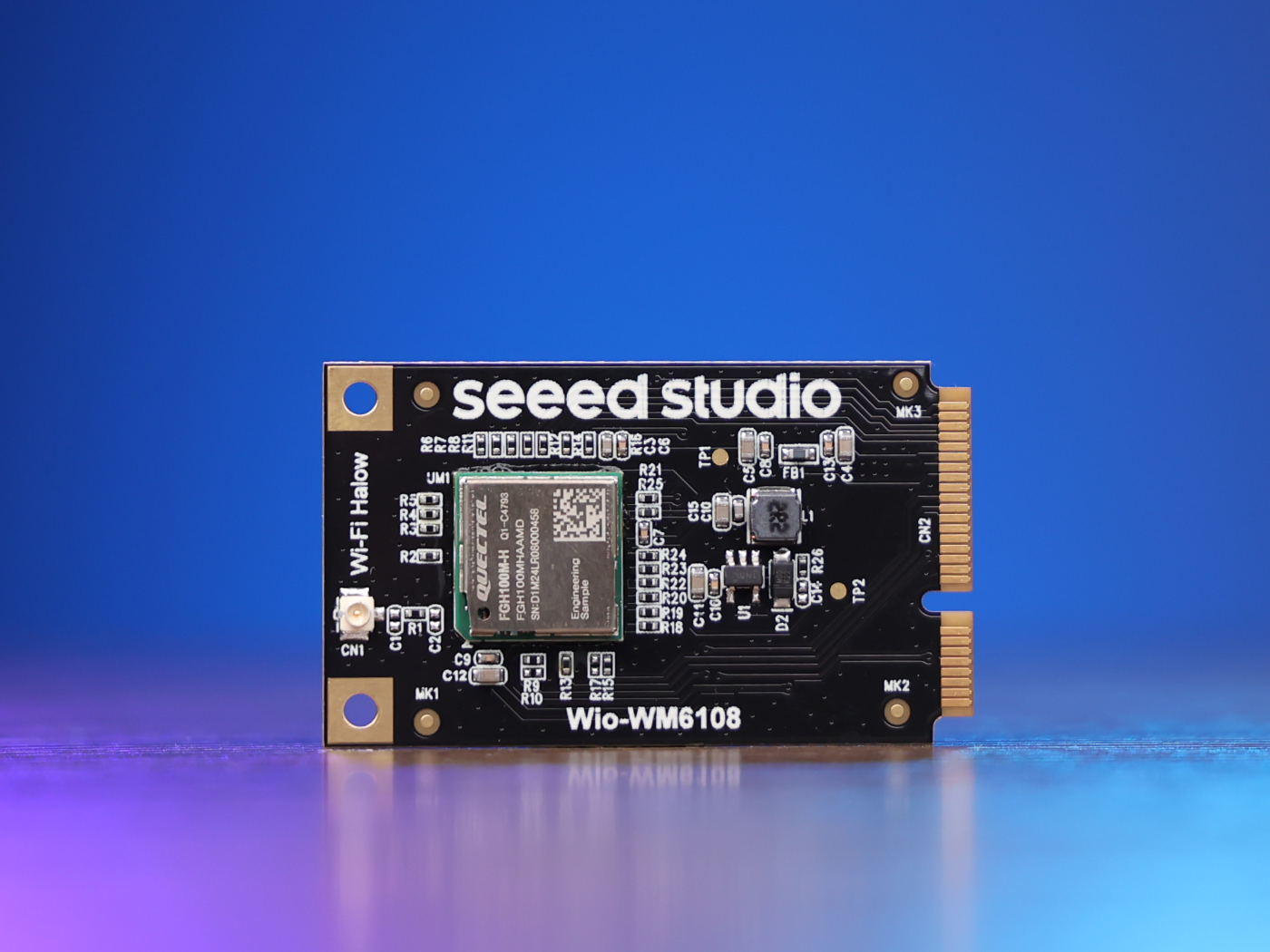
This guide will walk you through setting up and using the Wi-Fi HaLow Mini PCIe Module to build a Wi-Fi HaLow gateway. The Mini PCIe form factor makes it easy to integrate Wi-Fi HaLow connectivity into existing systems and create IoT gateways that can connect numerous low-power devices over long distances.
Getting Started with Wi-Fi HaLow Module for XIAO
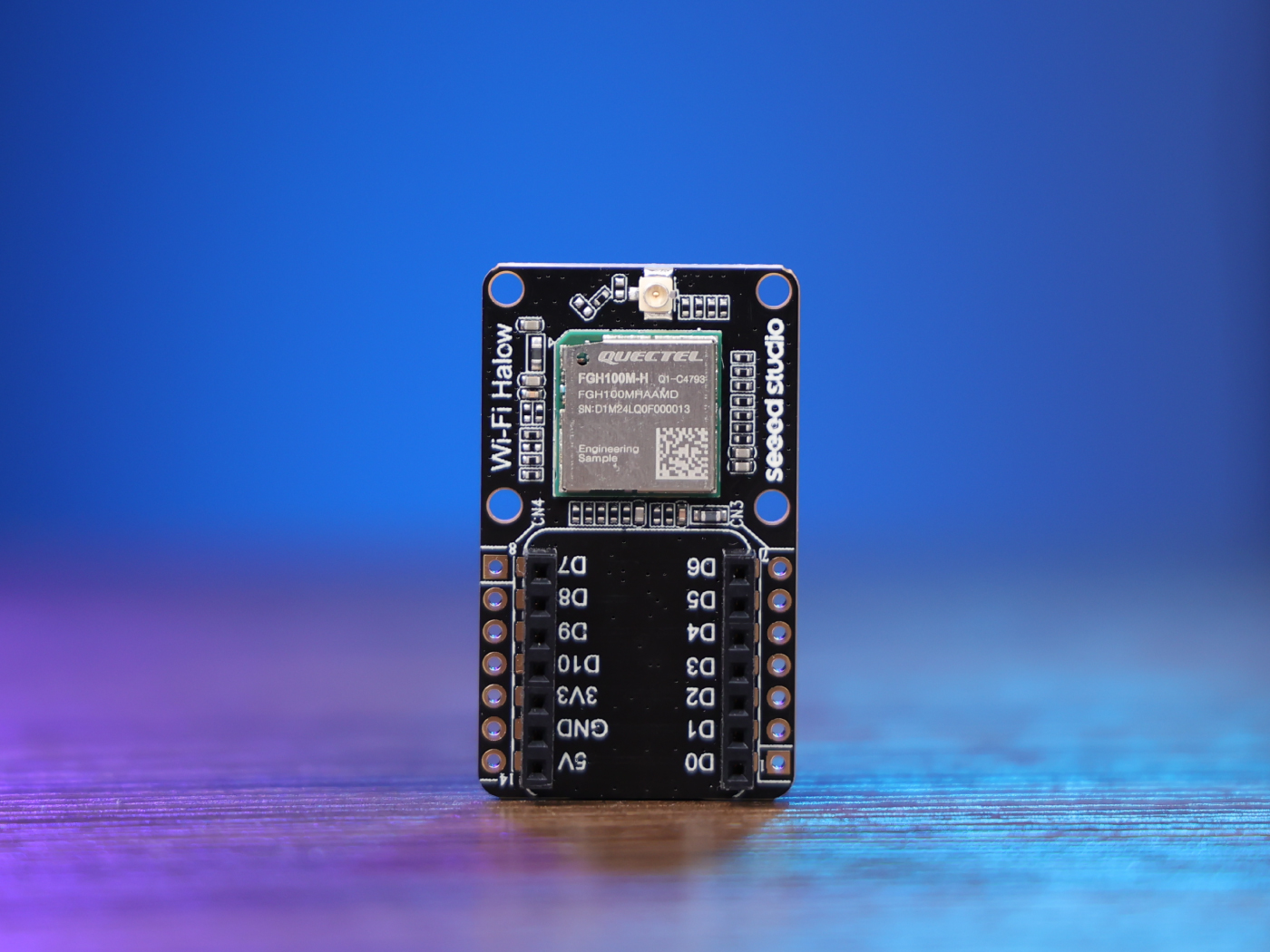
This tutorial will guide you through setting up and using the Wio-WM6180 Wi-Fi HaLow Module with a XIAO ESP32S3 to build a Wi-Fi HaLow client. Wi-Fi HaLow (IEEE 802.11ah) is designed for long-range, low-power IoT applications, operating in the sub-1 GHz frequency band. We'll walk through the hardware setup, software configuration, and demonstrate how to establish Wi-Fi HaLow connectivity for your IoT projects.
reServer Industrial Hardware Interface Usage
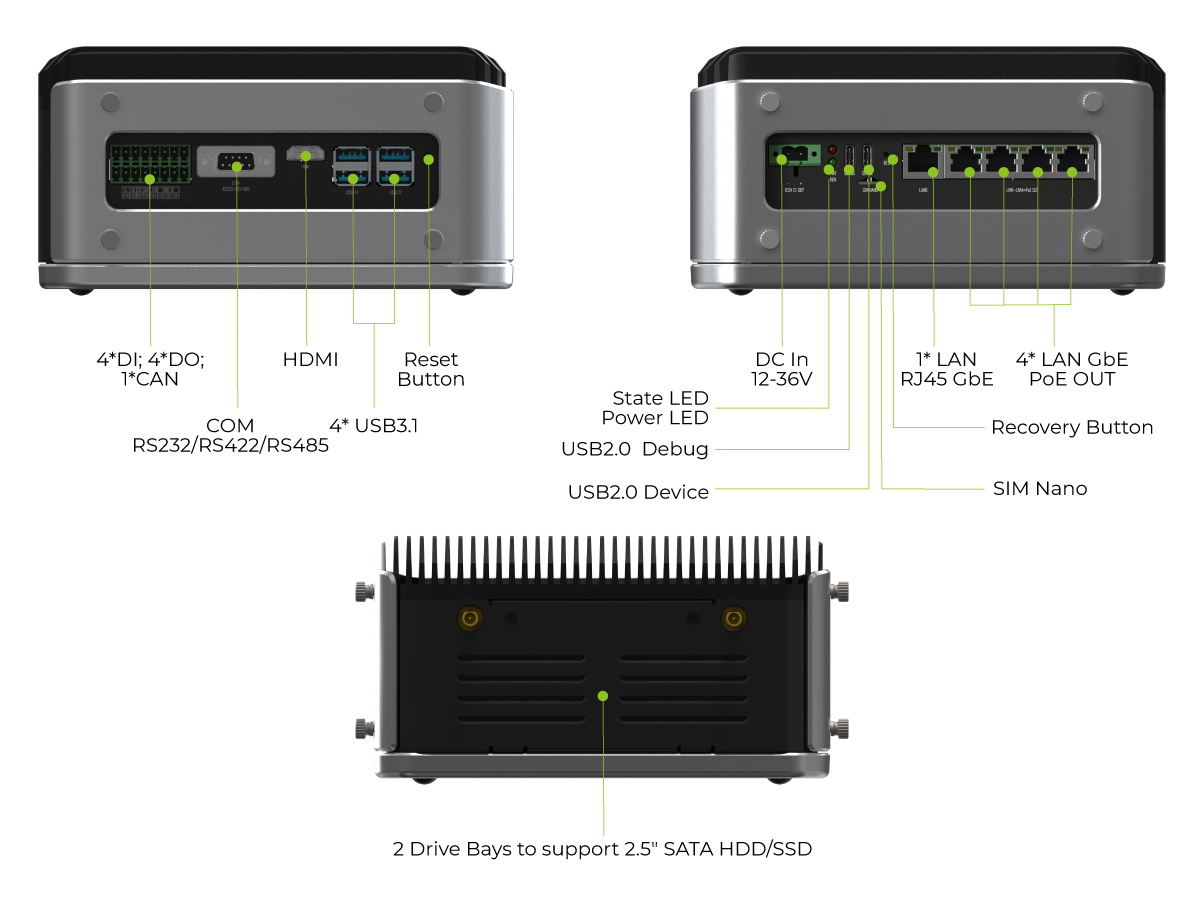
This guide covers the key features and setup of the reServer Industrial board, which offers versatile connectivity options, including 5 RJ-45 Ethernet ports (4 PoE PSE), and supports 2.5" SATA HDD/SSD storage. With its fanless design and passive heatsink, it’s built for harsh environments, offering efficient cooling and low power consumption, making it ideal for demanding, noise-sensitive applications.
reCamera Software Structure
The software comes with a stable reCamera OS that supports firmware OTA updates. Additionally, Node-RED and Sensecraft AI platform is integrated in the device for easier deployment experience. This integration offers novice developers a modular programming experience based on Node-RED nodes. For advanced developers, the in-depth Linux-based development and python are also there for twist and play.

We warmly welcome developers proficient in JavaScript, C/C++, Python, Linux OS, buildroot, as well as geeks, students, and beginners, to engage in further development and explore applications.
Develop reCamera with Node-RED

Node-RED's goal is to enable anyone to build applications that collect, transform and visualize their data; building flows that can automate their world. Its low-code nature makes it accessible to users of any background, whether for home automation, industrial control systems or anything in between. By integrated Node-RED with reCamera, it provides a beginner-friendly development method that can let users drag and play with the device right the way. You can learn the Node-RED Concept here or start with a video tutorial.
Develop reCamera with c&cpp
reCamera has limited resources and no compilation environment for C code is configured. If you want to use C&CPP to develop applications on the reCamera, you need to configure the cross-compilation environment on a linux machine. This wiki provides a simple example for configuring the compilation environment to help you get started quickly.
Existing Wiki Updated
LoRaWAN® Gateway Module WM1302
We have added the Run Semtech SX1302 packet forwarder example.
reComputer Mini Hardware and Interfaces Usage
We have added the Ethernet, USB, UART, and other examples for reComputer Mini hardware and interface usage.
Flash JetPack OS to J401 Carrier Board
We have added the flashing JP6.2 example.
Getting Started with Seeed Studio XIAO MG24
We have added the Preventing XIAO MG24 from Bricking During Deep Sleep and Unbricking example.
The Efforts of Contributor
- Check on GitHub for more information.
- We will be really appreciate if you can share your ideas with us!
Past Weekly wiki
Click here
- weekly wiki on 2024.1.08th
- weekly wiki on 2024.1.15th
- weekly wiki on 2024.1.22nd
- weekly wiki on 2024.1.29th
- weekly wiki on 2024.2.19th
- weekly wiki on 2024.2.26th
- weekly wiki on 2024.3.04th
- weekly wiki on 2024.3.11th
- weekly wiki on 2024.3.18th
- weekly wiki on 2024.3.25th
- weekly wiki on 2024.4.01st
- weekly wiki on 2024.4.08th
- weekly wiki on 2024.4.15th
- weekly wiki on 2024.4.22nd
- weekly wiki on 2024.4.29th
- weekly wiki on 2024.5.06th
- weekly wiki on 2024.5.13th
- weekly wiki on 2024.5.20th
- weekly wiki on 2024.5.27th
- weekly wiki on 2024.6.03rd
- weekly wiki on 2024.6.10th
- weekly wiki on 2024.6.17th
- weekly wiki on 2024.6.24th
- weekly wiki on 2024.7.01st
- weekly wiki on 2024.7.08th
- weekly wiki on 2024.7.16th
- weekly wiki on 2024.7.22th
- weekly wiki on 2024.7.29th
- weekly wiki on 2024.8.05th
- weekly wiki on 2024.8.12th
- weekly wiki on 2024.8.19th
- weekly wiki on 2024.8.26th
- weekly wiki on 2024.9.02nd
- weekly wiki on 2024.9.09th
- weekly wiki on 2024.9.16th
- weekly wiki on 2024.9.23th
- weekly wiki on 2024.9.30th
- weekly wiki on 2024.10.07th
- weekly wiki on 2024.10.14th
- weekly wiki on 2024.10.21th
- weekly wiki on 2024.10.28th
- weekly wiki on 2024.11.04th
- weekly wiki on 2024.11.11th
- weekly wiki on 2024.11.18th
- weekly wiki on 2024.11.25th
- weekly wiki on 2024.12.02nd
- weekly wiki on 2024.12.09th
- weekly wiki on 2024.12.16th
- weekly wiki on 2024.12.23th
- weekly wiki on 2024.12.30th
- weekly wiki on 2025.1.06th
- weekly wiki on 2025.1.13th
- weekly wiki on 2025.1.20th
- weekly wiki on 2025.1.27th
- weekly wiki on 2025.2.10th
- weekly wiki on 2025.2.17th