Weekly Wiki

Greetings
This is Frank in Seeed Studio and welcome to the Seeed Studio weekly wiki! Each Monday, I will introduce you our latest wiki, including the ones related to our new products, the interesting projects published by Seeed Studio, and the tutorials, introductions, etc... You name it.
✨ For each week, when a collaborator contributes a project or fixes something important, we put the stars at the end of title of "Weekly Wiki" for more people be able to see their efforts👍.
Today is October 19th, and a brand new week has begun! Check out what Seeed Studio did last week!
Latest Wiki Launched
Getting Started with XIAO STM32C5
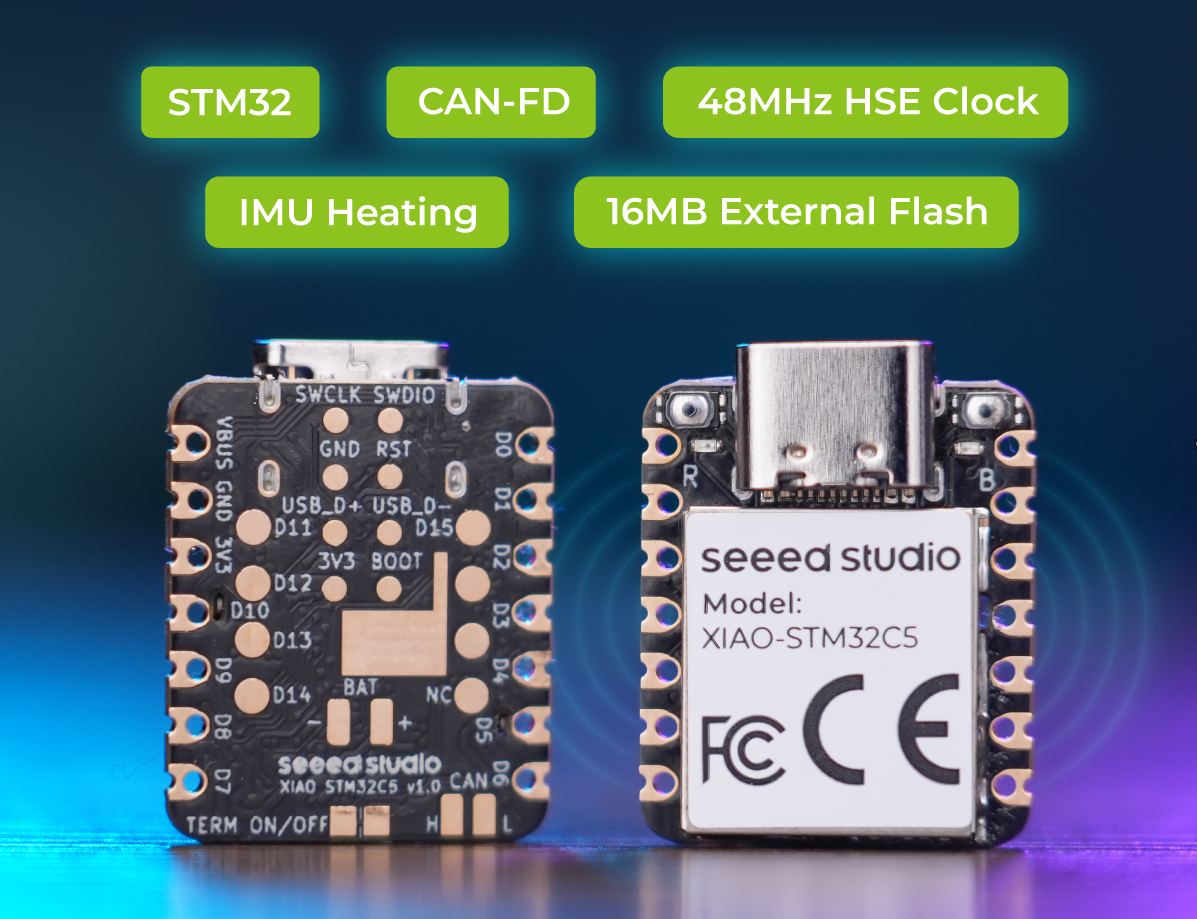
Explore the XIAO STM32C5 through six new guides covering initial setup, pin multiplexing, CAN FD communication, and practical peripheral projects. The series also explains how to develop with STM32CubeIDE and MicroPython, including examples with an IMU, servo motors, and CAN-connected devices.
Core guides: Getting Started · Pin Multiplexing · CAN FD Usage.
Development and applications: STM32CubeIDE · MicroPython · Application Examples.
Seeed Physical AI Beginner's Course — ROS2 and Motion Planning (Chapters 31–34)
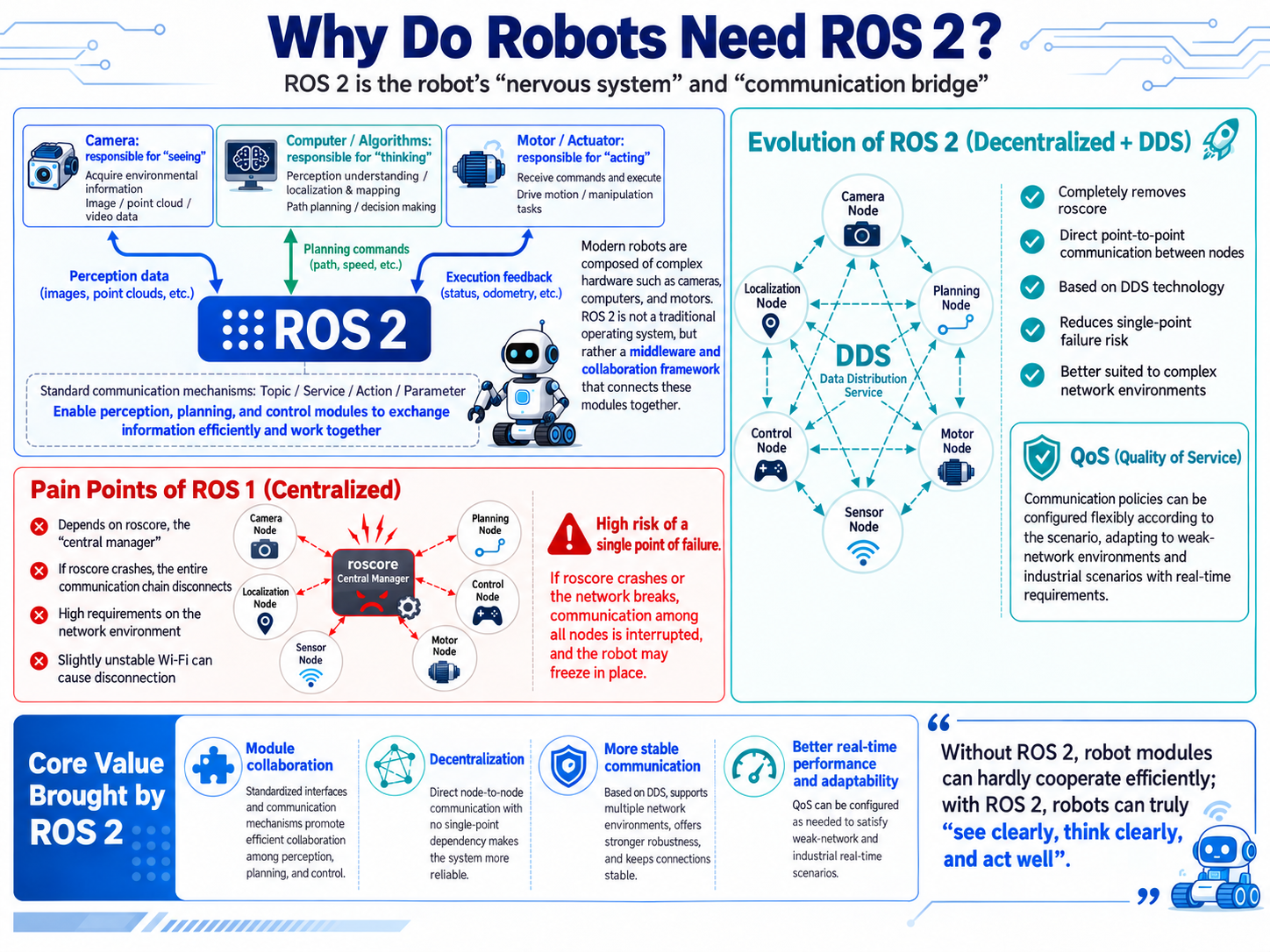
Four new chapters introduce ROS2 nodes and communication interfaces, URDF robot descriptions, TF transformations, and the software architecture of a robotic arm. Hands-on sections show how to integrate the reBot Arm with ROS2 and plan movements using MoveIt 2.
New chapters: 31 — ROS2 Communication · 32 — URDF and TF · 33 — reBot Arm ROS2 Integration · 34 — MoveIt 2 Motion Planning.
Seeed Physical AI Beginner's Course — Robot Simulation (Chapters 35–39)
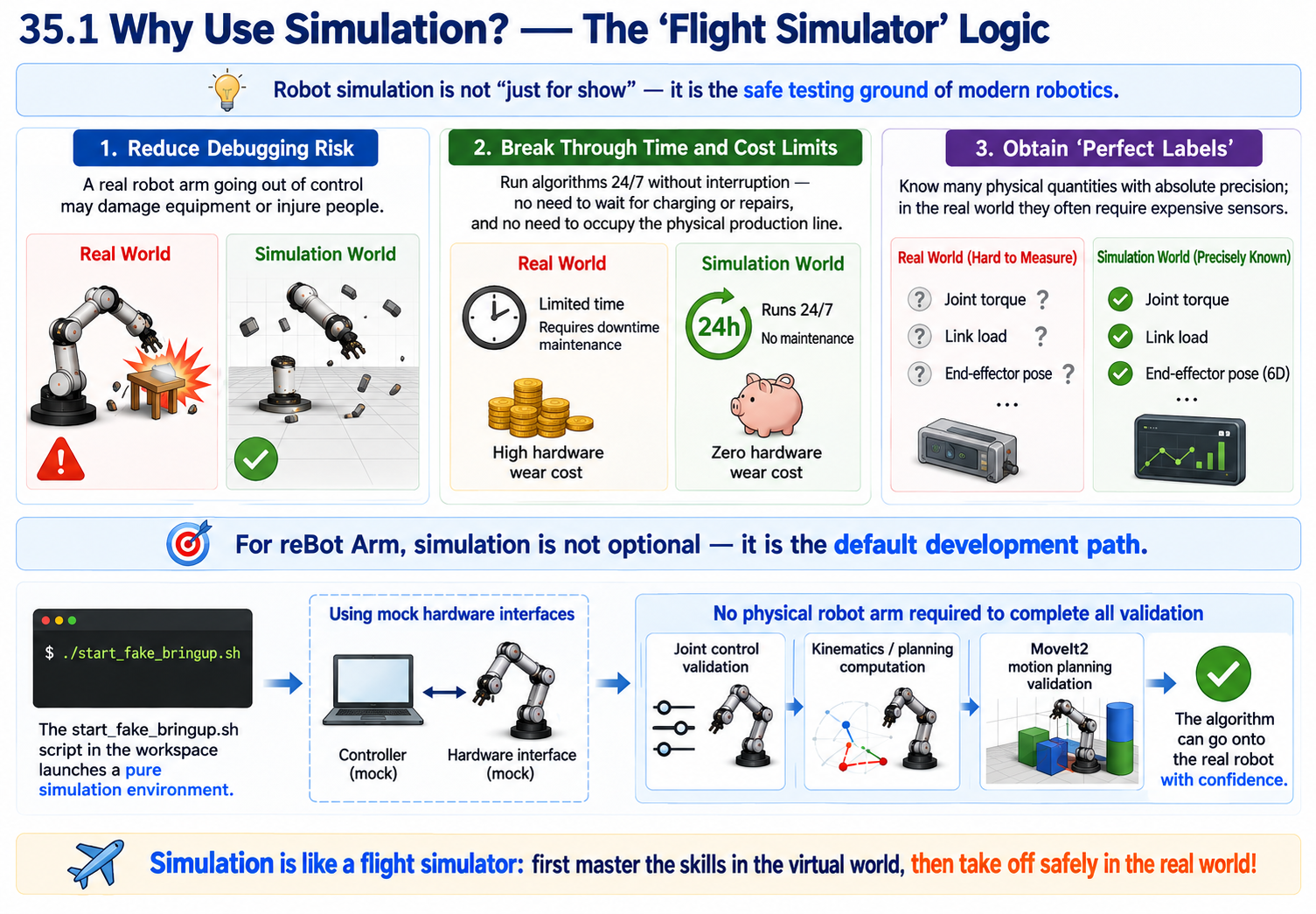
The next five chapters move from simulation fundamentals to working with the reBot Arm in MuJoCo and NVIDIA Isaac Sim. They cover kinematics, trajectory control, simulated robot setup, and real-to-simulation joint-state synchronization.
New chapters: 35 — Simulation Basics · 36 — reBot Arm in MuJoCo · 37 — MuJoCo Kinematics and Trajectories · 38 — reBot Arm in Isaac Sim · 39 — Real-to-Sim Synchronization.
reCamera Pro Full BSP Development Guides
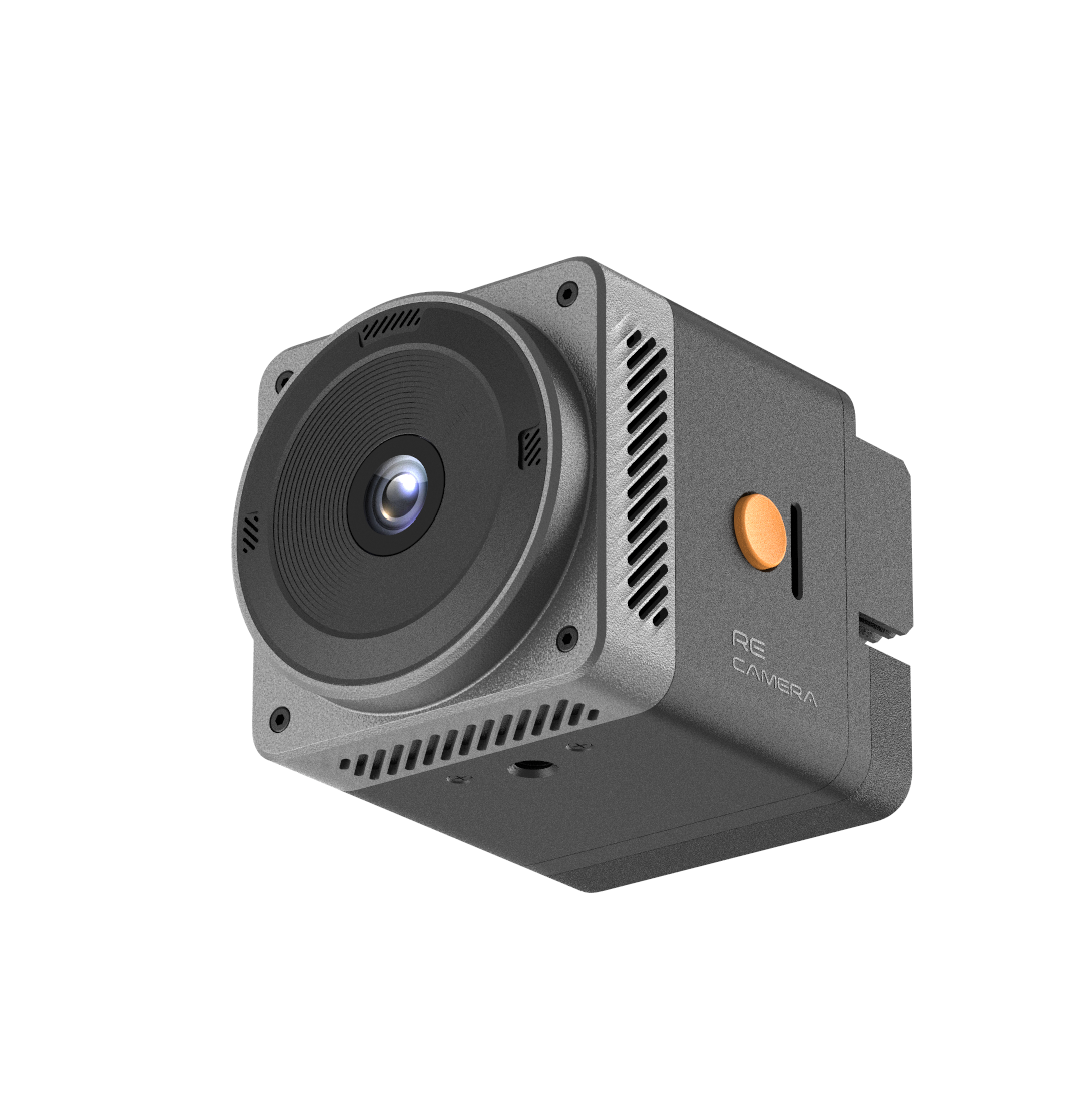
A new Full BSP guide series explains how to work with the reCamera Pro source package, from preparing a build environment and creating firmware images to flashing and debugging a device. Advanced topics cover system customization, product services, OTA releases, and video, audio, and NPU development.
Source and firmware workflow: Source Overview · Download and Extract · Build Environment · Complete Firmware Build · Flashing and Boot · Device Debugging · Troubleshooting.
Customization and deployment: System Customization · Application Integration · Product Services · OTA and Releases.
Media, AI, and reference: AI and NPU · Video and ISP · Audio Development · SDK Reference · Source Review and Known Issues.
reCamera Pro QR Code and Barcode Recognition
Learn how to build and deploy a QR code and barcode recognition application on reCamera Pro. The guide covers device services, live video access, and connection options using the device directly or a Windows or Linux proxy.
reSpeaker XVF3800 USB Audio Bridge with XIAO ESP32S3
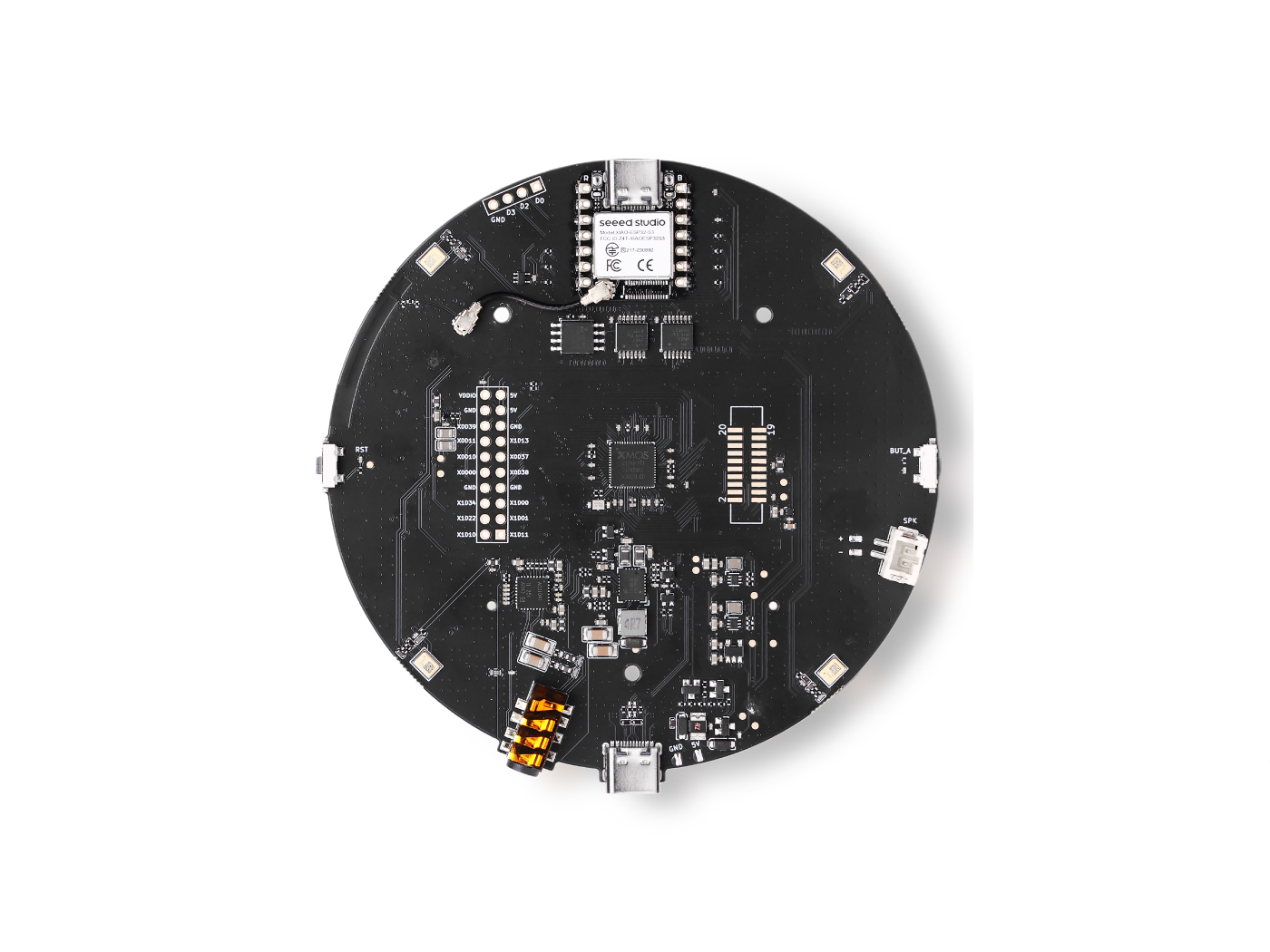
This guide introduces Arduino firmware that uses XIAO ESP32S3 as a USB audio and control bridge for reSpeaker XVF3800. It explains the build settings, USB device interfaces, stereo recording and playback tests, and control communication over I2C.
Extend Your MeshCore Network with T1000-E: Contact Sharing and Companion Repeat
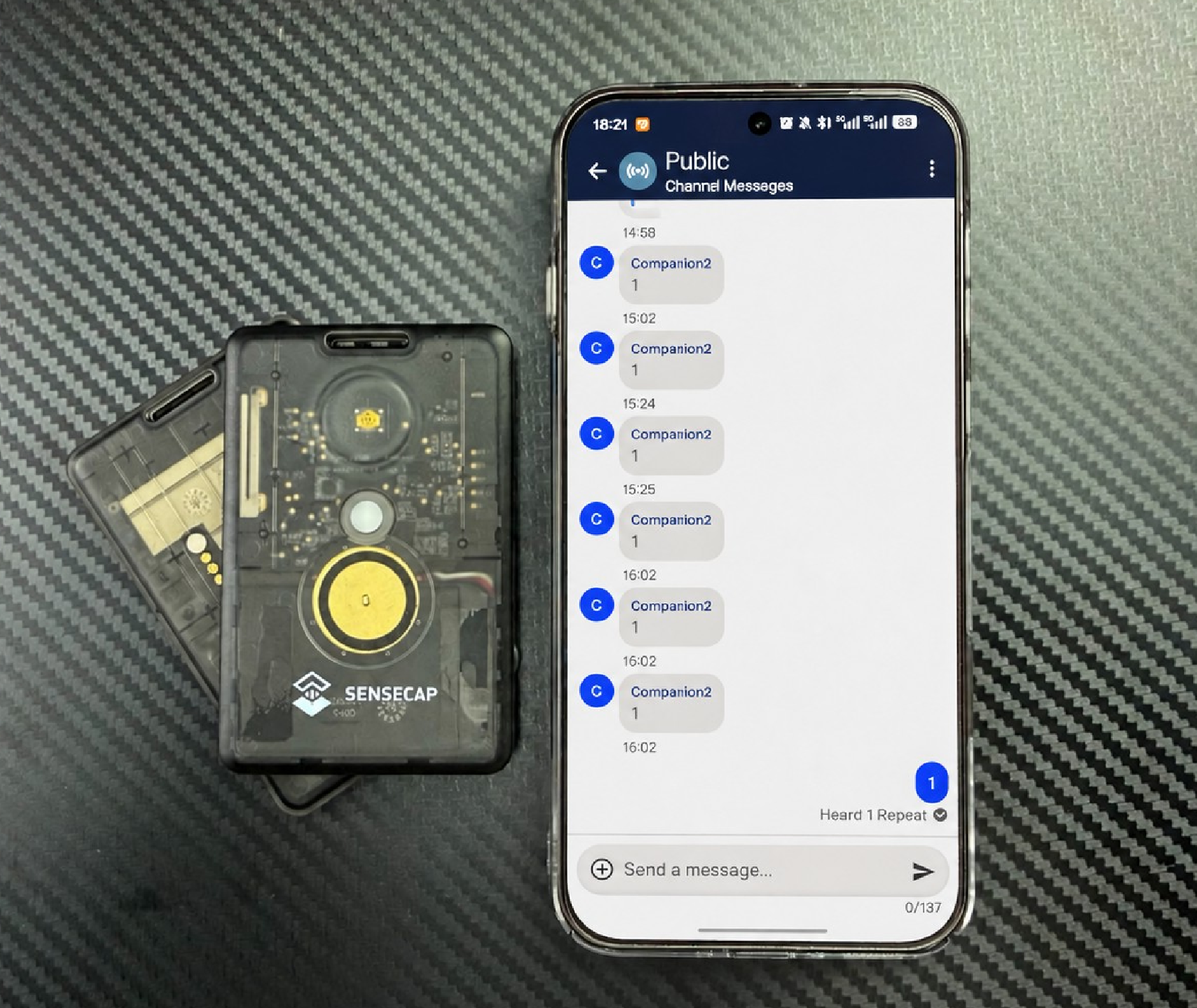
Explore how three SenseCAP Card Tracker T1000-E devices can share MeshCore contacts and extend a communication path using Companion Repeat Mode. The walkthrough covers radio configuration, contact sharing through the Public Channel, message relay tests, and practical limitations.
Private On-Premise Transcription for reSpeaker Clip — Selection, Deployment and Measured Data
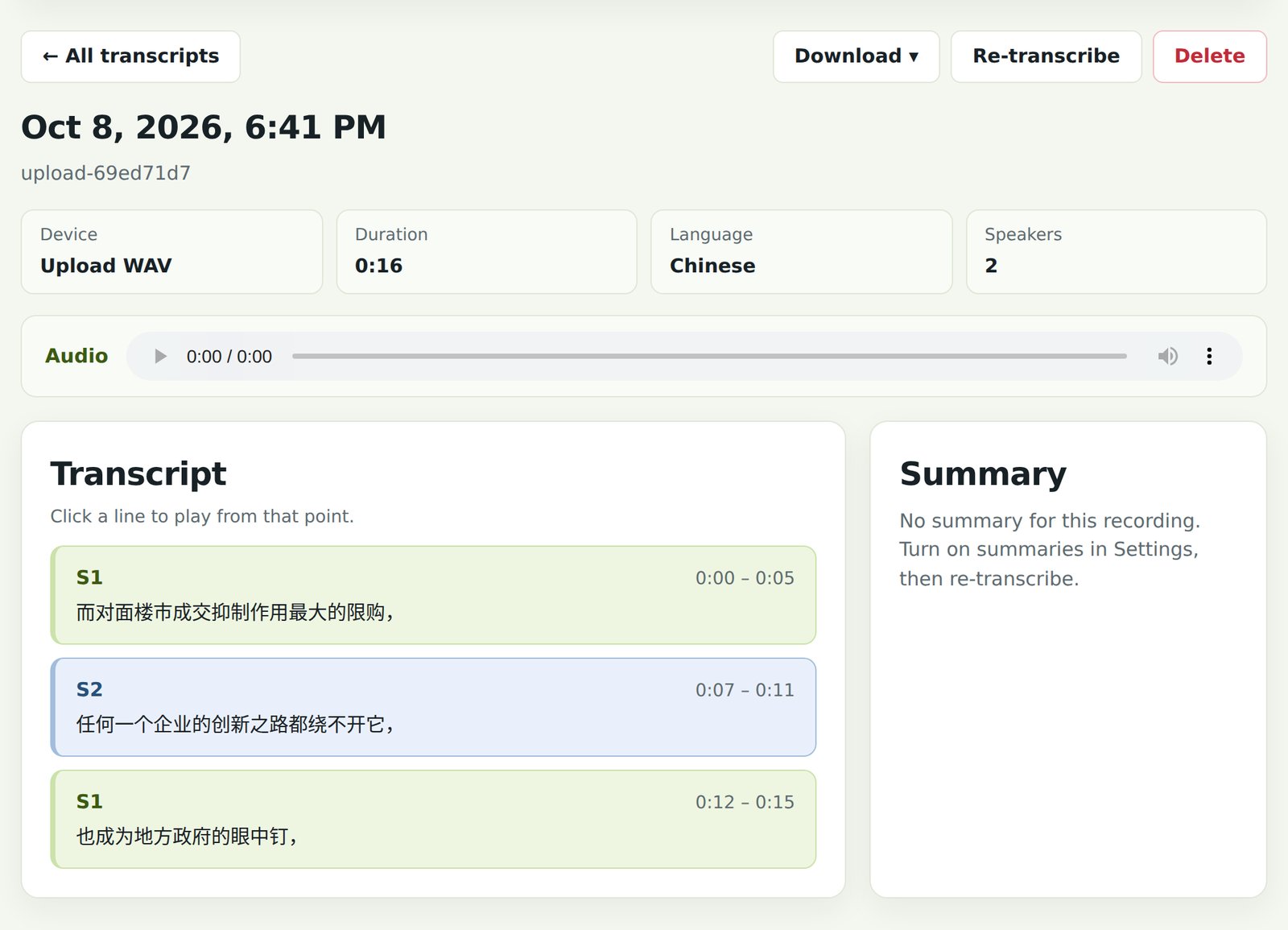
Four new voice AI reference designs cover private transcription with reSpeaker Clip, in-store speech capture, hands-free warehouse operations, and local voice control for Home Assistant. Each explains the hardware choices, deployment workflow, available interfaces, and measured performance or operating limitations.
New reference designs: Private reSpeaker Clip Transcription · Retail Voice Transcription · Voice-Controlled Warehouse Management · Home Assistant Local Voice Control.
BLE + LoRaWAN Indoor and Outdoor Positioning: Build, Deploy, and Measured Results
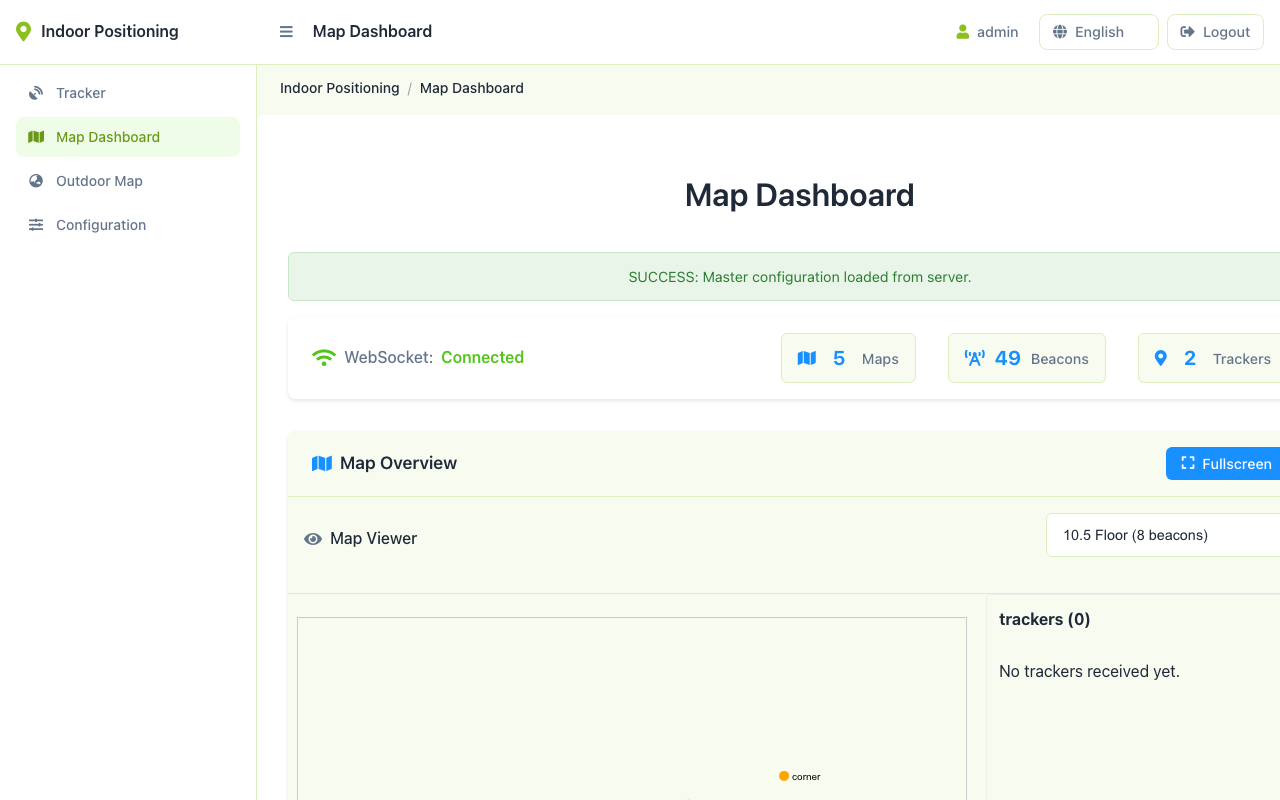
Three new industrial and IoT reference designs explain how to track assets across indoor and outdoor spaces, monitor agricultural environments through LoRaWAN, and unify industrial data protocols on an edge gateway. They include hardware selection, deployment steps, integration interfaces, and operating considerations.
New reference designs: BLE and LoRaWAN Positioning · Agricultural Environment Monitoring · Industrial Multi-Protocol Data Hub.
Edge Assembly Inspection: Missing Parts, Dimensions, Modbus and MQTT
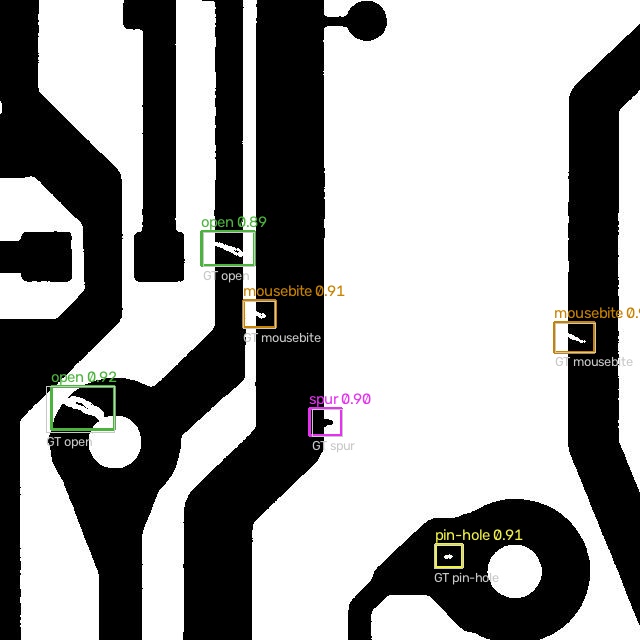
Seven new edge vision reference designs cover inspection, parking management, license plate recognition, security alerts, and retail people-flow analysis. They document deployment requirements, interfaces, and measured results, with clear boundaries for applications that require site-specific validation.
New reference designs: Assembly Inspection · Surface Defect Inspection · License Plate Recognition · Parking Entry/Exit Counting · Parking Occupancy Detection · Edge Security Alerting · Retail People-Flow Heatmap.
Existing Wiki Updated
Upgrade Software Packages for Jetson
The updated FAQ explains how to install application packages without replacing Seeed-specific Jetson drivers. It now includes repair instructions for systems affected by unintended NVIDIA L4T package upgrades on JetPack 5.1.3 and JetPack 6.2, with version checks and recovery steps.
Camera Usage for Sense Version
The XIAO ESP32S3 Sense camera tutorial now includes OV5640 autofocus setup across camera capture and streaming examples. It also refreshes the handheld-camera project with clearer microSD card options when using the XIAO Round Display, including a workflow that does not require cutting the J3 connection.
The Efforts of Contributor
- Check on GitHub for more information.
- We will be really appreciate if you can share your ideas with us!
Past Weekly wiki
Click here
- weekly wiki on 2025.1.06th
- weekly wiki on 2025.1.13th
- weekly wiki on 2025.1.20th
- weekly wiki on 2025.1.27th
- weekly wiki on 2025.2.10th
- weekly wiki on 2025.2.17th
- weekly wiki on 2025.2.24th
- weekly wiki on 2025.3.03rd
- weekly wiki on 2025.3.10th
- weekly wiki on 2025.3.17th
- weekly wiki on 2025.3.24th
- weekly wiki on 2025.3.31st
- weekly wiki on 2025.4.07th
- weekly wiki on 2025.4.14th
- weekly wiki on 2025.4.21st
- weekly wiki on 2025.4.28th
- weekly wiki on 2025.5.05th
- weekly wiki on 2025.5.12th
- weekly wiki on 2025.5.19th
- weekly wiki on 2025.5.26th
- weekly wiki on 2025.6.02nd
- weekly wiki on 2025.6.09th
- weekly wiki on 2025.6.16th
- weekly wiki on 2025.6.23rd
- weekly wiki on 2025.6.30th
- weekly wiki on 2025.7.07th
- weekly wiki on 2025.7.14th
- weekly wiki on 2025.7.21st
- weekly wiki on 2025.7.28th
- weekly wiki on 2025.8.04th
- weekly wiki on 2025.8.11th
- weekly wiki on 2025.8.18th
- weekly wiki on 2025.8.25th
- weekly wiki on 2025.9.01st
- weekly wiki on 2025.9.08th
- weekly wiki on 2025.9.15th
- weekly wiki on 2025.9.22nd
- weekly wiki on 2025.9.29th
- weekly wiki on 2025.10.13th
- weekly wiki on 2025.10.20th
- weekly wiki on 2025.10.27th
- weekly wiki on 2025.11.03rd
- weekly wiki on 2025.11.10th
- weekly wiki on 2025.11.17th
- weekly wiki on 2025.11.24th
- weekly wiki on 2025.12.01st
- weekly wiki on 2025.12.08th
- weekly wiki on 2025.12.15th
- weekly wiki on 2025.12.22nd
- weekly wiki on 2025.12.29th
- weekly wiki on 2026.1.05th
- weekly wiki on 2026.1.12th
- weekly wiki on 2026.1.19th
- weekly wiki on 2026.1.26th
- weekly wiki on 2026.2.02nd
- weekly wiki on 2026.2.09th
- weekly wiki on 2026.3.02nd
- weekly wiki on 2026.3.09th
- weekly wiki on 2026.3.16th
- weekly wiki on 2026.3.23rd
- weekly wiki on 2026.3.30th
- weekly wiki on 2026.4.06th
- weekly wiki on 2026.4.13th
- weekly wiki on 2026.4.20th
- weekly wiki on 2026.4.27th
- weekly wiki on 2026.5.11th
- weekly wiki on 2026.5.18th
- weekly wiki on 2026.5.25th
- weekly wiki on 2026.6.01st
- weekly wiki on 2026.6.08th
- weekly wiki on 2026.6.15th
- weekly wiki on 2026.6.22nd
- weekly wiki on 2026.6.29th
- weekly wiki on 2026.7.06th
- weekly wiki on 2026.7.13th
- weekly wiki on 2026.7.20th
- weekly wiki on 2026.7.27th
- weekly wiki on 2026.8.03rd
- weekly wiki on 2026.8.10th
- weekly wiki on 2026.8.17th
- weekly wiki on 2026.8.24th
- weekly wiki on 2026.8.31st
- weekly wiki on 2026.9.07th
- weekly wiki on 2026.9.14th
- weekly wiki on 2026.9.21st
- weekly wiki on 2026.9.28th
- weekly wiki on 2026.10.12th