Distributed llama.cpp on reComputer Jetson (RPC Mode)
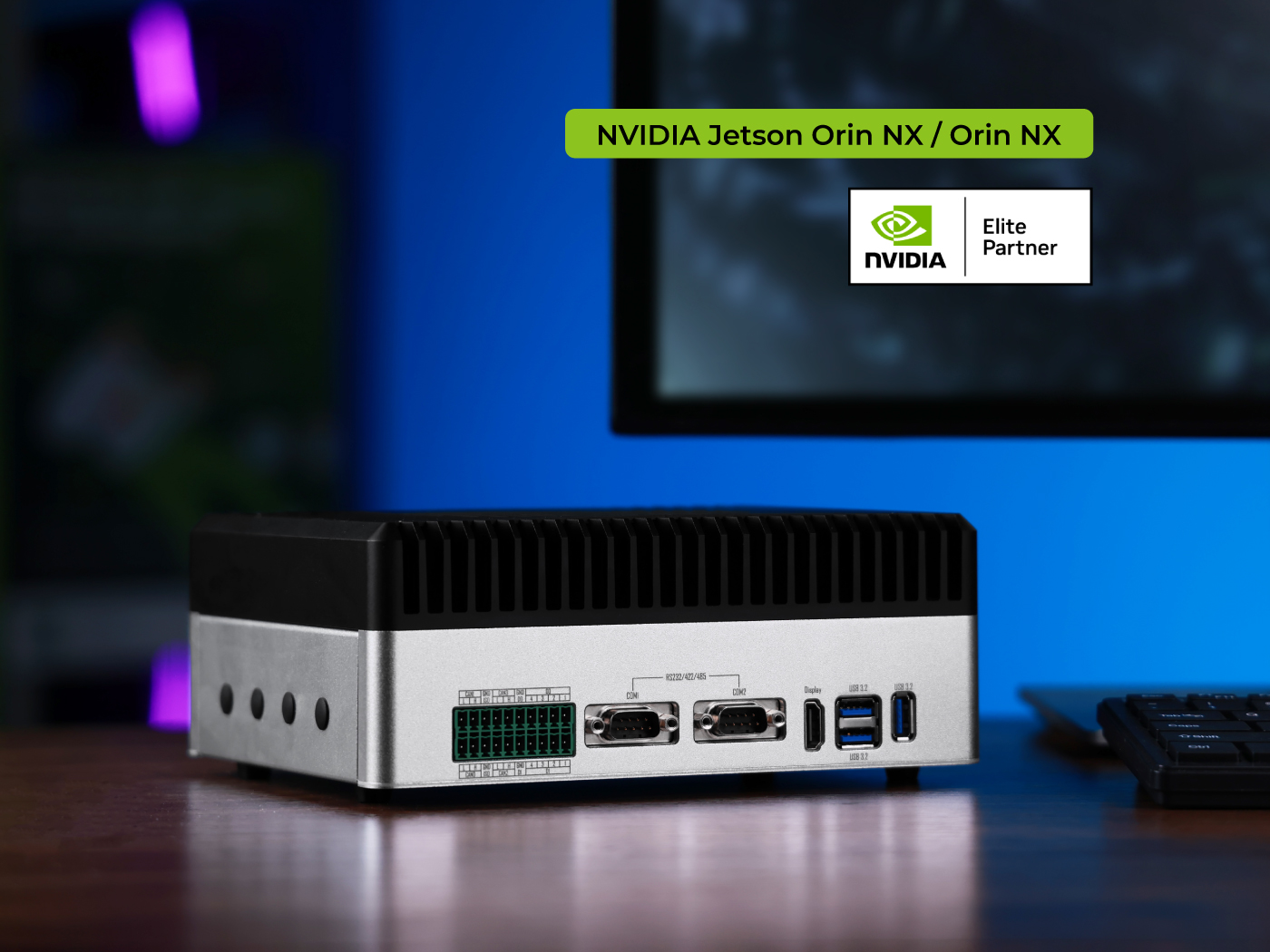
Running large language models (LLMs) on edge devices like NVIDIA Jetson can be challenging due to memory and compute constraints. This guide demonstrates how to distribute LLM inference across multiple reComputer Jetson devices using llama.cpp's RPC backend, enabling horizontal scaling for more demanding workloads.
Prerequisites
- Two reComputer Jetson devices with JetPack 6.x+ installed and CUDA drivers working properly
- Both devices on the same local network, able to
pingeach other - Local machine (client) with ≥ 64 GB RAM, remote node with ≥ 32 GB RAM
1. Clone Source Code
Step 1. Clone the llama.cpp repository:
git clone https://github.com/ggml-org/llama.cpp.git
cd llama.cpp
2. Install Build Dependencies
Step 1. Update package list and install required dependencies:
sudo apt update
sudo apt install -y build-essential cmake git libcurl4-openssl-dev python3-pip
3. Build with RPC + CUDA Backend
Step 1. Configure CMake with RPC and CUDA support:
cmake -B build \
  -DGGML_CUDA=ON \
  -DGGML_RPC=ON \
  -DCMAKE_BUILD_TYPE=Release
Step 2. Compile with parallel jobs:
cmake --build build --parallel # Multi-core parallel compilation
4. Install Python Conversion Tools
Step 1. Install the Python package in development mode:
pip3 install -e .
5. Download and Convert Model
This example uses TinyLlama-1.1B-Chat-v1.0:
Model link: https://huggingface.co/TinyLlama/TinyLlama-1.1B-Chat-v1.0
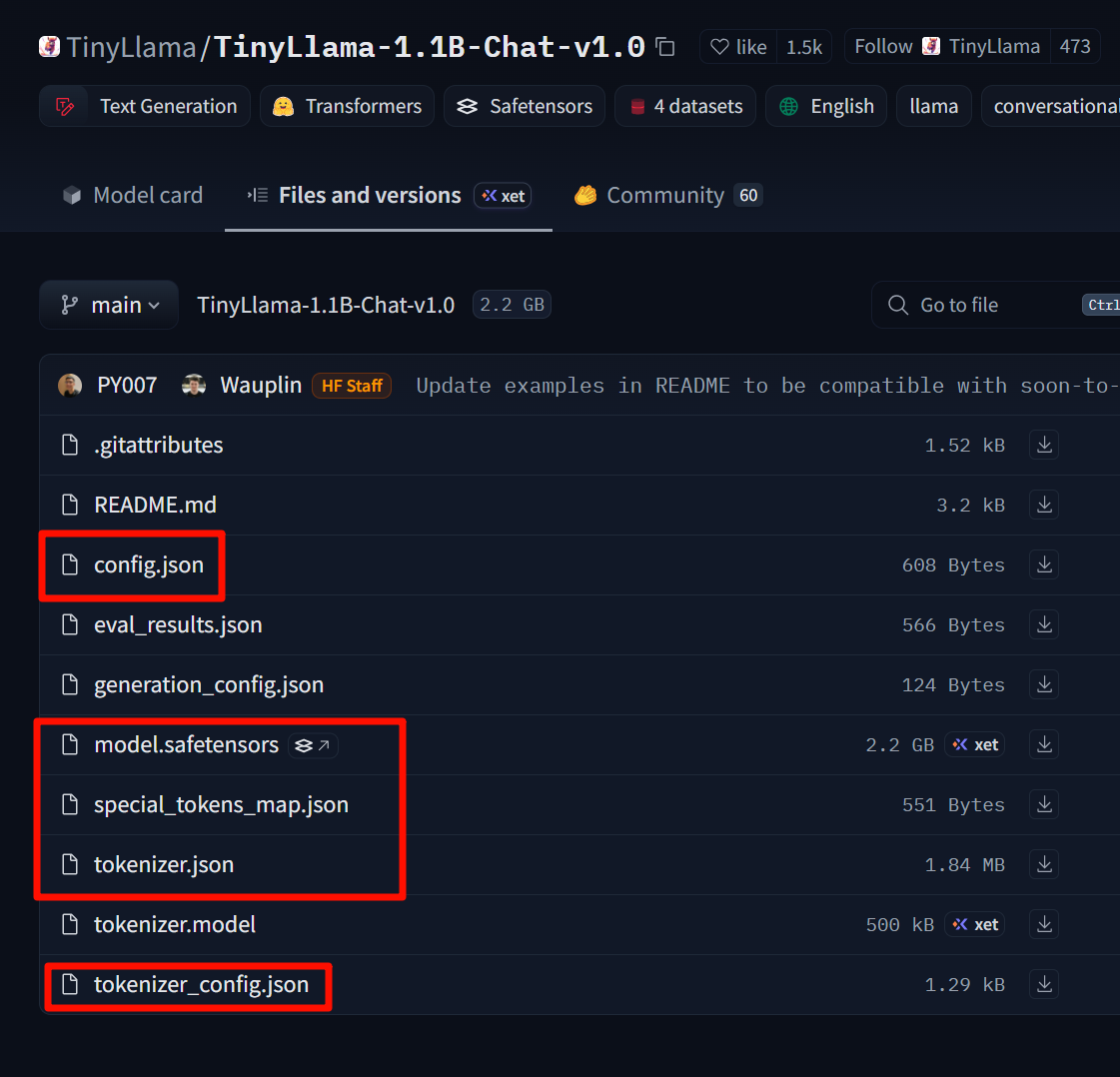
Download these files and place them in a self-created TinyLlama-1.1B-Chat-v1.0 folder.
Step 1. Convert the Hugging Face model to GGUF format:
# Assuming the model is already downloaded to ~/TinyLlama-1.1B-Chat-v1.0 using git-lfs or huggingface-cli
python3 convert_hf_to_gguf.py \
  --outfile ~/TinyLlama-1.1B.gguf \
  ~/TinyLlama-1.1B-Chat-v1.0
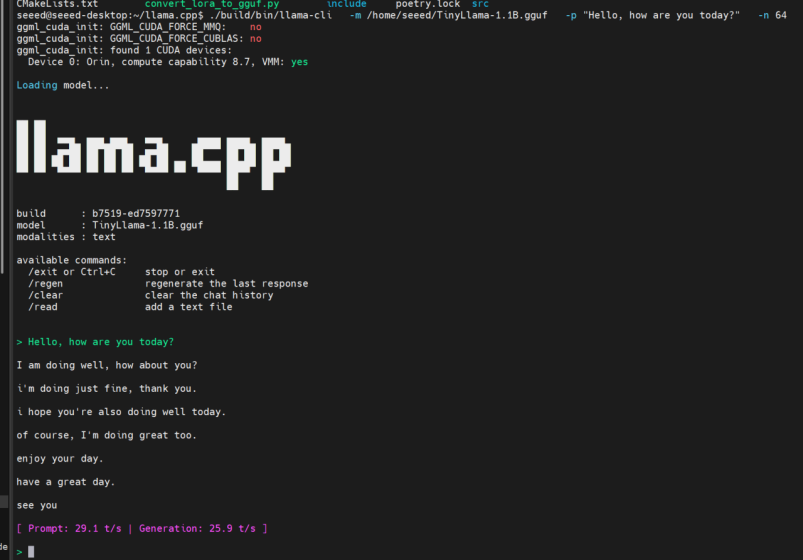
6. Verify Single-Machine Inference
Step 1. Test the model with a simple prompt:
./build/bin/llama-cli \
  -m ~/TinyLlama-1.1B.gguf \
  -p "Hello, how are you today?" \
  -n 64
If you receive a response, the model is working correctly.
7. Distributed RPC Operation
7.1 Hardware Topology Example
| Device | RAM | Role | IP |
|---|---|---|---|
| Machine A | 64 GB | Client + Local Server | 192.168.100.2 |
| Machine B | 32 GB | Remote Server | 192.168.100.1 |
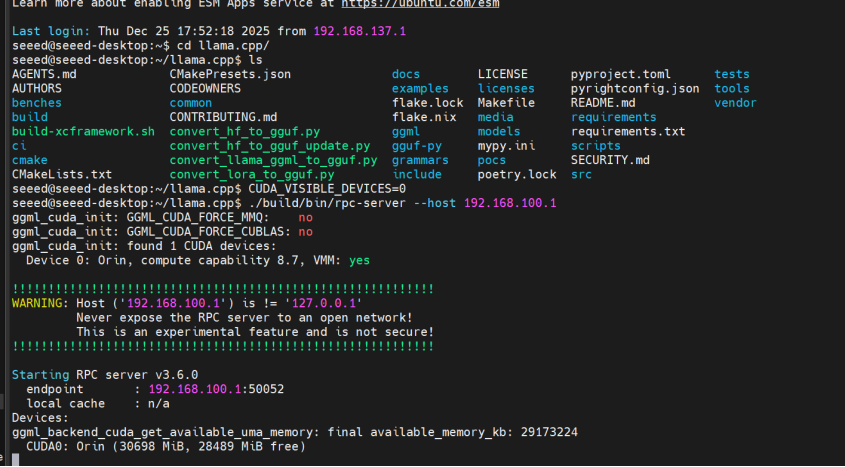
7.2 Start Remote RPC Server (Machine B)
Step 1. Connect to the remote machine and start the RPC server:
ssh [email protected]
cd ~/llama.cpp
CUDA_VISIBLE_DEVICES=0 ./build/bin/rpc-server --host 192.168.100.1
The server defaults to port 50052. To customize, add -p <port>.
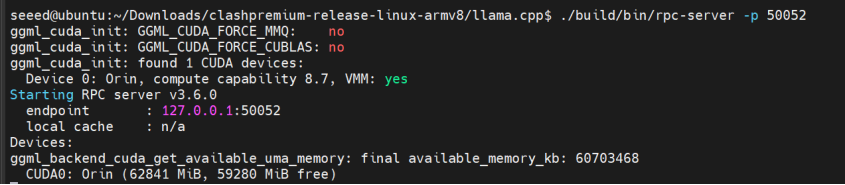
7.3 Start Local RPC Server (Machine A)
Step 1. Start the local RPC server:
cd ~/llama.cpp
CUDA_VISIBLE_DEVICES=0 ./build/bin/rpc-server -p 50052
7.4 Joint Inference (Multi-node Load)
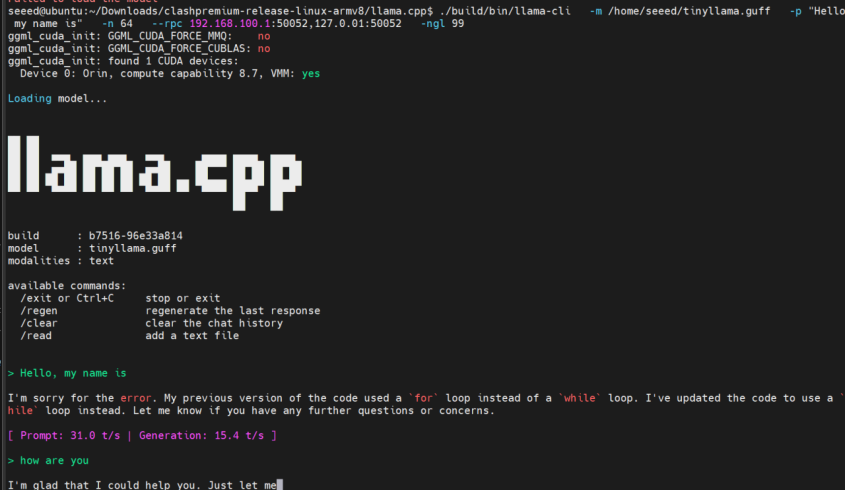
Step 1. Run inference using both local and remote RPC servers:
./build/bin/llama-cli \
  -m ~/TinyLlama-1.1B.gguf \
  -p "Hello, my name is" \
  -n 64 \
  --rpc 192.168.100.1:50052,127.0.0.1:50052 \
  -ngl 99
-ngl 99 offloads 99% of layers to GPUs (both RPC nodes and local GPU).
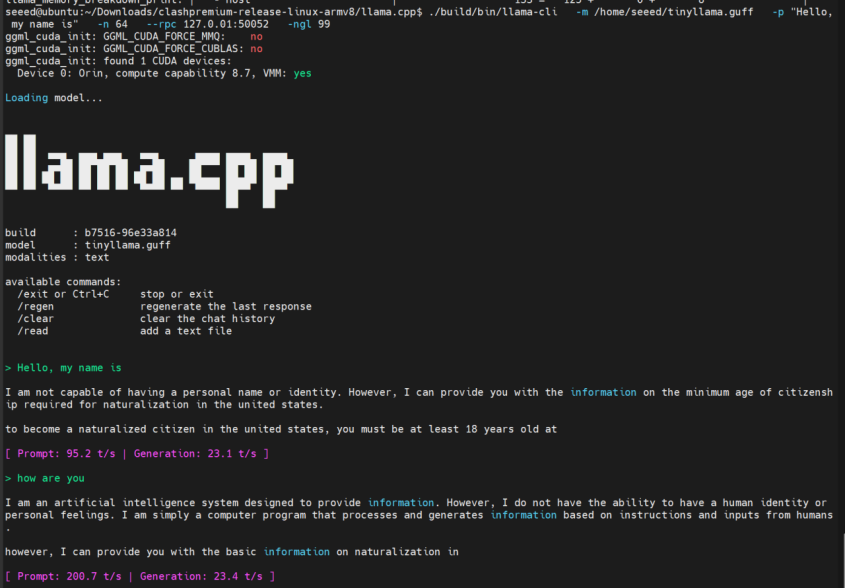
If you want to run locally only, remove the remote address from --rpc:
--rpc 127.0.0.1:50052
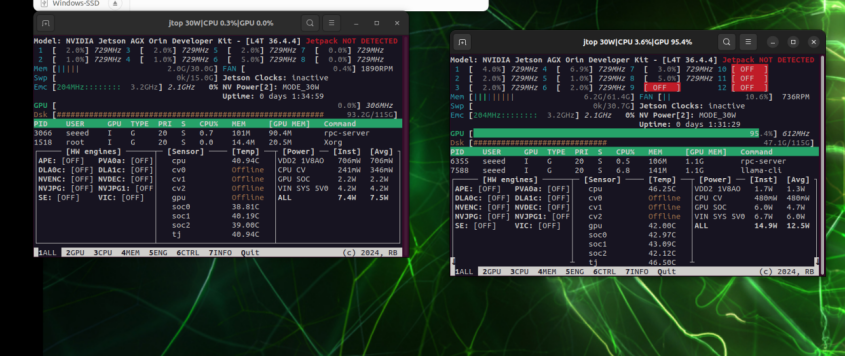
8. Performance Comparison
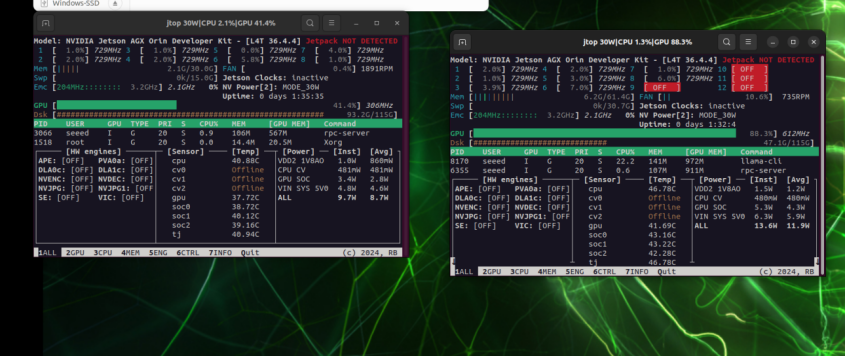
Left: GPU utilization on 192.168.100.1; Right: GPU utilization on 192.168.100.2
When running locally only, GPU pressure is concentrated on a single card
9. Troubleshooting
| Issue | Solution |
|---|---|
| rpc-server startup failure | Check if port is occupied or firewall is blocking 50052/tcp |
| Slower inference speed | Model too small, network latency > computation benefit; try larger model or Unix-socket mode |
| Out of memory error | Reduce -ngl value to offload fewer layers to GPU, or keep some layers on CPU |
With this setup, you can now achieve "horizontal scaling" for LLM inference across multiple Jetson devices using llama.cpp's RPC backend. For higher throughput, you can add more RPC nodes or further quantize the model to formats like q4_0 or q5_k_m.
Tech Support & Product Discussion
Thank you for choosing our products! We are here to provide you with different support to ensure that your experience with our products is as smooth as possible. We offer several communication channels to cater to different preferences and needs.