Deploy the Microduck RL Environment on Jetson
This chapter prepares the Jetson system, installs the project environment, explains the directory layout, and verifies that PPO training can execute on CUDA.
Hardware and Software
The following platform was validated for this demo:
| Item | Version |
|---|---|
| Device | Seeed reComputer with Jetson Orin NX 16GB |
| OS | Ubuntu 24.04 LTS, aarch64 |
| JetPack / L4T | JetPack 7.2 / L4T R39.2 |
| System CUDA | 13.2 |
| Python | 3.12 |
| PyTorch | 2.9.1+cu130 |
| MuJoCo | 3.10.0 |
| Warp | 1.12.0 |
Use NVMe storage with at least 25GB free space. Active cooling, a stable power supply, and a reliable network connection are recommended.
Do not independently replace the JetPack-provided CUDA driver or L4T packages. The Python project is isolated in .venv, while the system GPU stack remains managed by JetPack.
Project Directory
~/microduck-jetson/
├── deploy_microduck_jetson.sh
├── microduck_rl/
│   ├── src/mjlab_microduck/tasks/
│   ├── scripts/
│   ├── pretrained/pollen-robotics/
│   ├── models/checkpoints/
│   └── logs/rsl_rl/
├── microduck_jetson_startup.md
├── microduck_jetson_training_guide.md
└── microduck_custom_action_training.md
The .venv directory is created locally on Jetson and is intentionally not included in the Git repository.
Clone the Repository
mkdir -p ~/microduck-jetson
cd ~/microduck-jetson

git clone -b develop https://github.com/jjjadand/microduck_rl.git
cd microduck_rl
Run the Deployment Script
cd ~/microduck-jetson/microduck_rl

SUDO_PASSWORD=<JETSON_PASSWORD> \
TARGET_DIR=$HOME/microduck-jetson/microduck_rl \
bash deploy_microduck_jetson.sh
The script installs the build and visualization dependencies, installs uv, creates Python 3.12 .venv, synchronizes the locked project dependencies, installs the compatible CUDA PyTorch wheel, and performs CUDA validation.
Passing a password through an environment variable is convenient for this reproducible lab setup. For a shared or production device, review the script and run privileged commands interactively instead.
Enter the Environment
All project commands must run from the repository root:
cd ~/microduck-jetson/microduck_rl
export MUJOCO_GL=egl
Use uv run --no-sync for the commands in this guide. This prevents an unintended dependency re-sync from replacing the Jetson CUDA PyTorch installation.
Verify CUDA
uv run --no-sync python3 - <<'PY'
import torch

print("PyTorch:", torch.__version__)
print("CUDA runtime:", torch.version.cuda)
print("CUDA available:", torch.cuda.is_available())
print("GPU:", torch.cuda.get_device_name(0))

left = torch.randn(512, 512, device="cuda")
right = torch.randn(512, 512, device="cuda")
result = left @ right
torch.cuda.synchronize()
print("CUDA matmul:", result.device)
PY
Expected results include CUDA available: True, an Orin GPU name, and CUDA matmul: cuda:0.
Run the Training Smoke Test
uv run --no-sync train Mjlab-Velocity-Flat-MicroDuck \
  --env.scene.num-envs 64 \
  --agent.logger tensorboard \
  --agent.max_iterations 5
A successful run creates a directory under logs/rsl_rl/velocity/ containing configuration files, TensorBoard events, and one or more .pt checkpoints.
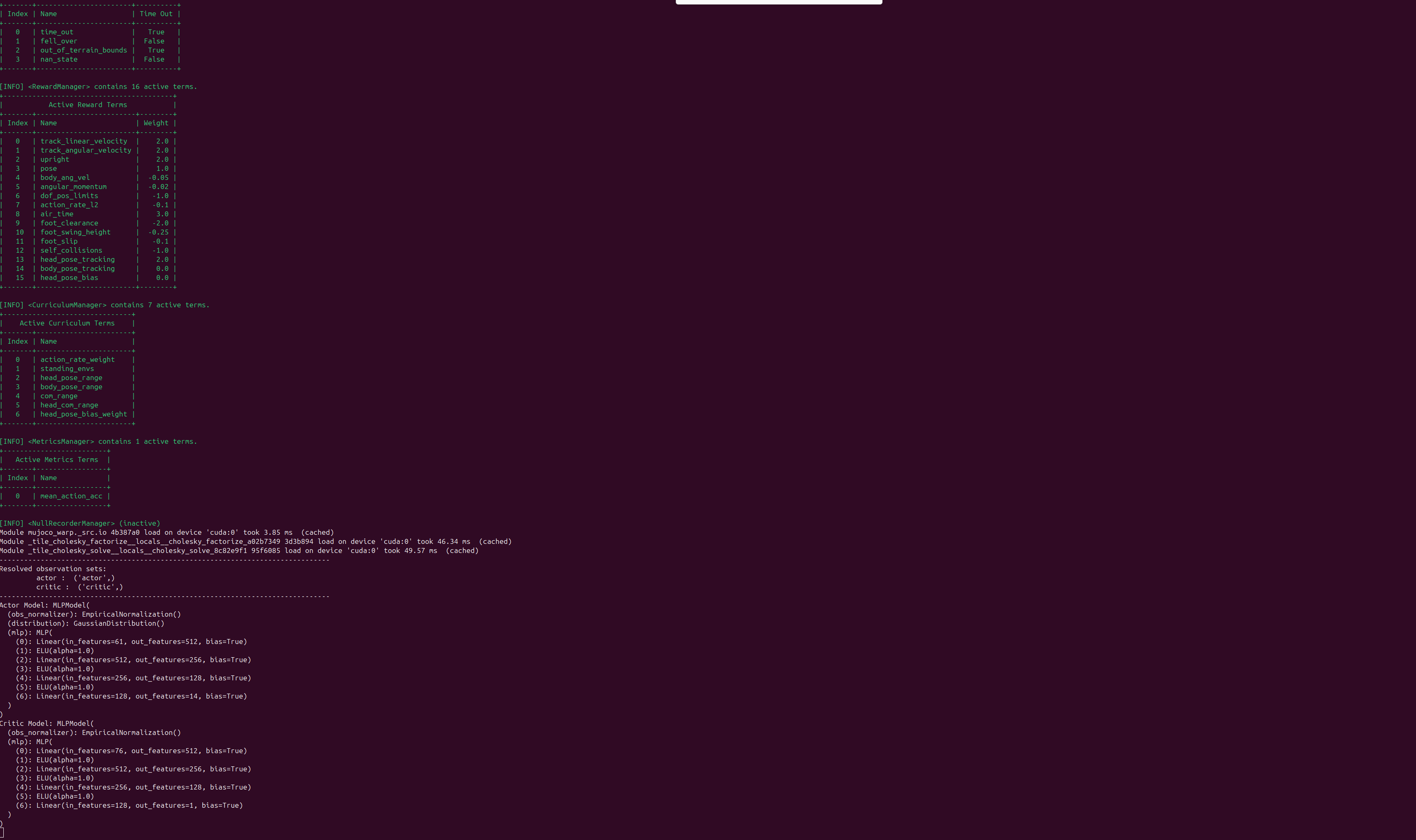
When MuJoCo and the training managers start, the terminal prints the active termination, reward, curriculum, actor, and critic configuration:
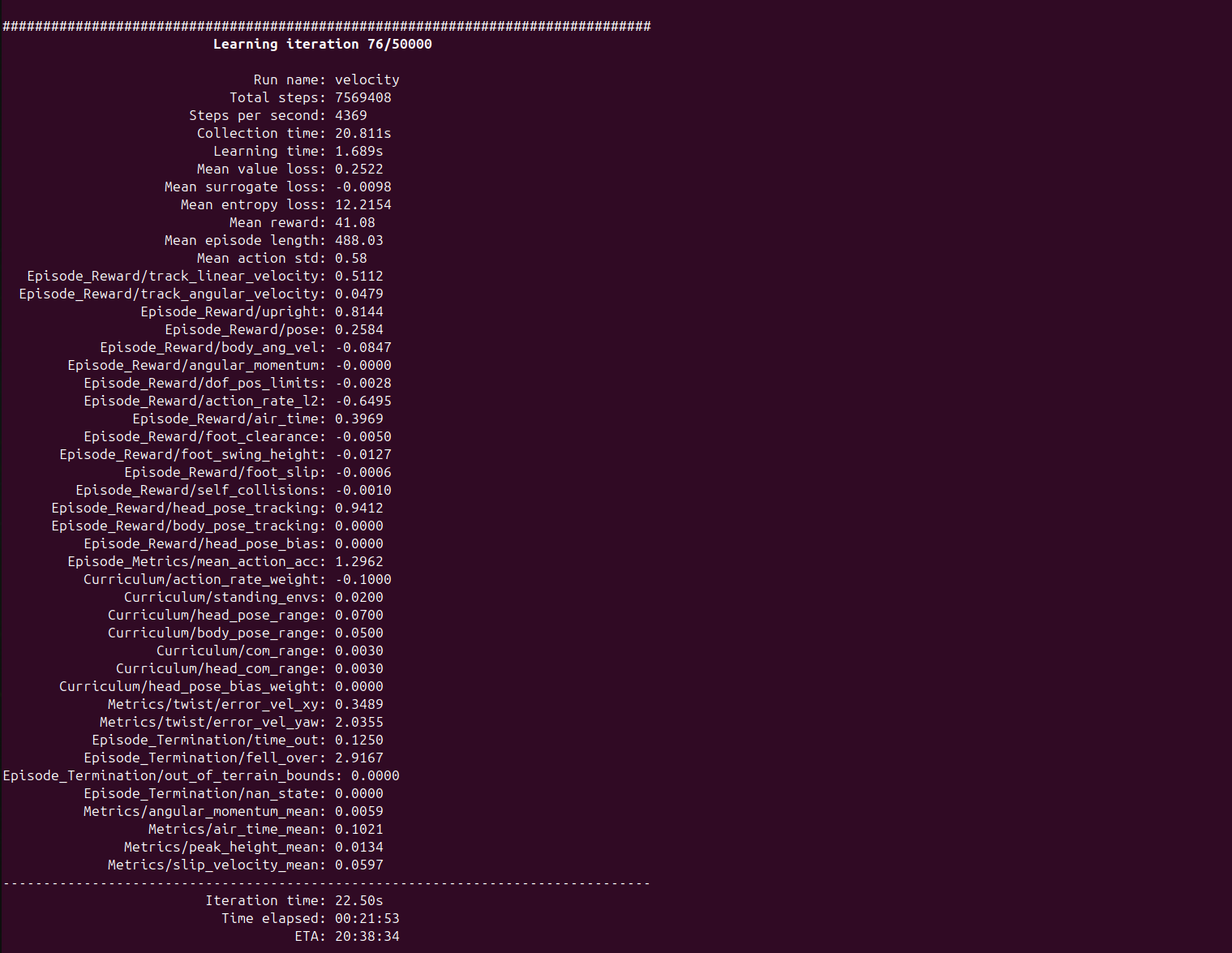
After rollout collection begins, each learning iteration reports throughput, reward terms, episode length, curriculum values, and termination statistics:
Run 4096 Parallel Training Environments
For the full training run used in this demo, the backend simulates 4096 independent Microduck environments in parallel:
uv run --no-sync train Mjlab-Velocity-Flat-MicroDuck \
  --env.scene.num-envs 4096 \
  --agent.logger tensorboard
jtop shows the GPU load and device state while the 4096-environment training process is running:
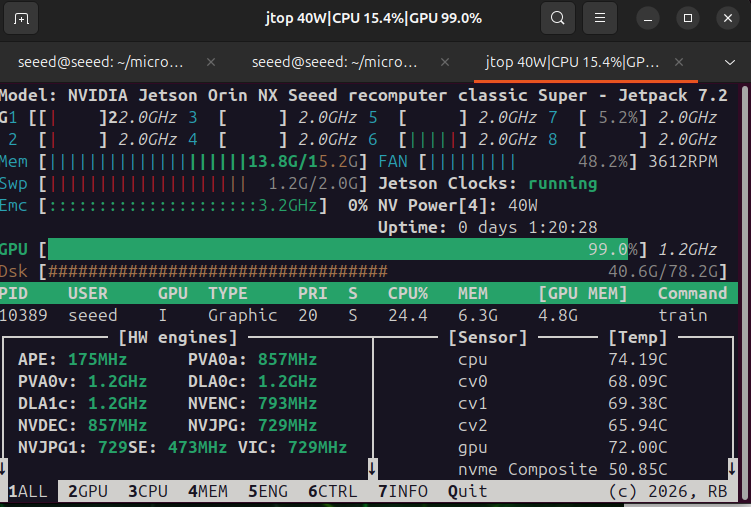
If memory is insufficient, reduce the environment count using 4096 → 2048 → 1024 → 512.
Visualize the Training Environments
The backend still trains all 4096 environments. Viewer settings only control how many robots are rendered for inspection and do not reduce the backend training batch unless --env.scene.num-envs is changed.
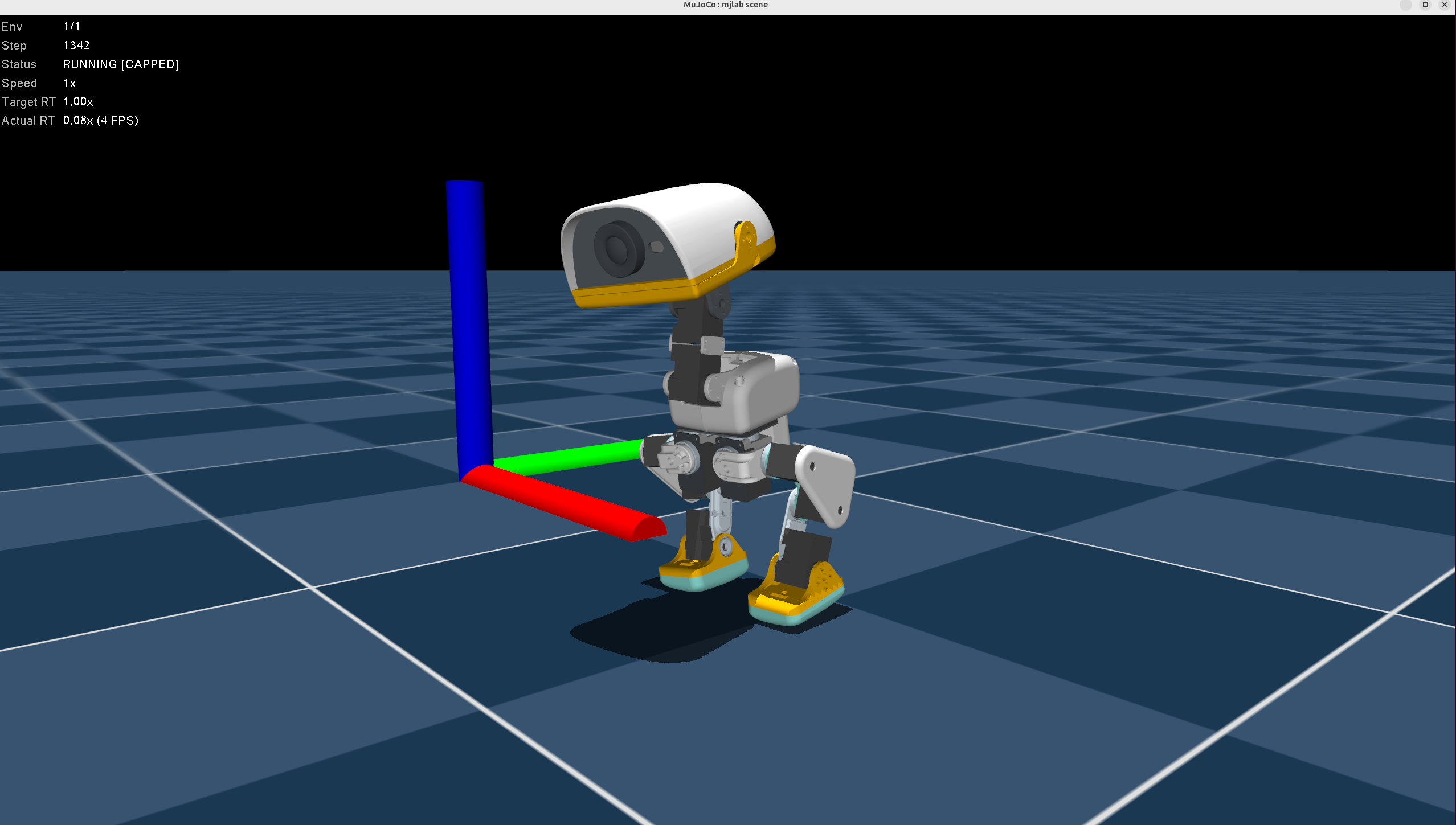
Render One Microduck
Rendering one robot is the clearest way to inspect posture, contacts, and gait during training:
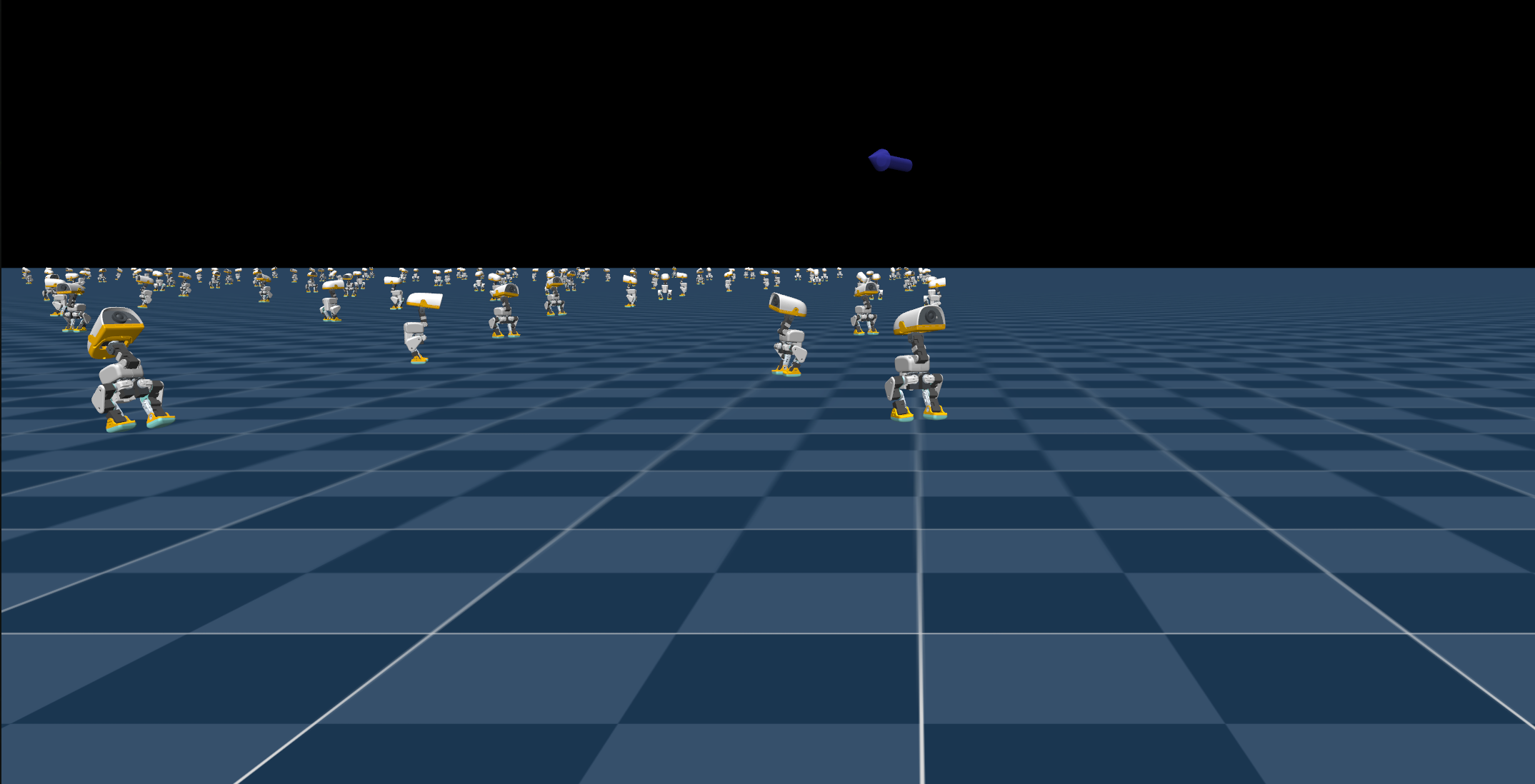
Render Multiple Microducks
Rendering many robots makes the parallel environment concept visible. The full backend run still contains 4096 environments even though only a subset is shown in the Viewer:
The Viewer is intended for short inspection runs. Long training runs normally use headless EGL rendering to avoid continuous drawing overhead.
Optional Performance Setup
Check the supported power modes before selecting one:
sudo nvpmodel -q
sudo nvpmodel
Monitor the device while training:
tegrastats
Do not copy a power-mode number from another Jetson model. Select a supported high-performance mode for the exact device.