Train and Run Official Microduck Motions
This chapter covers the shortest training and inference path: discover the available tasks, train an official task, visualize a .pt checkpoint, run the provided ONNX policies, and control the simulated robot with a keyboard.
Available Task Families
cd ~/microduck-jetson/microduck_rl
uv run --no-sync list-envs | grep MicroDuck
| Motion | Task ID |
|---|---|
| Walking | Mjlab-Velocity-Flat-MicroDuck |
| Walking and fall recovery | Mjlab-VelStand-Flat-MicroDuck |
| Stand up from the floor | Mjlab-StandUp-Flat-MicroDuck |
| Sit and stand | Mjlab-SitStand-Flat-MicroDuck |
| Ground pick | Mjlab-GroundPick-Flat-MicroDuck |
| Forward roll | Mjlab-Roulade-Flat-MicroDuck |
| Ball kick | Mjlab-BallKick-Flat-MicroDuck |
| Roller locomotion | Mjlab-Velocity-Flat-MicroDuck-Rollers |
Train the Walking Policy
Start with the five-iteration smoke test before every long run:
cd ~/microduck-jetson/microduck_rl
export MUJOCO_GL=egl

uv run --no-sync train Mjlab-Velocity-Flat-MicroDuck \
  --env.scene.num-envs 64 \
  --agent.logger tensorboard \
  --agent.max_iterations 5
For a longer run:
uv run --no-sync train Mjlab-Velocity-Flat-MicroDuck \
  --env.scene.num-envs 2048 \
  --agent.logger tensorboard
Increase the environment count only when memory and thermals permit. A practical fallback sequence is 4096 → 2048 → 1024 → 512.
Visualize a PT Checkpoint
Find a checkpoint:
find logs/rsl_rl -type f -name 'model_*.pt' | sort
Browser Viewer over SSH
export MUJOCO_GL=egl

uv run --no-sync play Mjlab-Velocity-Flat-MicroDuck \
  --checkpoint-file /absolute/path/to/model_XXXX.pt \
  --num-envs 1 \
  --viewer viser
Open http://<JETSON_IP>:8080 from a computer on the same network.
Native Viewer on the Jetson Desktop
export DISPLAY=:0
export MUJOCO_GL=glfw

uv run --no-sync play Mjlab-Velocity-Flat-MicroDuck \
  --checkpoint-file /absolute/path/to/model_XXXX.pt \
  --num-envs 1 \
  --viewer native
Run the Official Multi-Policy ONNX Demo
The repository contains nine official ONNX policies in pretrained/pollen-robotics/.
cd ~/microduck-jetson/microduck_rl
export DISPLAY=:0
export MUJOCO_GL=glfw

uv run --no-sync python3 scripts/infer_policy.py \
  --walking pretrained/pollen-robotics/alpha_walking.onnx \
  --standing pretrained/pollen-robotics/alpha_stand.onnx \
  --sitstand pretrained/pollen-robotics/alpha_sitstand.onnx \
  --ground-pick pretrained/pollen-robotics/alpha_ground_pick.onnx \
  --roulade pretrained/pollen-robotics/roulade.onnx \
  --kick-left pretrained/pollen-robotics/ball_kick_left.onnx \
  --kick-right pretrained/pollen-robotics/ball_kick_right.onnx \
  --front-back-split models/exports/front_back_split/front_back_split_model_999.onnx \
  --new-cmd-obs
Keyboard Controls
| Key | Command |
|---|---|
| Arrow keys | Forward, backward, and lateral velocity |
A / E | Turn left / right |
G | Ground-pick behavior |
Y | Sit / stand transition |
R | Forward roll |
K / L | Left / right kick |
O | Six-second front-back split, then return to standing or walking |
Space | Clear velocity command |
Q | Quit |
Inference Results
The following GIFs show ONNX inference results captured directly from MuJoCo on the Jetson.
Walking
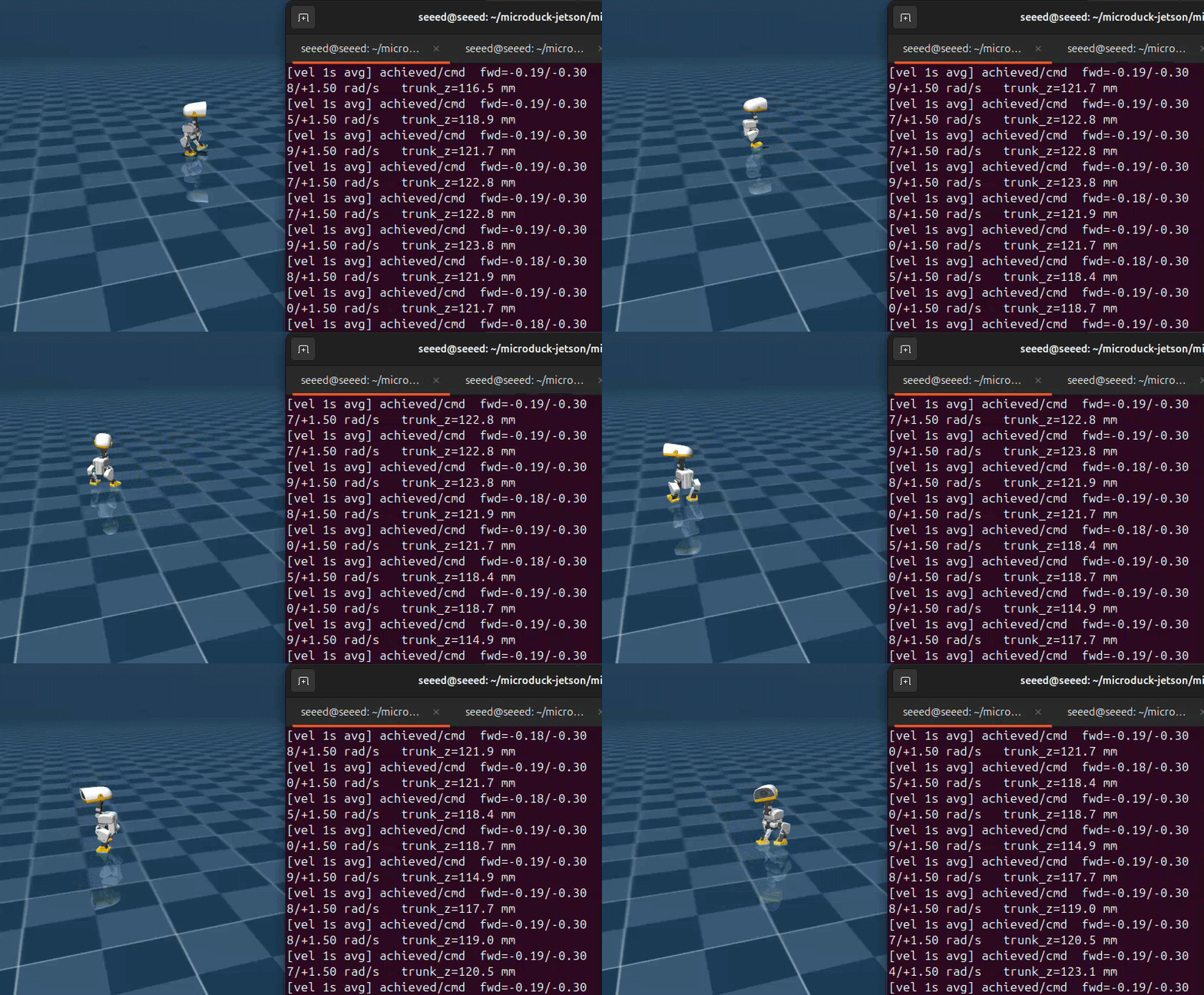
The walking policy continuously tracks keyboard velocity and turning commands.
Rolling
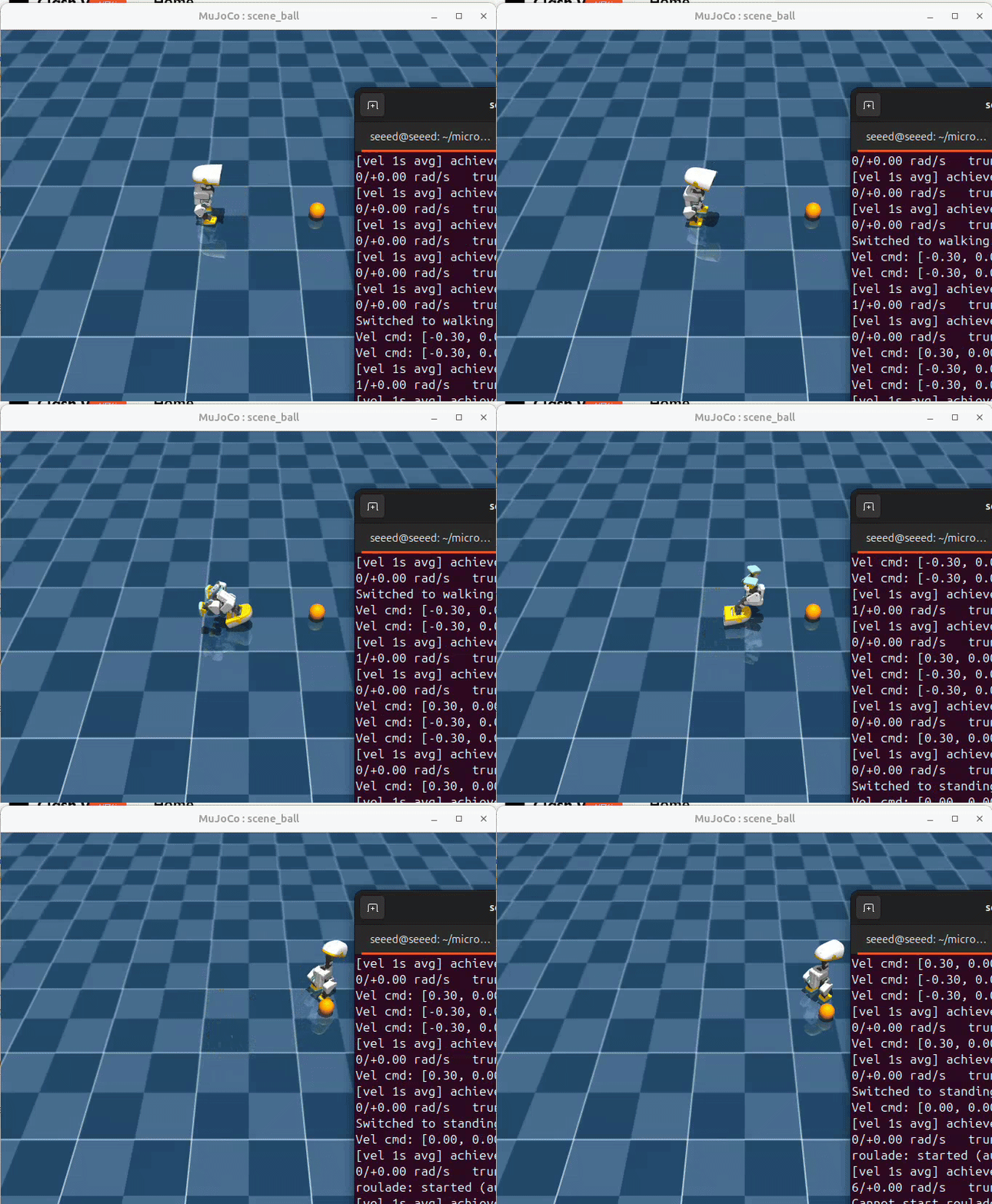
Press R to switch to the forward-roll policy.
Ball Kick
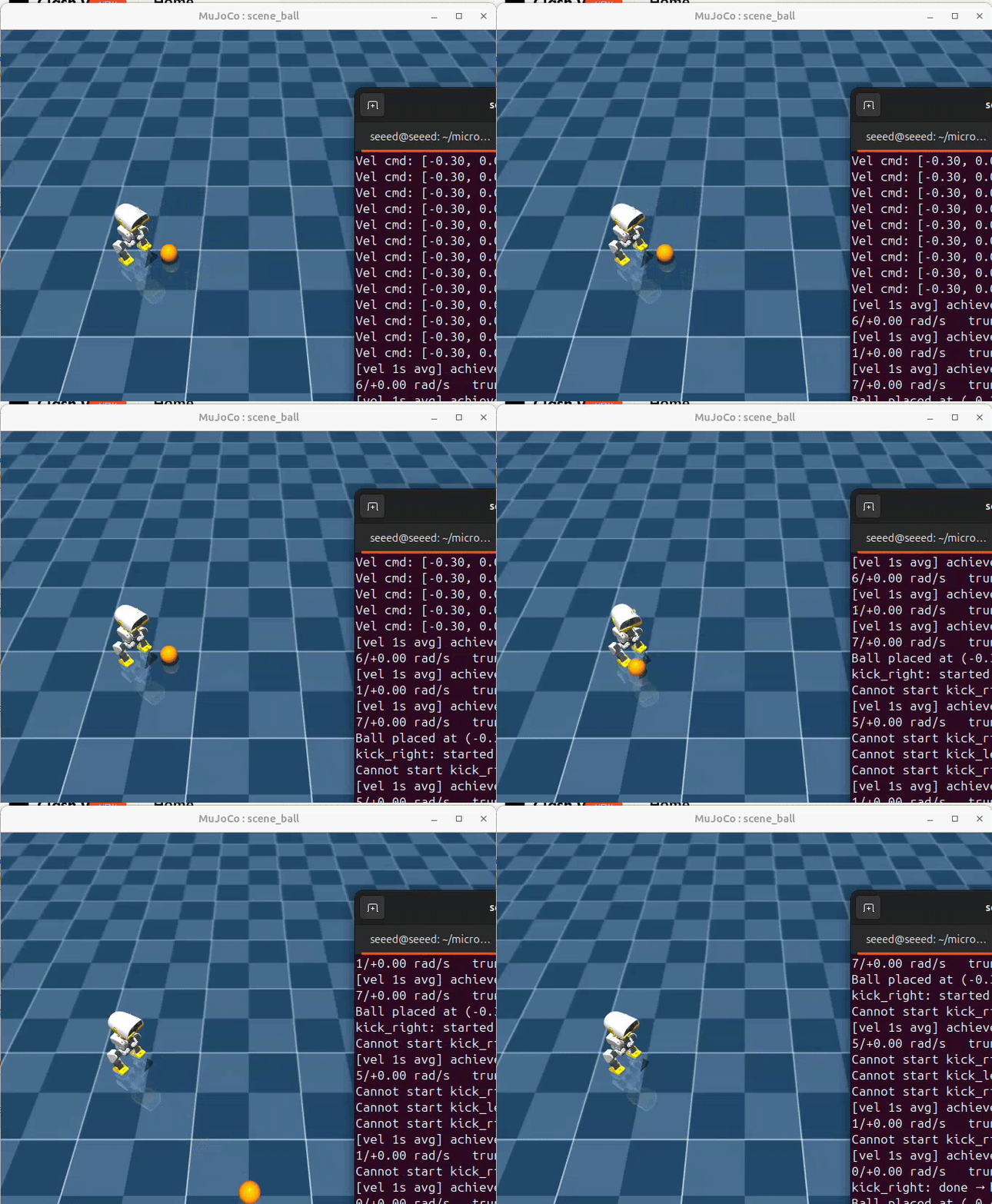
Press K or L to trigger the left-foot or right-foot kick policy in the ball scene.
Front-Back Split
The former one-leg balance policy has been replaced by a more stable double-support
motion. Press O to run the trained policy: the left foot moves forward, the
right foot moves backward, both feet remain grounded, and the robot returns to
the standing or walking policy after the six-second phase cycle.
The included artifacts are:
models/checkpoints/rsl_rl/front_back_split/2026-09-09_18-04-10_front_back_split_left_forward/model_999.pt
models/exports/front_back_split/front_back_split_model_999.onnx
PT and ONNX Serve Different Purposes
.ptcheckpoints contain actor, critic, optimizer, normalizer, and training state. Use them for resume training andplayevaluation..onnxcontains the deployable inference graph. The official ONNX files do not contain the PPO training state and cannot be converted back into a resumable checkpoint.- The PT files under
models/checkpoints/are Jetson walking-training results included with this demo; they are not official Pollen Robotics PT releases.
Export Your Own ONNX
uv run --no-sync python3 scripts/export.py \
  Mjlab-Velocity-Flat-MicroDuck \
  --checkpoint-file /absolute/path/to/model_XXXX.pt \
  --onnx-file walking_custom.onnx
Always use scripts/export.py. The project exporter bakes the observation normalizer into the ONNX graph, which is required for correct runtime behavior.