BC03 Indoor Bluetooth Beacon User Guide
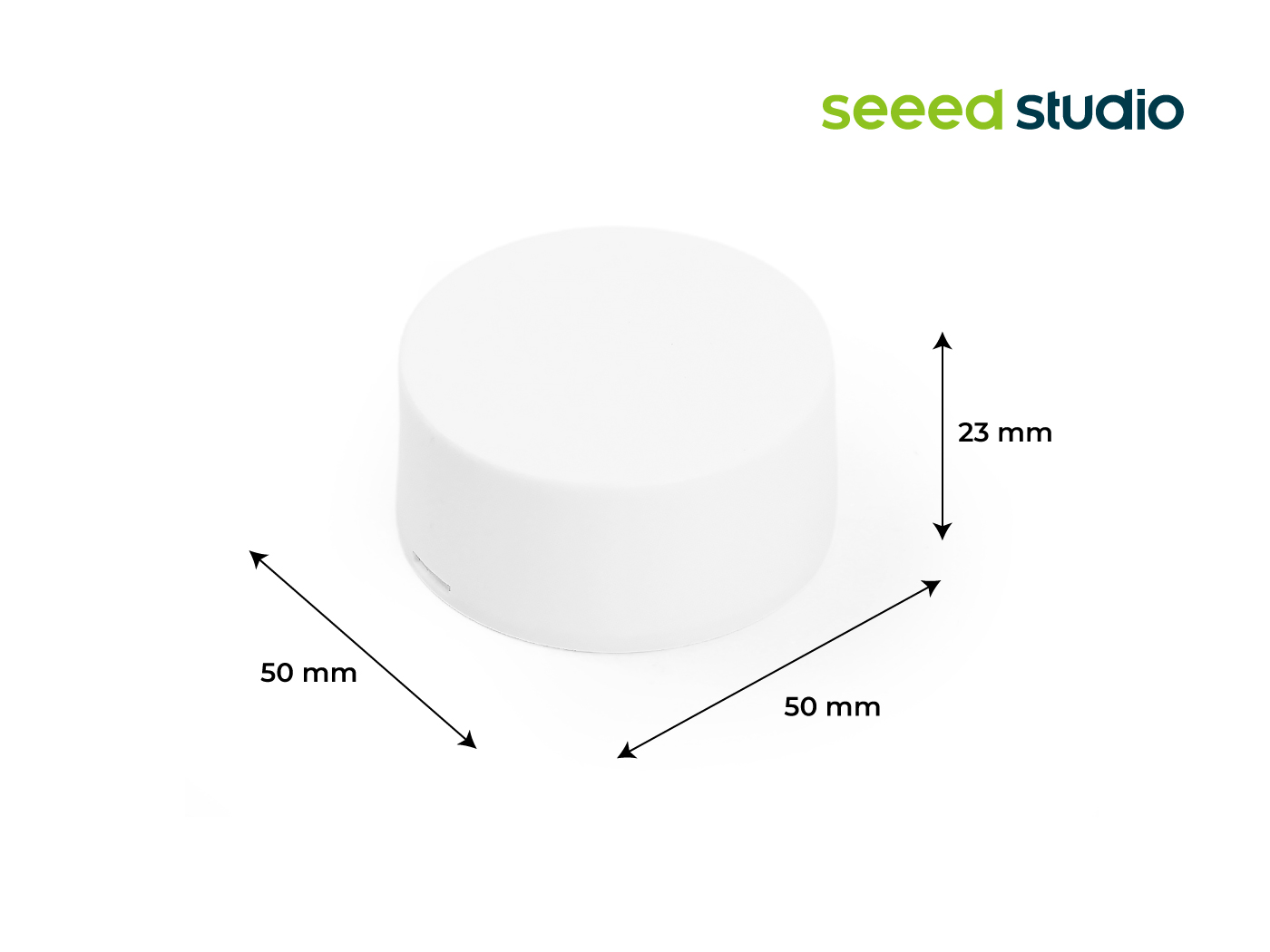
Power & LED
- Power on: Simply pull out the battery tab located on the back. The BC03 will power on automatically and the device's LED indicator will illuminate.
- Power off: The device is designed for continuous operation and does not have a physical power button. To power off the device, the battery must be manually removed.
Deployment Guidelines
- Recommended installation height: 2.5–3 m above ground
- Recommended spacing: 5–10 m, depending on accuracy requirements
- Deployment patterns:
- Triangular grid for open areas
- Single-row or dual-row deployment for corridors

Additional notes:
- Avoid ceiling installation in environments with floor heights above 4 m
- Keep the beacon away from metal surfaces, glass shielding, and corners
- In humid environments, consider environmental protection requirements

Red examples are incorrect, blue examples are correct.
Deployment guidelines are for reference only. Actual deployment should be optimized based on the positioning algorithm and on-site testing results.
Installation Instructions
3M Adhesive Installation
Installation Conditions
- Suitable surfaces: ceramic, glass, epoxy resin, acrylic, ABS, PC, rigid PVC
- Not recommended for rough, damp, or aging surfaces (e.g. cement, gypsum board)
- Recommended installation temperature: 20–40°C
Installation Steps
- Clean and dry the mounting surface
- Pull out the insulating film and it can be pasted and installed
- Press firmly for 1–2 seconds, repeat several times to ensure adhesion
For low-temperature or harsh environments, it is recommended to use double-sided adhesive combined with strong nail-free glue.
Configuration
BC03 supports parameter configuration and batch provisioning through SenseCraft APP and production tools.
-
Step 1: Download
SenseCraftAPP- For iOS, please search for “SenseCraft” in the App Store and download it.
- For Android, please search for “SenseCraft” in the Google Store and download it.

- Step 2: Connect the Beacon & Configuration
On the User page, click Device Bluetooth Configuration, then select Bluetooth Beacon and choose BC03. Then enter the Device List page.
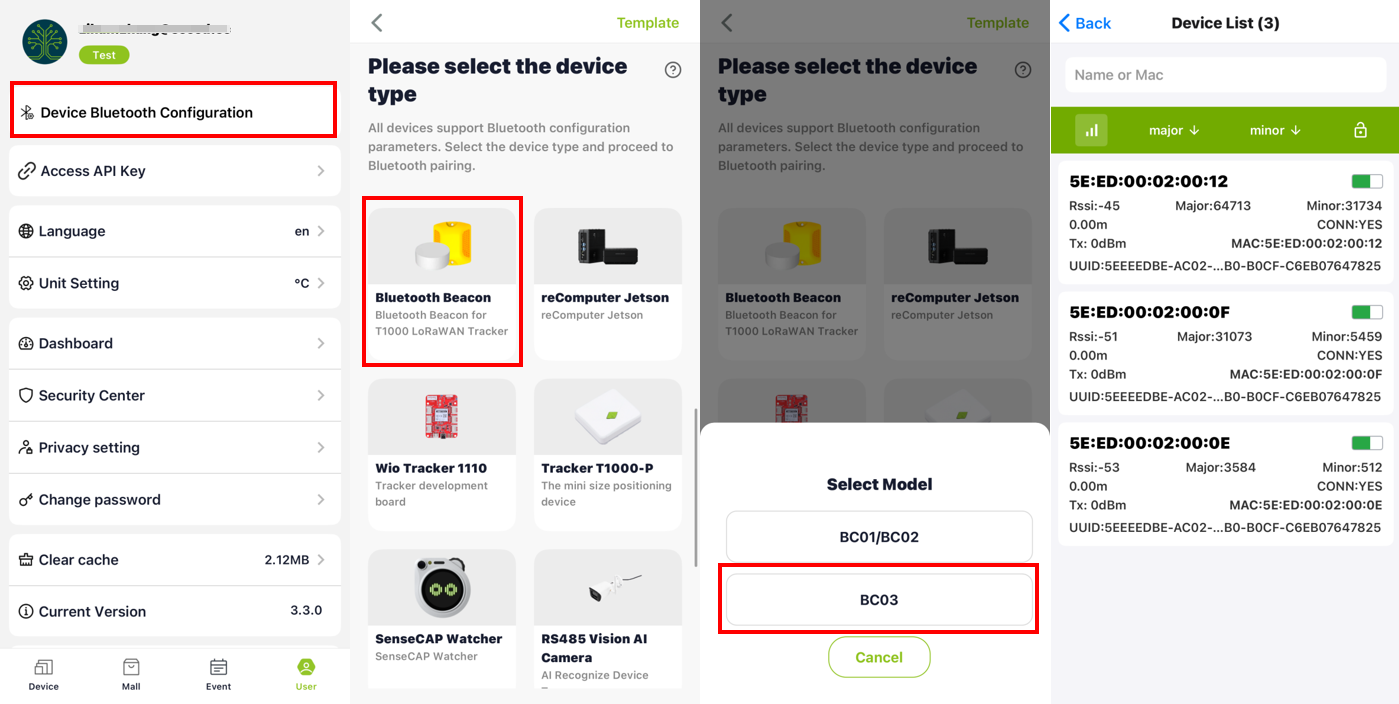
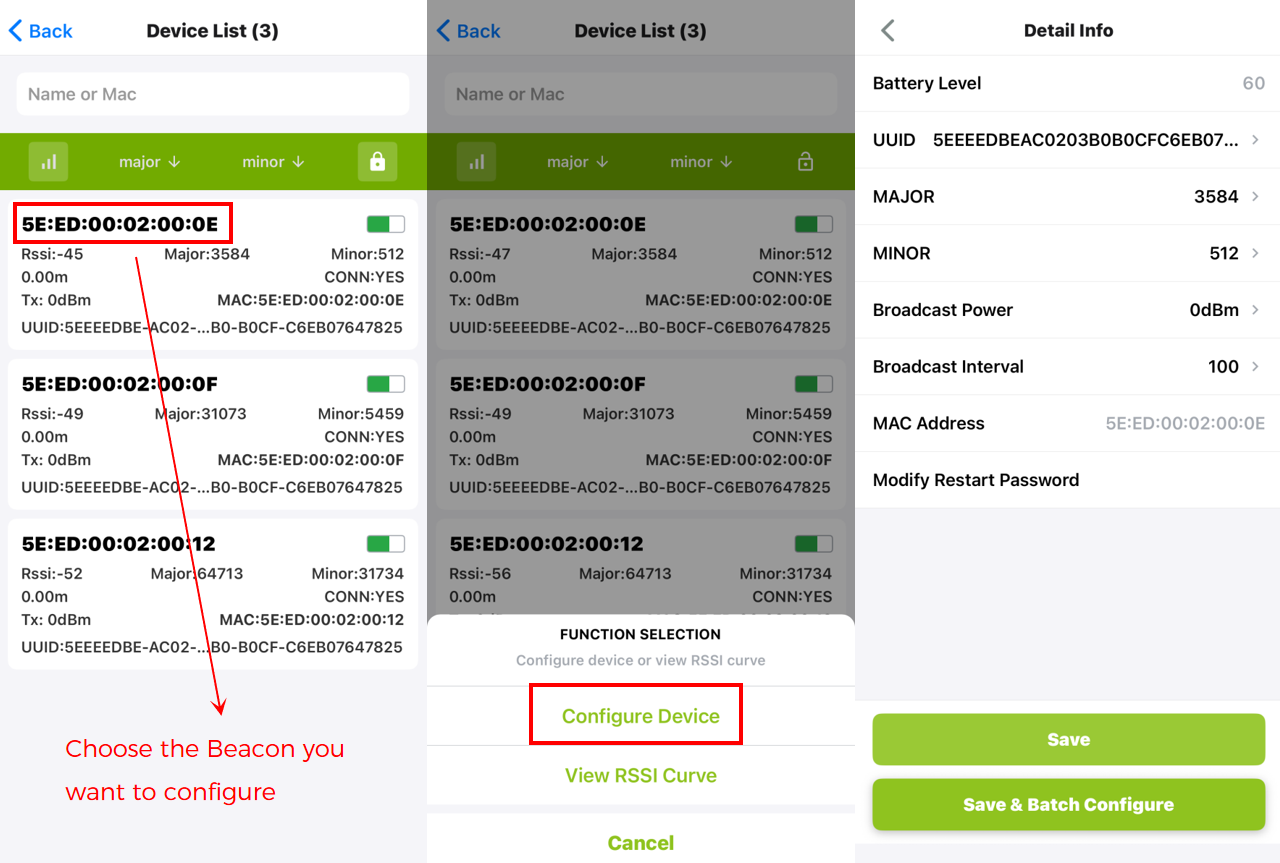
Based on the device's MAC address, select the Beacon to be configured.
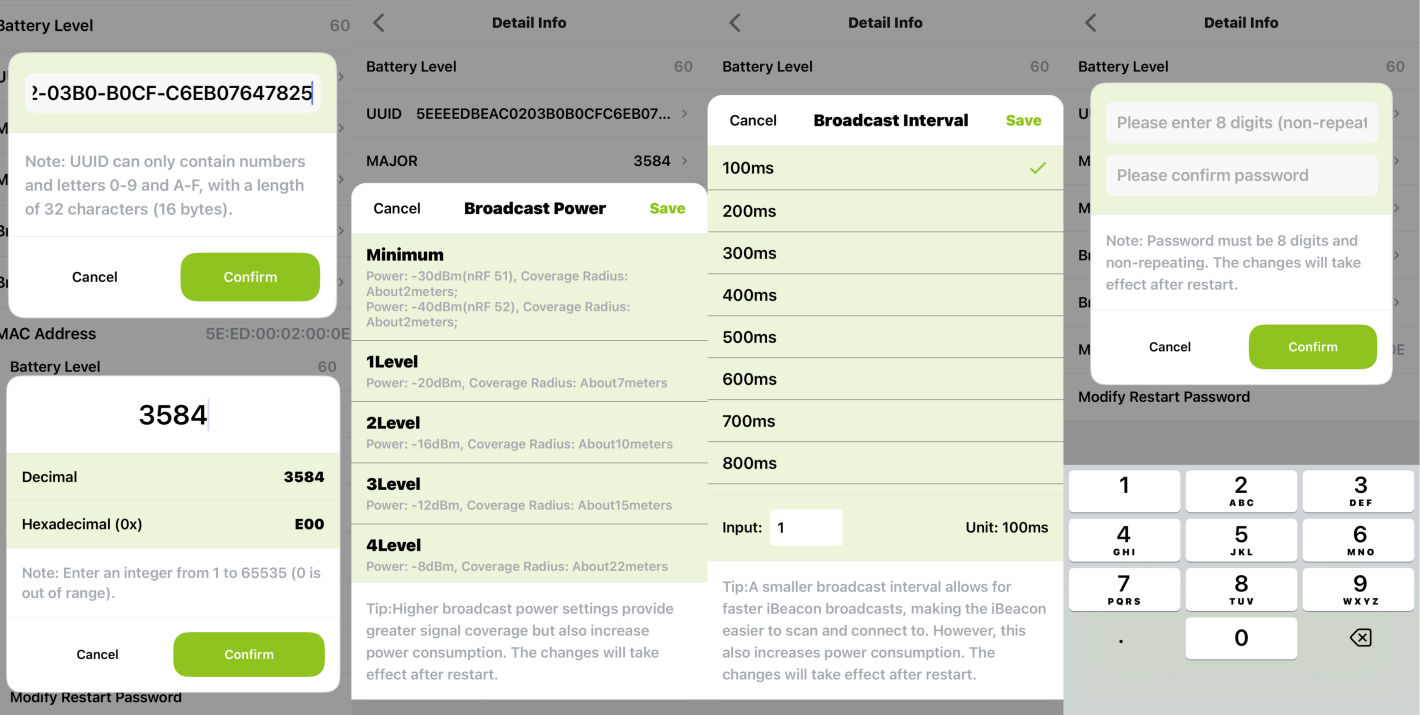
You can modify the device's UUID, MAJOR, MINOR, Broadcast Power, Broadcast Interval, and password.
Batch Configuration
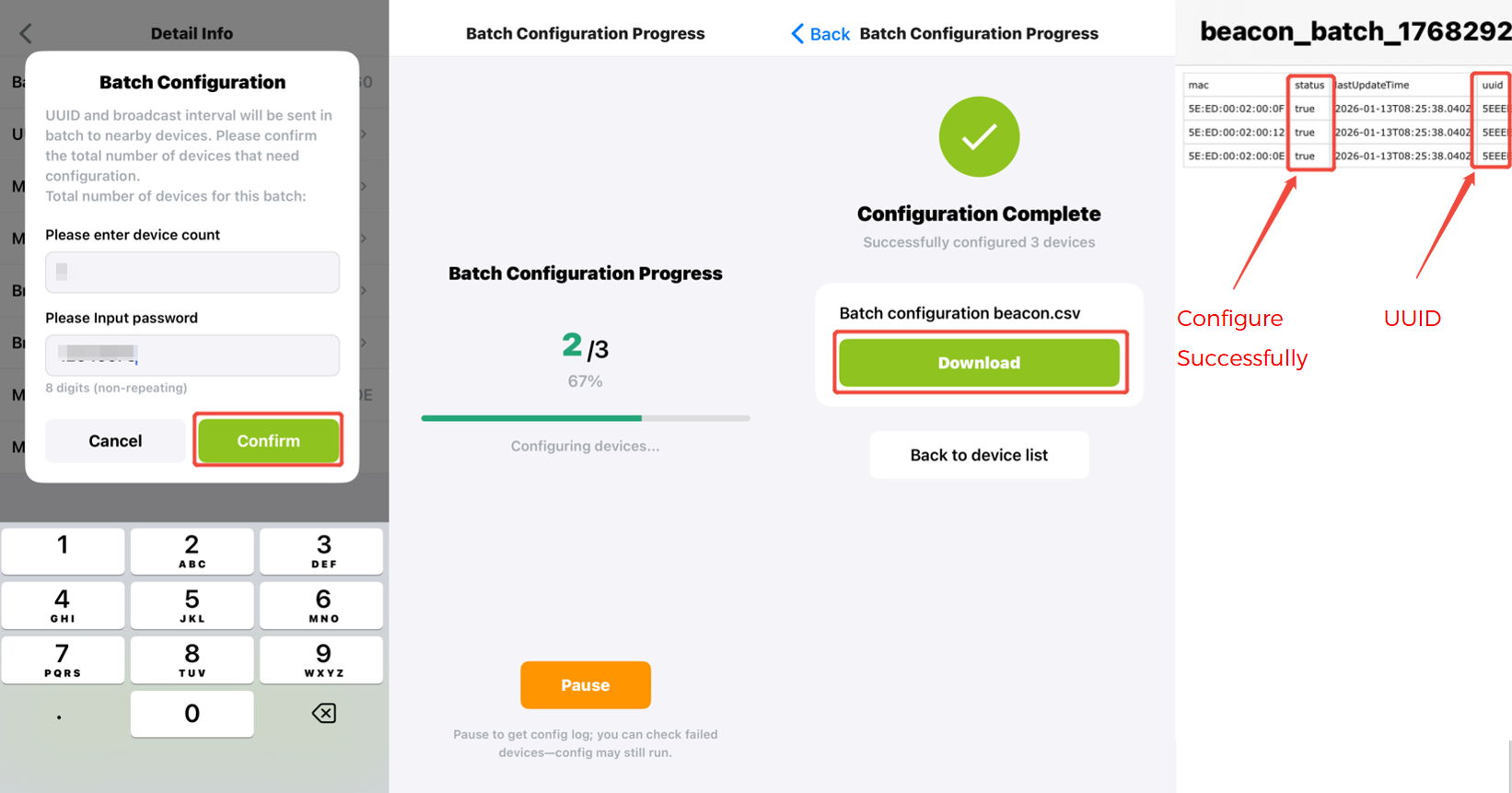
Click Save & Batch Configuration, enter the number of devices and password, then begin the batch configuration. Once the progress bar completes, you can download the batch configuration beacon file and review the configuration status.
- Step 3: View RSSI Curve
Choose the beacon, click RSSI Curve. You can view the dynamic RSSI curve.
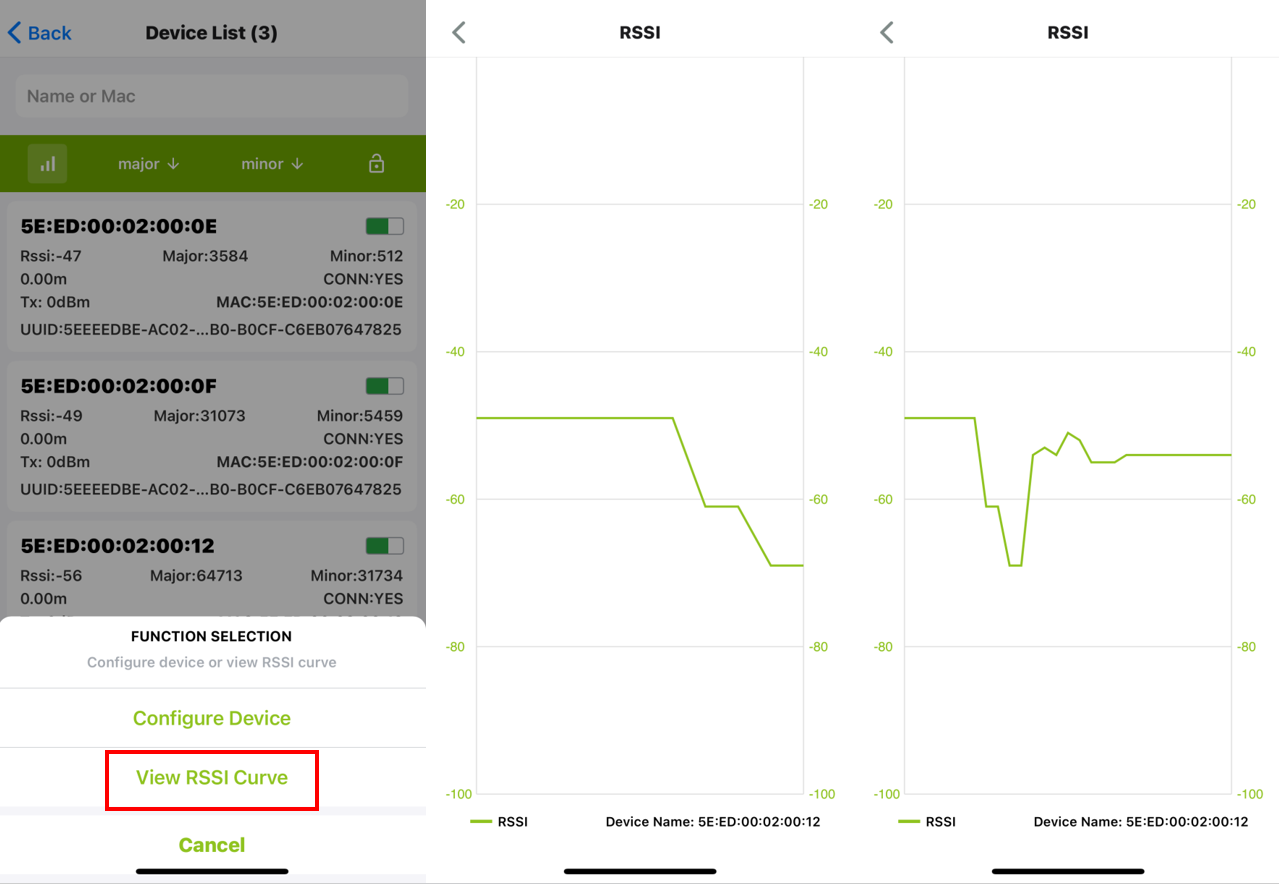
For a small number of devices(≤ 7-8 units), manual configuration for each unit is recommended. For larger deployments, please use the Batch Configuration, as it offers greater stability when handling multiple devices.
Bluetooth Indoor Positioning System
GPS performs well outdoors, but indoor environments such as offices, warehouses, hospitals, or malls often block satellite signals. To achieve accurate indoor positioning, we use BC03 Bluetooth Beacons together with SenseCAP trackers.
How It Works
1. Deploy BC03 Beacons
Install BC03 beacons at fixed positions. Please strictly follow the
Deployment Guidelines, otherwise, the deployment results may not be satisfactory.
Each beacon continuously broadcasts a Bluetooth signal.
2. Tracker scans beacon signals SenseCAP LoRaWAN trackers scan nearby beacon signals and measure the RSSI.
3. Distance estimation The system estimates the relative distance between the tracker and each beacon based on RSSI values.
4. Position calculation Using positioning algorithms, the system calculates the device location.
Combined with positioning algorithms, this enables meter-level indoor positioning accuracy (approximately 2–3 meters).
Typical application scenarios include:
- Asset tracking: Locate high-value equipment within warehouses or factories.
- Personnel positioning: Ensure worker safety in hospitals, mines, or construction sites.
- Route analysis: Analyze foot traffic flow and heatmaps in retail or office spaces.
- Indoor navigation: Provide real-time positioning for visitors in large venues.
The solution can be integrated into cloud platforms, mobile applications, and mini-programs.
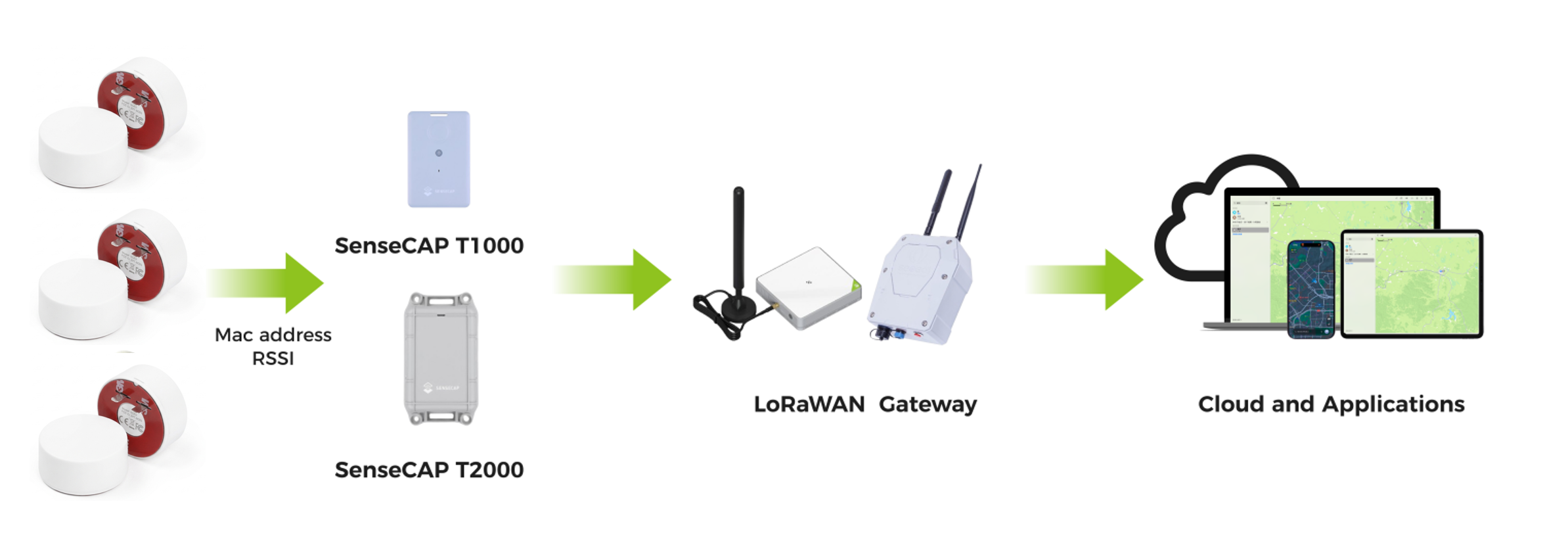
We provide a open-source Bluetooth indoor positioning system designed to work seamlessly with SenseCAP BLE Beacons and SenseCAP LoRaWAN Trackers.
This solution is fully open-source and customizable, allowing users to build, modify, and integrate their own backend services based on our GitHub reponsitory.
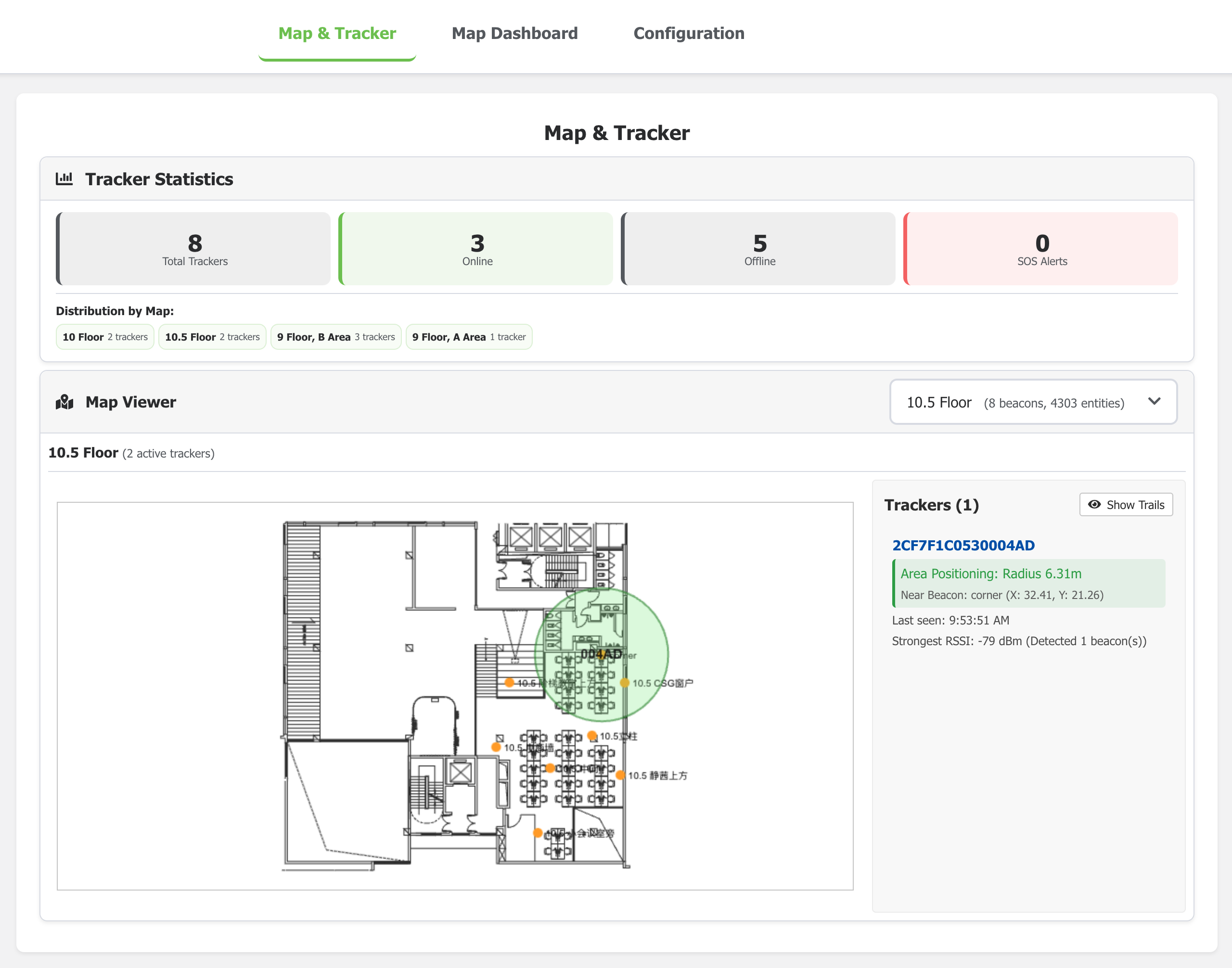
Check Indoor Positioning System for more details.
Tech Support & Product Discussion
Thank you for choosing our products! We are here to provide you with different support to ensure that your experience with our products is as smooth as possible. We offer several communication channels to cater to different preferences and needs.