Grove - OLED Display 0.96 inch

Grove - OLED Display 0.96" 模块是一个带有 Grove 4 针 I2C 接口的 OLED 单色 128×64 点阵显示模块。与 LCD 相比,OLED 屏幕更具竞争力,具有高亮度、自发光、高对比度、超薄外形、宽视角、宽温度范围和低功耗等诸多优势。它拥有更大的屏幕,因此可以显示比 OLED 96×96 更多的内容。

版本
| 产品版本 | 变更 | 发布日期 |
|---|---|---|
| Grove - OLED Display 0.96 inch V1.1 | 初始版本 | 2015 年 10 月 |
特性
- Grove 兼容接口
- 通信模式:I2C
- 低功耗
- 显示颜色:白色
- 宽工作温度范围:-20℃~70℃
- I2C 地址 0x3C
如果您想使用多个 I2C 设备,请参考 Software I2C。
请注意:对 OLED 的重击或压力会导致屏幕损坏。
有关 Grove 模块的更多详细信息,请参考 Grove System
规格参数
| 项目 | 最小值 | 标准值 | 最大值 | 单位 |
|---|---|---|---|---|
| 电源电压 (VCC) | 3.3 | 5.0 | 5.5 | V |
| 驱动 IC | - | SSD1308Z | - | - |
| 显示颜色 | - | 白色 | - | - |
| 点阵 | - | 128×64 | - | - |
| 面板尺寸 | - | 26.7(W)×19.26(H) | - | mm |
| 有效区域 | - | 21.74(W)×11.175 (H) | - | mm |
| 点间距 | - | 0.17(W)×0.175 (H) | - | mm |
| 点尺寸 | - | 0.15(W)×0.15 (H) | - | mm |
| 宽工作温度范围 | - | -20~70 | - | ℃ |
有关 Grove 模块的更多详细信息,请参考 Grove System
支持的平台
| Arduino | Raspberry Pi |
|---|---|
|
|


上述提到的支持平台表示该模块的软件或理论兼容性。我们在大多数情况下只为 Arduino 平台提供软件库或代码示例。不可能为所有可能的 MCU 平台提供软件库/演示代码。因此,用户必须编写自己的软件库。
入门指南
如果这是您第一次使用 Arduino,我们强烈建议您在开始之前先查看 Getting Started with Arduino。
与 Arduino 配合使用
演示
OLED128*64 使用 SSD1308 芯片的所有引脚,默认原点在左上角。您也可以通过调整程序来改变原点,以显示您想要的图案。更多详细信息,请参考 SSD1308_1.0.pdf 和 LY190-128064.pdf。
硬件
- 步骤 1. 准备以下物品:
| Seeeduino V4 | Base Shield | Grove - OLED Display 0.96inch |
|---|---|---|
|
|
|
| 立即购买 | 立即购买 | 立即购买 |
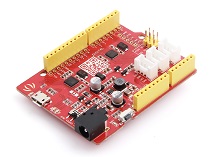
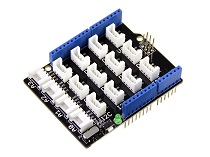

- 步骤 2. 将 Grove OLED Display 128*64 插入 Grove Base Shield 的 I2C 端口。
- 步骤 3. 将 Grove - Base Shield 插入 Seeeduino。
- 步骤 4. 通过 USB 线将 Seeeduino 连接到 PC。

如果我们没有 Grove Base Shield,我们也可以直接将 Grove - OLED Display 0.96 inch 连接到 Seeeduino,如下所示。
| Seeeduino | Grove - OLED Display 0.96 inch |
|---|---|
| 5V | 红色 |
| GND | 黑色 |
| SDA | 白色 |
| SCL | 黄色 |
软件
- 步骤 1. 从 Github 下载 U8G2 128*64 library。
- 步骤 2. 参考 How to install library 为 Arduino 安装库。
- 步骤 3. 将代码复制到 Arduino IDE 并上传。如果您不知道如何上传代码,请查看 how to upload code。
#include <Arduino.h>
#include <U8g2lib.h>

#ifdef U8X8_HAVE_HW_SPI
#include <SPI.h>
#endif
#ifdef U8X8_HAVE_HW_I2C
#include <Wire.h>
#endif

U8G2_SSD1306_128X64_ALT0_F_HW_I2C u8g2(U8G2_R0, /* reset=*/ U8X8_PIN_NONE); // SSD1306 and SSD1308Z are compatible

// U8G2_SSD1306_128X64_NONAME_F_SW_I2C u8g2(U8G2_R0, /* clock=*/ SCL, /* data=*/ SDA, /* reset=*/ U8X8_PIN_NONE);    //Low spped I2C

void setup(void) {
  u8g2.begin();
}

void loop(void) {
  u8g2.clearBuffer();                   // clear the internal memory
  u8g2.setFont(u8g2_font_ncenB08_tr);   // choose a suitable font
  u8g2.drawStr(0,10,"Hello World!");    // write something to the internal memory
  u8g2.sendBuffer();                    // transfer internal memory to the display
  delay(1000);
}
- 步骤 3. 我们可以在屏幕上看到 "Hello World!"。
与 Raspberry Pi 配合使用(使用 Grove Base Hat for Raspberry Pi)
硬件
- 步骤 1. 本项目中使用的物品:
| Raspberry pi | Grove Base Hat for RasPi | Grove - OLED Display 0.96 inch |
|---|---|---|
|
|
|
| 立即购买 | 立即购买 | 立即购买 |
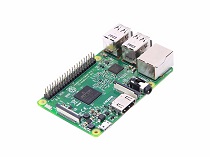
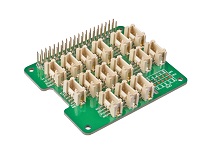
- 步骤 2. 将 Grove Base Hat 插入 Raspberry Pi。
- 步骤 3. 将 OLED 显示屏连接到 Base Hat 的 I2C 端口。
- 步骤 4. 通过 USB 线缆将 Raspberry Pi 连接到 PC。

软件
如果您使用的是 Raspberry Pi with Raspberrypi OS >= Bullseye,您必须仅使用 Python3 运行此命令行。
- 步骤 1. 按照 Setting Software 配置开发环境。
- 步骤 2. 进入相关的虚拟环境。
source ~/grove_env/env/bin/activate
cd ~/grove_env/grove.py/grove
-
步骤 3. 执行以下命令运行代码。
-
以下是检查 grove_oled_display_128x64.py 代码。
less grove_oled_display_128x64.py
import time

from grove.i2c import Bus

_COMMAND_MODE = 0x80
_DATA_MODE = 0x40
_NORMAL_DISPLAY = 0xA6

_DISPLAY_OFF = 0xAE
_DISPLAY_ON = 0xAF
_INVERSE_DISPLAY = 0xA7
_SET_BRIGHTNESS = 0x81


BasicFont = [[0x00, 0x00, 0x00, 0x00, 0x00, 0x00, 0x00, 0x00],
             [0x00, 0x00, 0x5F, 0x00, 0x00, 0x00, 0x00, 0x00],
             [0x00, 0x00, 0x07, 0x00, 0x07, 0x00, 0x00, 0x00],
             [0x00, 0x14, 0x7F, 0x14, 0x7F, 0x14, 0x00, 0x00],
             [0x00, 0x24, 0x2A, 0x7F, 0x2A, 0x12, 0x00, 0x00],
             [0x00, 0x23, 0x13, 0x08, 0x64, 0x62, 0x00, 0x00],
             [0x00, 0x36, 0x49, 0x55, 0x22, 0x50, 0x00, 0x00],
             [0x00, 0x00, 0x05, 0x03, 0x00, 0x00, 0x00, 0x00],
             [0x00, 0x1C, 0x22, 0x41, 0x00, 0x00, 0x00, 0x00],
             [0x00, 0x41, 0x22, 0x1C, 0x00, 0x00, 0x00, 0x00],
             [0x00, 0x08, 0x2A, 0x1C, 0x2A, 0x08, 0x00, 0x00],
             [0x00, 0x08, 0x08, 0x3E, 0x08, 0x08, 0x00, 0x00],
             [0x00, 0xA0, 0x60, 0x00, 0x00, 0x00, 0x00, 0x00],
             [0x00, 0x08, 0x08, 0x08, 0x08, 0x08, 0x00, 0x00],
             [0x00, 0x60, 0x60, 0x00, 0x00, 0x00, 0x00, 0x00],
             [0x00, 0x20, 0x10, 0x08, 0x04, 0x02, 0x00, 0x00],
             [0x00, 0x3E, 0x51, 0x49, 0x45, 0x3E, 0x00, 0x00],
             [0x00, 0x00, 0x42, 0x7F, 0x40, 0x00, 0x00, 0x00],
             [0x00, 0x62, 0x51, 0x49, 0x49, 0x46, 0x00, 0x00],
             [0x00, 0x22, 0x41, 0x49, 0x49, 0x36, 0x00, 0x00],
             [0x00, 0x18, 0x14, 0x12, 0x7F, 0x10, 0x00, 0x00],
             [0x00, 0x27, 0x45, 0x45, 0x45, 0x39, 0x00, 0x00],
             [0x00, 0x3C, 0x4A, 0x49, 0x49, 0x30, 0x00, 0x00],
             [0x00, 0x01, 0x71, 0x09, 0x05, 0x03, 0x00, 0x00],
             [0x00, 0x36, 0x49, 0x49, 0x49, 0x36, 0x00, 0x00],
             [0x00, 0x06, 0x49, 0x49, 0x29, 0x1E, 0x00, 0x00],
             [0x00, 0x00, 0x36, 0x36, 0x00, 0x00, 0x00, 0x00],
             [0x00, 0x00, 0xAC, 0x6C, 0x00, 0x00, 0x00, 0x00],
             [0x00, 0x08, 0x14, 0x22, 0x41, 0x00, 0x00, 0x00],
             [0x00, 0x14, 0x14, 0x14, 0x14, 0x14, 0x00, 0x00],
             [0x00, 0x41, 0x22, 0x14, 0x08, 0x00, 0x00, 0x00],
             [0x00, 0x02, 0x01, 0x51, 0x09, 0x06, 0x00, 0x00],
             [0x00, 0x32, 0x49, 0x79, 0x41, 0x3E, 0x00, 0x00],
             [0x00, 0x7E, 0x09, 0x09, 0x09, 0x7E, 0x00, 0x00],
             [0x00, 0x7F, 0x49, 0x49, 0x49, 0x36, 0x00, 0x00],
             [0x00, 0x3E, 0x41, 0x41, 0x41, 0x22, 0x00, 0x00],
             [0x00, 0x7F, 0x41, 0x41, 0x22, 0x1C, 0x00, 0x00],
             [0x00, 0x7F, 0x49, 0x49, 0x49, 0x41, 0x00, 0x00],
             [0x00, 0x7F, 0x09, 0x09, 0x09, 0x01, 0x00, 0x00],
             [0x00, 0x3E, 0x41, 0x41, 0x51, 0x72, 0x00, 0x00],
             [0x00, 0x7F, 0x08, 0x08, 0x08, 0x7F, 0x00, 0x00],
             [0x00, 0x41, 0x7F, 0x41, 0x00, 0x00, 0x00, 0x00],
             [0x00, 0x20, 0x40, 0x41, 0x3F, 0x01, 0x00, 0x00],
             [0x00, 0x7F, 0x08, 0x14, 0x22, 0x41, 0x00, 0x00],
             [0x00, 0x7F, 0x40, 0x40, 0x40, 0x40, 0x00, 0x00],
             [0x00, 0x7F, 0x02, 0x0C, 0x02, 0x7F, 0x00, 0x00],
             [0x00, 0x7F, 0x04, 0x08, 0x10, 0x7F, 0x00, 0x00],
             [0x00, 0x3E, 0x41, 0x41, 0x41, 0x3E, 0x00, 0x00],
             [0x00, 0x7F, 0x09, 0x09, 0x09, 0x06, 0x00, 0x00],
             [0x00, 0x3E, 0x41, 0x51, 0x21, 0x5E, 0x00, 0x00],
             [0x00, 0x7F, 0x09, 0x19, 0x29, 0x46, 0x00, 0x00],
             [0x00, 0x26, 0x49, 0x49, 0x49, 0x32, 0x00, 0x00],
             [0x00, 0x01, 0x01, 0x7F, 0x01, 0x01, 0x00, 0x00],
             [0x00, 0x3F, 0x40, 0x40, 0x40, 0x3F, 0x00, 0x00],
             [0x00, 0x1F, 0x20, 0x40, 0x20, 0x1F, 0x00, 0x00],
             [0x00, 0x3F, 0x40, 0x38, 0x40, 0x3F, 0x00, 0x00],
             [0x00, 0x63, 0x14, 0x08, 0x14, 0x63, 0x00, 0x00],
             [0x00, 0x03, 0x04, 0x78, 0x04, 0x03, 0x00, 0x00],
             [0x00, 0x61, 0x51, 0x49, 0x45, 0x43, 0x00, 0x00],
             [0x00, 0x7F, 0x41, 0x41, 0x00, 0x00, 0x00, 0x00],
             [0x00, 0x02, 0x04, 0x08, 0x10, 0x20, 0x00, 0x00],
             [0x00, 0x41, 0x41, 0x7F, 0x00, 0x00, 0x00, 0x00],
             [0x00, 0x04, 0x02, 0x01, 0x02, 0x04, 0x00, 0x00],
             [0x00, 0x80, 0x80, 0x80, 0x80, 0x80, 0x00, 0x00],
             [0x00, 0x01, 0x02, 0x04, 0x00, 0x00, 0x00, 0x00],
             [0x00, 0x20, 0x54, 0x54, 0x54, 0x78, 0x00, 0x00],
             [0x00, 0x7F, 0x48, 0x44, 0x44, 0x38, 0x00, 0x00],
             [0x00, 0x38, 0x44, 0x44, 0x28, 0x00, 0x00, 0x00],
             [0x00, 0x38, 0x44, 0x44, 0x48, 0x7F, 0x00, 0x00],
             [0x00, 0x38, 0x54, 0x54, 0x54, 0x18, 0x00, 0x00],
             [0x00, 0x08, 0x7E, 0x09, 0x02, 0x00, 0x00, 0x00],
             [0x00, 0x18, 0xA4, 0xA4, 0xA4, 0x7C, 0x00, 0x00],
             [0x00, 0x7F, 0x08, 0x04, 0x04, 0x78, 0x00, 0x00],
             [0x00, 0x00, 0x7D, 0x00, 0x00, 0x00, 0x00, 0x00],
             [0x00, 0x80, 0x84, 0x7D, 0x00, 0x00, 0x00, 0x00],
             [0x00, 0x7F, 0x10, 0x28, 0x44, 0x00, 0x00, 0x00],
             [0x00, 0x41, 0x7F, 0x40, 0x00, 0x00, 0x00, 0x00],
             [0x00, 0x7C, 0x04, 0x18, 0x04, 0x78, 0x00, 0x00],
             [0x00, 0x7C, 0x08, 0x04, 0x7C, 0x00, 0x00, 0x00],
             [0x00, 0x38, 0x44, 0x44, 0x38, 0x00, 0x00, 0x00],
             [0x00, 0xFC, 0x24, 0x24, 0x18, 0x00, 0x00, 0x00],
             [0x00, 0x18, 0x24, 0x24, 0xFC, 0x00, 0x00, 0x00],
             [0x00, 0x00, 0x7C, 0x08, 0x04, 0x00, 0x00, 0x00],
             [0x00, 0x48, 0x54, 0x54, 0x24, 0x00, 0x00, 0x00],
             [0x00, 0x04, 0x7F, 0x44, 0x00, 0x00, 0x00, 0x00],
             [0x00, 0x3C, 0x40, 0x40, 0x7C, 0x00, 0x00, 0x00],
             [0x00, 0x1C, 0x20, 0x40, 0x20, 0x1C, 0x00, 0x00],
             [0x00, 0x3C, 0x40, 0x30, 0x40, 0x3C, 0x00, 0x00],
             [0x00, 0x44, 0x28, 0x10, 0x28, 0x44, 0x00, 0x00],
             [0x00, 0x1C, 0xA0, 0xA0, 0x7C, 0x00, 0x00, 0x00],
             [0x00, 0x44, 0x64, 0x54, 0x4C, 0x44, 0x00, 0x00],
             [0x00, 0x08, 0x36, 0x41, 0x00, 0x00, 0x00, 0x00],
             [0x00, 0x00, 0x7F, 0x00, 0x00, 0x00, 0x00, 0x00],
             [0x00, 0x41, 0x36, 0x08, 0x00, 0x00, 0x00, 0x00],
             [0x00, 0x02, 0x01, 0x01, 0x02, 0x01, 0x00, 0x00],
             [0x00, 0x02, 0x05, 0x05, 0x02, 0x00, 0x00, 0x00]]


class GroveOledDisplay128x64(object):
    HORIZONTAL = 0x00
    VERTICAL = 0x01
    PAGE = 0x02

    def __init__(self, bus=1, address=0x3C):
        self.bus = Bus(bus)
        self.address = address

        self.off()
        self.inverse = False
        self.mode = self.HORIZONTAL

        self.clear()
        self.on()

    def on(self):
        self.send_command(_DISPLAY_ON)

    def off(self):
        self.send_command(_DISPLAY_OFF)

    def send_command(self, command):
        self.bus.write_byte_data(self.address, _COMMAND_MODE, command)

    def send_data(self, data):
        self.bus.write_byte_data(self.address, _DATA_MODE, data)

    def send_commands(self, commands):
        for c in commands:
            self.send_command(c)

    def clear(self):
        self.off()
        for i in range(8):
            self.set_cursor(i, 0)
            self.puts(' ' * 16)

        self.on()
        self.set_cursor(0, 0)

    @property
    def inverse(self):
        return self._inverse

    @inverse.setter
    def inverse(self, enable):
        self.send_command(_INVERSE_DISPLAY if enable else _NORMAL_DISPLAY)
        self._inverse = enable

    @property
    def mode(self):
        return self._mode

    @mode.setter
    def mode(self, mode):
        self.send_command(0x20)
        self.send_command(mode)
        self._mode = mode

    def set_cursor(self, row, column):
        self.send_command(0xB0 + row)
        self.send_command(0x00 + (8*column & 0x0F))
        self.send_command(0x10 + ((8*column>>4)&0x0F))

    def putc(self, c):
        C_add = ord(c)
        if C_add < 32 or C_add > 127:     # Ignore non-printable ASCII characters
            c = ' '
            C_add = ord(c)

        for i in range(0, 8):
            self.send_data(BasicFont[C_add-32][i])

    def puts(self, text):
        for c in text:
            self.putc(c)

    def show_image(self, image):
        from PIL import Image
        import numpy as np

        im = Image.open(image)

        bw = im.convert('1')
        pixels = np.array(bw.getdata())
        page_size = 128 * 8

        self.set_cursor(0, 0)
        for page in range(8):
            start = page_size * page
            end = start + page_size

            for i in range(start, start + 128):
                data = np.packbits(pixels[i:end:128][::-1])[0]
                self.send_data(data)


def main():
    display = GroveOledDisplay128x64()

    display.set_cursor(0, 0)
    display.puts('hello')
    display.set_cursor(1, 4)
    display.puts('world')

if __name__ == "__main__":
    main()
- 运行此代码
python grove_oled_display_128x64.py
终端中似乎没有任何反应,但是如果你检查你的 OLED 显示屏,你会发现网络世界中最著名的句子。😄
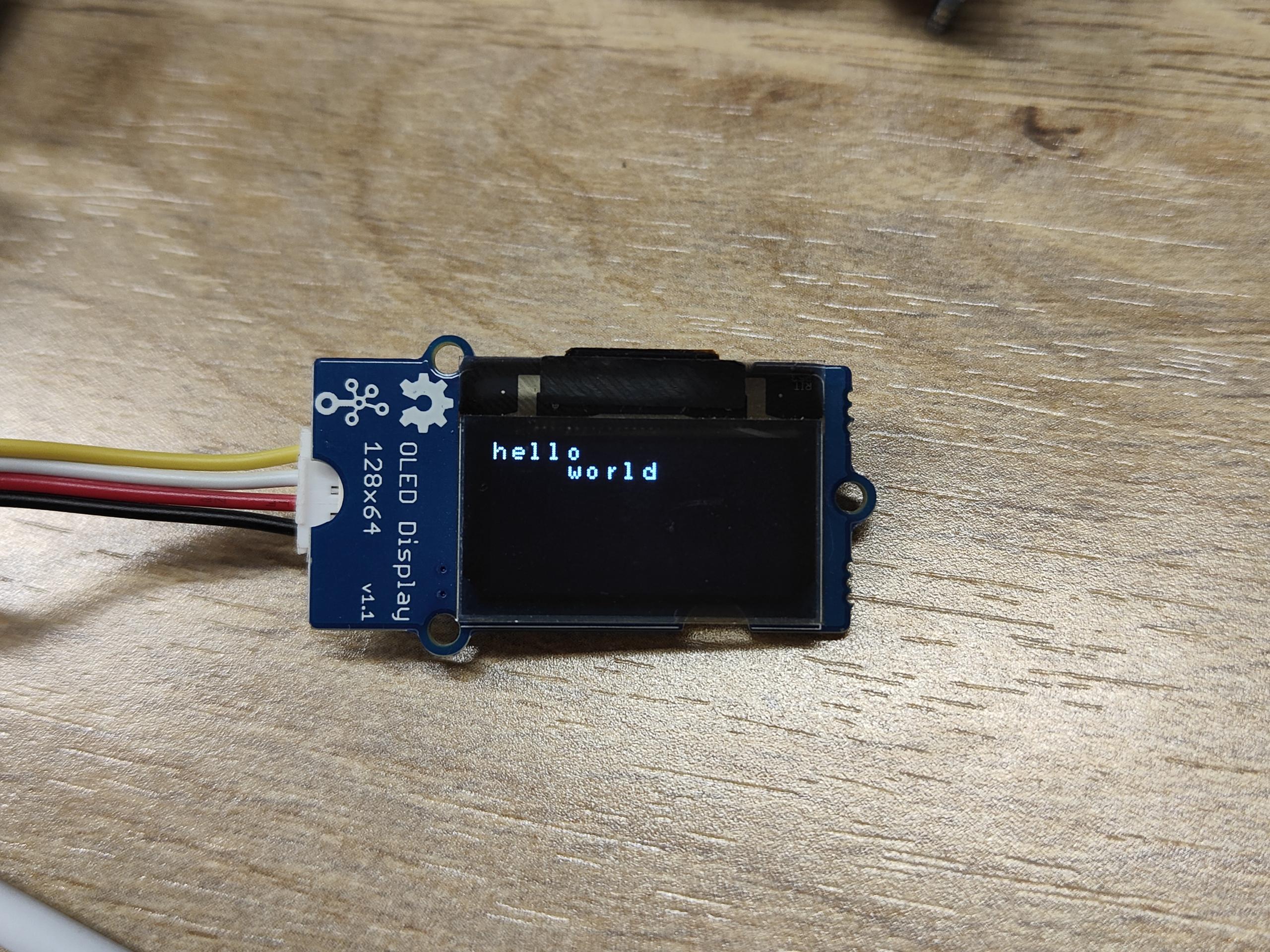
如果你使用 I2C 工具扫描 Grove 模块的 I2C 地址,你可能会发现两个或更多地址。0x04 是 Grove Base Hat for Raspberry Pi 的地址。
与 Raspberry Pi 配合使用(使用 GrovePi_Plus)
下面用于 BeagleBone Green 的 Python 脚本也适用于 Raspberry Pi,但 I2C 总线不同。在 Raspberry Pi 2/3 上,I2C 总线是 1。将脚本中的 bus=2 改为 bus=1 就可以在 Pi 上工作。
硬件
- 步骤 1. 准备以下物品:
| Raspberry pi | GrovePi_Plus | Grove - OLED Display 0.96 inch |
|---|---|---|
|
|
|
| 立即购买 | 立即购买 | 立即购买 |
- 步骤 2. 将 GrovePi_Plus 插入 Raspberry。
- 步骤 3. 将 Grove - OLED Display 0.96 inch 连接到 GrovePi_Plus 的 I2C-2 端口。
- 步骤 4. 通过 USB 线缆将 Raspberry 连接到 PC。

软件
-
步骤 1. 按照 Setting Software 配置开发环境。
-
步骤 2. 导航到演示目录:
cd yourpath/GrovePi/Software/Python/
- 步骤 3. 查看代码
nano Grove-OLED_Display_0.96inch.py # "Ctrl+x" to exit #
import time
import smbus2 as smbus

_COMMAND_MODE = 0x80
_DATA_MODE = 0x40
_NORMAL_DISPLAY = 0xA6

_DISPLAY_OFF = 0xAE
_DISPLAY_ON = 0xAF
_INVERSE_DISPLAY = 0xA7
_SET_BRIGHTNESS = 0x81


BasicFont = [[0x00, 0x00, 0x00, 0x00, 0x00, 0x00, 0x00, 0x00],
             [0x00, 0x00, 0x5F, 0x00, 0x00, 0x00, 0x00, 0x00],
             [0x00, 0x00, 0x07, 0x00, 0x07, 0x00, 0x00, 0x00],
             [0x00, 0x14, 0x7F, 0x14, 0x7F, 0x14, 0x00, 0x00],
             [0x00, 0x24, 0x2A, 0x7F, 0x2A, 0x12, 0x00, 0x00],
             [0x00, 0x23, 0x13, 0x08, 0x64, 0x62, 0x00, 0x00],
             [0x00, 0x36, 0x49, 0x55, 0x22, 0x50, 0x00, 0x00],
             [0x00, 0x00, 0x05, 0x03, 0x00, 0x00, 0x00, 0x00],
             [0x00, 0x1C, 0x22, 0x41, 0x00, 0x00, 0x00, 0x00],
             [0x00, 0x41, 0x22, 0x1C, 0x00, 0x00, 0x00, 0x00],
             [0x00, 0x08, 0x2A, 0x1C, 0x2A, 0x08, 0x00, 0x00],
             [0x00, 0x08, 0x08, 0x3E, 0x08, 0x08, 0x00, 0x00],
             [0x00, 0xA0, 0x60, 0x00, 0x00, 0x00, 0x00, 0x00],
             [0x00, 0x08, 0x08, 0x08, 0x08, 0x08, 0x00, 0x00],
             [0x00, 0x60, 0x60, 0x00, 0x00, 0x00, 0x00, 0x00],
             [0x00, 0x20, 0x10, 0x08, 0x04, 0x02, 0x00, 0x00],
             [0x00, 0x3E, 0x51, 0x49, 0x45, 0x3E, 0x00, 0x00],
             [0x00, 0x00, 0x42, 0x7F, 0x40, 0x00, 0x00, 0x00],
             [0x00, 0x62, 0x51, 0x49, 0x49, 0x46, 0x00, 0x00],
             [0x00, 0x22, 0x41, 0x49, 0x49, 0x36, 0x00, 0x00],
             [0x00, 0x18, 0x14, 0x12, 0x7F, 0x10, 0x00, 0x00],
             [0x00, 0x27, 0x45, 0x45, 0x45, 0x39, 0x00, 0x00],
             [0x00, 0x3C, 0x4A, 0x49, 0x49, 0x30, 0x00, 0x00],
             [0x00, 0x01, 0x71, 0x09, 0x05, 0x03, 0x00, 0x00],
             [0x00, 0x36, 0x49, 0x49, 0x49, 0x36, 0x00, 0x00],
             [0x00, 0x06, 0x49, 0x49, 0x29, 0x1E, 0x00, 0x00],
             [0x00, 0x00, 0x36, 0x36, 0x00, 0x00, 0x00, 0x00],
             [0x00, 0x00, 0xAC, 0x6C, 0x00, 0x00, 0x00, 0x00],
             [0x00, 0x08, 0x14, 0x22, 0x41, 0x00, 0x00, 0x00],
             [0x00, 0x14, 0x14, 0x14, 0x14, 0x14, 0x00, 0x00],
             [0x00, 0x41, 0x22, 0x14, 0x08, 0x00, 0x00, 0x00],
             [0x00, 0x02, 0x01, 0x51, 0x09, 0x06, 0x00, 0x00],
             [0x00, 0x32, 0x49, 0x79, 0x41, 0x3E, 0x00, 0x00],
             [0x00, 0x7E, 0x09, 0x09, 0x09, 0x7E, 0x00, 0x00],
             [0x00, 0x7F, 0x49, 0x49, 0x49, 0x36, 0x00, 0x00],
             [0x00, 0x3E, 0x41, 0x41, 0x41, 0x22, 0x00, 0x00],
             [0x00, 0x7F, 0x41, 0x41, 0x22, 0x1C, 0x00, 0x00],
             [0x00, 0x7F, 0x49, 0x49, 0x49, 0x41, 0x00, 0x00],
             [0x00, 0x7F, 0x09, 0x09, 0x09, 0x01, 0x00, 0x00],
             [0x00, 0x3E, 0x41, 0x41, 0x51, 0x72, 0x00, 0x00],
             [0x00, 0x7F, 0x08, 0x08, 0x08, 0x7F, 0x00, 0x00],
             [0x00, 0x41, 0x7F, 0x41, 0x00, 0x00, 0x00, 0x00],
             [0x00, 0x20, 0x40, 0x41, 0x3F, 0x01, 0x00, 0x00],
             [0x00, 0x7F, 0x08, 0x14, 0x22, 0x41, 0x00, 0x00],
             [0x00, 0x7F, 0x40, 0x40, 0x40, 0x40, 0x00, 0x00],
             [0x00, 0x7F, 0x02, 0x0C, 0x02, 0x7F, 0x00, 0x00],
             [0x00, 0x7F, 0x04, 0x08, 0x10, 0x7F, 0x00, 0x00],
             [0x00, 0x3E, 0x41, 0x41, 0x41, 0x3E, 0x00, 0x00],
             [0x00, 0x7F, 0x09, 0x09, 0x09, 0x06, 0x00, 0x00],
             [0x00, 0x3E, 0x41, 0x51, 0x21, 0x5E, 0x00, 0x00],
             [0x00, 0x7F, 0x09, 0x19, 0x29, 0x46, 0x00, 0x00],
             [0x00, 0x26, 0x49, 0x49, 0x49, 0x32, 0x00, 0x00],
             [0x00, 0x01, 0x01, 0x7F, 0x01, 0x01, 0x00, 0x00],
             [0x00, 0x3F, 0x40, 0x40, 0x40, 0x3F, 0x00, 0x00],
             [0x00, 0x1F, 0x20, 0x40, 0x20, 0x1F, 0x00, 0x00],
             [0x00, 0x3F, 0x40, 0x38, 0x40, 0x3F, 0x00, 0x00],
             [0x00, 0x63, 0x14, 0x08, 0x14, 0x63, 0x00, 0x00],
             [0x00, 0x03, 0x04, 0x78, 0x04, 0x03, 0x00, 0x00],
             [0x00, 0x61, 0x51, 0x49, 0x45, 0x43, 0x00, 0x00],
             [0x00, 0x7F, 0x41, 0x41, 0x00, 0x00, 0x00, 0x00],
             [0x00, 0x02, 0x04, 0x08, 0x10, 0x20, 0x00, 0x00],
             [0x00, 0x41, 0x41, 0x7F, 0x00, 0x00, 0x00, 0x00],
             [0x00, 0x04, 0x02, 0x01, 0x02, 0x04, 0x00, 0x00],
             [0x00, 0x80, 0x80, 0x80, 0x80, 0x80, 0x00, 0x00],
             [0x00, 0x01, 0x02, 0x04, 0x00, 0x00, 0x00, 0x00],
             [0x00, 0x20, 0x54, 0x54, 0x54, 0x78, 0x00, 0x00],
             [0x00, 0x7F, 0x48, 0x44, 0x44, 0x38, 0x00, 0x00],
             [0x00, 0x38, 0x44, 0x44, 0x28, 0x00, 0x00, 0x00],
             [0x00, 0x38, 0x44, 0x44, 0x48, 0x7F, 0x00, 0x00],
             [0x00, 0x38, 0x54, 0x54, 0x54, 0x18, 0x00, 0x00],
             [0x00, 0x08, 0x7E, 0x09, 0x02, 0x00, 0x00, 0x00],
             [0x00, 0x18, 0xA4, 0xA4, 0xA4, 0x7C, 0x00, 0x00],
             [0x00, 0x7F, 0x08, 0x04, 0x04, 0x78, 0x00, 0x00],
             [0x00, 0x00, 0x7D, 0x00, 0x00, 0x00, 0x00, 0x00],
             [0x00, 0x80, 0x84, 0x7D, 0x00, 0x00, 0x00, 0x00],
             [0x00, 0x7F, 0x10, 0x28, 0x44, 0x00, 0x00, 0x00],
             [0x00, 0x41, 0x7F, 0x40, 0x00, 0x00, 0x00, 0x00],
             [0x00, 0x7C, 0x04, 0x18, 0x04, 0x78, 0x00, 0x00],
             [0x00, 0x7C, 0x08, 0x04, 0x7C, 0x00, 0x00, 0x00],
             [0x00, 0x38, 0x44, 0x44, 0x38, 0x00, 0x00, 0x00],
             [0x00, 0xFC, 0x24, 0x24, 0x18, 0x00, 0x00, 0x00],
             [0x00, 0x18, 0x24, 0x24, 0xFC, 0x00, 0x00, 0x00],
             [0x00, 0x00, 0x7C, 0x08, 0x04, 0x00, 0x00, 0x00],
             [0x00, 0x48, 0x54, 0x54, 0x24, 0x00, 0x00, 0x00],
             [0x00, 0x04, 0x7F, 0x44, 0x00, 0x00, 0x00, 0x00],
             [0x00, 0x3C, 0x40, 0x40, 0x7C, 0x00, 0x00, 0x00],
             [0x00, 0x1C, 0x20, 0x40, 0x20, 0x1C, 0x00, 0x00],
             [0x00, 0x3C, 0x40, 0x30, 0x40, 0x3C, 0x00, 0x00],
             [0x00, 0x44, 0x28, 0x10, 0x28, 0x44, 0x00, 0x00],
             [0x00, 0x1C, 0xA0, 0xA0, 0x7C, 0x00, 0x00, 0x00],
             [0x00, 0x44, 0x64, 0x54, 0x4C, 0x44, 0x00, 0x00],
             [0x00, 0x08, 0x36, 0x41, 0x00, 0x00, 0x00, 0x00],
             [0x00, 0x00, 0x7F, 0x00, 0x00, 0x00, 0x00, 0x00],
             [0x00, 0x41, 0x36, 0x08, 0x00, 0x00, 0x00, 0x00],
             [0x00, 0x02, 0x01, 0x01, 0x02, 0x01, 0x00, 0x00],
             [0x00, 0x02, 0x05, 0x05, 0x02, 0x00, 0x00, 0x00]]


class GroveOledDisplay128x64(object):
    HORIZONTAL = 0x00
    VERTICAL = 0x01
    PAGE = 0x02

    def __init__(self, bus=2, address=0x3C):
        self.bus = smbus.SMBus(bus)
        self.address = address

        self.off()
        self.inverse = False
        self.mode = self.HORIZONTAL

        self.clear()
        self.on()

    def on(self):
        self.send_command(_DISPLAY_ON)

    def off(self):
        self.send_command(_DISPLAY_OFF)

    def send_command(self, command):
        self.bus.write_byte_data(self.address, _COMMAND_MODE, command)

    def send_data(self, data):
        self.bus.write_byte_data(self.address, _DATA_MODE, data)

    def send_commands(self, commands):
        for c in commands:
            self.send_command(c)

    def clear(self):
        self.off()
        for i in range(8):
            self.set_cursor(i, 0)
            self.puts(' ' * 16)

        self.on()
        self.set_cursor(0, 0)

    @property
    def inverse(self):
        return self._inverse

    @inverse.setter
    def inverse(self, enable):
        self.send_command(_INVERSE_DISPLAY if enable else _NORMAL_DISPLAY)
        self._inverse = enable

    @property
    def mode(self):
        return self._mode

    @mode.setter
    def mode(self, mode):
        self.send_command(0x20)
        self.send_command(mode)
        self._mode = mode

    def set_cursor(self, row, column):
        self.send_command(0xB0 + row)
        self.send_command(0x00 + (8*column & 0x0F))
        self.send_command(0x10 + ((8*column>>4)&0x0F))

    def putc(self, c):
        C_add = ord(c)
        if C_add < 32 or C_add > 127:     # Ignore non-printable ASCII characters
            c = ' '
            C_add = ord(c)

        for i in range(0, 8):
            self.send_data(BasicFont[C_add-32][i])

    def puts(self, text):
        for c in text:
            self.putc(c)

    def show_image(self, image):
        from PIL import Image
        import numpy as np

        im = Image.open(image)

        bw = im.convert('1')
        pixels = np.array(bw.getdata())
        page_size = 128 * 8

        self.set_cursor(0, 0)
        for page in range(8):
            start = page_size * page
            end = start + page_size

            for i in range(start, start + 128):
                data = np.packbits(pixels[i:end:128][::-1])[0]
                self.send_data(data)


if __name__ == "__main__":
    display = GroveOledDisplay128x64(bus=1)

    display.set_cursor(0, 0)
    display.puts('hello')
    display.set_cursor(1, 4)
    display.puts('world')
-
步骤 4: 安装 smbus2 库
sudo pip install smbus2 -
步骤 5: 运行代码。我们会发现 Grove - OLED 输出 "Hello World"。
sudo python Grove-OLED_Display_0.96inch.py
与 Beaglebone Green 配合使用
要开始编辑运行在 BBG 上的程序,您可以使用 Cloud9 IDE 并参考 Beaglebone Green Wiki。
以下是在 OLED 上显示 "Hello World" 的步骤。
硬件
- 步骤 1. 将 Grove - OLED 连接到 BBG 上的 Grove I2C 接口。
- 步骤 2. 通过 USB 线将 Seeeduino 连接到 PC。
软件
- 步骤 1: 点击右上角的 "+" 创建新文件。


- 步骤 2: 复制并粘贴以下代码到新标签页中
import time
import smbus2 as smbus

_COMMAND_MODE = 0x80
_DATA_MODE = 0x40
_NORMAL_DISPLAY = 0xA6

_DISPLAY_OFF = 0xAE
_DISPLAY_ON = 0xAF
_INVERSE_DISPLAY = 0xA7
_SET_BRIGHTNESS = 0x81


BasicFont = [[0x00, 0x00, 0x00, 0x00, 0x00, 0x00, 0x00, 0x00],
             [0x00, 0x00, 0x5F, 0x00, 0x00, 0x00, 0x00, 0x00],
             [0x00, 0x00, 0x07, 0x00, 0x07, 0x00, 0x00, 0x00],
             [0x00, 0x14, 0x7F, 0x14, 0x7F, 0x14, 0x00, 0x00],
             [0x00, 0x24, 0x2A, 0x7F, 0x2A, 0x12, 0x00, 0x00],
             [0x00, 0x23, 0x13, 0x08, 0x64, 0x62, 0x00, 0x00],
             [0x00, 0x36, 0x49, 0x55, 0x22, 0x50, 0x00, 0x00],
             [0x00, 0x00, 0x05, 0x03, 0x00, 0x00, 0x00, 0x00],
             [0x00, 0x1C, 0x22, 0x41, 0x00, 0x00, 0x00, 0x00],
             [0x00, 0x41, 0x22, 0x1C, 0x00, 0x00, 0x00, 0x00],
             [0x00, 0x08, 0x2A, 0x1C, 0x2A, 0x08, 0x00, 0x00],
             [0x00, 0x08, 0x08, 0x3E, 0x08, 0x08, 0x00, 0x00],
             [0x00, 0xA0, 0x60, 0x00, 0x00, 0x00, 0x00, 0x00],
             [0x00, 0x08, 0x08, 0x08, 0x08, 0x08, 0x00, 0x00],
             [0x00, 0x60, 0x60, 0x00, 0x00, 0x00, 0x00, 0x00],
             [0x00, 0x20, 0x10, 0x08, 0x04, 0x02, 0x00, 0x00],
             [0x00, 0x3E, 0x51, 0x49, 0x45, 0x3E, 0x00, 0x00],
             [0x00, 0x00, 0x42, 0x7F, 0x40, 0x00, 0x00, 0x00],
             [0x00, 0x62, 0x51, 0x49, 0x49, 0x46, 0x00, 0x00],
             [0x00, 0x22, 0x41, 0x49, 0x49, 0x36, 0x00, 0x00],
             [0x00, 0x18, 0x14, 0x12, 0x7F, 0x10, 0x00, 0x00],
             [0x00, 0x27, 0x45, 0x45, 0x45, 0x39, 0x00, 0x00],
             [0x00, 0x3C, 0x4A, 0x49, 0x49, 0x30, 0x00, 0x00],
             [0x00, 0x01, 0x71, 0x09, 0x05, 0x03, 0x00, 0x00],
             [0x00, 0x36, 0x49, 0x49, 0x49, 0x36, 0x00, 0x00],
             [0x00, 0x06, 0x49, 0x49, 0x29, 0x1E, 0x00, 0x00],
             [0x00, 0x00, 0x36, 0x36, 0x00, 0x00, 0x00, 0x00],
             [0x00, 0x00, 0xAC, 0x6C, 0x00, 0x00, 0x00, 0x00],
             [0x00, 0x08, 0x14, 0x22, 0x41, 0x00, 0x00, 0x00],
             [0x00, 0x14, 0x14, 0x14, 0x14, 0x14, 0x00, 0x00],
             [0x00, 0x41, 0x22, 0x14, 0x08, 0x00, 0x00, 0x00],
             [0x00, 0x02, 0x01, 0x51, 0x09, 0x06, 0x00, 0x00],
             [0x00, 0x32, 0x49, 0x79, 0x41, 0x3E, 0x00, 0x00],
             [0x00, 0x7E, 0x09, 0x09, 0x09, 0x7E, 0x00, 0x00],
             [0x00, 0x7F, 0x49, 0x49, 0x49, 0x36, 0x00, 0x00],
             [0x00, 0x3E, 0x41, 0x41, 0x41, 0x22, 0x00, 0x00],
             [0x00, 0x7F, 0x41, 0x41, 0x22, 0x1C, 0x00, 0x00],
             [0x00, 0x7F, 0x49, 0x49, 0x49, 0x41, 0x00, 0x00],
             [0x00, 0x7F, 0x09, 0x09, 0x09, 0x01, 0x00, 0x00],
             [0x00, 0x3E, 0x41, 0x41, 0x51, 0x72, 0x00, 0x00],
             [0x00, 0x7F, 0x08, 0x08, 0x08, 0x7F, 0x00, 0x00],
             [0x00, 0x41, 0x7F, 0x41, 0x00, 0x00, 0x00, 0x00],
             [0x00, 0x20, 0x40, 0x41, 0x3F, 0x01, 0x00, 0x00],
             [0x00, 0x7F, 0x08, 0x14, 0x22, 0x41, 0x00, 0x00],
             [0x00, 0x7F, 0x40, 0x40, 0x40, 0x40, 0x00, 0x00],
             [0x00, 0x7F, 0x02, 0x0C, 0x02, 0x7F, 0x00, 0x00],
             [0x00, 0x7F, 0x04, 0x08, 0x10, 0x7F, 0x00, 0x00],
             [0x00, 0x3E, 0x41, 0x41, 0x41, 0x3E, 0x00, 0x00],
             [0x00, 0x7F, 0x09, 0x09, 0x09, 0x06, 0x00, 0x00],
             [0x00, 0x3E, 0x41, 0x51, 0x21, 0x5E, 0x00, 0x00],
             [0x00, 0x7F, 0x09, 0x19, 0x29, 0x46, 0x00, 0x00],
             [0x00, 0x26, 0x49, 0x49, 0x49, 0x32, 0x00, 0x00],
             [0x00, 0x01, 0x01, 0x7F, 0x01, 0x01, 0x00, 0x00],
             [0x00, 0x3F, 0x40, 0x40, 0x40, 0x3F, 0x00, 0x00],
             [0x00, 0x1F, 0x20, 0x40, 0x20, 0x1F, 0x00, 0x00],
             [0x00, 0x3F, 0x40, 0x38, 0x40, 0x3F, 0x00, 0x00],
             [0x00, 0x63, 0x14, 0x08, 0x14, 0x63, 0x00, 0x00],
             [0x00, 0x03, 0x04, 0x78, 0x04, 0x03, 0x00, 0x00],
             [0x00, 0x61, 0x51, 0x49, 0x45, 0x43, 0x00, 0x00],
             [0x00, 0x7F, 0x41, 0x41, 0x00, 0x00, 0x00, 0x00],
             [0x00, 0x02, 0x04, 0x08, 0x10, 0x20, 0x00, 0x00],
             [0x00, 0x41, 0x41, 0x7F, 0x00, 0x00, 0x00, 0x00],
             [0x00, 0x04, 0x02, 0x01, 0x02, 0x04, 0x00, 0x00],
             [0x00, 0x80, 0x80, 0x80, 0x80, 0x80, 0x00, 0x00],
             [0x00, 0x01, 0x02, 0x04, 0x00, 0x00, 0x00, 0x00],
             [0x00, 0x20, 0x54, 0x54, 0x54, 0x78, 0x00, 0x00],
             [0x00, 0x7F, 0x48, 0x44, 0x44, 0x38, 0x00, 0x00],
             [0x00, 0x38, 0x44, 0x44, 0x28, 0x00, 0x00, 0x00],
             [0x00, 0x38, 0x44, 0x44, 0x48, 0x7F, 0x00, 0x00],
             [0x00, 0x38, 0x54, 0x54, 0x54, 0x18, 0x00, 0x00],
             [0x00, 0x08, 0x7E, 0x09, 0x02, 0x00, 0x00, 0x00],
             [0x00, 0x18, 0xA4, 0xA4, 0xA4, 0x7C, 0x00, 0x00],
             [0x00, 0x7F, 0x08, 0x04, 0x04, 0x78, 0x00, 0x00],
             [0x00, 0x00, 0x7D, 0x00, 0x00, 0x00, 0x00, 0x00],
             [0x00, 0x80, 0x84, 0x7D, 0x00, 0x00, 0x00, 0x00],
             [0x00, 0x7F, 0x10, 0x28, 0x44, 0x00, 0x00, 0x00],
             [0x00, 0x41, 0x7F, 0x40, 0x00, 0x00, 0x00, 0x00],
             [0x00, 0x7C, 0x04, 0x18, 0x04, 0x78, 0x00, 0x00],
             [0x00, 0x7C, 0x08, 0x04, 0x7C, 0x00, 0x00, 0x00],
             [0x00, 0x38, 0x44, 0x44, 0x38, 0x00, 0x00, 0x00],
             [0x00, 0xFC, 0x24, 0x24, 0x18, 0x00, 0x00, 0x00],
             [0x00, 0x18, 0x24, 0x24, 0xFC, 0x00, 0x00, 0x00],
             [0x00, 0x00, 0x7C, 0x08, 0x04, 0x00, 0x00, 0x00],
             [0x00, 0x48, 0x54, 0x54, 0x24, 0x00, 0x00, 0x00],
             [0x00, 0x04, 0x7F, 0x44, 0x00, 0x00, 0x00, 0x00],
             [0x00, 0x3C, 0x40, 0x40, 0x7C, 0x00, 0x00, 0x00],
             [0x00, 0x1C, 0x20, 0x40, 0x20, 0x1C, 0x00, 0x00],
             [0x00, 0x3C, 0x40, 0x30, 0x40, 0x3C, 0x00, 0x00],
             [0x00, 0x44, 0x28, 0x10, 0x28, 0x44, 0x00, 0x00],
             [0x00, 0x1C, 0xA0, 0xA0, 0x7C, 0x00, 0x00, 0x00],
             [0x00, 0x44, 0x64, 0x54, 0x4C, 0x44, 0x00, 0x00],
             [0x00, 0x08, 0x36, 0x41, 0x00, 0x00, 0x00, 0x00],
             [0x00, 0x00, 0x7F, 0x00, 0x00, 0x00, 0x00, 0x00],
             [0x00, 0x41, 0x36, 0x08, 0x00, 0x00, 0x00, 0x00],
             [0x00, 0x02, 0x01, 0x01, 0x02, 0x01, 0x00, 0x00],
             [0x00, 0x02, 0x05, 0x05, 0x02, 0x00, 0x00, 0x00]]


class GroveOledDisplay128x64(object):
    HORIZONTAL = 0x00
    VERTICAL = 0x01
    PAGE = 0x02

    def __init__(self, bus=2, address=0x3C):
        self.bus = smbus.SMBus(bus)
        self.address = address

        self.off()
        self.inverse = False
        self.mode = self.HORIZONTAL

        self.clear()
        self.on()

    def on(self):
        self.send_command(_DISPLAY_ON)

    def off(self):
        self.send_command(_DISPLAY_OFF)

    def send_command(self, command):
        self.bus.write_byte_data(self.address, _COMMAND_MODE, command)

    def send_data(self, data):
        self.bus.write_byte_data(self.address, _DATA_MODE, data)

    def send_commands(self, commands):
        for c in commands:
            self.send_command(c)

    def clear(self):
        self.off()
        for i in range(8):
            self.set_cursor(i, 0)
            self.puts(' ' * 16)

        self.on()
        self.set_cursor(0, 0)

    @property
    def inverse(self):
        return self._inverse

    @inverse.setter
    def inverse(self, enable):
        self.send_command(_INVERSE_DISPLAY if enable else _NORMAL_DISPLAY)
        self._inverse = enable

    @property
    def mode(self):
        return self._mode

    @mode.setter
    def mode(self, mode):
        self.send_command(0x20)
        self.send_command(mode)
        self._mode = mode

    def set_cursor(self, row, column):
        self.send_command(0xB0 + row)
        self.send_command(0x00 + (8*column & 0x0F))
        self.send_command(0x10 + ((8*column>>4)&0x0F))

    def putc(self, c):
        C_add = ord(c)
        if C_add < 32 or C_add > 127:     # Ignore non-printable ASCII characters
            c = ' '
            C_add = ord(c)

        for i in range(0, 8):
            self.send_data(BasicFont[C_add-32][i])

    def puts(self, text):
        for c in text:
            self.putc(c)

    def show_image(self, image):
        from PIL import Image
        import numpy as np

        im = Image.open(image)

        bw = im.convert('1')
        pixels = np.array(bw.getdata())
        page_size = 128 * 8

        self.set_cursor(0, 0)
        for page in range(8):
            start = page_size * page
            end = start + page_size

            for i in range(start, start + 128):
                data = np.packbits(pixels[i:end:128][::-1])[0]
                self.send_data(data)


if __name__ == "__main__":
    display = GroveOledDisplay128x64(bus=2)

    display.set_cursor(0, 0)
    display.puts('hello')
    display.set_cursor(1, 4)
    display.puts('world')
-
步骤 3: 通过点击磁盘图标保存文件,文件扩展名为 .py。
-
步骤 4: 安装 smbus2 库
sudo pip3 install smbus2 -
步骤 5: 运行代码。我们会发现 Grove - OLED 输出 "Hello World"。
sudo python3 Grove-OLED_Display_0.96inch.py
原理图在线查看器
资源
-
[PDF] Grove-OLED128x64 原理图
-
[PDF] Grove-OLED128x64 PCB
-
[Wiki] Beaglebone Green Wiki
-
[Eagle] Grove-OLED128x64
-
[Library] OLED GitHub 库
-
[Datasheet] SSD1308_1.0.pdf 资源
-
[Datasheet] LY190-128064.pdf 资源
技术支持与产品讨论
感谢您选择我们的产品!我们在这里为您提供不同的支持,以确保您使用我们产品的体验尽可能顺畅。我们提供多种沟通渠道,以满足不同的偏好和需求。