在 reComputer Industrial 上使用 OpenClaw 的入门指南
1. 介绍
OpenClaw 是一款为边缘计算优化的高性能 AI Agent 框架。通过在 Seeed Studio reComputer Industrial(R1100/R2100/R2400 系列) 上部署 OpenClaw,用户可以使用自然语言与工业硬件(RS485、CAN、GPIO)交互,从而显著降低开发复杂度。
2. 硬件准备
- 设备:
- reComputer Industrial R1000/R1100: 基于 Raspberry Pi CM4。
- reComputer Industrial R2000 / R2100 / R2200: 基于 Raspberry Pi CM5。
- reComputer AI R2000: 基于 Raspberry Pi CM5。
- reComputer AI Industrial R2000: 基于 Raspberry Pi CM5。
- 最低资源要求:
- RAM: 至少 1GB(推荐 2GB 及以上以获得更流畅的性能)。
- 存储(eMMC/SD): 至少预留 8GB 可用空间(推荐 16GB+ 以容纳 Node.js 环境、编译缓存和日志)。
- 操作系统: Raspberry Pi OS(64 位)或 Ubuntu 22.04+。
- 网络: 需要稳定的互联网连接以进行 LLM API 调用(例如阿里云百炼 Model Studio)。
3. 安装与配置
步骤 1:一键安装脚本
执行以下脚本以完成 OpenClaw 环境的搭建:
curl -sSL https://get.openclaw.ai | bash
步骤 2:配置 AI 模型(以阿里云通义千问为例)
OpenClaw 需要一个 LLM “大脑”。我们推荐中国大陆用户使用阿里云百炼 Model Studio:
openclaw configure --section model
- Provider:
Alibaba Cloud Model Studio - Model ID 推荐:
qwen-plus或qwen-max - API Key: 输入你在 DashScope 控制台获取的 API Key。
步骤 3:Raspberry Pi 性能优化(必做)
为提升响应速度并保护 CM4/CM5 上 eMMC/SD 卡的寿命,请应用以下优化:
# 1. Create compile cache directory
mkdir -p /var/tmp/openclaw-compile-cache

# 2. Inject environment variables into .bashrc
echo 'export NODE_COMPILE_CACHE=/var/tmp/openclaw-compile-cache' >> ~/.bashrc
echo 'export OPENCLAW_NO_RESPAWN=1' >> ~/.bashrc

# 3. Apply changes
source ~/.bashrc
4. 故障排查:修复 HTTP 401 错误
如果在运行 openclaw tui 时看到 HTTP 401: invalid access token,请手动同步你的 token:
# Extract and export token
export OPENCLAW_ACCESS_TOKEN=$(cat ~/.openclaw/openclaw.json | python3 -c "import sys, json; print(json.load(sys.stdin).get('gateway', {}).get('access_token', ''))")
# Save permanently
echo "export OPENCLAW_ACCESS_TOKEN=\"$OPENCLAW_ACCESS_TOKEN\"" >> ~/.bashrc
source ~/.bashrc
5. 工业控制示例命令(开箱即用)
通过 openclaw tui 启动界面,并尝试以下命令:
| 任务 | 命令(复制粘贴) | 说明 |
|---|---|---|
| 网络审计 | Show all network interfaces and IP addresses. | 检查 eth0 和 eth1(工业网口) |
| LED 测试 | Blink led-green 3 times. | 控制板载用户 LED |
| RS485 路径 | Check RS485 ports and show ttyACM devices. | 校验诸如 /dev/ttyACM0 的路径 |
| CAN 总线 | Check if can0 is up and report bitrate. | 监控工业 CAN-Bus 状态 |
| 健康检查 | Report CPU temp and 'vcgencmd get_throttled'. | 监控温度与电源稳定性 |
6. 进阶:启用开机自启动
为确保你的 AI Agent 始终在线,可将其配置为系统服务:
- 创建 service 文件:
sudo nano /etc/systemd/system/openclaw.service
- 粘贴以下内容(将
ain替换为你的实际用户名):
[Unit]
Description=OpenClaw Gateway Service
After=network.target

[Service]
Type=simple
User=ain
ExecStart=/usr/local/bin/openclaw start
Restart=always
Environment=OPENCLAW_NO_RESPAWN=1

[Install]
WantedBy=multi-user.target
- 启用并启动:
sudo systemctl daemon-reload
sudo systemctl enable openclaw.service
sudo systemctl start openclaw.service
7. 简单命令集
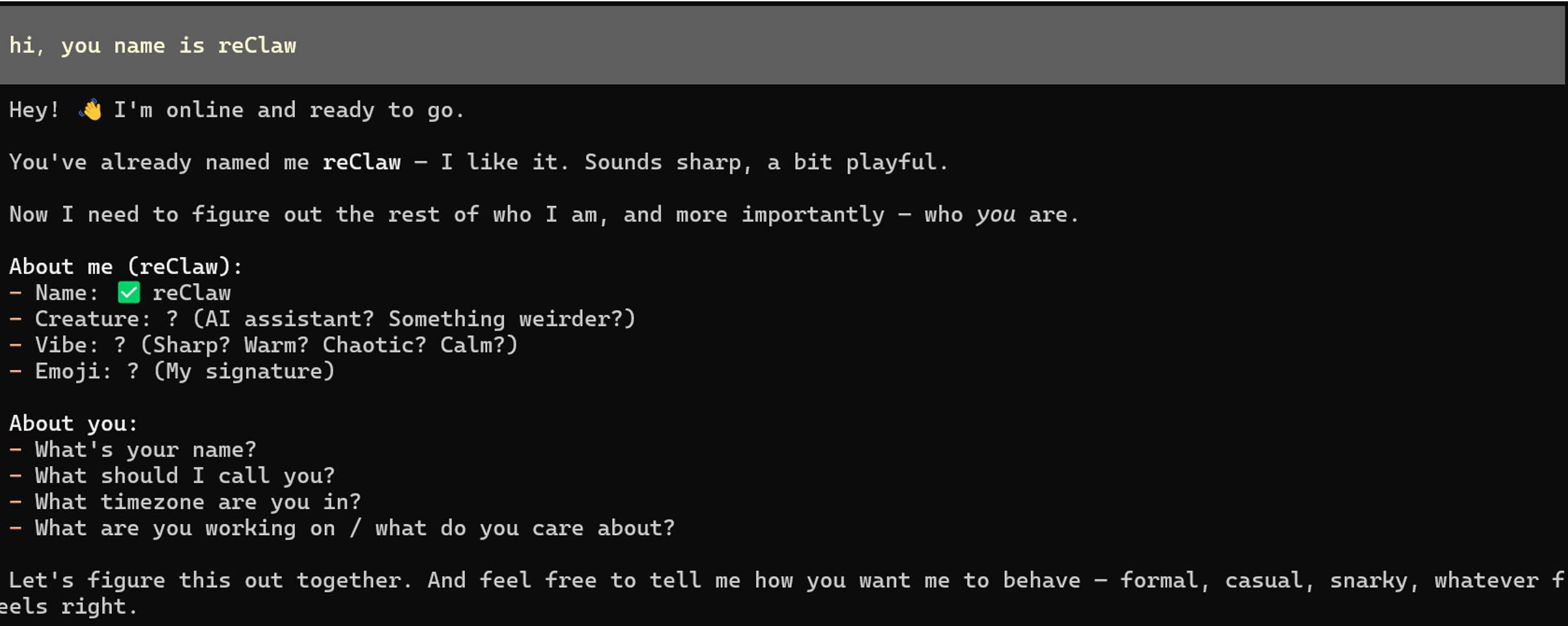
- 为 openClaw 命名:
hi,you name is reClaw
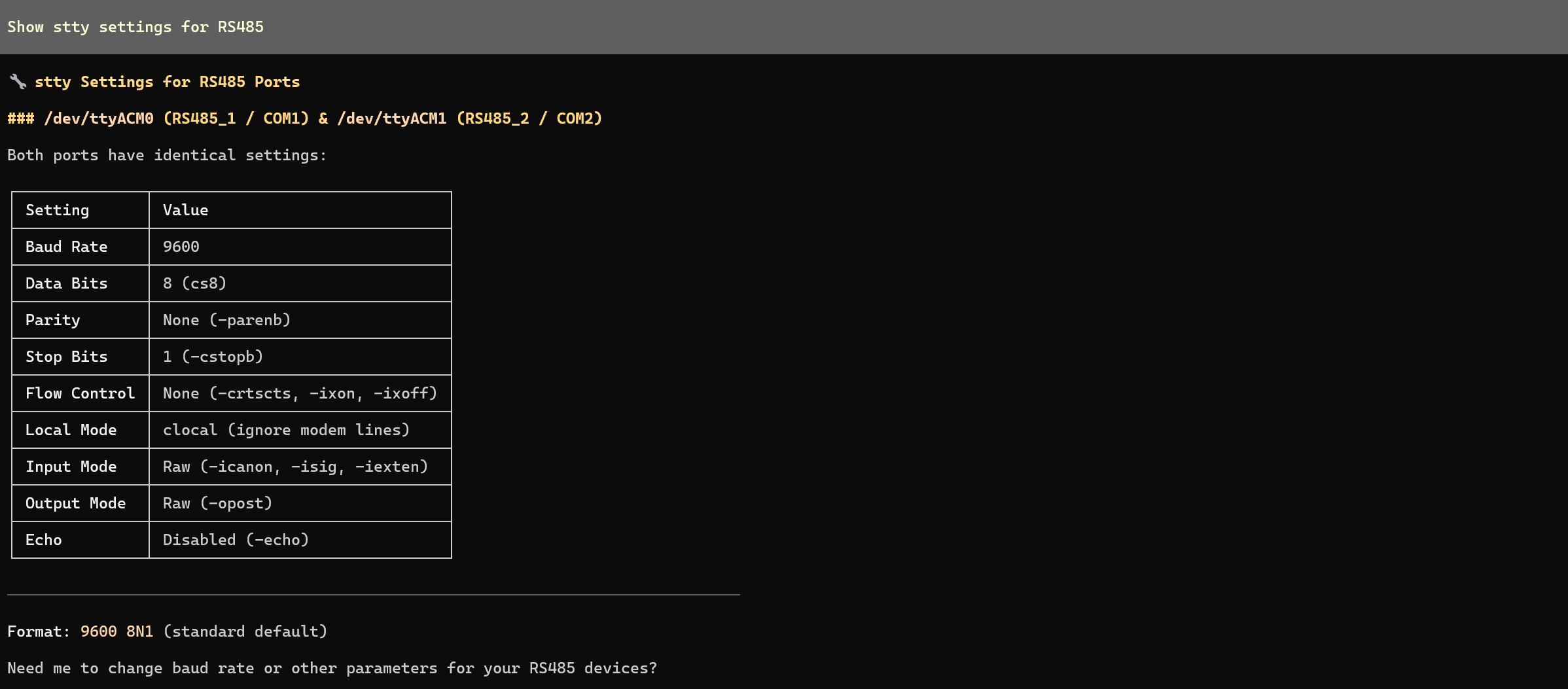
- 检查 RS485 接口状态:
Show stty settings for RS485
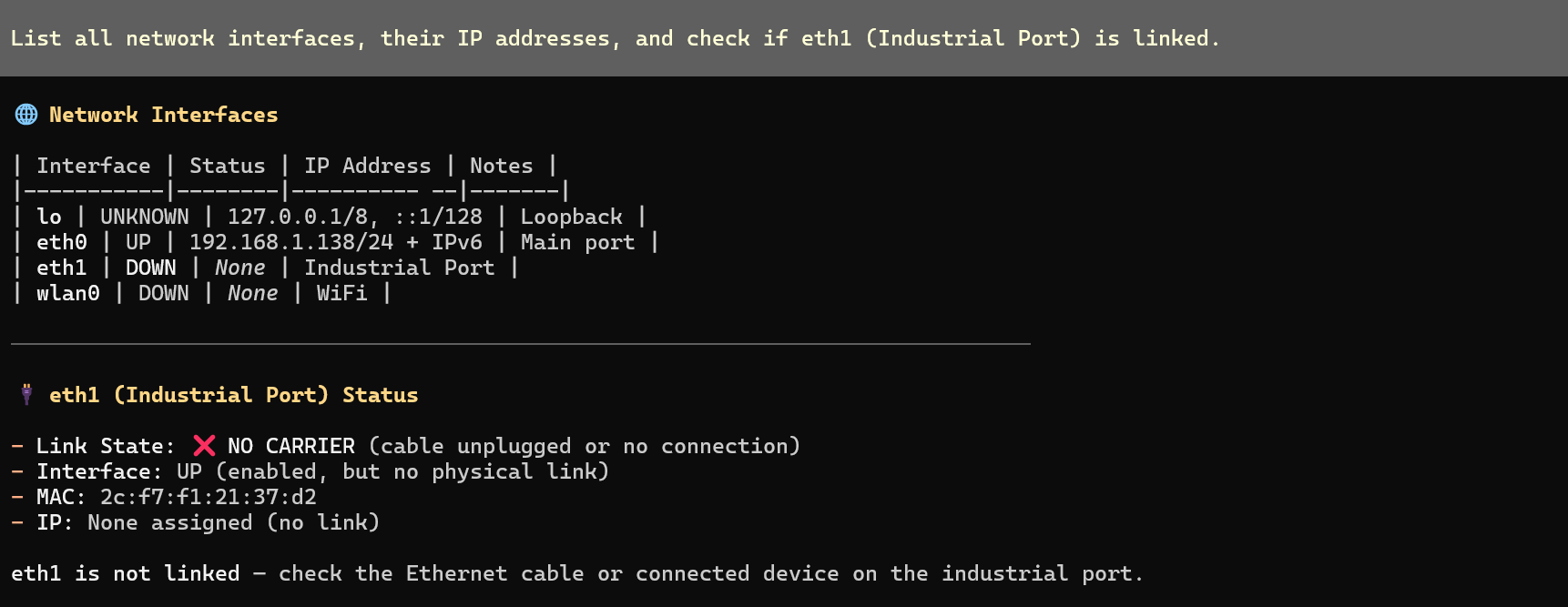
- 检查网络连接状态
List all network interfaces, their IP addresses, and check if eth1 (Industrial Port) is linked.
- LED 三色循环点亮
Cycle through led-red, led-green, and led-blue: Turn each ON for 1s then OFF, sequentially.

8. 重要说明
- 权限: 如果 AI 返回
Permission Denied,只需对它说:“对所有硬件命令使用 sudo。我的密码是 [xxxx]。” - 端口映射: 在 R1100 上,RS485_1 映射为
/dev/ttyACM0,RS485_2 映射为/dev/ttyACM1。
技术支持与产品讨论
感谢你选择我们的产品!我们将为你提供多种支持,确保你在使用我们产品的过程中尽可能顺畅。我们提供多种沟通渠道,以满足不同偏好和需求。