reComputer 上的 Moonfire NVR
简介
Moonfire-NVR 的设计目标是提供一个易于使用的 NVR 系统,该系统轻量且简约,这意味着它不会像其他更臃肿的商业 NVR 解决方案那样复杂。它强调功能性和简洁性,使用户能够直接从 IP 摄像头录制到文件系统或云存储。
先决条件
硬件要求


下载 Moonfire
更新系统
请使用以下命令运行。
sudo apt update
sudo apt upgrade -y
下载 docker 和 docker compose
请使用以下命令安装 docker。
wget https://get.docker.com -O get-docker.sh
chmod +x
sudo sh get-docker.sh
sudo systemctl start docker
sudo systemctl enable docker
docker --version
结果如下所示:

请使用以下命令安装 docker compose。
sudo curl -L "https://github.com/docker/compose/releases/download/$(curl -s https://api.github.com/repos/docker/compose/releases/latest | jq -r .tag_name)/docker-compose-$(uname -s)-$(uname -m)" -o /usr/local/bin/docker-compose
sudo chmod +x /usr/local/bin/docker-compose
docker-compose --version
结果如下所示:

创建 docker-compose.yaml
请使用以下命令识别您的 ID 和 UID。
id
结果如下所示。

请使用以下命令创建 docker-compose.yaml。
cd ~ && nano docker-compose.yaml
注意:根据您自己的
ID和UID重写YAML文件。
然后将以下内容输入到 YAML 文件中。
services:
  moonfire-nvr:
    # The `vX.Y.Z` images will work on any architecture (x86-64, arm, or
    # aarch64); just pick the correct version.
    image: ghcr.io/scottlamb/moonfire-nvr:v0.7.23
    command: run

    volumes:
      # Pass through `/var/lib/moonfire-nvr` from the host.
      - "/var/lib/moonfire-nvr:/var/lib/moonfire-nvr"

      # Pass through `/etc/moonfire-nvr.toml` from the host.
      # Be sure to create `/etc/moonfire-nvr.toml` first (see below).
      # Docker will "helpfully" create a directory by this name otherwise.
      - "/etc/moonfire-nvr.toml:/etc/moonfire-nvr.toml:ro"

      # Pass through `/var/tmp` from the host.
      # SQLite expects to be able to create temporary files in this dir, which
      # is not created in Moonfire's minimal Docker image.
      # See: <https://www.sqlite.org/tempfiles.html>
      - "/var/tmp:/var/tmp"

      # Add additional mount lines here for each sample file directory
      # outside of /var/lib/moonfire-nvr, e.g.:
      # - "/media/nvr:/media/nvr"

      # The Docker image doesn't include the time zone database; you must mount
      # it from the host for Moonfire to support local time.
      - "/usr/share/zoneinfo:/usr/share/zoneinfo:ro"

    # Edit this to match your `moonfire-nvr` user.
    # Note that Docker will not honor names from the host here, even if
    # `/etc/passwd` is passed through.
    # - Be sure to run the `useradd` command below first.
    # - Then run `echo $(id -u moonfire-nvr):$(id -g moonfire-nvr)` to see
    #   what should be filled in here.
    user: "1000:1000"

    # Uncomment this if Moonfire fails with `clock_gettime failed` (likely on
    # older 32-bit hosts). <https://github.com/moby/moby/issues/40734>
    # security_opt:
    # - seccomp:unconfined

    environment:
      # Edit zone below to taste.
      TZ: "America/Los_Angeles"
      RUST_BACKTRACE: 1

    # docker's default log driver won't rotate logs properly, and will throw
    # away logs when you destroy and recreate the container. Using journald
    # solves these problems.
    # <https://docs.docker.com/config/containers/logging/configure/>
    logging:
      driver: journald
      options:
        tag: moonfire-nvr

    restart: unless-stopped

    ports:
    - "8080:8080/tcp"
请使用以下命令更改权限。
sudo chmod -R 777 /var/lib/moonfire-nvr
创建 /etc/moonfire-nvr.toml
请使用以下命令创建 /etc/moonfire-nvr.toml。
sudo nano /etc/moonfire-nvr.toml
然后将以下内容输入到 toml 文件中。
ain@AI-Box:~ $ sudo cat /etc/moonfire-nvr.toml
[[binds]]
ipv4 = "0.0.0.0:8080"
allowUnauthenticatedPermissions = { viewVideo = true }

[[binds]]
unix = "/var/lib/moonfire-nvr/sock"
ownUidIsPrivileged = true
配置 Moonfire
运行 docker compose
请使用以下命令初始化数据库。
sudo docker compose run --rm moonfire-nvr init
结果如下所示。

创建文件夹
请创建一个文件夹来保存视频录制:
sudo mkdir -p /var/lib/moonfire-nvr/recordings
sudo chown 1000:1000 /var/lib/moonfire-nvr/recordings
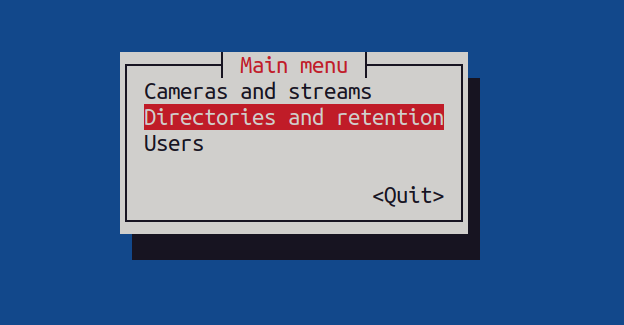
运行交互式配置
sudo docker compose run --rm moonfire-nvr config 2>debug-log
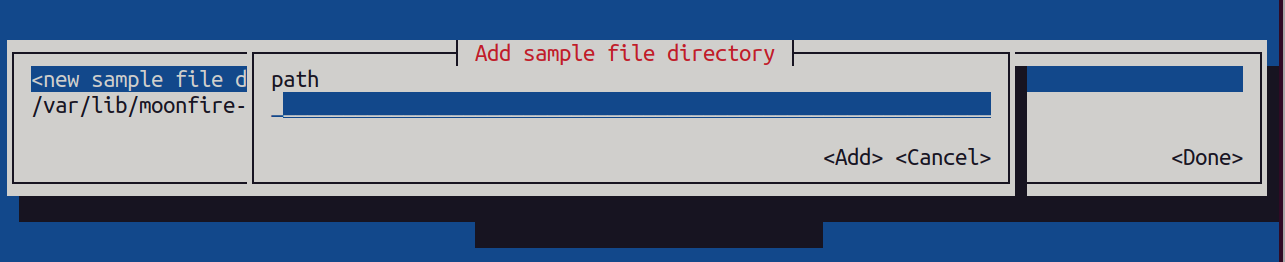
请按照以下步骤添加文件夹。
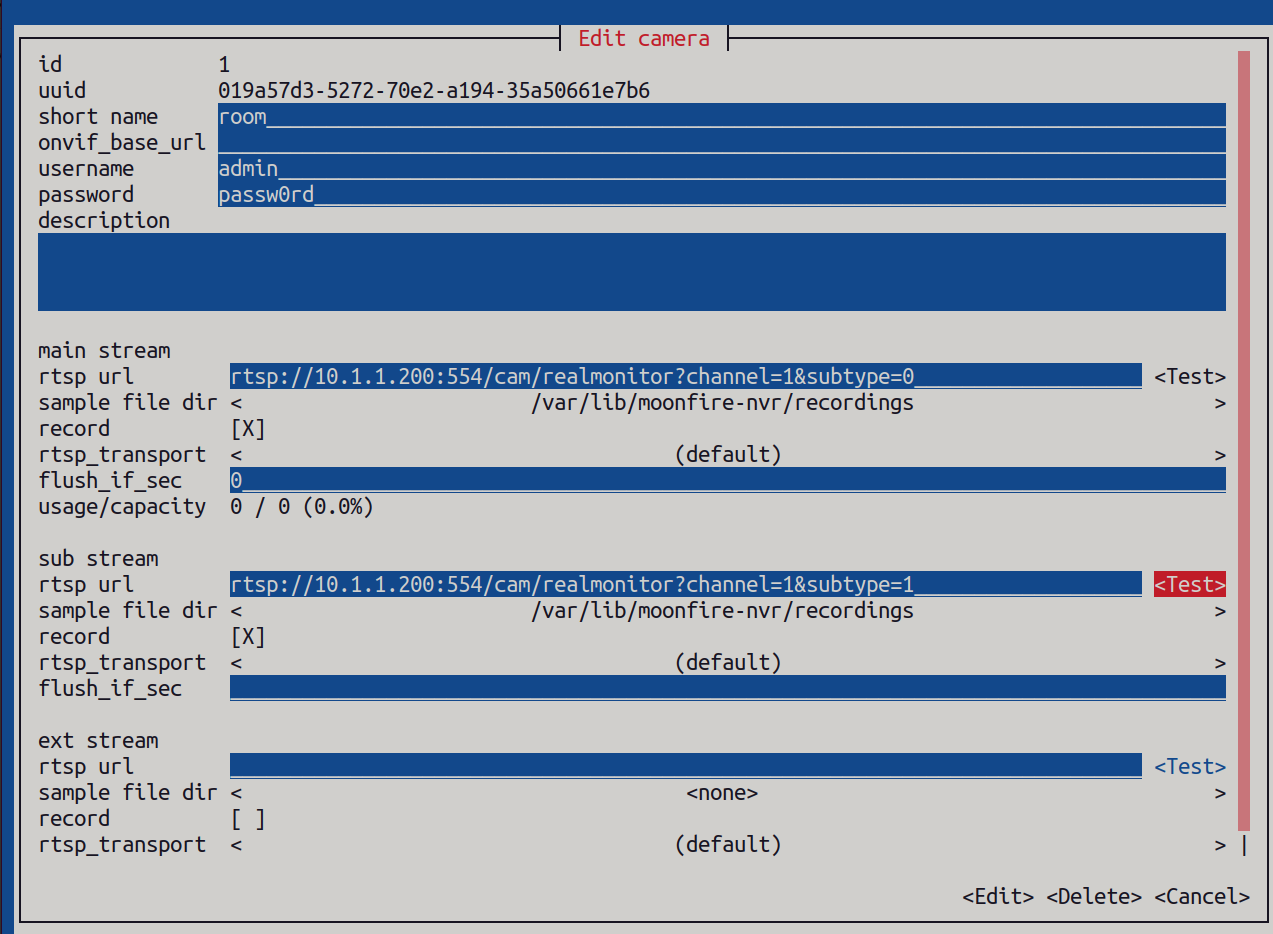
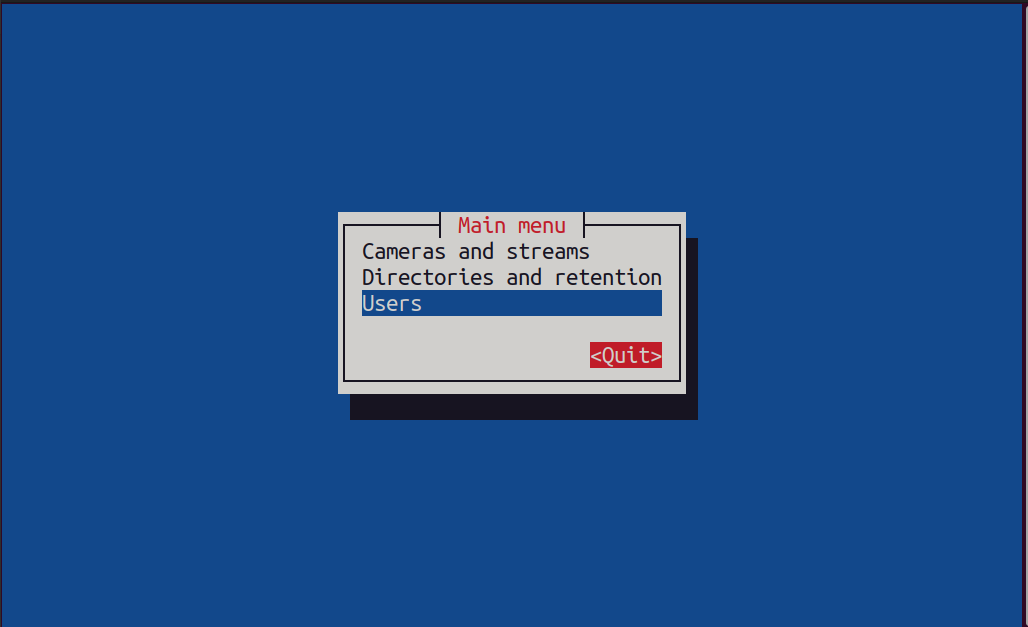
请按照以下步骤添加摄像头。




运行 Moonfire NVR
请使用以下命令运行 Moonfire NVR。
sudo docker compose up --detach moonfire-nvr
然后,在您的设备上打开 localhost:8080 端口进行访问。结果如下所示:
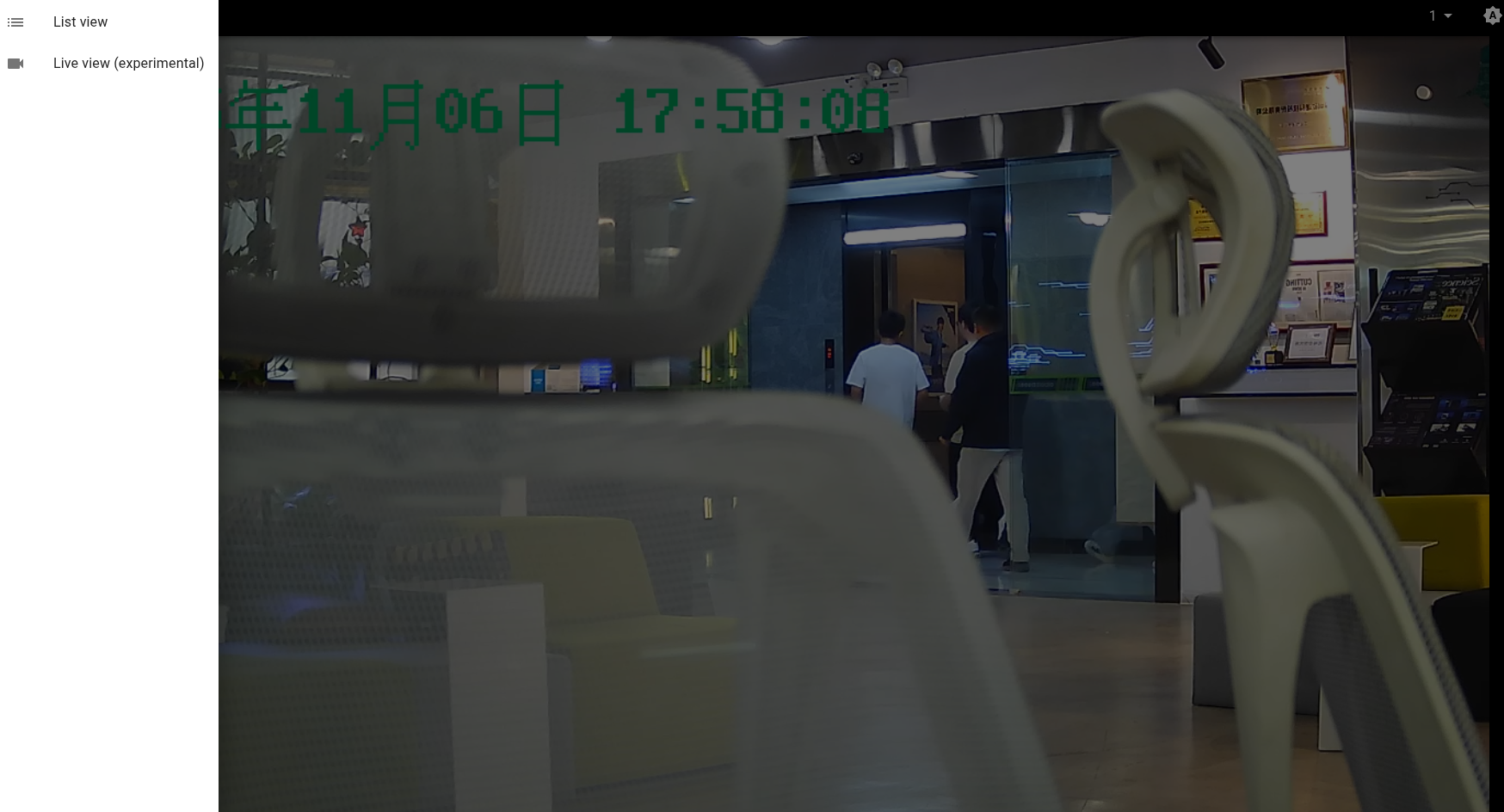
注意:不要忘记点击左上角的选项。
结果
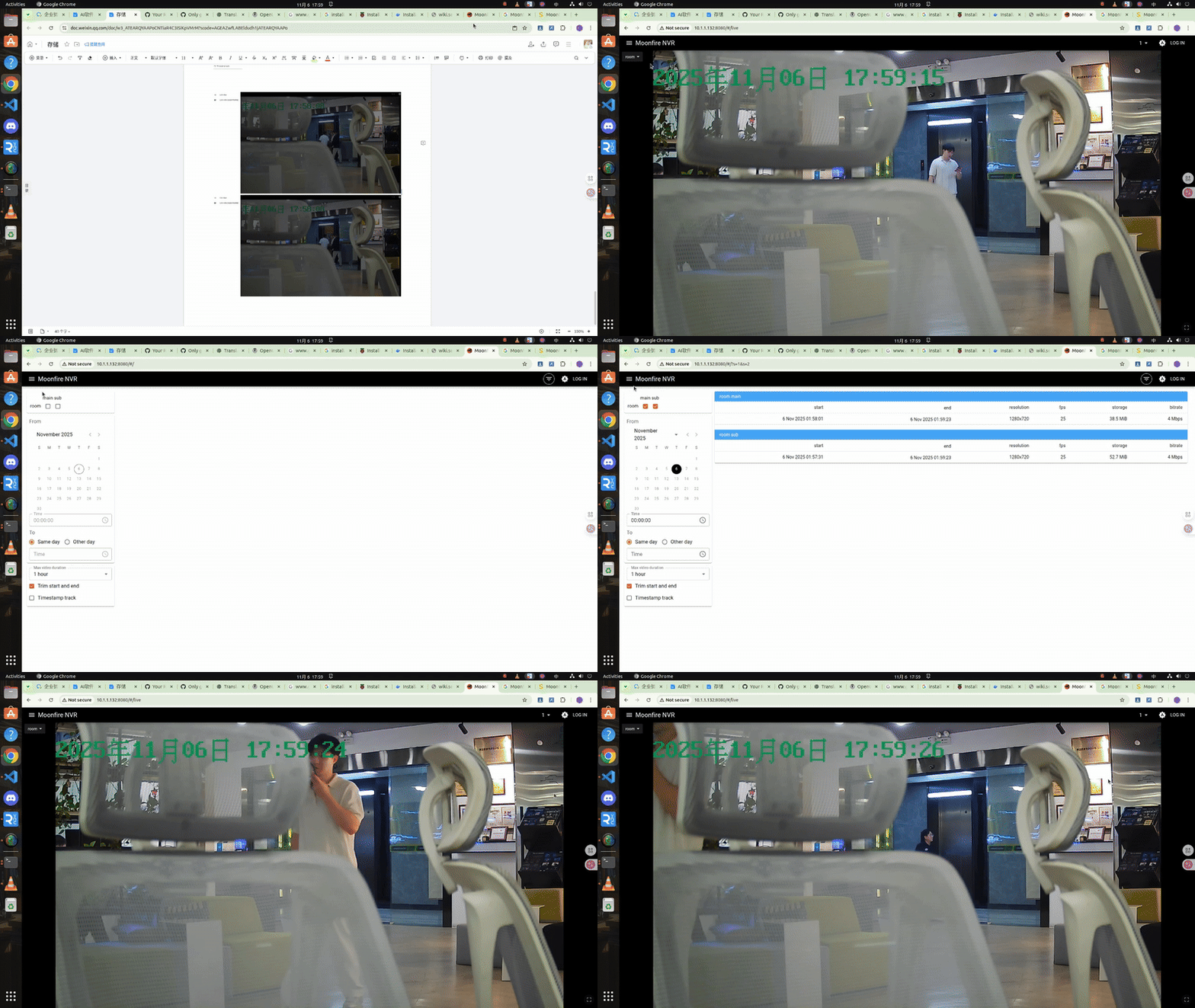
一旦我们配置好所有内容,就可以查看当前摄像头的实时画面。
技术支持与产品讨论
感谢您选择我们的产品!我们在这里为您提供不同的支持,以确保您使用我们产品的体验尽可能顺畅。我们提供多种沟通渠道,以满足不同的偏好和需求。