reSpeaker XVF3800 USB Mic Array 搭配 XIAO ESP32S3 的 WebSocket 音频流传输
介绍
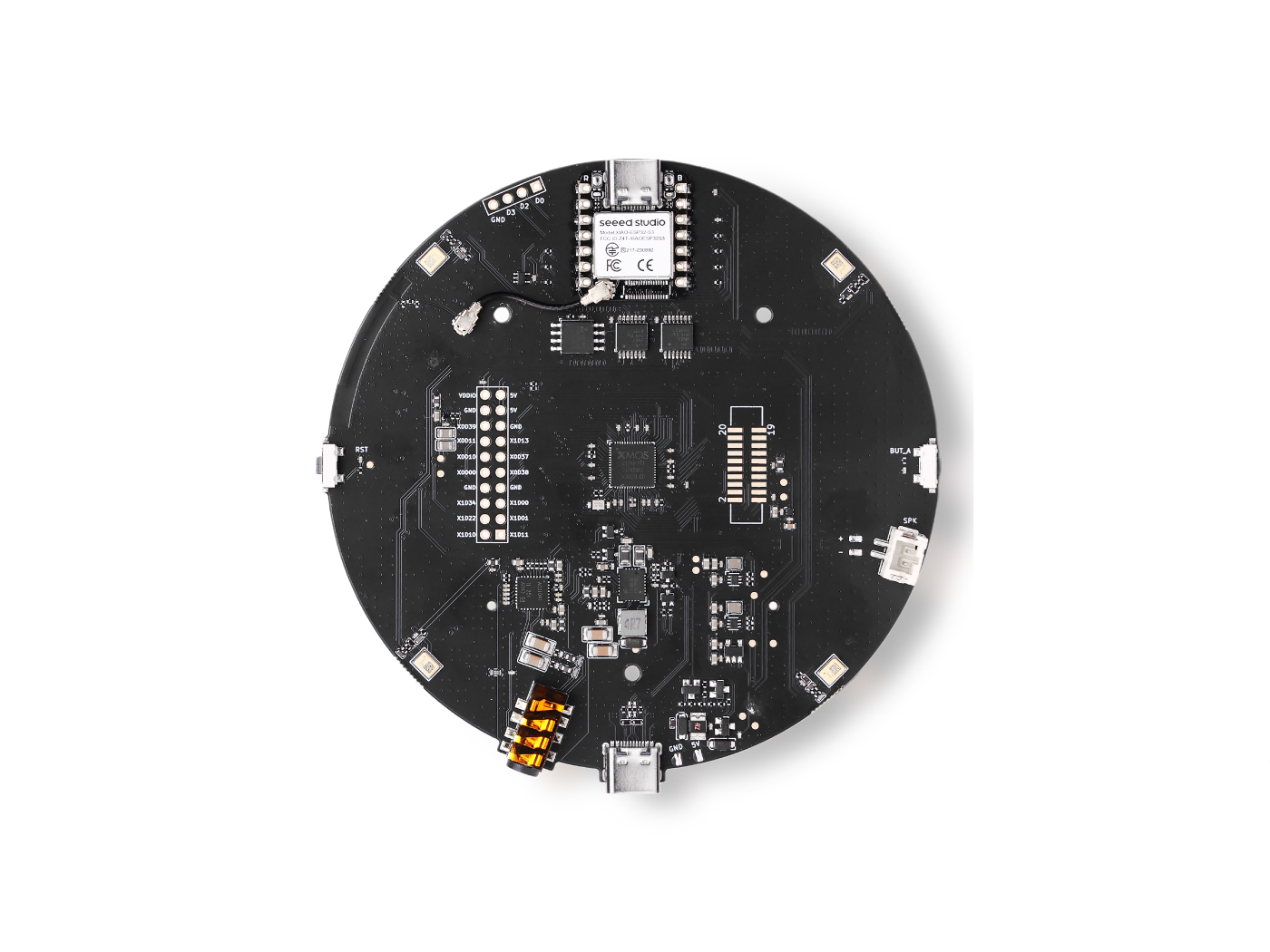
本指南介绍如何使用 ESP32-S3(XIAO ESP32S3)从 XVF3800 麦克风阵列采集音频,录制 5 秒 48 kHz 立体声 32 位 PCM 音频,并将数据存储在 PSRAM 中以处理大容量音频缓冲。随后通过 Wi-Fi 将录制的音频传输到基于 Python 的 WebSocket 服务器,在服务器端接收并保存为标准 WAV 文件。该方案非常适合语音采集、远程音频日志记录,以及包括语音转文本(STT)和基于机器学习的音频分析在内的语音处理流水线等应用。
Arduino 代码
note
你必须启用 PSRAM,否则 malloc() 会失败。
note
此示例使用 XVF3800 固件使其作为 I2S 主机。在上传前,请将以下 DFU 固件烧录到 XVF3800 上:
respeaker_xvf3800_i2s_master_dfu_firmware_v1.0.x_48k_test5.bin
在上传前更新以下字段:
// WiFi credentials
const char* ssid = "your SSID";
const char* password = "your password";

// WebSocket server (your PC)
const char* wsHost = "192.168.x.xx";  // replace with your PC IP
const uint16_t wsPort = 12345;
完整 Arduino 代码
#include "WiFi.h"
#include "AudioTools.h"
#include <WebSocketsClient.h>

const char* ssid = "your SSID";
const char* password = "your password";

const char* wsHost = "192.168.x.xx";
const uint16_t wsPort = 12345;
const char* wsPath = "/";

WebSocketsClient webSocket;

AudioInfo info(48000, 2, 32);
I2SStream i2s_in;
I2SConfig i2s_config;

#define BUFFER_SIZE 1024
#define TOTAL_BYTES 1920000  // 5 sec @ 48 kHz, stereo, 32-bit

uint8_t* audio_buffer = nullptr;
bool wsConnected = false;

void webSocketEvent(WStype_t type, uint8_t * payload, size_t length) {
  if (type == WStype_CONNECTED) {
    Serial.println("WebSocket connected");
    wsConnected = true;
  } else if (type == WStype_DISCONNECTED) {
    Serial.println("WebSocket disconnected");
    wsConnected = false;
  }
}

void connectWiFi() {
  Serial.printf("Connecting to WiFi: %s\n", ssid);
  WiFi.begin(ssid, password);
  while (WiFi.status() != WL_CONNECTED) {
    delay(1000);
    Serial.print(".");
  }
  Serial.println("\nConnected!");
  Serial.printf("IP Address: %s\n", WiFi.localIP().toString().c_str());
}

void setupI2SInput() {
  i2s_config = i2s_in.defaultConfig(RX_MODE);
  i2s_config.copyFrom(info);
  i2s_config.pin_bck = 8;
  i2s_config.pin_ws = 7;
  i2s_config.pin_data = 44;
  i2s_config.pin_data_rx = 43;
  i2s_config.is_master = false;
  i2s_in.begin(i2s_config);
  Serial.println("I2S input started.");
}

void setup() {
  Serial.begin(115200);
  while (!Serial);
  AudioLogger::instance().begin(Serial, AudioLogger::Info);

  connectWiFi();

  if (psramFound()) {
    audio_buffer = (uint8_t*) ps_malloc(TOTAL_BYTES);
    Serial.println("Using PSRAM for audio buffer.");
  } else {
    audio_buffer = (uint8_t*) malloc(TOTAL_BYTES);
    Serial.println("WARNING: no PSRAM found - allocation may fail.");
  }
  if (!audio_buffer) {
    Serial.println("Failed to allocate audio buffer!");
    return;
  }

  setupI2SInput();
  delay(500);

  // ---- PHASE 1: capture only ----
  Serial.println("Capturing 5 seconds of audio...");
  size_t total_captured = 0;

  while (total_captured < TOTAL_BYTES) {
    size_t to_read = min((size_t)BUFFER_SIZE, (size_t)TOTAL_BYTES - total_captured);
    size_t bytes_read = i2s_in.readBytes(audio_buffer + total_captured, to_read);
    if (bytes_read > 0) {
      total_captured += bytes_read;
      if (total_captured % 64000 == 0) {
        Serial.printf("Captured %d bytes (%.1f sec)\n", total_captured, total_captured / 384000.0);
      }
    } else {
      delay(1);
    }
  }
  Serial.printf("Capture complete: %d bytes\n", total_captured);

  // ---- PHASE 2: connect WebSocket and send ----
  webSocket.begin(wsHost, wsPort, wsPath);
  webSocket.onEvent(webSocketEvent);
  webSocket.setReconnectInterval(2000);

  Serial.println("Waiting for WebSocket connection...");
  unsigned long waitStart = millis();
  while (!wsConnected && millis() - waitStart < 10000) {
    webSocket.loop();
    delay(10);
  }
  if (!wsConnected) {
    Serial.println("Failed to connect to WebSocket server!");
    return;
  }

  Serial.printf("Sending %d bytes via WebSocket...\n", total_captured);
  const size_t SEND_CHUNK = 4096;
  size_t total_sent = 0;

  while (total_sent < total_captured) {
    size_t chunk = min(SEND_CHUNK, (size_t)(total_captured - total_sent));
    webSocket.sendBIN(audio_buffer + total_sent, chunk);
    webSocket.loop();
    total_sent += chunk;
  }

  Serial.printf("Finished! Sent %d bytes total\n", total_sent);
  webSocket.disconnect();
  free(audio_buffer);
}

void loop() {
  webSocket.loop();
}
Python 服务器代码(WebSocket)
你需要安装 websockets 库: pip install websockets
import asyncio
import websockets
import wave

WS_HOST = "0.0.0.0"
WS_PORT = 12345

SAMPLE_RATE = 48000
CHANNELS = 2
SAMPLE_WIDTH = 4  # 32-bit = 4 bytes

BYTES_PER_SEC = SAMPLE_RATE * CHANNELS * SAMPLE_WIDTH  # 384000

async def handle_connection(websocket):
    print(f"Client connected: {websocket.remote_address}")
    audio_data = bytearray()

    async for message in websocket:
        if isinstance(message, (bytes, bytearray)):
            audio_data.extend(message)
            if len(audio_data) % 64000 < len(message):
                print(f"Received {len(audio_data)} bytes ({len(audio_data) / BYTES_PER_SEC:.1f} seconds)")
        else:
            print(f"Received text: {message}")

    print(f"\nClient disconnected. Total received: {len(audio_data)} bytes")

    if len(audio_data) > 0:
        print("Saving to output.wav...")
        with wave.open("output.wav", "wb") as wav_file:
            wav_file.setnchannels(CHANNELS)
            wav_file.setsampwidth(SAMPLE_WIDTH)
            wav_file.setframerate(SAMPLE_RATE)
            wav_file.writeframes(bytes(audio_data))
        print("Done! Audio saved to output.wav")
    else:
        print("No data received!")

async def main():
    print(f"WebSocket server listening on {WS_HOST}:{WS_PORT}...")
    async with websockets.serve(handle_connection, WS_HOST, WS_PORT):
        await asyncio.Future()  # run forever

if __name__ == "__main__":
    asyncio.run(main())
技术支持与产品讨论
感谢你选择我们的产品!我们将通过多种支持方式,确保你在使用我们产品的过程中尽可能顺利。我们提供多种沟通渠道,以满足不同的偏好和需求。