YOLOv11 速度估计和徘徊检测
简介
YOLOv11 是"You Only Look Once"(YOLO)实时目标检测模型系列的最新和最先进版本,由 Ultralytics 于 2024 年末发布。
本 wiki 是一个针对 Hailo AI 加速器优化的综合实时目标检测、跟踪和速度估计系统,使用 yolov11。该项目能够高效检测目标(重点关注人员和车辆),同时具备跟踪和速度计算功能。
准备硬件
| reComputer AI Industrial R2000 | reComputer AI R2000 | reComputer Industrial R2045 | reComputer Industrial R2135 |
|---|---|---|---|
 |  |  |  |
注意:您需要一个 USB 摄像头作为输入。
安装 Hailo 软件并验证安装
更新系统
sudo apt update
sudo apt full-upgrade
note
有时您在更新过程中可能会遇到以下问题。
Get:1 http://deb.debian.org/debian bookworm InRelease [151 kB]
Get:2 http://deb.debian.org/debian-security bookworm-security InRelease [48.0 kB]
Get:3 http://deb.debian.org/debian bookworm-updates InRelease [55.4 kB]
Get:4 http://archive.raspberrypi.com/debian bookworm InRelease [39.0 kB]
Reading package lists... Done
E: Release file for http://deb.debian.org/debian/dists/bookworm/InRelease is not valid yet (invalid for another 58d 8h 26min 35s). Updates for this repository will not be applied.
E: Release file for http://deb.debian.org/debian-security/dists/bookworm-security/InRelease is not valid yet (invalid for another 84d 18h 23min 59s). Updates for this repository will not be applied.
E: Release file for http://archive.raspberrypi.com/debian/dists/bookworm/InRelease is not valid yet (invalid for another 84d 13h 13min 5s). Updates for this repository will not be applied.
E: Release file for http://deb.debian.org/debian/dists/bookworm-updates/InRelease is not valid yet (invalid for another 85d 0h 52min 29s). Updates for this repository will not be applied.
这是因为树莓派上的时间设置不正确,您需要使用以下命令手动设置树莓派的时间:
# This command only you can connect google.com
sudo date -s "$(wget -qSO- --max-redirect=0 google.com 2>&1 | grep Date: | cut -d' ' -f5-8)Z"
设置树莓派时间后,您可以更新您的树莓派。
设置 pcie 为 gen2/gen3(gen3 比 gen2 更快)
将以下文本添加到 /boot/firmware/config.txt
#Enable the PCIe external connector

dtparam=pciex1

#Force Gen 3.0 speeds

dtparam=pciex1_gen=3
note
如果您想使用 gen2,请注释掉 dtparam=pciex1_gen=3
安装 hailo-all 并重启
在树莓派 5 上打开终端,输入以下命令安装 Hailo 软件。
sudo apt install hailo-all
sudo reboot
检查软件和硬件
在树莓派 5 上打开终端,输入以下命令检查 hailo-all 是否已安装。
hailortcli fw-control identify
正确的结果如下所示:

在树莓派 5 上打开终端,输入以下命令检查 hailo-8L 是否已连接。
lspci | grep Hailo
正确的结果如下所示:

运行项目
安装项目
cd ~ && git clone https://github.com/Seeed-Projects/YOLOv11-Hailo-Tracker.git
cd YOLOv11-Hailo-Tracker
准备环境
python -m venv .env --system-site-packages
source .env/bin/activate
pip install -r requirements.txt
运行项目
访问 localhost:5000 进入前端并配置设置。
python run_api.py
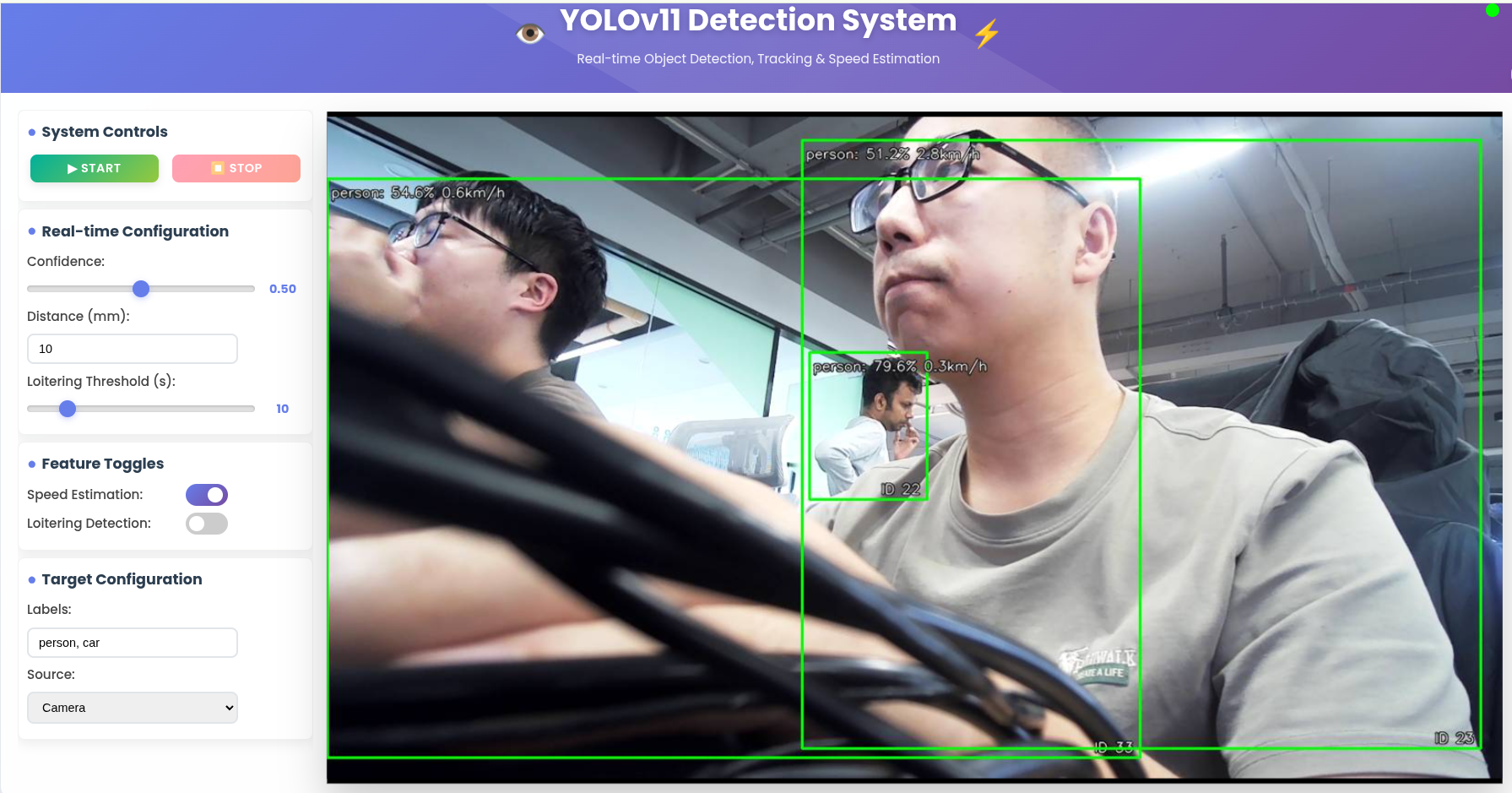
结果
技术支持与产品讨论
感谢您选择我们的产品!我们在这里为您提供不同的支持,以确保您使用我们产品的体验尽可能顺畅。我们提供多种沟通渠道,以满足不同的偏好和需求。