Control reBot Arm using voice with reSpeaker Clip
rebot-clip lets you voice-command a reBot Arm B601-DM through a reSpeaker Clip, turning natural speech into physical motion. The Clip streams Opus audio over BLE RTC while the app decodes it and runs WebRTC/energy voice-activity detection, then Groq's Whisper STT and an LLM intent parser translate each utterance into a fixed arm action such as greeting, turning, homing, or opening the gripper. It is fully pip-installable on Ubuntu 22.04 with no conda required, and automatically falls back to a simulated arm when the pinocchio/motorbridge wheels or the serial port are unavailable.
Hardware Required
| reSpeaker Clip | reBot Arm B601-DM |
|---|---|
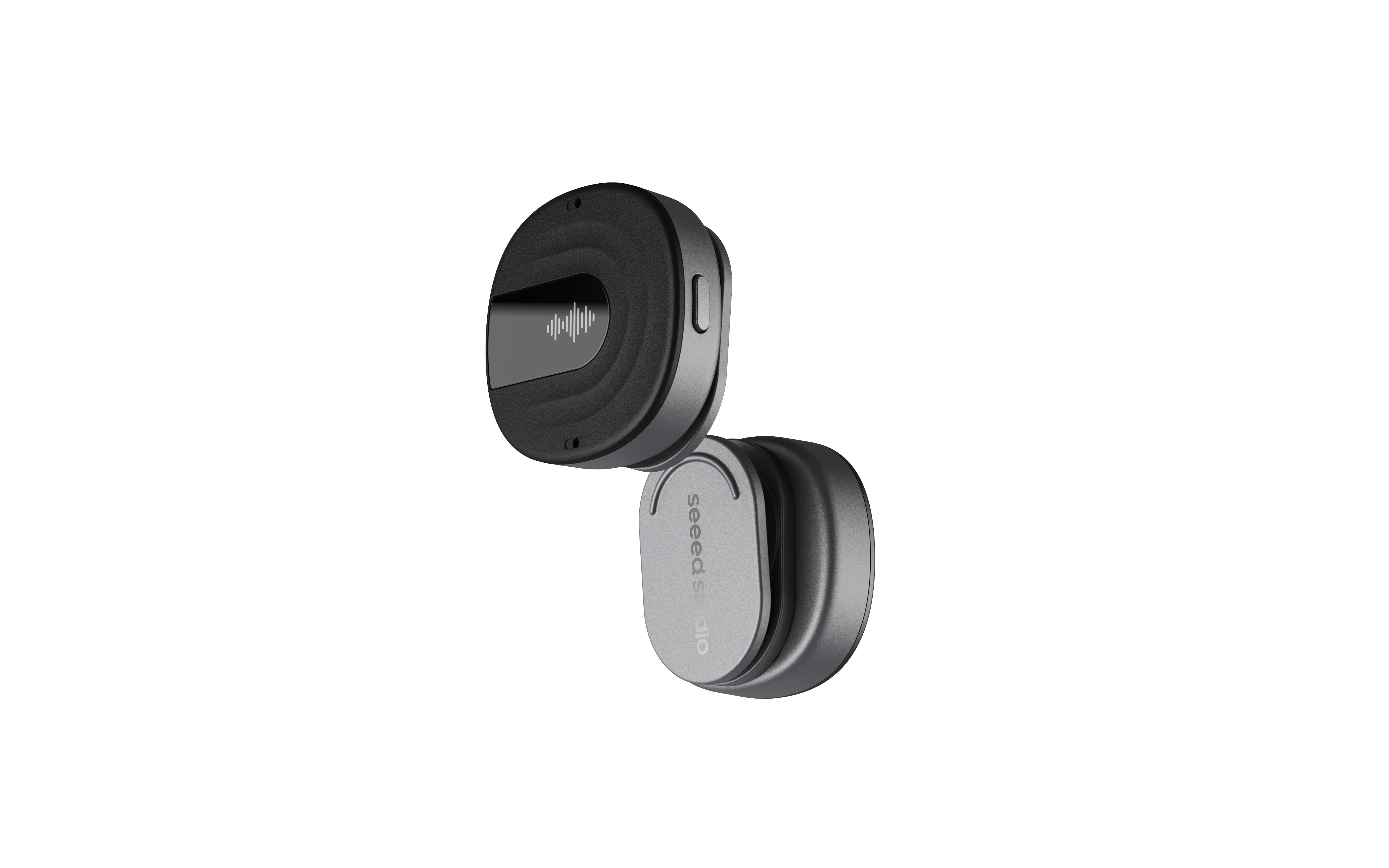 |  |
Prerequisites
Before you begin, please read the two guides below first. This project builds directly on the reBot Arm setup and the reSpeaker Clip RTC streaming workflow, so completing them beforehand will save you a lot of troubleshooting time.
- reBot Arm B601-DM Getting Started — assemble the arm, reset the motor IDs, calibrate it, and confirm it is reachable over serial.
- Build Real-Time Audio Streaming with reSpeaker Clip RTC SDK — pair the Clip, establish an RTC session, and decode the live audio stream.
- A Groq API key — required for speech-to-text (Whisper) and action-intent understanding (LLM). Create one for free at console.groq.com/keys. You will add it to the
.envfile during setup.
Clone the Repository
git clone https://github.com/KasunThushara/reSpeaker-Clip-rebot-ARM.git
cd reSpeaker-Clip-rebot-ARM
Project Structure
rebotclip/            application package
  clip/               vendored reSpeaker Clip BLE SDK (+ BlueZ pairing agent)
  audio/              Opus decoder, WebRTC/energy VAD, WAV/PCM helpers
  voice/              Groq STT + LLM action-intent parser
  arm/                ArmWrapper (real/sim), coordinate map, action executors
  rtc_stream.py       Clip RTC live-stream orchestration (decode→VAD→STT)
  web.py              FastAPI web UI backend (scan/connect/RTC/VAD/arm)
  static/index.html   single-page web UI
  app.py              end-to-end glue (utterance → intent → arm)
  cli.py / __main__   `python -m rebotclip` (terminal or --web)
config/
  commands.yaml       action registry → drives the LLM prompt
  coordinates.yaml    named IK poses + joint macros (calibrate these!)
vendor/reBotArm_control_py/   vendored arm control lib (package+config+urdf)
data/demo_sample_packets.json bundled Clip RTC audio (offline testing)
examples/             runnable milestones (offline-friendly)
Install
cd reSpeaker-Clip-rebot-ARM
python3.10 -m venv .venv && source .venv/bin/activate
pip install -r requirements.txt
cp .env.example .env           # then paste your GROQ_API_KEY
If python3.10 -m venv fails (e.g. ensurepip is not available), install the python3.10-venv apt package or reuse any existing Python 3.10 environment with pip.
The arm layer needs pin (pinocchio) + motorbridge, which ship as binary wheels. If they (or the serial port) are missing, rebot-clip automatically falls back to simulation so the voice pipeline still runs on a laptop.
Quick Start
# 1. Show the configured models/actions            (offline)
python -m rebotclip --models

# 2. Arm smoke test (simulated)                    (offline)
python examples/arm_smoke.py

# 3. VAD segmentation on bundled Clip audio        (offline)
python examples/clip_vad_test.py

# 4. Voice → intent on bundled audio (needs key)   (network)
python examples/voice_test.py

# 5. Action → coordinate sanity (offline)          (offline)
python examples/intent_pose_check.py
python examples/intent_pose_check.py --text "say hi"   # needs Groq network

# 6. BLE sanity with a real Clip (no Groq, no arm)
python examples/clip_ble_check.py                        # info only
python examples/clip_ble_check.py --rtc 10               # speak into the Clip

# 7. Full app: replay demo, simulated arm          (network)
python -m rebotclip --demo --sim

# 8. Live: real Clip + real arm
python -m rebotclip                 # auto-scan the Clip
python -m rebotclip --address AA:BB:CC:DD:EE:FF   # pin a device
python -m rebotclip --scan          # list nearby Clip devices
Web UI (scan · connect · RTC + VAD)
A small local web app to scan for Clips, connect the one you want, and start the RTC stream with live VAD, transcripts, and detected actions.
source .venv/bin/activate
python -m rebotclip --web                      # http://127.0.0.1:8000
python -m rebotclip --web --host 0.0.0.0 --port 8000   # expose on your LAN
Then open http://127.0.0.1:8000 (or http://<pc-ip>:8000 if bound to 0.0.0.0) and:
- Scan devices → pick a
Clip XXXXfrom the dropdown → Connect. - Start RTC → speak. Watch the VAD meter, live transcript, and the detected action badge + reply. (Or tick Demo (no Clip) to replay bundled audio with no hardware.)
- Tune VAD live: WebRTC aggressiveness, energy threshold, min level (absolute dBFS gate), mic gain — plus Normal/Strict presets and Recalibrate noise (run it while the room is quiet).
- Arm mode toggle —
Off(intent display only, default),Sim(simulated motion, logged), orReal(moves the physical arm).
CLI options: --web --host --port, --no-classify (transcribe only, no LLM actions), --execute off|sim|real (initial arm mode).
Hardware Bring-up
- Connect the Clip (BLE) and the arm's USB serial to the PC.
- Give yourself serial access:
sudo usermod -a -G dialout $USER    # then log out/in
ls /dev/ttyACM* # should list the arm - Calibrate
config/coordinates.yaml(reach_front/presentare placeholders) and review the joint macros before hands-free use. - Keep the workspace clear; Ctrl+C ends the app and returns the arm to the safe
standbypose (AUTO_HOME_ON_EXIT=0to skip).
Adding Custom Positions (Coordinate Map)
All named arm targets live in config/coordinates.yaml under the poses: key. There are two kinds of pose: a joint-space pose (kind: joints) is a list of the six arm-joint angles in radians [J1, J2, J3, J4, J5, J6], and an IK pose (kind: ik) is an end-effector target [x, y, z, roll, pitch, yaw] in metres/radians that is solved with inverse kinematics. The frame origin sits on the mounting surface under J1, with +x pointing forward (away from the base), +y to the left, and +z up. Joint targets are automatically clipped to the URDF limits, and if IK cannot reach a target the move returns an error instead of moving, so an out-of-range value is safe rather than damaging.
To add a new position, add an entry under poses: and pick the kind that matches what you measured — for example a joint-space pickup pose and an IK drop pose:
poses:
  pick_left:
    kind: joints
    joints: [0.6, -0.9, -0.8, 0.0, 0.2, 0.0]   # radians

  drop_front:
    kind: ik
    pose: [0.32, 0.10, 0.20, 0.0, -0.7, 0.0]   # x,y,z,roll,pitch,yaw
You can test a pose without any voice or LLM involvement: python examples/arm_smoke.py --pose drop_front prints (in sim) or performs (with --real) the move, and python examples/intent_pose_check.py lists the pose map and shows the commanded coordinates for every action. In Python, call it directly with move_to_named_pose(arm, "drop_front") from rebotclip.arm.
A named pose only becomes a spoken command when it is also registered as an action. That takes two small edits: add the action to config/commands.yaml (name, description, and example phrases — this is what builds the LLM prompt), and add an executor in rebotclip/arm/actions.py. For instance, to make "pick from the left" work, add to commands.yaml:
actions:
  pick_left:
    description: "move to the left pickup position"
    examples: ["pick from the left", "go to the left pickup", "grab on the left"]
then add an executor and register it in actions.py:
def _exec_pick_left(arm: ArmWrapper) -> str:
    return move_to_named_pose(arm, "pick_left")

EXECUTORS = {
    # ...existing entries...
    "pick_left": _exec_pick_left,
}
Restart the app and the new command is understood immediately — no other change is needed because the intent prompt is generated from commands.yaml.
For calibration, drive the arm to the posture you want (or read the current values with state / end_state from the vendored example/7_arm_ik_control.py), note the joint or IK numbers, and paste them into coordinates.yaml. Keep targets inside the reachable workspace and clear of the base and table to avoid self-collisions, prefer modest values first, and always try a new pose with --sim before running it for real with a clear workspace. Gripper travel is configured separately under gripper: (0.0 closed, -5.7 fully open on the B601-DM), and relative gestures like the nod/wave used by greet live under macros: as joint deltas applied to the current posture.
Tech Support & Product Discussion
Thank you for choosing our products! We are here to provide you with different support to ensure that your experience with our products is as smooth as possible. We offer several communication channels to cater to different preferences and needs.