Grove - Pantalla OLED de 0.96 pulgadas

El módulo Grove - Pantalla OLED de 0.96" es una pantalla OLED monocromática de matriz de puntos de 128×64 con interfaz Grove 4pin I2C. Comparado con LCD, las pantallas OLED son más competitivas, ya que tienen una serie de ventajas como alto brillo, auto-emisión, alta relación de contraste, contorno delgado/fino, amplio ángulo de visión, amplio rango de temperatura y bajo consumo de energía. Tiene una pantalla más grande para que pueda mostrar más contenido que el OLED 96×96.

Versión
| Versión del Producto | Cambios | Fecha de Lanzamiento |
|---|---|---|
| Grove - Pantalla OLED de 0.96 pulgadas V1.1 | Inicial | Oct 2015 |
Características
- Interfaz compatible con Grove
- Modo de Comunicación: I2C
- Bajo consumo de energía
- Color de Pantalla: Blanco
- Amplio rango de temperatura de funcionamiento: -20℃~70℃
- Dirección I2C 0x3C
Si deseas usar múltiples dispositivos I2C, consulta Software I2C.
Ten en cuenta: un impacto fuerte o estrés en el OLED causará la rotura de la pantalla.
Más detalles sobre los módulos Grove consulta Sistema Grove
Especificaciones
| Elementos | Mín | Norm | Máx | Unidad |
|---|---|---|---|---|
| Voltaje de Alimentación (VCC) | 3.3 | 5.0 | 5.5 | V |
| IC Controlador | - | SSD1308Z | - | - |
| Color de Pantalla | - | Blanco | - | - |
| Matriz de Puntos | - | 128×64 | - | - |
| Tamaño del Panel | - | 26.7(W)×19.26(H) | - | mm |
| Área Activa | - | 21.74(W)×11.175 (H) | - | mm |
| Separación de Puntos | - | 0.17(W)×0.175 (H) | - | mm |
| Tamaño de Punto | - | 0.15(W)×0.15 (H) | - | mm |
| Amplio rango de temperatura de funcionamiento | - | -20~70 | - | ℃ |
Más detalles sobre los módulos Grove consulta Sistema Grove
Plataformas Soportadas
| Arduino | Raspberry Pi |
|---|---|
|
|


Las plataformas mencionadas anteriormente como soportadas son una indicación de la compatibilidad de software o teórica del módulo. Solo proporcionamos biblioteca de software o ejemplos de código para la plataforma Arduino en la mayoría de los casos. No es posible proporcionar biblioteca de software / código de demostración para todas las plataformas MCU posibles. Por lo tanto, los usuarios tienen que escribir su propia biblioteca de software.
Primeros Pasos
Si esta es la primera vez que trabajas con Arduino, te recomendamos firmemente que veas Primeros Pasos con Arduino antes de comenzar.
Jugar con Arduino
Demostración
El OLED128*64 usa todos los pines del chip SSD1308, el punto original predeterminado está en la esquina superior izquierda. También puedes cambiar el punto original ajustando el programa para mostrar los patrones deseados. Para más detalles, consulta SSD1308_1.0.pdf y LY190-128064.pdf.
Hardware
- Paso 1. Prepara los siguientes elementos:
| Seeeduino V4 | Base Shield | Grove - Pantalla OLED de 0.96 pulgadas |
|---|---|---|
|
|
|
| Obtener UNO Ahora | Obtener UNO Ahora | Obtener UNO Ahora |
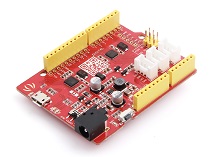
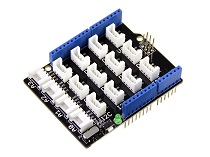

- Paso 2. Conecta la Pantalla OLED Grove 128*64 al puerto I2C en Grove Base Shield.
- Paso 3. Conecta Grove - Base Shield en Seeeduino.
- Paso 4. Conecta Seeeduino a la PC mediante un cable USB.

Si no tenemos Grove Base Shield, también podemos conectar directamente Grove - Pantalla OLED de 0.96 pulgadas a Seeeduino como se muestra a continuación.
| Seeeduino | Grove - Pantalla OLED de 0.96 pulgadas |
|---|---|
| 5V | Rojo |
| GND | Negro |
| SDA | Blanco |
| SCL | Amarillo |
Software
- Paso 1. Descarga la biblioteca U8G2 128*64 desde Github.
- Paso 2. Consulta Cómo instalar biblioteca para instalar la biblioteca para Arduino.
- Paso 3. Copia el código en Arduino IDE y súbelo. Si no sabes cómo subir el código, consulta cómo subir código.
#include <Arduino.h>
#include <U8g2lib.h>

#ifdef U8X8_HAVE_HW_SPI
#include <SPI.h>
#endif
#ifdef U8X8_HAVE_HW_I2C
#include <Wire.h>
#endif

U8G2_SSD1306_128X64_ALT0_F_HW_I2C u8g2(U8G2_R0, /* reset=*/ U8X8_PIN_NONE); // SSD1306 and SSD1308Z are compatible

// U8G2_SSD1306_128X64_NONAME_F_SW_I2C u8g2(U8G2_R0, /* clock=*/ SCL, /* data=*/ SDA, /* reset=*/ U8X8_PIN_NONE);    //Low spped I2C

void setup(void) {
  u8g2.begin();
}

void loop(void) {
  u8g2.clearBuffer();                   // clear the internal memory
  u8g2.setFont(u8g2_font_ncenB08_tr);   // choose a suitable font
  u8g2.drawStr(0,10,"Hello World!");    // write something to the internal memory
  u8g2.sendBuffer();                    // transfer internal memory to the display
  delay(1000);
}
- Paso 3. Podemos ver "Hello World!" en la pantalla.
Jugar con Raspberry Pi (Con Grove Base Hat para Raspberry Pi)
Hardware
- Paso 1. Elementos utilizados en este proyecto:
| Raspberry pi | Grove Base Hat para RasPi | Grove - Pantalla OLED de 0.96 pulgadas |
|---|---|---|
|
|
|
| Obtener UNO Ahora | Obtener UNO Ahora | Obtener UNO Ahora |
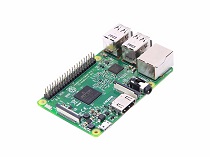
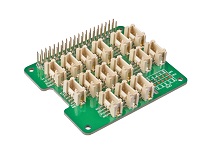
- Paso 2. Conecta el Grove Base Hat al Raspberry.
- Paso 3. Conecta la pantalla OLED al puerto I2C del Base Hat.
- Paso 4. Conecta el Raspberry Pi a la PC a través del cable USB.

Software
Si estás usando Raspberry Pi con Raspberrypi OS >= Bullseye, tienes que usar esta línea de comandos solo con Python3.
- Paso 1. Sigue Setting Software para configurar el entorno de desarrollo.
- Paso 2. Ingresa al entorno virtual correspondiente.
source ~/grove_env/env/bin/activate
cd ~/grove_env/grove.py/grove
-
Paso 3. Ejecuta el siguiente comando para ejecutar el código.
-
Lo siguiente es para verificar el código grove_oled_display_128x64.py.
less grove_oled_display_128x64.py
import time

from grove.i2c import Bus

_COMMAND_MODE = 0x80
_DATA_MODE = 0x40
_NORMAL_DISPLAY = 0xA6

_DISPLAY_OFF = 0xAE
_DISPLAY_ON = 0xAF
_INVERSE_DISPLAY = 0xA7
_SET_BRIGHTNESS = 0x81


BasicFont = [[0x00, 0x00, 0x00, 0x00, 0x00, 0x00, 0x00, 0x00],
             [0x00, 0x00, 0x5F, 0x00, 0x00, 0x00, 0x00, 0x00],
             [0x00, 0x00, 0x07, 0x00, 0x07, 0x00, 0x00, 0x00],
             [0x00, 0x14, 0x7F, 0x14, 0x7F, 0x14, 0x00, 0x00],
             [0x00, 0x24, 0x2A, 0x7F, 0x2A, 0x12, 0x00, 0x00],
             [0x00, 0x23, 0x13, 0x08, 0x64, 0x62, 0x00, 0x00],
             [0x00, 0x36, 0x49, 0x55, 0x22, 0x50, 0x00, 0x00],
             [0x00, 0x00, 0x05, 0x03, 0x00, 0x00, 0x00, 0x00],
             [0x00, 0x1C, 0x22, 0x41, 0x00, 0x00, 0x00, 0x00],
             [0x00, 0x41, 0x22, 0x1C, 0x00, 0x00, 0x00, 0x00],
             [0x00, 0x08, 0x2A, 0x1C, 0x2A, 0x08, 0x00, 0x00],
             [0x00, 0x08, 0x08, 0x3E, 0x08, 0x08, 0x00, 0x00],
             [0x00, 0xA0, 0x60, 0x00, 0x00, 0x00, 0x00, 0x00],
             [0x00, 0x08, 0x08, 0x08, 0x08, 0x08, 0x00, 0x00],
             [0x00, 0x60, 0x60, 0x00, 0x00, 0x00, 0x00, 0x00],
             [0x00, 0x20, 0x10, 0x08, 0x04, 0x02, 0x00, 0x00],
             [0x00, 0x3E, 0x51, 0x49, 0x45, 0x3E, 0x00, 0x00],
             [0x00, 0x00, 0x42, 0x7F, 0x40, 0x00, 0x00, 0x00],
             [0x00, 0x62, 0x51, 0x49, 0x49, 0x46, 0x00, 0x00],
             [0x00, 0x22, 0x41, 0x49, 0x49, 0x36, 0x00, 0x00],
             [0x00, 0x18, 0x14, 0x12, 0x7F, 0x10, 0x00, 0x00],
             [0x00, 0x27, 0x45, 0x45, 0x45, 0x39, 0x00, 0x00],
             [0x00, 0x3C, 0x4A, 0x49, 0x49, 0x30, 0x00, 0x00],
             [0x00, 0x01, 0x71, 0x09, 0x05, 0x03, 0x00, 0x00],
             [0x00, 0x36, 0x49, 0x49, 0x49, 0x36, 0x00, 0x00],
             [0x00, 0x06, 0x49, 0x49, 0x29, 0x1E, 0x00, 0x00],
             [0x00, 0x00, 0x36, 0x36, 0x00, 0x00, 0x00, 0x00],
             [0x00, 0x00, 0xAC, 0x6C, 0x00, 0x00, 0x00, 0x00],
             [0x00, 0x08, 0x14, 0x22, 0x41, 0x00, 0x00, 0x00],
             [0x00, 0x14, 0x14, 0x14, 0x14, 0x14, 0x00, 0x00],
             [0x00, 0x41, 0x22, 0x14, 0x08, 0x00, 0x00, 0x00],
             [0x00, 0x02, 0x01, 0x51, 0x09, 0x06, 0x00, 0x00],
             [0x00, 0x32, 0x49, 0x79, 0x41, 0x3E, 0x00, 0x00],
             [0x00, 0x7E, 0x09, 0x09, 0x09, 0x7E, 0x00, 0x00],
             [0x00, 0x7F, 0x49, 0x49, 0x49, 0x36, 0x00, 0x00],
             [0x00, 0x3E, 0x41, 0x41, 0x41, 0x22, 0x00, 0x00],
             [0x00, 0x7F, 0x41, 0x41, 0x22, 0x1C, 0x00, 0x00],
             [0x00, 0x7F, 0x49, 0x49, 0x49, 0x41, 0x00, 0x00],
             [0x00, 0x7F, 0x09, 0x09, 0x09, 0x01, 0x00, 0x00],
             [0x00, 0x3E, 0x41, 0x41, 0x51, 0x72, 0x00, 0x00],
             [0x00, 0x7F, 0x08, 0x08, 0x08, 0x7F, 0x00, 0x00],
             [0x00, 0x41, 0x7F, 0x41, 0x00, 0x00, 0x00, 0x00],
             [0x00, 0x20, 0x40, 0x41, 0x3F, 0x01, 0x00, 0x00],
             [0x00, 0x7F, 0x08, 0x14, 0x22, 0x41, 0x00, 0x00],
             [0x00, 0x7F, 0x40, 0x40, 0x40, 0x40, 0x00, 0x00],
             [0x00, 0x7F, 0x02, 0x0C, 0x02, 0x7F, 0x00, 0x00],
             [0x00, 0x7F, 0x04, 0x08, 0x10, 0x7F, 0x00, 0x00],
             [0x00, 0x3E, 0x41, 0x41, 0x41, 0x3E, 0x00, 0x00],
             [0x00, 0x7F, 0x09, 0x09, 0x09, 0x06, 0x00, 0x00],
             [0x00, 0x3E, 0x41, 0x51, 0x21, 0x5E, 0x00, 0x00],
             [0x00, 0x7F, 0x09, 0x19, 0x29, 0x46, 0x00, 0x00],
             [0x00, 0x26, 0x49, 0x49, 0x49, 0x32, 0x00, 0x00],
             [0x00, 0x01, 0x01, 0x7F, 0x01, 0x01, 0x00, 0x00],
             [0x00, 0x3F, 0x40, 0x40, 0x40, 0x3F, 0x00, 0x00],
             [0x00, 0x1F, 0x20, 0x40, 0x20, 0x1F, 0x00, 0x00],
             [0x00, 0x3F, 0x40, 0x38, 0x40, 0x3F, 0x00, 0x00],
             [0x00, 0x63, 0x14, 0x08, 0x14, 0x63, 0x00, 0x00],
             [0x00, 0x03, 0x04, 0x78, 0x04, 0x03, 0x00, 0x00],
             [0x00, 0x61, 0x51, 0x49, 0x45, 0x43, 0x00, 0x00],
             [0x00, 0x7F, 0x41, 0x41, 0x00, 0x00, 0x00, 0x00],
             [0x00, 0x02, 0x04, 0x08, 0x10, 0x20, 0x00, 0x00],
             [0x00, 0x41, 0x41, 0x7F, 0x00, 0x00, 0x00, 0x00],
             [0x00, 0x04, 0x02, 0x01, 0x02, 0x04, 0x00, 0x00],
             [0x00, 0x80, 0x80, 0x80, 0x80, 0x80, 0x00, 0x00],
             [0x00, 0x01, 0x02, 0x04, 0x00, 0x00, 0x00, 0x00],
             [0x00, 0x20, 0x54, 0x54, 0x54, 0x78, 0x00, 0x00],
             [0x00, 0x7F, 0x48, 0x44, 0x44, 0x38, 0x00, 0x00],
             [0x00, 0x38, 0x44, 0x44, 0x28, 0x00, 0x00, 0x00],
             [0x00, 0x38, 0x44, 0x44, 0x48, 0x7F, 0x00, 0x00],
             [0x00, 0x38, 0x54, 0x54, 0x54, 0x18, 0x00, 0x00],
             [0x00, 0x08, 0x7E, 0x09, 0x02, 0x00, 0x00, 0x00],
             [0x00, 0x18, 0xA4, 0xA4, 0xA4, 0x7C, 0x00, 0x00],
             [0x00, 0x7F, 0x08, 0x04, 0x04, 0x78, 0x00, 0x00],
             [0x00, 0x00, 0x7D, 0x00, 0x00, 0x00, 0x00, 0x00],
             [0x00, 0x80, 0x84, 0x7D, 0x00, 0x00, 0x00, 0x00],
             [0x00, 0x7F, 0x10, 0x28, 0x44, 0x00, 0x00, 0x00],
             [0x00, 0x41, 0x7F, 0x40, 0x00, 0x00, 0x00, 0x00],
             [0x00, 0x7C, 0x04, 0x18, 0x04, 0x78, 0x00, 0x00],
             [0x00, 0x7C, 0x08, 0x04, 0x7C, 0x00, 0x00, 0x00],
             [0x00, 0x38, 0x44, 0x44, 0x38, 0x00, 0x00, 0x00],
             [0x00, 0xFC, 0x24, 0x24, 0x18, 0x00, 0x00, 0x00],
             [0x00, 0x18, 0x24, 0x24, 0xFC, 0x00, 0x00, 0x00],
             [0x00, 0x00, 0x7C, 0x08, 0x04, 0x00, 0x00, 0x00],
             [0x00, 0x48, 0x54, 0x54, 0x24, 0x00, 0x00, 0x00],
             [0x00, 0x04, 0x7F, 0x44, 0x00, 0x00, 0x00, 0x00],
             [0x00, 0x3C, 0x40, 0x40, 0x7C, 0x00, 0x00, 0x00],
             [0x00, 0x1C, 0x20, 0x40, 0x20, 0x1C, 0x00, 0x00],
             [0x00, 0x3C, 0x40, 0x30, 0x40, 0x3C, 0x00, 0x00],
             [0x00, 0x44, 0x28, 0x10, 0x28, 0x44, 0x00, 0x00],
             [0x00, 0x1C, 0xA0, 0xA0, 0x7C, 0x00, 0x00, 0x00],
             [0x00, 0x44, 0x64, 0x54, 0x4C, 0x44, 0x00, 0x00],
             [0x00, 0x08, 0x36, 0x41, 0x00, 0x00, 0x00, 0x00],
             [0x00, 0x00, 0x7F, 0x00, 0x00, 0x00, 0x00, 0x00],
             [0x00, 0x41, 0x36, 0x08, 0x00, 0x00, 0x00, 0x00],
             [0x00, 0x02, 0x01, 0x01, 0x02, 0x01, 0x00, 0x00],
             [0x00, 0x02, 0x05, 0x05, 0x02, 0x00, 0x00, 0x00]]


class GroveOledDisplay128x64(object):
    HORIZONTAL = 0x00
    VERTICAL = 0x01
    PAGE = 0x02

    def __init__(self, bus=1, address=0x3C):
        self.bus = Bus(bus)
        self.address = address

        self.off()
        self.inverse = False
        self.mode = self.HORIZONTAL

        self.clear()
        self.on()

    def on(self):
        self.send_command(_DISPLAY_ON)

    def off(self):
        self.send_command(_DISPLAY_OFF)

    def send_command(self, command):
        self.bus.write_byte_data(self.address, _COMMAND_MODE, command)

    def send_data(self, data):
        self.bus.write_byte_data(self.address, _DATA_MODE, data)

    def send_commands(self, commands):
        for c in commands:
            self.send_command(c)

    def clear(self):
        self.off()
        for i in range(8):
            self.set_cursor(i, 0)
            self.puts(' ' * 16)

        self.on()
        self.set_cursor(0, 0)

    @property
    def inverse(self):
        return self._inverse

    @inverse.setter
    def inverse(self, enable):
        self.send_command(_INVERSE_DISPLAY if enable else _NORMAL_DISPLAY)
        self._inverse = enable

    @property
    def mode(self):
        return self._mode

    @mode.setter
    def mode(self, mode):
        self.send_command(0x20)
        self.send_command(mode)
        self._mode = mode

    def set_cursor(self, row, column):
        self.send_command(0xB0 + row)
        self.send_command(0x00 + (8*column & 0x0F))
        self.send_command(0x10 + ((8*column>>4)&0x0F))

    def putc(self, c):
        C_add = ord(c)
        if C_add < 32 or C_add > 127:     # Ignore non-printable ASCII characters
            c = ' '
            C_add = ord(c)

        for i in range(0, 8):
            self.send_data(BasicFont[C_add-32][i])

    def puts(self, text):
        for c in text:
            self.putc(c)

    def show_image(self, image):
        from PIL import Image
        import numpy as np

        im = Image.open(image)

        bw = im.convert('1')
        pixels = np.array(bw.getdata())
        page_size = 128 * 8

        self.set_cursor(0, 0)
        for page in range(8):
            start = page_size * page
            end = start + page_size

            for i in range(start, start + 128):
                data = np.packbits(pixels[i:end:128][::-1])[0]
                self.send_data(data)


def main():
    display = GroveOledDisplay128x64()

    display.set_cursor(0, 0)
    display.puts('hello')
    display.set_cursor(1, 4)
    display.puts('world')

if __name__ == "__main__":
    main()
- Ejecuta este código
python grove_oled_display_128x64.py
Parece que no pasó nada en la terminal, sin embargo puedes encontrar la frase más famosa del mundo cibernético si revisas tu OLED.😄
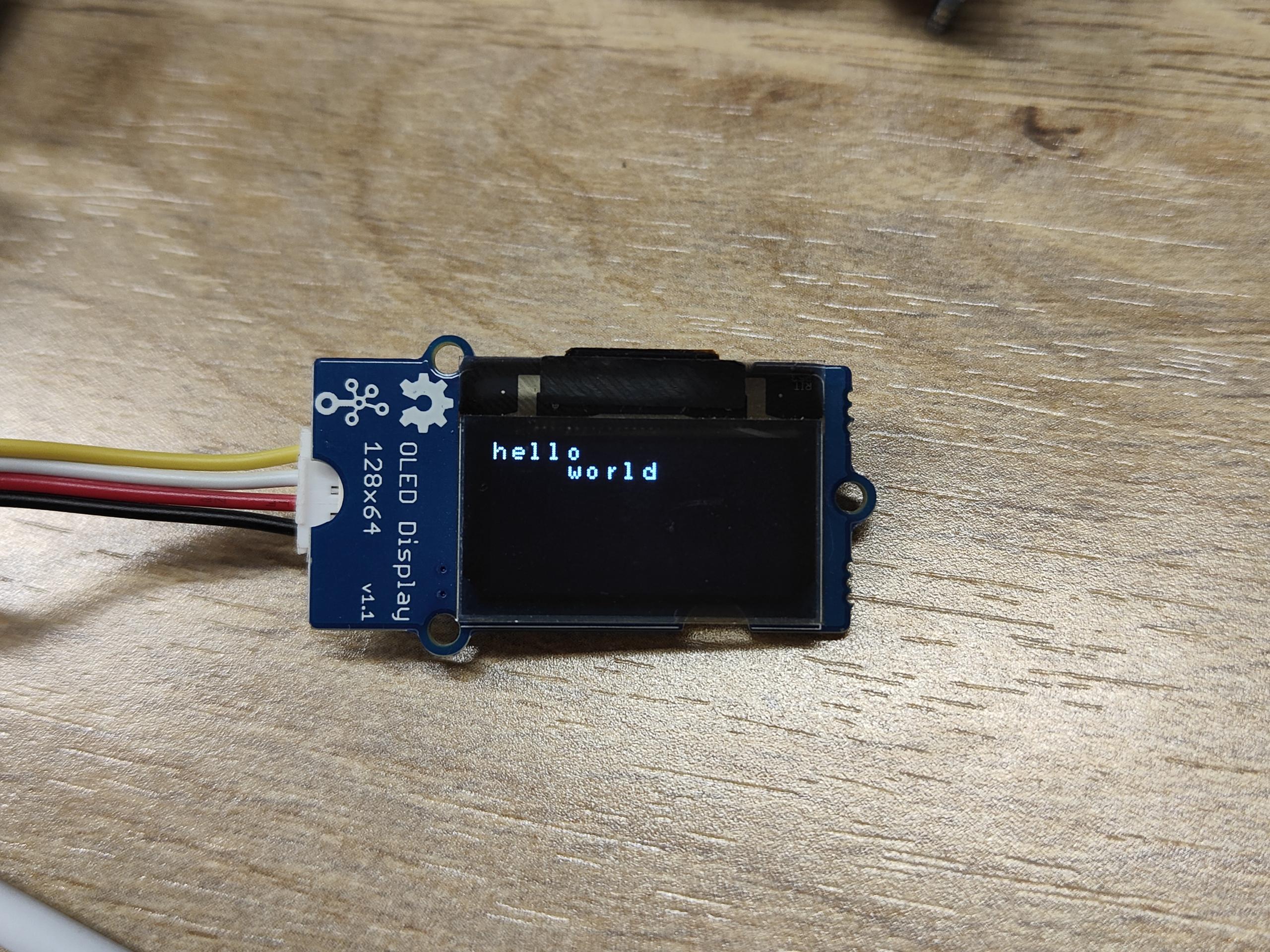
Si usas la herramienta I2C para escanear la dirección I2C del módulo Grove, puedes encontrar dos o más direcciones. 0x04 es la dirección del Grove Base Hat para Raspberry Pi.
Jugar con Raspberry Pi (con GrovePi_Plus)
El script de Python para BeagleBone Green a continuación también funciona para Raspberry Pi, pero el bus I2C es diferente. En Raspberry Pi 2/3, el bus I2C es 1. El script cambiando bus=2 a bus=1 funcionará en Pi.
Hardware
- Paso 1. Prepara los siguientes elementos:
| Raspberry pi | GrovePi_Plus | Grove - OLED Display 0.96 inch |
|---|---|---|
|
|
|
| Obtener Uno Ahora | Obtener Uno Ahora | Obtener Uno Ahora |
- Paso 2. Conecta el GrovePi_Plus al Raspberry.
- Paso 3. Conecta Grove - OLED Display 0.96 inch al puerto I2C-2 del GrovePi_Plus.
- Paso 4. Conecta el Raspberry a la PC a través del cable USB.

Software
-
Paso 1. Sigue Setting Software para configurar el entorno de desarrollo.
-
Paso 2. Navega al directorio de demos:
cd yourpath/GrovePi/Software/Python/
- Paso 3. Para ver el código
nano Grove-OLED_Display_0.96inch.py # "Ctrl+x" to exit #
import time
import smbus2 as smbus

_COMMAND_MODE = 0x80
_DATA_MODE = 0x40
_NORMAL_DISPLAY = 0xA6

_DISPLAY_OFF = 0xAE
_DISPLAY_ON = 0xAF
_INVERSE_DISPLAY = 0xA7
_SET_BRIGHTNESS = 0x81


BasicFont = [[0x00, 0x00, 0x00, 0x00, 0x00, 0x00, 0x00, 0x00],
             [0x00, 0x00, 0x5F, 0x00, 0x00, 0x00, 0x00, 0x00],
             [0x00, 0x00, 0x07, 0x00, 0x07, 0x00, 0x00, 0x00],
             [0x00, 0x14, 0x7F, 0x14, 0x7F, 0x14, 0x00, 0x00],
             [0x00, 0x24, 0x2A, 0x7F, 0x2A, 0x12, 0x00, 0x00],
             [0x00, 0x23, 0x13, 0x08, 0x64, 0x62, 0x00, 0x00],
             [0x00, 0x36, 0x49, 0x55, 0x22, 0x50, 0x00, 0x00],
             [0x00, 0x00, 0x05, 0x03, 0x00, 0x00, 0x00, 0x00],
             [0x00, 0x1C, 0x22, 0x41, 0x00, 0x00, 0x00, 0x00],
             [0x00, 0x41, 0x22, 0x1C, 0x00, 0x00, 0x00, 0x00],
             [0x00, 0x08, 0x2A, 0x1C, 0x2A, 0x08, 0x00, 0x00],
             [0x00, 0x08, 0x08, 0x3E, 0x08, 0x08, 0x00, 0x00],
             [0x00, 0xA0, 0x60, 0x00, 0x00, 0x00, 0x00, 0x00],
             [0x00, 0x08, 0x08, 0x08, 0x08, 0x08, 0x00, 0x00],
             [0x00, 0x60, 0x60, 0x00, 0x00, 0x00, 0x00, 0x00],
             [0x00, 0x20, 0x10, 0x08, 0x04, 0x02, 0x00, 0x00],
             [0x00, 0x3E, 0x51, 0x49, 0x45, 0x3E, 0x00, 0x00],
             [0x00, 0x00, 0x42, 0x7F, 0x40, 0x00, 0x00, 0x00],
             [0x00, 0x62, 0x51, 0x49, 0x49, 0x46, 0x00, 0x00],
             [0x00, 0x22, 0x41, 0x49, 0x49, 0x36, 0x00, 0x00],
             [0x00, 0x18, 0x14, 0x12, 0x7F, 0x10, 0x00, 0x00],
             [0x00, 0x27, 0x45, 0x45, 0x45, 0x39, 0x00, 0x00],
             [0x00, 0x3C, 0x4A, 0x49, 0x49, 0x30, 0x00, 0x00],
             [0x00, 0x01, 0x71, 0x09, 0x05, 0x03, 0x00, 0x00],
             [0x00, 0x36, 0x49, 0x49, 0x49, 0x36, 0x00, 0x00],
             [0x00, 0x06, 0x49, 0x49, 0x29, 0x1E, 0x00, 0x00],
             [0x00, 0x00, 0x36, 0x36, 0x00, 0x00, 0x00, 0x00],
             [0x00, 0x00, 0xAC, 0x6C, 0x00, 0x00, 0x00, 0x00],
             [0x00, 0x08, 0x14, 0x22, 0x41, 0x00, 0x00, 0x00],
             [0x00, 0x14, 0x14, 0x14, 0x14, 0x14, 0x00, 0x00],
             [0x00, 0x41, 0x22, 0x14, 0x08, 0x00, 0x00, 0x00],
             [0x00, 0x02, 0x01, 0x51, 0x09, 0x06, 0x00, 0x00],
             [0x00, 0x32, 0x49, 0x79, 0x41, 0x3E, 0x00, 0x00],
             [0x00, 0x7E, 0x09, 0x09, 0x09, 0x7E, 0x00, 0x00],
             [0x00, 0x7F, 0x49, 0x49, 0x49, 0x36, 0x00, 0x00],
             [0x00, 0x3E, 0x41, 0x41, 0x41, 0x22, 0x00, 0x00],
             [0x00, 0x7F, 0x41, 0x41, 0x22, 0x1C, 0x00, 0x00],
             [0x00, 0x7F, 0x49, 0x49, 0x49, 0x41, 0x00, 0x00],
             [0x00, 0x7F, 0x09, 0x09, 0x09, 0x01, 0x00, 0x00],
             [0x00, 0x3E, 0x41, 0x41, 0x51, 0x72, 0x00, 0x00],
             [0x00, 0x7F, 0x08, 0x08, 0x08, 0x7F, 0x00, 0x00],
             [0x00, 0x41, 0x7F, 0x41, 0x00, 0x00, 0x00, 0x00],
             [0x00, 0x20, 0x40, 0x41, 0x3F, 0x01, 0x00, 0x00],
             [0x00, 0x7F, 0x08, 0x14, 0x22, 0x41, 0x00, 0x00],
             [0x00, 0x7F, 0x40, 0x40, 0x40, 0x40, 0x00, 0x00],
             [0x00, 0x7F, 0x02, 0x0C, 0x02, 0x7F, 0x00, 0x00],
             [0x00, 0x7F, 0x04, 0x08, 0x10, 0x7F, 0x00, 0x00],
             [0x00, 0x3E, 0x41, 0x41, 0x41, 0x3E, 0x00, 0x00],
             [0x00, 0x7F, 0x09, 0x09, 0x09, 0x06, 0x00, 0x00],
             [0x00, 0x3E, 0x41, 0x51, 0x21, 0x5E, 0x00, 0x00],
             [0x00, 0x7F, 0x09, 0x19, 0x29, 0x46, 0x00, 0x00],
             [0x00, 0x26, 0x49, 0x49, 0x49, 0x32, 0x00, 0x00],
             [0x00, 0x01, 0x01, 0x7F, 0x01, 0x01, 0x00, 0x00],
             [0x00, 0x3F, 0x40, 0x40, 0x40, 0x3F, 0x00, 0x00],
             [0x00, 0x1F, 0x20, 0x40, 0x20, 0x1F, 0x00, 0x00],
             [0x00, 0x3F, 0x40, 0x38, 0x40, 0x3F, 0x00, 0x00],
             [0x00, 0x63, 0x14, 0x08, 0x14, 0x63, 0x00, 0x00],
             [0x00, 0x03, 0x04, 0x78, 0x04, 0x03, 0x00, 0x00],
             [0x00, 0x61, 0x51, 0x49, 0x45, 0x43, 0x00, 0x00],
             [0x00, 0x7F, 0x41, 0x41, 0x00, 0x00, 0x00, 0x00],
             [0x00, 0x02, 0x04, 0x08, 0x10, 0x20, 0x00, 0x00],
             [0x00, 0x41, 0x41, 0x7F, 0x00, 0x00, 0x00, 0x00],
             [0x00, 0x04, 0x02, 0x01, 0x02, 0x04, 0x00, 0x00],
             [0x00, 0x80, 0x80, 0x80, 0x80, 0x80, 0x00, 0x00],
             [0x00, 0x01, 0x02, 0x04, 0x00, 0x00, 0x00, 0x00],
             [0x00, 0x20, 0x54, 0x54, 0x54, 0x78, 0x00, 0x00],
             [0x00, 0x7F, 0x48, 0x44, 0x44, 0x38, 0x00, 0x00],
             [0x00, 0x38, 0x44, 0x44, 0x28, 0x00, 0x00, 0x00],
             [0x00, 0x38, 0x44, 0x44, 0x48, 0x7F, 0x00, 0x00],
             [0x00, 0x38, 0x54, 0x54, 0x54, 0x18, 0x00, 0x00],
             [0x00, 0x08, 0x7E, 0x09, 0x02, 0x00, 0x00, 0x00],
             [0x00, 0x18, 0xA4, 0xA4, 0xA4, 0x7C, 0x00, 0x00],
             [0x00, 0x7F, 0x08, 0x04, 0x04, 0x78, 0x00, 0x00],
             [0x00, 0x00, 0x7D, 0x00, 0x00, 0x00, 0x00, 0x00],
             [0x00, 0x80, 0x84, 0x7D, 0x00, 0x00, 0x00, 0x00],
             [0x00, 0x7F, 0x10, 0x28, 0x44, 0x00, 0x00, 0x00],
             [0x00, 0x41, 0x7F, 0x40, 0x00, 0x00, 0x00, 0x00],
             [0x00, 0x7C, 0x04, 0x18, 0x04, 0x78, 0x00, 0x00],
             [0x00, 0x7C, 0x08, 0x04, 0x7C, 0x00, 0x00, 0x00],
             [0x00, 0x38, 0x44, 0x44, 0x38, 0x00, 0x00, 0x00],
             [0x00, 0xFC, 0x24, 0x24, 0x18, 0x00, 0x00, 0x00],
             [0x00, 0x18, 0x24, 0x24, 0xFC, 0x00, 0x00, 0x00],
             [0x00, 0x00, 0x7C, 0x08, 0x04, 0x00, 0x00, 0x00],
             [0x00, 0x48, 0x54, 0x54, 0x24, 0x00, 0x00, 0x00],
             [0x00, 0x04, 0x7F, 0x44, 0x00, 0x00, 0x00, 0x00],
             [0x00, 0x3C, 0x40, 0x40, 0x7C, 0x00, 0x00, 0x00],
             [0x00, 0x1C, 0x20, 0x40, 0x20, 0x1C, 0x00, 0x00],
             [0x00, 0x3C, 0x40, 0x30, 0x40, 0x3C, 0x00, 0x00],
             [0x00, 0x44, 0x28, 0x10, 0x28, 0x44, 0x00, 0x00],
             [0x00, 0x1C, 0xA0, 0xA0, 0x7C, 0x00, 0x00, 0x00],
             [0x00, 0x44, 0x64, 0x54, 0x4C, 0x44, 0x00, 0x00],
             [0x00, 0x08, 0x36, 0x41, 0x00, 0x00, 0x00, 0x00],
             [0x00, 0x00, 0x7F, 0x00, 0x00, 0x00, 0x00, 0x00],
             [0x00, 0x41, 0x36, 0x08, 0x00, 0x00, 0x00, 0x00],
             [0x00, 0x02, 0x01, 0x01, 0x02, 0x01, 0x00, 0x00],
             [0x00, 0x02, 0x05, 0x05, 0x02, 0x00, 0x00, 0x00]]


class GroveOledDisplay128x64(object):
    HORIZONTAL = 0x00
    VERTICAL = 0x01
    PAGE = 0x02

    def __init__(self, bus=2, address=0x3C):
        self.bus = smbus.SMBus(bus)
        self.address = address

        self.off()
        self.inverse = False
        self.mode = self.HORIZONTAL

        self.clear()
        self.on()

    def on(self):
        self.send_command(_DISPLAY_ON)

    def off(self):
        self.send_command(_DISPLAY_OFF)

    def send_command(self, command):
        self.bus.write_byte_data(self.address, _COMMAND_MODE, command)

    def send_data(self, data):
        self.bus.write_byte_data(self.address, _DATA_MODE, data)

    def send_commands(self, commands):
        for c in commands:
            self.send_command(c)

    def clear(self):
        self.off()
        for i in range(8):
            self.set_cursor(i, 0)
            self.puts(' ' * 16)

        self.on()
        self.set_cursor(0, 0)

    @property
    def inverse(self):
        return self._inverse

    @inverse.setter
    def inverse(self, enable):
        self.send_command(_INVERSE_DISPLAY if enable else _NORMAL_DISPLAY)
        self._inverse = enable

    @property
    def mode(self):
        return self._mode

    @mode.setter
    def mode(self, mode):
        self.send_command(0x20)
        self.send_command(mode)
        self._mode = mode

    def set_cursor(self, row, column):
        self.send_command(0xB0 + row)
        self.send_command(0x00 + (8*column & 0x0F))
        self.send_command(0x10 + ((8*column>>4)&0x0F))

    def putc(self, c):
        C_add = ord(c)
        if C_add < 32 or C_add > 127:     # Ignore non-printable ASCII characters
            c = ' '
            C_add = ord(c)

        for i in range(0, 8):
            self.send_data(BasicFont[C_add-32][i])

    def puts(self, text):
        for c in text:
            self.putc(c)

    def show_image(self, image):
        from PIL import Image
        import numpy as np

        im = Image.open(image)

        bw = im.convert('1')
        pixels = np.array(bw.getdata())
        page_size = 128 * 8

        self.set_cursor(0, 0)
        for page in range(8):
            start = page_size * page
            end = start + page_size

            for i in range(start, start + 128):
                data = np.packbits(pixels[i:end:128][::-1])[0]
                self.send_data(data)


if __name__ == "__main__":
    display = GroveOledDisplay128x64(bus=1)

    display.set_cursor(0, 0)
    display.puts('hello')
    display.set_cursor(1, 4)
    display.puts('world')
-
Paso 4: Instalar la librería smbus2
sudo pip install smbus2 -
Paso 5: Ejecutar el código. Encontraremos que el Grove - OLED muestra "Hello World".
sudo python Grove-OLED_Display_0.96inch.py
Jugar con Beaglebone Green
Para comenzar a editar programas que residen en BBG, puedes usar el Cloud9 IDE y consultar Beaglebone Green Wiki.
Aquí están los pasos de cómo mostrar "Hello World" en OLED.
Hardware
- Paso 1. Conectar Grove - OLED al socket Grove I2C en BBG.
- Paso 2. Conectar Seeeduino a PC mediante un cable USB.
Software
- Paso 1: Hacer clic en el "+" en la esquina superior derecha para crear un nuevo archivo.


- Paso 2: Copiar y pegar el siguiente código en la nueva pestaña
import time
import smbus2 as smbus

_COMMAND_MODE = 0x80
_DATA_MODE = 0x40
_NORMAL_DISPLAY = 0xA6

_DISPLAY_OFF = 0xAE
_DISPLAY_ON = 0xAF
_INVERSE_DISPLAY = 0xA7
_SET_BRIGHTNESS = 0x81


BasicFont = [[0x00, 0x00, 0x00, 0x00, 0x00, 0x00, 0x00, 0x00],
             [0x00, 0x00, 0x5F, 0x00, 0x00, 0x00, 0x00, 0x00],
             [0x00, 0x00, 0x07, 0x00, 0x07, 0x00, 0x00, 0x00],
             [0x00, 0x14, 0x7F, 0x14, 0x7F, 0x14, 0x00, 0x00],
             [0x00, 0x24, 0x2A, 0x7F, 0x2A, 0x12, 0x00, 0x00],
             [0x00, 0x23, 0x13, 0x08, 0x64, 0x62, 0x00, 0x00],
             [0x00, 0x36, 0x49, 0x55, 0x22, 0x50, 0x00, 0x00],
             [0x00, 0x00, 0x05, 0x03, 0x00, 0x00, 0x00, 0x00],
             [0x00, 0x1C, 0x22, 0x41, 0x00, 0x00, 0x00, 0x00],
             [0x00, 0x41, 0x22, 0x1C, 0x00, 0x00, 0x00, 0x00],
             [0x00, 0x08, 0x2A, 0x1C, 0x2A, 0x08, 0x00, 0x00],
             [0x00, 0x08, 0x08, 0x3E, 0x08, 0x08, 0x00, 0x00],
             [0x00, 0xA0, 0x60, 0x00, 0x00, 0x00, 0x00, 0x00],
             [0x00, 0x08, 0x08, 0x08, 0x08, 0x08, 0x00, 0x00],
             [0x00, 0x60, 0x60, 0x00, 0x00, 0x00, 0x00, 0x00],
             [0x00, 0x20, 0x10, 0x08, 0x04, 0x02, 0x00, 0x00],
             [0x00, 0x3E, 0x51, 0x49, 0x45, 0x3E, 0x00, 0x00],
             [0x00, 0x00, 0x42, 0x7F, 0x40, 0x00, 0x00, 0x00],
             [0x00, 0x62, 0x51, 0x49, 0x49, 0x46, 0x00, 0x00],
             [0x00, 0x22, 0x41, 0x49, 0x49, 0x36, 0x00, 0x00],
             [0x00, 0x18, 0x14, 0x12, 0x7F, 0x10, 0x00, 0x00],
             [0x00, 0x27, 0x45, 0x45, 0x45, 0x39, 0x00, 0x00],
             [0x00, 0x3C, 0x4A, 0x49, 0x49, 0x30, 0x00, 0x00],
             [0x00, 0x01, 0x71, 0x09, 0x05, 0x03, 0x00, 0x00],
             [0x00, 0x36, 0x49, 0x49, 0x49, 0x36, 0x00, 0x00],
             [0x00, 0x06, 0x49, 0x49, 0x29, 0x1E, 0x00, 0x00],
             [0x00, 0x00, 0x36, 0x36, 0x00, 0x00, 0x00, 0x00],
             [0x00, 0x00, 0xAC, 0x6C, 0x00, 0x00, 0x00, 0x00],
             [0x00, 0x08, 0x14, 0x22, 0x41, 0x00, 0x00, 0x00],
             [0x00, 0x14, 0x14, 0x14, 0x14, 0x14, 0x00, 0x00],
             [0x00, 0x41, 0x22, 0x14, 0x08, 0x00, 0x00, 0x00],
             [0x00, 0x02, 0x01, 0x51, 0x09, 0x06, 0x00, 0x00],
             [0x00, 0x32, 0x49, 0x79, 0x41, 0x3E, 0x00, 0x00],
             [0x00, 0x7E, 0x09, 0x09, 0x09, 0x7E, 0x00, 0x00],
             [0x00, 0x7F, 0x49, 0x49, 0x49, 0x36, 0x00, 0x00],
             [0x00, 0x3E, 0x41, 0x41, 0x41, 0x22, 0x00, 0x00],
             [0x00, 0x7F, 0x41, 0x41, 0x22, 0x1C, 0x00, 0x00],
             [0x00, 0x7F, 0x49, 0x49, 0x49, 0x41, 0x00, 0x00],
             [0x00, 0x7F, 0x09, 0x09, 0x09, 0x01, 0x00, 0x00],
             [0x00, 0x3E, 0x41, 0x41, 0x51, 0x72, 0x00, 0x00],
             [0x00, 0x7F, 0x08, 0x08, 0x08, 0x7F, 0x00, 0x00],
             [0x00, 0x41, 0x7F, 0x41, 0x00, 0x00, 0x00, 0x00],
             [0x00, 0x20, 0x40, 0x41, 0x3F, 0x01, 0x00, 0x00],
             [0x00, 0x7F, 0x08, 0x14, 0x22, 0x41, 0x00, 0x00],
             [0x00, 0x7F, 0x40, 0x40, 0x40, 0x40, 0x00, 0x00],
             [0x00, 0x7F, 0x02, 0x0C, 0x02, 0x7F, 0x00, 0x00],
             [0x00, 0x7F, 0x04, 0x08, 0x10, 0x7F, 0x00, 0x00],
             [0x00, 0x3E, 0x41, 0x41, 0x41, 0x3E, 0x00, 0x00],
             [0x00, 0x7F, 0x09, 0x09, 0x09, 0x06, 0x00, 0x00],
             [0x00, 0x3E, 0x41, 0x51, 0x21, 0x5E, 0x00, 0x00],
             [0x00, 0x7F, 0x09, 0x19, 0x29, 0x46, 0x00, 0x00],
             [0x00, 0x26, 0x49, 0x49, 0x49, 0x32, 0x00, 0x00],
             [0x00, 0x01, 0x01, 0x7F, 0x01, 0x01, 0x00, 0x00],
             [0x00, 0x3F, 0x40, 0x40, 0x40, 0x3F, 0x00, 0x00],
             [0x00, 0x1F, 0x20, 0x40, 0x20, 0x1F, 0x00, 0x00],
             [0x00, 0x3F, 0x40, 0x38, 0x40, 0x3F, 0x00, 0x00],
             [0x00, 0x63, 0x14, 0x08, 0x14, 0x63, 0x00, 0x00],
             [0x00, 0x03, 0x04, 0x78, 0x04, 0x03, 0x00, 0x00],
             [0x00, 0x61, 0x51, 0x49, 0x45, 0x43, 0x00, 0x00],
             [0x00, 0x7F, 0x41, 0x41, 0x00, 0x00, 0x00, 0x00],
             [0x00, 0x02, 0x04, 0x08, 0x10, 0x20, 0x00, 0x00],
             [0x00, 0x41, 0x41, 0x7F, 0x00, 0x00, 0x00, 0x00],
             [0x00, 0x04, 0x02, 0x01, 0x02, 0x04, 0x00, 0x00],
             [0x00, 0x80, 0x80, 0x80, 0x80, 0x80, 0x00, 0x00],
             [0x00, 0x01, 0x02, 0x04, 0x00, 0x00, 0x00, 0x00],
             [0x00, 0x20, 0x54, 0x54, 0x54, 0x78, 0x00, 0x00],
             [0x00, 0x7F, 0x48, 0x44, 0x44, 0x38, 0x00, 0x00],
             [0x00, 0x38, 0x44, 0x44, 0x28, 0x00, 0x00, 0x00],
             [0x00, 0x38, 0x44, 0x44, 0x48, 0x7F, 0x00, 0x00],
             [0x00, 0x38, 0x54, 0x54, 0x54, 0x18, 0x00, 0x00],
             [0x00, 0x08, 0x7E, 0x09, 0x02, 0x00, 0x00, 0x00],
             [0x00, 0x18, 0xA4, 0xA4, 0xA4, 0x7C, 0x00, 0x00],
             [0x00, 0x7F, 0x08, 0x04, 0x04, 0x78, 0x00, 0x00],
             [0x00, 0x00, 0x7D, 0x00, 0x00, 0x00, 0x00, 0x00],
             [0x00, 0x80, 0x84, 0x7D, 0x00, 0x00, 0x00, 0x00],
             [0x00, 0x7F, 0x10, 0x28, 0x44, 0x00, 0x00, 0x00],
             [0x00, 0x41, 0x7F, 0x40, 0x00, 0x00, 0x00, 0x00],
             [0x00, 0x7C, 0x04, 0x18, 0x04, 0x78, 0x00, 0x00],
             [0x00, 0x7C, 0x08, 0x04, 0x7C, 0x00, 0x00, 0x00],
             [0x00, 0x38, 0x44, 0x44, 0x38, 0x00, 0x00, 0x00],
             [0x00, 0xFC, 0x24, 0x24, 0x18, 0x00, 0x00, 0x00],
             [0x00, 0x18, 0x24, 0x24, 0xFC, 0x00, 0x00, 0x00],
             [0x00, 0x00, 0x7C, 0x08, 0x04, 0x00, 0x00, 0x00],
             [0x00, 0x48, 0x54, 0x54, 0x24, 0x00, 0x00, 0x00],
             [0x00, 0x04, 0x7F, 0x44, 0x00, 0x00, 0x00, 0x00],
             [0x00, 0x3C, 0x40, 0x40, 0x7C, 0x00, 0x00, 0x00],
             [0x00, 0x1C, 0x20, 0x40, 0x20, 0x1C, 0x00, 0x00],
             [0x00, 0x3C, 0x40, 0x30, 0x40, 0x3C, 0x00, 0x00],
             [0x00, 0x44, 0x28, 0x10, 0x28, 0x44, 0x00, 0x00],
             [0x00, 0x1C, 0xA0, 0xA0, 0x7C, 0x00, 0x00, 0x00],
             [0x00, 0x44, 0x64, 0x54, 0x4C, 0x44, 0x00, 0x00],
             [0x00, 0x08, 0x36, 0x41, 0x00, 0x00, 0x00, 0x00],
             [0x00, 0x00, 0x7F, 0x00, 0x00, 0x00, 0x00, 0x00],
             [0x00, 0x41, 0x36, 0x08, 0x00, 0x00, 0x00, 0x00],
             [0x00, 0x02, 0x01, 0x01, 0x02, 0x01, 0x00, 0x00],
             [0x00, 0x02, 0x05, 0x05, 0x02, 0x00, 0x00, 0x00]]


class GroveOledDisplay128x64(object):
    HORIZONTAL = 0x00
    VERTICAL = 0x01
    PAGE = 0x02

    def __init__(self, bus=2, address=0x3C):
        self.bus = smbus.SMBus(bus)
        self.address = address

        self.off()
        self.inverse = False
        self.mode = self.HORIZONTAL

        self.clear()
        self.on()

    def on(self):
        self.send_command(_DISPLAY_ON)

    def off(self):
        self.send_command(_DISPLAY_OFF)

    def send_command(self, command):
        self.bus.write_byte_data(self.address, _COMMAND_MODE, command)

    def send_data(self, data):
        self.bus.write_byte_data(self.address, _DATA_MODE, data)

    def send_commands(self, commands):
        for c in commands:
            self.send_command(c)

    def clear(self):
        self.off()
        for i in range(8):
            self.set_cursor(i, 0)
            self.puts(' ' * 16)

        self.on()
        self.set_cursor(0, 0)

    @property
    def inverse(self):
        return self._inverse

    @inverse.setter
    def inverse(self, enable):
        self.send_command(_INVERSE_DISPLAY if enable else _NORMAL_DISPLAY)
        self._inverse = enable

    @property
    def mode(self):
        return self._mode

    @mode.setter
    def mode(self, mode):
        self.send_command(0x20)
        self.send_command(mode)
        self._mode = mode

    def set_cursor(self, row, column):
        self.send_command(0xB0 + row)
        self.send_command(0x00 + (8*column & 0x0F))
        self.send_command(0x10 + ((8*column>>4)&0x0F))

    def putc(self, c):
        C_add = ord(c)
        if C_add < 32 or C_add > 127:     # Ignore non-printable ASCII characters
            c = ' '
            C_add = ord(c)

        for i in range(0, 8):
            self.send_data(BasicFont[C_add-32][i])

    def puts(self, text):
        for c in text:
            self.putc(c)

    def show_image(self, image):
        from PIL import Image
        import numpy as np

        im = Image.open(image)

        bw = im.convert('1')
        pixels = np.array(bw.getdata())
        page_size = 128 * 8

        self.set_cursor(0, 0)
        for page in range(8):
            start = page_size * page
            end = start + page_size

            for i in range(start, start + 128):
                data = np.packbits(pixels[i:end:128][::-1])[0]
                self.send_data(data)


if __name__ == "__main__":
    display = GroveOledDisplay128x64(bus=2)

    display.set_cursor(0, 0)
    display.puts('hello')
    display.set_cursor(1, 4)
    display.puts('world')
-
Paso 3: Guarda el archivo haciendo clic en el icono del disco con la extensión .py.
-
Paso 4: Instala la librería smbus2
sudo pip3 install smbus2 -
Paso 5: Ejecuta el código. Encontraremos que el Grove - OLED muestra "Hello World".
sudo python3 Grove-OLED_Display_0.96inch.py
Visor de Esquemas en Línea
Recursos
-
[PDF] Esquema Grove-OLED128x64
-
[PDF] PCB Grove-OLED128x64
-
[Wiki] Wiki de Beaglebone Green
-
[Eagle] Grove-OLED128x64
-
[Librería] Librería GitHub para OLED
-
[Hoja de Datos] Recursos de SSD1308_1.0.pdf
-
[Hoja de Datos] Recursos de LY190-128064.pdf
Soporte Técnico y Discusión de Productos
¡Gracias por elegir nuestros productos! Estamos aquí para brindarte diferentes tipos de soporte para asegurar que tu experiencia con nuestros productos sea lo más fluida posible. Ofrecemos varios canales de comunicación para satisfacer diferentes preferencias y necesidades.