Firmware Update
SenseCAP ONE Weather Sensor Firmware Update
This firmware update is intended exclusively for the SenseCAP ONE V2 weather station.
V1 vs V2 Weather Stations
V1 and V2 weather stations can be identified by the SKU on the white label or by the base design.
Additionally, the USB Type-C port is located differently: on V1, it is on the same side as the white label, while on V2, it is on the opposite side.
| Product Name | V1 SKU | V2 SKU |
|---|---|---|
| S200 | None | 101991044 |
| S500 | 101990693 | 101991021 |
| S600-A | None | 101991232 |
| S700 | 101990787 | 101991022 |
| S700-A | None | 101991050 |
| S700-B | None | 101991102 |
| S700-C | None | 101991141 |
| S800 | None | 101991023 |
| S900 | 101990784 | None |
| S1000 | 101990902 | 101991024 |
SenseCAP ONE Configuration Tool
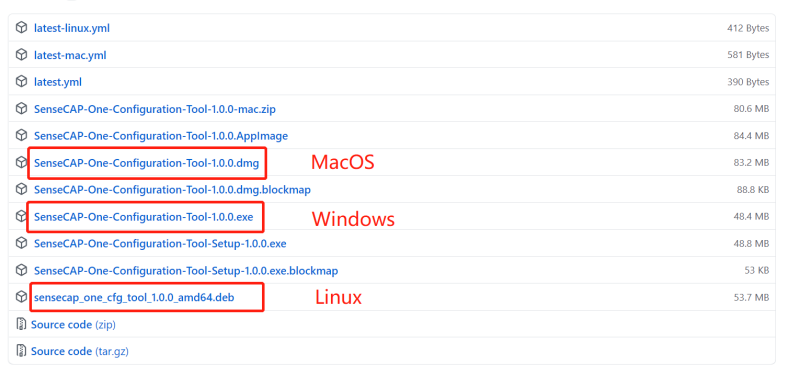
SenseCAP ONE Configuration Tool offers a graphical interface for you to configure the device. And you can download the tool from the GitHub link below:
<https://github.com/Seeed-Solution/SenseCAP-One-Configuration-Tool/releases>
Select the software for the respective operating system, Windows, macOS, or Linux based on your needs.
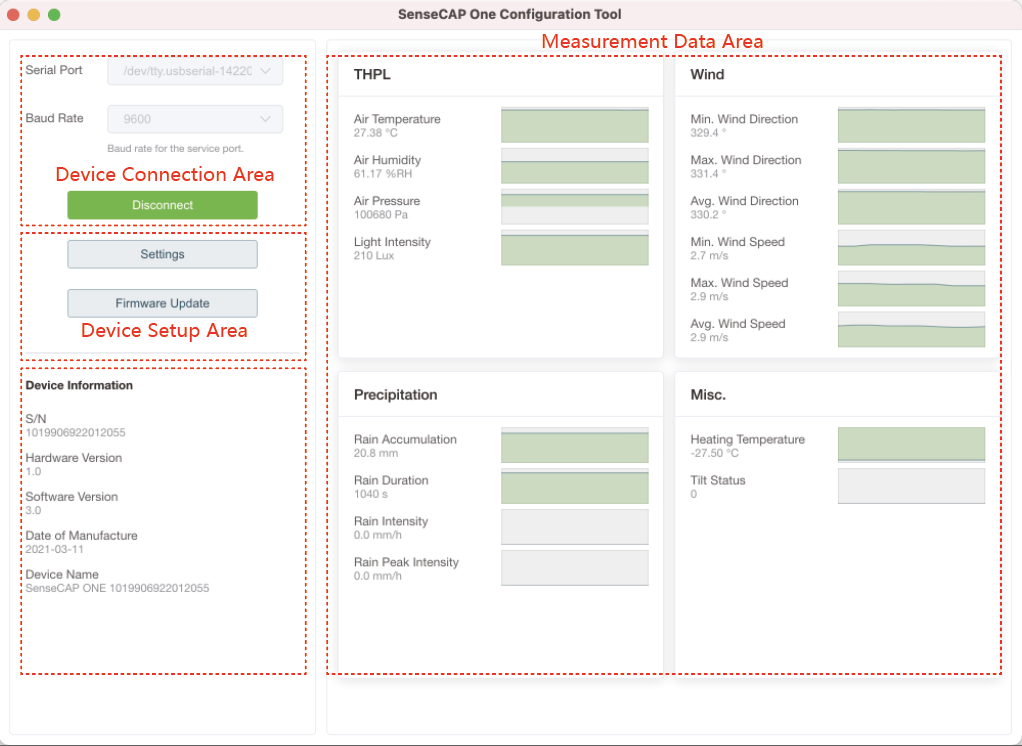
The next image shows the main interface of the SenseCAP ONE Configuration Tool.
Firmware Update Procedure
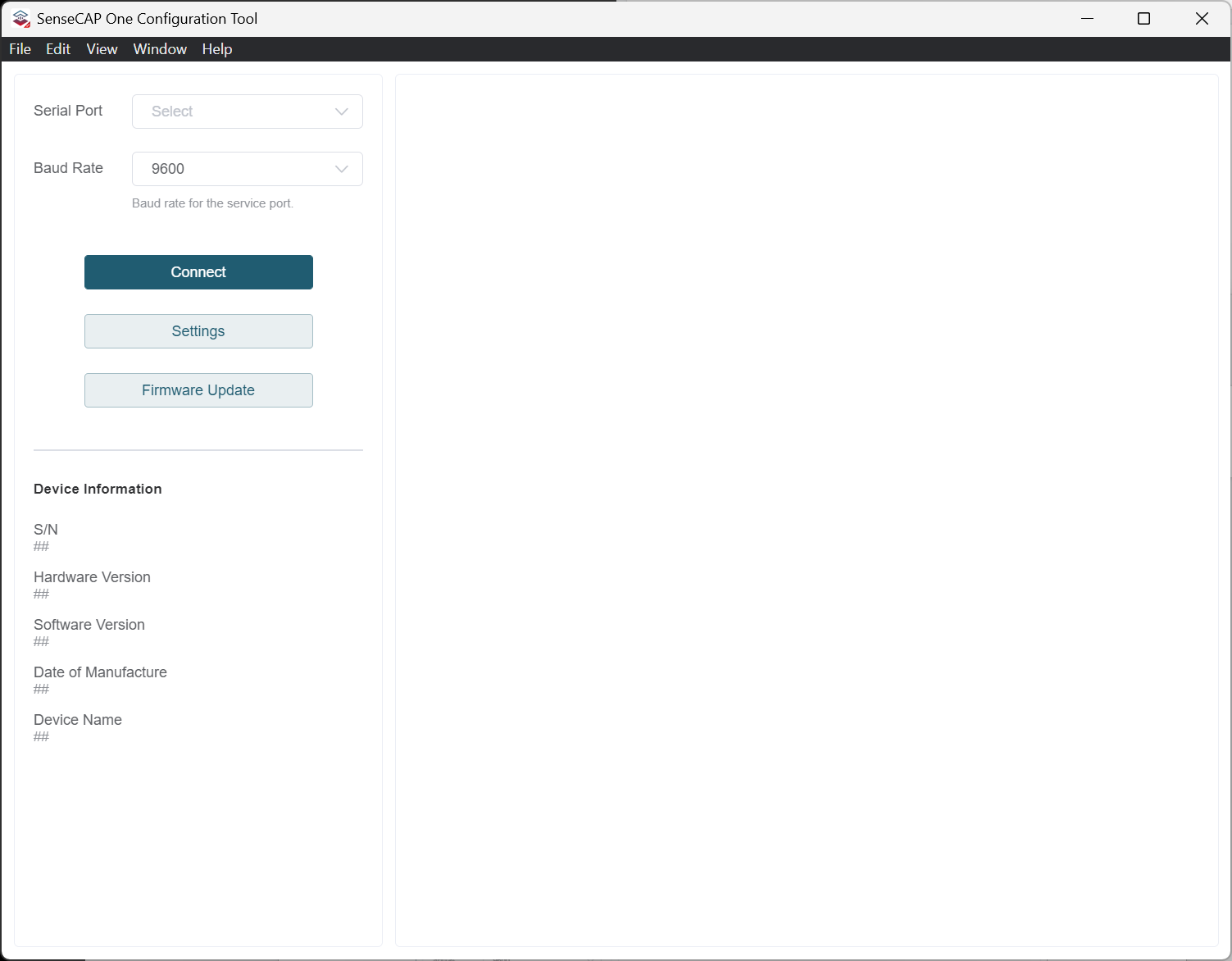
- Open
SenseCAP One Configuration Tool
-
Connect the device to your computer via the Type-C cable
-
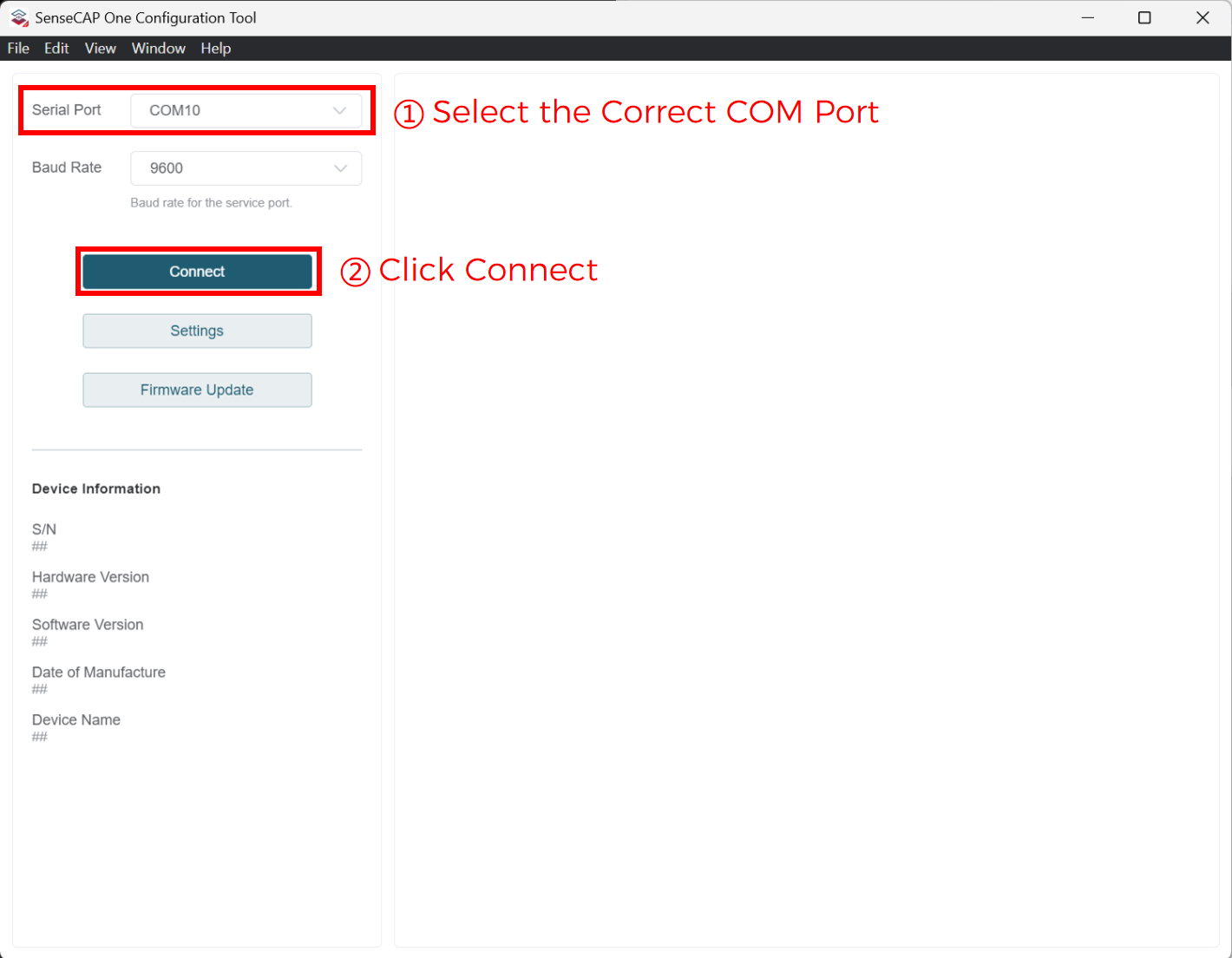
Open the software, select the correct
COMport for the device, and click"Connect"
- After connecting, click
"Firmware Update"
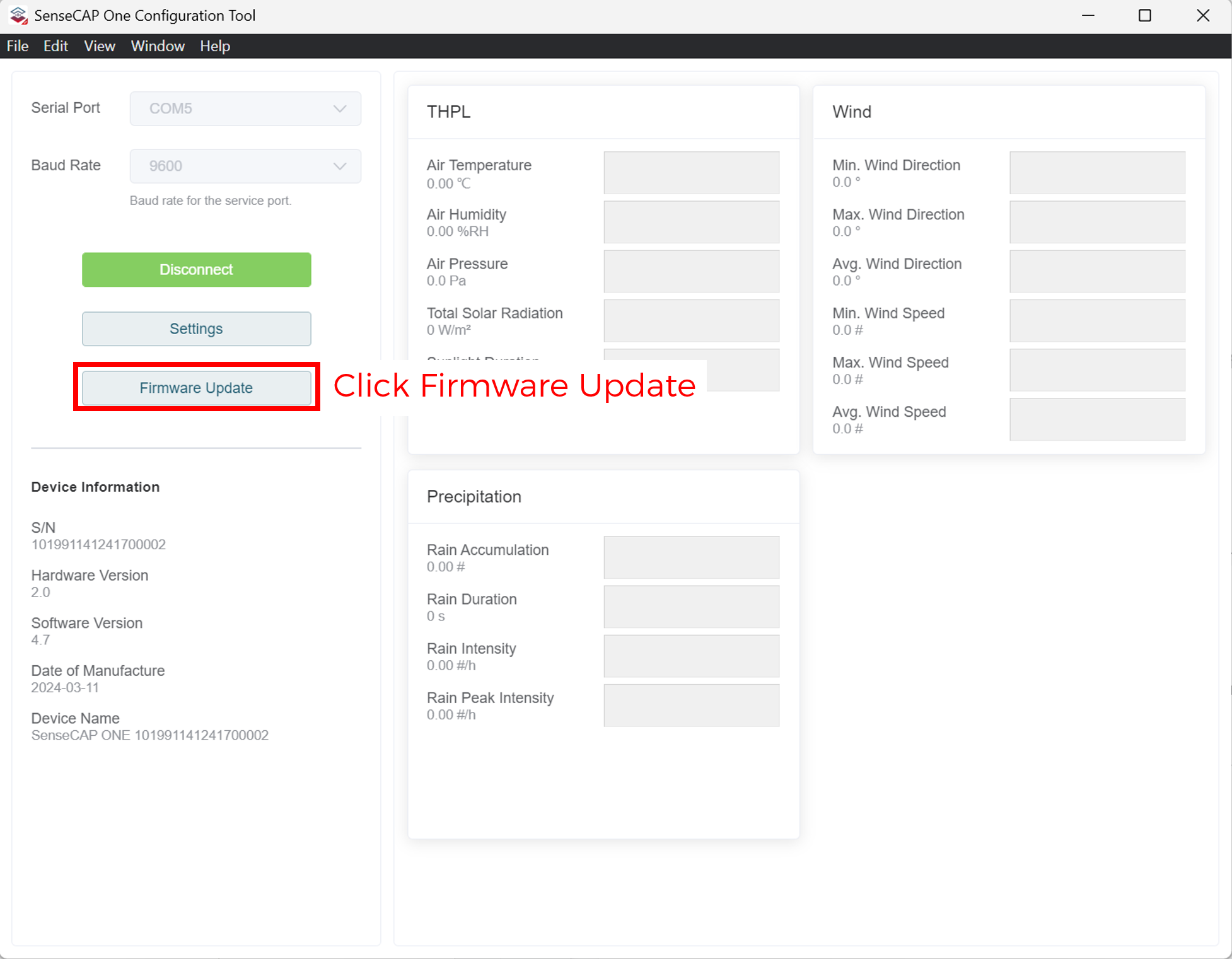
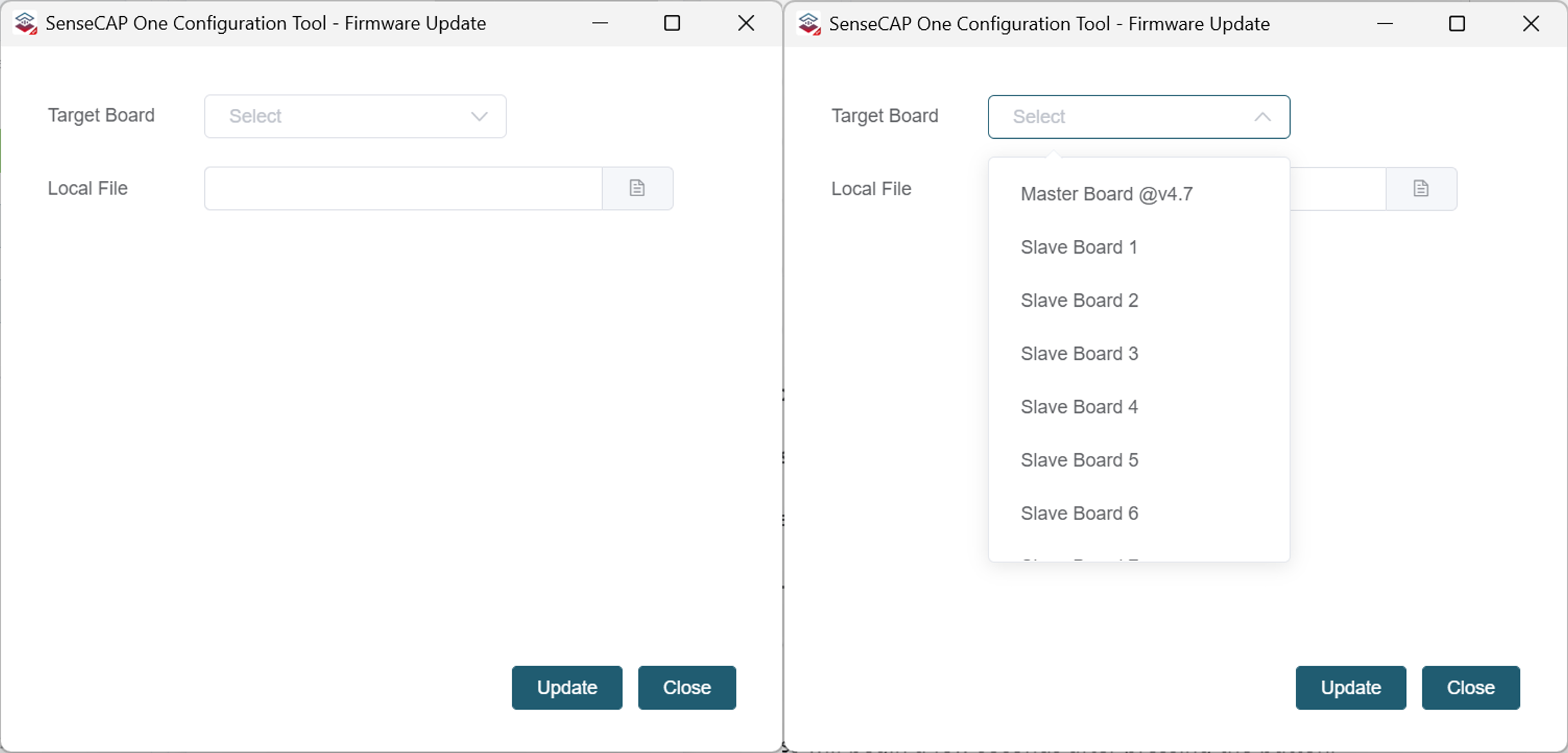
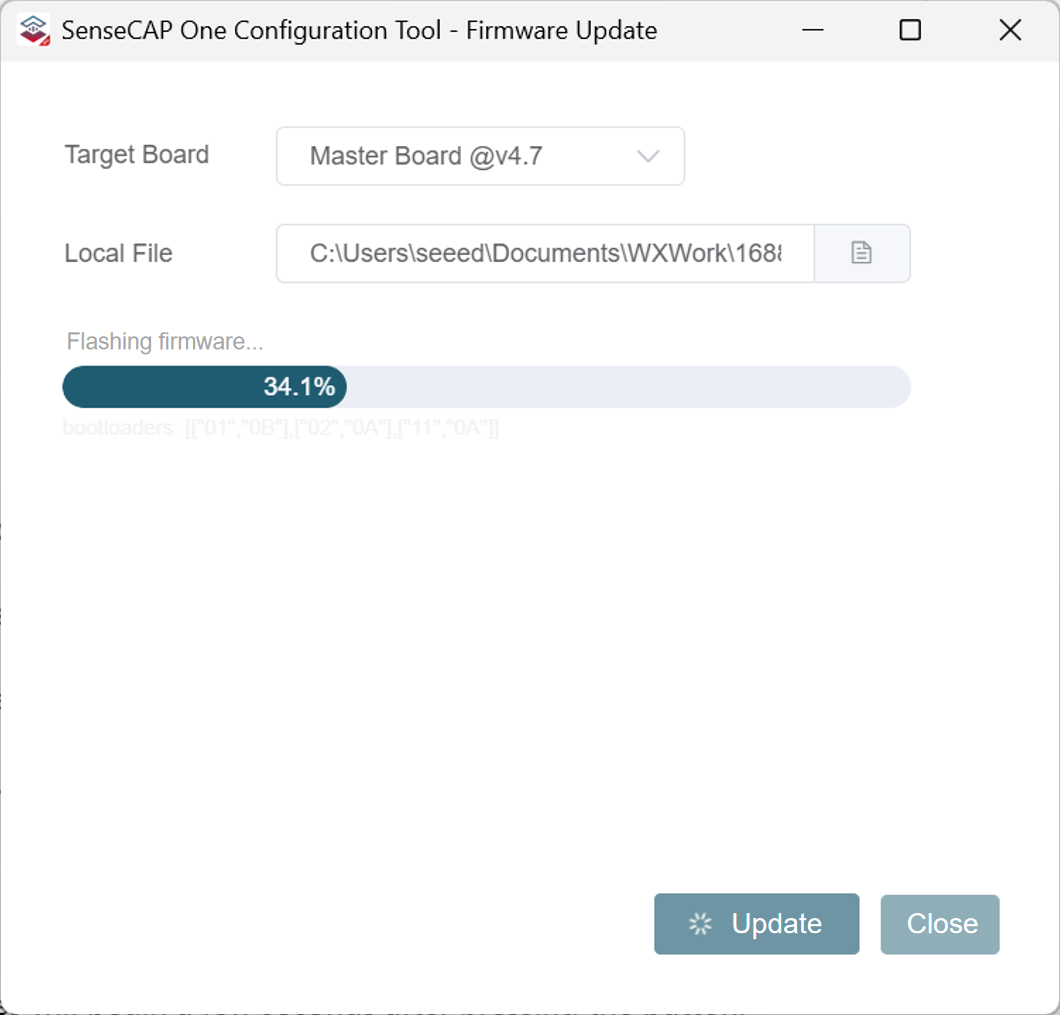
- Select the target board and the corresponding firmware file
- Select the
Master boardorSlave Board1
-
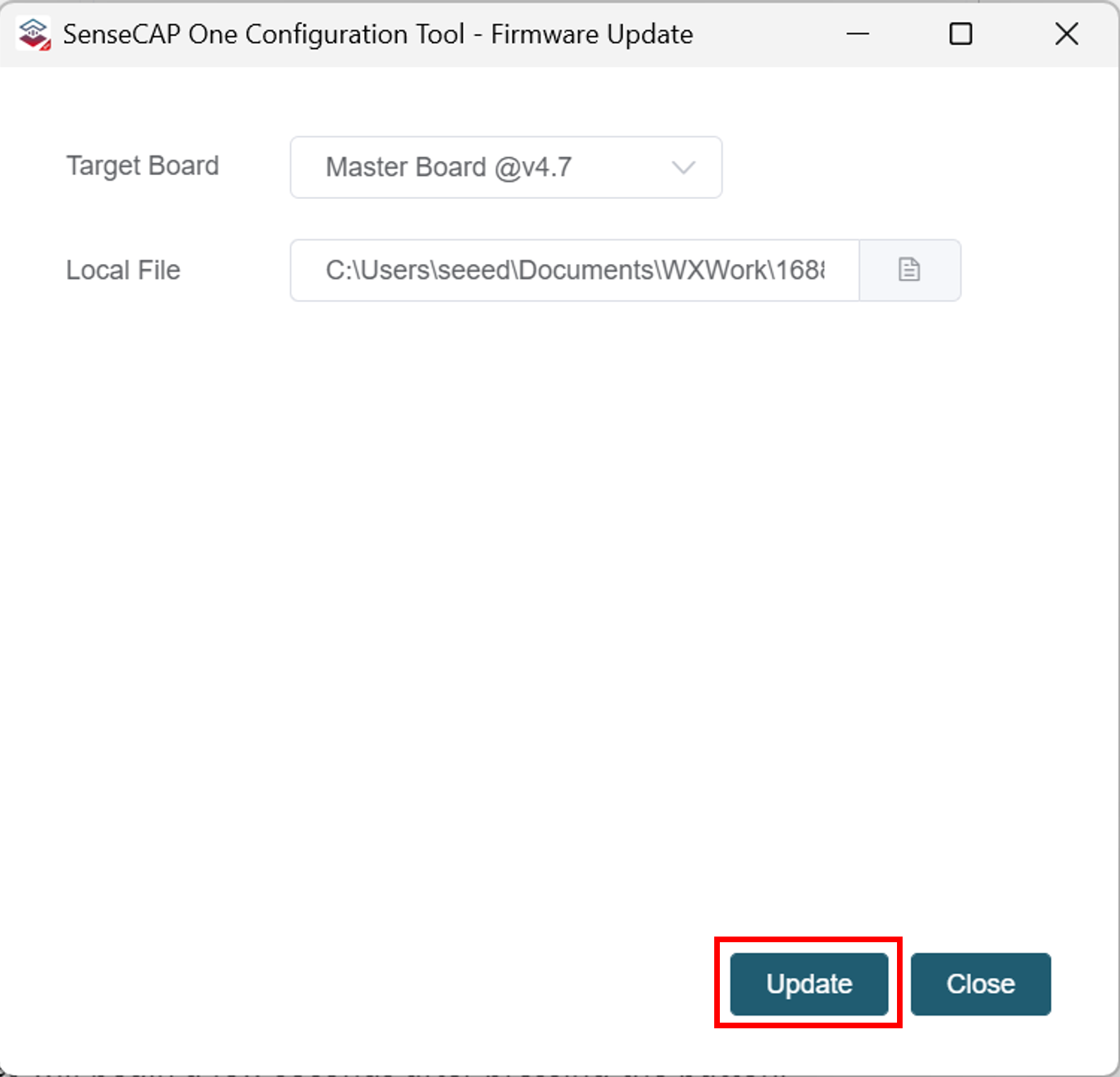
Click
"Local File"and browse to the firmware folder -
Click
"Update"
- Press the Reset button on the device (located next to the Type-C port) after clicking
"Update".
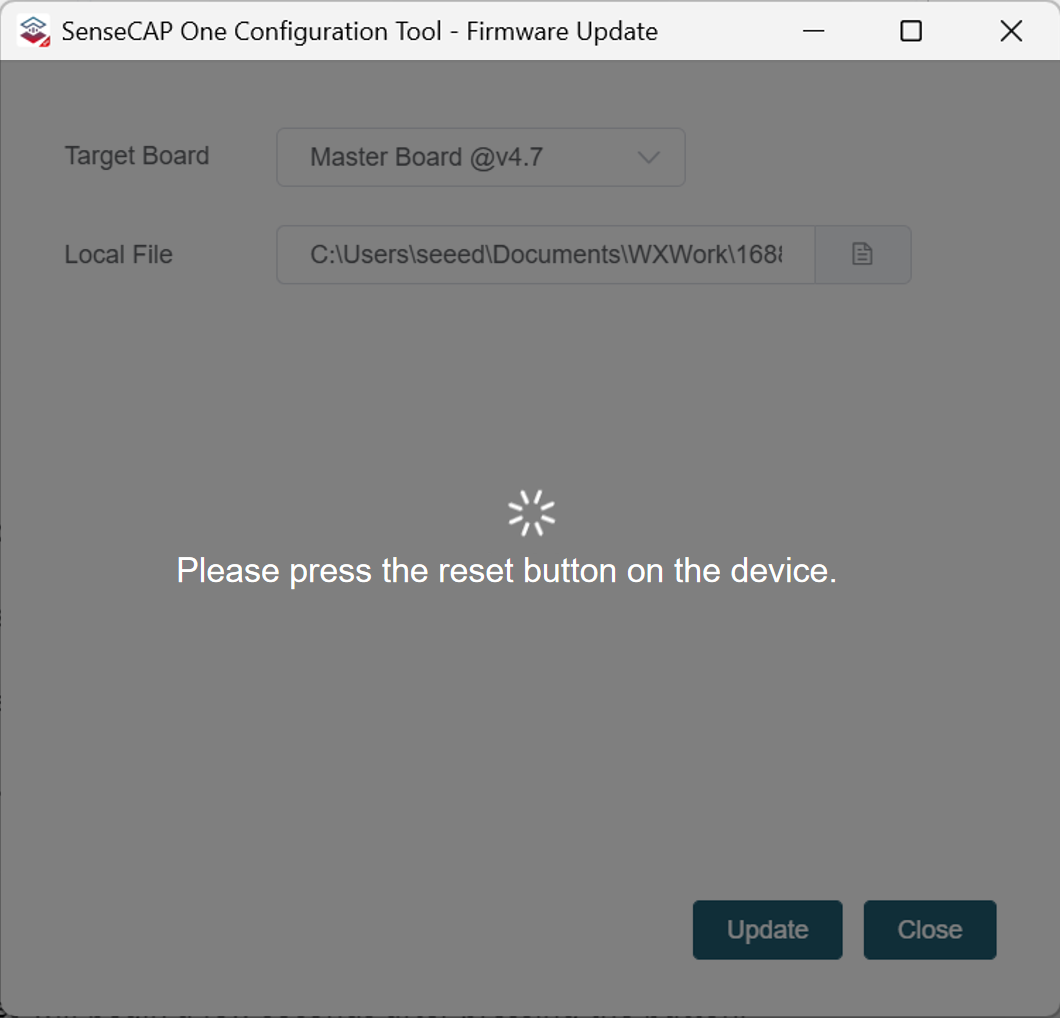
The update process will begin a few seconds after pressing the button.
- Once the update is complete, press the Reset button again, then click
"OK"on the screen.

-
Repeat the above steps to flash another firmware onto
Slave Board 1. -
Close the Firmware Update window after completion, Click
"Disconnect".
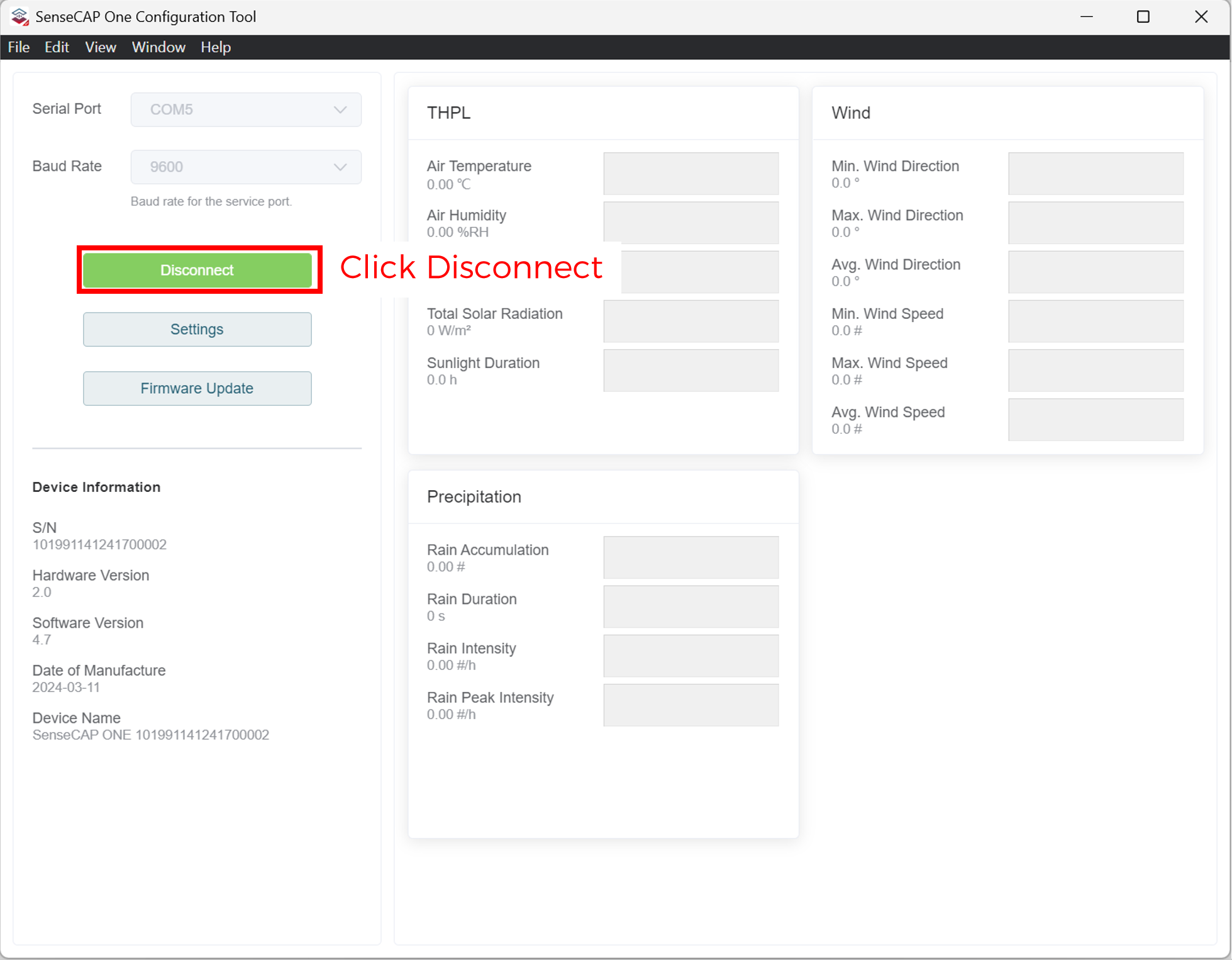
This completes all the firmware upgrade steps for the weather station.