Get Started with ESP32 MeshCore
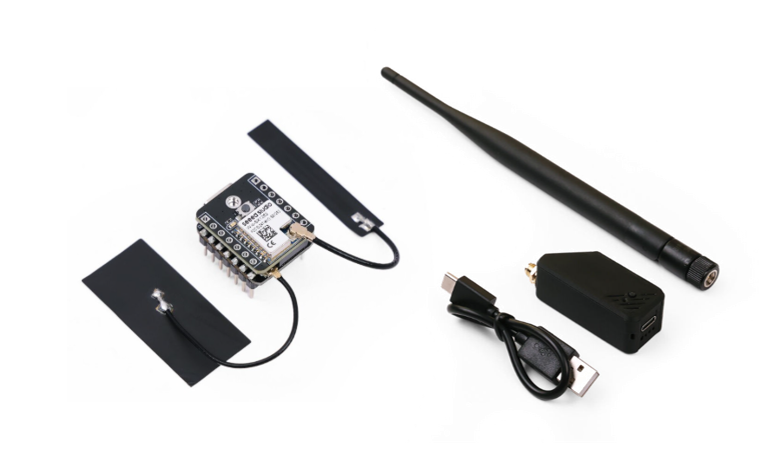
MeshCore is an open sourced system for enabling secure text based communications utilising LoRa Mes hardware. You can use MeshCore repeater and MeshCore companion node to build your MeshCore network. XIAO ESP32S3 & Wio-SX1262 Kit is flexible solution to develop a MeshCore node.
Firmware Flashing
Connect your device with a USB cable to the computer. Please make sure the cable supports data transmission.
Please keep the USB cable connected while the data transmission, or else the device can be damaged.
Go to the Meshcore Web Flasher.
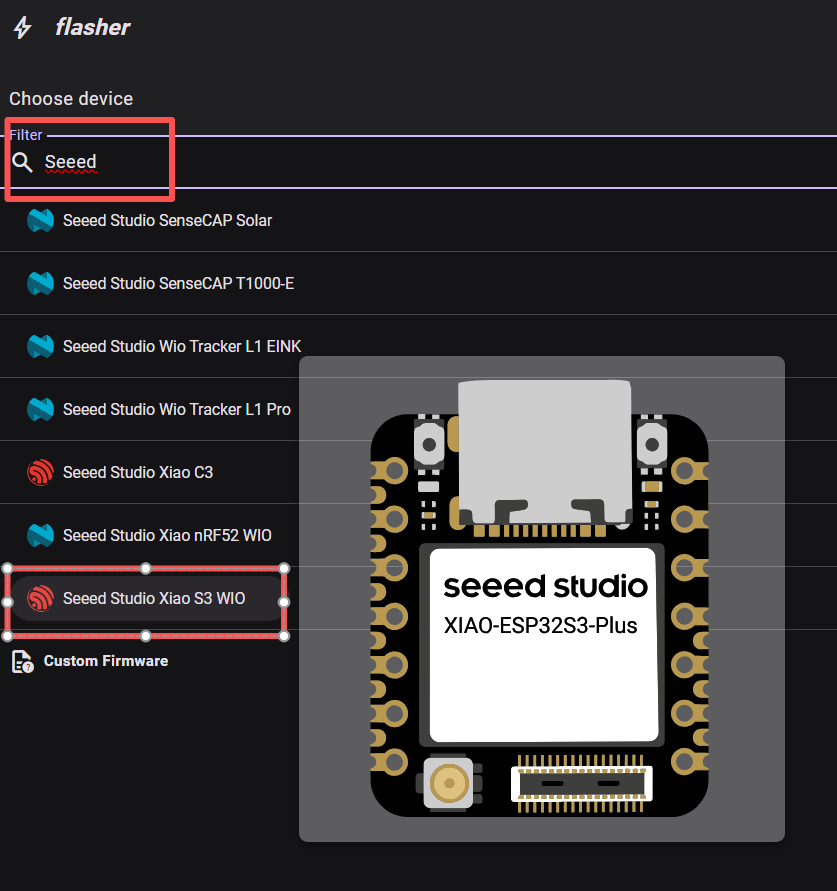
Choose Seeed Studio Xiao S3 Wio in the Community Firmware group.
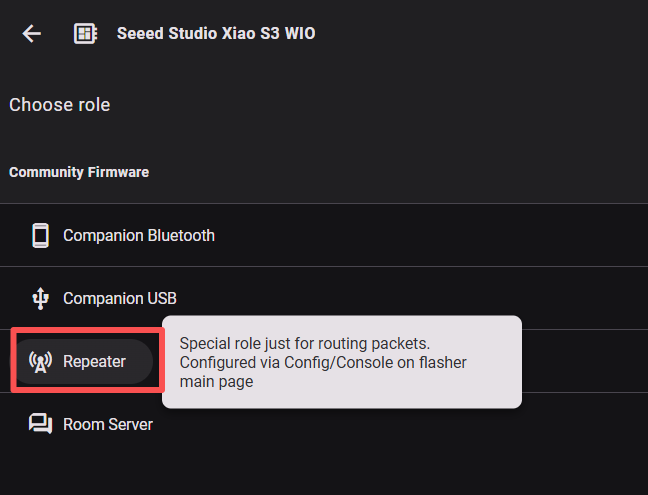
Choose Repeater. If you want to flash other firmware, please click here to see the tutorial.
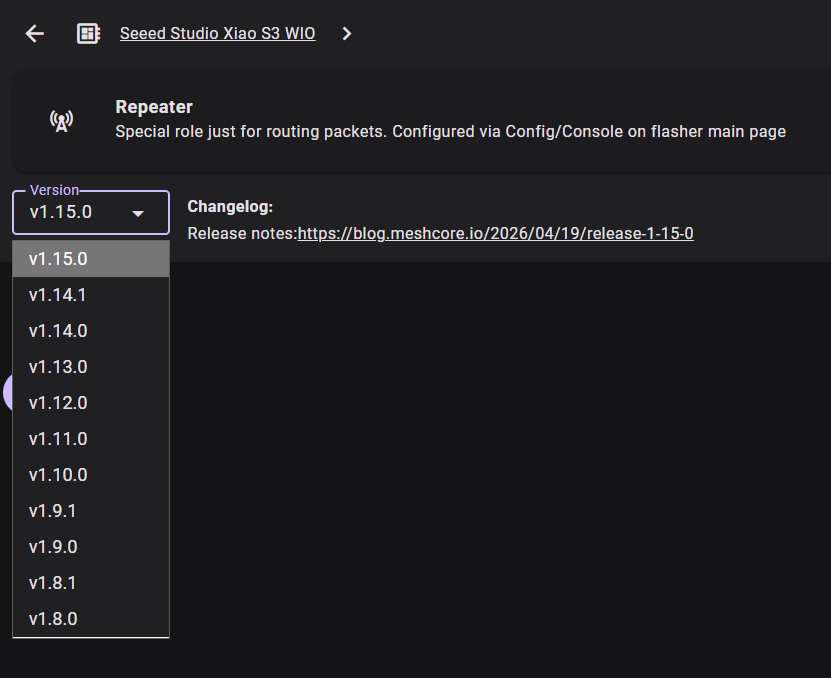
Select the firmware version.
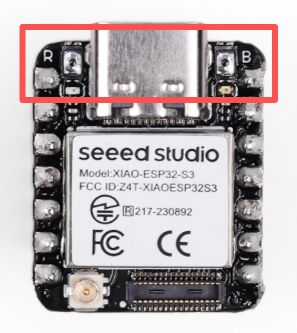
While pressing the Boot(B) button, press the Reset(R) button to enter flashing mode.
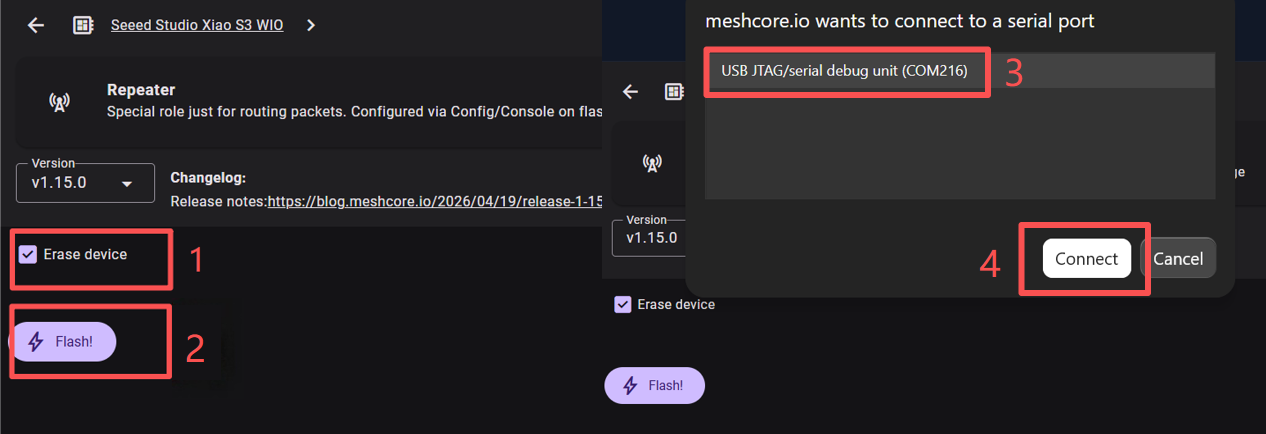
Choose Erase device , then click Flash and choose the serial port named Xiao xxx or debug unit xxx
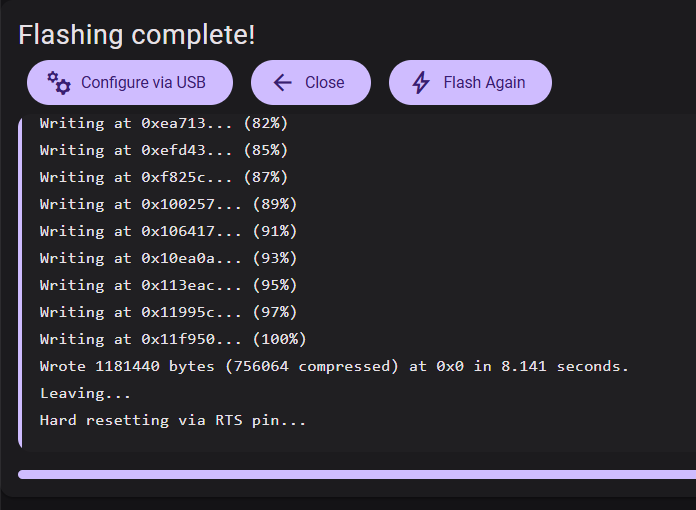
When the progress bar is completely filled, it indicates that Flash has completed. Then the device will automatically reboot.
Click the Reset(R) button to reboot the device.
Device Connection
Connected to SX-1262
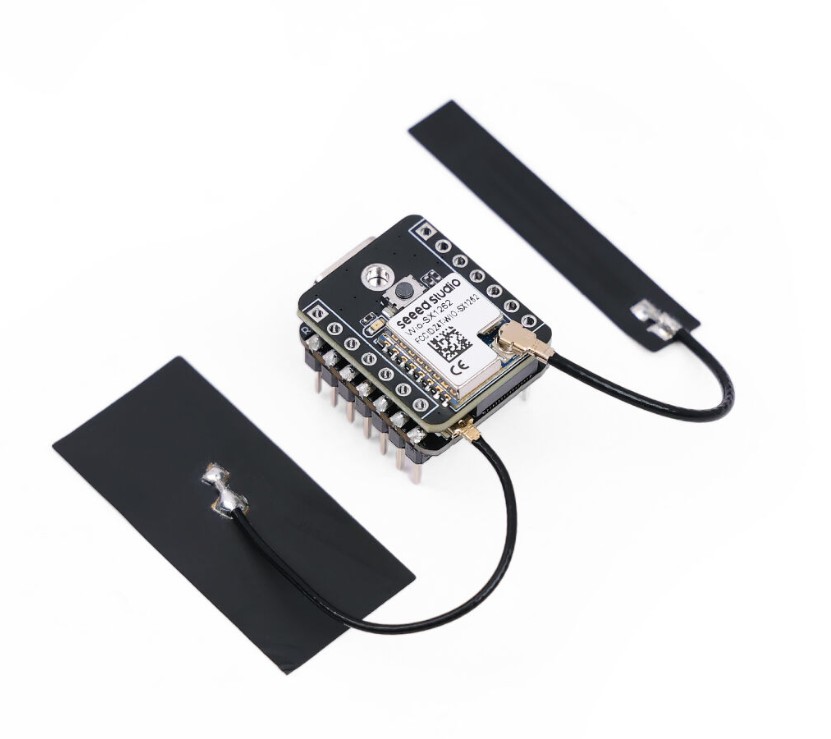
The SX-1262 can be connected to the Xiao ESP32-S3 via the B2B interface. The SX-1262 uses SPI to communicate with Xiao ESP32-S3.
The following diagram shows the B2B pin mapping between XIAO ESP32S3 and Wio-SX1262.
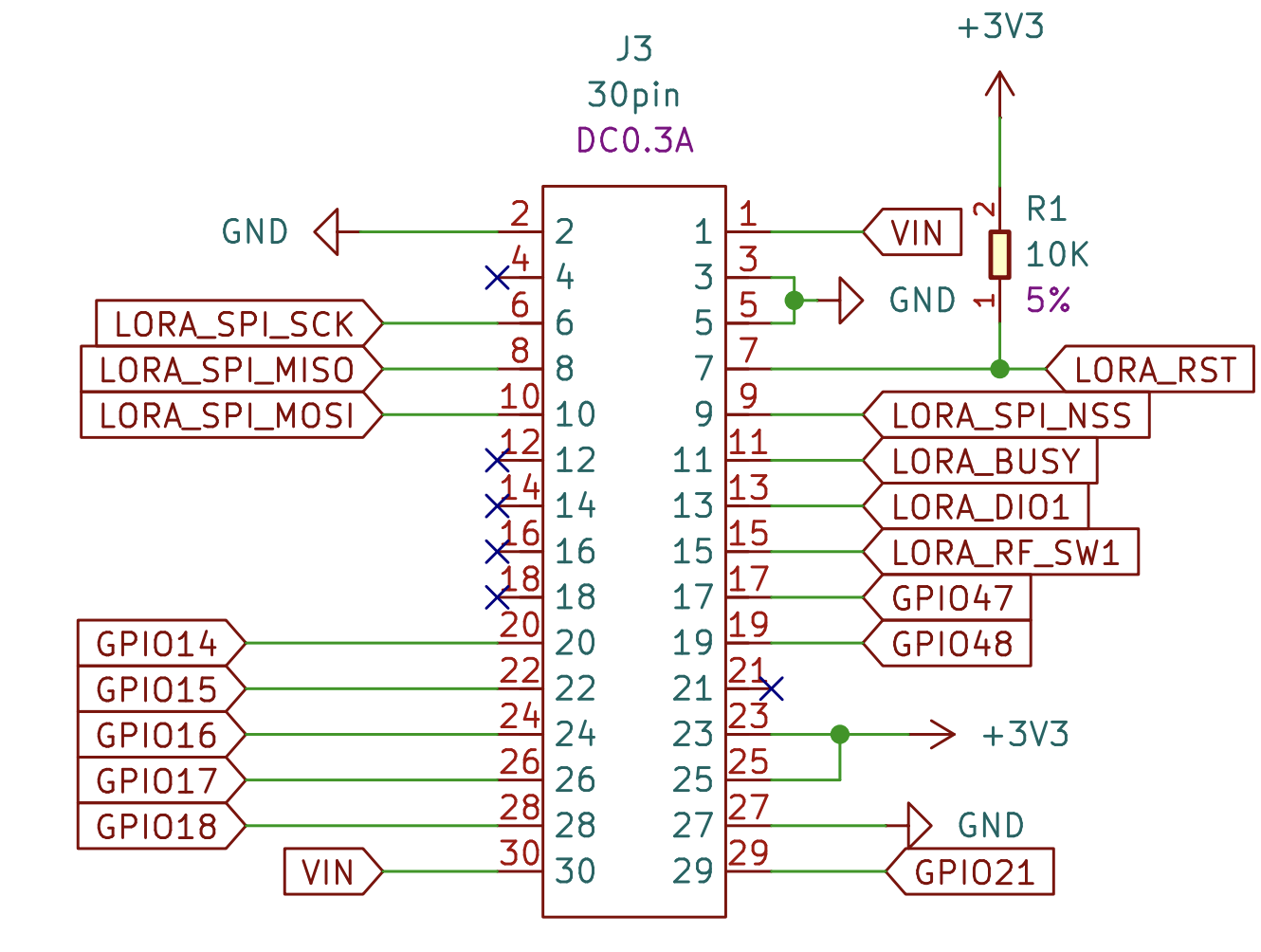
The compatible SX-1262 can only be bought within the kit.
(Optional) Connected to battery
The XIAO ESP32S3 has a built-in power management chip that allows the XIAO ESP32S3 to be powered independently by using a battery or to charge the battery through the XIAO ESP32S3's USB port.
If you want to connect the battery for XIAO, we recommend you to purchase qualified rechargeable 3.7V lithium battery with protection circuit. When soldering the battery, please be careful to distinguish between the positive and negative terminals. The negative terminal of the power supply should be the side closest to the USB port, and the positive terminal of the power supply is the side away from the USB port.
(Optional) Connected to Expansion board
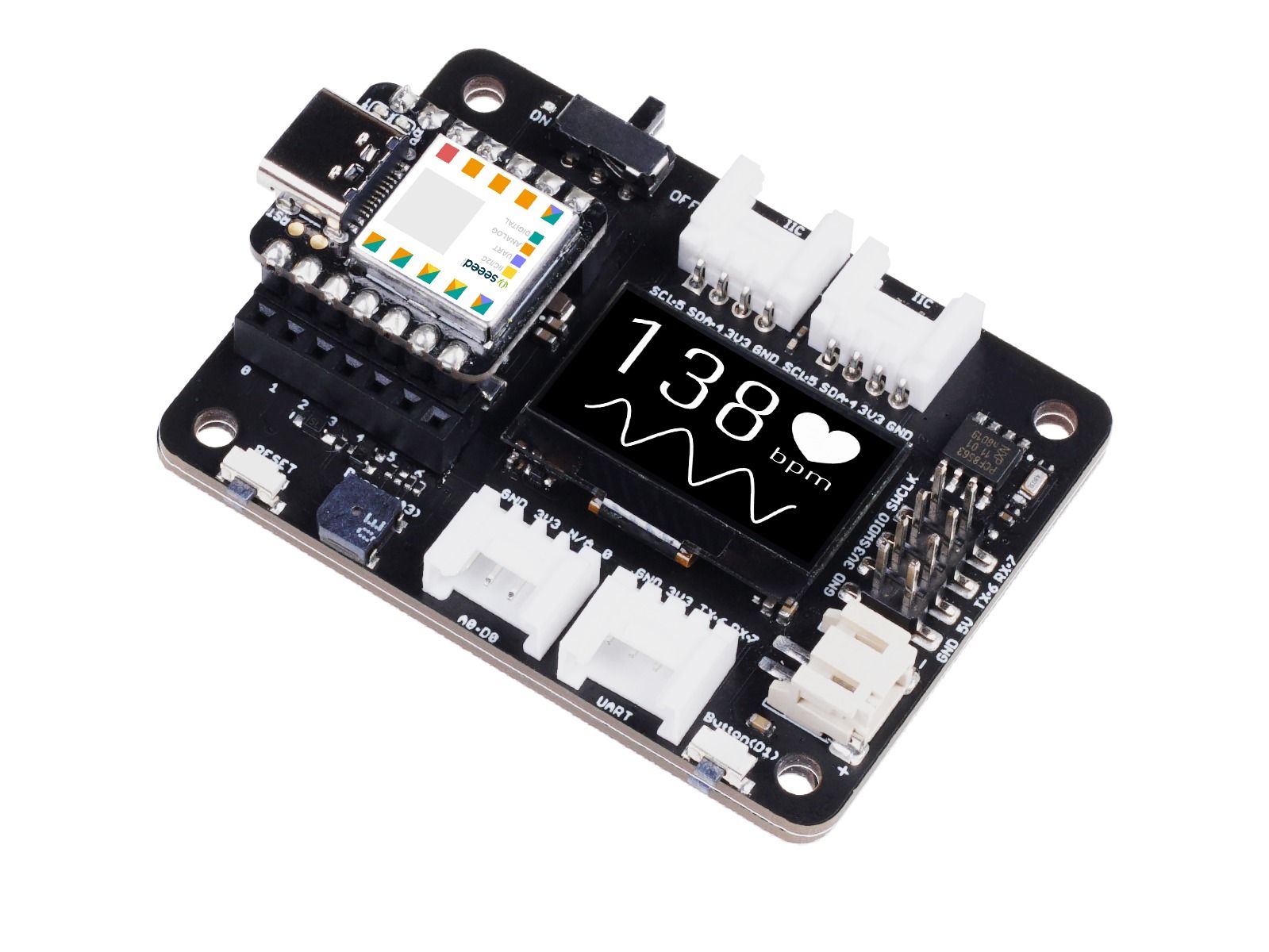
Expansion board would be a good tool for connection and additional application such as adding grove sensors and modules easily.
| XIAO ESP32S3 & Wio-SX1262 Kit for Meshtastic | (Optional) Expansion Board |
|---|---|
 |  |
Configuration
Initial Configuration
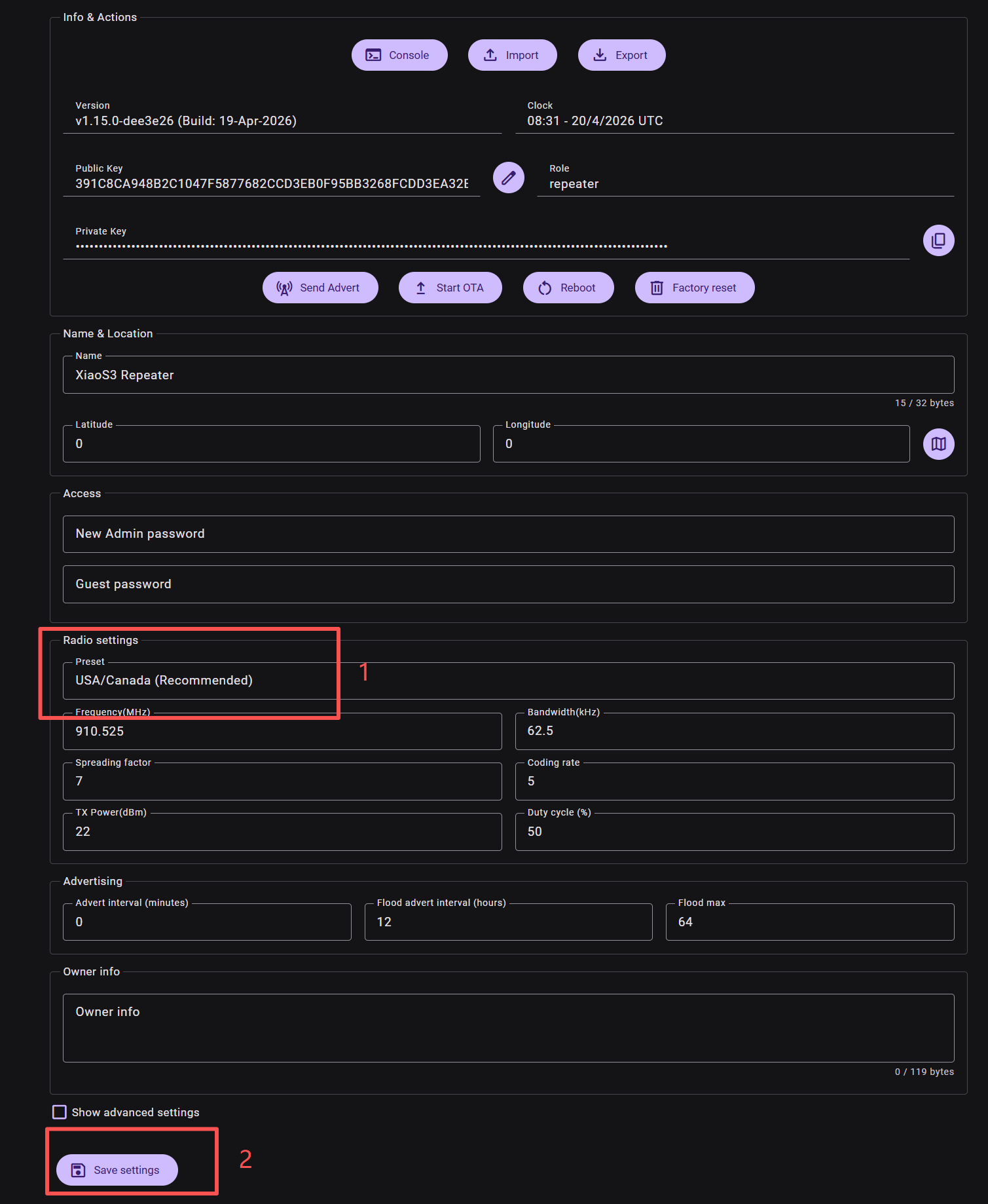
When MeshCore repeater firmware is flashed onto a MeshCore device for the first time, it is necessary to set the device's frequency to make it utilize the frequency that is legal in your country or region.
Click here to configure the repeater.
Change the LoRa region and save setting. Then the device will automatically Reboot.
Region List
| Region Code | Description | Frequency Range (MHz) | Duty Cycle (%) | Power Limit (dBm) |
|---|---|---|---|---|
| UNSET | Unset | N/A | N/A | N/A |
| US | United States | 902.0 - 928.0 | 100 | 30 |
| EU_868 | European Union 868MHz | 869.4 - 869.65 | 10 | 27 |
EU_868 has to adhere to an hourly duty cycle limitation of 10%, calculated every minute on a rolling 1-hour basis. Your device will stop transmitting if you reach it, until it is allowed again.
Then you can start testing your own Mesh network.
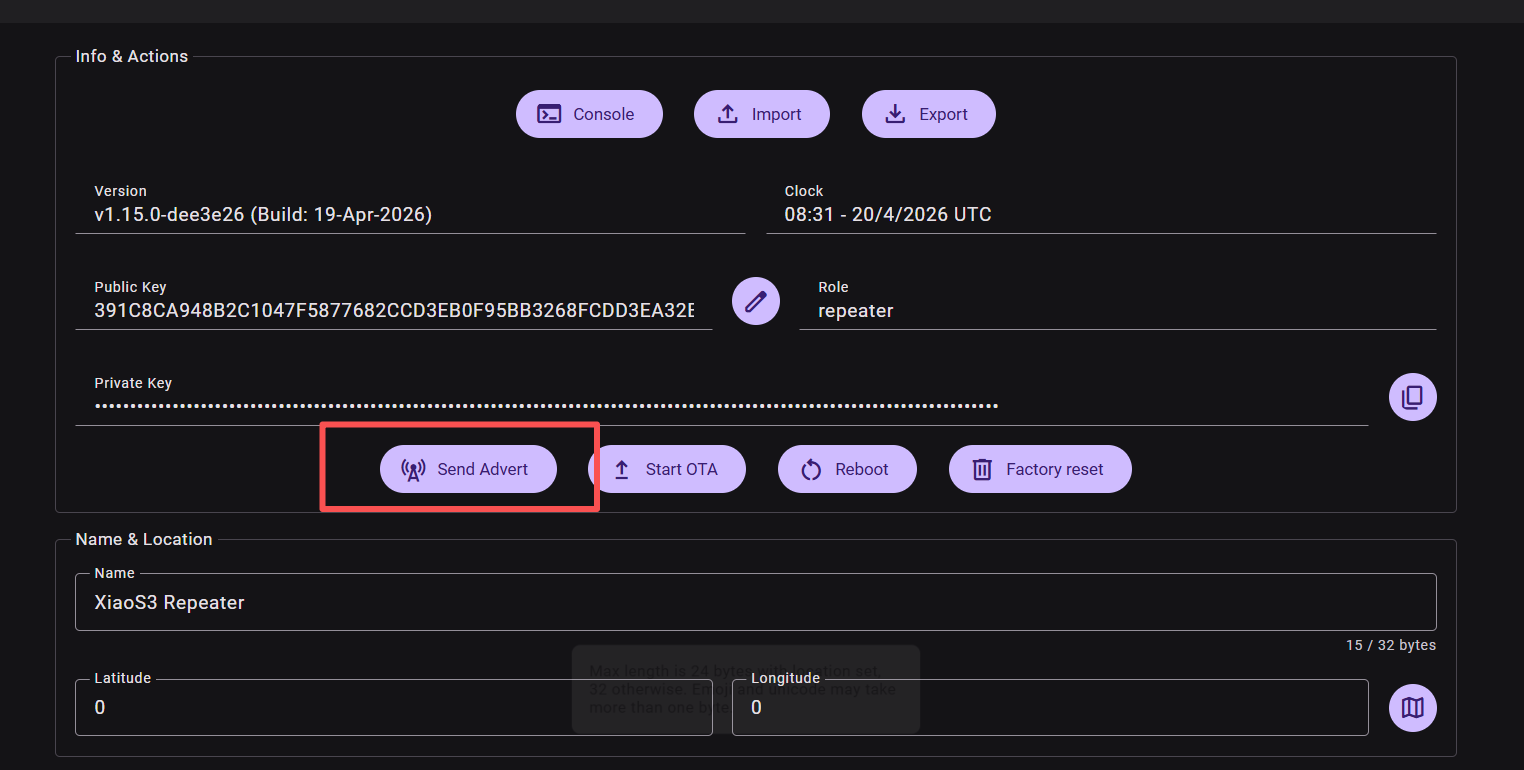
Send Advert
Click "send advert" to enable other Meshcore devices to see this repeater. Then the repeater can be seen in the device list.
Admin Log in
The default admin password for a repeater is password.
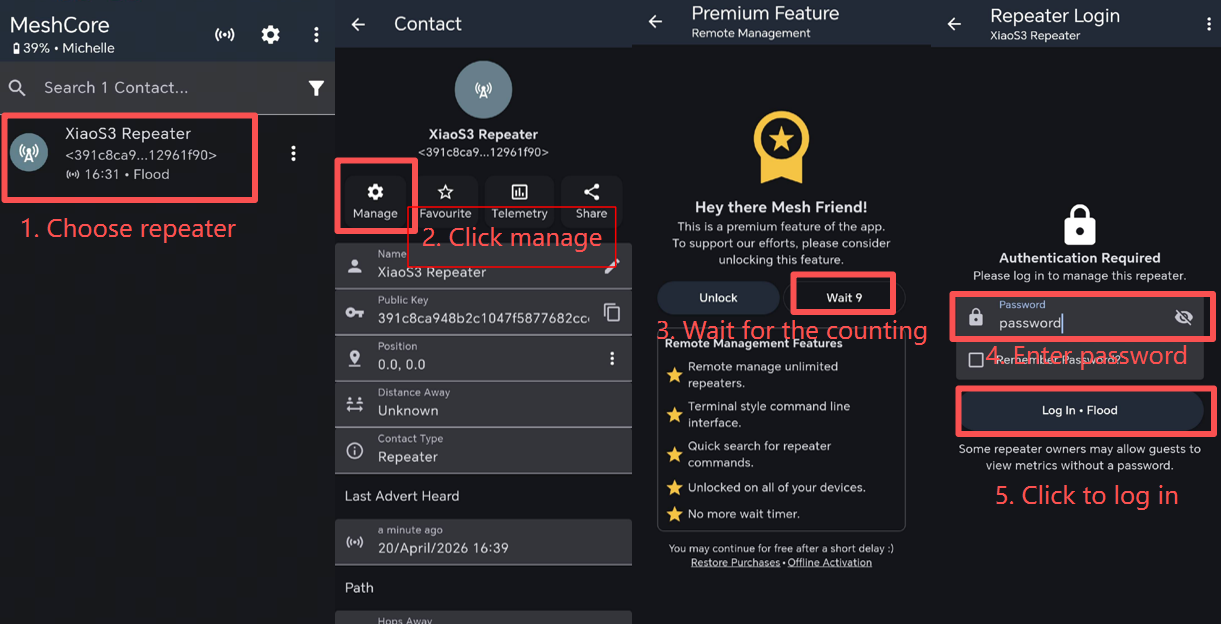
After logging in, you can see the configuration page. You can now adjust the configuration for the repeater on the hone APP.
Set Path
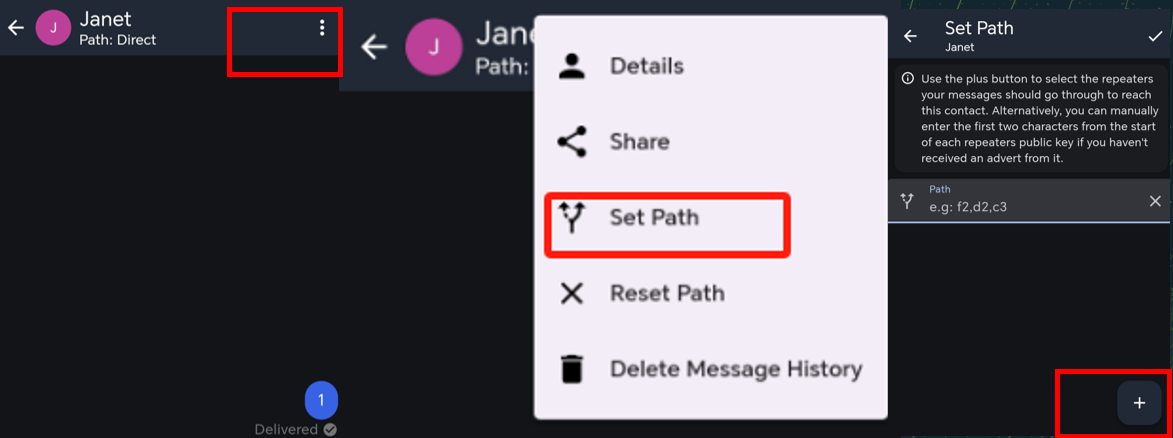
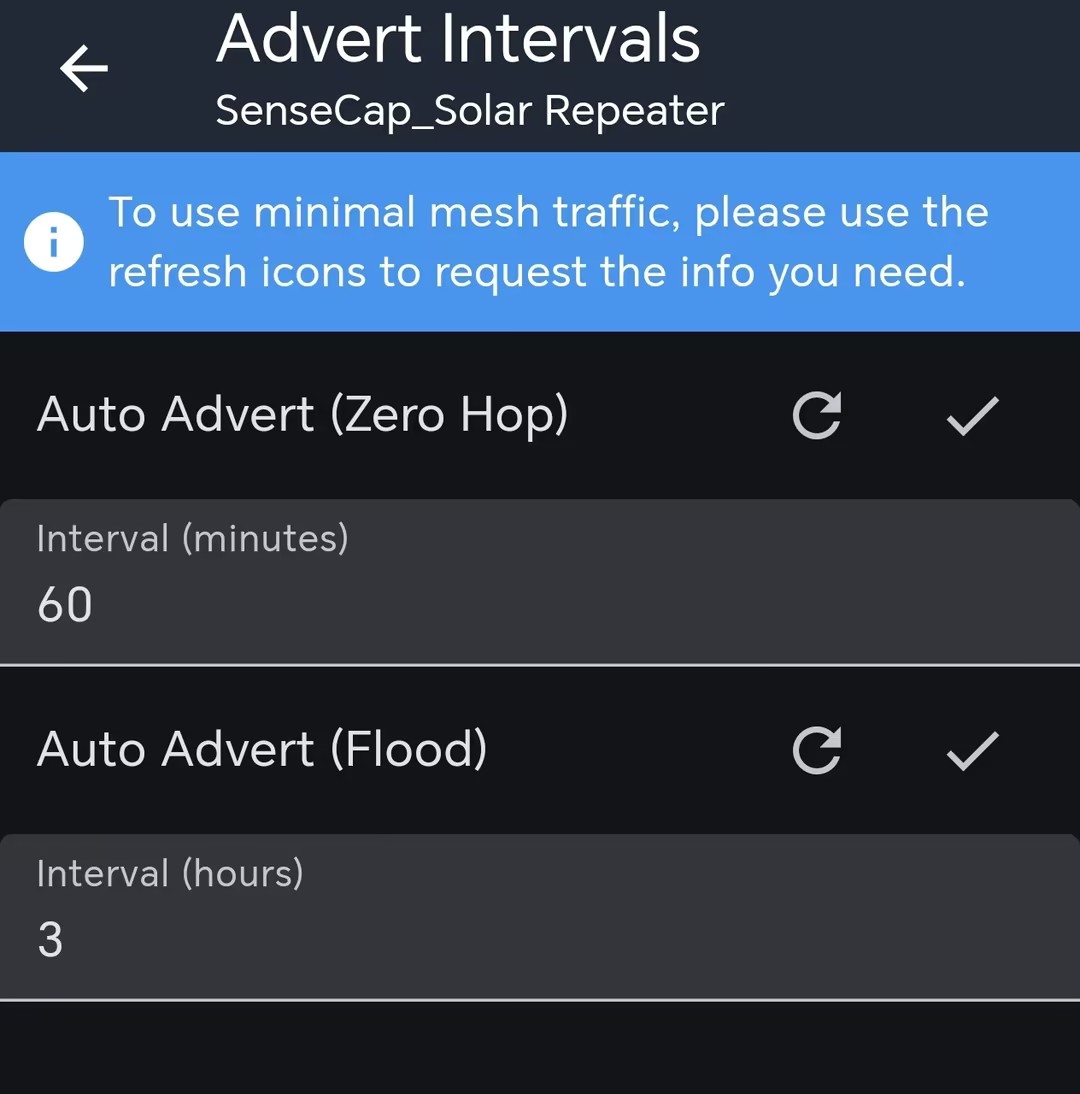
Before adding the repeater to your route, you may need to use the repeater to send advert first. Repeater will automatically send advert at regular intervals. This interval can be multiple hours (default 3 hours). So you need to manually send advert or else you need to wait.
You can manually set the message sending path. Connect you Bluetooth companion device to your phone APP. Open a private message window. Then you can choose the discovered repeater to form your path.
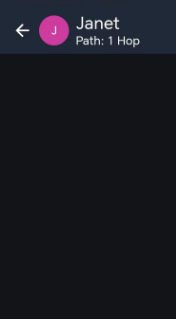
After setting the path, the transmission method will be changed to "n hop". For example, if you add 1 repeater in your route, it will change to 1 hop.
(Optional) Other Setting
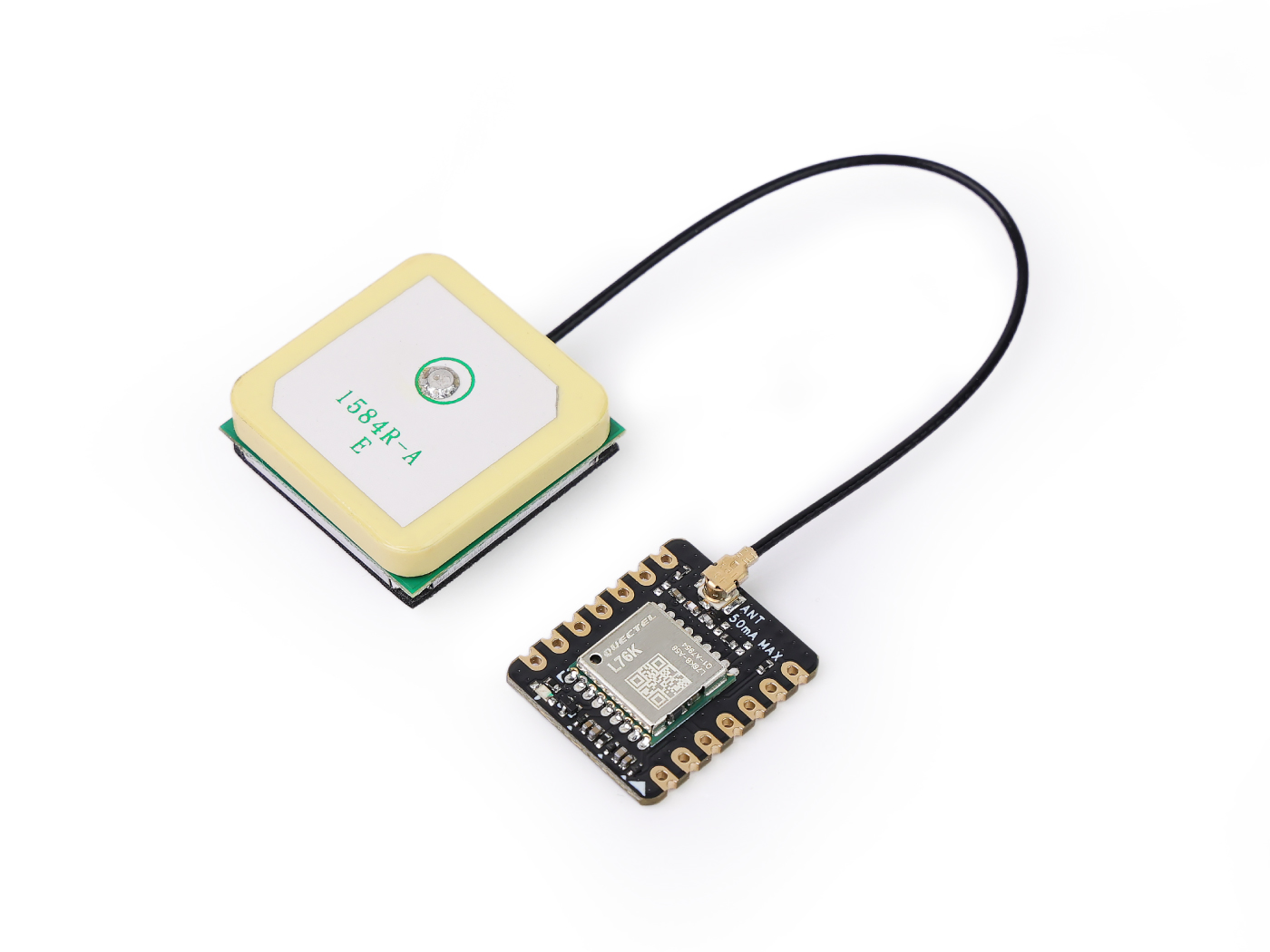
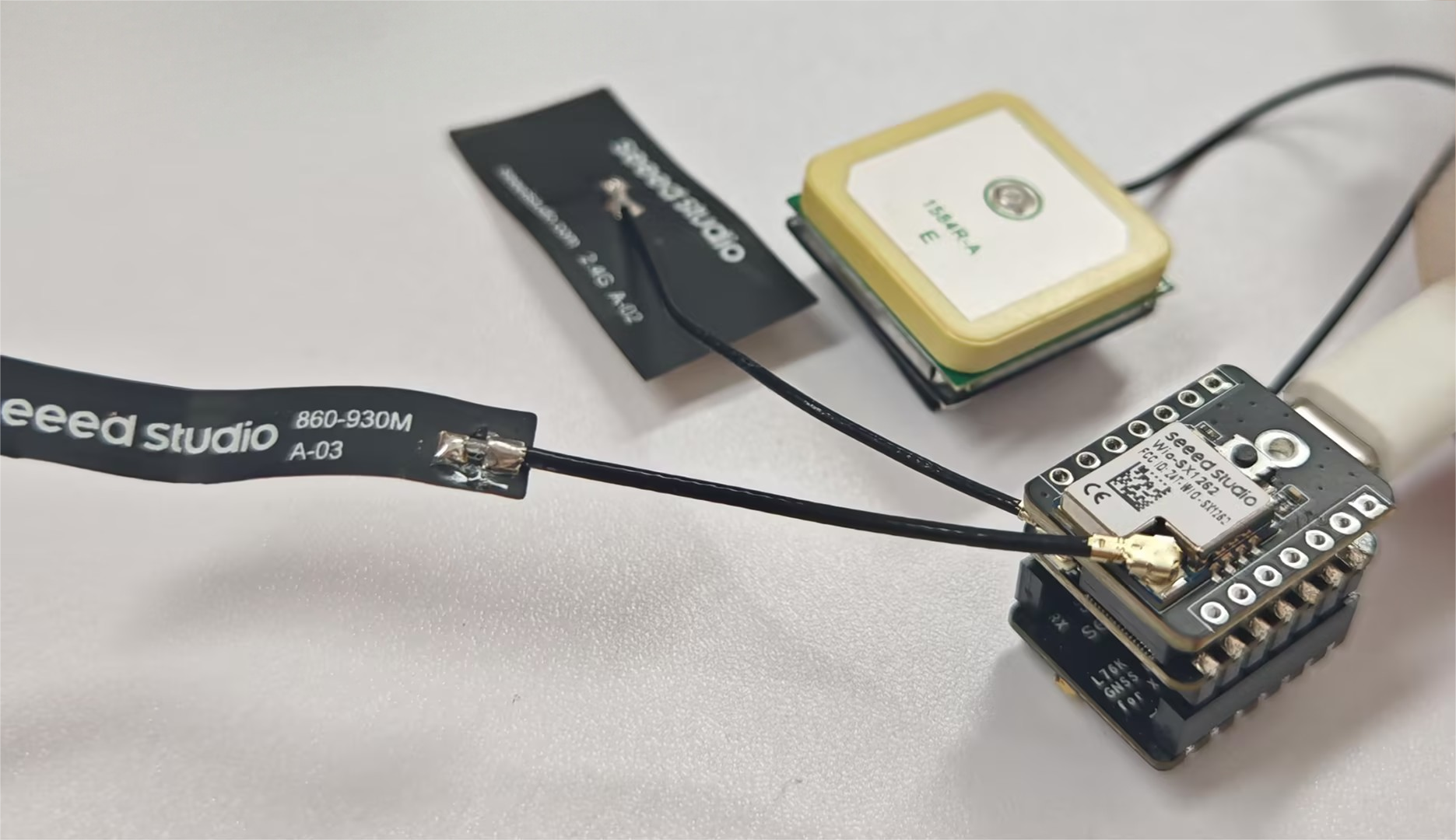
If you want to show the position of the repeater on a MeshCore node map, you need to first install a GPS module for the kit.
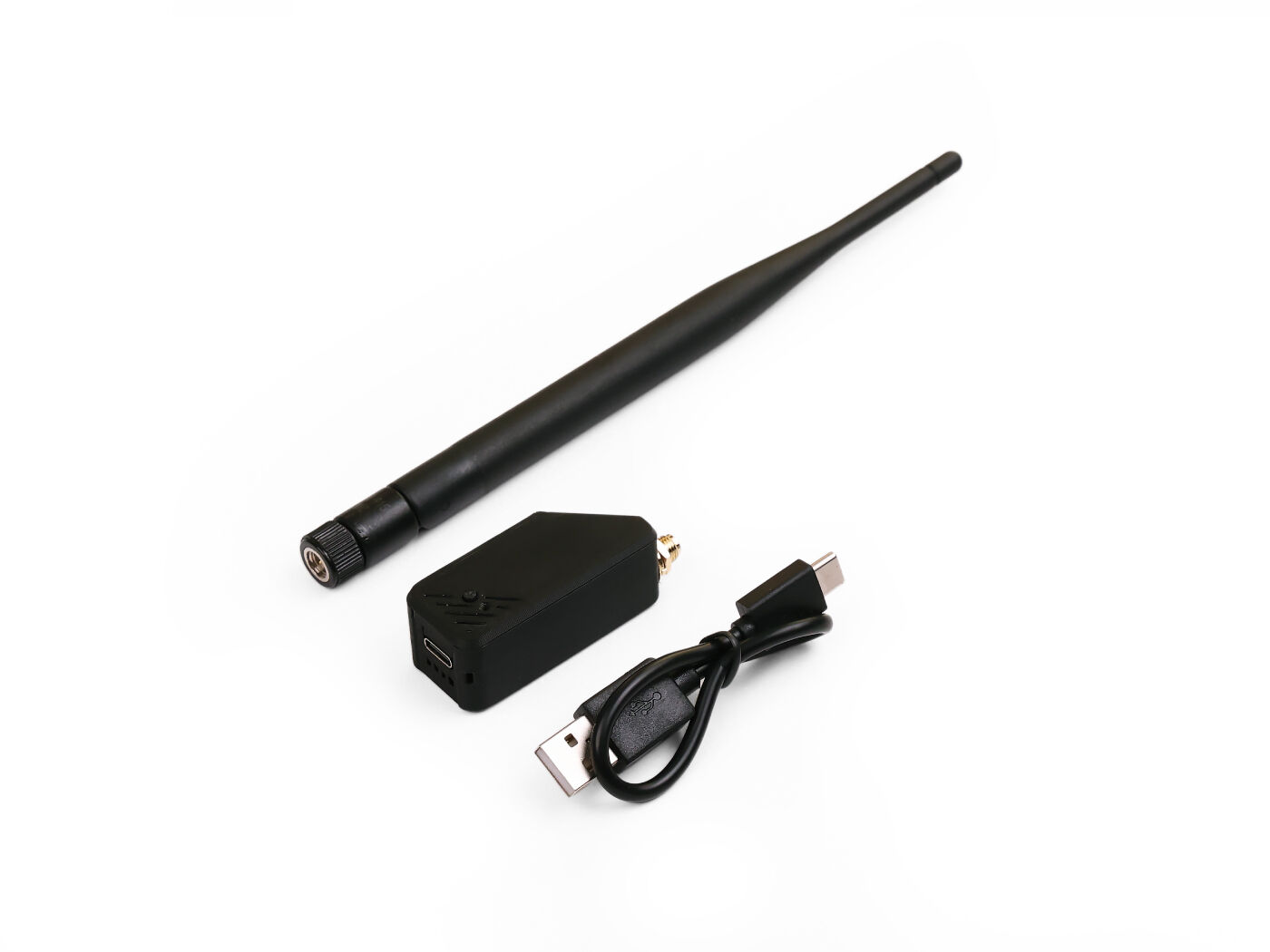
| XIAO ESP32S3 & Wio-SX1262 Kit for Meshtastic | XIAO ESP32S3 & Wio-SX1262 Kit with casing | (Optional) L76K GNSS Module |
|---|---|---|
|  |  |
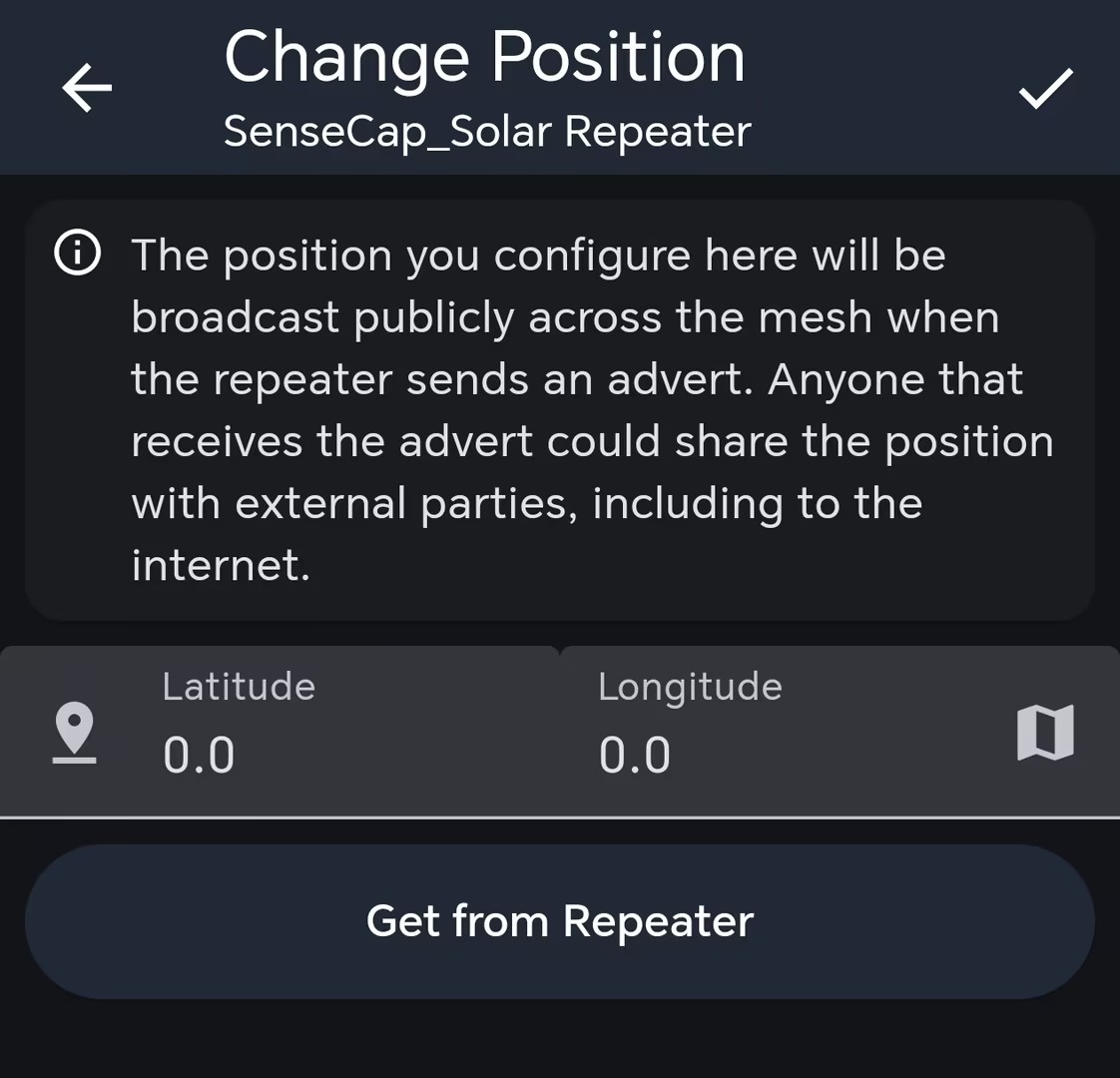
Then log in the admin to enable the GPS.
Also, you can adjust the advert broadcast interval. The interval range of auto zero hop advert is 60-240 mins. The interval range of auto flood advert is 3-168 hours.
FAQ
Device loses saved settings after power loss
If the device name, LoRa Region, or other settings appear to be saved successfully in the app but disappear after the device is powered off, check whether the ESP32-S3 flash partition table is abnormal.
You can use ESPConnect to inspect the ESP32-S3 flash memory partition table. ESPConnect is only applicable to ESP devices and cannot be used with nRF52840 devices.
- Open ESPConnect and select a baud rate of
115200.
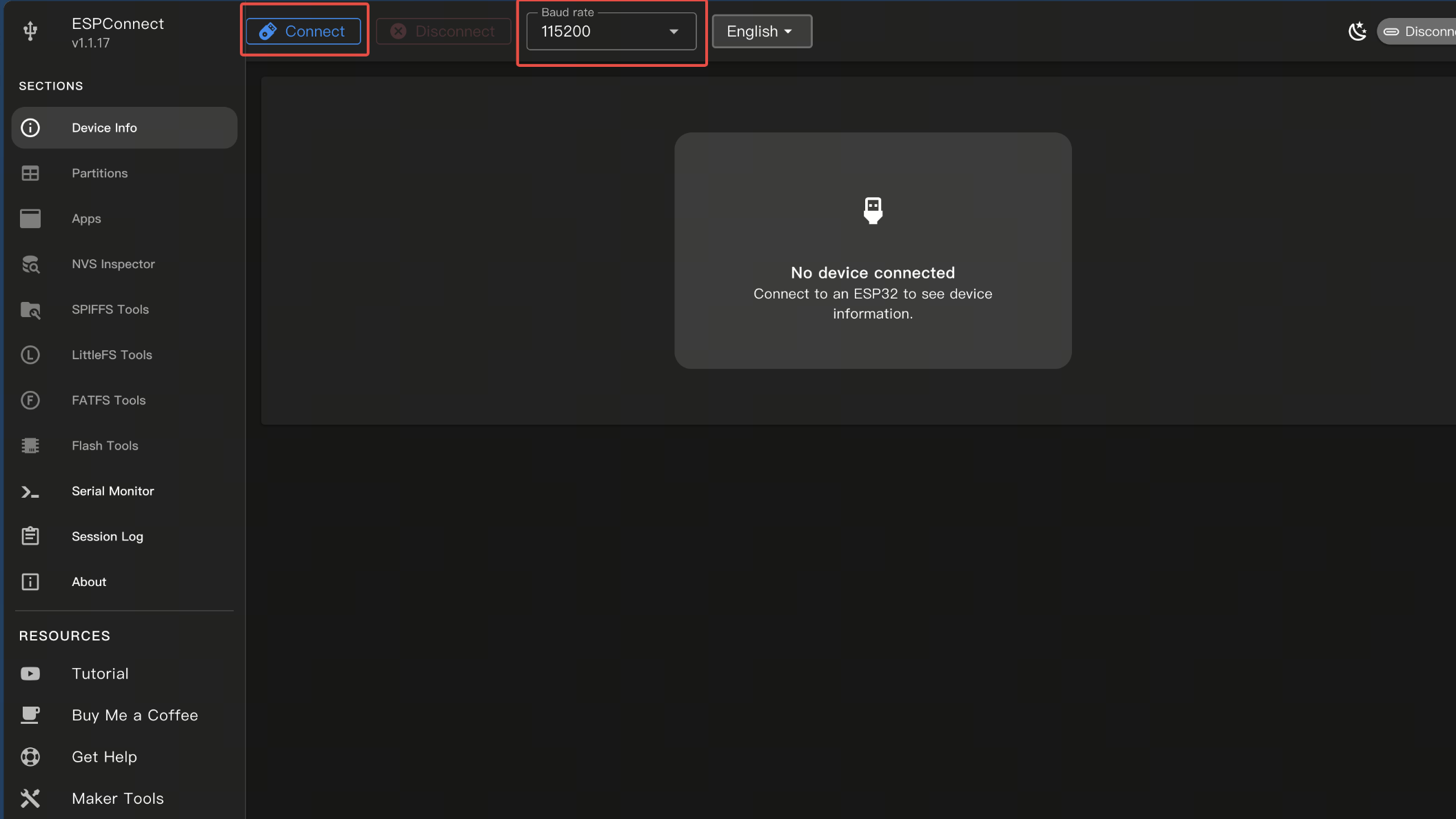
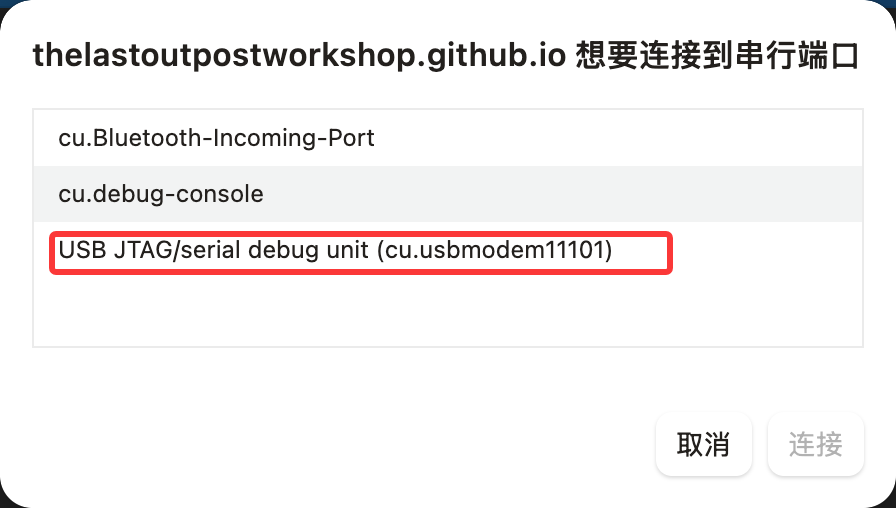
- Click Connect, then select USB JTAG/serial debug unit.
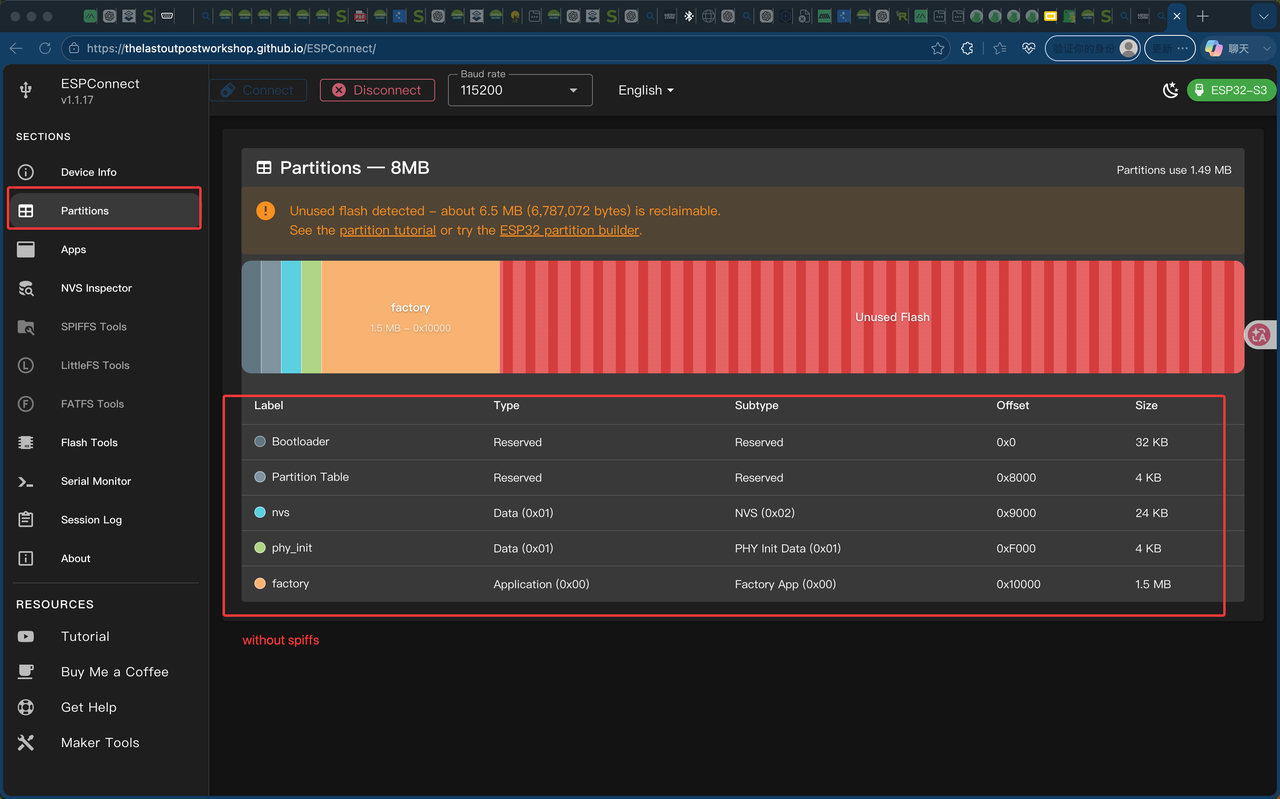
- After the device is connected, open the Partitions page.
- Check whether
spiffsexists in the partition list.
If the partition table is abnormal, the ESPConnect Partitions page may show only:
nvsphy_initfactory
However, the official MeshCore v1.15 merged.bin firmware should include:
nvsotadataapp0app1spiffs1.5 MBcoredump
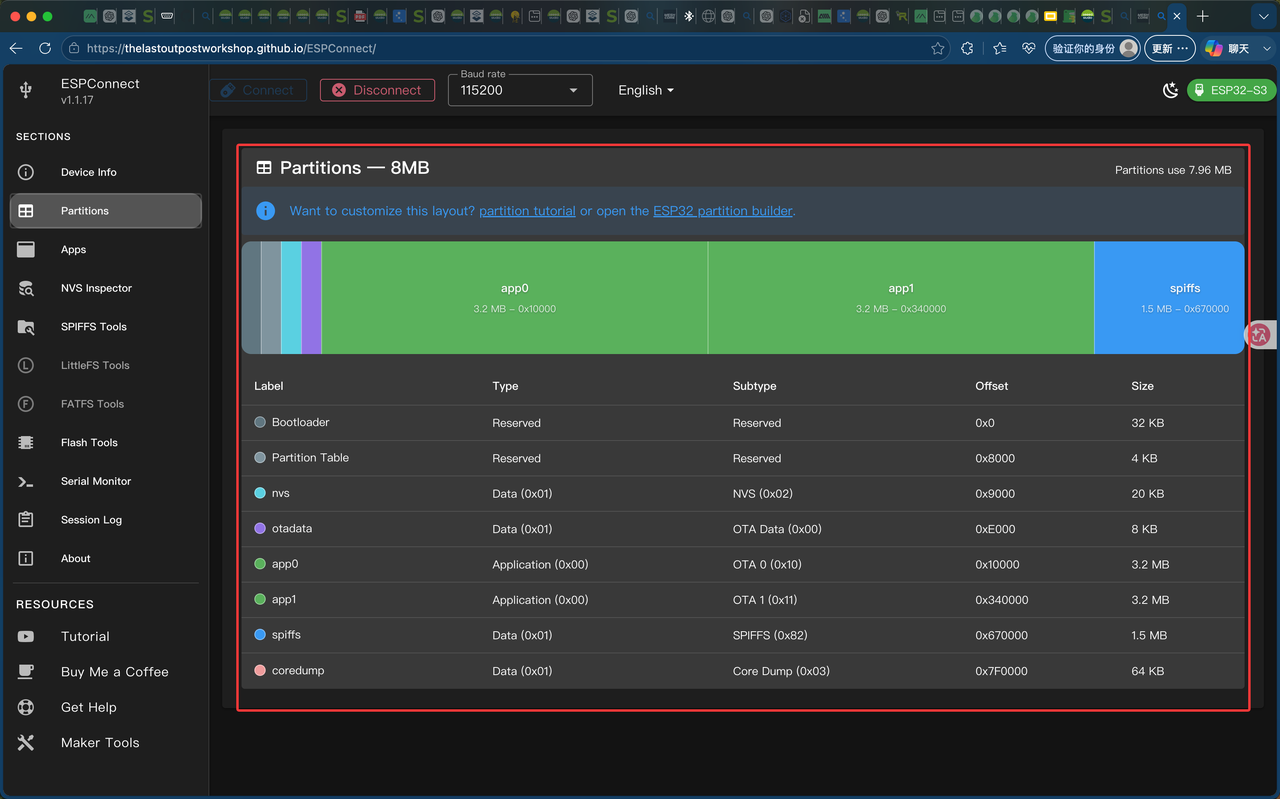
MeshCore v1.15 writes the device name and Region settings to /new_prefs in SPIFFS. If the spiffs partition does not exist, these settings are only kept in RAM. The mobile app may show that the settings were saved successfully, but they will be lost after power is removed.
This usually happens when the normal firmware file is flashed, for example:
Xiao_S3_WIO_companion_radio_ble-v1.15.0-dee3e26.bin
Instead, the full merged firmware should be flashed, for example:
Xiao_S3_WIO_companion_radio_ble-v1.15.0-dee3e26-merged.bin
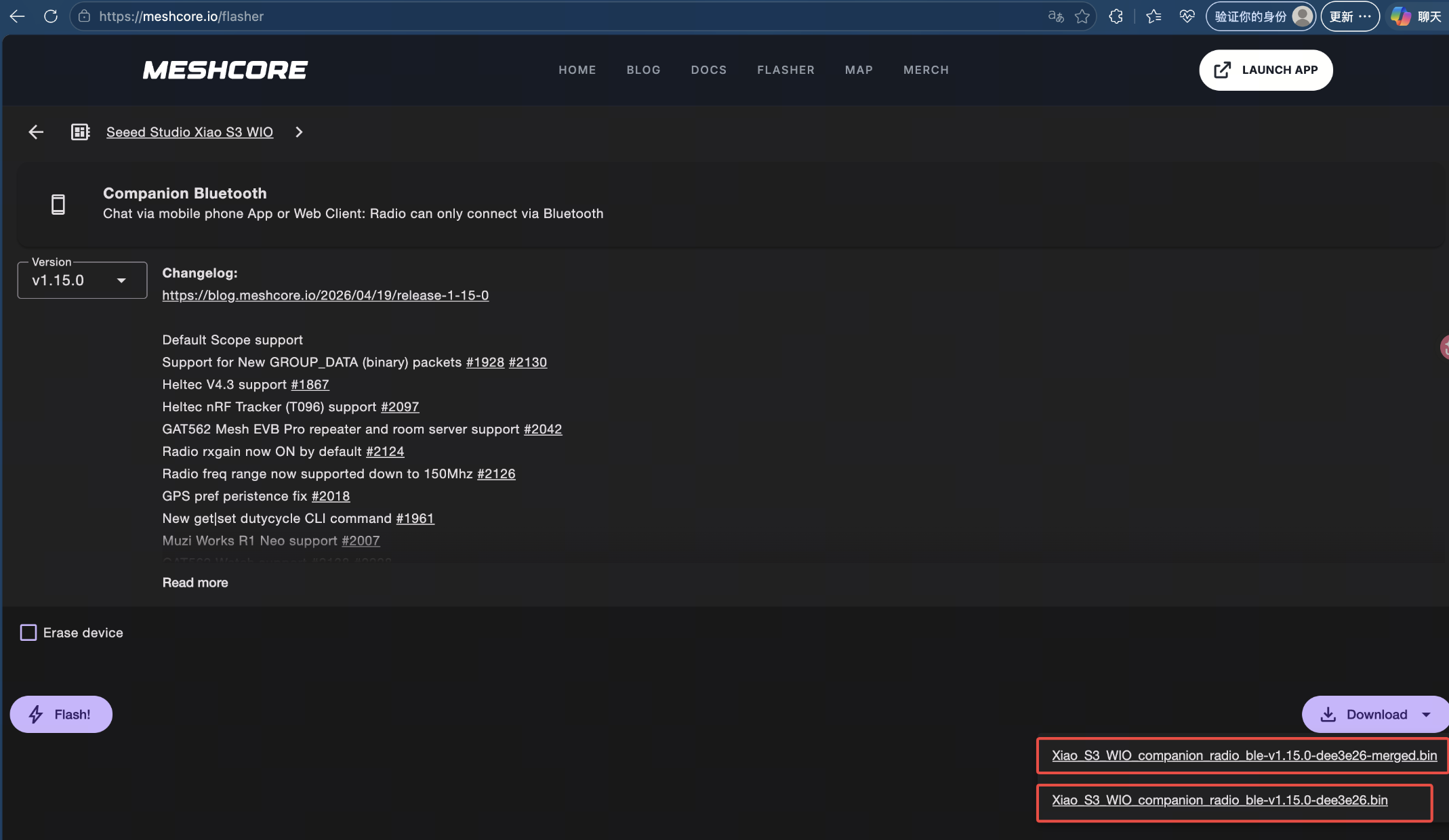
To fix this issue, erase the device and flash the merged firmware version again.
Resource
- [PDF]The Schematic Diagram of the SX1262 compatible with Xiao ESP32-S3
- [PDF]Wio-SX1262 Module Datasheet
- [RAR]Wio-SX1262 for XlAO 3D file
- [PDF] Seeed Studio XIAO ESP32S3 Schematic
- XIAO ESP32S3 Kit Kicad Library
- [STEP] Seeed Studio XIAO ESP32S3 3D Model
- [ZIP] Seeed Studio XIAO ESP32S3 Eagle Libraries
- [DXF] Seeed Studio XIAO ESP32S3 Dimension in DXF
- [LBR] Seeed Studio XIAO ESP32S3 Eagle footprint
- [ZIP] Seeed Studio XIAO ESP32S3 Factory firmware
- [XLSX] Seeed Studio XIAO ESP32S3 pinout sheet
- 🔗 [Kicad] Seeed Studio XIAO ESP32S3 FootPrint
- Casing 3D file
Course Resources
Tech Support & Product Discussion