Getting Started with reTerminal E1003
Introduction
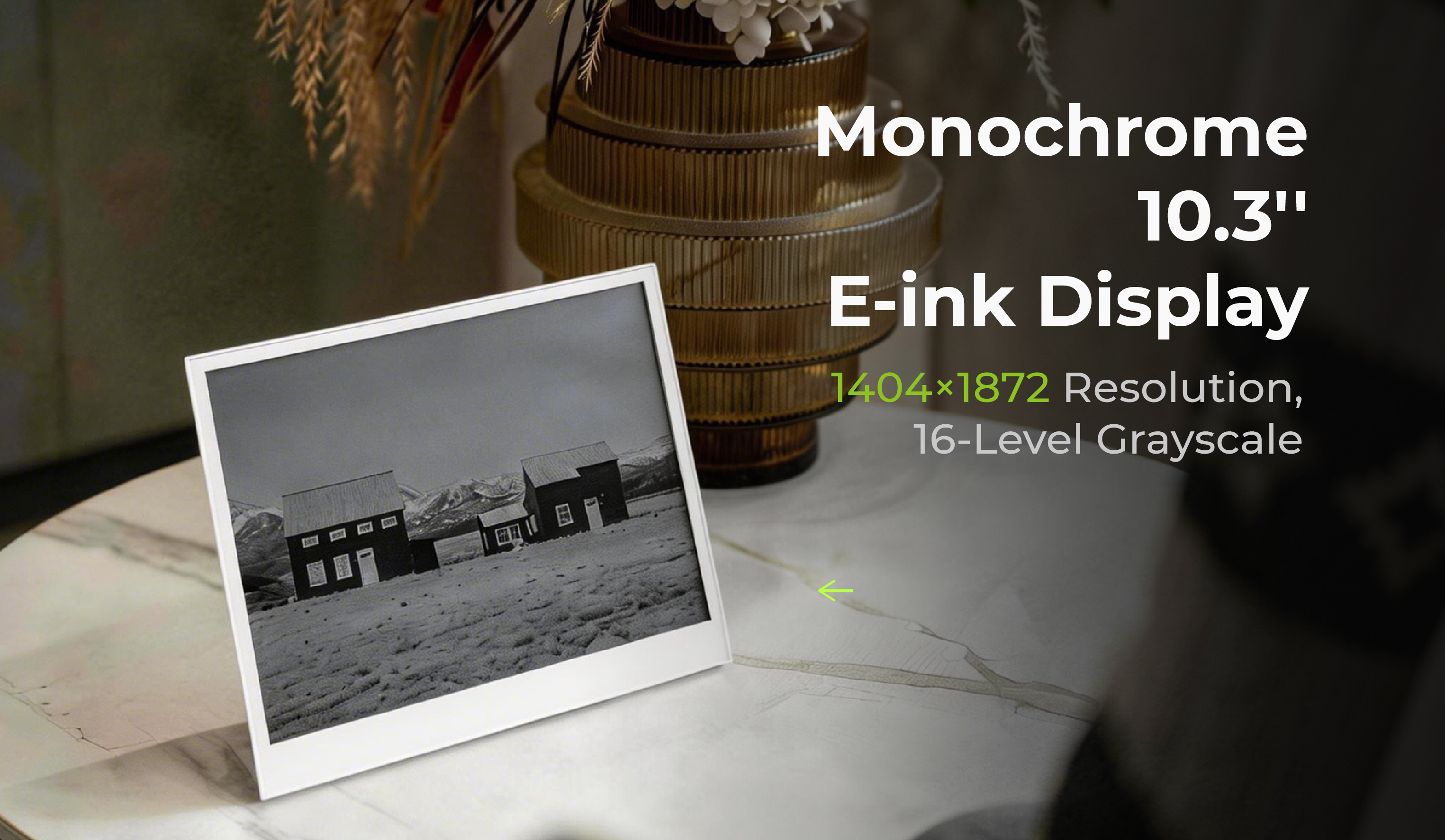
reTerminal E1003 is a 10.3 inch open-source monochrome ePaper display featuring 16 levels of grayscale and a high-resolution of 1404×1872 pixels, with up to 6-month battery life. Touch interaction is currently supported on SenseCraft HMI firmware v1.1.2. Powered by ESP32-S3, it natively supports our SenseCraft HMI no-code UI platform for effortless dashboard creation, while supporting Arduino and PlatformIO for further development. Support for Home Assistant (via ESPHome & Open Display) is planned for a future release. Whether for smart home dashboard visualization and control, office information displays, or educational projects, this ready-to-use device delivers stunning visuals and flexible customization to meet all your needs.
Touch interaction for reTerminal E1003 is supported starting from SenseCraft HMI firmware v1.1.2. Touch-related library support is planned for future open-source release, providing greater flexibility to customize panels. More updates will be shared soon.
ESPHome support for reTerminal E1003 is under development and will be available in a future release.
Features
- Up to 16-level grayscale clarity: Boasting 16 levels of exquisite grayscale, every detail of text and graphics is rendered with exceptional sharpness and clarity.
- Ultra-Low Power Consumption: The ePaper consumes power only during updates, resulting in longer battery life and greater energy efficiency.
- SenseCraft HMI Support: The reTerminal E Series Display supports SenseCraft HMI by default firmware.
- Wide Range of Applications: Supports high-speed refresh for low-latency updates with a TTL parallel interface (multi-line, high-throughput) — making it an ideal choice for smart home control panels.
- High-Resolution Touch ePaper Display: The 10.3-inch 1404×1872 monochrome ePaper display is paired with a built-in responsive touchscreen, with touch interaction currently supported on SenseCraft HMI firmware v1.1.2.
- Adapting to Decoration Needs: Wire-free for greater freedom; supports wall-mount and desktop placement, with flexible portrait and landscape orientation switching.
Specification
| Item | Description |
|---|---|
| Product Name | reTerminal E1003 |
| Processor | ESP32-S3 with 8MB PSRAM |
| Storage | 32MB Flash, support Micro SD card |
| Display | 10.3" Monochrome/ 16-level Grayscale |
| Resolution | 1404x1872 Pixels |
| Micro SD Card | Maximum support 32GB SD card, FAT32 format |
| Wireless Connectivity | 2.4GHz 802.11 b/g/n Wi-Fi, Bluetooth 5.0 |
| Sensors | Temperature, humidity sensors |
| Microphone | Reserved for voice interaction application |
| Audio | Buzzer for sound alert |
| Battery | 3000mAh |
| Power Input | USB-C 5V/1A |
| Software Support | Default firmware support SenseCraft HMI(https://sensecraft.seeed.cc/hmi/) Support Arduino/PlatformIO development platform |
| Working Temperature | 0-40°C |
| Dimensions | 224mm187mm18.6mm |
Hardware Overview
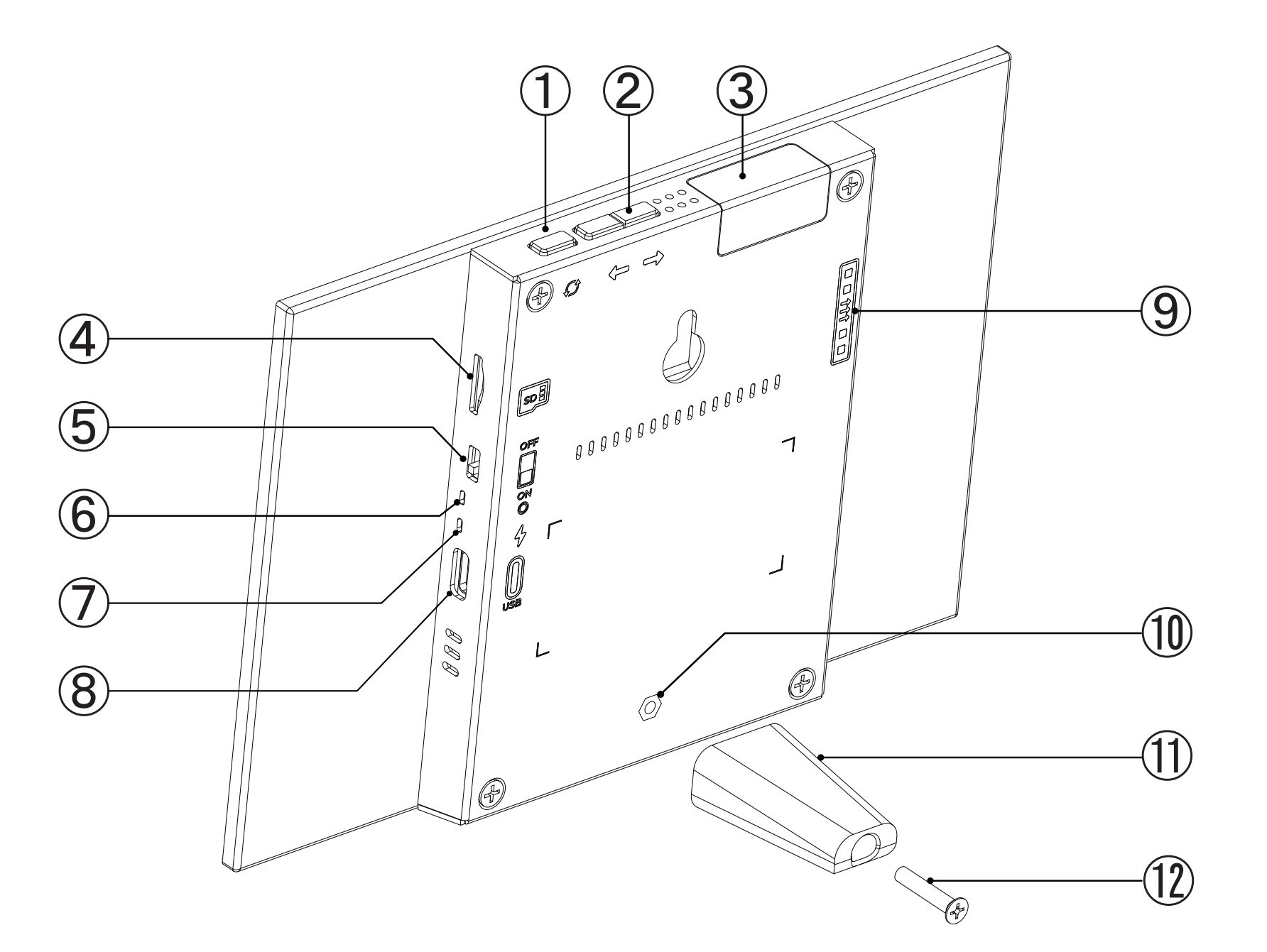
- Screen Refresh Button
- Page Up and Down Button
- Wi-Fi Antenna Area
- MicroSD Card/TF Card port
- Power Switch
- Red Power LED
- Green Status LED
- USB-C Data and Charge Port
- Expansion Port
- Stand Mounting Screw Hole
- Stand
- Stand Mounting Screw
Applications
- Home Automation Dashboards: Display real-time smart home data like temperature, humidity, and air quality via Home Assistant (ESPHome driver support for E1003 is planned for a future release).
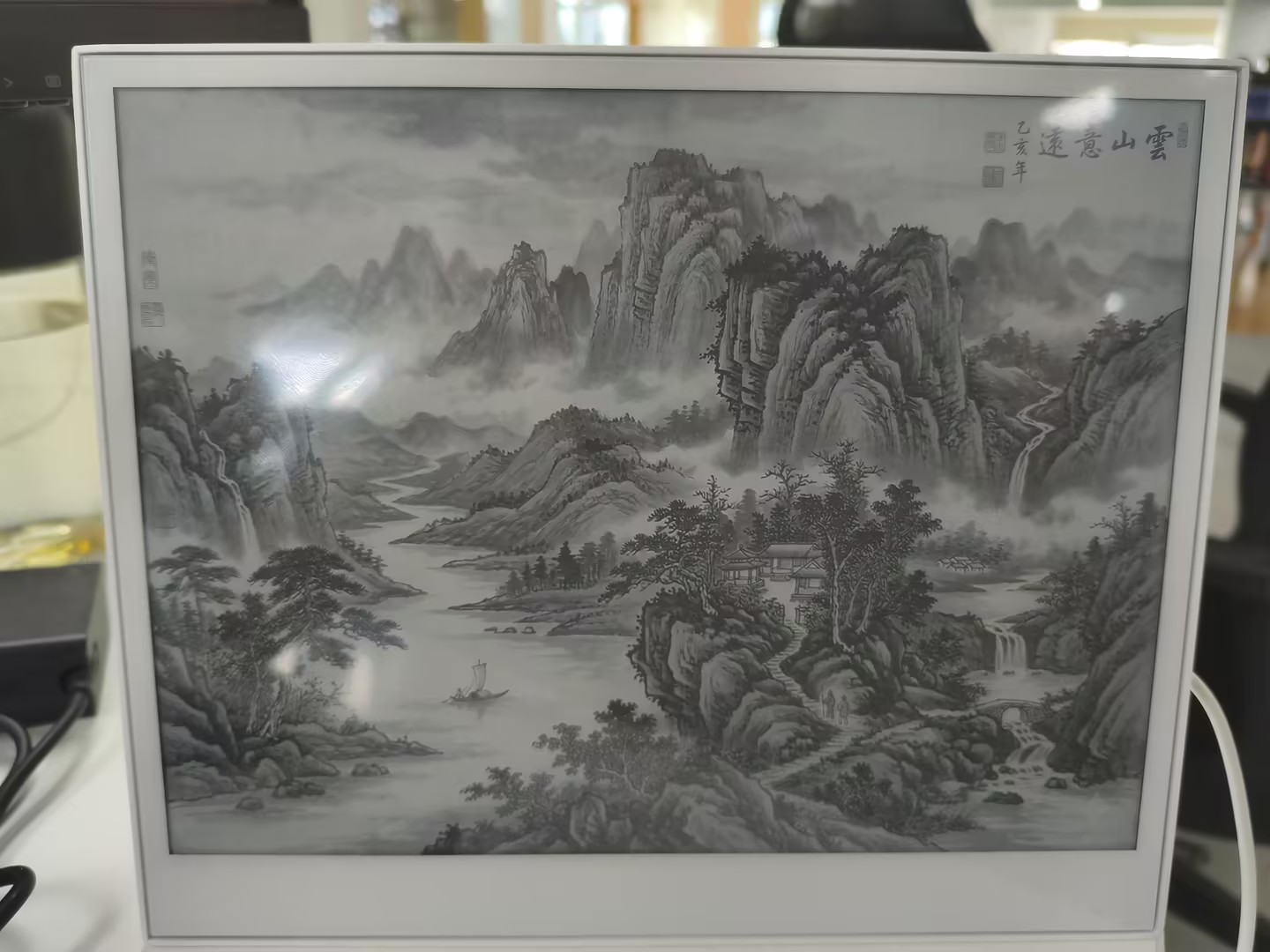
- Low-power Monochrome electronic photo frame: With SenseCraft HMI or the App, you can easily upload a series of photos from your album remotely online. Combined with a large, high-resolution monochrome e-ink screen, it achieves ultra-low power image display, no longer have to worry about battery life.
- Smart Office Displays: Show meeting room availability, office schedules, or directional guidance in low-power, always-on ePaper displays.
- Retail & Public Information Displays: Low-power ePaper signs for menus, schedules, or occupancy indicators with long battery life.
Getting Started with SenseCraft HMI
The reTerminal E1003 comes pre-loaded with firmware that supports SenseCraft HMI, a no-code platform that allows you to design and deploy personalized dashboards effortlessly.
Step 1. Power On and Network Configuration
- Turn on the Power Button to turn on the reTerminal E1003.
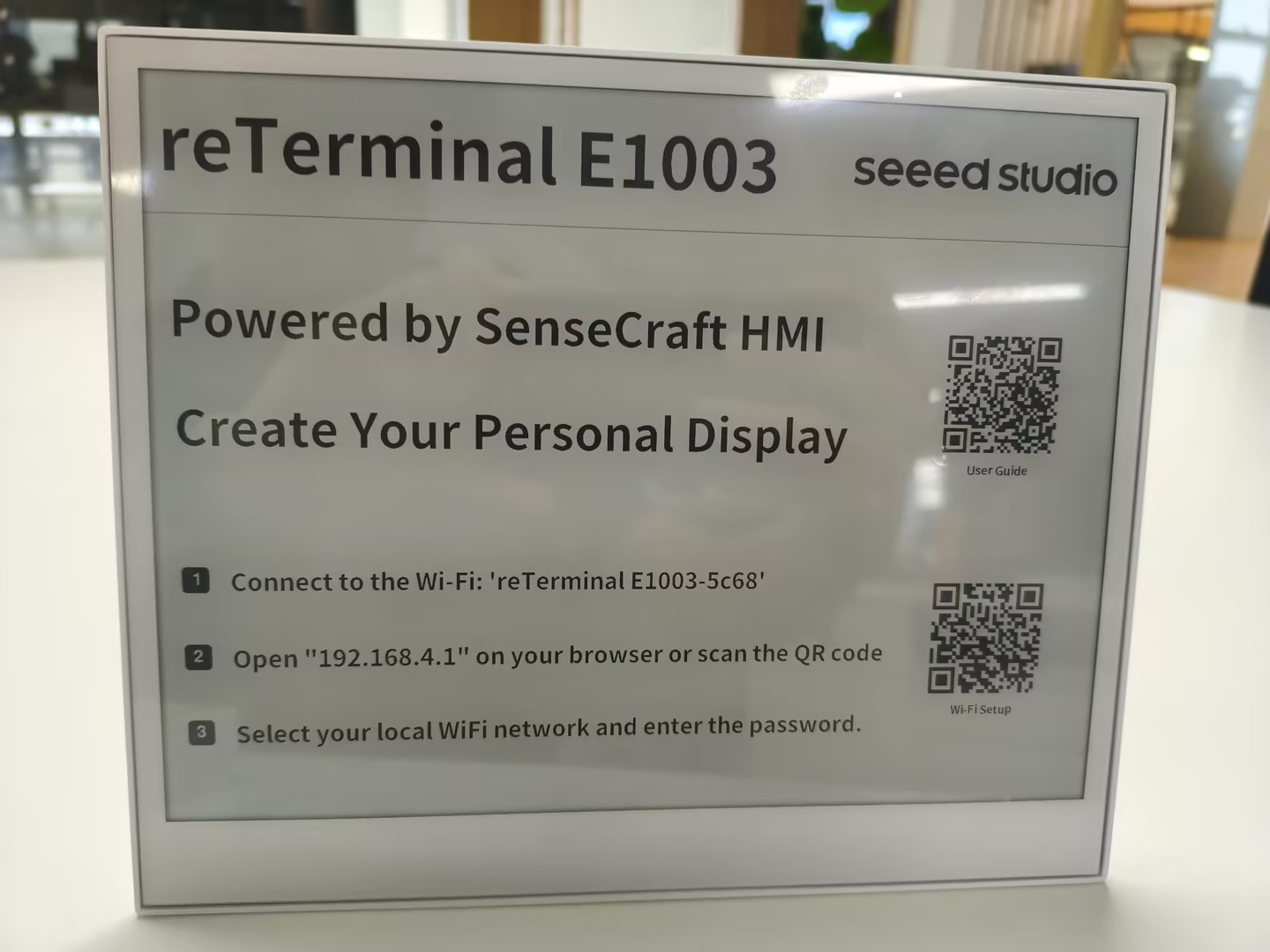
- Use your smartphone to connect to the device's hotspot (AP mode) to configure the Wi-Fi credentials.
- The screen will display a "Network Configuration" QR code or use browser open 192.168.4.1 page.
- Once connected to the internet, the device will display a Device Code or Binding QR Code.
Step 2. Bind the Device
- Visit the SenseCraft HMI Platform on your computer browser.
- Log in to your account (or create one if you haven't).
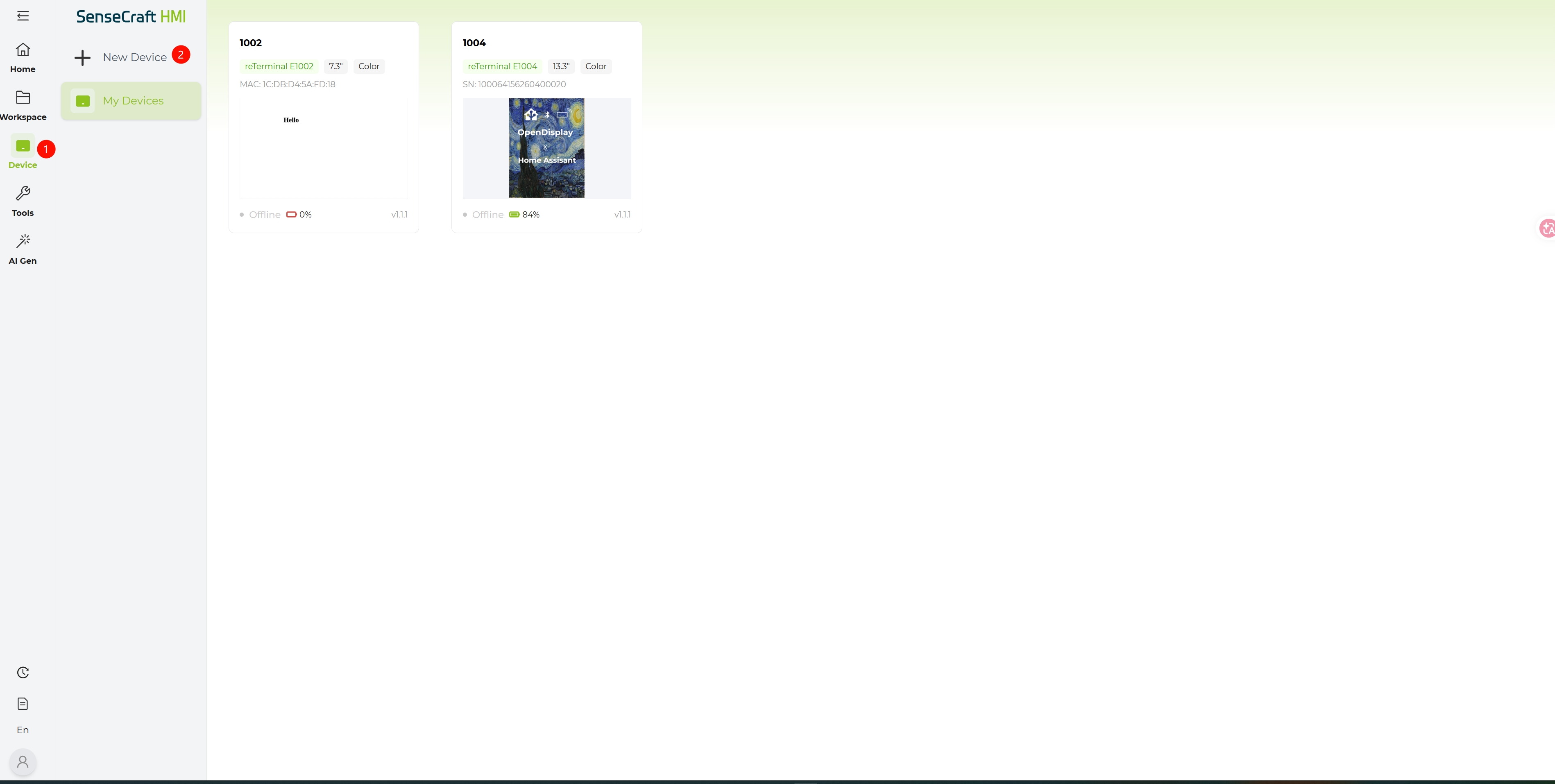
- Navigate to the Device Management section and click Add Device.
- Enter the Device Code displayed on your reTerminal E1003 screen to complete the binding process.
Step 3. Create Content on the Platform
- Go to the Home Page select a template you want or Workspace to create your work from scratch.
- Click this link to learn how to use HMI Platform if you have question.

Step 4. Deploy Content to Device
- Once your design is ready, click the Preview button to check how it looks.
- Click the Save or deploy button.
- Select your bound reTerminal E1003 from the list.
- The platform will send the data to your device via Wi-Fi. The ePaper screen will refresh to display your new dashboard.
Troubleshooting
Q1: Device Won't Power On
- Ensure the power switch is in the ON position
- Connect the USB-C cable to charge the device
- Check if the red LED is always on (indicating charging)
- If using battery power, ensure the battery is properly connected and charged
Q2: Can't Connect to Wi-Fi
- Verify you're entering the correct Wi-Fi password
- Ensure your Wi-Fi network is operational
- Check if your Wi-Fi router supports 2.4GHz networks (5GHz is not supported)
- Try positioning the device closer to your Wi-Fi router
Q3: Display Not Updating
- Press the refresh button to manually trigger an update
- Verify the device is connected to Wi-Fi (no disconnection icon in the corner)
- Check your SenseCraft account to ensure the dashboard is properly deployed
- If the problem persists, try restarting the device
- If the device still does not respond after restarting, re-flash the corresponding firmware on the SenseCraft HMI platform and check whether the device can refresh normally
Q4: Network Connection Lost
- The device will automatically attempt to reconnect to known networks
- When reconnected, the Wi-Fi disconnection icon will disappear
- If unable to reconnect, follow the Network Reset procedure above
Q5: Cannot Find Serial Port (COM) on macOS
If your Mac doesn't recognize the reTerminal via USB, follow this compact guide to install the CH340/CH340K driver:
Step 1. Download and Install the Driver
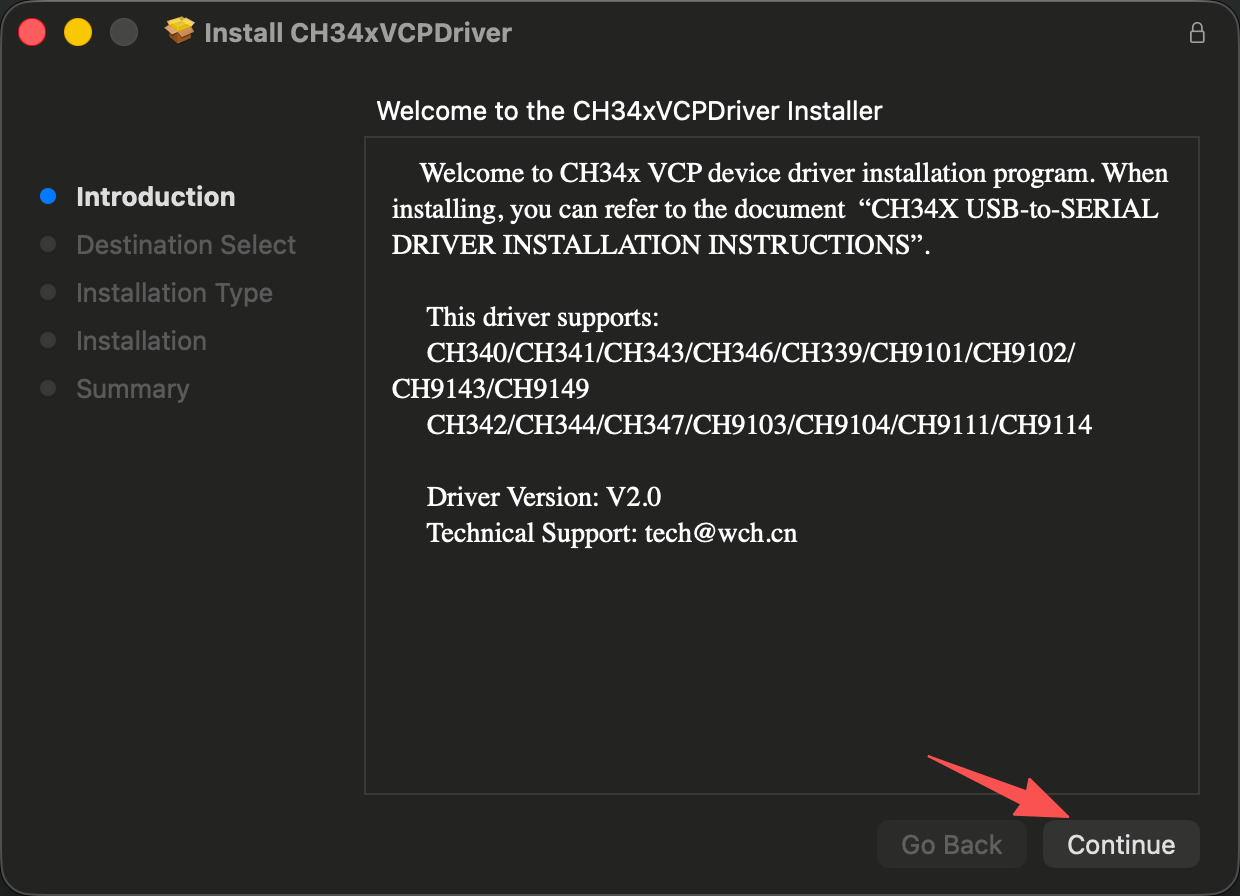
Download the driver from the official WCH page and run CH34xVCPDriver.pkg.
If macOS blocks the installation, go to System Settings → Privacy & Security, scroll to find the blocked WCH software, and click Allow.
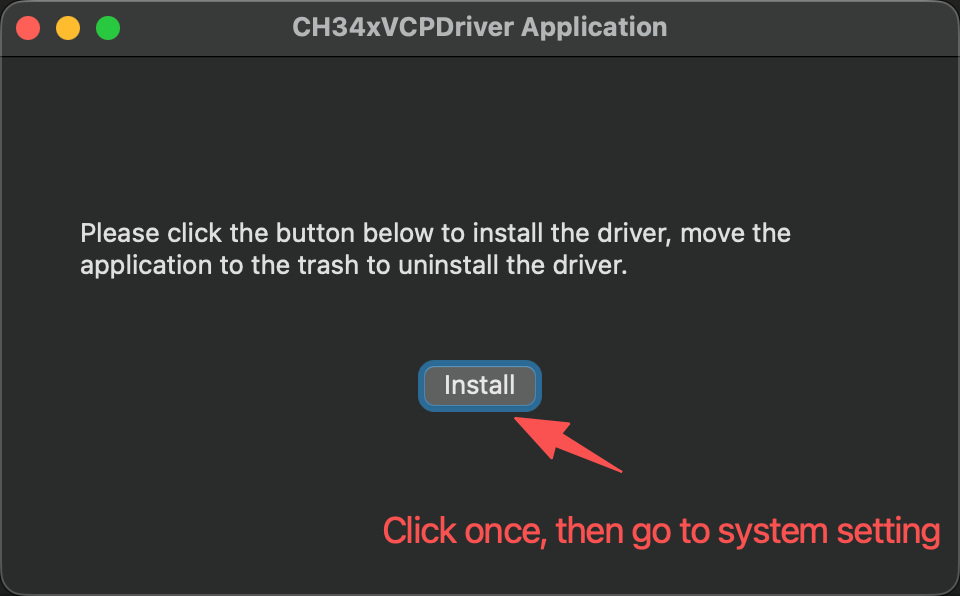
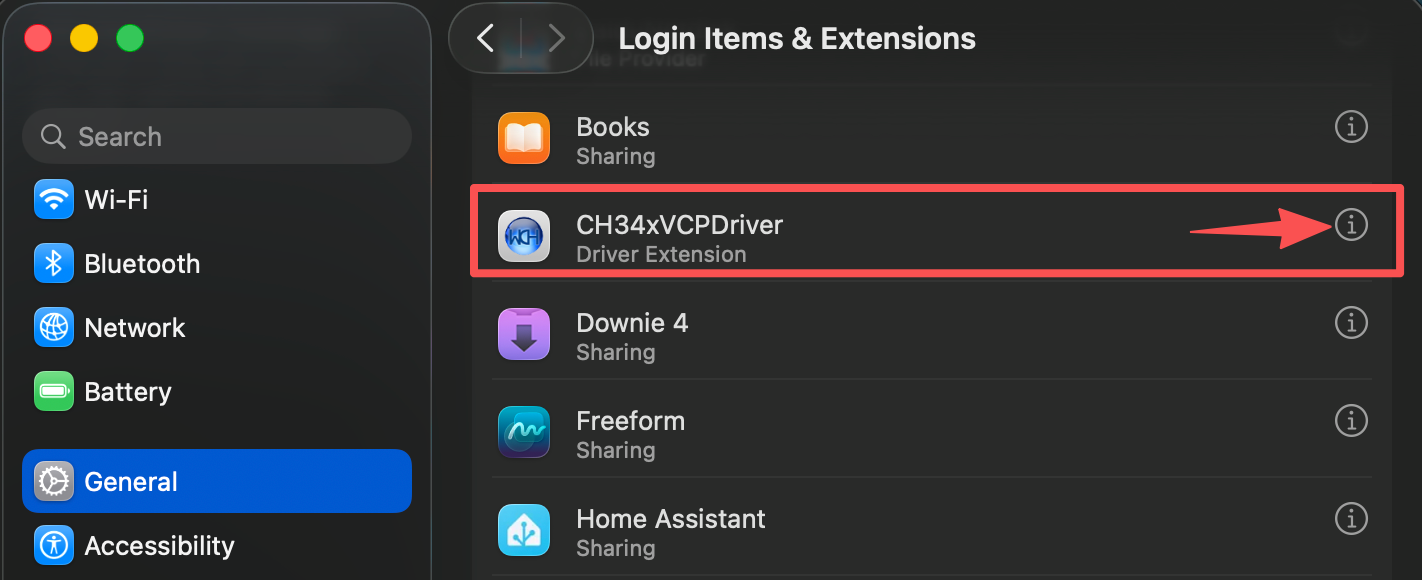
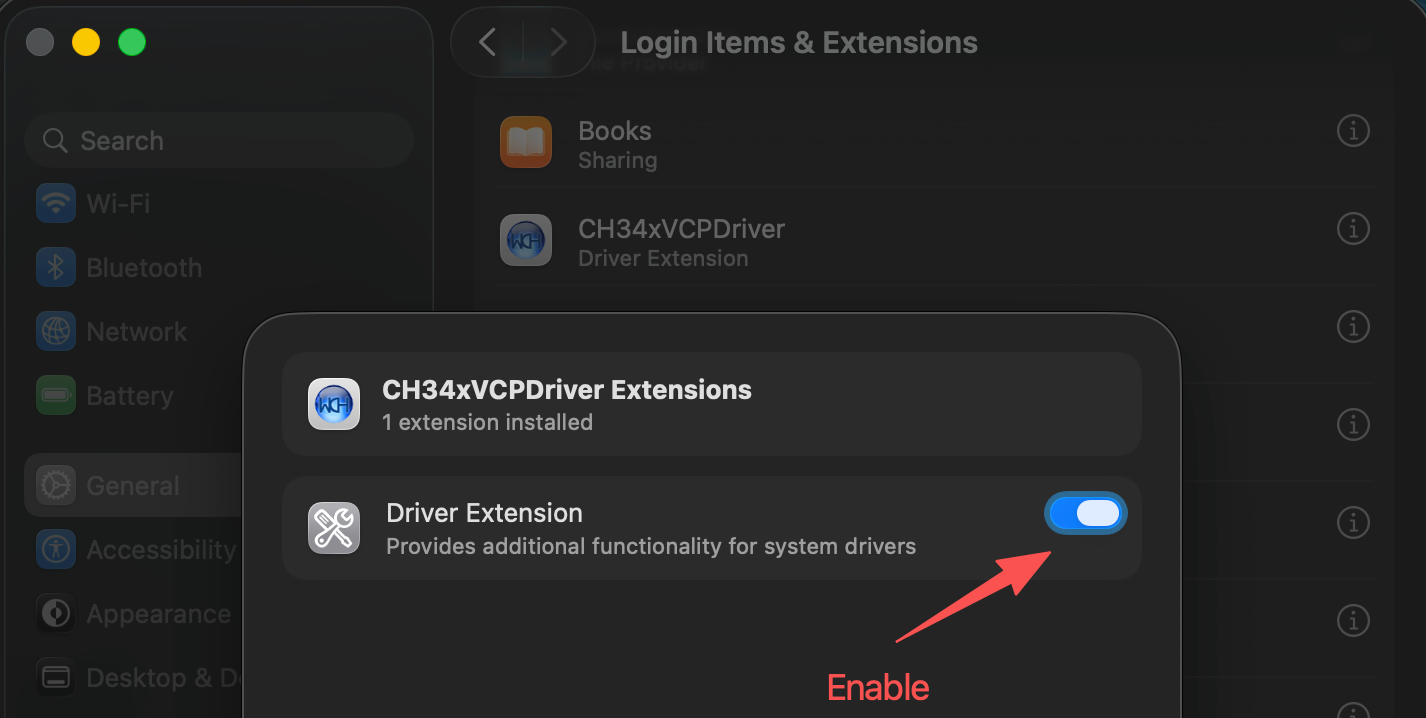
Step 2. Enable Driver Extension (Critical) Open the CH34xVCPDriver app from Launchpad, click Install, then go to System Settings → General → Login Items & Extensions → Driver Extensions. Toggle CH34xVCPDriver Extensions to ON (blue).
Step 3. Connect and Verify Ensure the device power switch is ON and use a data USB-C cable (not charge-only). Open Terminal and run:
ls /dev/tty.wch*
# Expected output: /dev/tty.wchusbserialxxx
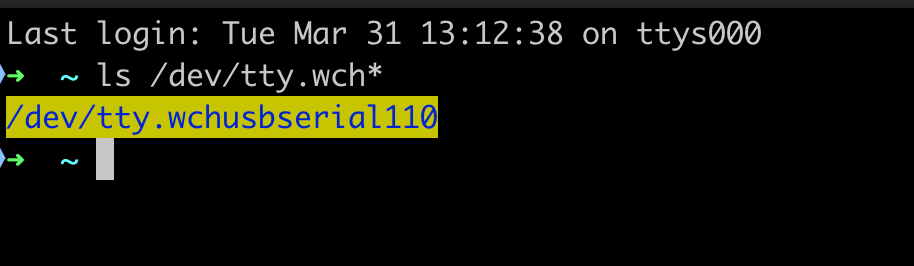
If you see the device path in the output, the driver is correctly installed and your reTerminal is ready for use!
Resources
Tech Support & Product Discussion
Thank you for choosing our products! We are here to provide you with different support to ensure that your experience with our products is as smooth as possible. We offer several communication channels to cater to different preferences and needs.