Wi-Fi HaLow Media Gateway
Introduction
This application turns a HaLowLink 2 plus a XIAO ESP32-S3 node into a media gateway: a standard smartphone sends photos, videos, and files to a PC over a long-range Wi-Fi HaLow link, without any HaLow support on the phone.
The demonstrated end-to-end path:
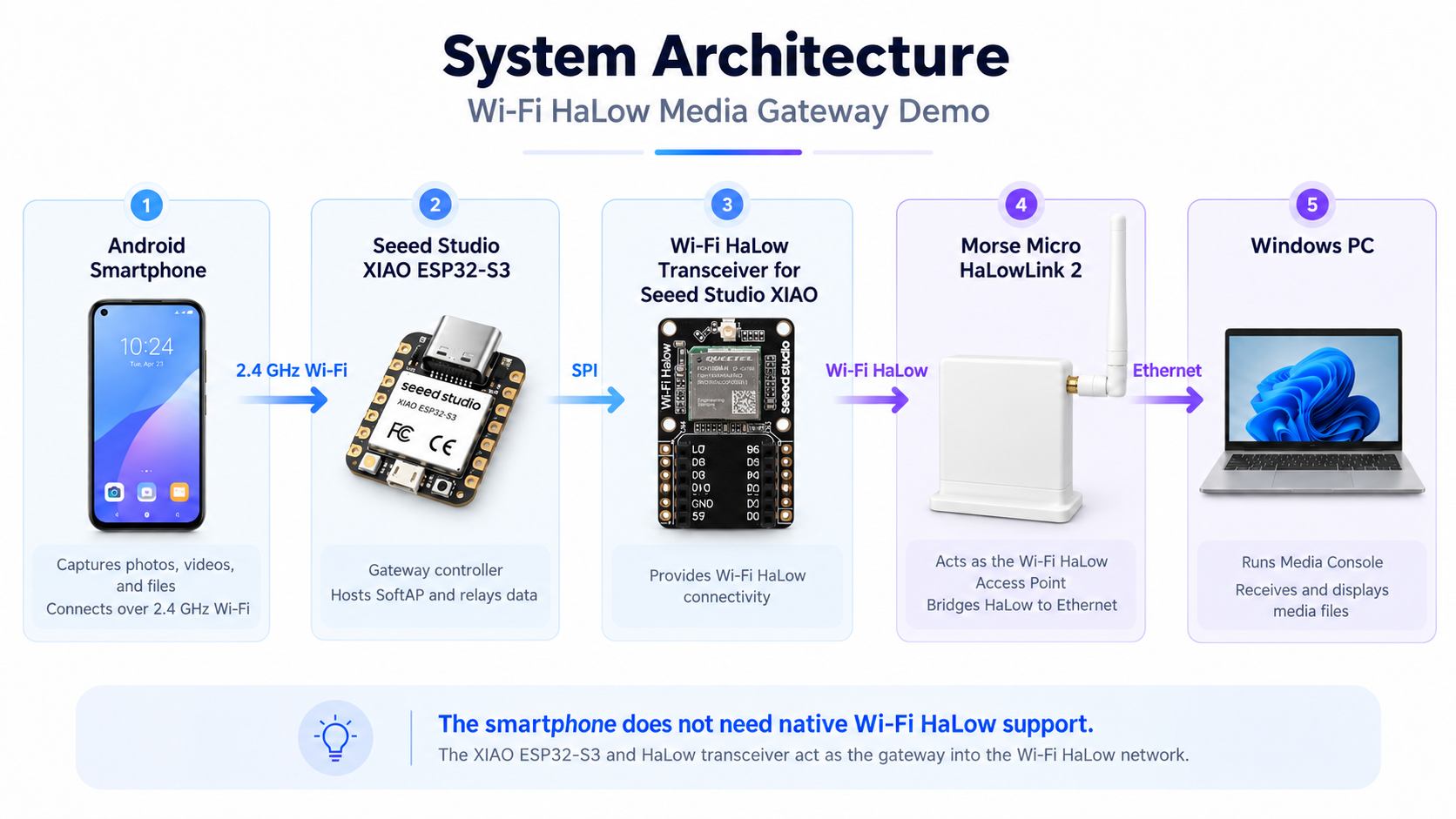
Smartphone --2.4 GHz Wi-Fi--> XIAO ESP32-S3 + Wio-WM6180 --Wi-Fi HaLow--> HaLowLink 2 --Ethernet--> PC (Media Console)
The smartphone only needs ordinary 2.4 GHz Wi-Fi. The XIAO node bridges the two worlds: it hosts a 2.4 GHz hotspot for the phone and holds the HaLow link to the gateway.
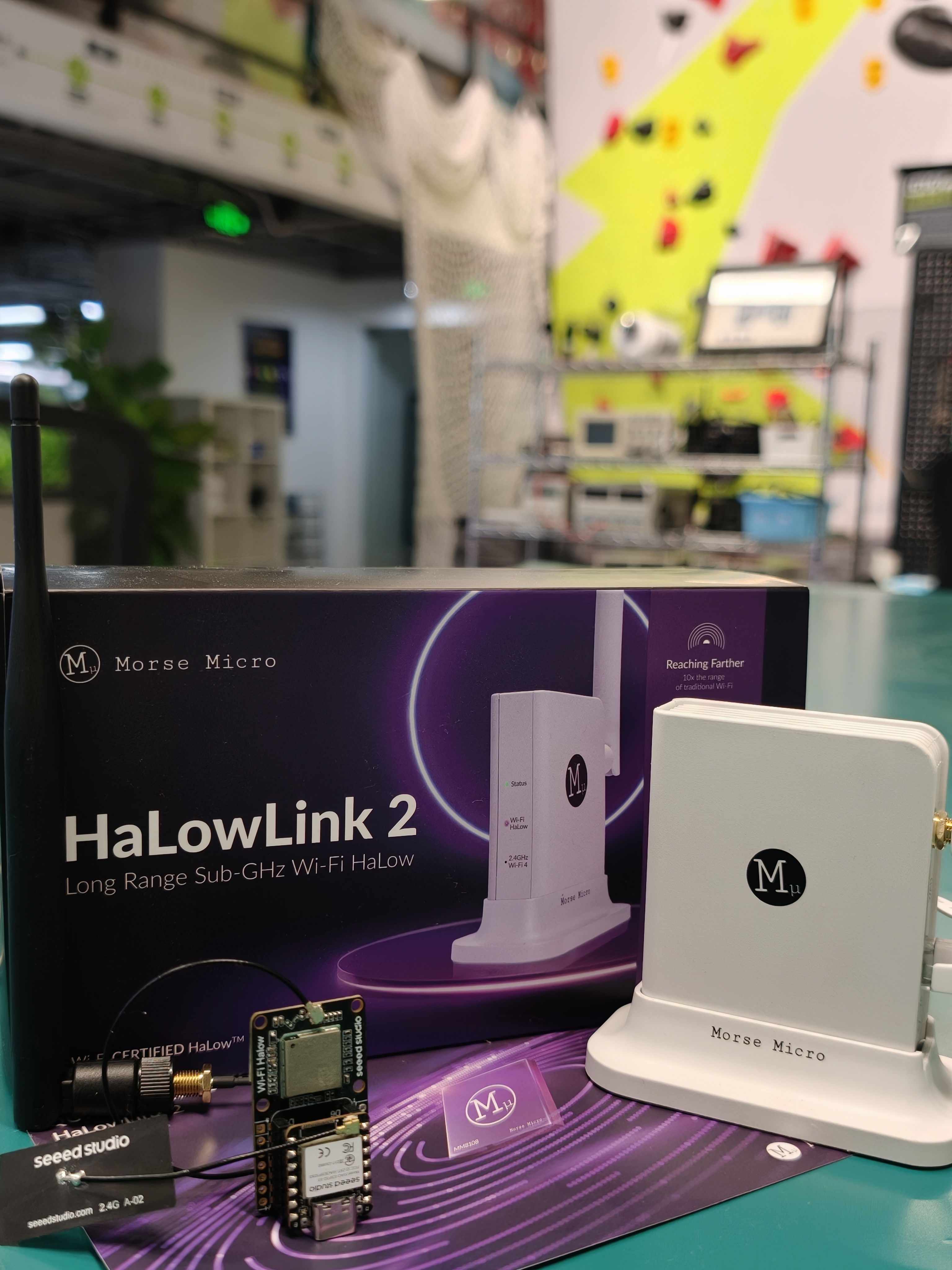
Hardware Requirements
| Product | SKU | Role in the demo |
|---|---|---|
| HaLowLink 2 Wi-Fi HaLow Gateway | 100072966 | Wi-Fi HaLow Access Point; Ethernet bridge to the PC |
| Wi-Fi HaLow Transceiver for Seeed Studio XIAO (Wio-WM6180) | 109100041 | The HaLow radio on the gateway node |
| Seeed Studio XIAO ESP32-S3 | 113991114 | Gateway controller: hosts the 2.4 GHz SoftAP and relays media |
You also need:
- A smartphone with 2.4 GHz Wi-Fi (no HaLow support required)
- A Windows PC with an Ethernet port, running the Media Console
- Power supplies and cabling for all devices
System Architecture
Five stages, each handing media to the next:
| Stage | Link | Notes |
|---|---|---|
| Smartphone → XIAO node | 2.4 GHz Wi-Fi | The phone uploads to the node's SoftAP through a browser page |
| XIAO ESP32-S3 → Wio-WM6180 | SPI | The controller streams received bytes to the HaLow radio |
| Wio-WM6180 → HaLowLink 2 | Wi-Fi HaLow (sub-1 GHz) | The long-range hop; the node joins the gateway's HaLow network |
| HaLowLink 2 → Windows PC | Ethernet | The gateway delivers the traffic to the Media Console |
Set Up the Gateway Side
- HaLowLink 2. Set up the gateway — antenna, power, computer connection — following Preparation, then log in via Access the Web UI. The factory-default Router configuration is sufficient for a standalone demo; use Access Point Mode to integrate with an existing LAN.
- XIAO node. Assemble the XIAO ESP32-S3 with the Wio-WM6180 module following the Wi-Fi HaLow Module for XIAO guide, attach its antenna, and flash the Media Gateway firmware provided by Seeed Studio.
- PC. Connect the Windows PC to the gateway's LAN port by Ethernet (demo network
192.168.12.x), and start the Media Console server.
After power-on the node operates automatically: the ESP32-S3 initializes the Wio-WM6180, associates with the HaLowLink 2 Access Point over Wi-Fi HaLow, and starts its 2.4 GHz SoftAP for the phone.
Verify the HaLow link before running the demo: on the gateway's Home page, open the Access Point (HaLow) card — the associated node appears with signal level and RX/TX rate, and the Local Network / Network → Interfaces pages show the LAN side that carries the traffic to the PC.
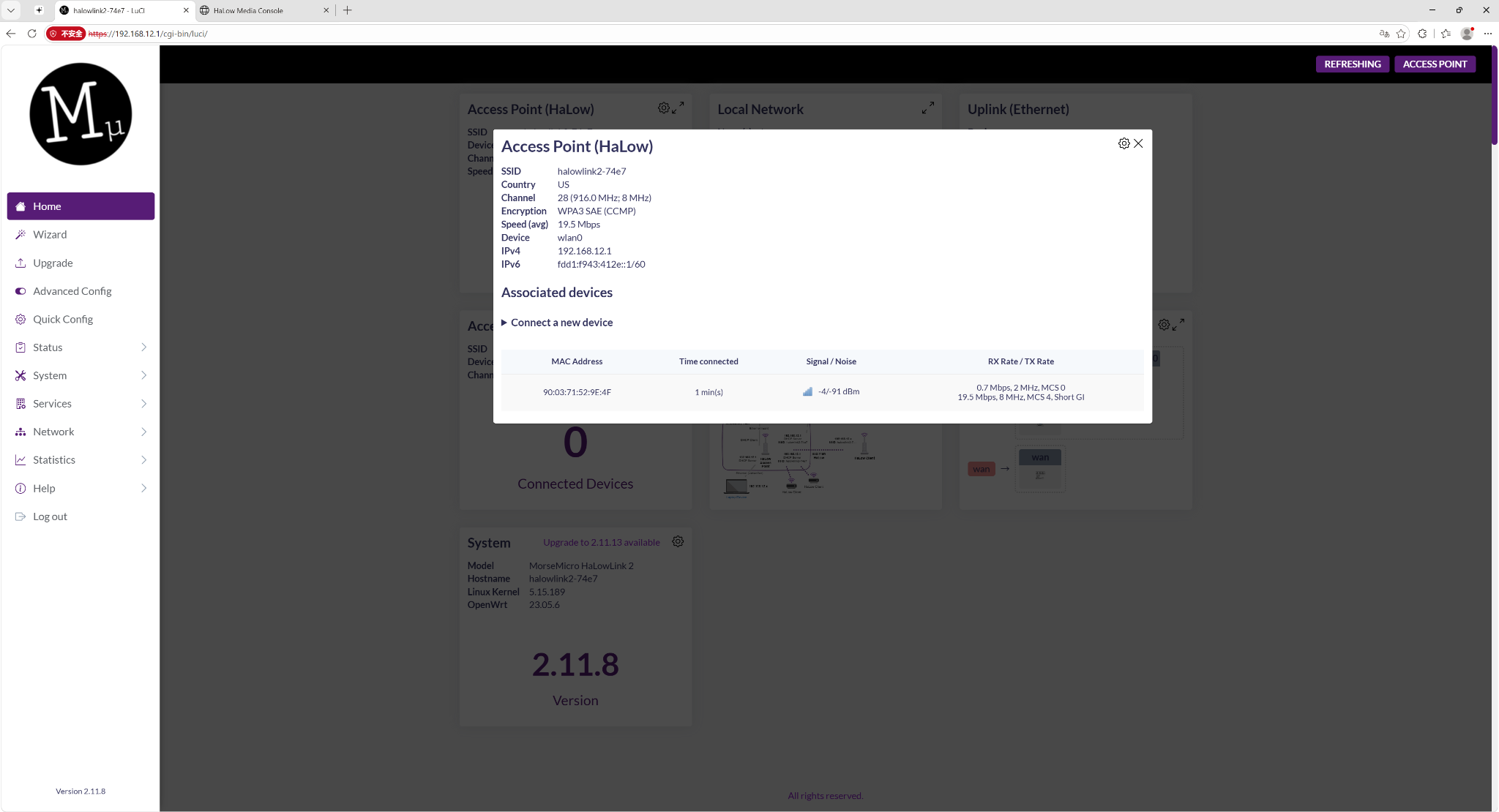
Gateway web UI: the Access Point (HaLow) card lists the associated gateway node with signal level and RX/TX rate — the link is up before any media moves.
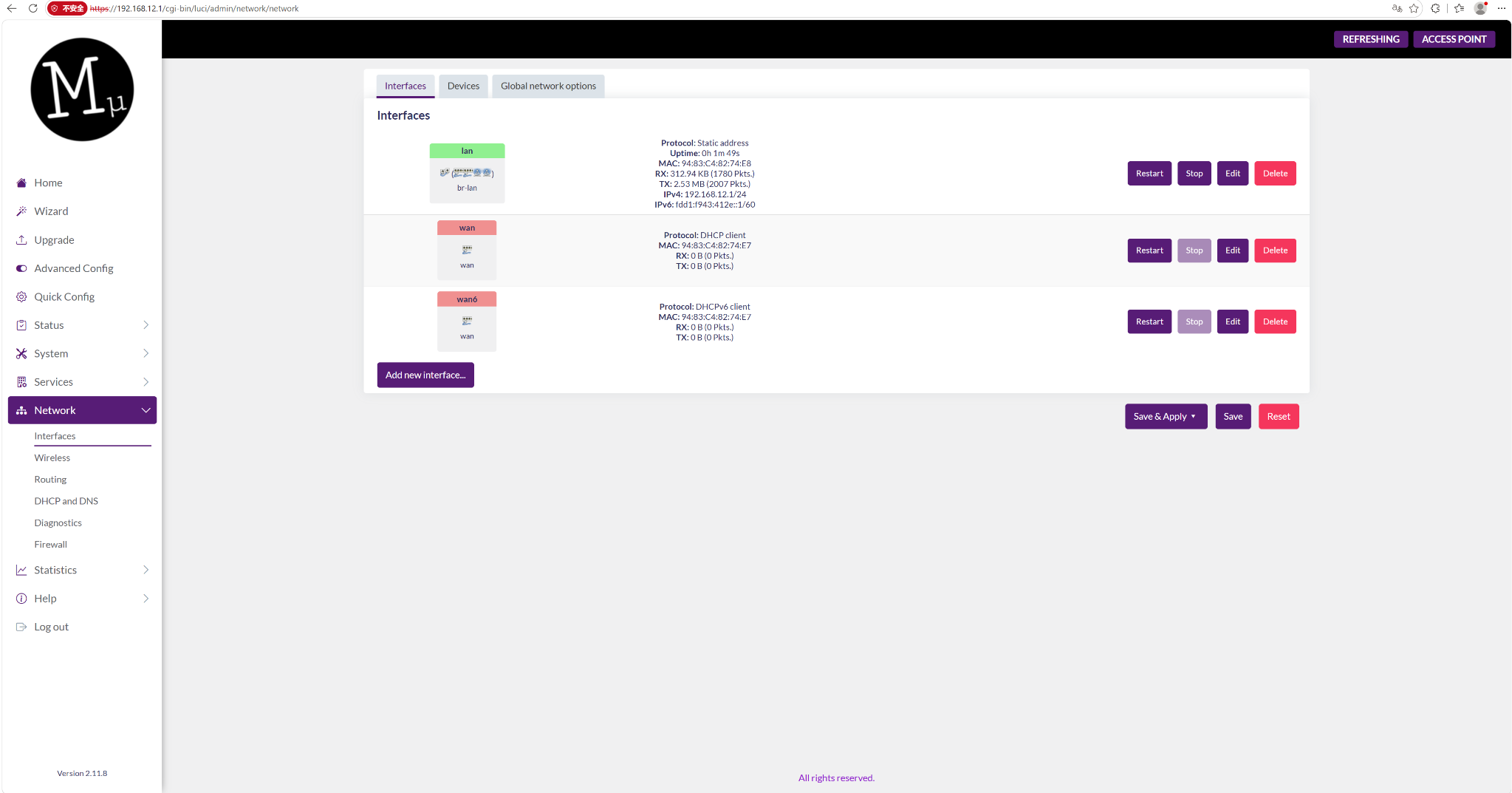
Gateway web UI, Network → Interfaces: the LAN interface (192.168.12.x) carries the demo traffic to the PC.
Run the Demo
- Phone: join the XIAO node's 2.4 GHz SoftAP, open the Media Gateway web page at
192.168.4.1in the browser, choose a photo, video, or file, and start the upload. - Node: the ESP32-S3 receives the upload and streams it over the HaLow link — no intermediate storage involved.
- PC: the Media Console receives, stores, and lists the file; open it there to preview, play, save, or download.
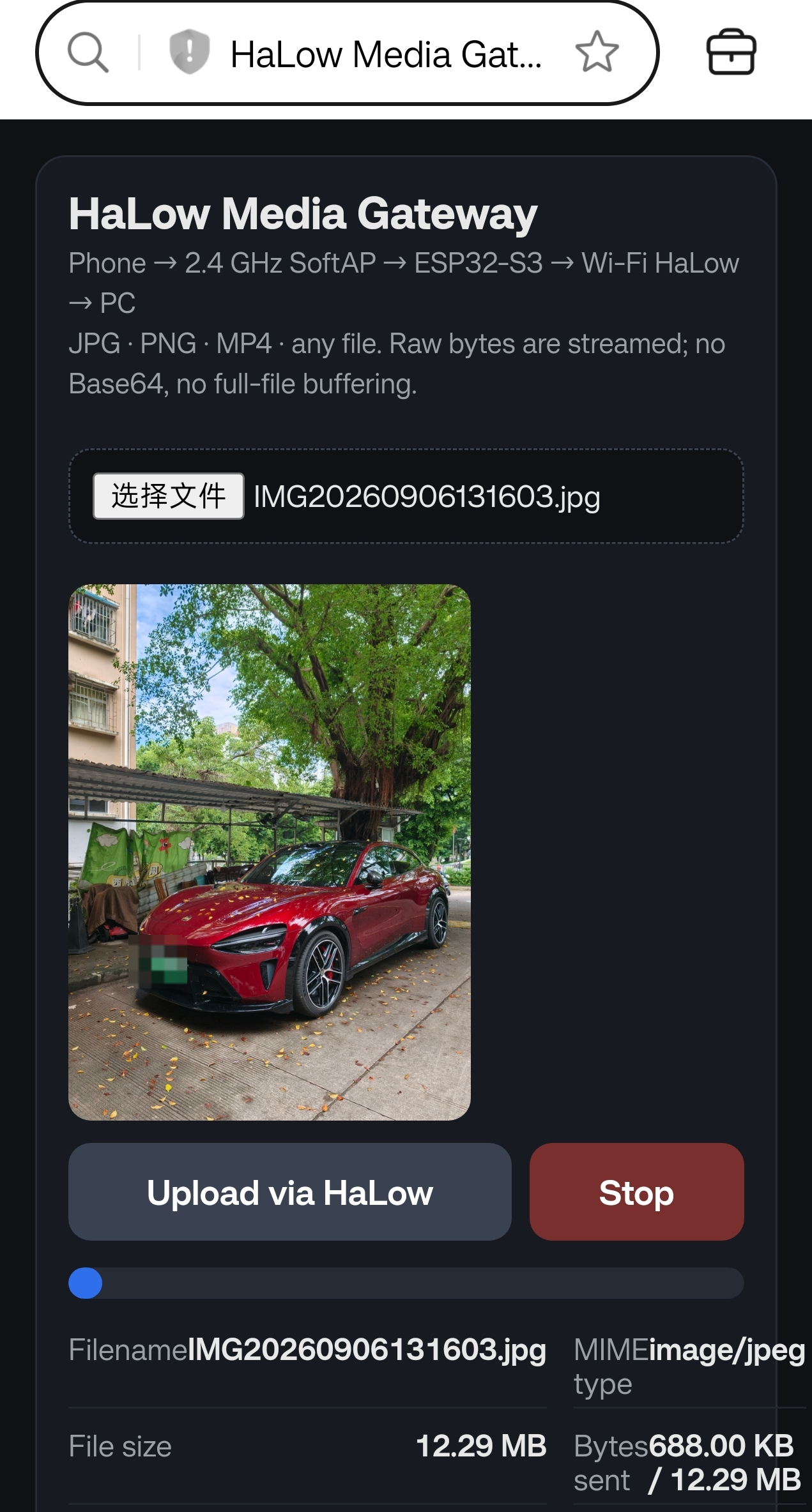
Smartphone side: the browser-based upload page served by the XIAO node's SoftAP, with a photo selected and the transfer in progress.
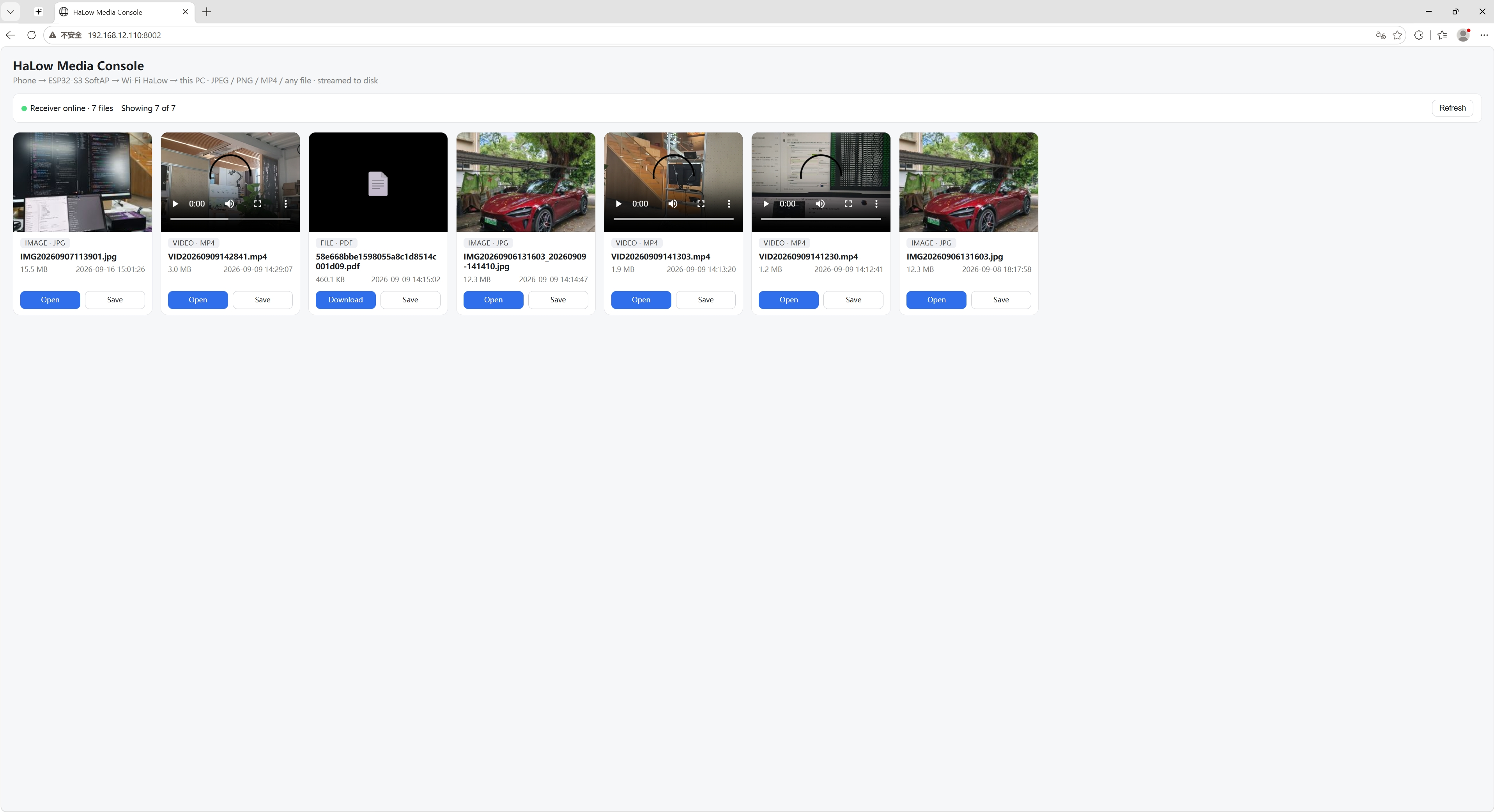
PC side: the Media Console lists every received file — photos, videos, documents — ready to preview, play, save, or download.
How the node moves the data:
- Dual-network gateway: the SoftAP serves the phone side while the HaLow interface serves the PC side; default-route management keeps outbound media on the Wi-Fi HaLow path.
- Streaming relay: media is forwarded in 16 KB chunks — the ESP32-S3 never buffers a complete file in memory, and no Base64 encoding is used.
- File types: JPG, PNG, MP4, and general files.
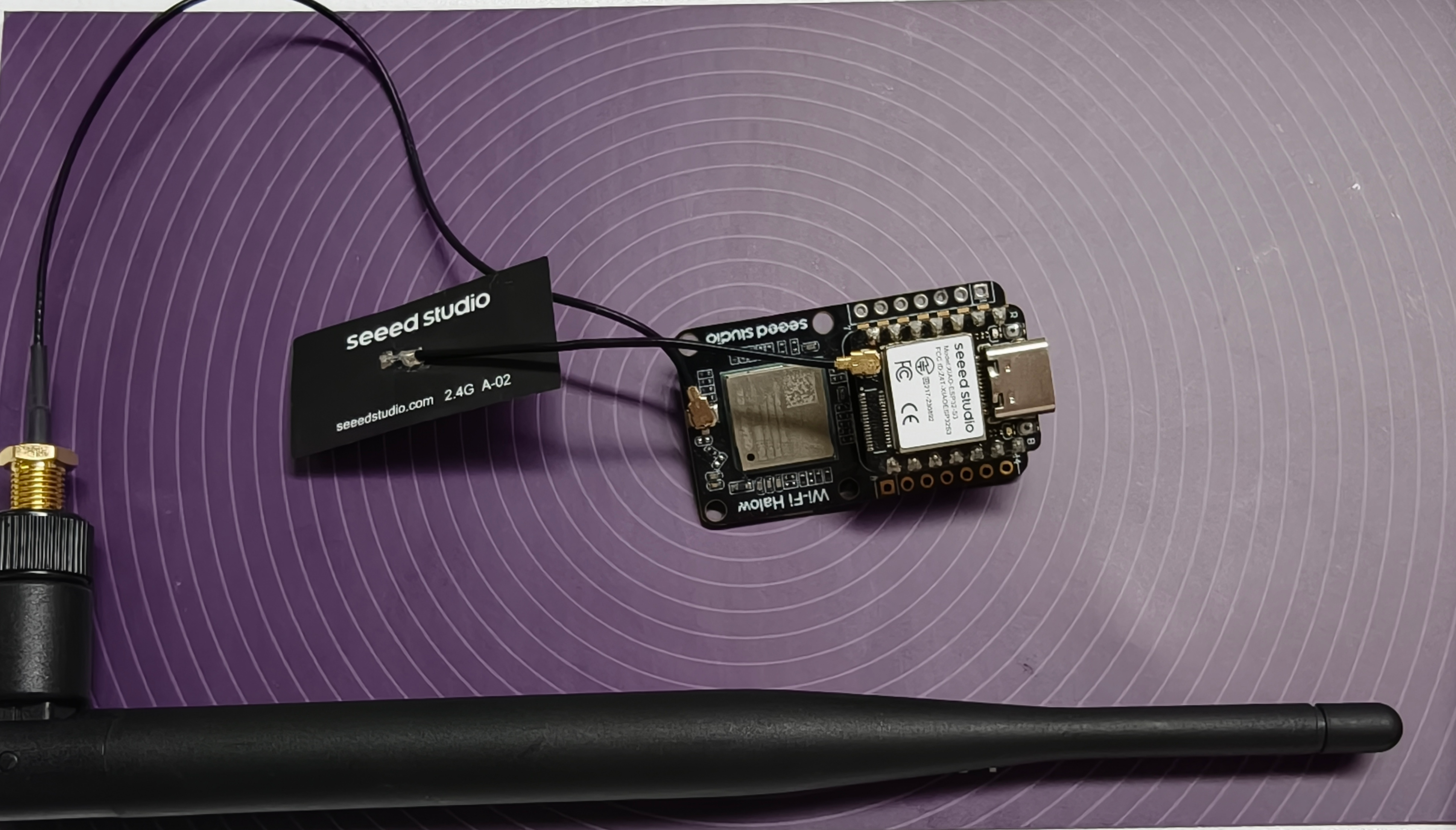
Demo Results
The complete end-to-end transfer was demonstrated by Seeed engineering:
- Photo upload — JPG / PNG transfer verified
- Video transfer — MP4 upload and playback verified
- Generic files — upload and download supported
- PC Media Console — received files previewed, played, saved, and downloaded
- End-to-end connectivity — smartphone-to-PC media transfer over Wi-Fi HaLow, with no HaLow support on the phone
Troubleshooting
For gateway and HaLow link issues — web UI access, pairing, IP addressing, throughput — see Getting Started → Troubleshooting.
Resources
- Getting Started with Wi-Fi HaLow Module for XIAO
- Getting Started with Wi-Fi HaLow Mini PCIe Module
- HaLowLink 2 Getting Started
Tech Support & Product Discussion
Thank you for choosing our products! We are here to provide you with different support to ensure that your experience with our products is as smooth as possible. We offer several communication channels to cater to different preferences and needs.