Industrial Vision Monitoring on Industrial
Introduction
Industrial and worksite safety depends on knowing what is happening on the floor — in real time, not only after an incident. Cameras are everywhere, but most setups still rely on manual review. Industrial vision AI closes that gap: detect whether workers are present, whether required PPE is worn, and whether unsafe behaviors appear in the scene, then raise alerts immediately at the edge.
This wiki deploys a reference industrial safety monitoring demo on Seeed Industrial Jetson devices. A USB camera streams to the browser; YOLO handles person and PPE detection, and a VLM analyzes behavior hazards. Both model families are swappable — the repository is a starting point, not locked to one checkpoint.
| reComputer Industrial J4012 | reServer Industrial J4011 |
|---|---|
 |  |
Verified on reComputer Industrial J4012 and reServer Industrial J4011 with JetPack 7.2.
Overview
| Layer | Role |
|---|---|
| YOLO | Person detection (green boxes) and PPE violations such as missing helmet or vest (red boxes) |
| VLM | Scene-level behavior alerts — phone use, smoking, falls, fire/smoke, and more |
Open http://<jetson-ip>:8080 in a browser for live WebRTC video, detection overlays, and an alert feed.
Supported Hardware
| Item | Configuration |
|---|---|
| Devices | reComputer Industrial, reServer Industrial |
| Verified | reComputer Industrial J4012, reServer Industrial J4011 · JetPack 7.2 (L4T 39.2.0) |
| JetPack | 7.2 verified · 6.2 expected compatible · below 6.2 requires manual PyTorch wheels |
| RAM / Disk | 8 GB RAM minimum · 8 GB free disk |
| Camera | USB UVC / V4L2 (/dev/video*) |
Tested on reComputer Industrial J4012 and reServer Industrial J4011 with JetPack 7.2. The same steps apply to other Seeed Industrial Jetson devices with a matched JetPack version.
Installation
Clone the repo and run the one-click script on the target Jetson:
git clone https://github.com/xbs0325/industrial-inspection.git
cd industrial-inspection
./run.sh
./run.sh copies .env if missing, downloads models, builds the Docker image (first run 15–30 min), and starts the containers.
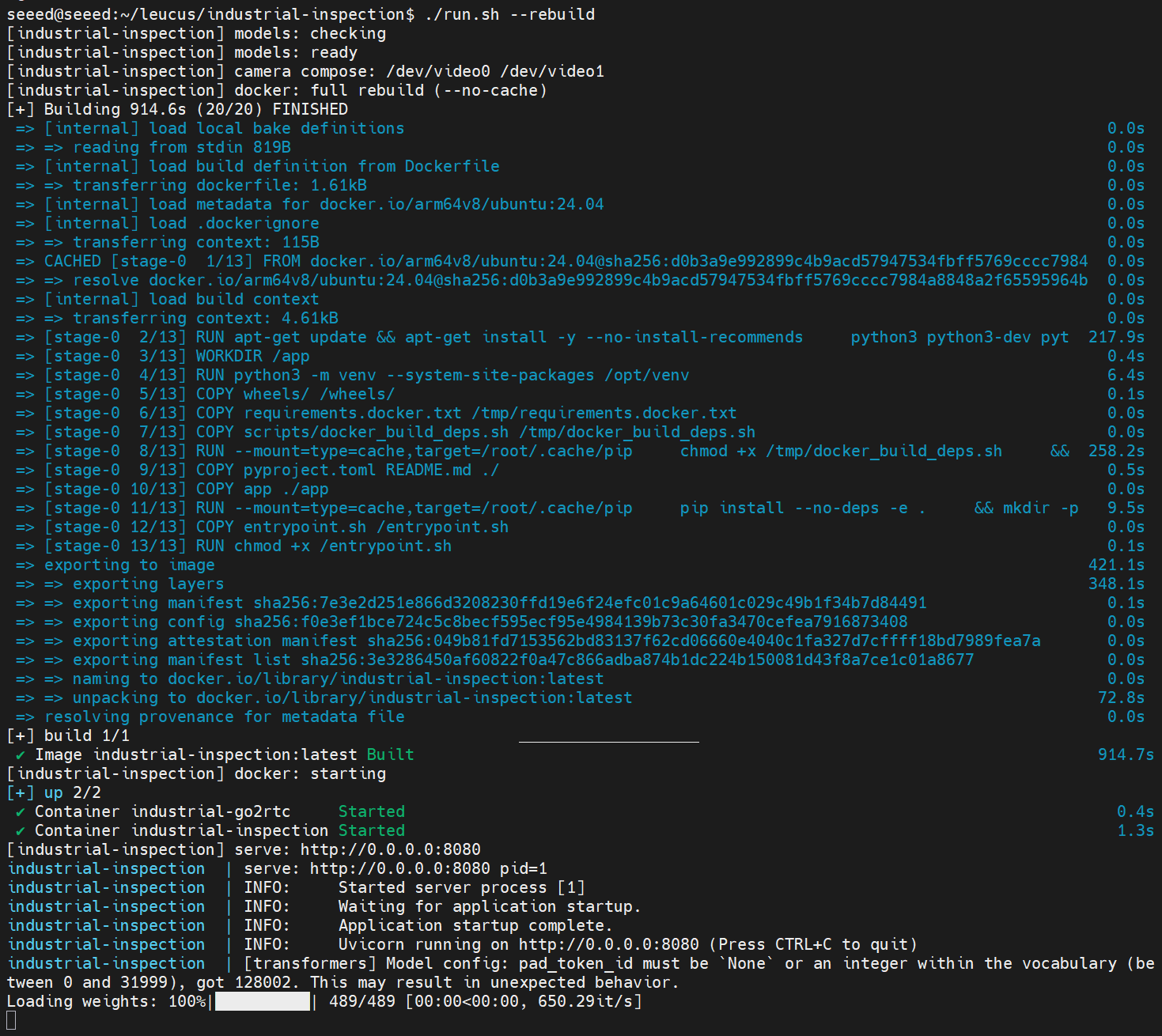
Then open:
http://<jetson-ip>:8080
The application runs entirely in Docker — no manual Python setup on the host is required for the default workflow.
JetPack notes
| JetPack | PyTorch |
|---|---|
| 7.2 | Installed automatically during Docker build (TORCH_INDEX_URL=cu130) |
| 6.2 | Set TORCH_INDEX_URL to your CUDA 12.x index, or place matching wheels in wheels/ |
| Below 6.2 | Place Jetson-matched torch-*.whl / torchvision-*.whl in wheels/ before ./run.sh |
After changing JetPack-related files, rebuild on the target device:
./clean.sh && ./run.sh
See Install Pytorch for reComputer Jetson for wheel sources.
Do not copy Docker images between devices with different JetPack or CUDA versions. Always rebuild on the target Jetson.
Optional .env tuning
CAMERA_PIPELINE=sw # sw (default) or hw
Demo Results
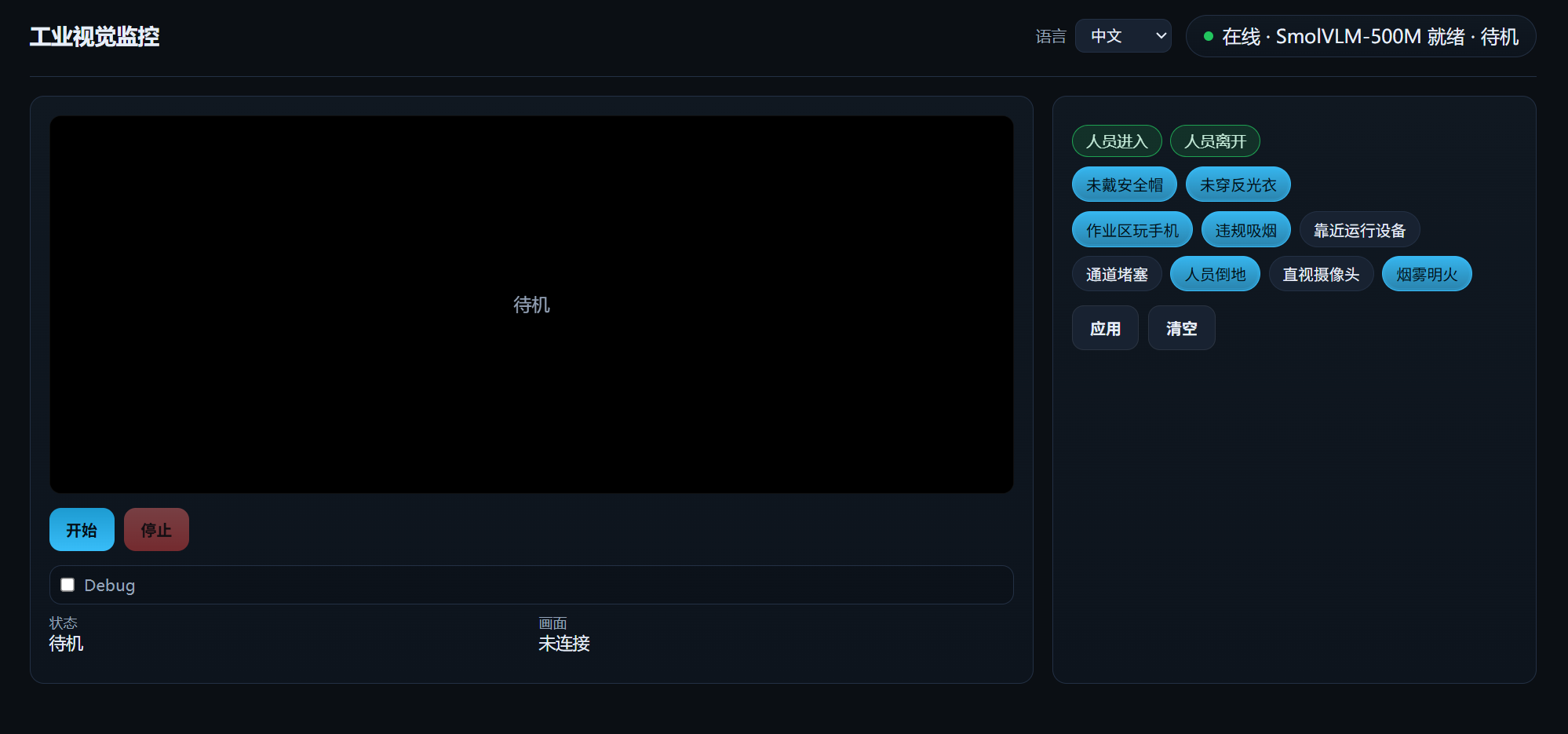
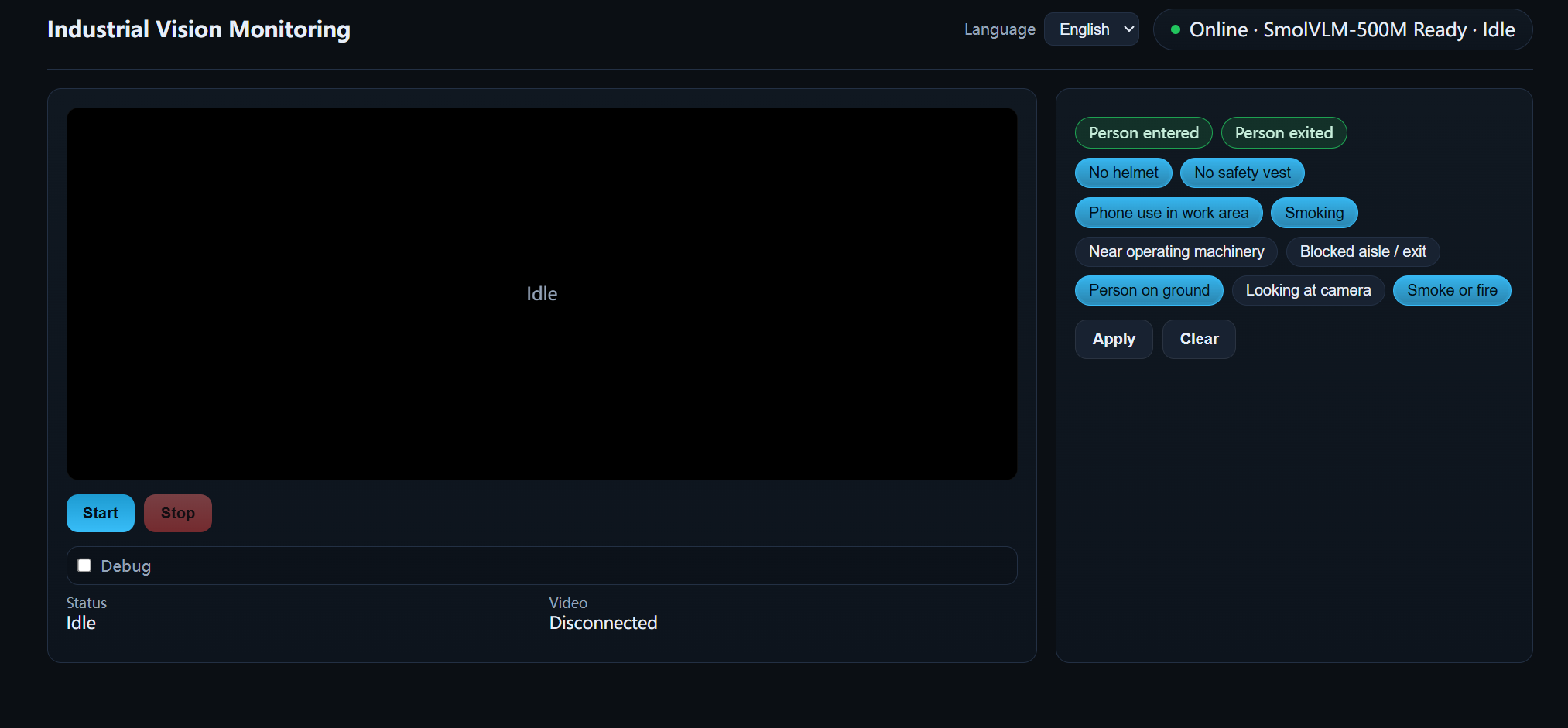
Idle UI before the camera stream starts.
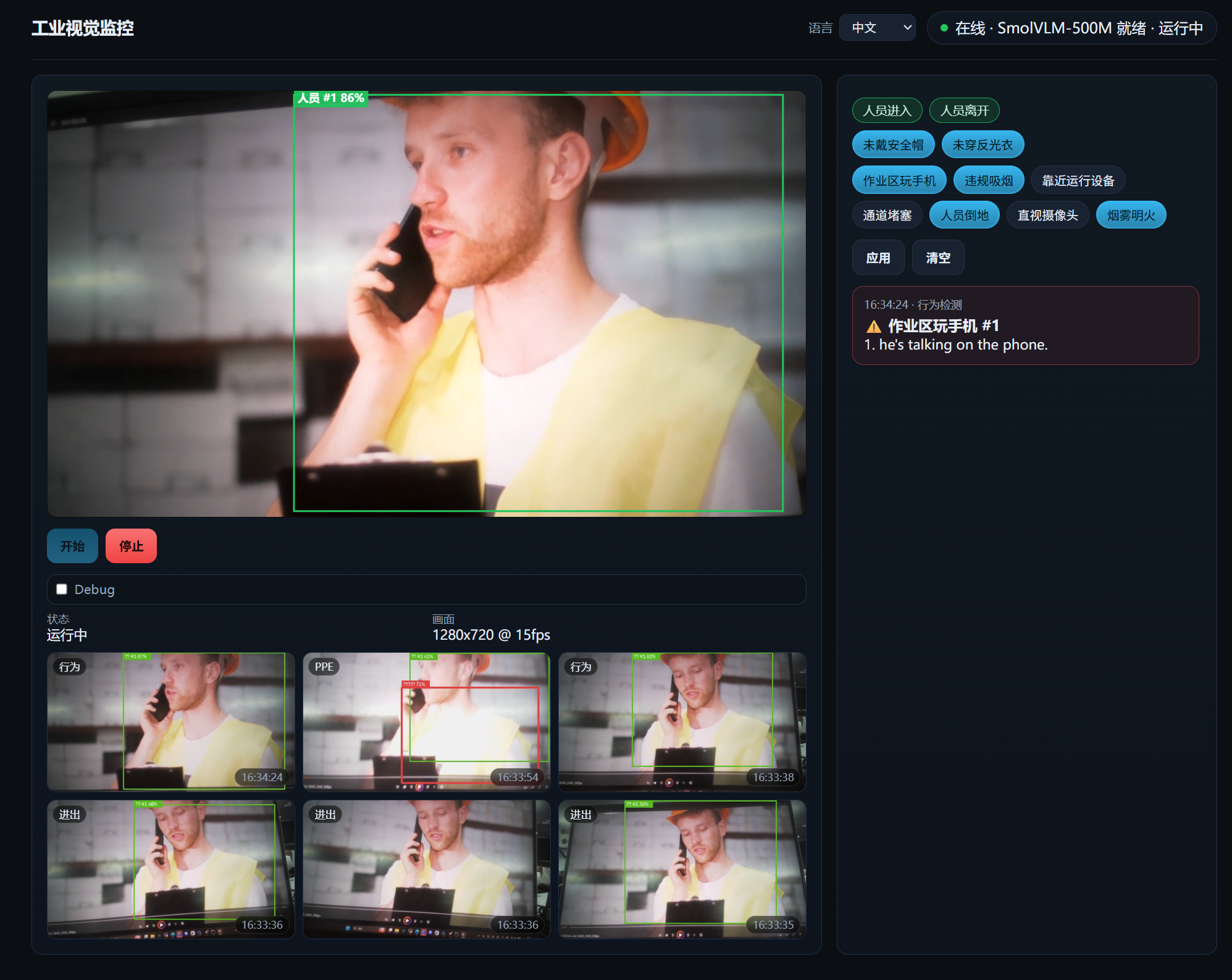
VLM behavior alert — phone use in the work area.
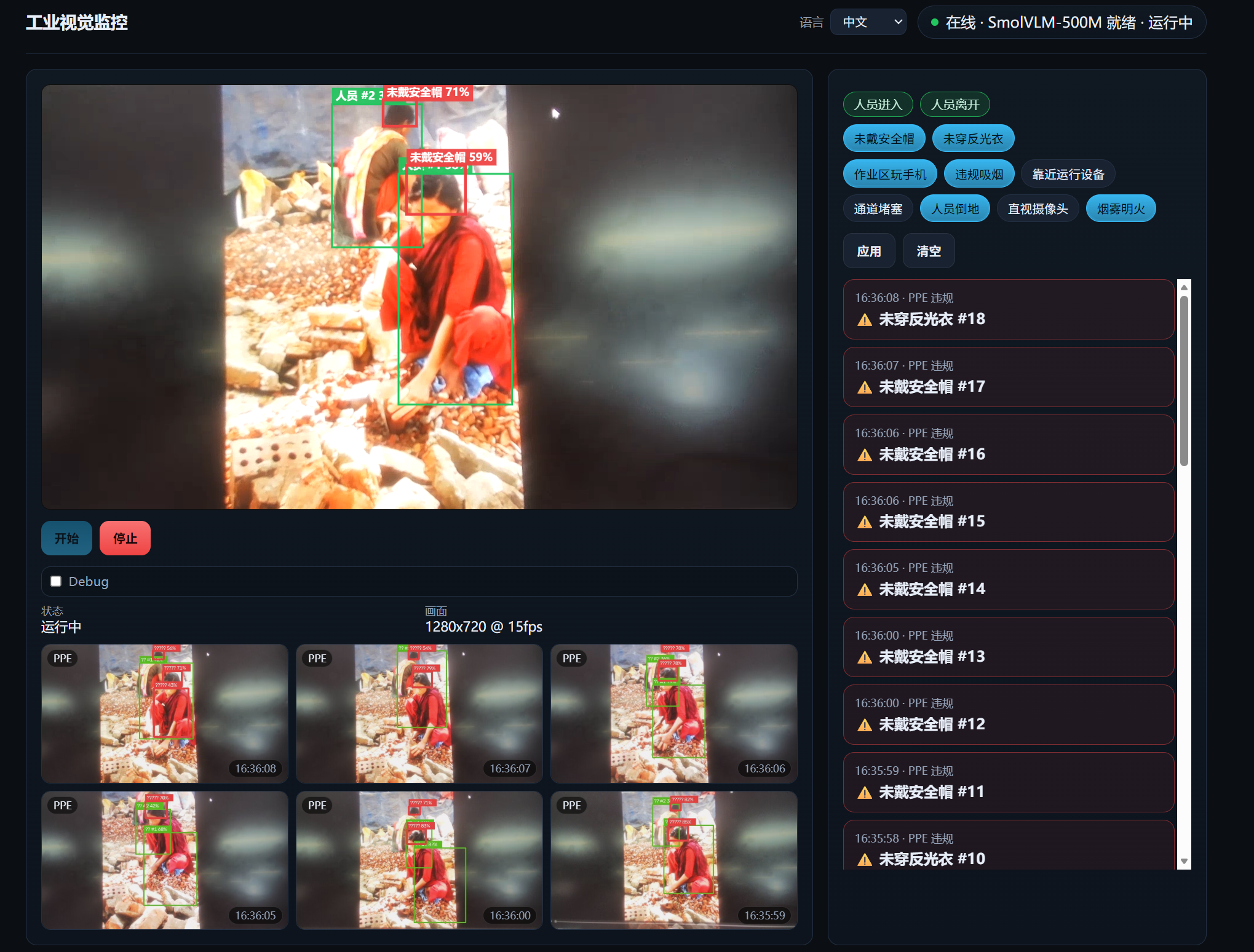
YOLO PPE alert — missing safety helmet.
Models Used in This Demo
The default release ships with the checkpoints below. You can replace them with other YOLO or VLM models by updating the repo config and models/ directory.
| Role | Default model | File |
|---|---|---|
| Person detection | YOLOv8n | models/yolov8n.onnx |
| PPE detection | YOLOv8 PPE | models/ppe-yolov8n.pt |
| Behavior analysis | SmolVLM-500M-Instruct | models/SmolVLM-500M-Instruct/ |
Models download automatically on first ./run.sh, or manually via ./scripts/download_models.sh.
Stop and Cleanup
./clean.sh              # stop containers and remove local image
./clean.sh --full       # also remove models/, data/, bin/go2rtc
Troubleshooting
| Issue | Fix |
|---|---|
| Docker permission denied | Add user to docker group, or use sudo docker |
| Slow first build | Normal (15–30 min). On JetPack 6.2 or older, place wheels in wheels/ |
| PyTorch / CUDA mismatch | Rebuild on target Jetson; do not reuse images from another JetPack |
| Camera not in container | Confirm /dev/video* on host; ./run.sh auto-mounts detected cameras |
| No video in browser | Check docker ps for industrial-go2rtc; port 1984 must be reachable |
Resources
Tech Support & Product Discussion
Thank you for choosing Seeed Studio products! For technical support and product discussion, please use the following channels: