iSpy on reComputer
Introduction
iSpy is an open-source video surveillance application, designed to work with consumer webcams and IP cameras. It was originally launched in 2007 and has evolved into a full-featured monitoring solution.

Prerequisites
Hardware Requirements
| reComputer R1125 | reComputer AI R2130 | reComputer AI Industrial R2145 |
|---|---|---|
 |  |  |
| reComputer Industrial R20xx | reComputer Industrial R21xx |
|---|---|
 |  |
Download iSpy
Update system
Please use the following command to run.
sudo apt update
sudo apt upgrade -y
Download docker and docker compose
Please use the following command to install docker.
wget https://get.docker.com -O get-docker.sh
chmod +x
sudo sh get-docker.sh
sudo systemctl start docker
sudo systemctl enable docker
docker --version
The result is shown as below:

Please use the following command to install docker compose.
sudo curl -L "https://github.com/docker/compose/releases/download/$(curl -s https://api.github.com/repos/docker/compose/releases/latest | jq -r .tag_name)/docker-compose-$(uname -s)-$(uname -m)" -o /usr/local/bin/docker-compose
sudo chmod +x /usr/local/bin/docker-compose
docker-compose --version
The result is shown as below:

Create docker-compose.yaml
Please use the following command to create docker-compose.yaml.
cd ~ && nano docker-compose.yaml
Then input the following content into the YAML file.
services:
  agentdvr:
    image: mekayelanik/ispyagentdvr:latest
    container_name: AgentDVR
    restart: unless-stopped
    environment:
      - PUID=1000
      - PGID=1000
      - TZ=America/New_York
      - AGENTDVR_WEBUI_PORT=8090
    ports:
      - "8090:8090"
      - "3478:3478/udp"
      - "50000-50100:50000-50100/udp"
    volumes:
      - /appdata/AgentDVR/config/:/AgentDVR/Media/XML/
      - /appdata/AgentDVR/media/:/AgentDVR/Media/WebServerRoot/Media/
      - /appdata/AgentDVR/commands:/AgentDVR/Commands/
Please use the following command to create necessary folder.
sudo mkdir -p /appdata/AgentDVR/config /appdata/AgentDVR/media /appdata/AgentDVR/commands
Configure iSpy
Run docker compose
Please use the following command to init database.
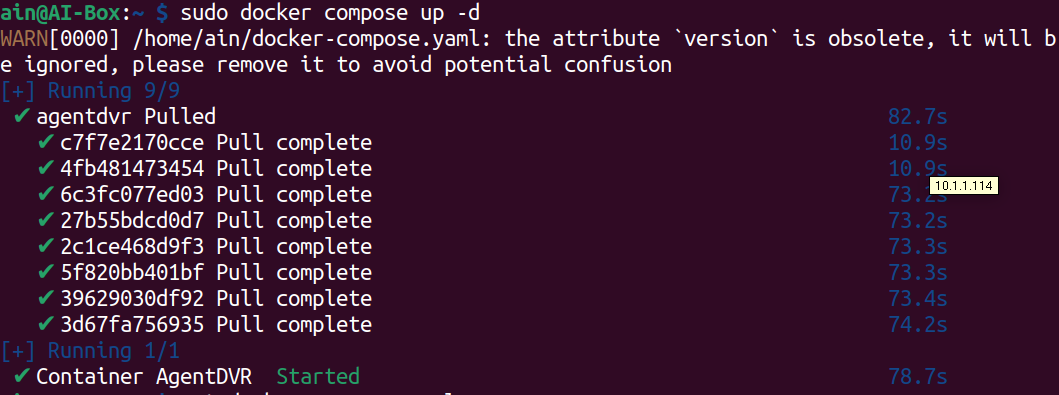
sudo docker compose up -d
The result is shown as below.
Configure
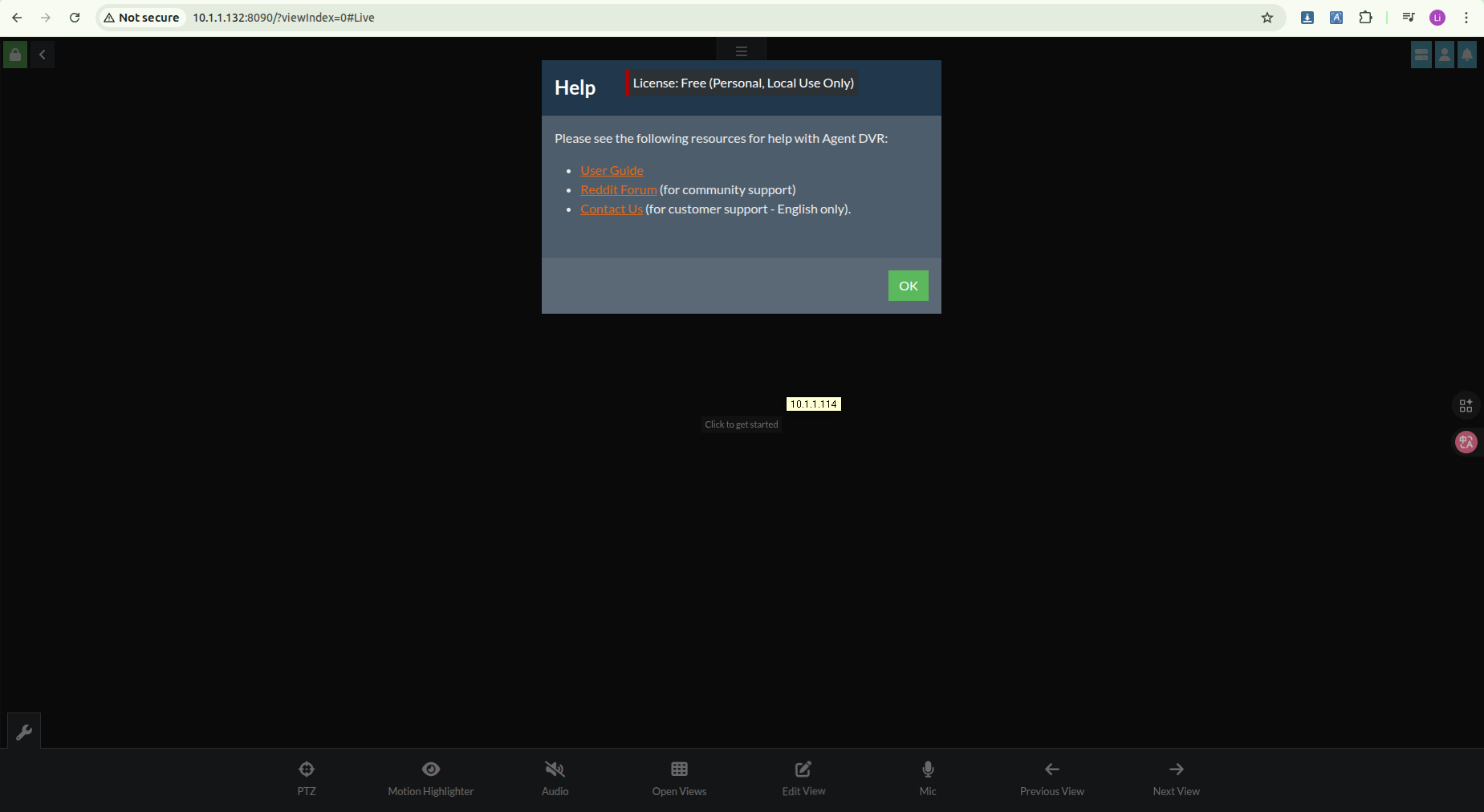
Open the localhost:8090 port:
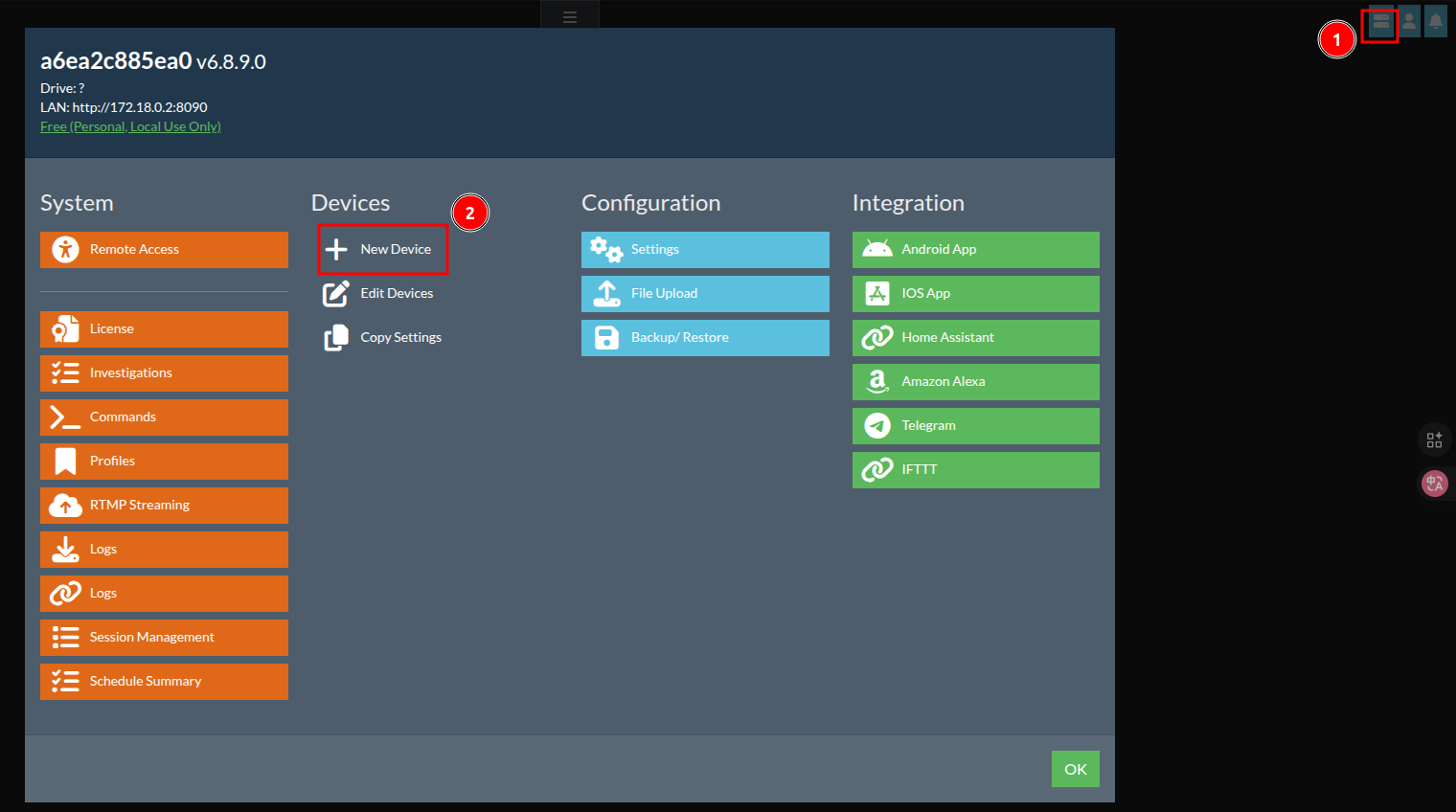
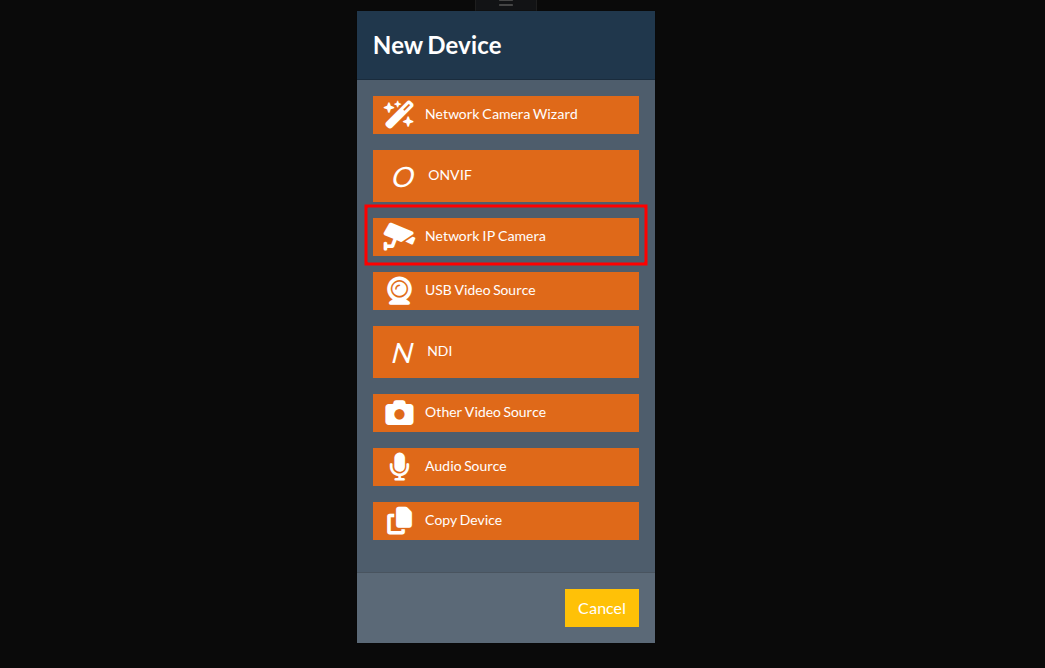
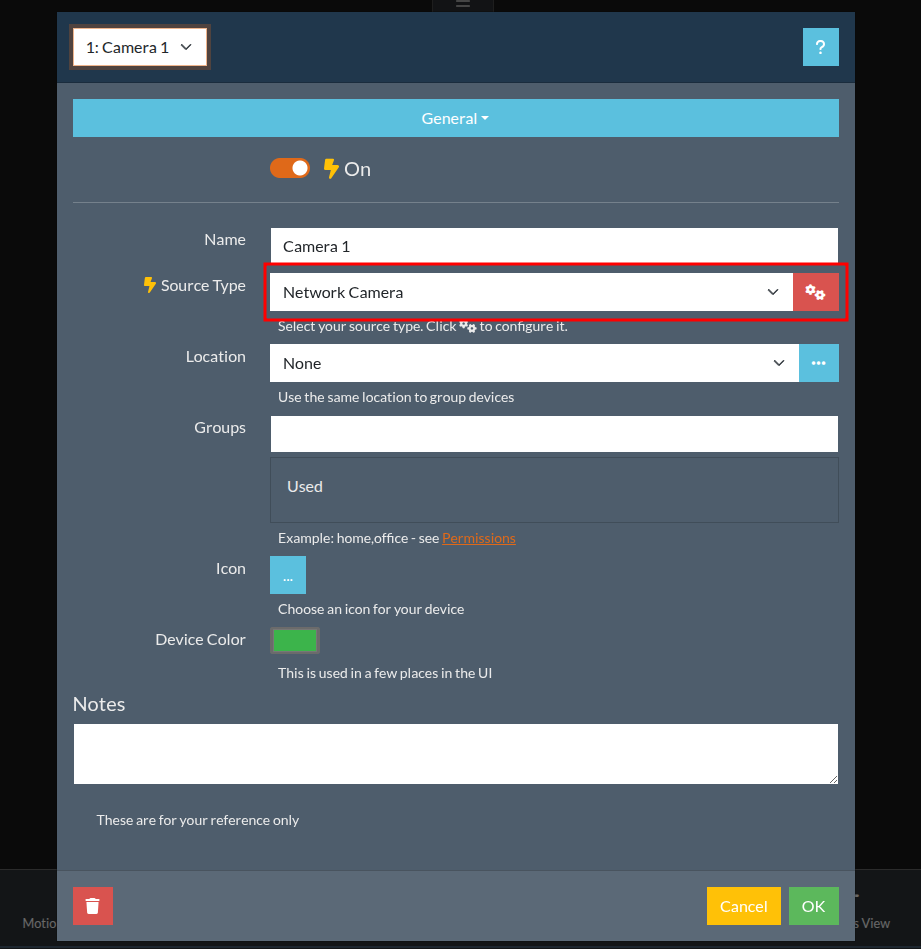
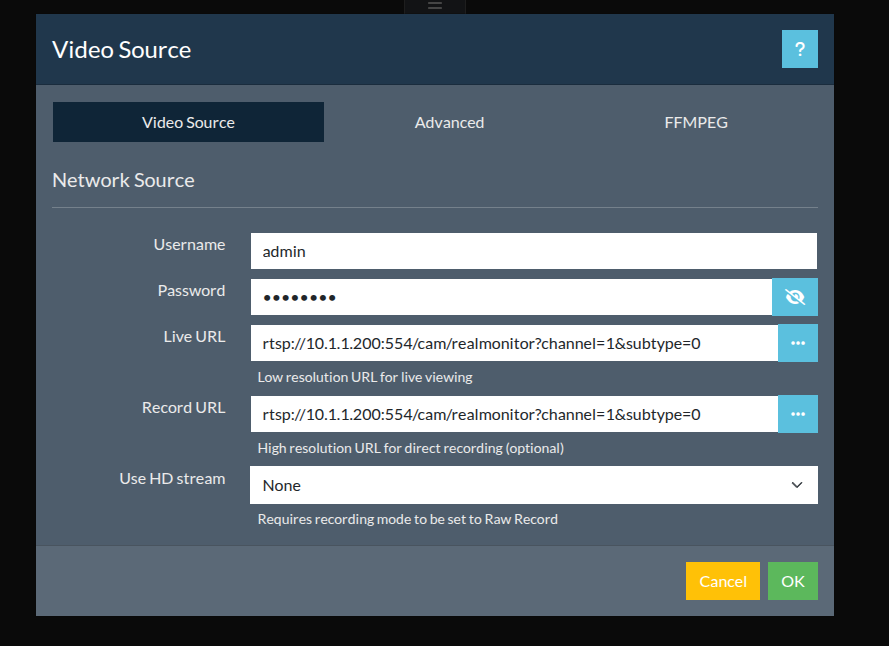
Add a camera by following the steps below:

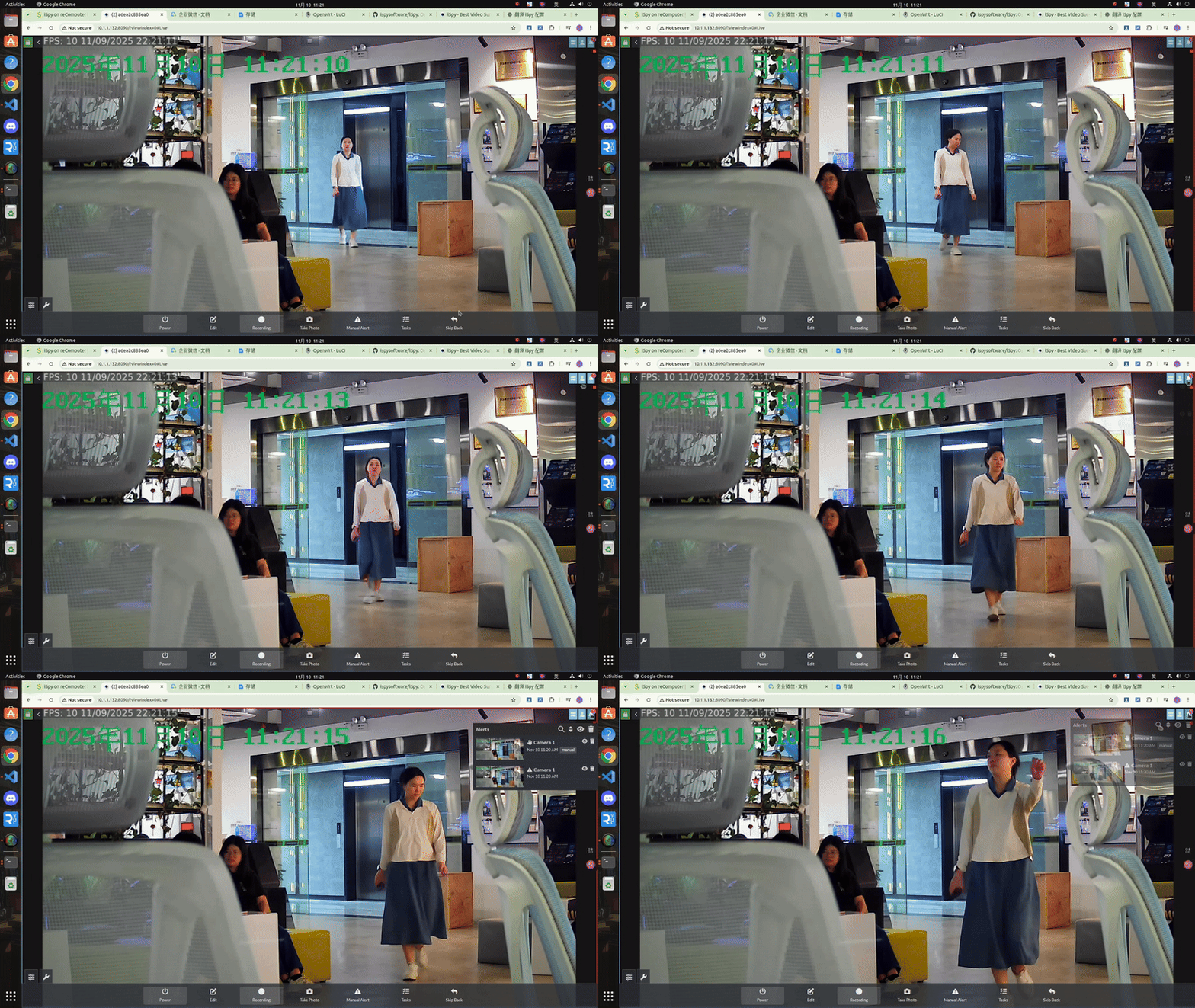
Result
Once we have configured everything, we can view the live feed from the current camera.
Tech Support & Product Discussion
Thank you for choosing our products! We are here to provide you with different support to ensure that your experience with our products is as smooth as possible. We offer several communication channels to cater to different preferences and needs.