🍎 Fruit Sorting with J501 Mini and StarAI Viola Arm
🚀 Introduction
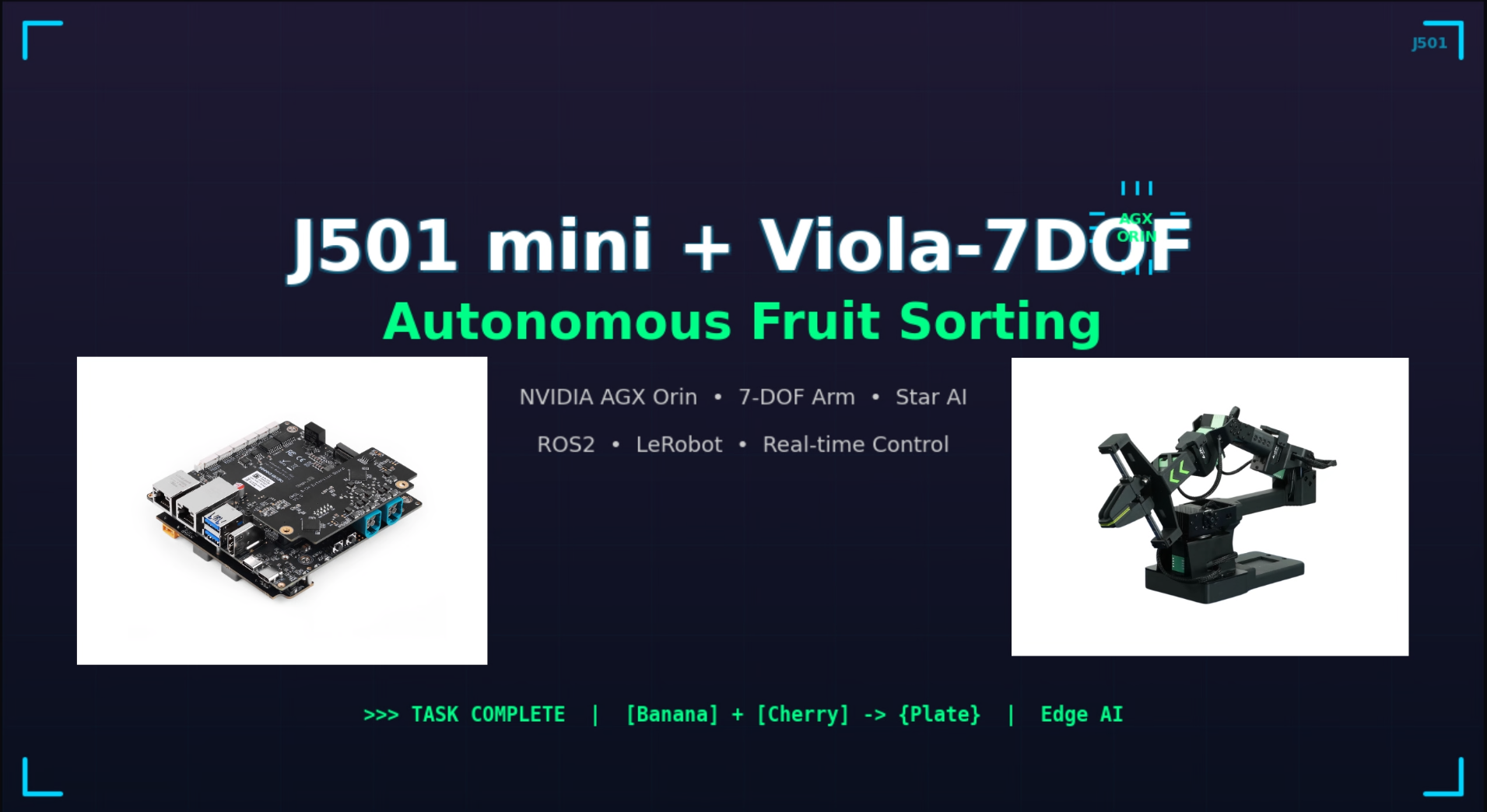
This wiki demonstrates how to use the J501 Mini (Jetson AGX Orin) with the StarAI Viola robotic arm to perform fruit sorting tasks using the LeRobot framework. The project showcases an end-to-end workflow from data collection to deployment, enabling the robot to intelligently grasp and organize fruits.
| J501 Mini | StarAI Viola |
|---|---|
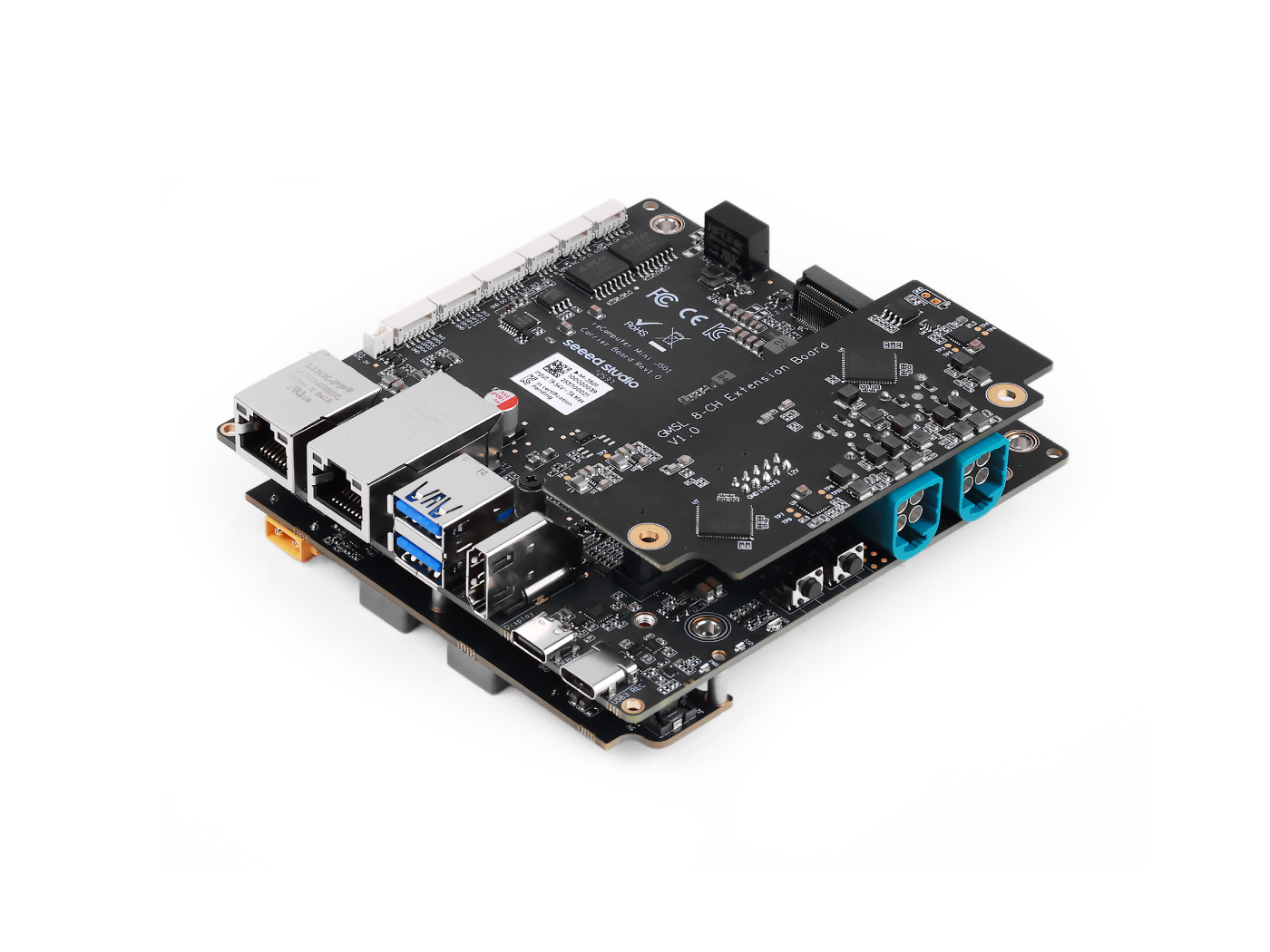 | 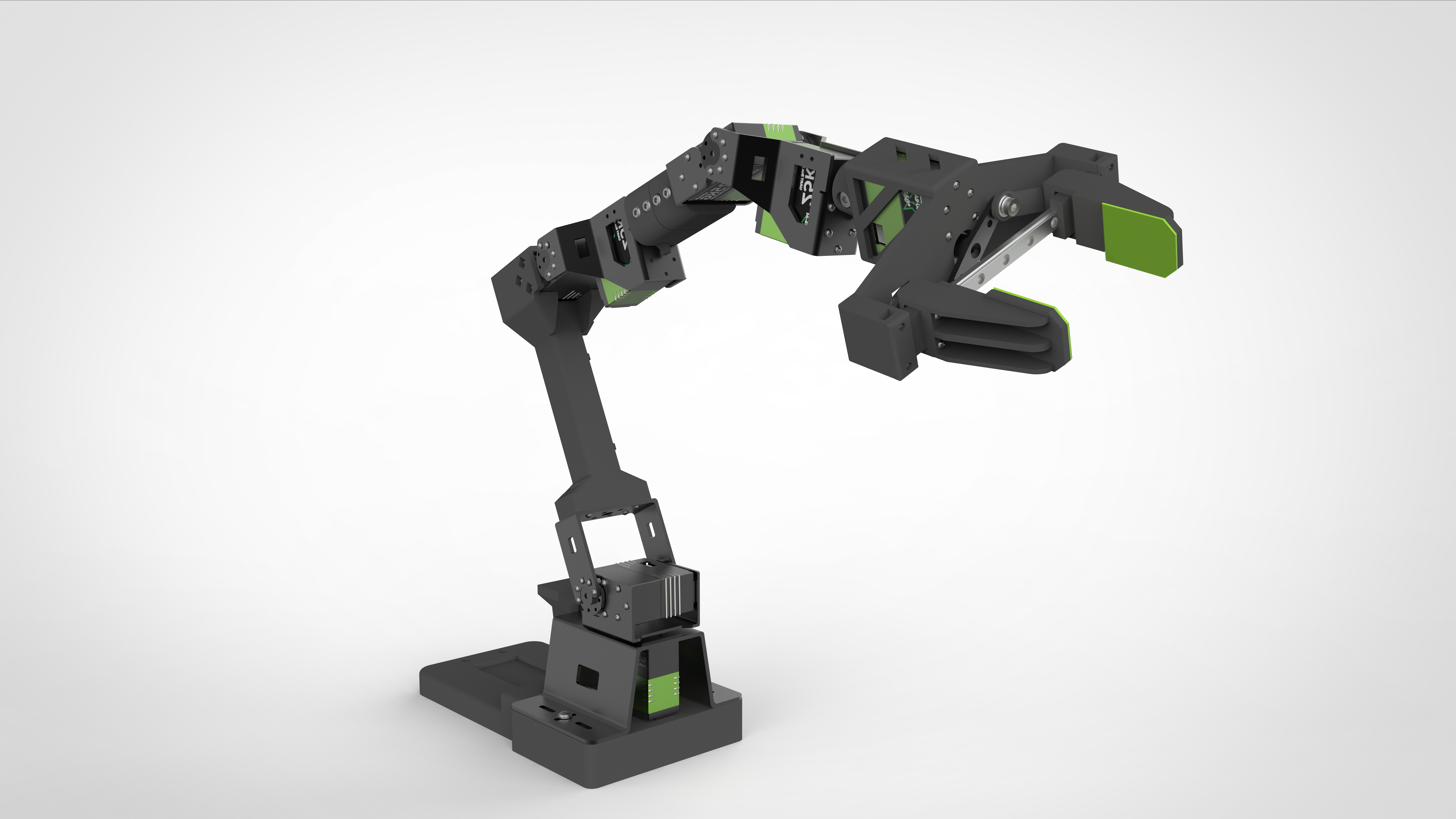 |
What you'll learn:
- 🔧 Hardware setup for J501 Mini and StarAI Viola arm
- 💻 Software environment configuration for LeRobot on Jetson AGX Orin
- 🎯 Data collection and teleoperation for fruit sorting tasks
- 🤖 Training the ACT policy model
- 🚀 Deploying the trained model for autonomous fruit sorting
📚 This tutorial provides step-by-step instructions to help you build an intelligent fruit sorting system from scratch.
This wiki is based on JetPack 6.2.1 and uses the Jetson AGX Orin module.
🛠️ Hardware Requirements
Required Components
- J501 Mini with Jetson AGX Orin module
- StarAI Viola follower arm (6+1 DoF)
- StarAI Violin leader arm (6+1 DoF) for teleoperation
- 2x USB cameras (640x480 @ 30fps recommended)
- One wrist-mounted camera
- One third-person view camera
- UC-01 debugging boards (x2, included with arms)
- 12V power supply for robotic arms
- USB cables for arm communication
- Fruits for sorting demonstration
Hardware Specifications
| Component | Specification |
|---|---|
| J501 Mini | Jetson AGX Orin, JetPack 6.2.1 |
| Viola Follower | 6+1 DoF, 470mm reach, 300g payload |
| Violin Leader | 6+1 DoF, 470mm reach, teleoperation |
| Cameras | USB, 640x480 @ 30fps, MJPG format |
| Power | 12V 10A for each arm |
💻 Software Environment Setup
Prerequisites
- Ubuntu 22.04 (on J501 Mini with JetPack 6.2.1)
- Python 3.10
- CUDA 12+
- PyTorch 2.6+ (GPU version)
Install Miniconda
wget https://repo.anaconda.com/miniconda/Miniconda3-latest-Linux-aarch64.sh
chmod +x Miniconda3-latest-Linux-aarch64.sh
./Miniconda3-latest-Linux-aarch64.sh
source ~/.bashrc
Create LeRobot Environment
# Create conda environment
conda create -y -n lerobot python=3.10 && conda activate lerobot

# Clone LeRobot repository
git clone https://github.com/Seeed-Projects/lerobot.git ~/lerobot
cd ~/lerobot

# Install ffmpeg
conda install ffmpeg -c conda-forge
Install PyTorch and Torchvision for Jetson
For Jetson devices, you need to install the GPU version of PyTorch and Torchvision before installing LeRobot. Follow this Jetson PyTorch installation tutorial to install PyTorch-gpu and Torchvision.
Install LeRobot and Dependencies
After installing PyTorch-gpu and Torchvision, install LeRobot:
cd ~/lerobot && pip install -e .
For Jetson JetPack 6.0+ devices, install additional dependencies:
conda install -y -c conda-forge "opencv>=4.10.0.84"  # Install OpenCV and other dependencies through conda, this step is only for Jetson Jetpack 6.0+
conda remove opencv   # Uninstall OpenCV
pip3 install opencv-python==4.10.0.84  # Then install opencv-python via pip3
conda install -y -c conda-forge ffmpeg
conda uninstall numpy
pip3 install numpy==1.26.0  # This should match torchvision
Install StarAI Motor Dependencies
pip install lerobot_teleoperator_bimanual_leader
pip install lerobot_robot_bimanual_follower
Check PyTorch and Torchvision
Since installing the LeRobot environment via pip will uninstall the original PyTorch and Torchvision and install the CPU versions, you need to perform a check in Python:
import torch
print(torch.cuda.is_available())  # Should print True
If the printed result is False, you need to reinstall PyTorch and Torchvision according to this Jetson tutorial.
# Remove brltty if it causes USB port conflicts
sudo apt remove brltty
🔧 Hardware Setup and Calibration
Configure USB Ports
Connect the robotic arms and identify their USB ports:
cd ~/lerobot
lerobot-find-port
You should see output like:
- Leader arm:
/dev/ttyUSB0 - Follower arm:
/dev/ttyUSB1
Grant USB port access:
sudo chmod 666 /dev/ttyUSB*
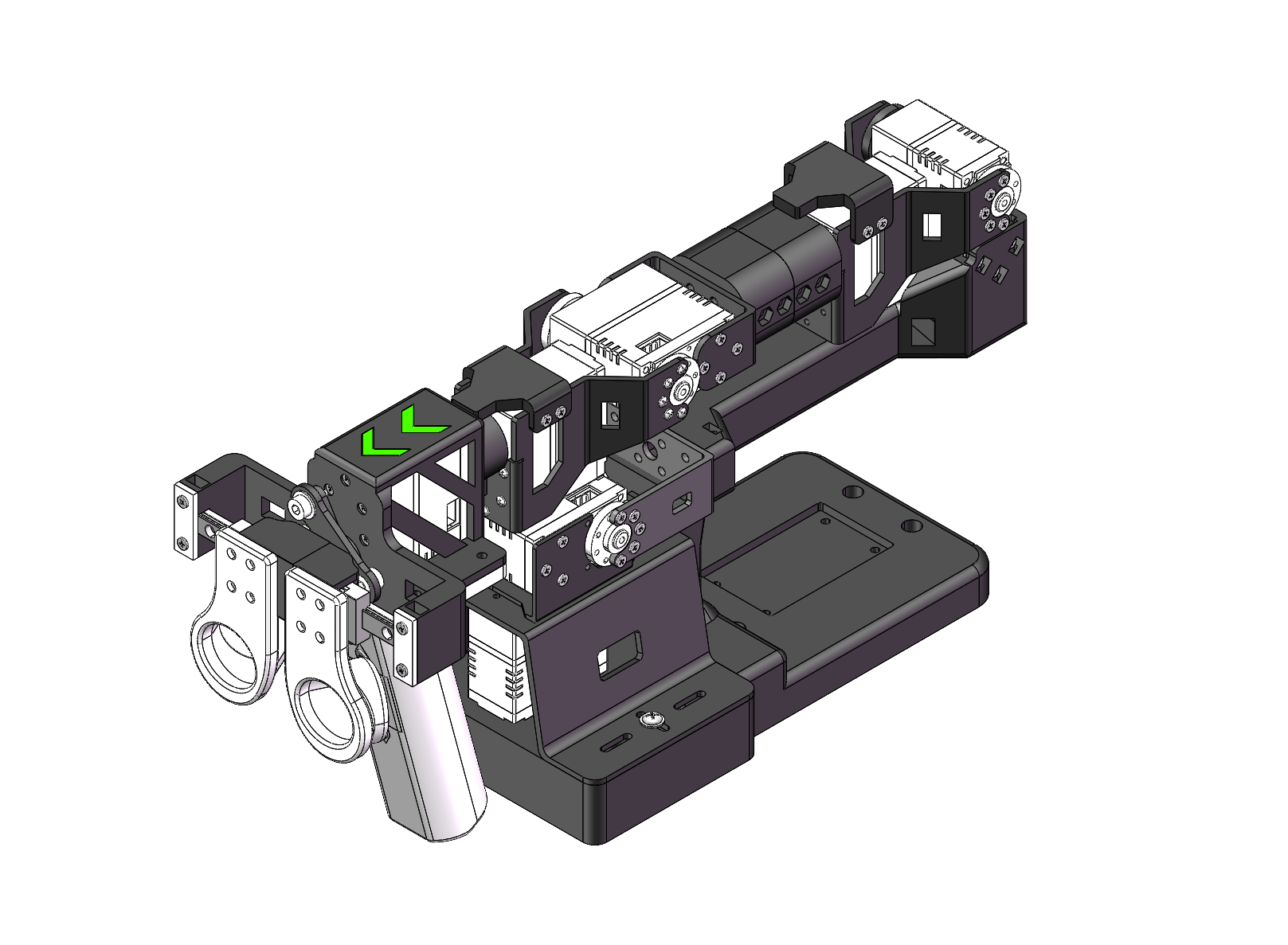
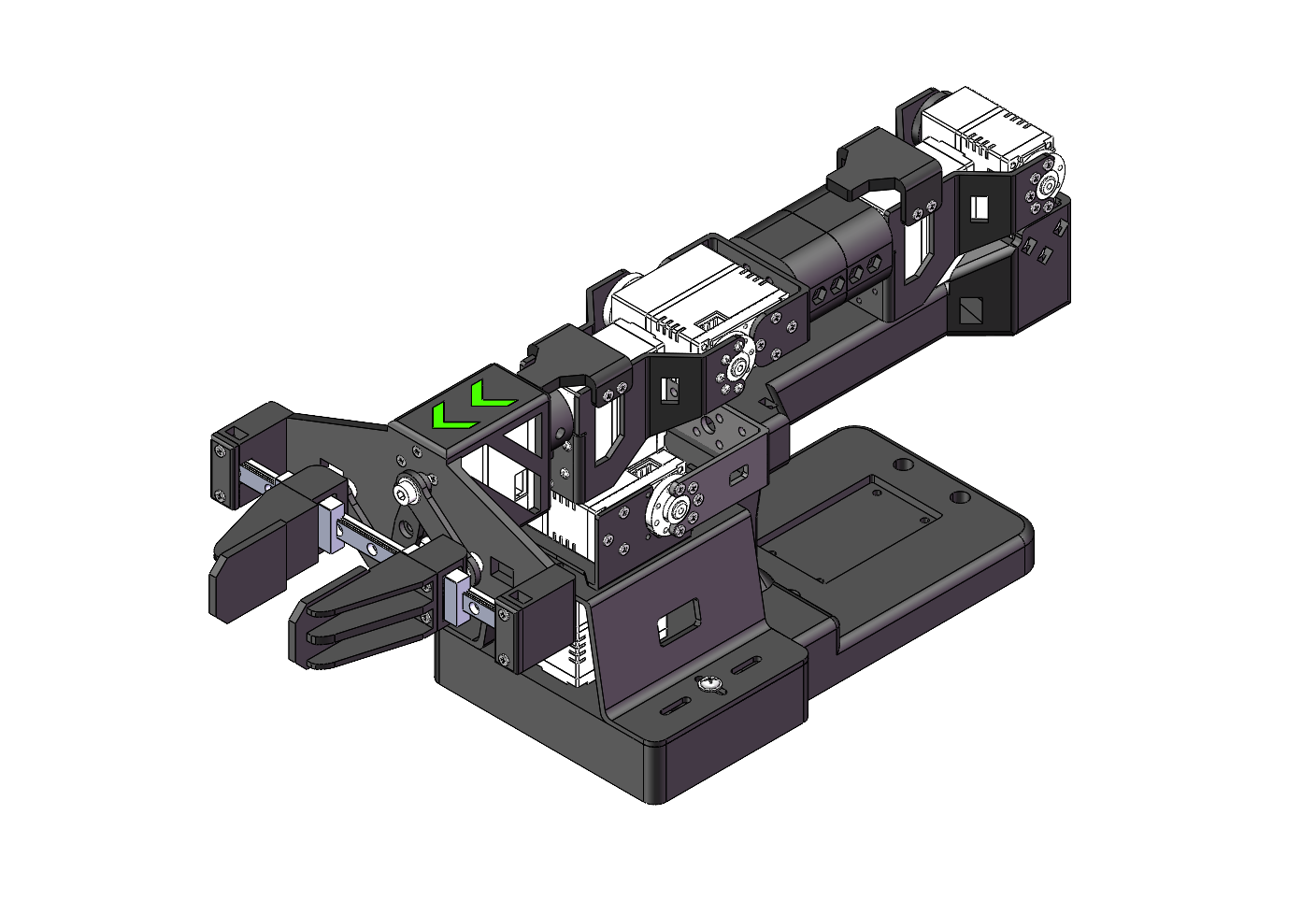
Initial Arm Position
Before calibration, move both arms to their initial positions:
| Violin Leader Arm | Viola Follower Arm |
|---|---|
 |  |
Calibrate Leader Arm
lerobot-calibrate \
    --teleop.type=lerobot_teleoperator_violin \
    --teleop.port=/dev/ttyUSB0 \
    --teleop.id=my_violin_leader
Manually move each joint to its maximum and minimum positions. Press Enter to save after calibrating all joints.
Calibrate Follower Arm
lerobot-calibrate \
    --robot.type=lerobot_robot_viola \
    --robot.port=/dev/ttyUSB1 \
    --robot.id=my_viola_follower
Calibration files are saved to ~/.cache/huggingface/lerobot/calibration/
Setup Cameras
Find your camera ports:
lerobot-find-cameras opencv
Example output:
Camera #0: /dev/video2 (wrist camera)
Camera #1: /dev/video4 (front camera)
Mount cameras:
- Wrist camera: Attach to the gripper for close-up view
- Front camera: Position on desktop for third-person view
🎮 Teleoperation Test
Test the setup with teleoperation before data collection:
lerobot-teleoperate \
    --robot.type=lerobot_robot_viola \
    --robot.port=/dev/ttyUSB1 \
    --robot.id=my_viola_follower \
    --robot.cameras="{ wrist: {type: opencv, index_or_path: /dev/video2, width: 640, height: 480, fps: 30, fourcc: 'MJPG'}, front: {type: opencv, index_or_path: /dev/video4, width: 640, height: 480, fps: 30, fourcc: 'MJPG'}}" \
    --teleop.type=lerobot_teleoperator_violin \
    --teleop.port=/dev/ttyUSB0 \
    --teleop.id=my_violin_leader \
    --display_data=true
For ACT model training, camera names must be wrist and front. Using different names will require modifying the source code.
📊 Data Collection for Fruit Sorting
Login to Hugging Face (Optional)
If you want to upload datasets to Hugging Face Hub:
huggingface-cli login --token ${HUGGINGFACE_TOKEN} --add-to-git-credential
HF_USER=$(huggingface-cli whoami | head -n 1)
echo $HF_USER
Record Training Dataset
Collect 50 episodes of fruit sorting demonstrations:
lerobot-record \
    --robot.type=lerobot_robot_viola \
    --robot.port=/dev/ttyUSB1 \
    --robot.id=my_viola_follower \
    --robot.cameras="{ wrist: {type: opencv, index_or_path: /dev/video2, width: 640, height: 480, fps: 30, fourcc: 'MJPG'}, front: {type: opencv, index_or_path: /dev/video4, width: 640, height: 480, fps: 30, fourcc: 'MJPG'}}" \
    --teleop.type=lerobot_teleoperator_violin \
    --teleop.port=/dev/ttyUSB0 \
    --teleop.id=my_violin_leader \
    --display_data=true \
    --dataset.repo_id=${HF_USER}/fruit_sorting \
    --dataset.episode_time_s=30 \
    --dataset.reset_time_s=30 \
    --dataset.num_episodes=50 \
    --dataset.push_to_hub=true \
    --dataset.single_task="Sort fruits into containers"
Recording Parameters
| Parameter | Description |
|---|---|
--dataset.episode_time_s | Duration of each episode (30 seconds) |
--dataset.reset_time_s | Time to reset between episodes (30 seconds) |
--dataset.num_episodes | Number of episodes to record (50) |
--dataset.push_to_hub | Upload to Hugging Face Hub (true/false) |
--dataset.single_task | Task description |
Keyboard Controls During Recording
- Right arrow (→): Skip to next episode
- Left arrow (←): Re-record current episode
- ESC: Stop recording and save dataset
If keyboard controls don't work, try: pip install pynput==1.6.8
Replay an Episode
Test the recorded data by replaying an episode:
lerobot-replay \
    --robot.type=lerobot_robot_viola \
    --robot.port=/dev/ttyUSB1 \
    --robot.id=my_viola_follower \
    --dataset.repo_id=${HF_USER}/fruit_sorting \
    --dataset.episode=0
🎓 Training the ACT Policy
Training Configuration
Train the ACT model on your collected dataset:
lerobot-train \
    --dataset.repo_id=${HF_USER}/fruit_sorting \
    --policy.type=act \
    --output_dir=outputs/train/fruit_sorting_act \
    --job_name=fruit_sorting_act \
    --policy.device=cuda \
    --wandb.enable=false \
    --policy.repo_id=${HF_USER}/fruit_sorting_policy \
    --steps=100000 \
    --batch_size=8 \
    --eval.batch_size=8 \
    --eval.n_episodes=10 \
    --eval_freq=5000
Training Parameters
| Parameter | Description |
|---|---|
--policy.type | Model type (act) |
--steps | Total training steps (100,000) |
--batch_size | Training batch size (8) |
--eval_freq | Evaluation frequency (every 5000 steps) |
--wandb.enable | Enable Weights & Biases logging |
Training Time
On J501 Mini (AGX Orin):
- 50 episodes: ~8-10 hours
- 100 episodes: ~16-20 hours
You can enable --wandb.enable=true to monitor training progress with Weights & Biases. Make sure to run wandb login first.
Resume Training
If training is interrupted, resume from the last checkpoint:
lerobot-train \
    --config_path=outputs/train/fruit_sorting_act/checkpoints/last/pretrained_model/train_config.json \
    --resume=true \
    --steps=200000
🚀 Deployment and Evaluation
Evaluate the Trained Model
Run evaluation episodes to test the trained policy:
lerobot-record \
    --robot.type=lerobot_robot_viola \
    --robot.port=/dev/ttyUSB1 \
    --robot.id=my_viola_follower \
    --robot.cameras="{ wrist: {type: opencv, index_or_path: /dev/video2, width: 640, height: 480, fps: 30, fourcc: 'MJPG'}, front: {type: opencv, index_or_path: /dev/video4, width: 640, height: 480, fps: 30, fourcc: 'MJPG'}}" \
    --display_data=false \
    --dataset.repo_id=${HF_USER}/eval_fruit_sorting \
    --dataset.single_task="Sort fruits into containers" \
    --dataset.num_episodes=10 \
    --policy.path=outputs/train/fruit_sorting_act/checkpoints/last/pretrained_model
Autonomous Operation
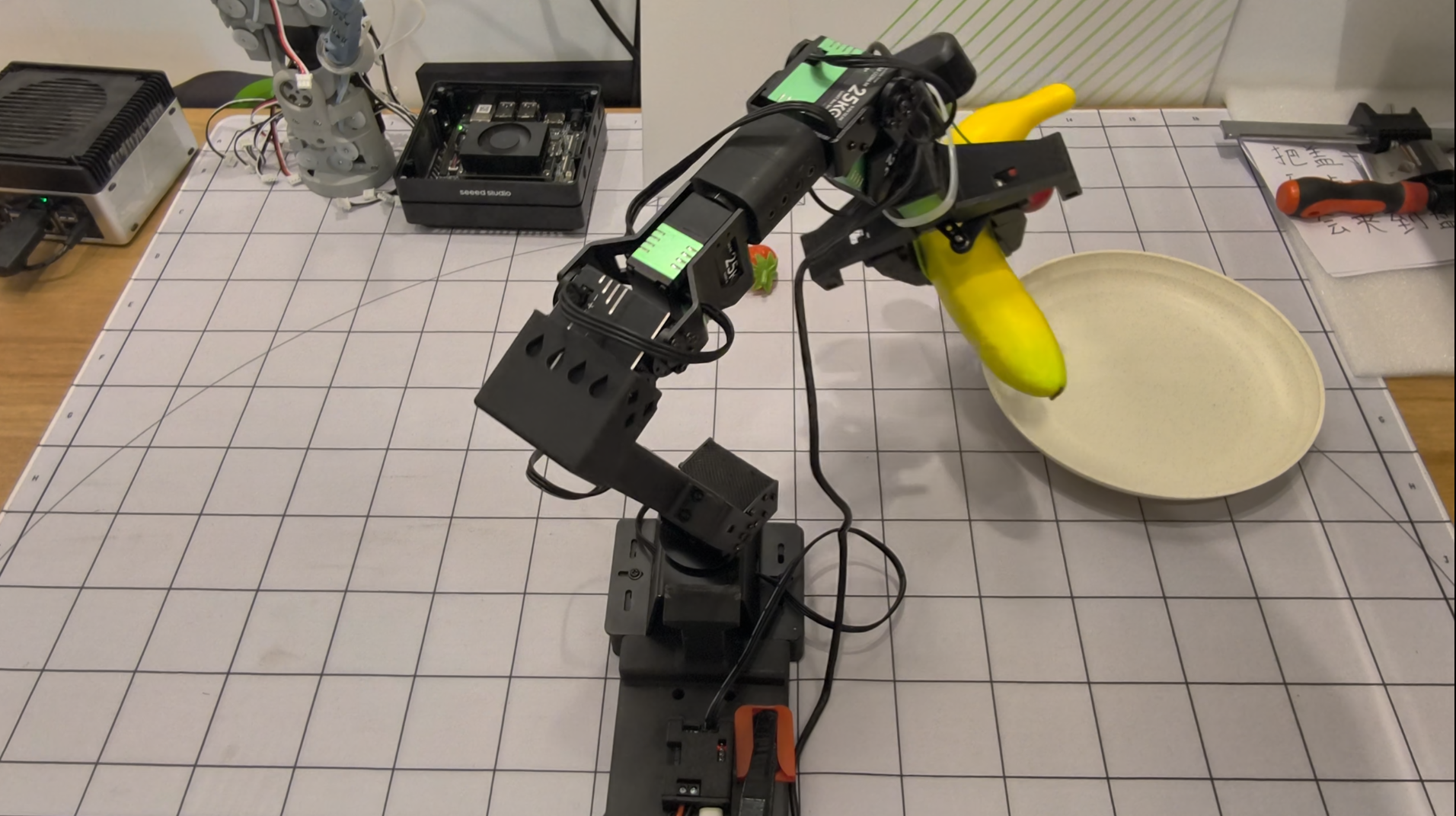
Once trained, the robot can autonomously sort fruits. The video below demonstrates the complete fruit sorting workflow using the trained ACT policy on J501 Mini with StarAI Viola arm:
Demo Highlights:
- The robot autonomously identifies and grasps different fruits
- Smooth and precise movements learned from teleoperation demonstrations
- Successfully sorts fruits into designated containers
- Demonstrates the effectiveness of the ACT policy trained on J501 Mini
To run autonomous fruit sorting:
- Place fruits in the workspace
- Run the evaluation command shown above
- The robot will execute the learned behavior to grasp and sort fruits
🎯 Tips for Better Performance
Data Collection Best Practices
-
Consistent Environment
- Keep lighting conditions stable
- Minimize background changes
- Use consistent fruit placement
-
Quality Over Quantity
- Collect smooth, deliberate demonstrations
- Avoid jerky movements
- Ensure successful grasps in training data
-
Camera Positioning
- Keep camera angles consistent
- Ensure good visibility of fruits and gripper
- Avoid camera movement during recording
Training Optimization
-
Dataset Size
- Start with 50 episodes
- Add more data if performance is insufficient
- 100-200 episodes typically sufficient for simple tasks
-
Hyperparameter Tuning
- Adjust batch size based on GPU memory
- Increase training steps for better convergence
- Monitor evaluation metrics
-
Environment Consistency
- Deploy in similar conditions to training
- Maintain consistent lighting
- Use similar fruit types and containers
🔧 Troubleshooting
Common Issues
USB Port Not Detected
# Remove brltty
sudo apt remove brltty

# Check USB devices
lsusb
sudo dmesg | grep ttyUSB

# Grant permissions
sudo chmod 777 /dev/ttyUSB*
Camera Not Working
- Don't connect cameras through USB hub
- Use direct USB connection
- Check camera index with
lerobot-find-cameras opencv
Training Out of Memory
- Reduce batch size:
--batch_size=4 - Reduce image resolution
- Close other applications
Poor Inference Performance
- Collect more training data
- Ensure consistent environment
- Check camera positioning
- Verify calibration accuracy
📚 References
🤝 Tech Support & Product Discussion
Thank you for choosing our products! We are here to provide you with different support to ensure that your experience with our products is as smooth as possible. We offer several communication channels to cater to different preferences and needs.