reSpeaker Clip をサービスに統合する
このガイドでは、reSpeaker Clip を管理されたオーディオソースとして既存の Python サービスに追加する方法を説明します。統合の境界に焦点を当て、1 つのデバイスアダプタ、1 つの長寿命接続、小さな API サーフェス、明確な状態の所有権という形で設計します。
reSpeaker Clip は入力ソースです。
ClipClientはデバイスとの通信を処理し、ClipServiceはそれをアプリケーションに適合させ、処理とビジネスロジックの所有権は引き続きあなたのサービス側にあります。
トランスポートのセットアップ、完全な ClipClient API、AT コマンド、ファイル転送プロトコルについては、reSpeaker Clip Basic SDK ガイド を参照してください。このページでは BLE/GATT、フレーム形式、CRC 処理、CLI ツールについては再説明しません。
統合アプローチ
デバイスを狭いアダプタの背後に隠し、ダウンロードした録音を、サービスがすでに使用している処理エントリポイントに送信します:
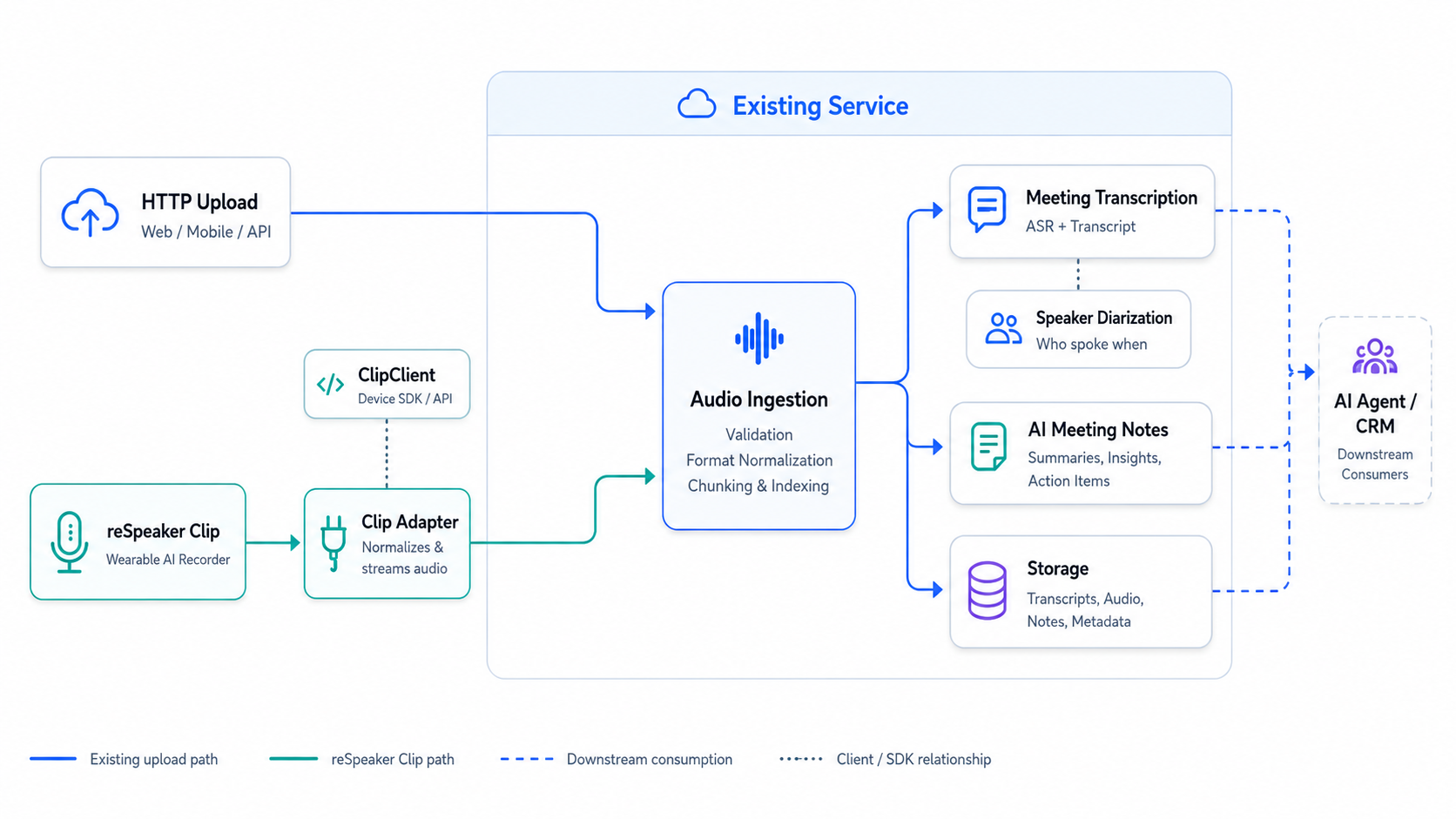
- 物理デバイスごとに 1 つの
ClipServiceを作成します。 - アプリケーションの起動時に接続し、シャットダウン時に切断します。
- サービスが必要とする録音操作だけを公開します。
- 完了したオーディオファイルを既存の処理パイプラインに渡します。
始める前に
このガイドでは、すでに自分のマシン上で Clip と通信できることを前提としています。先に進む前に、次のことができることを確認してください:
- reSpeaker Clip Python SDK をインストールし、Clip に接続できる;
- 録音を開始および停止できる;
- 完了したセッションを一覧表示できる;
- 録音を 1 件、正常にダウンロードできる。
これらのいずれかが失敗する場合は、ここで中断し、まず reSpeaker Clip Basic SDK ガイド を完了してください。Basic SDK ガイドは、トランスポート設定、デバイスコマンド、ファイル転送の詳細に関する信頼できる情報源です。このガイドはそれらを繰り返すのではなく、参照する形を取ります。
適切な reSpeaker Clip ガイドを選ぶ
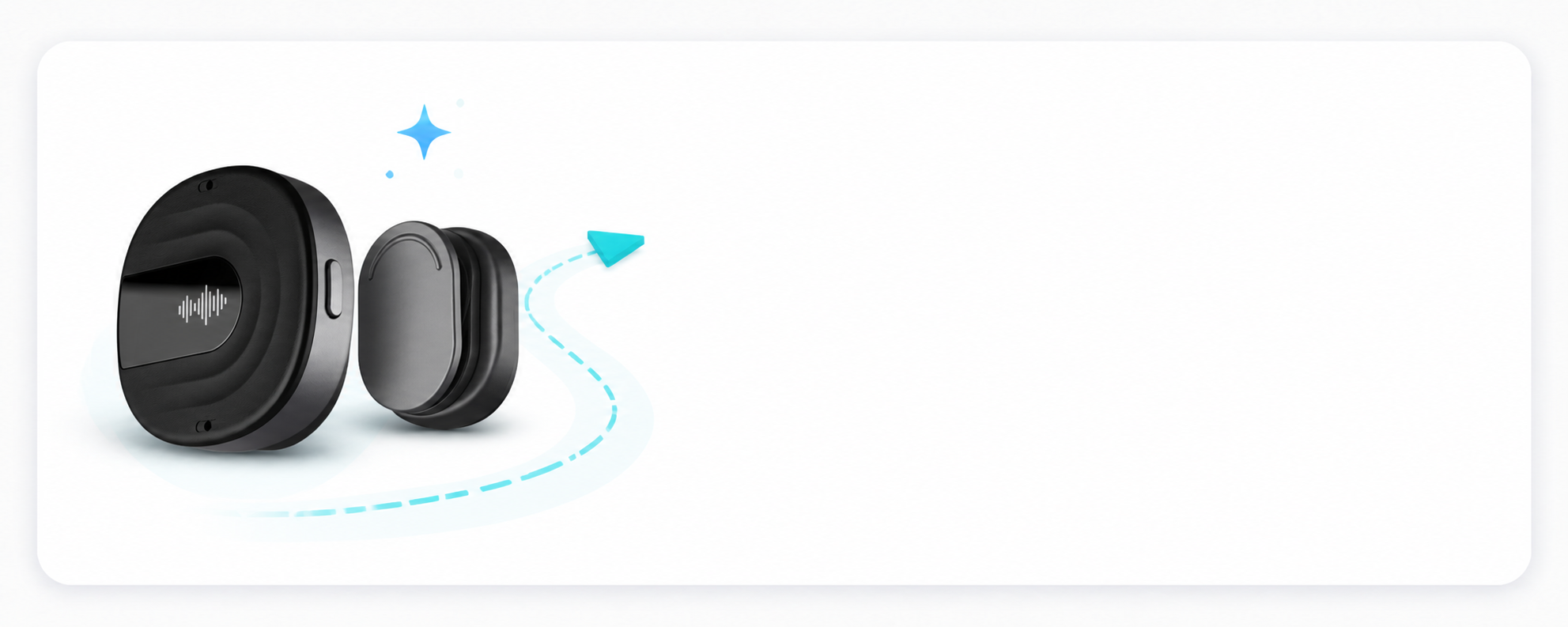
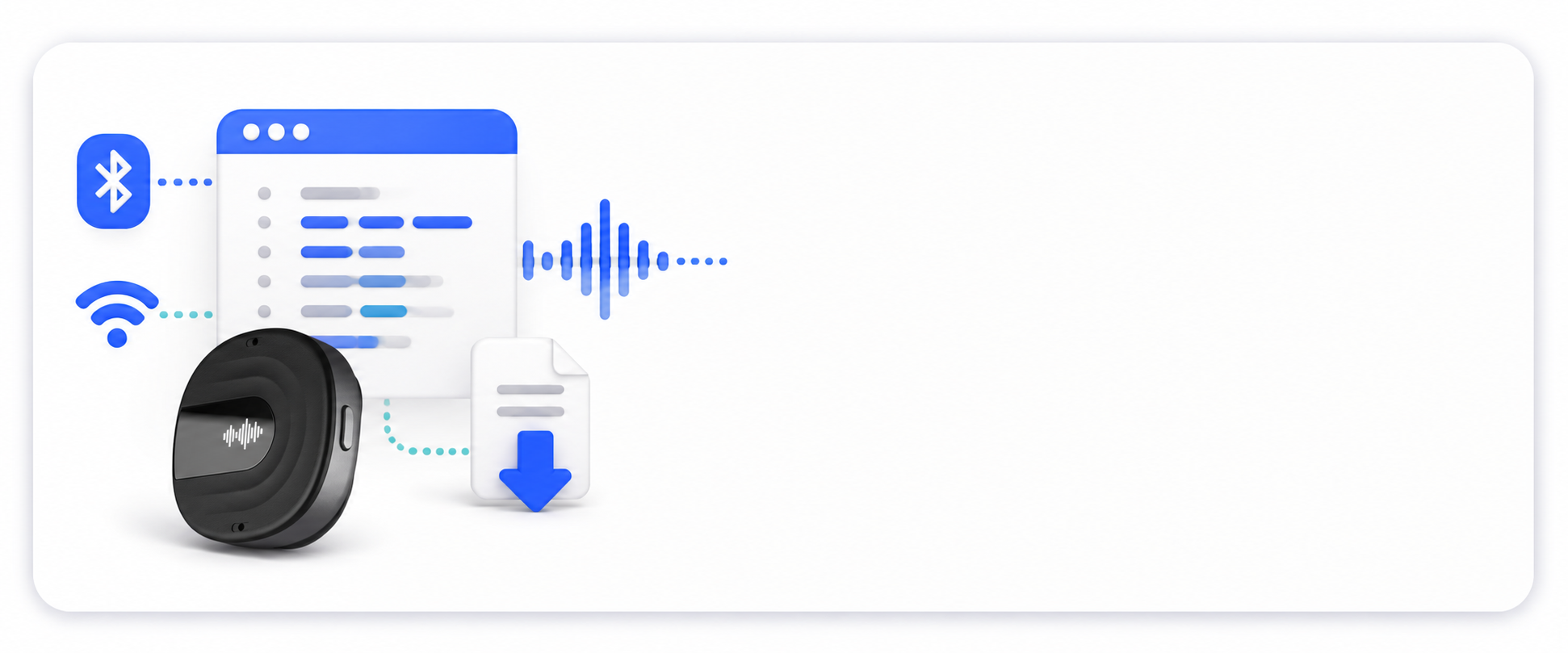
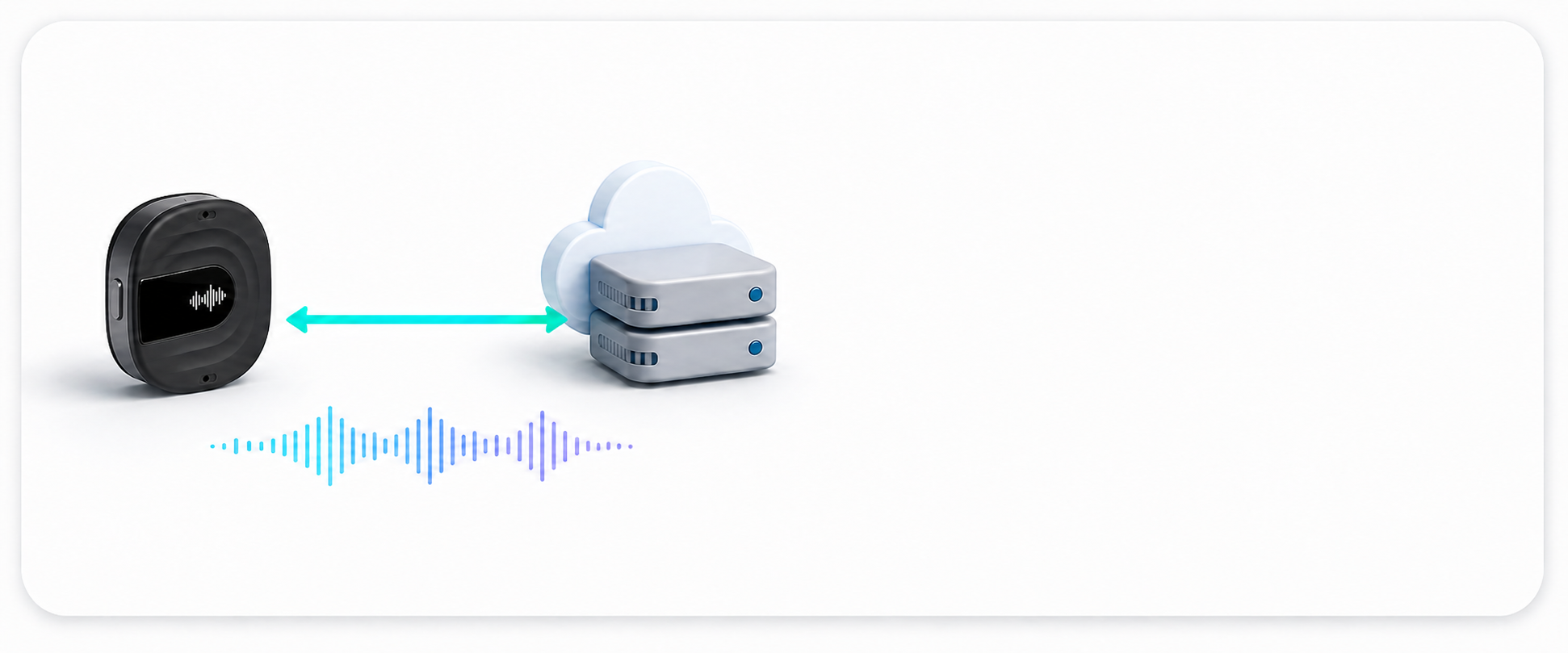
reSpeaker Clip のドキュメントは、開発レイヤーごとに整理されています。製品のセットアップと通常のワークフローについては、まず Getting Started から始めてください。ホストアプリケーションがデバイスを制御したり録音をダウンロードしたりする必要がある場合は Basic SDK を使用します。長時間稼働するサービスがデバイス接続を所有し API を公開する必要がある場合は Service Integration に進みます。デバイス側の動作、プロトコル、オーディオ処理を変更する必要がある場合のみ Firmware SDK を使用してください。
既存サービスに reSpeaker Clip をオーディオソースとして追加する
以下の手順に従って、デバイスアダプタを既存の FastAPI サービスに接続します。
ステップ 1: パイプラインを準備する
サービスにはすでに、オーディオファイルを受け取る 1 つの関数があると仮定します:
async def process_audio(path: Path) -> dict:
    # your existing processing pipeline
    ...
既存のアップロードルートでは、すでにこの関数が呼び出されています:
@app.post("/audio")
async def upload_audio(file: UploadFile):
    path = await save_upload(file)
    return await process_audio(path)
Clip インテグレーションでは、通常のローカル音声ファイルを生成し、同じ process_audio() 関数を呼び出すようにします。処理は、音声のキャプチャデバイスに依存しない形を維持します。
この関数を、Clip の取り込みルートで使用されるサービスオブジェクトにラップします:
# audio_service.py
from pathlib import Path


class AudioService:
    def __init__(self, recordings_dir: Path):
        self.recordings_dir = recordings_dir
        self.recordings_dir.mkdir(parents=True, exist_ok=True)

    async def process(self, path: Path) -> dict:
        return await process_audio(path)
ステップ 2:アダプターを構築する
このインテグレーションに必要な操作(接続、切断、開始、停止、ダウンロード)のみをラップします。
# clip_service.py
from __future__ import annotations
from pathlib import Path

from clip import ClipClient, ClipError


class ClipUnavailable(Exception):
    """The Clip device is not connected or could not perform an operation."""


class ClipStateError(Exception):
    """The device is in the wrong state for this operation."""


class ClipService:
    """Application-level adapter over a single long-lived ClipClient."""

    def __init__(self, transport, *, command_timeout: float = 10.0):
        self._client = ClipClient(transport, command_timeout=command_timeout)
        self._connected = False
        self._active_session: str | None = None

    async def connect(self) -> None:
        await self._client.connect()
        self._connected = True

    async def disconnect(self) -> None:
        if self._connected:
            await self._client.disconnect()
            self._connected = False

    async def start_recording(self, mode: str | None = None) -> str:
        if not self._connected:
            raise ClipUnavailable("Clip is not connected")
        if self._active_session is not None:
            raise ClipStateError("a recording is already in progress")
        try:
            session_id = await self._client.start_recording(mode)
        except ClipError as exc:
            raise ClipUnavailable("Clip could not start recording") from exc
        if not session_id:
            raise ClipStateError("Clip did not return a session id")
        self._active_session = session_id
        return session_id

    async def stop_recording(self) -> str | None:
        if not self._connected:
            raise ClipUnavailable("Clip is not connected")
        if self._active_session is None:
            raise ClipStateError("no recording in progress")
        session_id = self._active_session
        try:
            await self._client.stop_recording()
        except ClipError as exc:
            raise ClipUnavailable("Clip could not stop recording") from exc
        self._active_session = None
        return session_id

    async def download_session(self, session_id: str, destination: str | Path):
        if not self._connected:
            raise ClipUnavailable("Clip is not connected")
        try:
            return await self._client.download_session(session_id, destination)
        except ClipError as exc:
            raise ClipUnavailable("Clip could not download the recording") from exc
ステップ 3: ライフサイクルをバインドする
FastAPI の起動時にアダプタを作成し、アプリケーションステートに保存し、シャットダウン時に切断します。
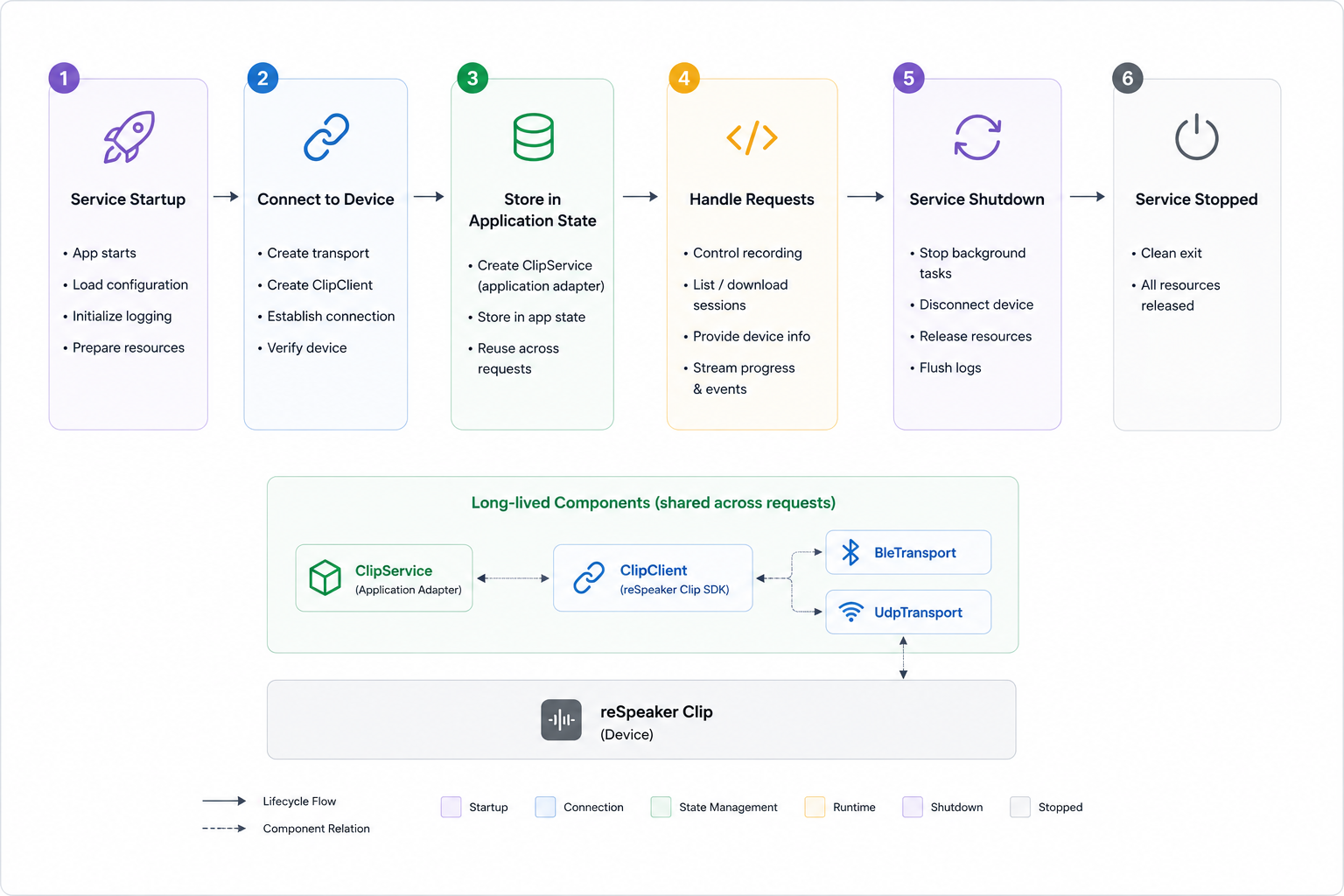
接続を FastAPI のライフスパンにバインドし、開始時に一度だけ開き、停止時に一度だけ閉じるようにします:
# main.py
from contextlib import asynccontextmanager
from pathlib import Path

from fastapi import FastAPI

from clip import BleTransport  # or UdpTransport after the Wi-Fi AP is on
from clip_service import ClipService
from audio_service import AudioService


@asynccontextmanager
async def lifespan(app: FastAPI):
    transport = BleTransport(name="Clip")
    clip = ClipService(transport)
    await clip.connect()
    app.state.clip = clip
    app.state.audio = AudioService(recordings_dir=Path("recordings"))
    try:
        yield
    finally:
        await clip.disconnect()


app = FastAPI(lifespan=lifespan)
ステップ 4: ルートを追加する
録音の開始、停止、および完了した録音の取り込み用のエンドポイントを作成します:
POST /clip/recordings/start
POST /clip/recordings/stop
POST /clip/sessions/{session_id}/ingest
# routes.py
from pathlib import Path

from fastapi import APIRouter, HTTPException, Request

from audio_service import AudioService
from clip_service import ClipService, ClipStateError, ClipUnavailable

router = APIRouter(prefix="/clip")


@router.post("/recordings/start")
async def start_recording(request: Request, mode: str | None = None):
    clip: ClipService = request.app.state.clip
    try:
        session_id = await clip.start_recording(mode)
    except ClipStateError as exc:
        raise HTTPException(status_code=409, detail=str(exc))
    except ClipUnavailable as exc:
        raise HTTPException(status_code=503, detail=str(exc))
    return {"session_id": session_id}


@router.post("/recordings/stop")
async def stop_recording(request: Request):
    clip: ClipService = request.app.state.clip
    try:
        session_id = await clip.stop_recording()
    except ClipStateError as exc:
        raise HTTPException(status_code=409, detail=str(exc))
    except ClipUnavailable as exc:
        raise HTTPException(status_code=503, detail=str(exc))
    return {"session_id": session_id, "status": "stopped"}


@router.post("/sessions/{session_id}/ingest")
async def ingest_session(session_id: str, request: Request):
    clip: ClipService = request.app.state.clip
    audio: AudioService = request.app.state.audio
    try:
        result = await clip.download_session(session_id, audio.recordings_dir)
    except ClipUnavailable as exc:
        raise HTTPException(status_code=502, detail=str(exc))
    ingested = [await audio.process(Path(file.path)) for file in result.files]
    return {"session_id": session_id, "files": ingested}
ステップ 5: ルーターを登録する
main.py でルーターをインポートし、FastAPI アプリケーションを作成した後に登録します:
from routes import router

app = FastAPI(lifespan=lifespan)
app.include_router(router)
これで、連携はアプリケーションパッケージ内の main.py、routes.py、clip_service.py、audio_service.py で構成されます。
ステップ 6: API を検証する
サービスを起動し、次の順序でルートを呼び出します:
curl -X POST "http://localhost:8000/clip/recordings/start"
curl -X POST "http://localhost:8000/clip/recordings/stop"
curl -X POST "http://localhost:8000/clip/sessions/<session_id>/ingest"
開始と停止のレスポンスには同じ session_id が含まれている必要があります。取り込みのレスポンスには、既存の AudioService パイプラインから返されるファイルが含まれている必要があります。
BLE 切断とコマンドタイムアウトからの復旧
上記のアダプタが扱うのは正常系だけです。長時間稼働するサービスでは、次の 2 つの障害も処理する必要があります:
- リンク喪失: デバイスが範囲外に移動する、スリープする、ホストの Bluetooth アダプタがリセットされる、または別のアプリケーションに占有される。
- コマンドタイムアウト: デバイスが期限までに応答しない。ファームウェアプロトコルにはリクエスト ID がないため、トランスポートは遅延した応答を次のコマンドと関連付けることができません。そのため、タイムアウト時には直接の再試行ではなく再接続が必要になります。
このセクションでは、clip_service.py を直接置き換えるリファレンス実装を提供します。connect()、disconnect()、start_recording()、stop_recording()、download_session() のインターフェースを維持しつつ、自動復旧を追加します。
設計
- 接続ロック: ビジネスオペレーションと切断/再接続は 1 つの
asyncio.Lockを共有し、再接続をまたいでコマンドやダウンロードが実行されないようにします。 - バックグラウンドヘルスチェック:
health_check_interval秒ごとにタスクがClipClient.is_connectedをチェックします。切断やタイムアウトを検知したビジネスオペレーションは、イベントを通じてタスクを即座に起こします。 - 有界指数バックオフ: 待機時間は 1 秒から開始し、試行が失敗するたびに 2 倍になり、最大 30 秒で頭打ちになります。各接続試行には、それぞれ 30 秒の制限があります。接続が成功するとバックオフはリセットされます。
- コマンドのリプレイなし: 失敗した開始、停止、ダウンロードは
ClipUnavailableを送出するだけです。デバイス側ではすでにコマンドが実行されていて、レスポンスだけが失われている可能性があるため、リプレイすると録音や転送が重複するおそれがあります。 - 再接続後のレディネスプローブ: アダプタは
status()を 1 回呼び出します。デバイスがまだ録音中でsession_idを返した場合は_active_sessionを復元し、そうでなければローカルのセッション状態をクリアします。これにより、「切断中も録音が継続していた」ケースと「停止レスポンスだけが失われた」ケースの両方をカバーします。 - グレースフルシャットダウン: クライアントを閉じる前にバックグラウンドタスクをキャンセルして待機し、シャットダウン後には再接続がスケジュールされないようにします。
- 公開 API のみを使用: 切断検知には
ClipClient.is_connectedを使用し、復旧にはClipClient.status()を使用します。新しい SDK API は追加しません。
BLE サブスクリプションのクリーンアップ。 現在の SDK の
BleTransport.disconnect()は、リンクがすでにダウンしている場合、基盤となる Bleak クライアントをスキップするため、BlueZ はそのクライアントの通知サブスクリプションを保持したままになります。同じトランスポートオブジェクトを再接続すると、すべての通知(コマンドレスポンスとファイルフレームの両方)が 2 回配信され、received FILE_START before previous file endedというエラーでダウンロードが失敗します。リファレンス実装の_close_link()は、トランスポートの切断後に基盤となるクライアントの公開メソッドdisconnect()を呼び出し、サブスクリプションを解放します。UDP トランスポートには影響しません。
起動時の競合状態。 ファームウェアは、オーディオスレッドがセッション ID を公開する前に、空の
dataを伴うokでAT+STARTに応答することがあります。start_recording()は、録音が進行中であることを失敗とみなすのではなく、セッション ID を取得するためにstatus()をポーリングします。
設定
| パラメータ | デフォルト | 目的 |
|---|---|---|
command_timeout | 10.0 | ClipClient に渡されるコマンドごとのレスポンスタイムアウト |
health_check_interval | 2.0 | バックグラウンドで is_connected をチェックする間隔(秒) |
reconnect_initial_delay | 1.0 | 最初の再接続試行前の待機時間(秒) |
reconnect_max_delay | 30.0 | バックオフの上限(秒) |
reconnect_attempt_timeout | 30.0 | 1 回の接続試行とそのレディネスプローブの制限時間(秒) |
完全なリファレンス実装
clip_service.py を次のバージョンに置き換えます:
"""Application-level Clip adapter with BLE drop and command-timeout recovery.

This module is the reference implementation referenced by the reSpeaker Clip
Service Integration wiki page.  It keeps the small application surface used by
the integration guide (connect, disconnect, start, stop, download) and adds:

* one connection lock that serializes business operations against reconnect;
* one background task that polls ``ClipClient.is_connected`` every
  ``health_check_interval`` seconds;
* a wake event so a failed command can request an immediate reconnect;
* bounded exponential backoff (1 s .. 30 s by default);
* a ``status()`` readiness probe after reconnect that restores or clears
  ``_active_session``.

A failed command is never replayed: the device may already have executed it and
only the response was lost.
"""

from __future__ import annotations

import asyncio
import logging
from pathlib import Path

from clip import (
    ClipClient,
    ClipError,
    CommandTimeoutError,
    ConnectionError,
    DownloadResult,
    Status,
)

logger = logging.getLogger(__name__)


class ClipUnavailable(Exception):
    """The Clip device is not connected or could not perform an operation."""


class ClipStateError(Exception):
    """The device is in the wrong state for this operation."""


class ClipService:
    """Application-level adapter over a single long-lived ``ClipClient``."""

    def __init__(
        self,
        transport,
        *,
        command_timeout: float = 10.0,
        health_check_interval: float = 2.0,
        reconnect_initial_delay: float = 1.0,
        reconnect_max_delay: float = 30.0,
        reconnect_attempt_timeout: float = 30.0,
    ) -> None:
        for name, value in (
            ("command_timeout", command_timeout),
            ("health_check_interval", health_check_interval),
            ("reconnect_initial_delay", reconnect_initial_delay),
            ("reconnect_max_delay", reconnect_max_delay),
            ("reconnect_attempt_timeout", reconnect_attempt_timeout),
        ):
            if value <= 0:
                raise ValueError(f"{name} must be positive")
        if reconnect_initial_delay > reconnect_max_delay:
            raise ValueError("reconnect_initial_delay must not exceed reconnect_max_delay")

        self._client = ClipClient(transport, command_timeout=command_timeout)
        self._connected = False
        self._active_session: str | None = None

        # Serializes business operations with connect/disconnect/reconnect.
        self._connection_lock = asyncio.Lock()
        # Set by a failed command; the background task wakes immediately.
        self._wake = asyncio.Event()
        self._closed = False
        self._monitor_task: asyncio.Task[None] | None = None

        self._health_check_interval = health_check_interval
        self._reconnect_initial_delay = reconnect_initial_delay
        self._reconnect_max_delay = reconnect_max_delay
        self._reconnect_attempt_timeout = reconnect_attempt_timeout
        self._reconnect_delay = reconnect_initial_delay

    # ------------------------------------------------------------------
    # Connection lifecycle
    # ------------------------------------------------------------------

    @property
    def is_connected(self) -> bool:
        """Whether the device link is currently usable (read-only)."""
        return self._connected and self._client.is_connected

    async def connect(self) -> None:
        """Open the initial connection.

        A startup failure still propagates: background recovery only covers
        drops that happen after the service is running.
        """
        async with self._connection_lock:
            if self._connected:
                return
            await self._client.connect()
            self._connected = True
            self._closed = False
            self._reconnect_delay = self._reconnect_initial_delay
        if self._monitor_task is None or self._monitor_task.done():
            self._monitor_task = asyncio.create_task(
                self._monitor_loop(), name="clip-reconnect"
            )

    async def disconnect(self) -> None:
        """Stop recovery first, then close the client exactly once."""
        self._closed = True
        self._wake.set()

        task, self._monitor_task = self._monitor_task, None
        if task is not None:
            task.cancel()
            try:
                await task
            except asyncio.CancelledError:
                pass

        async with self._connection_lock:
            await self._close_link()
            self._connected = False
            self._active_session = None

    # ------------------------------------------------------------------
    # Business operations
    # ------------------------------------------------------------------

    async def start_recording(self, mode: str | None = None) -> str:
        async with self._connection_lock:
            self._require_connection()
            if self._active_session is not None:
                raise ClipStateError("a recording is already in progress")
            try:
                session_id = await self._client.start_recording(mode)
                if not session_id:
                    # AT+START can answer ok before the audio thread has
                    # published its session id.  Recover it from device state
                    # instead of reporting a failure for a running recording.
                    session_id = await self._probe_session_id()
            except (ConnectionError, CommandTimeoutError) as exc:
                await self._handle_link_failure(exc)
                raise ClipUnavailable("Clip could not start recording") from exc
            except ClipError as exc:
                logger.warning("Clip start failed: %s", exc)
                raise ClipUnavailable("Clip could not start recording") from exc
            if not session_id:
                raise ClipStateError("Clip did not return a session id")
            self._active_session = session_id
            return session_id

    async def stop_recording(self) -> str | None:
        async with self._connection_lock:
            self._require_connection()
            if self._active_session is None:
                raise ClipStateError("no recording in progress")
            session_id = self._active_session
            try:
                await self._client.stop_recording()
            except (ConnectionError, CommandTimeoutError) as exc:
                await self._handle_link_failure(exc)
                raise ClipUnavailable("Clip could not stop recording") from exc
            except ClipError as exc:
                logger.warning("Clip stop failed: %s", exc)
                raise ClipUnavailable("Clip could not stop recording") from exc
            self._active_session = None
            return session_id

    async def download_session(
        self, session_id: str, destination: str | Path
    ) -> DownloadResult:
        async with self._connection_lock:
            self._require_connection()
            try:
                return await self._client.download_session(session_id, destination)
            except (ConnectionError, CommandTimeoutError) as exc:
                await self._handle_link_failure(exc)
                raise ClipUnavailable("Clip could not download the recording") from exc
            except ClipError as exc:
                logger.warning("Clip download failed: %s", exc)
                raise ClipUnavailable("Clip could not download the recording") from exc

    # ------------------------------------------------------------------
    # Link failure and recovery
    # ------------------------------------------------------------------

    async def _probe_session_id(
        self, attempts: int = 5, delay: float = 0.1
    ) -> str | None:
        """Recover the session id published just after AT+START succeeded."""
        for attempt in range(attempts):
            status = await self._client.status()
            if status.recording and status.session_id:
                return status.session_id
            if attempt + 1 < attempts:
                await asyncio.sleep(delay)
        return None

    def _require_connection(self) -> None:
        if not self.is_connected:
            self._connected = False
            # The monitor may still be asleep; ask it to look now.
            self._wake.set()
            raise ClipUnavailable("Clip is not connected")

    async def _handle_link_failure(self, exc: Exception) -> None:
        """Mark the link unusable and hand recovery to the background task."""
        self._connected = False
        logger.warning(
            "Clip link failure (%s: %s); requesting reconnect without replaying the command",
            type(exc).__name__,
            exc,
        )
        # Best effort: a desynchronized transport must not be reused.
        await self._close_link()
        self._wake.set()

    async def _close_link(self) -> None:
        """Close the link and release a subscription left by a dead link.

        ``BleTransport.disconnect()`` skips the underlying Bleak client when
        the link is already down.  BlueZ keeps that client's notification
        subscription, so a later connection receives every notification
        twice.  Calling the client's public ``disconnect()`` releases it.
        Transports without a ``_client`` (for example UDP) are unaffected.
        """
        stale_client = getattr(self._client.transport, "_client", None)
        try:
            await self._client.disconnect()
        except Exception as exc:  # noqa: BLE001 - cleanup must not mask
            logger.debug("Clip disconnect failed: %s", exc)
        if stale_client is not None:
            try:
                await stale_client.disconnect()
            except Exception as exc:  # noqa: BLE001 - best effort
                logger.debug("Clip stale-client cleanup failed: %s", exc)

    async def _monitor_loop(self) -> None:
        while not self._closed:
            try:
                await asyncio.wait_for(
                    self._wake.wait(), timeout=self._health_check_interval
                )
            except asyncio.TimeoutError:
                pass
            self._wake.clear()
            if self._closed:
                return
            if self.is_connected:
                self._reconnect_delay = self._reconnect_initial_delay
                continue
            if self._connected:
                logger.warning("Clip link dropped; starting reconnect")
                self._connected = False
            await self._reconnect_until_connected()

    async def _reconnect_until_connected(self) -> None:
        attempt = 0
        while not self._closed and not self.is_connected:
            delay = self._reconnect_delay
            logger.info(
                "Clip reconnect attempt %d in %.1f s", attempt + 1, delay
            )
            await asyncio.sleep(delay)
            if self._closed:
                return

            attempt += 1
            async with self._connection_lock:
                if self._closed:
                    return
                await self._close_link()

                try:
                    await asyncio.wait_for(
                        self._client.connect(),
                        timeout=self._reconnect_attempt_timeout,
                    )
                except asyncio.CancelledError:
                    raise
                except Exception as exc:  # noqa: BLE001 - retry any connect failure
                    logger.warning(
                        "Clip reconnect attempt %d failed: %s", attempt, exc
                    )
                    self._connected = False
                else:
                    try:
                        status = await asyncio.wait_for(
                            self._client.status(),
                            timeout=self._reconnect_attempt_timeout,
                        )
                    except asyncio.CancelledError:
                        raise
                    except Exception as exc:  # noqa: BLE001 - probe failure = retry
                        logger.warning(
                            "Clip readiness probe after attempt %d failed: %s",
                            attempt,
                            exc,
                        )
                        self._connected = False
                        await self._close_link()
                    else:
                        self._connected = True
                        self._reconnect_delay = self._reconnect_initial_delay
                        self._restore_session(status)
                        logger.info(
                            "Clip reconnected after %d attempt(s): recording=%s session=%s",
                            attempt,
                            status.recording,
                            status.session_id,
                        )
                        return

            self._reconnect_delay = min(
                self._reconnect_delay * 2, self._reconnect_max_delay
            )

    def _restore_session(self, status: Status) -> None:
        if status.recording and status.session_id:
            if self._active_session != status.session_id:
                logger.info("Recovered active session %s", status.session_id)
            self._active_session = status.session_id
        else:
            if self._active_session is not None:
                logger.info("Cleared stale active session %s", self._active_session)
            self._active_session = None
アプリケーションコードとルートは変更されません。ClipService(transport) の呼び出し形は同じままです。初回接続中の失敗は引き続き伝播されます。バックグラウンドでの復旧は、サービスが正常に起動した後の切断のみを対象とします。
検証
以下の動作は、物理的な Clip を BLE 経由で接続して検証しました。
- リンク喪失:ホスト側から強制的に BLE 切断を行うと、バックグラウンドタスクが次回のヘルスチェックサイクルでそれを検出して再接続し、復旧後はコマンドが動作します。
- コマンドタイムアウト:
CommandTimeoutErrorを 1 回注入すると、古いリンクがクローズされ、失敗したコマンドが 1 回実行され、アダプタが復旧します。 - バックオフシーケンス:連続した接続失敗に対して、待機時間は 1、2、4、8、16、30、30 秒となり、成功すると待機時間は 1 秒にリセットされます。
- 録音の復旧:デバイスは切断中も録音を継続します。再接続後、
status()から_active_sessionが復元されます。デバイスがアイドル状態の場合、ローカルのセッション状態はクリアされます。 - 並行性:再接続中は、ビジネスリクエストは待機するのではなく
ClipUnavailable(503にマッピング)で即座に失敗します。接続ロックにより、コマンドが接続または切断処理と交差することを防ぎます。 - シャットダウン:バックグラウンドタスクは終了し、それ以上の再接続試行はスケジュールされません。
- 復旧後のダウンロード:再接続後にダウンロードしたセッションは、長さと CRC32 のチェックに合格します。
長時間稼働サービスの本番運用における考慮事項
連携をサービスとして実行する場合、接続、エラー、およびワークフローの状態を明示的に保ちます。
アダプタの境界
すべての ClipClient 呼び出しを ClipService 内に保持します。アダプタは接続アクセス、録音コマンド、ダウンロード、および SDK エラーの変換を所有しますが、処理、ストレージ、その他のビジネスロジックは所有しません。
アダプタより上位のコードは、トランスポート、AT コマンド、ファイル転送の詳細ではなく、session_id やアプリケーション例外などのアプリケーションの概念を使用する必要があります。
クライアントの再利用
1 つの物理的な Clip を、1 つの長寿命な ClipClient と 1 つの ClipService にマッピングします。ファームウェアにはリクエスト ID がないため、ClipClient はコマンドを直列化します。複数デバイスの場合は、ClipManager 内でデバイス ID をキーとして ClipService インスタンスを管理します。
接続のライフタイム
よくある間違いは、リクエストハンドラ内でデバイスをオープンすることです:
# WRONG — do not do this in a service
@app.post("/clip/start")
async def start():
    async with ClipClient(BleTransport(name="Clip")) as clip:
        await clip.start_recording()
これは呼び出しごとに再接続を行い、リクエスト間でアクティブなセッションを失います。接続はアプリケーションのライフスパンが所有し、リクエストはそれを再利用します。
エラー境界
SDK 例外を ClipService 内でアプリケーション例外に変換し、その後ルート境界で HTTP レスポンスにマッピングします。
簡単なマッピング例(説明用であり、SDK の規定ではありません):
| アプリケーション条件 | HTTP ステータス |
|---|---|
| Clip が利用不可 | 503 |
| 無効なデバイス状態 | 409 |
| デバイスコマンドの失敗 | 502 |
| 不正なクライアントリクエスト | 400 |
正確なコードはアプリケーション固有です。アダプタの外側のコードは、SDK 例外ではなく ClipUnavailable と ClipStateError に依存するべきです。
再接続
デバイスエラーが発生した場合は、デバイスを利用不可としてマークし、トランスポートを再接続または再作成します。トランスポートがレスポンスを相関付けられなくなるため、コマンドタイムアウトが発生した場合は、次のコマンドの前に再接続が必要です。失敗を ClipUnavailable として表面化し、その後バックグラウンドタスクまたは次のリクエストから再接続します。接続ロック、バックグラウンドヘルスチェック、指数バックオフ、セッション復旧を含む完全な実装については、BLE 切断とコマンドタイムアウトからの復旧 を参照してください。
冪等性
HTTP リトライ、ワーカーのリトライ、および再起動により、同じ session_id が複数回送信される可能性があります。処理する前に永続状態を確認してください。
各セッションをデータベースで追跡します:
session_id | downloaded | processed | result_id | created_at |
|---|---|---|---|---|
| 一意のデバイスセッション | ダウンロード状態 | パイプライン状態 | 結果参照 | 初回取り込み時刻 |
async def ingest_clip_session(session_id: str):
    if repository.is_processed(session_id):
        return repository.get_result(session_id)

    result = await clip_service.download_session(session_id, Path("recordings"))
    for file in result.files:
        await process_audio(Path(file.path))

    repository.mark_processed(session_id)
    return repository.get_result(session_id)
これにより、重複処理とその後の副作用を防止できます。
状態の所有権
デバイス状態とワークフロー状態を分離して保持します:
| 状態 | 所有者 | 例となる値 |
|---|---|---|
| Clip 状態 | デバイス連携レイヤー(ClipService) | 接続済み、録音中、セッション利用可能、ダウンロード可能 |
| ワークフロー状態 | アプリケーション/ジョブレイヤー | 取り込み中、処理中、完了、失敗 |
両方の状態機械を 1 つのフィールドにまとめないでください。アプリケーションのワークフローがまだ実行中であっても、セッションはダウンロード可能な場合があります。
次のステップ
アダプタが動作したら、デバイス連携をアプリケーション固有の処理から分離したままにしてください。関連ページ:
- reSpeaker Clip Basic SDK Guide — デバイスプロトコル、
ClipClientAPI、BLE/UDP トランスポート、ファイル転送 - Getting Started with the reSpeaker Clip Firmware SDK — SDK を統合する代わりにデバイス側ファームウェアを変更する必要がある場合
技術サポート & 製品ディスカッション
弊社製品をお選びいただきありがとうございます。弊社は、製品をできるだけスムーズにご利用いただけるよう、さまざまなサポートを提供しています。お好みやニーズに合わせて選べる、複数のコミュニケーションチャネルをご用意しています。