MQTT を使って reSpeaker Flex を Xiao ESP32S3 でストリーミングする
概要
このプロジェクトでは、reSpeaker Flex マイクアレイで取得した音声を、組み込みの XIAO ESP32S3 ボードから MQTT ブローカー へ .wav ファイルとしてストリーミング送信する方法を示します。音声は I2S 経由で取得され、WAV 形式にエンコードされ、MQTT 経由でパブリッシュされます。
| reSpeaker Flex XVF3800 Linear with XIAO ESP32S3 | reSpeaker Flex XVF3800 Circular with XIAO ESP32S3 | |
|---|---|---|
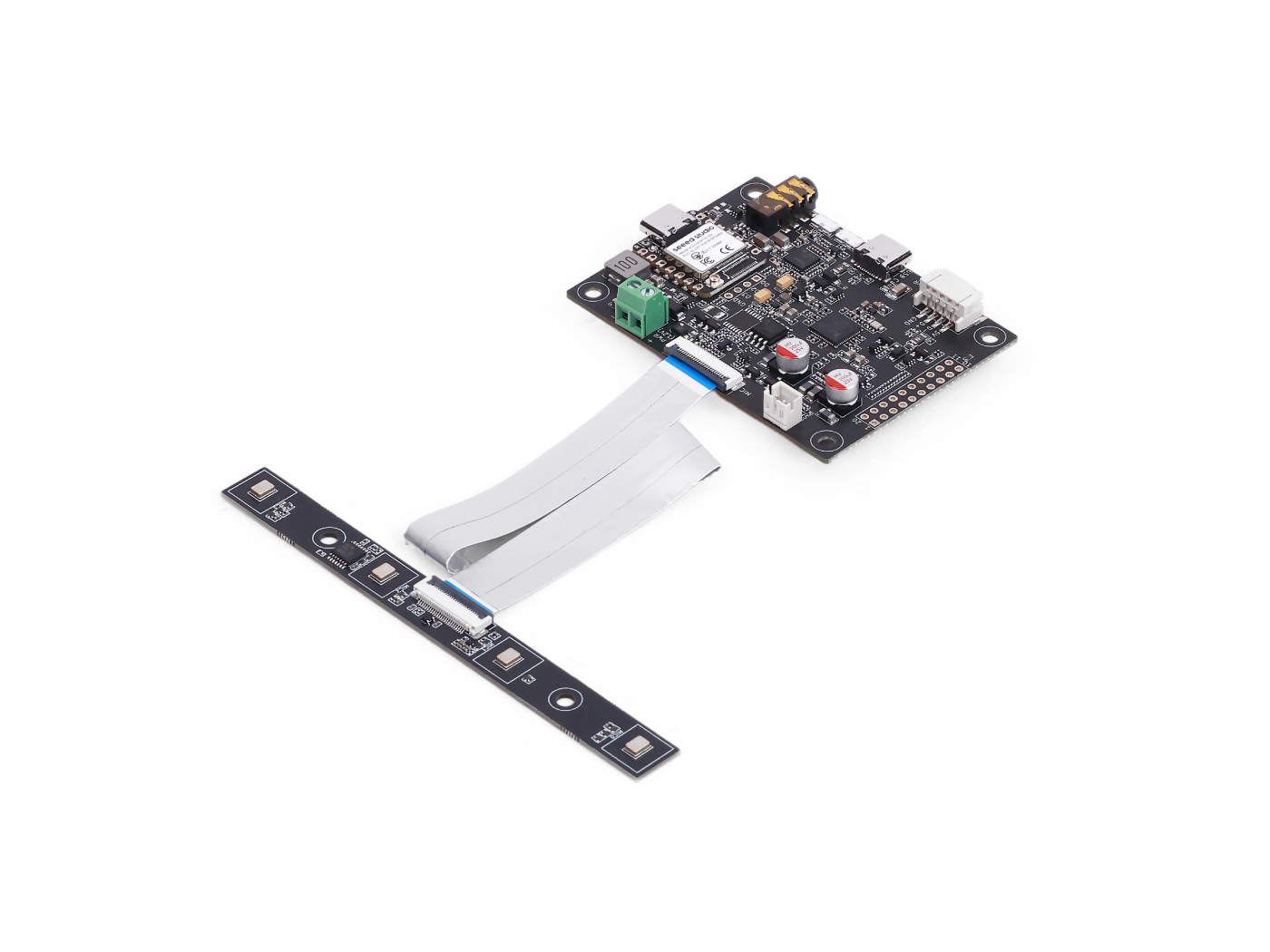 | 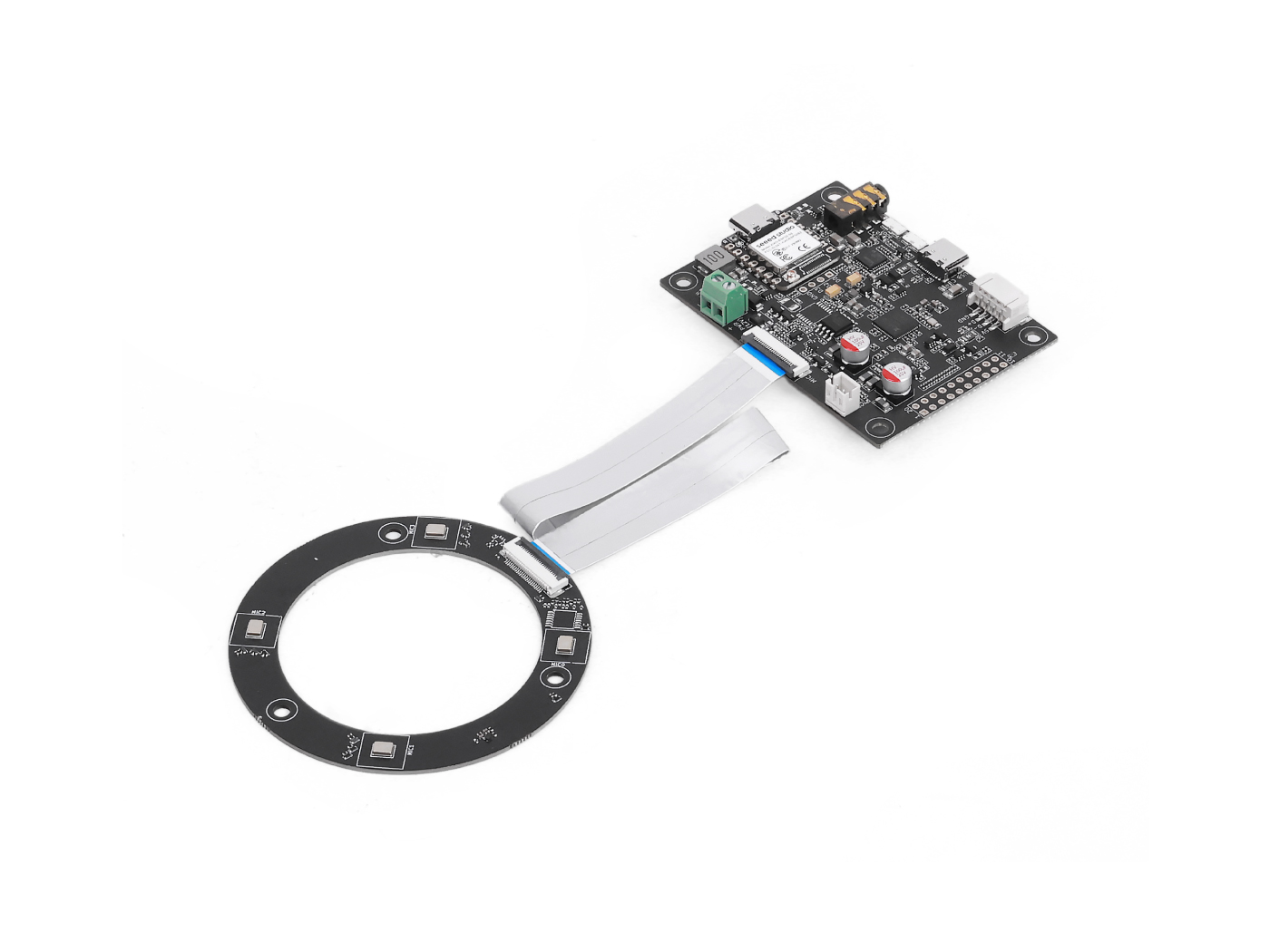 | |
ライブラリ
機能概要
このスケッチは次のことを行います:
- 指定した WiFi ネットワークに接続します。
- MQTT ブローカー(例: test.mosquitto.org)に接続します。
- reSpeaker Flex XVF3800 with XIAO ESP32S3 から I2S を使用してリアルタイム音声を取得します。
- 音声を WAV 形式 にエンコードします。
- 音声を 1 つの MQTT メッセージとしてパブリッシュします。
poll()を使用して MQTT 接続を維持します。
Arduino コード
アップロードする前に次の項目を更新してください:
const char* ssid = "your-SSID";
const char* password = "your-WIFI-password";
const char* broker = "test.mosquitto.org";
const char* topic = "flex/audio.wav";
int port = 1883;
フルコード(約 3 秒間の音声をストリーミング)
#include "WiFi.h"                // For WiFi connectivity
#include "ArduinoMqttClient.h"   // For MQTT communication
#include "AudioTools.h"          // For handling I2S audio and WAV encoding

// Define how much audio data to send
#define MQTT_PACKET_SIZE 1024    // Size of each MQTT data packet (in bytes)
#define NUM_PACKETS 375          // Number of packets to send (~3 seconds of audio at 16kHz)

// WiFi network credentials
const char* ssid = "your-SSID";              // Replace with your WiFi SSID
const char* password = "your-WIFI-password"; // Replace with your WiFi password

// MQTT broker configuration
const char* broker = "test.mosquitto.org";   // Public test MQTT broker
const char* topic = "flex/audio.wav";     // Topic to publish audio to
int port = 1883;                             // Standard MQTT port

// Create MQTT and WiFi clients
WiFiClient wifiClient;
MqttClient mqttClient(wifiClient);

// Configure audio: 16kHz sample rate, stereo (2 channels), 32-bit per sample
AudioInfo info(16000, 2, 32);
I2SStream i2s_in;           // I2S audio input stream
I2SConfig i2s_config;       // I2S hardware configuration

// Stream that encodes audio in WAV format and sends it via MQTT
EncodedAudioStream out_stream(&mqttClient, new WAVEncoder());
StreamCopy copier(out_stream, i2s_in, MQTT_PACKET_SIZE); // Handles copying I2S data into the MQTT stream

// Connect to WiFi network
void connectWiFi() {
  Serial.printf("Connecting to WiFi: %s\n", ssid);
  WiFi.begin(ssid, password);                // Start WiFi connection
  while (WiFi.status() != WL_CONNECTED) {    // Wait until connected
    Serial.print(".");
    delay(1000);
  }
  Serial.println("\nConnected to WiFi!");
}

// Connect to MQTT broker
void connectMQTT() {
  mqttClient.setId("xvf3800_stream");        // Set MQTT client ID
  Serial.printf("Connecting to MQTT broker: %s\n", broker);

  if (!mqttClient.connect(broker, port)) {   // Try to connect to MQTT
    Serial.print("MQTT connection failed! Code: ");
    Serial.println(mqttClient.connectError());
    while (true); // Stop here if connection fails
  }

  Serial.println("Connected to MQTT broker!");
}

// Set up I2S audio input configuration
void setupI2SInput() {
  i2s_config = i2s_in.defaultConfig(RX_MODE);  // Set RX mode for audio input
  i2s_config.copyFrom(info);                   // Apply audio format to config

  // Assign correct GPIO pins for XVF3800
  i2s_config.pin_bck = 8;       // Bit clock
  i2s_config.pin_ws = 7;        // Word select (LR clock)
  i2s_config.pin_data = 44;     // Not used for RX, but required by lib
  i2s_config.pin_data_rx = 43;  // Data input pin from XVF3800
  i2s_config.is_master = false;  // XVF3800 provides clock, so this board acts as slave

  i2s_in.begin(i2s_config);     // Initialize I2S input with given config
  Serial.println("I2S input started.");
}

void setup() {
  Serial.begin(115200);         // Start serial monitor
  AudioLogger::instance().begin(Serial, AudioLogger::Info); // Enable audio debug logs

  connectWiFi();                // Connect to WiFi
  connectMQTT();                // Connect to MQTT
  setupI2SInput();              // Configure and start I2S audio input

  out_stream.begin(info);       // Initialize WAV encoder with audio format

  // Start a new MQTT message and reserve enough space for the full audio stream
  mqttClient.beginMessage(topic, MQTT_PACKET_SIZE * NUM_PACKETS, true);

  // Copy audio from microphone (I2S) into MQTT stream
  copier.copyN(NUM_PACKETS);   // Copies a fixed number of packets (3 seconds of audio)

  mqttClient.endMessage();     // Finalize the MQTT message and send it
  Serial.println("Audio stream sent via MQTT!");
}

void loop() {
  mqttClient.poll();           // Keep MQTT connection alive (important if broker expects pings)
  delay(5000);                 // Optional delay, useful if recording repeatedly
}
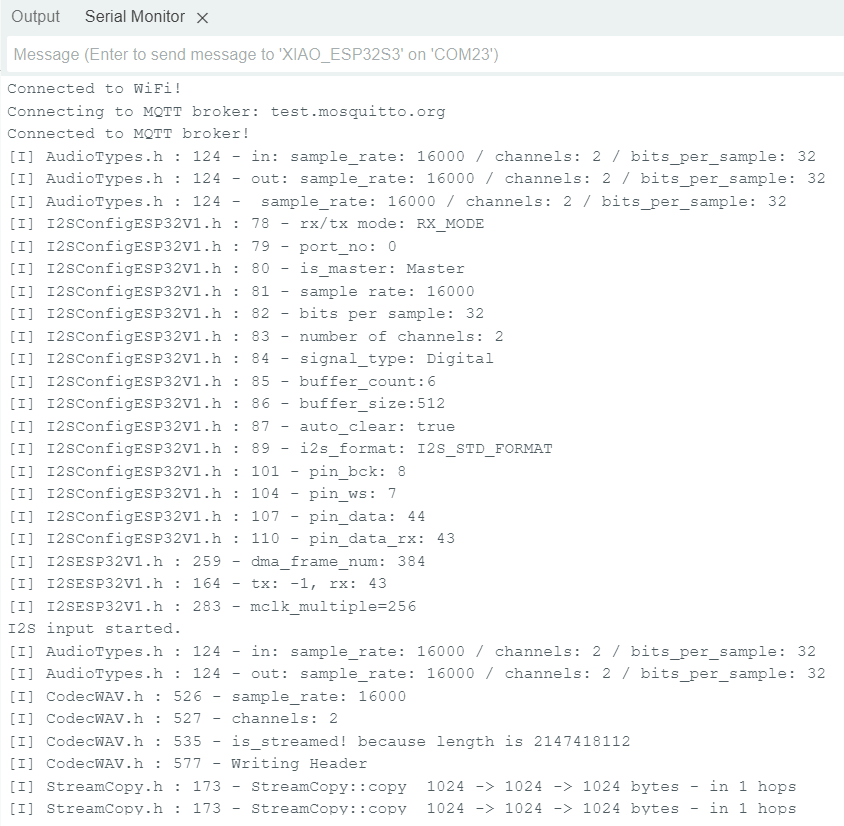
接続およびストリーミング状況を確認するには、シリアルモニタ(115200 ボー)を使用してください。
Python スクリプト(音声の受信と保存用)
import paho.mqtt.client as mqtt

broker = "test.mosquitto.org"
port = 1883
topic = "flex/audio.wav"
output_file = "output.wav"
audio_data = bytearray()

def on_message(client, userdata, msg):
    global audio_data
    print("🔊 Received audio message")
    audio_data.extend(msg.payload)

    with open(output_file, "wb") as f:
        f.write(audio_data)
    print(f"✅ WAV file saved as: {output_file}")

client = mqtt.Client()
client.on_message = on_message

print(f"Connecting to MQTT broker {broker}...")
client.connect(broker, port, 60)

client.subscribe(topic)
print(f"📡 Subscribed to: {topic}")
client.loop_forever()
音声を聴く
ファイル(output.wav)が保存されたら、次のような任意のオーディオプレーヤーで開くだけです:
- VLC
- Windows Media Player
- Audacity(解析用)
技術サポート & 製品ディスカッション
弊社製品をお選びいただきありがとうございます。私たちは、製品をできるだけスムーズにご利用いただけるよう、さまざまなサポートを提供しています。お好みやニーズに応じてお選びいただける、複数のコミュニケーションチャネルをご用意しています。