reComputerでuvを使用する
はじめに
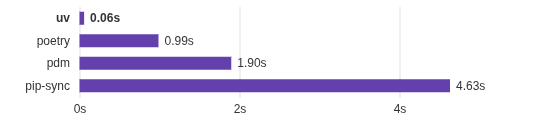
このwikiでは、reComputerボックスでuvを使用する方法を説明します。uvは、Python用の高速で現代的かつ軽量なパッケージマネージャーおよびリゾルバーです。pipやpip-toolsなどの従来のPythonパッケージ管理ツールのドロップイン代替として設計されており、速度、効率性、使いやすさの大幅な改善を提供します。
ハードウェアの準備


ソフトウェアの準備
システムの更新
sudo date -s "$(wget -qSO- --max-redirect=0 google.com 2>&1 | grep Date: | cut -d' ' -f5-8)Z"
sudo apt update
sudo apt full-upgrade
uvのインストール
curl -LsSf https://astral.sh/uv/install.sh | sh
uvの使用
プロジェクトの初期化
ここでは、uv_testを例としてuvの使用方法を説明します。
注意: PyPI上の任意のパッケージとは異なるプロジェクト名を付けてください。
uv init uv_test --package
cd uv_test
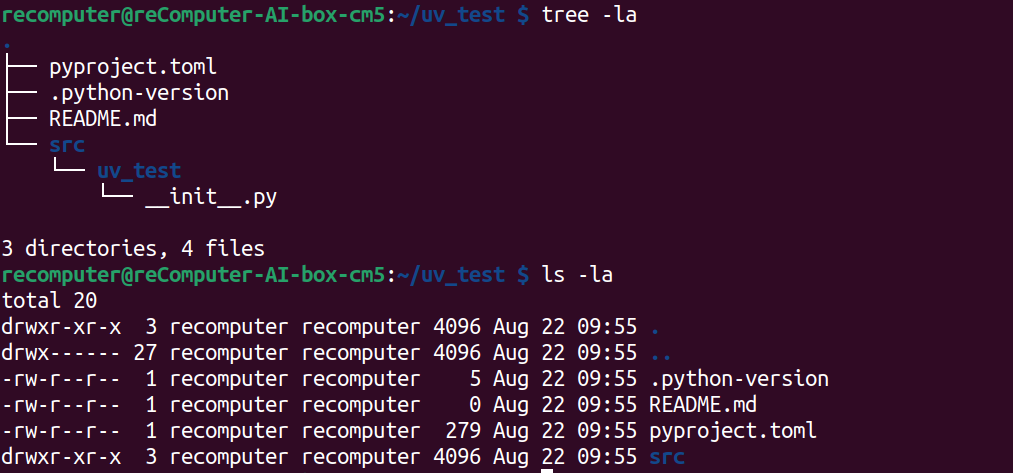
プロジェクトの構造を確認します
ls -la
tree
Python環境の作成
ここでPython環境を作成できます
uv venv
source .venv/bin/activate

依存関係の追加
numpyを使用して関数を構築します:
uv add numpy
関数の作成
NumPyを使用してadd.pyにadd関数を例として書きます:
add.py
import numpy as np

def add(arr1: np.ndarray, arr2: np.ndarray) -> np.ndarray:
    """
    Adds two NumPy arrays element-wise.

    Parameters:
    arr1 (np.ndarray): The first input array.
    arr2 (np.ndarray): The second input array.

    Returns:
    np.ndarray: The element-wise sum of arr1 and arr2.

    Raises:
    ValueError: If the input arrays have different shapes and cannot be broadcasted.
    """
    # Ensure that both arrays have compatible shapes for element-wise addition
    try:
        result = np.add(arr1, arr2)
    except ValueError:
        raise ValueError("Input arrays have incompatible shapes for element-wise addition.")

    return result

if __name__ == "__main__":
    # Example usage
    arr1 = [1, 2, 3]
    arr2 = [4, 5, 6]
    print("Result of addition:", add(arr1, arr2))
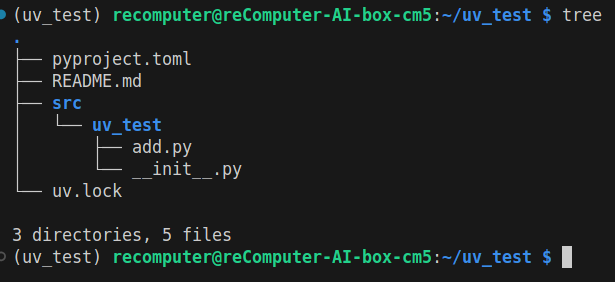
結果は以下の通りです:
パッケージのビルド
プロジェクトを使用可能な.whlファイルにビルドするには、tomlファイルを以下のように変更します:
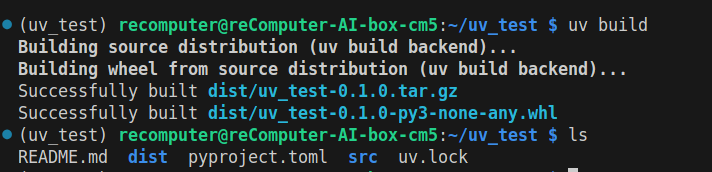
パッケージをビルドします:
uv build
ls -a
結果は以下の通りです:
パッケージのテスト
以下のようにパッケージをインストールします:
uv pip install dist/uv_test-0.1.0-py3-none-any.whl

pythonスクリプトを使用してパッケージをテストします:
add.py
from uv_test.add import add

if __name__ == "__main__":
    arr1 = [1, 2, 3]
    arr2 = [4, 5, 6]
    print("Result of addition:", add(arr1, arr2))
PyPiへのパッケージのプッシュ
PyPIアカウントをお持ちでない場合は、アカウントを登録し、トークンを作成してください。
uv publish
結果は以下のようになり、トークンを入力します:

結果
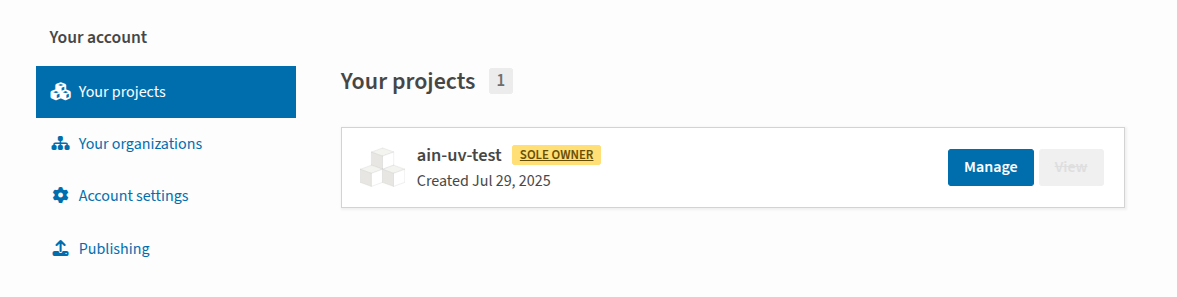
最後に、PyPI上でアップロードしたプロジェクトを確認できます。
技術サポートと製品ディスカッション
弊社製品をお選びいただきありがとうございます!弊社製品での体験が可能な限りスムーズになるよう、さまざまなサポートを提供しています。さまざまな好みやニーズに対応するため、複数のコミュニケーションチャネルを提供しています。