Device Management
The Device Management module provides a quick dashboard for understanding the current state of your connected Jetson device — hardware diagnostics, peripheral detection, and live system metrics — all without opening a terminal.
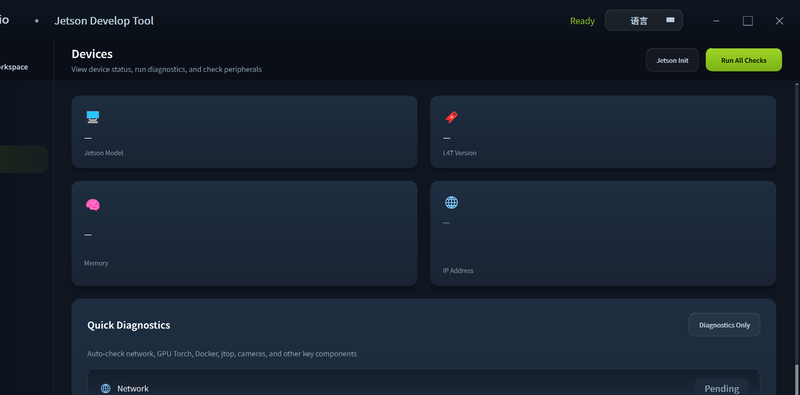
Connecting to a Device
Enter the Jetson's IP address, SSH username, and password in the connection panel, then click Connect. See Connect Device for network setup details.
Features
System Info
Once connected, the dashboard displays:
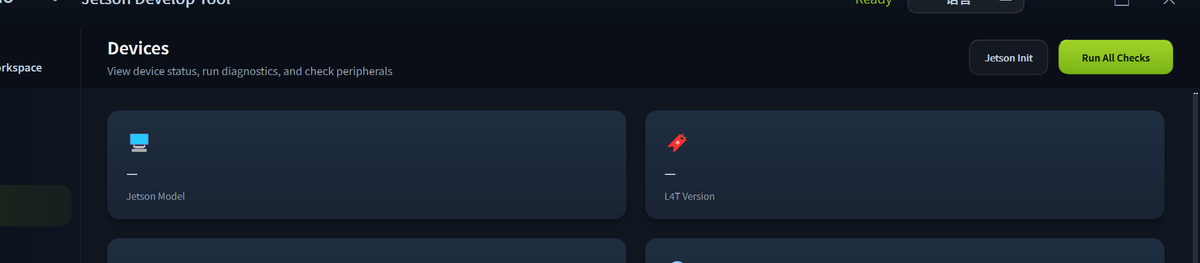
| Info | Description |
|---|---|
| Device model | e.g. reComputer Super J4012s |
| JetPack / L4T version | Current firmware version |
| CPU usage | Per-core utilization in real time |
| GPU usage | Current GPU load percentage |
| Memory | Used / total RAM |
| Disk | Used / total storage |
| Temperature | CPU, GPU, and board thermal zones |
Peripheral Detection
Click Detect Peripherals to scan for connected hardware:
- USB devices (cameras, Wi-Fi adapters, storage)
- NVMe / M.2 drives
- Display outputs
- GPIO / I2C / SPI interfaces
Quick Diagnostics
Click Run All Checks to run a one-click health check. The tool auto-checks Network, GPU / Torch, Docker, jtop, USB Camera, Boot Disk, and other key components, displaying each result inline with a pass / fail status and quick-fix shortcuts.
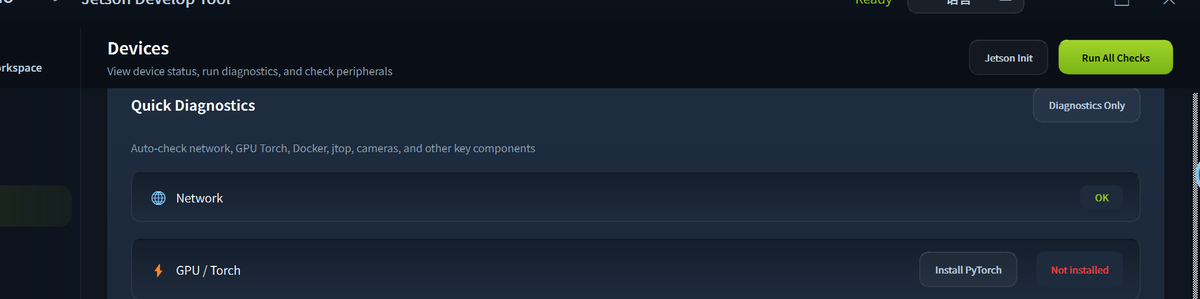
Peripheral Detection
Click Peripherals Only to scan connected hardware — USB-WiFi, 5G module, Bluetooth, NVMe SSD, cameras, and HDMI display — without running the full diagnostic suite.
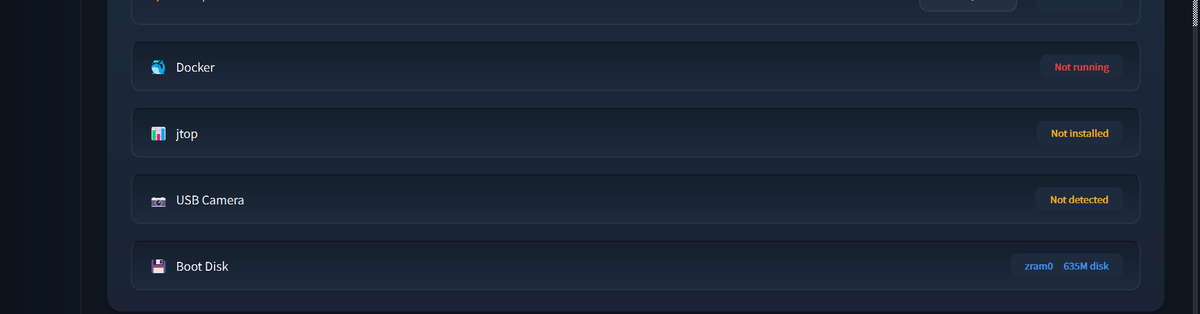
Install PyTorch
If the GPU / Torch check shows "Not installed", click the Install PyTorch button to open the installation wizard. The tool auto-detects your JetPack version and selects the matching NVIDIA PyTorch wheel. You can also choose the Python target environment (system Python or a new Miniforge conda env).
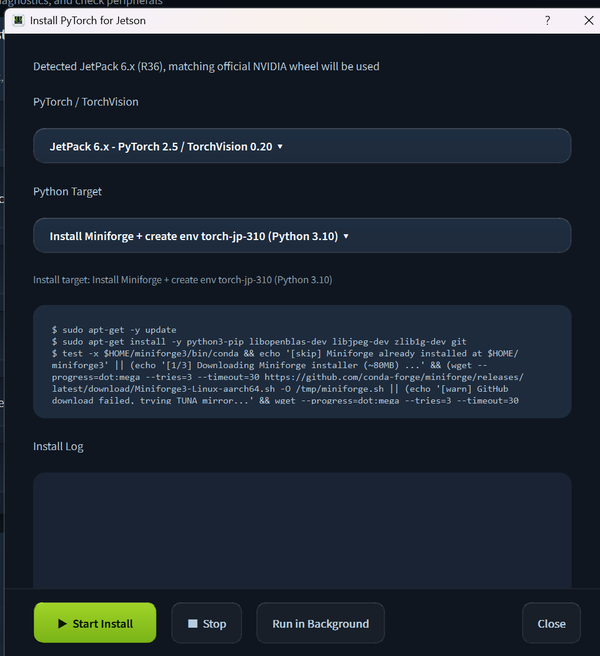
Click Start Install to begin. The installation runs in the background — click Run in Background to continue using the tool while it completes.
Tech Support & Product Discussion
Thank you for choosing our products! We are here to provide you with different support to ensure that your experience with our products is as smooth as possible. We offer several communication channels to cater to different preferences and needs.