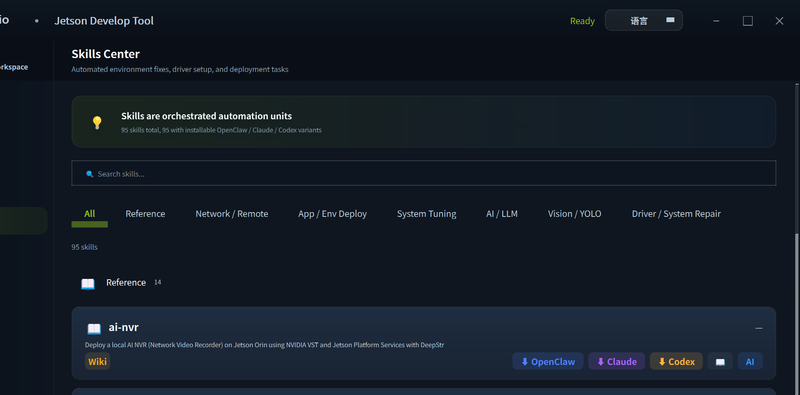
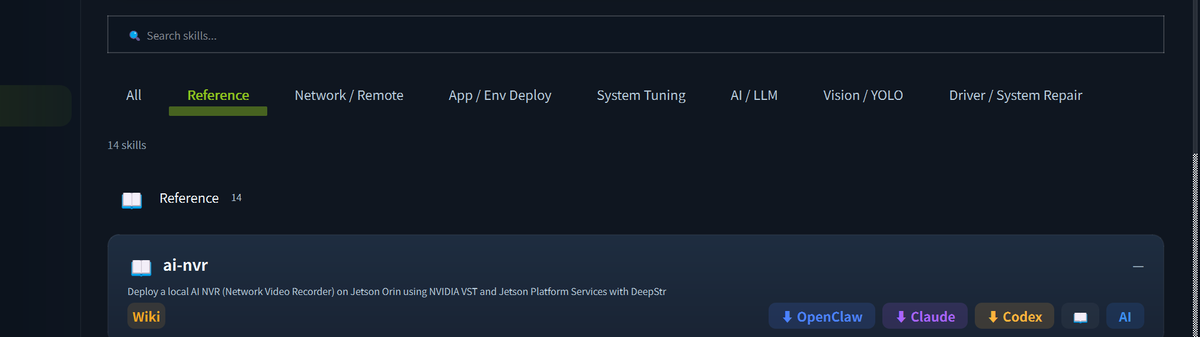
The Skills module provides 50+ built-in automation scripts that handle common Jetson setup and configuration tasks — from installing drivers to deploying AI frameworks — with a single click.
Skill Categories
Drivers & Fixes
| Skill | Description |
|---|
| USB-WiFi (88x2bu) | Install driver for RTL88x2BU Wi-Fi adapters |
| 5G Module Support | Configure 5G cellular module connectivity |
| Bluetooth Conflict Fix | Resolve common Bluetooth + Wi-Fi coexistence issues |
| NVMe Boot | Configure the system to boot from NVMe SSD |
| Docker Cleanup | Remove unused Docker images and containers to free space |
AI / LLM
| Skill | Description |
|---|
| PyTorch (Jetson) | Install the NVIDIA-optimized PyTorch wheel for JetPack |
| Ollama | Install Ollama LLM inference engine |
| DeepSeek | Deploy DeepSeek models on Jetson |
| Qwen2 | Install Qwen2 LLM with Jetson optimizations |
| LeRobot | Set up Hugging Face LeRobot for embodied AI |
| vLLM | Install vLLM high-throughput inference server |
Vision / YOLO
| Skill | Description |
|---|
| YOLOv8 | Install Ultralytics YOLOv8 with TensorRT export |
| DeepStream | Set up NVIDIA DeepStream SDK |
| NVBLOX | Install NVBLOX for 3D scene reconstruction |
| Depth Estimation | Configure depth estimation pipeline |
Network & Remote
| Skill | Description |
|---|
| VS Code Server | Install code-server for browser-based IDE |
| VNC Server | Set up noVNC remote desktop |
| SSH Key Setup | Configure passwordless SSH key authentication |
| Proxy Config | Configure system-wide HTTP/HTTPS proxy |
System Tuning
| Skill | Description |
|---|
| Max Performance Mode | Set Jetson to maximum CPU/GPU clock speeds (nvpmodel) |
| Swap Config | Create or resize swap space |
| Fan Control | Configure fan curve and cooling profile |
| Cache Cleanup | Clear package and pip caches to recover disk space |
Running a Skill
- Connect to your Jetson device.
- Open the Skills tab.
- Browse by category or search by keyword.
- Click Run on the desired skill.
- A log window shows the execution output in real time.
Skills use the OpenClaw format. You can add your own custom skills by placing them in the skills/openclaw/ directory — the tool auto-loads them on startup.
Tech Support & Product Discussion
Thank you for choosing our products! We are here to provide you with different support to ensure that your experience with our products is as smooth as possible. We offer several communication channels to cater to different preferences and needs.