AI Image Transmission over MeshCore with Wio Tracker L1
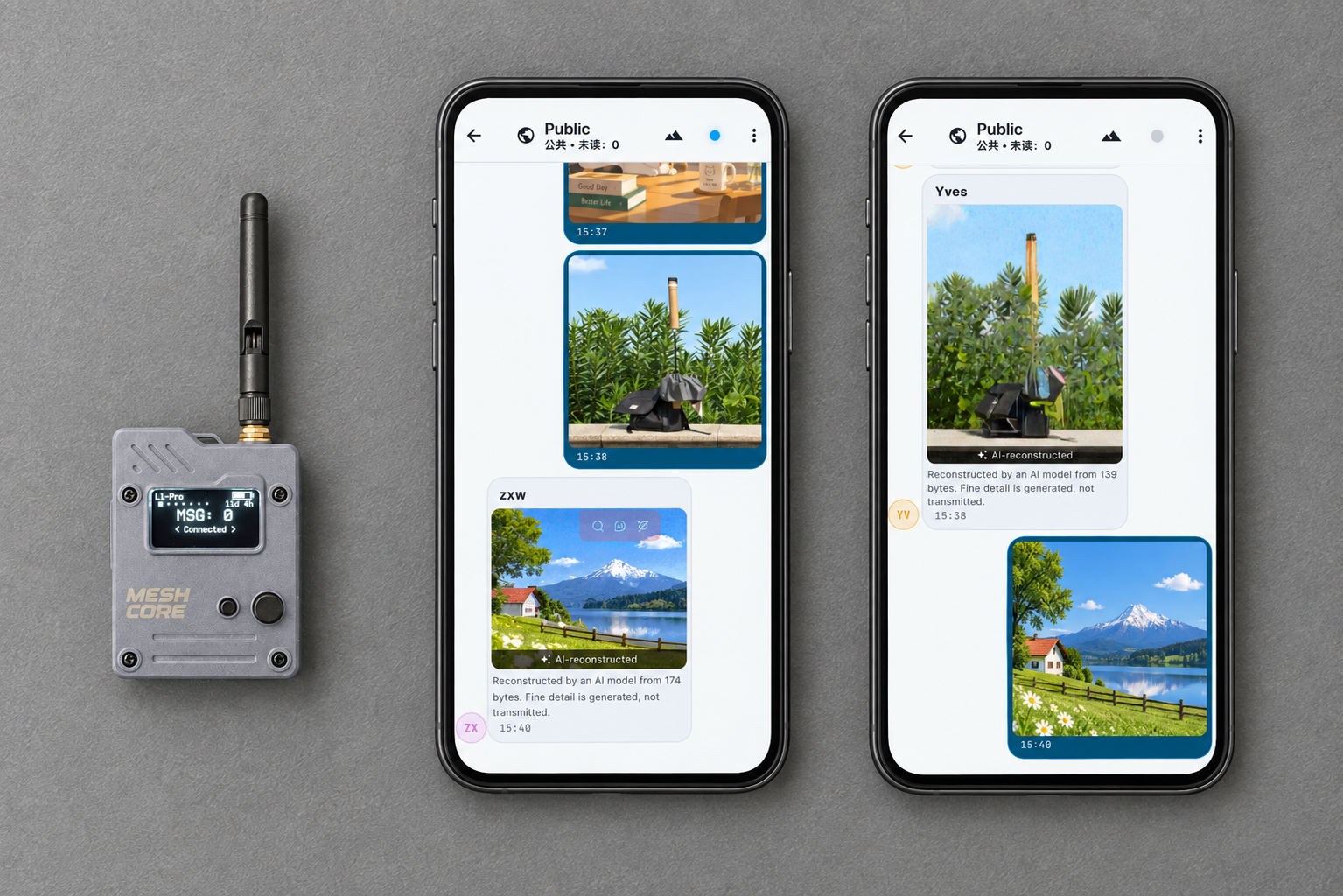
MeshCore is designed for low-bandwidth LoRa mesh communication. Traditional image transmission is difficult because normal photos usually require hundreds of kilobytes or more data. MeshCore Open enables ultra-low bitrate image transmission over MeshCore by combining:
- MeshCore Open App
- AI-based image compression
- MeshCore
GRP_DATApackets
This image transmission feature is suitable for users who need to share visual information in places without reliable Internet or cellular networks.
- Outdoor Explorers: Hikers, climbers, and expedition teams can share trail conditions, send remote landscape images and provide visual information when text is not enough.
- Emergency and Disaster Response Teams: The team can share field conditions, provide quick visual updates and improve team awareness through images
- Off-grid Communication Enthusiasts: Suitable for MeshCore and Ham radio users who want to explore AI-powered edge communication
How Image Transmission Work in MeshCore
The image is not directly transmitted. The sender uses a local AI encoder to convert the image into a very small binary file. The receiver does not restore the original pixels. Instead, a local AI decoder uses the compressed data to generate a visually similar image.
The workflow is:
Original Image
      ↓
AI Encoder
      ↓
Small Compressed Data
(~100–200 bytes)
      ↓
MeshCore Network
      ↓
AI Decoder
      ↓
Reconstructed Image
Get Start with MeshCore Open
Initial Set-up
- Install MeshCore Open App. Click here to install the APP release that support image transmission.
- Connect your MeshCore node to the APP. Click here to read L1 connection guide.
- Configure your LoRa region and network settings.
- Make sure another MeshCore node is available as the receiver.
For general MeshCore setup instructions, please refer to MeshCore Open Getting Start Guide:
Install the model
Enable image transmission and download the ml model files in APP setting.
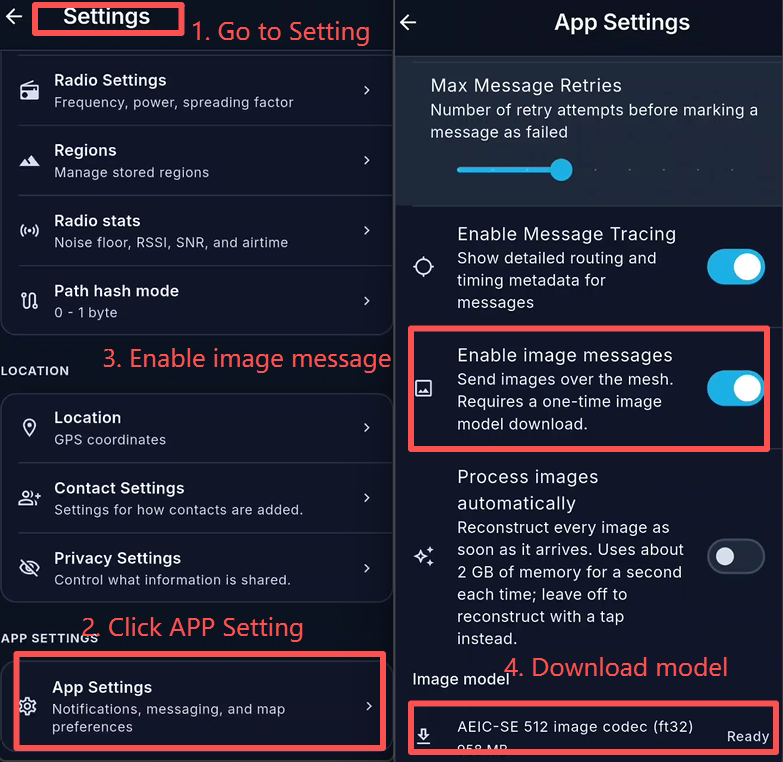
Image Transmission
Choose an image from your phone.
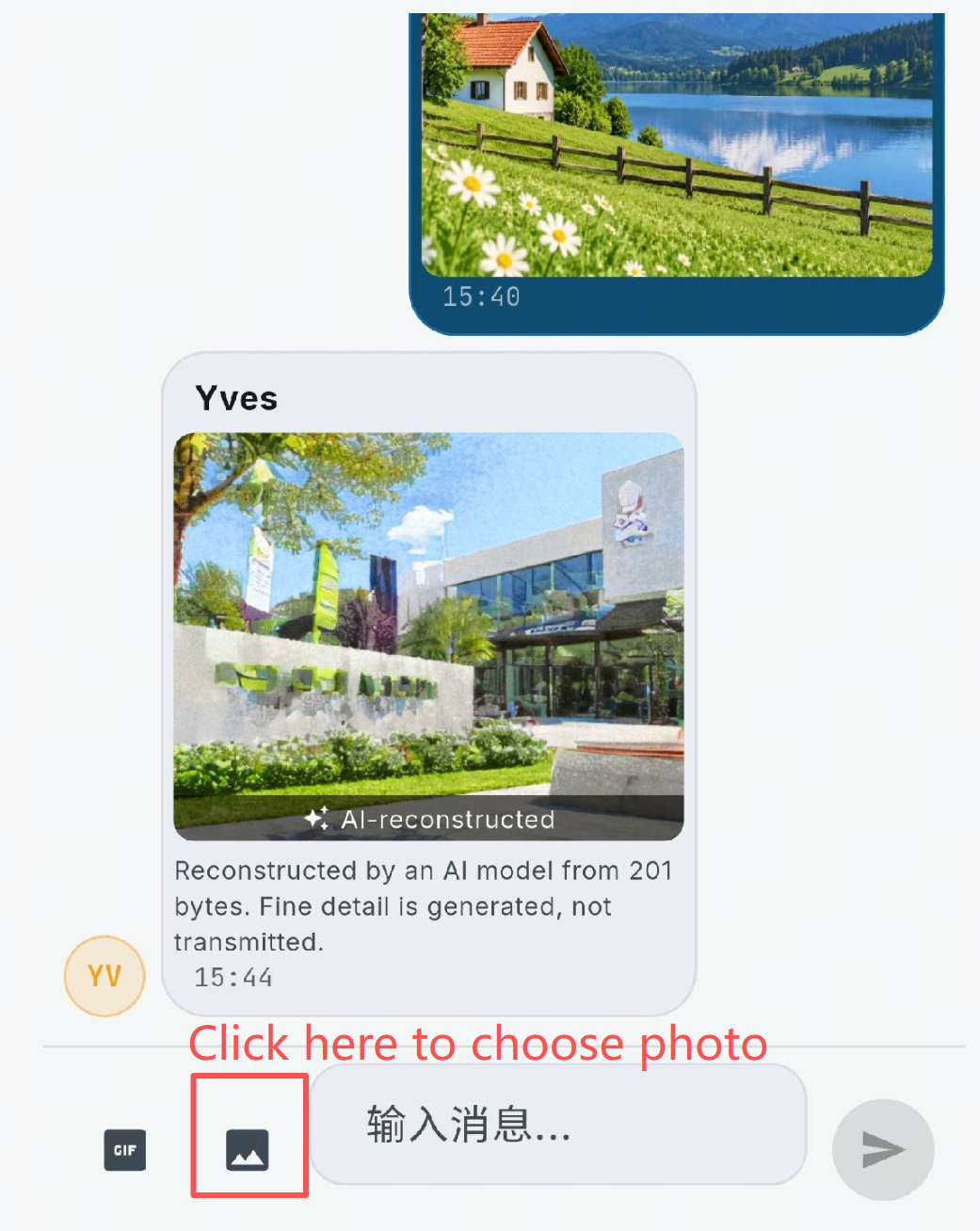
The APP will automatically process the image before transmission. The compressed image data will transmit through the MeshCore network. The transmission time depends on number of mesh hops, radio configuration, network traffic and signal quality. The transmitted data contains only the compressed representation, not the original image.
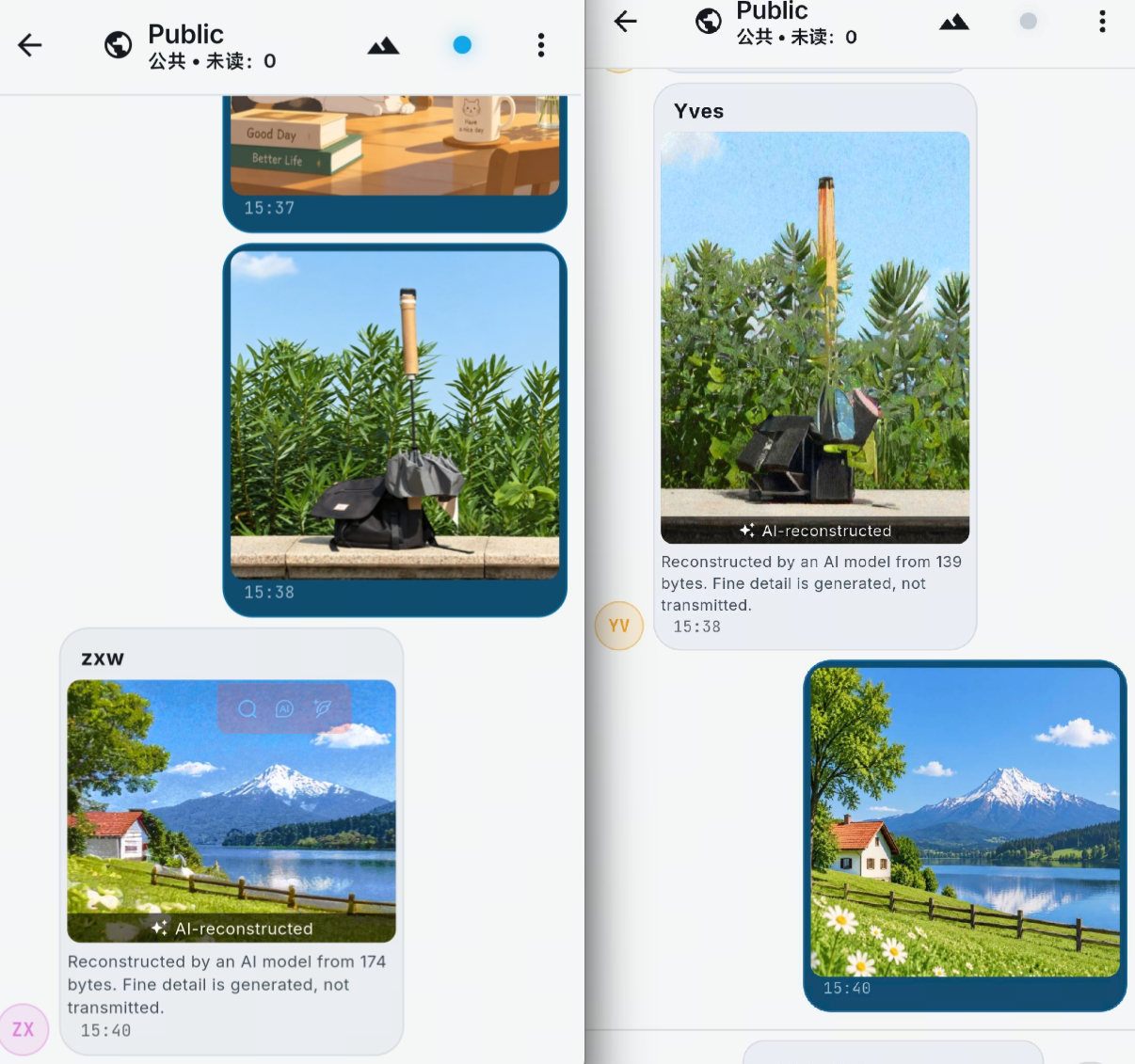
When the receiving node receives the compressed data, the decoder then performs the image reconstruction. The reconstructed image will appear in the chat interface.
Understanding AI-Reconstructed Images
The output image is not a pixel-perfect copy of the original image. The decoder may generate additional details that were not transmitted. Therefore, this feature is suitable for scene awareness, outdoor communication, remote monitoring and isual information sharing. It is not suitable for evidence collection, identity verification, scientific image analysis and applications requiring exact image reproduction