MeshCore Node Map
Why Use MeshCore Node Map
Node Map can provide real-time visibility into the MeshCore network by plotting node locations, allowing users to understand network topology and node distribution.
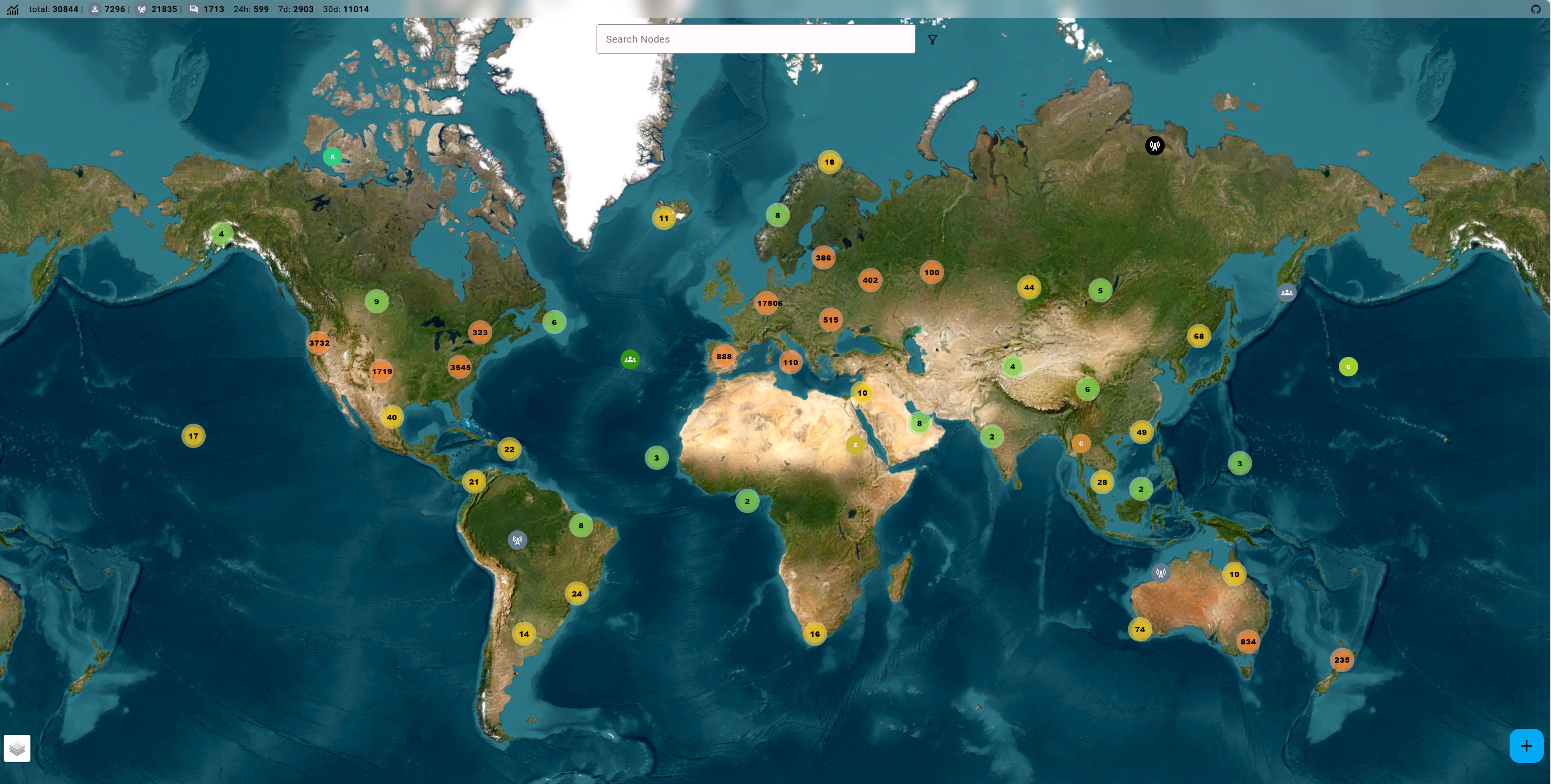
MeshCore Node Map relies on nodes periodically reporting their geographic position to the network. It is particularly useful for:
- Discovering nearby repeaters: Identify available repeaters to extend connectivity
- Monitoring your own network: Track node status and location
- Debugging and optimization: Optimize placement of repeaters and gateways
Tutorial on MeshCore Official Map
The most popular MeshCore Node Map is the official MeshCore Node Map. Click here to enter the website.
Companion Configuration
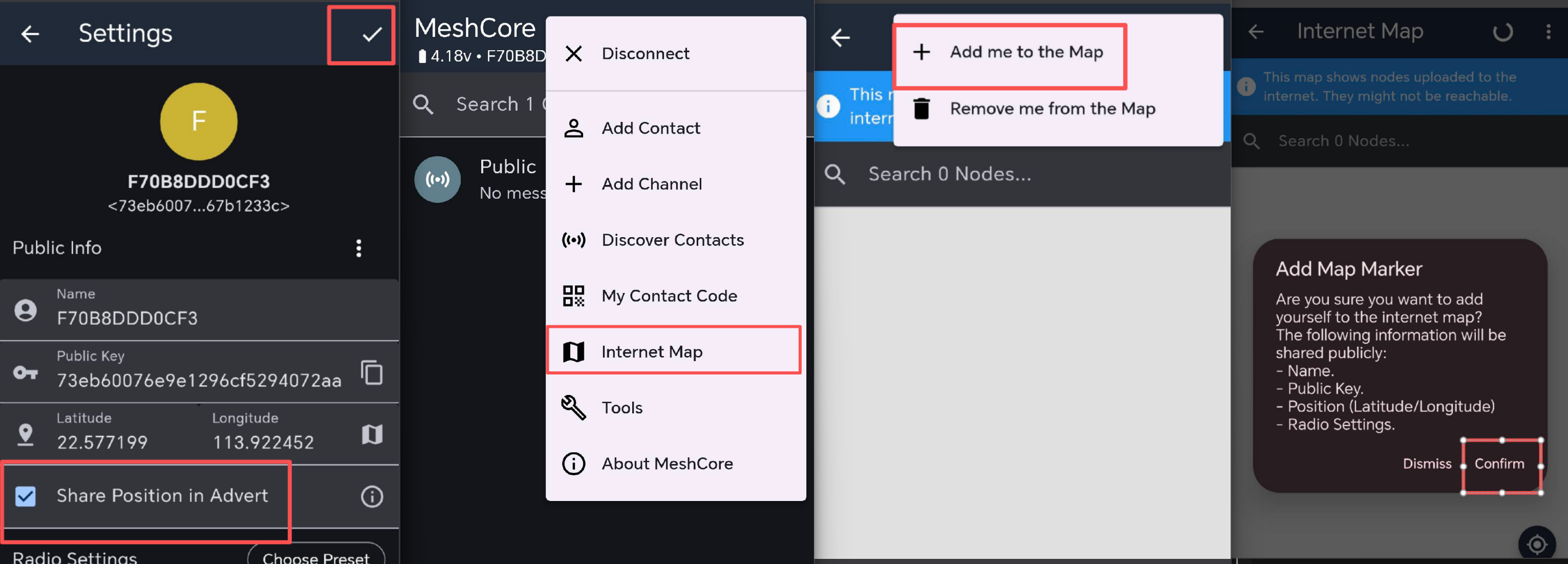
To let a companion node appear on the MeshCore Node Map, a device must be properly configured to report its location. Configure as follows:
Repeater or Room Server Configuration
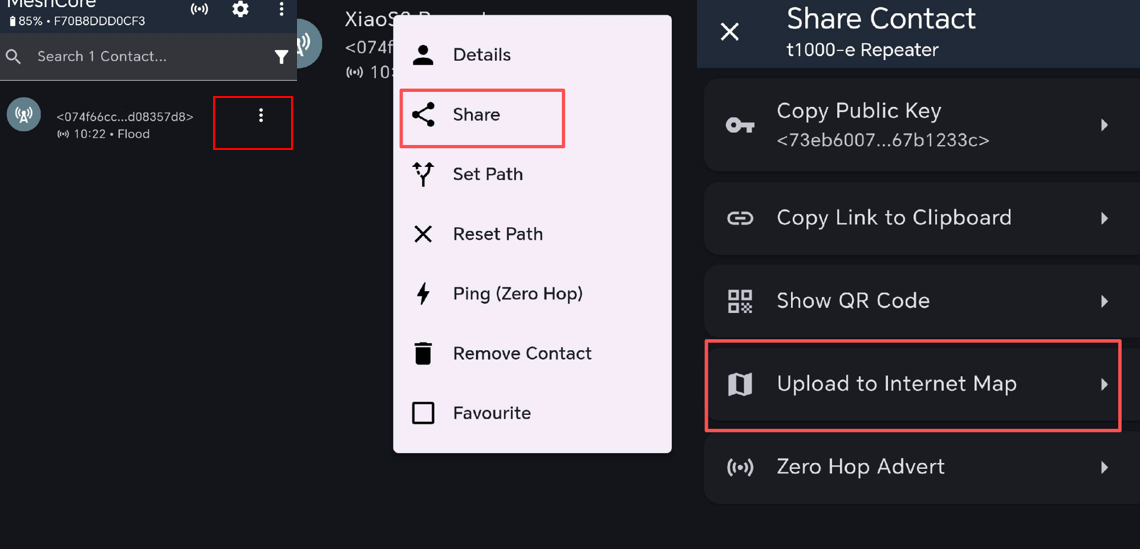
To let a repeater or room server appear on the MeshCore Node Map, a device must be properly configured to report its location.
First log in to the repeater. The default admin password to a repeater is password.
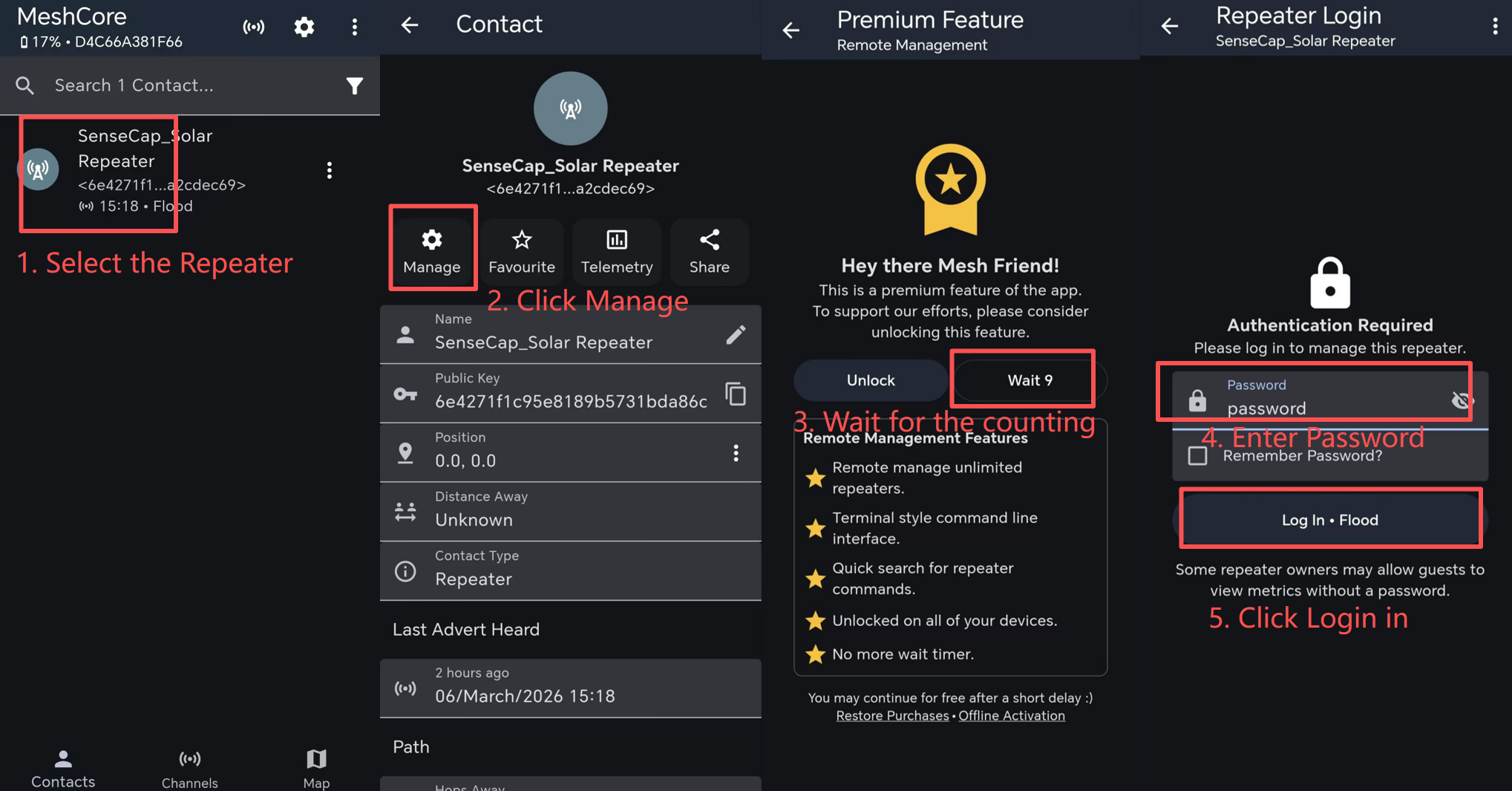
Enable the GPS and get the location (some repeater firmware does not support updating the real-time location, you may need to manually choose your location).
Search for your node
After the configuration, wait for a few minutes, then you can see your nodes on the map.
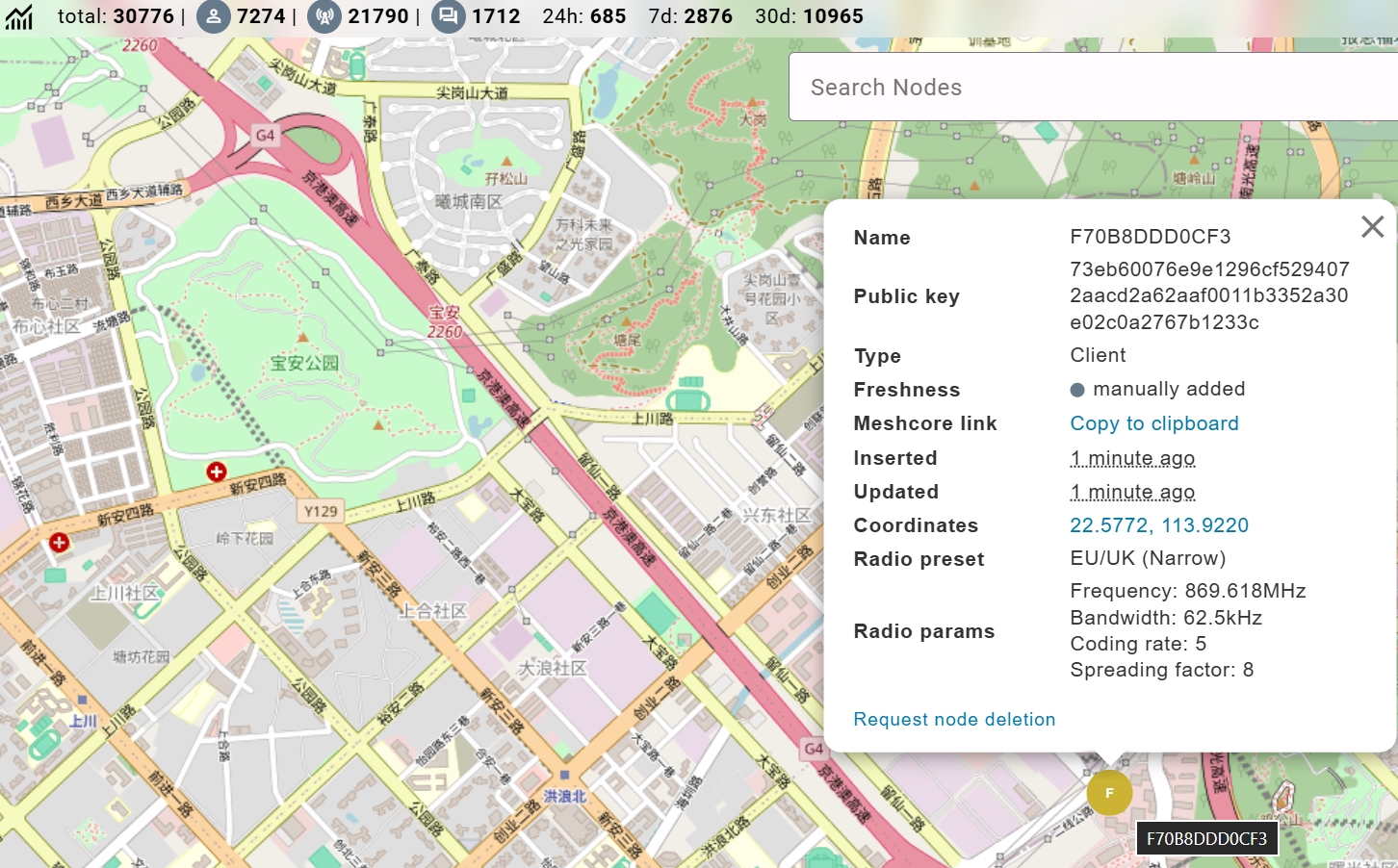
You can see device name, role and configuration information. So by using this map, you can easily figure out where those alive nodes are.
(Advanced) Building Your Own Node Map Frontend
For advanced users, it is possible to build a custom Node Map frontend. It is recommended to use the following workflow:
[Normal MeshCore Node] → [Mesh Nodes set with MQTT] → [Backend API / Database] → [Frontend Map UI]
Tech Support & Product Discussion