MeshCore Development Tutorial
Prerequisites
Necessary Tool
Before you begin, prepare the following tools:
Install PlatformIO
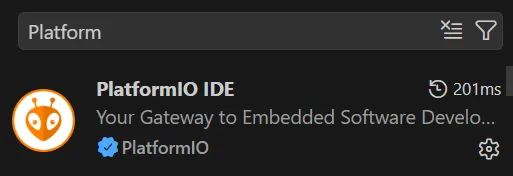
Search for PlatformIO in the VS Code Extensions marketplace and install it.
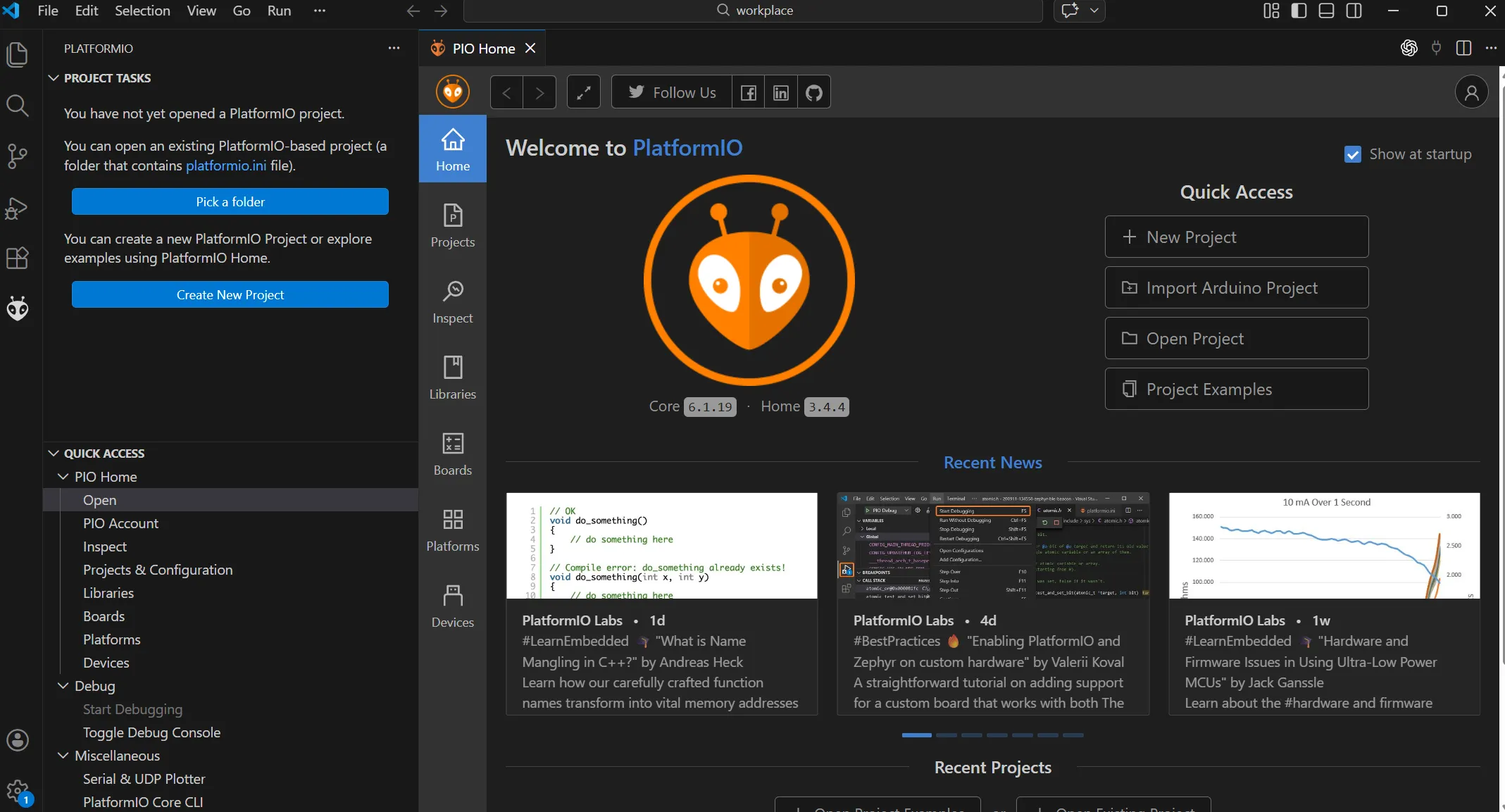
After installation, an ant-shaped icon usually appears in the left toolbar.
Project Preparation
Open a folder you want your project in. Open the folder in terminal. Click here to git clone the project.
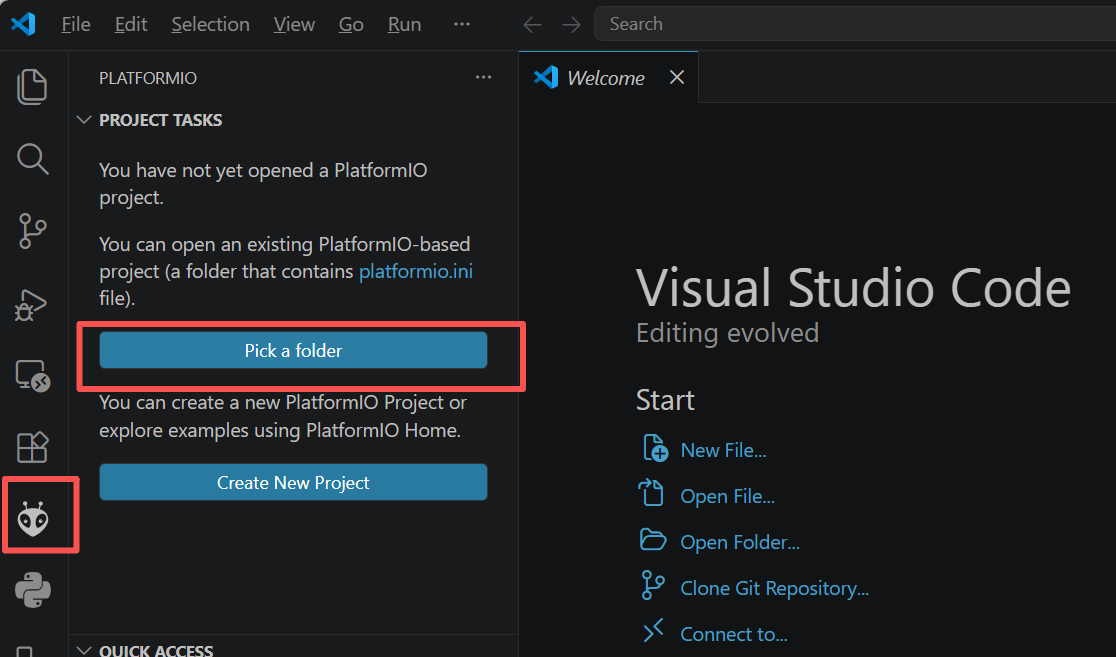
Open VSCode, then click platform IO icon, choose select a folder. Choose the folder you cloned the project with.
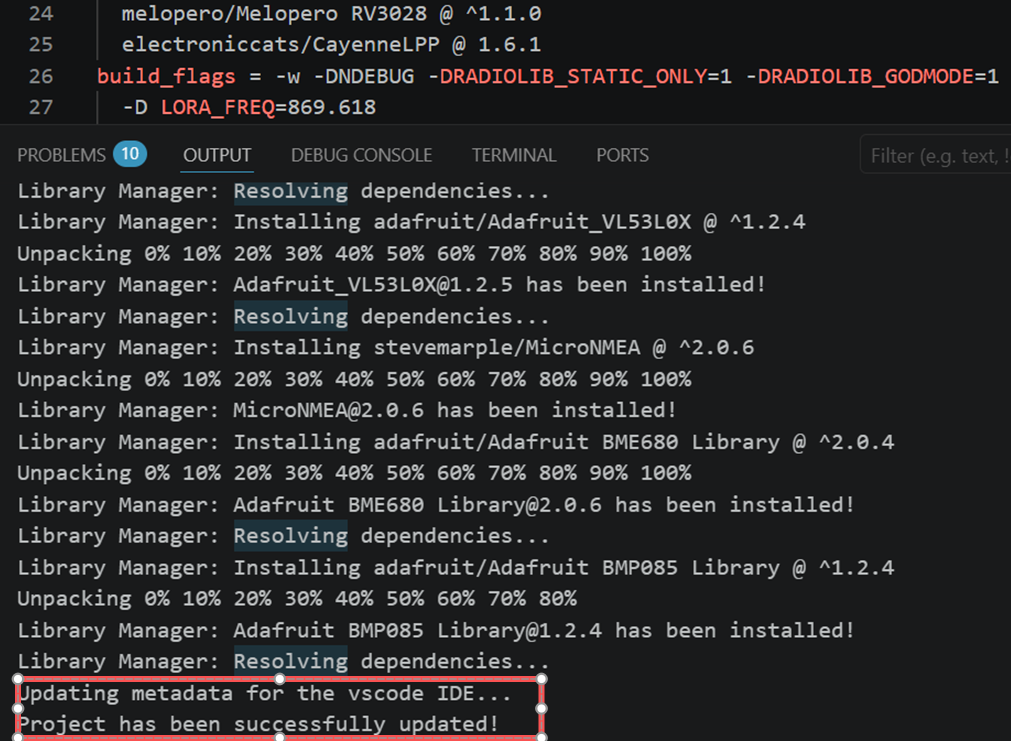
PlatformIO will automatically install the necessary dependencies. After the installation succeed, you can see Project has been successfully updated
Firmware Development
Development Torial
Find the environment for your target board. Take L1 Pro companion as example:
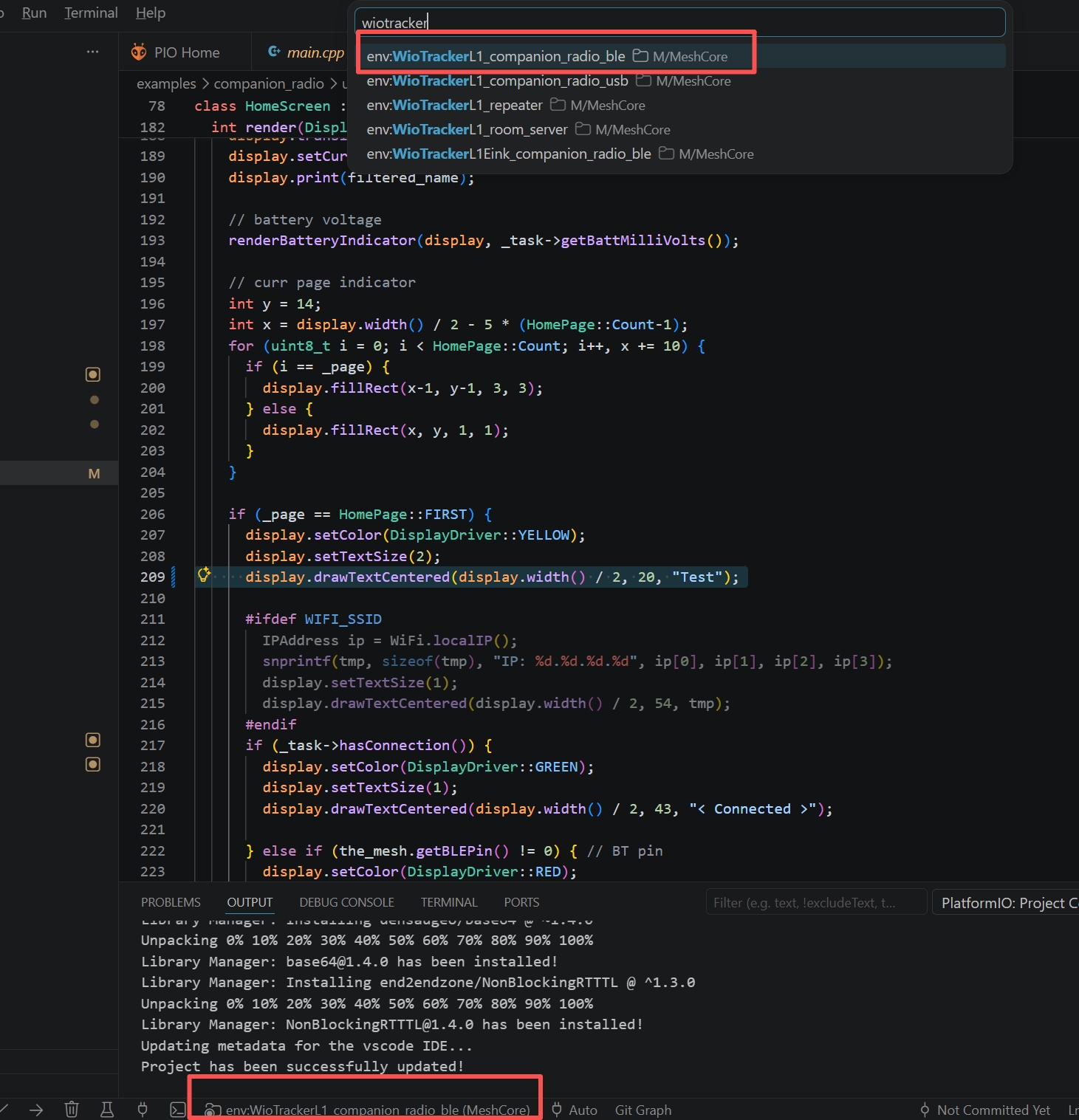
Tnen PtformmlIO will prepare the required dependencies for the board.
Change your code. It is recommended to change the variant.h file for your board.
After copleting the coding, run the following command to copiling the code and change to uf2 file.
pio run -e WioTrackerL1_companion_radio_ble
pio run -e WioTrackerL1_companion_radio_ble -t create_uf2
Then double click the RST button to enter DFU mode. Drag the uf2 file into the pop-out disk. The uf2 file should be found in .pio\build\WioTrackerL1_companion_radio_ble
Example
User Display Control
This example shows how to modify the UI display of L1 Pro. It delete the msg display on the screen, showing "Test" constantly.
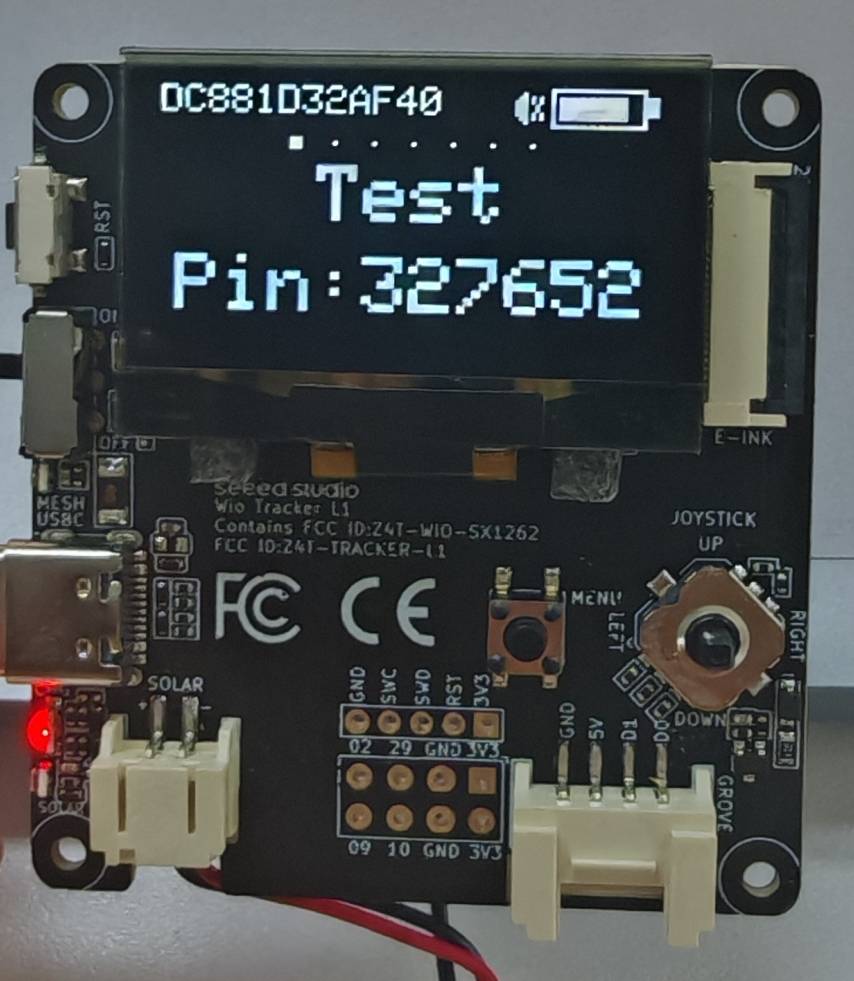
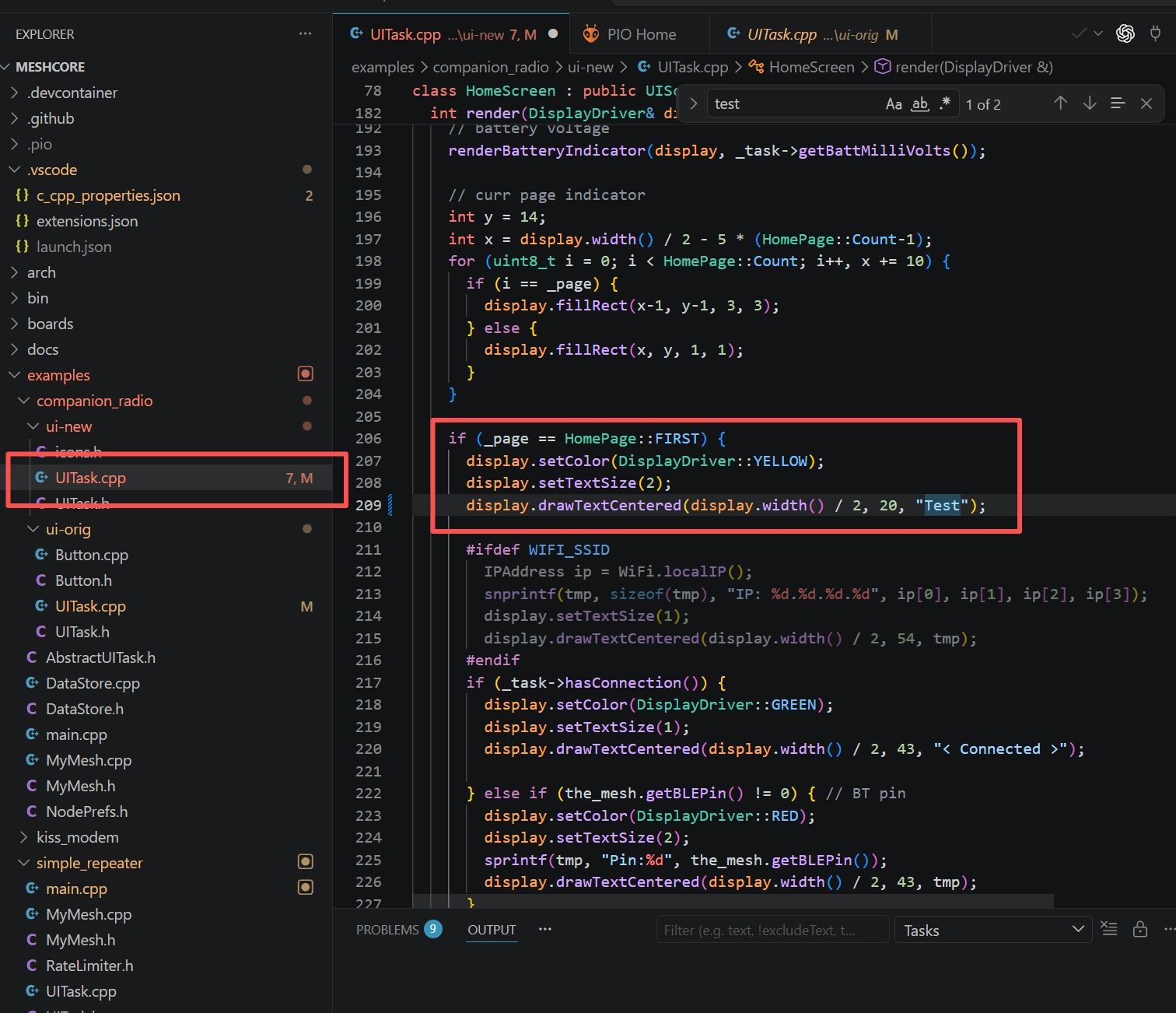
Copy the following code to /examples/companion_radio/ui-new/UITask.cpp
 if (_page == HomePage::FIRST) {
      display.setColor(DisplayDriver::YELLOW);
      display.setTextSize(2);
      display.drawTextCentered(display.width() / 2, 20, "Test");
Copiling it and flash the uf2 file to your L1 Pro.
(Advanced) Pr Submitting
Thanks for considering contributing to MeshCore project! How Can you Contribute? 1. Reporting Bugs
- Use the Issues tracker
- Use a clear title (e.g. "Crash when calling begin() with invalid pin")
- Describe the exact steps to reproduce
- Include your board, IDE version, library version and relevant code snippet
- Attach minimal complete example sketch if possible
2. Suggesting Enhancements / New Features
- Open an issue with the prefix [Feature request]
- Explain the use-case → what problem would this solve?
- Describe your ideal API / behavior (code examples are very helpful) 3. Submitting Code Changes (Pull Requests)
Small fixes
(typos, comments, examples, small bug fixes) → Just open a pull request — no prior issue needed
Larger changes / new features
- Open an issue first to discuss the idea
- Get a rough 👍 from maintainer(s)
- Fork the repo from 'dev' branch and create your branch (fix/xxx, feature/yyy, docs/whatever)
- Make your changes
- Update or add examples when appropriate
- Add/update comments in code
- Submit the pull request
Pull Request Guidelines
- One feature / fix = one pull request (smaller PRs are easier & faster to review)
- Use descriptive commit messages Good: Fix I2C timeout handling on ESP32 Bad: update
- Reference any related issue (Fixes #123, Closes #89, etc.)
- If you change public API, update README.md and library.properties
- New features should include an example sketch in examples/
Coding Style
PLease follow the existing C++ style (per the .clang-format)
- 2 spaces indentation (no tabs)
- camelCase for functions and variables
- UpperCamelCase / PascalCase for class names
- #define constants in ALL_CAPS
- Keep lines < ~100 characters when reasonable (But consistency with existing code is more important than strict rules)
Tech Support & Product Discussion