Orbbec Gemini2 3D Camera
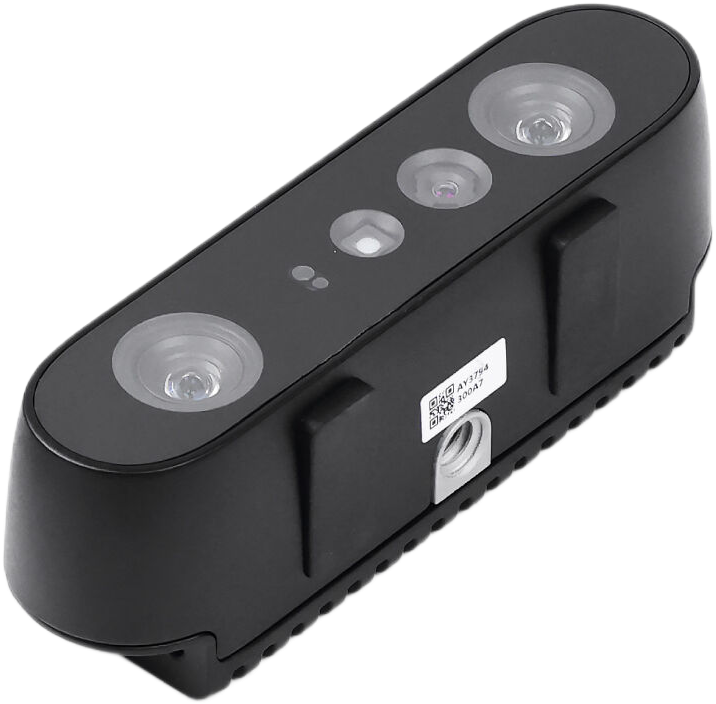
The compact Gemini 2 3D camera is based on Active Stereo IR technology and is equipped with Orbbec’s latest custom ASIC for high quality depth processing, IMU, and single cable USB 3.0 power + connectivity. The wide FOV and the wide depth sensing range makes Gemini 2 adaptable for many applications, especially for robotics. It is easy to set up and operate with the Orbbec SDK and delivers extremely accurate and reliable data in various lighting conditions from pitch black to semi-outdoor.
Feature
- Active Stereo IR Employs active stereo IR technology for depth output, enabling accurate and reliable data output in various lighting conditions
- Wide Sensing Range Provides quality depth data output from 0.15m to 10m
- Wide FOV Provides wide field of view data at 91-degree horizontal and 66-degree vertical
- Multi-camera synchrnoization Supports multi-camera synchronization for both depth image and RGB image
- USB Connection Uses single USB 3.0 Type-C cable for power and connectivity
Specifications
| Parameters | Detail |
| Voltage | 5V (USB Type-C) |
| Depth Technology | Active Stereo IR |
| Operating Temperature | 0°C ~ 40°C |
| Mechanical Dimension | 90mm x 25mm x 30mm |
| Communication Interface | USB 3.0 Type-C |
| Camera Driver | UVC |
| Depth Range | 0.15m ~ 10m |
| Ideal Range | 0.2m ~ 5m |
| Depth Resolution | Up to 1280x800 @ 30fps |
| RGB Resolution | Up to 1920x1080 @ 30fps |
| Horizontal FOV | 91° |
| Vertical FOV | 66° |
Hardware Overview


Gemini Series Quickstart Guide
-
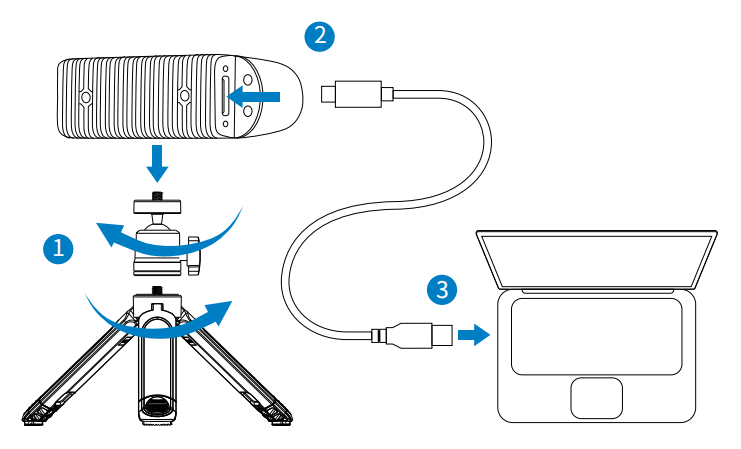
Connect the Orbbec Camera ① Assemble the tripod head with the tripod, and then secure the camera onto the assembled tripod, as illustrated in Step 1 below.
② Use the USB-C to USB-A cable to connect the camera’s Type-C port, as shown in Step 2 below.
③ Connect the USB-A connector to the host using the same USB-C to USB-A cable, as shown in Step 3 below.
- Get Orbbec Viewer
Select and download the corresponding Orbbec Viewer based on your system and version.
- Launch Orbbec Viewer
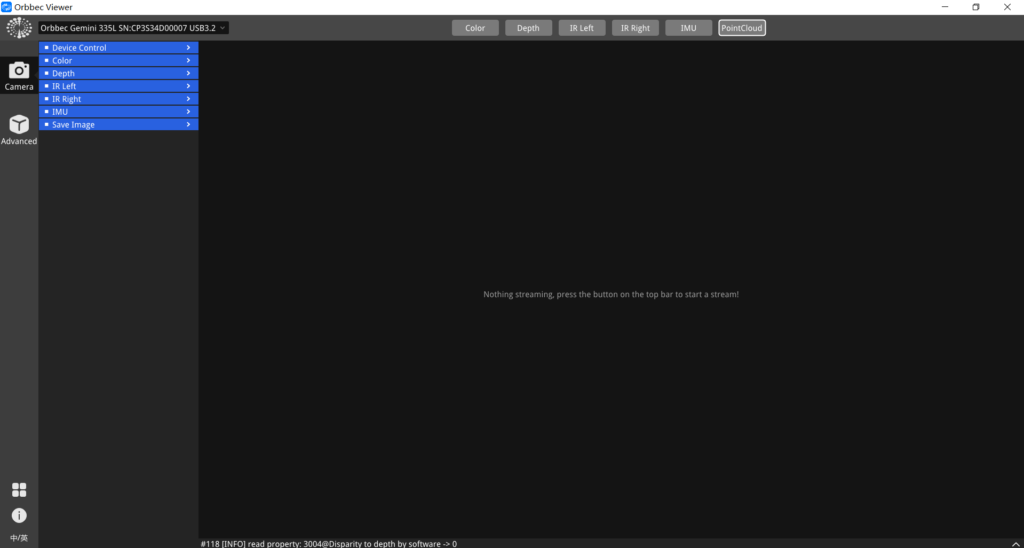
- After starting the Orbbec Viewer, please make sure that the tool recognizes the 3D camera, as indicated by the following image. 【Remark】If the camera is not recognized, please check to ensure that the camera and the host are properly connected. You can try disconnecting and then reconnecting the USB cable. If it still isn’t recognized, consider replacing the USB cable or verifying whether the host computer’s power supply meets the required specifications.
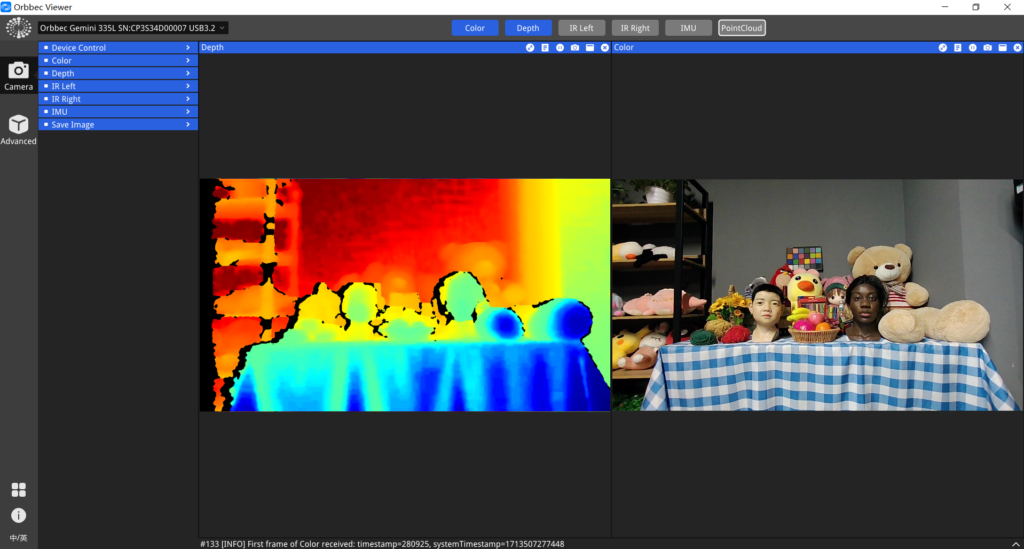
- Toggle the ‘Depth’ button at the top of the tool to start and preview the depth stream.
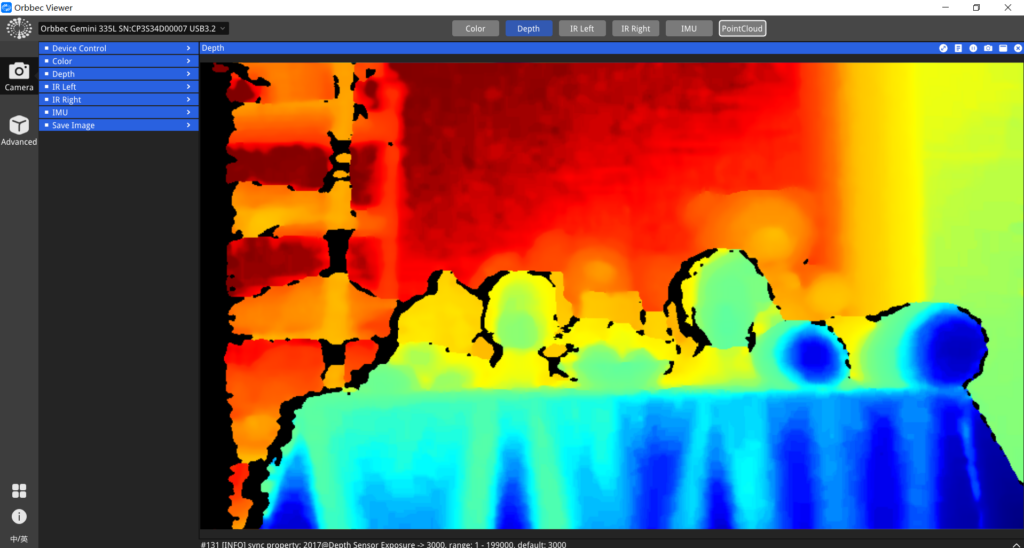
- Toggle the ‘Color‘ button at the top of the tool to start and preview the color stream. The color stream and depth stream will be displayed side by side.
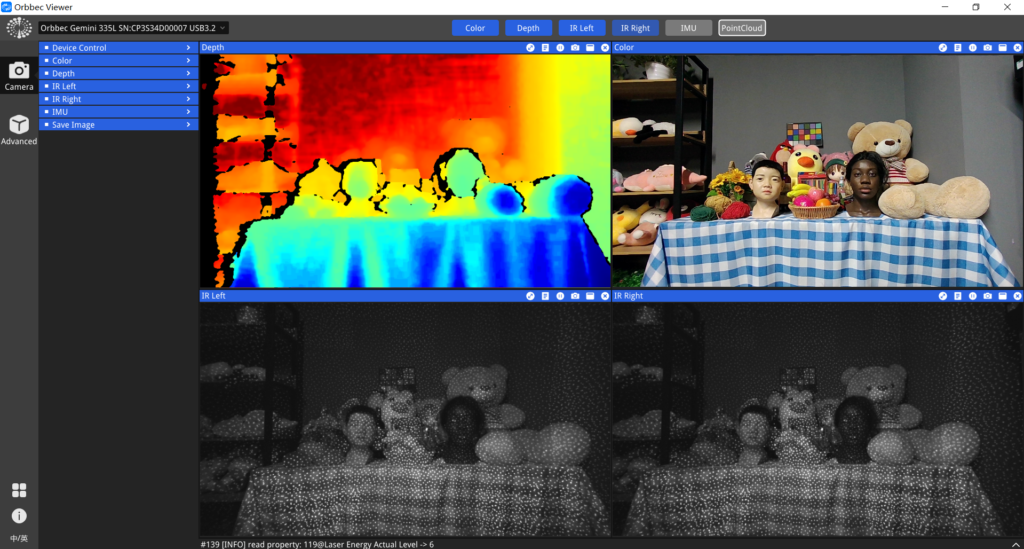
- Toggle the ‘IR Left’ and ‘IR Right’ buttons at the top of the tool to strat and preview the IR stream.
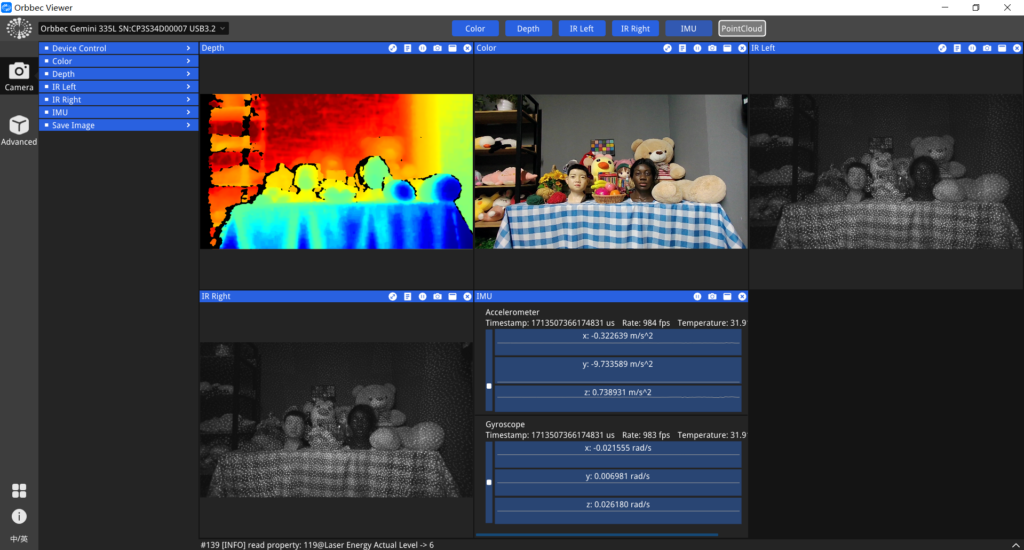
- Toggle the ‘IMU’ button at the top of the tool to start and preview the IMU stream.
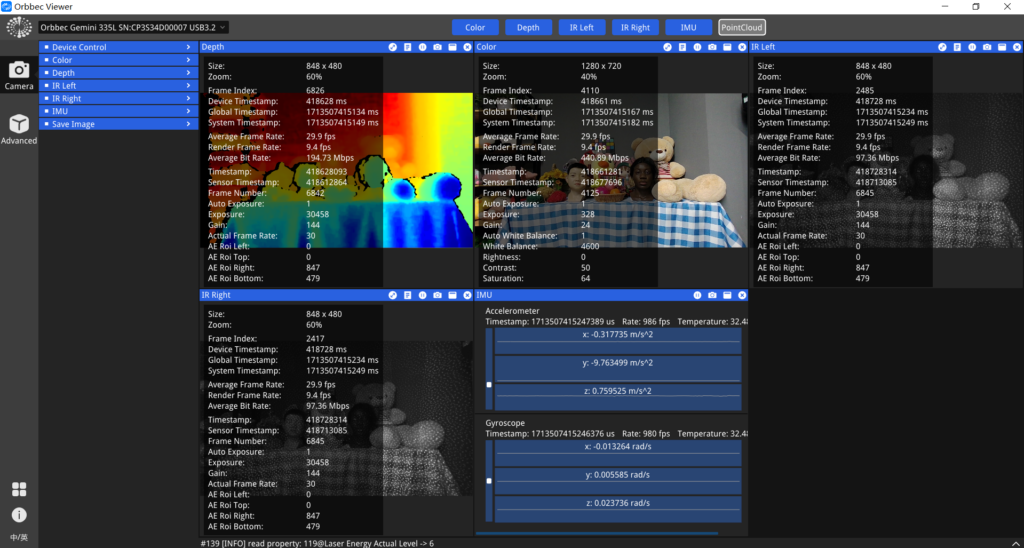
- Toggle the button on the top of each window to show the metadata information.
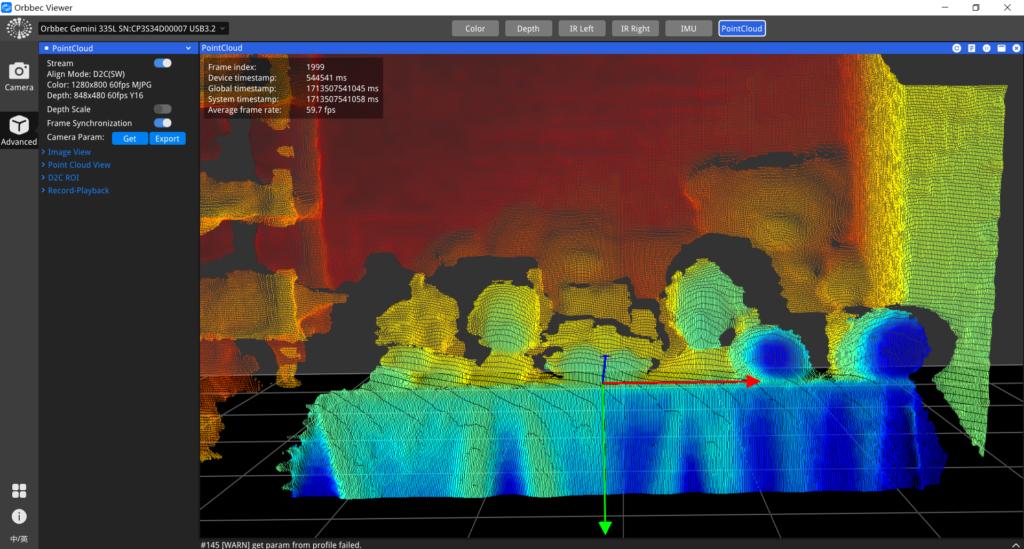
- Toggle the ‘PointCloud‘ button at the top of the tool to start and preview the 3D point cloud
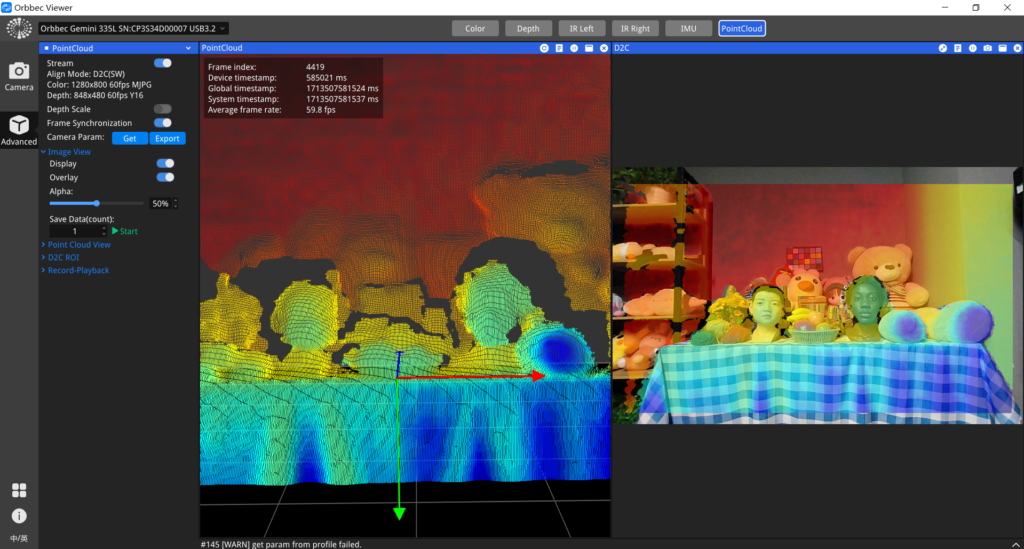
- Toggle the ‘Display’ button under the ‘Image View’ menu on the left to start and preview the D2C (depth to color registration) stream. The 3D point cloud and the D2C stream will be displayed side by side.
Getting Start on reComputer
Step 1. Download and install the Orbbec SDK for ARM64 architecture:
# Download Orbbec SDK
wget https://github.com/orbbec/OrbbecSDK_v2/releases/download/v2.4.11/OrbbecSDK_v2.4.11_202508040936_058db73_linux_aarch64.zip

# Unzip the SDK
unzip OrbbecSDK_v2.4.11_202508040936_058db73_linux_aarch64.zip
Step 2. Build examples and test:
# Install udev rules
cd OrbbecSDK_v2.4.11_202508040936_058db73_linux_aarch64/shared/
sudo chmod +x ./install_udev_rules.sh
sudo ./install_udev_rules.sh
sudo udevadm control --reload-rules && sudo udevadm trigger
# Build examples and setup
cd ..
./build_examples.sh
./setup.sh
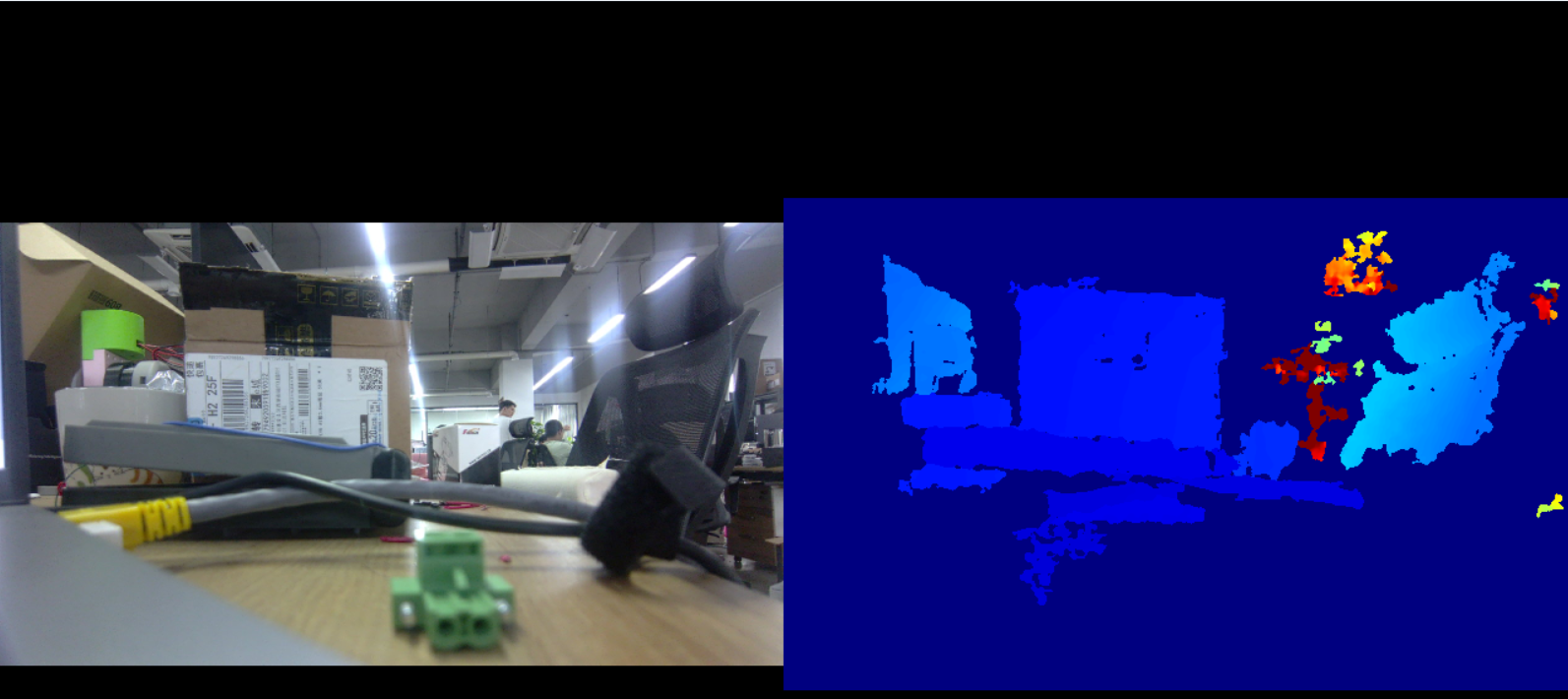
Applications example
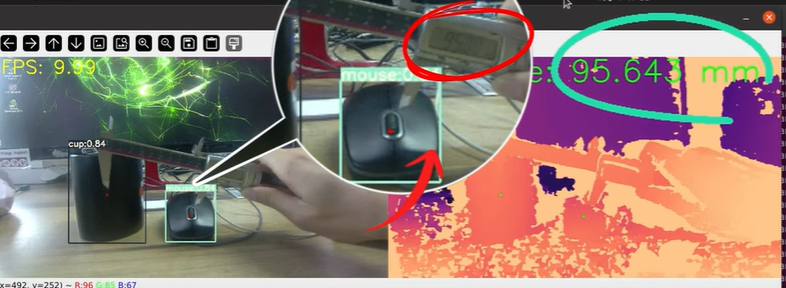
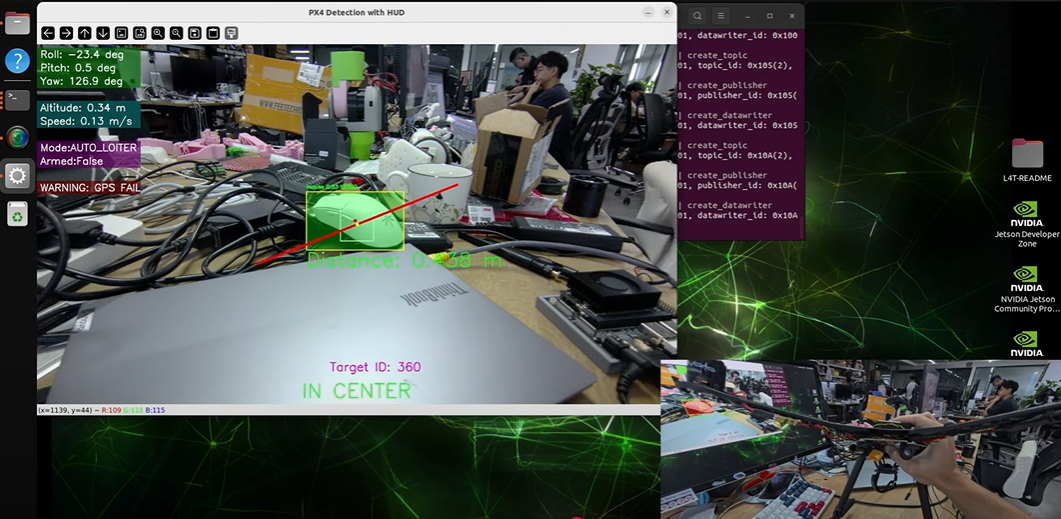
The Orbbec Gemini2 is a compact, high-performance depth camera ideal for robotics, 3D vision, object tracking, and industrial automation. it fits perfectly in embedded AI and edge computing applications like those on NVIDIA Jetson platforms.
There are some case tutorials developed by us using Gemini2:
Resources
Tech Support & Product Discussion
Thank you for choosing our products! We are here to provide you with different support to ensure that your experience with our products is as smooth as possible. We offer several communication channels to cater to different preferences and needs.