Grove - Barômetro (Alta Precisão)

Este sensor Grove - Barômetro (Alta Precisão) conta com um chip HP206F de alta precisão para detectar pressão barométrica, altitude (altímetro) e temperatura. Ele pode medir amplamente a pressão na faixa de 300mbar~1200mbar, com resolução de 0,02mbar durante a medição. O chip aceita apenas tensão de entrada de 1,8V a 3,6V. Entretanto, com o circuito externo adicionado, este módulo se torna compatível com 3,3V e 5V. Portanto, ele pode ser usado em Arduino/Seeeduino ou Seeeduino Stalker sem modificação. Ele é projetado para ser conectado diretamente a um microcontrolador via barramento I2C.
Recursos
- Interface digital de dois fios (I2C)
- Leitura baseada em comando, compensada (opcional)
- Eventos programáveis e controles de interrupção
- Compensação completa de dados
- Ampla faixa de pressão barométrica
- Faixa flexível de tensão de alimentação
- Consumo de energia ultrabaixo
- Resolução de altitude de até 0,01 metro
- Medição de temperatura incluída
- Endereço I2C: 0x76
Se você quiser usar múltiplos dispositivos I2C, consulte Software I2C.
Para mais detalhes sobre módulos Grove, consulte Grove System
Ideias de Aplicação
- Altímetro / Barômetro móvel de alta precisão
- Sistema industrial de sensor de pressão e temperatura
- Sistemas automotivos
- Altimetria em eletrônicos pessoais
- Relógios de aventura e esportes
- Sistema médico de controle de gás
- Equipamentos de estação meteorológica
- Navegação interna e assistência a mapas
- Aquecimento, ventilação e ar-condicionado
Especificações
| Parâmetro | Descrição |
|---|---|
| Tensão de alimentação | 1.8v~3.6v |
| Faixa de temperatura de operação | -40℃~85℃ |
| Faixa de medição de pressão | 300mbar~1200mbar |
| Resolução de pressão | 0.02mbar |
| Resolução de altitude | 0.2m |
| Dimensão | 20.4 × 41.8 × 9.7 mm |
Plataformas Suportadas
| Arduino | Raspberry Pi |
|---|---|
|
|


As plataformas mencionadas acima como suportadas são uma indicação da compatibilidade teórica ou de software do módulo. Na maioria dos casos, fornecemos apenas biblioteca de software ou exemplos de código para a plataforma Arduino. Não é possível fornecer biblioteca de software / código de demonstração para todas as possíveis plataformas de MCU. Portanto, os usuários precisam escrever sua própria biblioteca de software.
Visão Geral do Hardware

Primeiros Passos
Brincar com Arduino
A condição barométrica é um dos critérios usados para prever a próxima mudança no clima e a altitude acima do nível do mar. Aqui está uma demonstração para mostrar como ler os dados barométricos deste sensor Grove - Barômetro.
Hardware
- Passo 1. Prepare os itens abaixo:
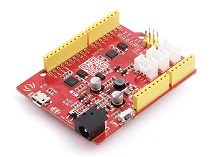
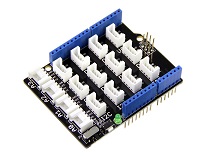
| Seeeduino V4.2 | Base Shield | Grove-Barometer-High-Accuracy |
|---|---|---|
 |  | |
- Passo 2. Conecte o Grove-Barometer-High-Accuracy à porta I2C do Grove-Base Shield.
- Passo 3. Conecte o Grove - Base Shield ao Seeeduino.
- Passo 4. Conecte o Seeeduino ao PC por meio de um cabo USB.

Se não tivermos o Grove Base Shield, também podemos conectar este módulo diretamente ao Seeeduino como abaixo.
| seeeduino_v4 | Grove-Barometer-High-Accuracy |
|---|---|
| 5V | VCC |
| GND | GND |
| SDA | SDA |
| SCL | SCL |
Software
Passo 1. Baixe a biblioteca do Github.
Passo 2. Consulte How to install library para instalar a biblioteca para Arduino.
Passo 3. Crie um novo sketch Arduino e cole nele os códigos abaixo ou abra o código diretamente pelo caminho: File -> Example -> Grove barometer HP20x -> HP20x_demo.
Aqui está o código
/*
* Demo name  : HP20x_dev demo
* Usage      : I2C PRECISION BAROMETER AND ALTIMETER [HP206F hopeRF]
* Author     : Oliver Wang from Seeed Studio
* Version    : V0.2
* Change log : Add kalman filter 2014/04/04
               Update the chip to HP206F 2025/04/07
*/

#include <HP20x_dev.h>
#include <KalmanFilter.h>

#include "Arduino.h"
#include "Wire.h"

unsigned char ret = 0;

    /* Instance */
KalmanFilter t_filter;    //temperature filter
KalmanFilter p_filter;    //pressure filter
KalmanFilter a_filter;    //altitude filter


void setup()
{
    Serial.begin(9600);        // start serial for output

    Serial.println("****HP20x_dev demo by seeed studio****\n");
    Serial.println("Calculation formula: H = [8.5(101325-P)]/100 \n");
      /* Power up,delay 150ms,until voltage is stable*/
    delay(150);
      /* Reset HP20x_dev*/
    HP20x.begin();
    delay(100);

      /* Determine HP20x_dev is available or not*/
    ret = HP20x.isAvailable();
    if(OK_HP20X_DEV == ret)
    {
        Serial.println("HP20x_dev is available.\n");
    }
    else
    {
        Serial.println("HP20x_dev isn't available.\n");
    }

}


void loop()
{
    char display[40];
    if(OK_HP20X_DEV == ret)
    {
        Serial.println("------------------\n");
        long Temper = HP20x.ReadTemperature();
        Serial.println("Temper:");
        float t = Temper/100.0;
        Serial.print(t);
        Serial.println("C.\n");
        Serial.println("Filter:");
        Serial.print(t_filter.Filter(t));
        Serial.println("C.\n");

        long Pressure = HP20x.ReadPressure();
        Serial.println("Pressure:");
        t = Pressure/100.0;
        Serial.print(t);
        Serial.println("hPa.\n");
        Serial.println("Filter:");
        Serial.print(p_filter.Filter(t));
        Serial.println("hPa\n");

        long Altitude = HP20x.ReadAltitude();
        Serial.println("Altitude:");
        t = Altitude/100.0;
        Serial.print(t);
        Serial.println("m.\n");
        Serial.println("Filter:");
        Serial.print(a_filter.Filter(t));
        Serial.println("m.\n");
        Serial.println("------------------\n");
        delay(1000);
    }
}
Passo 4. Abra o monitor serial para receber os dados do sensor, incluindo temperatura, valor de pressão barométrica, pressão atmosférica relativa e altitude.
Brincar com Raspberry Pi
Hardware
- Passo 1. Prepare os itens abaixo:
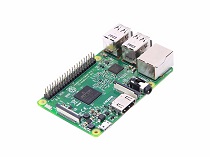
| SRaspberry pi | Grove Base Hat para Raspberry Pi | Grove-Barometer-High-Accuracy |
|---|---|---|
 |  | |
- Etapa 2. Conecte o Grove Base Hat para Raspberry Pi ao Raspberry.
- Etapa 3. Conecte o Grove-Barometer-High-Accuracy à porta I2C do Grove Base Hat para Raspberry Pi.
- Etapa 4. Conecte o Raspberry ao PC através de um cabo USB.

Software
-
Etapa 1. Siga Setting Software para configurar o ambiente de desenvolvimento e instalar as dependências.
-
Etapa 2. Faça o
git clonedo repositório do Github.
cd ~
git clone https://github.com/Seeed-Studio/grove.py
cd grove.py
sudo pip3 install .
- Etapa 3. Execute os comandos abaixo para usar este sensor
sudo apt install python3-virtualenv
virtualenv -p python3 env
source env/bin/activate
cd ./grove.py/grove
python3 grove_i2c_hp206f_driver.py
Aqui está o código:
#!/usr/bin/env python
#
# Library for interacting with Grove - HP20x sensor (used to measure temperature, pressure and altitude)
#
# This is the library for Grove Base Hat which used to connect grove sensors for raspberry pi.
#

'''
## License

The MIT License (MIT)

Grove Base Hat for the Raspberry Pi, used to connect grove sensors.
Copyright (C) [Your Company Name or Relevant Party]

Permission is hereby granted, free of charge, to any person obtaining a copy
of this software and associated documentation files (the "Software"), to deal
in the Software without restriction, including without limitation the rights
to use, copy, modify, merge, publish, distribute, sublicense, and/or sell
copies of the Software, and to permit persons to whom the Software is
furnished to do so, subject to the following conditions:

The above copyright notice and this permission notice shall be included in
all copies or substantial portions of the Software.

THE SOFTWARE IS PROVIDED "AS IS", WITHOUT WARRANTY OF ANY KIND, EXPRESS OR
IMPLIED, INCLUDING BUT NOT LIMITED TO THE WARRANTIES OF MERCHANTABILITY,
FITNESS FOR A PARTICULAR PURPOSE AND NONINFRINGEMENT. IN NO EVENT SHALL THE
AUTHORS OR COPYRIGHT HOLDERS BE LIABLE FOR ANY CLAIM, DAMAGES OR OTHER
LIABILITY, WHETHER IN AN ACTION OF CONTRACT, TORT OR OTHERWISE, ARISING FROM,
OUT OF OR IN CONNECTION WITH THE SOFTWARE OR THE USE OR OTHER DEALINGS IN
THE SOFTWARE.
'''

import time
from grove.i2c import Bus

# Class for interacting with the HP20x sensor
class HP20x:
    def __init__(self):
        # Initialize the I2C bus on Raspberry Pi (bus 1)
        self.bus = Bus()
        # I2C address of the HP206F sensor, may need adjustment based on actual situation
        self.address = 0x76

        # I2C device ID when CSB PIN is at VDD level (address is 0x76)
        self.HP20X_I2C_DEV_ID = (0xEC) >> 1
        # I2C device ID when CSB PIN is at GND level (address is 0x77)
        self.HP20X_I2C_DEV_ID2 = (0XEE) >> 1
        # Soft reset command for the HP20x sensor
        self.HP20X_SOFT_RST = 0x06
        # Write conversion command for the HP20x sensor
        self.HP20X_WR_CONVERT_CMD = 0x40
        # Different oversampling rate (OSR) configurations for conversion
        self.HP20X_CONVERT_OSR4096 = 0 << 2
        self.HP20X_CONVERT_OSR2048 = 1 << 2
        self.HP20X_CONVERT_OSR1024 = 2 << 2
        self.HP20X_CONVERT_OSR512 = 3 << 2
        self.HP20X_CONVERT_OSR256 = 4 << 2
        self.HP20X_CONVERT_OSR128 = 5 << 2

        # Commands for reading pressure, altitude, temperature, etc.
        self.HP20X_READ_P = 0x30  # Read pressure command
        self.HP20X_READ_A = 0x31  # Read altitude command
        self.HP20X_READ_T = 0x32  # Read temperature command
        self.HP20X_READ_PT = 0x10  # Read pressure and temperature command
        self.HP20X_READ_AT = 0x11  # Read altitude and temperature command
        self.HP20X_READ_CAL = 0X28  # RE-CAL ANALOG command

        # Write register mode for the HP20x sensor
        self.HP20X_WR_REG_MODE = 0xC0
        # Read register mode for the HP20x sensor
        self.HP20X_RD_REG_MODE = 0x80

        # Set the oversampling rate configuration
        self.OSR_CFG = self.HP20X_CONVERT_OSR1024
        # Conversion time corresponding to the oversampling rate (in milliseconds)
        self.OSR_ConvertTime = 25

    def begin(self):
        # Send a soft reset command to the HP20x sensor
        self.HP20X_IIC_WriteCmd(self.HP20X_SOFT_RST)
        # Wait for 0.1 seconds to ensure the reset operation is completed
        time.sleep(0.1)

    def isAvailable(self):
        # Check if the HP20x sensor is available by reading the register at address 0x0F
        return self.HP20X_IIC_ReadReg(0x0F)

    def ReadTemperature(self):
        # Send a conversion command with the specified oversampling rate configuration
        self.HP20X_IIC_WriteCmd(self.HP20X_WR_CONVERT_CMD | self.OSR_CFG)
        # Wait for the conversion time (converted to seconds)
        time.sleep(self.OSR_ConvertTime / 1000.0)
        # Read 3 bytes of raw temperature data from the sensor
        t_raw = self.bus.read_i2c_block_data(self.address, self.HP20X_READ_T, 3)
        # Combine the 3 bytes of data to form a single value
        t = t_raw[0] << 16 | t_raw[1] << 8 | t_raw[2]
        # Handle negative values using 2's complement
        if t & 0x800000:
            t |= 0xff000000
            us = (1 << 32)
            t = -1 * (us - t)
        # Return the temperature value in degrees Celsius (divided by 100)
        return t / 100.0

    def ReadPressure(self):
        # Send a conversion command with the specified oversampling rate configuration
        self.HP20X_IIC_WriteCmd(self.HP20X_WR_CONVERT_CMD | self.OSR_CFG)
        # Wait for the conversion time (converted to seconds)
        time.sleep(self.OSR_ConvertTime / 1000.0)
        # Read 3 bytes of raw pressure data from the sensor
        p_raw = self.bus.read_i2c_block_data(self.address, self.HP20X_READ_P, 3)
        # Combine the 3 bytes of data to form a single value
        p = p_raw[0] << 16 | p_raw[1] << 8 | p_raw[2]
        # Handle negative values using 2's complement
        if p & 0x800000:
            p |= 0xff000000
        # Return the pressure value in hectopascals (divided by 100)
        return p / 100.0

    def ReadAltitude(self):
        # Send a conversion command with the specified oversampling rate configuration
        self.HP20X_IIC_WriteCmd(self.HP20X_WR_CONVERT_CMD | self.OSR_CFG)
        # Wait for the conversion time (converted to seconds)
        time.sleep(self.OSR_ConvertTime / 1000.0)
        # Read 3 bytes of raw altitude data from the sensor
        a_raw = self.bus.read_i2c_block_data(self.address, self.HP20X_READ_A, 3)
        # Combine the 3 bytes of data to form a single value
        a = a_raw[0] << 16 | a_raw[1] << 8 | a_raw[2]
        # Handle negative values using 2's complement
        if a & 0x800000:
            a |= 0xff000000
            us = (1 << 32)
            a = -1 * (us - a)
        # Return the altitude value in meters (divided by 100)
        return a / 100.0

    def HP20X_IIC_WriteCmd(self, uCmd):
        # Write a command byte to the specified I2C address
        self.bus.write_byte(self.address, uCmd)

    def HP20X_IIC_ReadReg(self, bReg):
        # Read a byte from the specified register address
        return self.bus.read_byte_data(self.address, bReg | self.HP20X_RD_REG_MODE)


# Class representing the Kalman filter
class KalmanFilter:
    def __init__(self):
        # Process noise covariance
        self.q = 0.01
        # Measurement noise covariance
        self.r = 0.1
        # Initial estimated value
        self.x = 0
        # Initial estimated error covariance
        self.p = 1
        # Initial Kalman gain
        self.k = 0

    def Filter(self, measurement):
        # Prediction step: Update the estimated error covariance
        self.p = self.p + self.q
        # Update step: Calculate the Kalman gain
        self.k = self.p / (self.p + self.r)
        # Update step: Update the estimated value based on the measurement
        self.x = self.x + self.k * (measurement - self.x)
        # Update step: Update the estimated error covariance
        self.p = (1 - self.k) * self.p
        # Return the filtered estimated value
        return self.x


# Kalman filter for temperature data
t_filter = KalmanFilter()
# Kalman filter for pressure data
p_filter = KalmanFilter()
# Kalman filter for altitude data
a_filter = KalmanFilter()

# Create an instance of the HP20x sensor
hp20x = HP20x()


# Function to simulate the setup process
def setup():
    print("****HP20x_dev demo by seeed studio****\n")
    print("Calculation formula: H = [8.5(101325-P)]/100 \n")
    # Wait for 0.15 seconds after power-on to stabilize the voltage
    time.sleep(0.15)
    # Initialize the HP20x sensor
    hp20x.begin()
    # Wait for 0.1 seconds
    time.sleep(0.1)
    # Check if the HP20x sensor is available
    ret = hp20x.isAvailable()
    if ret:
        print("HP20x_dev is available.\n")
    else:
        print("HP20x_dev isn't available.\n")
    return ret


# Function to simulate the loop process
def loop(ret):
    if ret:
        while True:
            print("------------------\n")
            # Read the temperature value from the HP20x sensor
            temper = hp20x.ReadTemperature()
            print("Temper:")
            print(f"{temper}C.\n")
            print("Filter:")
            # Apply the Kalman filter to the temperature value
            print(f"{t_filter.Filter(temper)}C.\n")

            # Read the pressure value from the HP20x sensor
            pressure = hp20x.ReadPressure()
            print("Pressure:")
            print(f"{pressure}hPa.\n")
            print("Filter:")
            # Apply the Kalman filter to the pressure value
            print(f"{p_filter.Filter(pressure)}hPa\n")

            # Read the altitude value from the HP20x sensor
            altitude = hp20x.ReadAltitude()
            print("Altitude:")
            print(f"{altitude}m.\n")
            print("Filter:")
            # Apply the Kalman filter to the altitude value
            print(f"{a_filter.Filter(altitude)}m.\n")
            print("------------------\n")
            # Wait for 1 second before the next reading
            time.sleep(1)


if __name__ == "__main__":
    # Perform the setup process
    ret = setup()
    # Start the loop process if the sensor is available
    loop(ret)
Visualizador de Esquemático Online
Recursos
- [Eagle] [Arquivo Eagle Grove_Barometer_High-Accuracy_v1.0_sch_pcb](https://files.seeedstudio.com/wiki/Grove-Barometer-High-Accuracy/res/Grove_Barometer_High_Accuracy_ v1.0_sch_pcb.zip)
- [Datasheet] HP206F Datasheet
- [Library] Repositório Github para Grove_Barometer_HP20x com Arduino
Projetos
Smart Crops: Implementando IoT na Agricultura Convencional! Nossa missão com a natureza é preservá-la, projetando e implementando tecnologias e métodos de monitoramento com a ajuda de IoT via Helium.
Suporte Técnico & Discussão de Produtos
Atualizável para Sensores Industriais
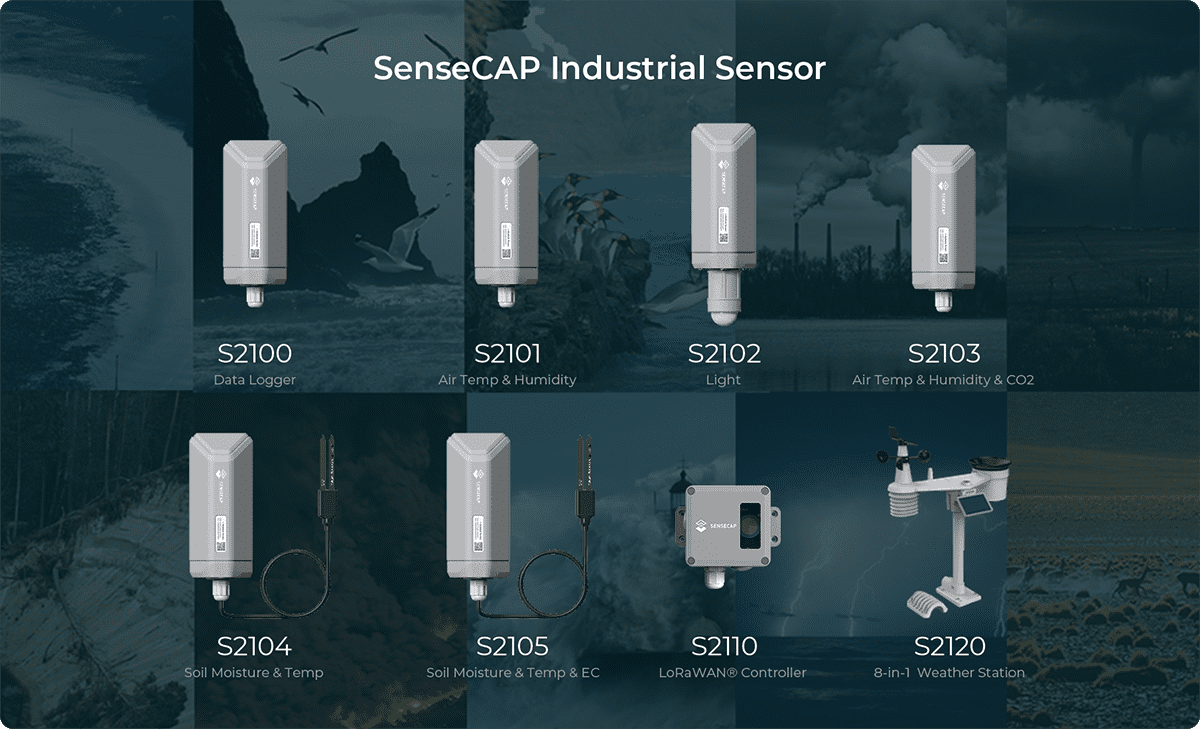
Com o controlador S2110 e o registrador de dados S2100 da SenseCAP, você pode facilmente transformar o Grove em um sensor LoRaWAN®. A Seeed não apenas ajuda você na prototipagem, mas também oferece a possibilidade de expandir seu projeto com a série SenseCAP de robustos sensores industriais.
O invólucro IP66, a configuração via Bluetooth, a compatibilidade com a rede global LoRaWAN®, a bateria interna de 19 Ah e o poderoso suporte do APP fazem do SenseCAP S210x a melhor escolha para aplicações industriais. A série inclui sensores para umidade do solo, temperatura e umidade do ar, intensidade de luz, CO2, EC e uma estação meteorológica 8 em 1. Experimente o mais recente SenseCAP S210x no seu próximo projeto industrial de sucesso.