Grove - Sensor de Eletricidade
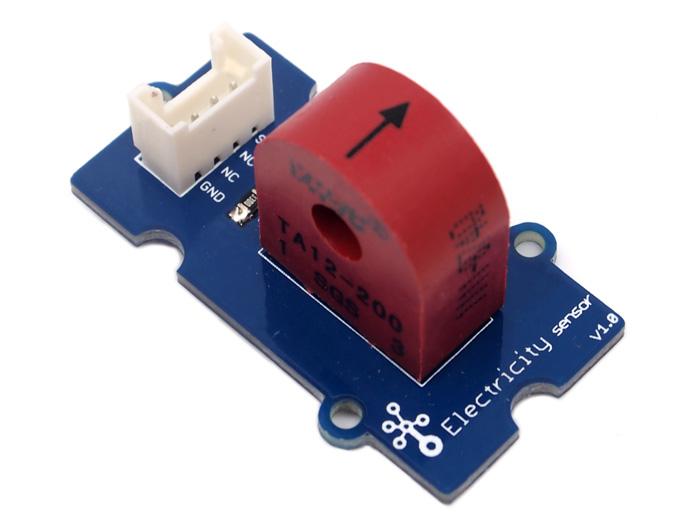
O módulo sensor de eletricidade é um membro da Grove. Ele é baseado no transformador de corrente TA12-200, que pode transformar uma corrente alternada grande em uma de pequena amplitude. Você pode usá-lo para testar correntes alternadas de até 5A.

Recursos
- Interface compatível com Grove
- Entrada máxima de 5A
- Alta precisão
- Tamanho pequeno
Para mais detalhes sobre os módulos Grove, consulte o Grove System
Ideias de Aplicação
- Medição de corrente alternada
- Monitoramento de condição de dispositivos
Especificação
Especificação Principal
| Itens | Mín |
|---|---|
| Tamanho da PCB | 2.0cm*4.0cm |
| Interface | Conector pinos passo 2.0mm |
| Estrutura de IO | SIG,NC,NC,GND |
| RoHS | SIM |
Características Eletrônicas
| Itens | Mín | Norm | Máx | Unidade |
|---|---|---|---|---|
| Taxa de transformação | - | 2000:1 | - | - |
| Corrente de entrada | 0 | - | 5 | A |
| Corrente de saída | 0 | - | 2.5 | mA |
| Resistência de amostragem | - | 800 | - | Ω |
| Tensão de amostragem | 0 | - | 2 | V |
| Frequência de trabalho | 20 | - | 20K | HZ |
| Escala não linear | - | - | 0.2% | - |
| Deslocamento de fase | - | - | 5' | - |
| Temperatura de operação | -55 | - | 85 | ℃ |
| Rigidez dielétrica | - | 6 | - | KVAC/1min |
Visão Geral de Hardware
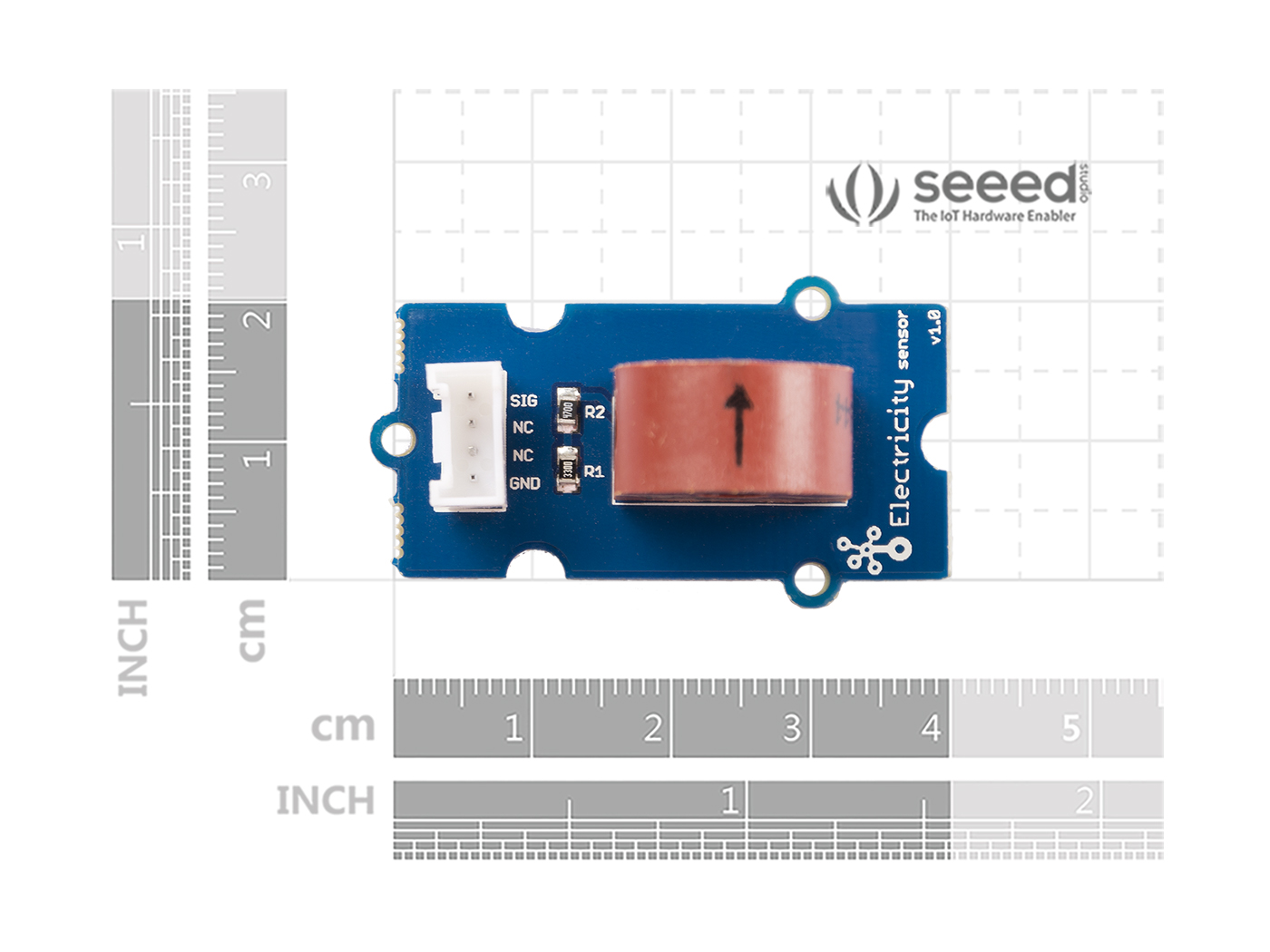
Plataformas Suportadas
| Arduino | Raspberry Pi | |||
|---|---|---|---|---|
 |  |  |  |  |
As plataformas mencionadas acima como suportadas são uma indicação da compatibilidade teórica ou de software do módulo. Na maioria dos casos, fornecemos apenas biblioteca de software ou exemplos de código para a plataforma Arduino. Não é possível fornecer biblioteca de software / código de demonstração para todas as possíveis plataformas de MCU. Portanto, os usuários precisam escrever sua própria biblioteca de software.
Primeiros Passos
Brincar com Arduino
O sketch a seguir demonstra uma aplicação simples de medição da amplitude da tensão alternada. O pino SIG vai gerar uma tensão alternada baseada na corrente alternada que está sendo medida. Você pode medir o valor usando o ADC.
Hardware
- Passo 1. Prepare os itens abaixo:
| Seeeduino V4.2 | Base Shield | Grove-Electricity_Sensor |
|---|---|---|
 |  |  |
| Adquira agora | Adquira agora | Adquira agora |
- Passo 2. Conecte o Grove-Electricity_Sensor à porta A0 do Grove-Base Shield.
- Passo 3. Conecte o Grove - Base Shield ao Seeeduino.
- Passo 4. Conecte o Seeeduino ao PC por meio de um cabo USB.

Se não tivermos o Grove Base Shield, também podemos conectar este módulo diretamente ao Seeeduino como abaixo.
| Seeeduino | Grove-Electricity_Sensor |
|---|---|
| 5V | Vermelho |
| GND | Preto |
| Not Conencted | Branco |
| A0 | Amarelo |
Software
Passo 1. Copie o código, grave-o na placa controladora e faça o upload do código.
    /****************************************************************************/
    //  Function: Measure the amplitude current of the alternating current and
    //            the effective current of the sinusoidal alternating current.
    //  Hardware: Grove - Electricity Sensor
    //  Date:    Jan 19,2013
    //  by www.seeedstudio.com
    #define ELECTRICITY_SENSOR A0 // Analog input pin that sensor is attached to

    float amplitude_current;               //amplitude current
    float effective_value;       //effective current

    void setup()
    {
        Serial.begin(9600);
        pins_init();
    }
    void loop()
    {
        int sensor_max;
        sensor_max = getMaxValue();
        Serial.print("sensor_max = ");
        Serial.println(sensor_max);
        //the VCC on the Grove interface of the sensor is 5v
        amplitude_current=(float)sensor_max/1024*5/800*2000000;
        effective_value=amplitude_current/1.414;//minimum_current=1/1024*5/800*2000000/1.414=8.6(mA)
                            //Only for sinusoidal alternating current
        Serial.println("The amplitude of the current is(in mA)");
        Serial.println(amplitude_current,1);//Only one number after the decimal point
        Serial.println("The effective value of the current is(in mA)");
        Serial.println(effective_value,1);
    }
    void pins_init()
    {
        pinMode(ELECTRICITY_SENSOR, INPUT);
    }
    /*Function: Sample for 1000ms and get the maximum value from the SIG pin*/
    int getMaxValue()
    {
        int sensorValue;             //value read from the sensor
        int sensorMax = 0;
        uint32_t start_time = millis();
        while((millis()-start_time) < 1000)//sample for 1000ms
        {
            sensorValue = analogRead(ELECTRICITY_SENSOR);
            if (sensorValue > sensorMax)
            {
                /*record the maximum sensor value*/
                sensorMax = sensorValue;
            }
        }
        return sensorMax;
    }
A corrente mínima efetiva que pode ser detectada pelo código pode ser calculada usando a equação abaixo. minimum_current=1/10245/8002000000/1.414=8.6(mA).
- Passo 2. Abra o monitor serial. Os resultados são os seguintes:

Com Raspberry Pi
Hardware
- Passo 1. Prepare os itens abaixo:
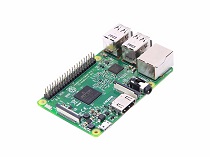
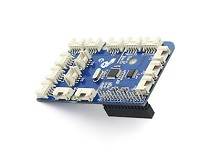
| Raspberry pi | GrovePi_Plus | Grove-Electricity_Sensor |
|---|---|---|
 |  | |
| Adquira agora | Adquira agora | Adquira agora |
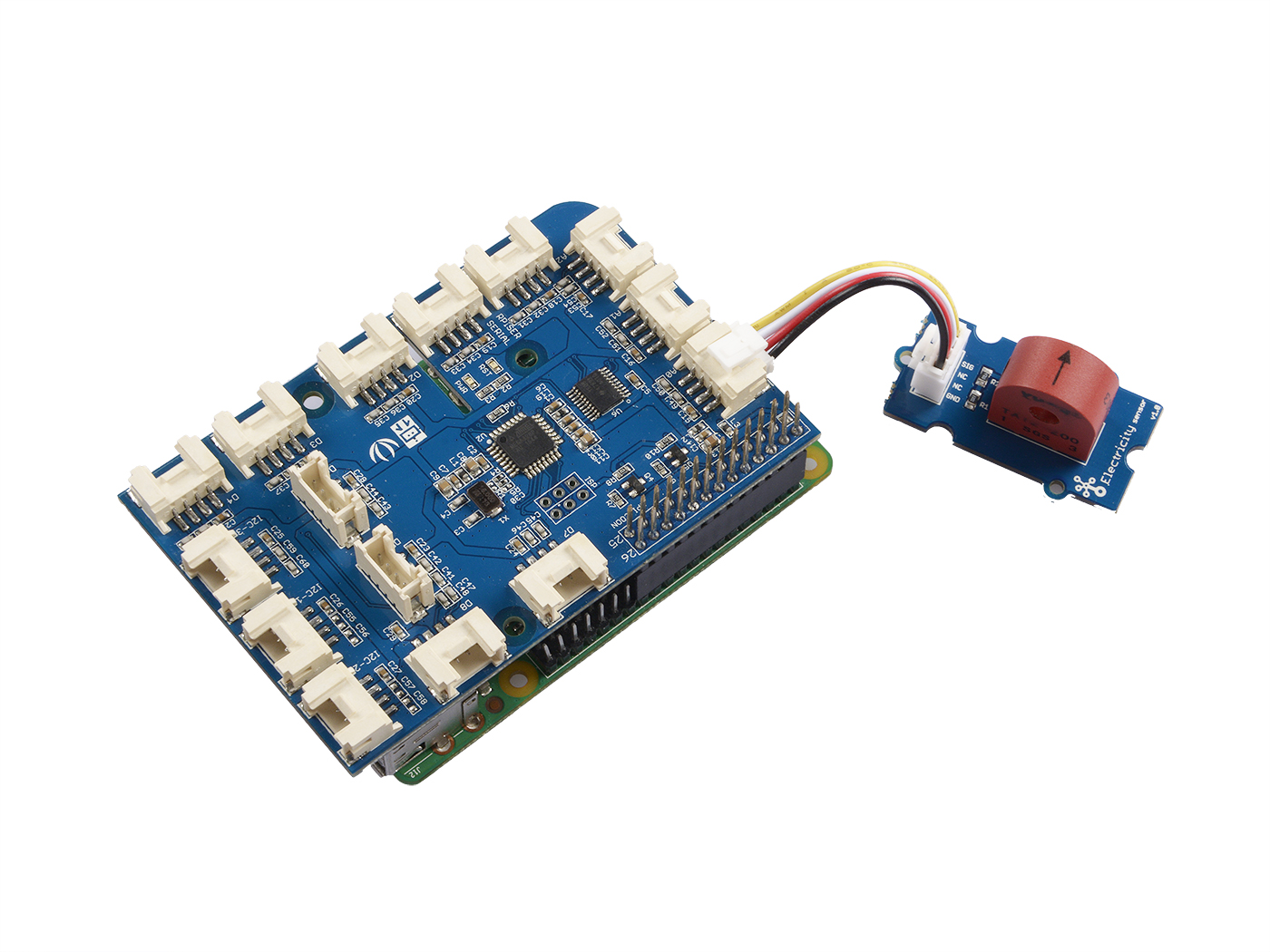
- Passo 2. Conecte o GrovePi_Plus ao Raspberry.
- Passo 3. Conecte o Grove-Electricity_Sensor à porta A0 do GrovePi_Plus.
- Passo 4. Conecte o Raspberry ao PC por meio de um cabo USB.
Software
- Passo 1. Siga Setting Software para configurar o ambiente de desenvolvimento.
- Passo 2. Dê um git clone no repositório do Github.
cd ~
git clone https://github.com/DexterInd/GrovePi.git
- Passo 3. Execute os comandos abaixo para usar este sensor
cd ~/GrovePi/Software/Python
python grove_electricity_sensor.py
Aqui está o código do exemplo:
#!/usr/bin/env python
#
# GrovePi Example for using the Grove Electricity Sensor (https://www.seeedstudio.com/wiki/Grove_-_Electricity_Sensor)
#
# The GrovePi connects the Raspberry Pi and Grove sensors.  You can learn more about GrovePi here:  http://www.dexterindustries.com/GrovePi
#
# Have a question about this example?  Ask on the forums here:  http://forum.dexterindustries.com/c/grovepi
#
'''
## License
The MIT License (MIT)
GrovePi for the Raspberry Pi: an open source platform for connecting Grove Sensors to the Raspberry Pi.
Copyright (C) 2017  Dexter Industries
Permission is hereby granted, free of charge, to any person obtaining a copy
of this software and associated documentation files (the "Software"), to deal
in the Software without restriction, including without limitation the rights
to use, copy, modify, merge, publish, distribute, sublicense, and/or sell
copies of the Software, and to permit persons to whom the Software is
furnished to do so, subject to the following conditions:
The above copyright notice and this permission notice shall be included in
all copies or substantial portions of the Software.
THE SOFTWARE IS PROVIDED "AS IS", WITHOUT WARRANTY OF ANY KIND, EXPRESS OR
IMPLIED, INCLUDING BUT NOT LIMITED TO THE WARRANTIES OF MERCHANTABILITY,
FITNESS FOR A PARTICULAR PURPOSE AND NONINFRINGEMENT. IN NO EVENT SHALL THE
AUTHORS OR COPYRIGHT HOLDERS BE LIABLE FOR ANY CLAIM, DAMAGES OR OTHER
LIABILITY, WHETHER IN AN ACTION OF CONTRACT, TORT OR OTHERWISE, ARISING FROM,
OUT OF OR IN CONNECTION WITH THE SOFTWARE OR THE USE OR OTHER DEALINGS IN
THE SOFTWARE.
'''

import time
import grovepi

# Connect the Grove Electricity Sensor to analog port A0
# SIG,NC,NC,GND
sensor = 0

grovepi.pinMode(sensor,"INPUT")

# Vcc of the grove interface is normally 5v
grove_vcc = 5

while True:
  try:
      # Get sensor value
      sensor_value = grovepi.analogRead(sensor)

      # Calculate amplitude current (mA)
      amplitude_current = (float)(sensor_value / 1024 * grove_vcc / 800 * 2000000)

      # Calculate effective value (mA)
      effective_value = amplitude_current / 1.414

      # minimum_current = 1 / 1024 * grove_vcc / 800 * 2000000 / 1.414 = 8.6(mA)
      # Only for sinusoidal alternating current

      print("sensor_value", sensor_value)
      print("The amplitude of the current is", amplitude_current, "mA")
      print("The effective value of the current is", effective_value, "mA")
      time.sleep(1)

  except IOError:
      print ("Error")
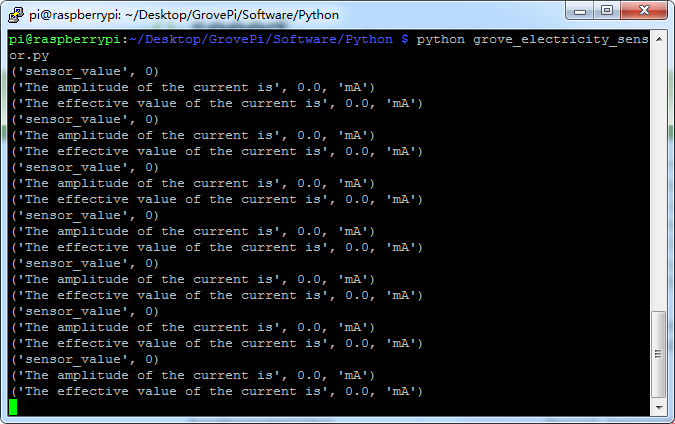
Aqui está o resultado.
Visualizador Online do Esquemático
Recursos
- [Eagle] Arquivo Eagle do Grove -Electricity Sensor
- [PDF] Esquemático em PDF
Suporte Técnico e Discussão sobre o Produto
Obrigado por escolher nossos produtos! Estamos aqui para lhe fornecer diferentes formas de suporte para garantir que sua experiência com nossos produtos seja a mais tranquila possível. Oferecemos vários canais de comunicação para atender a diferentes preferências e necessidades.