Grove SEN5X Tudo em Um
Introdução
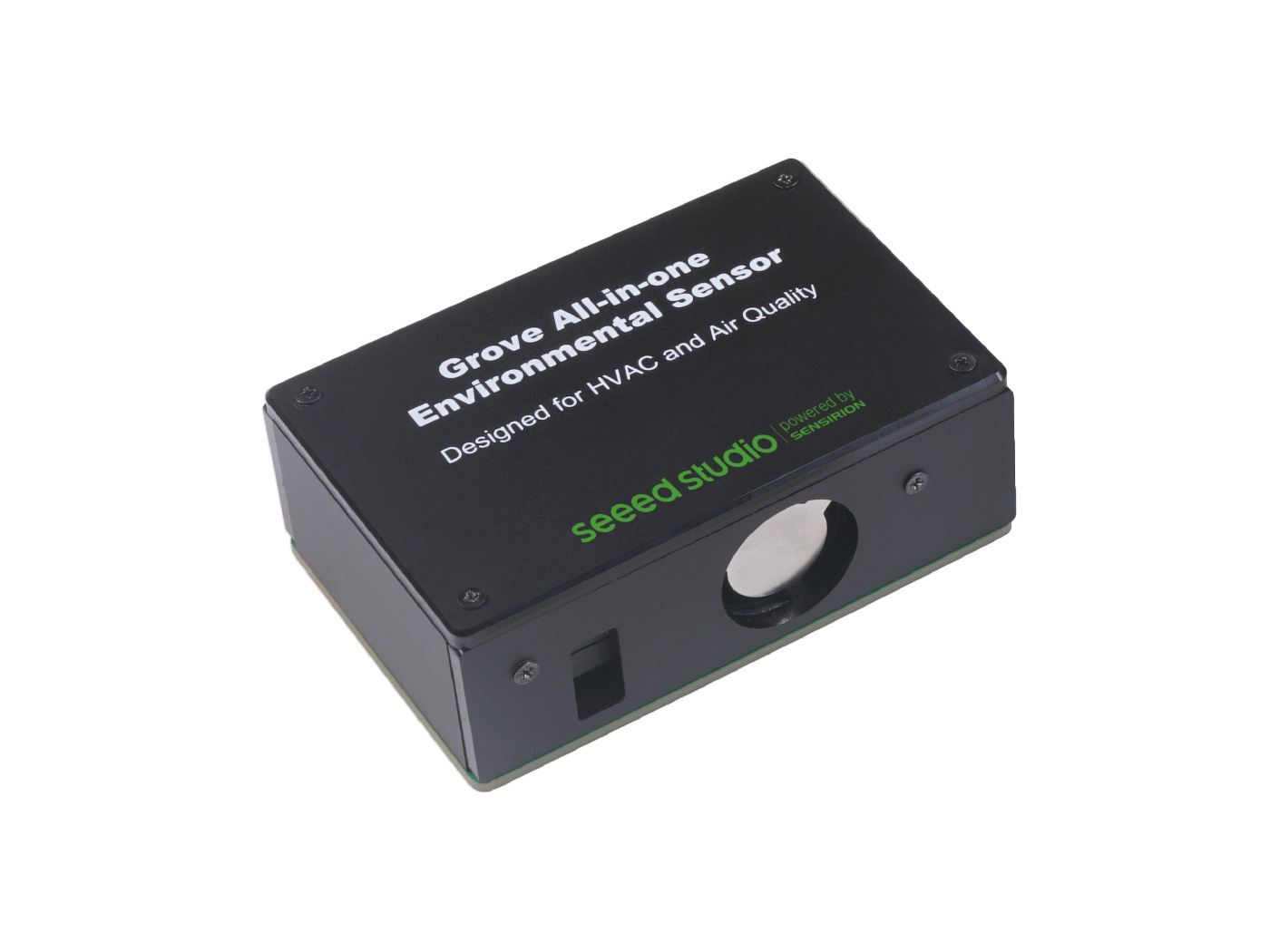
O sensor ambiental Grove-all in one SEN54/SEN55 é um sensor ambiente Grove integrado, reunindo 8 tipos de saída de sinal de dados, medindo com alta precisão e operando por até 10 anos, criado para aplicações de HVAC (Aquecimento, Ventilação e Ar Condicionado) e detecção de qualidade do ar de longa duração. Neste wiki, apresentaremos como utilizá-lo com as ferramentas Arduino e Raspberry Pi.
Características
- Funcionalidade abrangente de detecção ambiental: suporta PM (material particulado), VOC (Compostos Orgânicos Voláteis), RH (Umidade Relativa), Temp (temperatura), todos os 5 sinais de dados ambientais sendo medidos continuamente
- Um driver para até 7/8 sinais de dados: entrega 4 tipos de PM e 4 sinais ambientais primários através da função IIC
- Um fio para toda a saída de dados: representa a conexão simplificada da família Grove, exigindo apenas um cabo Grove entre o sensor e a placa única
- Precisão superior de detecção: calibra sinais totalmente digitais para saída
- Vida útil de operação superior: mantém desempenho adequado por até 10 anos
- Três modos disponíveis para implantação na borda: configure o Modo Inativo e o Modo de Medição Apenas RHT/Gás para aplicações de baixo custo, enquanto o Modo de Medição é para funcionalidade completa
Visão Geral de Hardware
Primeiros Passos
O sensor ambiental Grove-all in one SEN54/SEN55 herda as boas características da Série Grove, pois pode ser aplicado diretamente através da interface Grove IIC.
Instalação do Equipamento
Conecte o sensor ambiental Grove-all in one SEN54/SEN55 com o cabo Grove.
Preparação do Ambiente
Como usamos Arduino e Raspberry Pi aqui, é necessário executar o módulo no sistema instalado:
Visão Geral da Biblioteca Arduino
Se esta é a sua primeira vez usando Arduino, recomendamos fortemente que consulte Getting Started with Arduino.
Há duas bibliotecas que precisam ser instaladas ao usar o Arduino:
- arduino-i2c-sen5x(Função principal do sensor ambiental Grove-all in one SEN54/SEN55)
- arduino-core(Arquivo principal / Dependências)
Função
Antes de começar a desenvolver um sketch, vamos analisar as funções disponíveis da biblioteca.
Serial.begin(115200)—— Quando o processo de upload terminar, abra o Serial Monitor ou Serial Plotter pelo menu Tools para observar os valores de medição. Observe que o Baud Rate na janela correspondente deve ser configurado para 115200 baud
Instalação
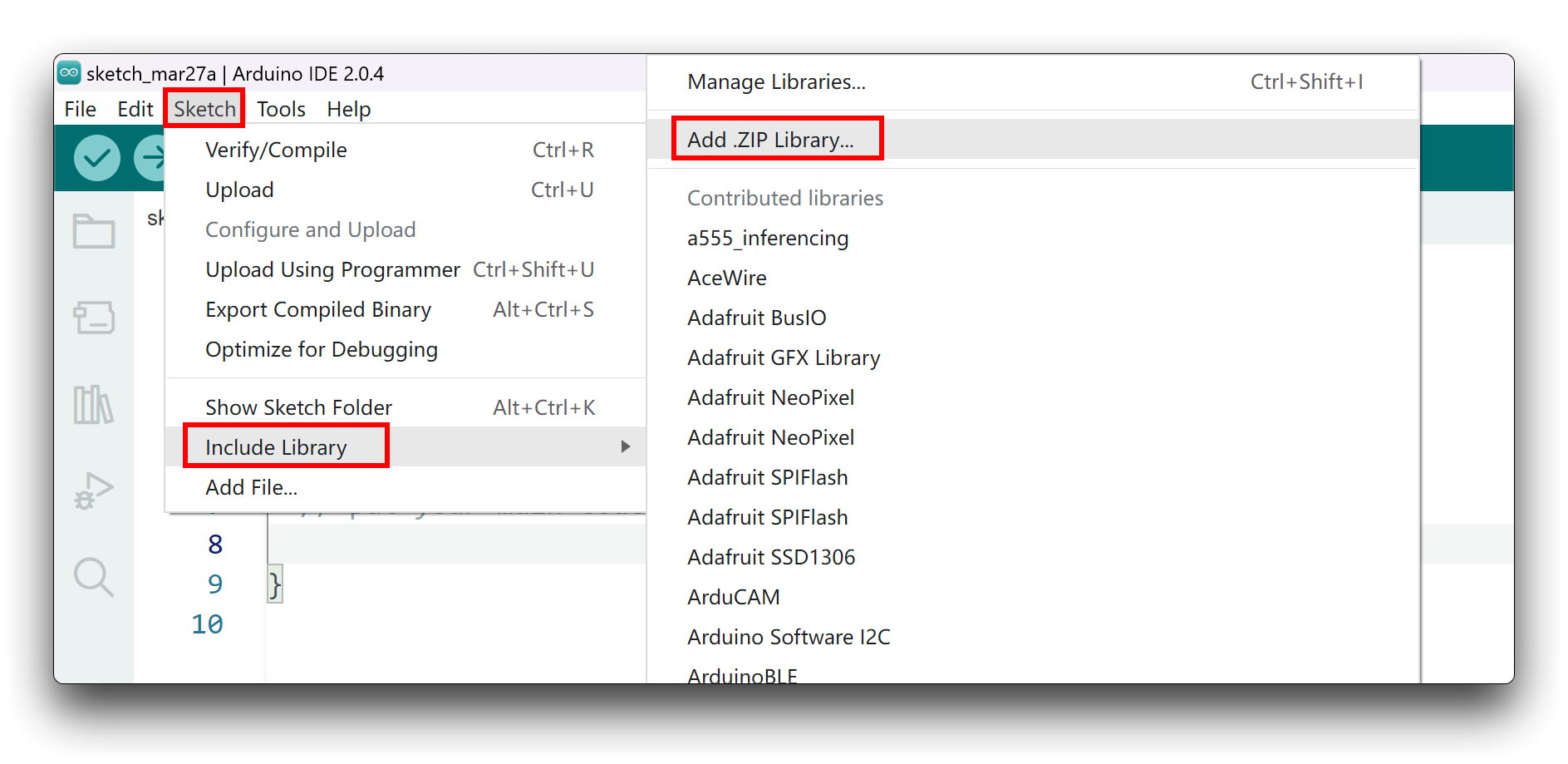
Como você já fez o download da biblioteca em formato zip, abra sua IDE Arduino e clique em Sketch > Include Library > Add .ZIP Library. Escolha o arquivo zip que você acabou de baixar e, se a biblioteca for instalada corretamente, você verá Library added to your libraries na janela de aviso. Isso significa que a biblioteca foi instalada com sucesso.
Exemplo Arduino
Agora que temos nossa biblioteca instalada e entendemos as funções básicas, vamos executar alguns exemplos com nosso sensor ambiental Grove-all in one SEN54/SEN55 para ver como ele se comporta.
Etapa 1. Conexão de Hardware.
Etapa 2. Você precisa instalar o software Arduino.

Etapa 3. Inicie o aplicativo Arduino.
Demo 1 Detectar 4 tipos de PM e 4 sinais ambientais primários
Esta demonstração pode detectar 4 tipos de PM (material particulado), VOC (Compostos Orgânicos Voláteis), RH (Umidade Relativa), Temp (temperatura) e então exibi-los no monitor, mostrando se o local onde o módulo está instalado é saudável.
Materiais Necessários
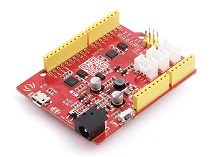
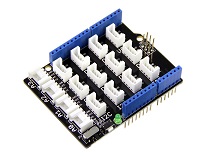
| Seeeduino V4.2 | Base Shield | SEN54/SEN55 |
|---|---|---|
 |  | |
| Adquira agora | Adquira agora | Adquira agora |
/*
 * I2C-Generator: 0.3.0
 * Yaml Version: 2.1.3
 * Template Version: 0.7.0-112-g190ecaa
 */
/*
 * Copyright (c) 2021, Sensirion AG
 * All rights reserved.
 *
 * Redistribution and use in source and binary forms, with or without
 * modification, are permitted provided that the following conditions are met:
 *
 * * Redistributions of source code must retain the above copyright notice, this
 *   list of conditions and the following disclaimer.
 *
 * * Redistributions in binary form must reproduce the above copyright notice,
 *   this list of conditions and the following disclaimer in the documentation
 *   and/or other materials provided with the distribution.
 *
 * * Neither the name of Sensirion AG nor the names of its
 *   contributors may be used to endorse or promote products derived from
 *   this software without specific prior written permission.
 *
 * THIS SOFTWARE IS PROVIDED BY THE COPYRIGHT HOLDERS AND CONTRIBUTORS "AS IS"
 * AND ANY EXPRESS OR IMPLIED WARRANTIES, INCLUDING, BUT NOT LIMITED TO, THE
 * IMPLIED WARRANTIES OF MERCHANTABILITY AND FITNESS FOR A PARTICULAR PURPOSE
 * ARE DISCLAIMED. IN NO EVENT SHALL THE COPYRIGHT HOLDER OR CONTRIBUTORS BE
 * LIABLE FOR ANY DIRECT, INDIRECT, INCIDENTAL, SPECIAL, EXEMPLARY, OR
 * CONSEQUENTIAL DAMAGES (INCLUDING, BUT NOT LIMITED TO, PROCUREMENT OF
 * SUBSTITUTE GOODS OR SERVICES; LOSS OF USE, DATA, OR PROFITS; OR BUSINESS
 * INTERRUPTION) HOWEVER CAUSED AND ON ANY THEORY OF LIABILITY, WHETHER IN
 * CONTRACT, STRICT LIABILITY, OR TORT (INCLUDING NEGLIGENCE OR OTHERWISE)
 * ARISING IN ANY WAY OUT OF THE USE OF THIS SOFTWARE, EVEN IF ADVISED OF THE
 * POSSIBILITY OF SUCH DAMAGE.
 */

#include <Arduino.h>
#include <SensirionI2CSen5x.h>
#include <Wire.h>

// The used commands use up to 48 bytes. On some Arduino's the default buffer
// space is not large enough
#define MAXBUF_REQUIREMENT 48

#if (defined(I2C_BUFFER_LENGTH) &&                 \
     (I2C_BUFFER_LENGTH >= MAXBUF_REQUIREMENT)) || \
    (defined(BUFFER_LENGTH) && BUFFER_LENGTH >= MAXBUF_REQUIREMENT)
#define USE_PRODUCT_INFO
#endif

SensirionI2CSen5x sen5x;

void printModuleVersions() {
    uint16_t error;
    char errorMessage[256];

    unsigned char productName[32];
    uint8_t productNameSize = 32;

    error = sen5x.getProductName(productName, productNameSize);

    if (error) {
        Serial.print("Error trying to execute getProductName(): ");
        errorToString(error, errorMessage, 256);
        Serial.println(errorMessage);
    } else {
        Serial.print("ProductName:");
        Serial.println((char*)productName);
    }

    uint8_t firmwareMajor;
    uint8_t firmwareMinor;
    bool firmwareDebug;
    uint8_t hardwareMajor;
    uint8_t hardwareMinor;
    uint8_t protocolMajor;
    uint8_t protocolMinor;

    error = sen5x.getVersion(firmwareMajor, firmwareMinor, firmwareDebug,
                             hardwareMajor, hardwareMinor, protocolMajor,
                             protocolMinor);
    if (error) {
        Serial.print("Error trying to execute getVersion(): ");
        errorToString(error, errorMessage, 256);
        Serial.println(errorMessage);
    } else {
        Serial.print("Firmware: ");
        Serial.print(firmwareMajor);
        Serial.print(".");
        Serial.print(firmwareMinor);
        Serial.print(", ");

        Serial.print("Hardware: ");
        Serial.print(hardwareMajor);
        Serial.print(".");
        Serial.println(hardwareMinor);
    }
}

void printSerialNumber() {
    uint16_t error;
    char errorMessage[256];
    unsigned char serialNumber[32];
    uint8_t serialNumberSize = 32;

    error = sen5x.getSerialNumber(serialNumber, serialNumberSize);
    if (error) {
        Serial.print("Error trying to execute getSerialNumber(): ");
        errorToString(error, errorMessage, 256);
        Serial.println(errorMessage);
    } else {
        Serial.print("SerialNumber:");
        Serial.println((char*)serialNumber);
    }
}

void setup() {

    Serial.begin(115200);
    while (!Serial) {
        delay(100);
    }

    Wire.begin();

    sen5x.begin(Wire);

    uint16_t error;
    char errorMessage[256];
    error = sen5x.deviceReset();
    if (error) {
        Serial.print("Error trying to execute deviceReset(): ");
        errorToString(error, errorMessage, 256);
        Serial.println(errorMessage);
    }

// Print SEN55 module information if i2c buffers are large enough
#ifdef USE_PRODUCT_INFO
    printSerialNumber();
    printModuleVersions();
#endif

    // set a temperature offset in degrees celsius
    // Note: supported by SEN54 and SEN55 sensors
    // By default, the temperature and humidity outputs from the sensor
    // are compensated for the modules self-heating. If the module is
    // designed into a device, the temperature compensation might need
    // to be adapted to incorporate the change in thermal coupling and
    // self-heating of other device components.
    //
    // A guide to achieve optimal performance, including references
    // to mechanical design-in examples can be found in the app note
    // “SEN5x – Temperature Compensation Instruction” at www.sensirion.com.
    // Please refer to those application notes for further information
    // on the advanced compensation settings used
    // in `setTemperatureOffsetParameters`, `setWarmStartParameter` and
    // `setRhtAccelerationMode`.
    //
    // Adjust tempOffset to account for additional temperature offsets
    // exceeding the SEN module's self heating.
    float tempOffset = 0.0;
    error = sen5x.setTemperatureOffsetSimple(tempOffset);
    if (error) {
        Serial.print("Error trying to execute setTemperatureOffsetSimple(): ");
        errorToString(error, errorMessage, 256);
        Serial.println(errorMessage);
    } else {
        Serial.print("Temperature Offset set to ");
        Serial.print(tempOffset);
        Serial.println(" deg. Celsius (SEN54/SEN55 only");
    }

    // Start Measurement
    error = sen5x.startMeasurement();
    if (error) {
        Serial.print("Error trying to execute startMeasurement(): ");
        errorToString(error, errorMessage, 256);
        Serial.println(errorMessage);
    }
}

void loop() {
    uint16_t error;
    char errorMessage[256];

    delay(1000);

    // Read Measurement
    float massConcentrationPm1p0;
    float massConcentrationPm2p5;
    float massConcentrationPm4p0;
    float massConcentrationPm10p0;
    float ambientHumidity;
    float ambientTemperature;
    float vocIndex;
    float noxIndex;

    error = sen5x.readMeasuredValues(
        massConcentrationPm1p0, massConcentrationPm2p5, massConcentrationPm4p0,
        massConcentrationPm10p0, ambientHumidity, ambientTemperature, vocIndex,
        noxIndex);

    if (error) {
        Serial.print("Error trying to execute readMeasuredValues(): ");
        errorToString(error, errorMessage, 256);
        Serial.println(errorMessage);
    } else {
        Serial.print("MassConcentrationPm1p0:");
        Serial.print(massConcentrationPm1p0);
        Serial.print("\t");
        Serial.print("MassConcentrationPm2p5:");
        Serial.print(massConcentrationPm2p5);
        Serial.print("\t");
        Serial.print("MassConcentrationPm4p0:");
        Serial.print(massConcentrationPm4p0);
        Serial.print("\t");
        Serial.print("MassConcentrationPm10p0:");
        Serial.print(massConcentrationPm10p0);
        Serial.print("\t");
        Serial.print("AmbientHumidity:");
        if (isnan(ambientHumidity)) {
            Serial.print("n/a");
        } else {
            Serial.print(ambientHumidity);
        }
        Serial.print("\t");
        Serial.print("AmbientTemperature:");
        if (isnan(ambientTemperature)) {
            Serial.print("n/a");
        } else {
            Serial.print(ambientTemperature);
        }
        Serial.print("\t");
        Serial.print("VocIndex:");
        if (isnan(vocIndex)) {
            Serial.print("n/a");
        } else {
            Serial.print(vocIndex);
        }
        Serial.print("\t");
        Serial.print("NoxIndex:");
        if (isnan(noxIndex)) {
            Serial.println("n/a");
        } else {
            Serial.println(noxIndex);
        }
    }
}
Resultado
Depois de fazer o upload dos códigos, podemos abrir o monitor serial com taxa de baud de 115200 e ele deve mostrar todos os oito tipos de sinais.

Visão Geral do Pacote Python
Se esta é a sua primeira vez usando o Raspberry Pi, recomendamos fortemente que você consulte Getting Started with Raspberry Pi.
Este pacote oferece suporte aos sensores SEN50, SEN54 e SEN55, permitindo que você detecte dados ambientais enquanto usa o Raspberry Pi.

Função
Exemplo com Raspberry Pi
Agora que temos nossa biblioteca instalada e entendemos as funções básicas, vamos executar alguns exemplos para o nosso sensor ambiental Grove-all in one SEN54/SEN55 para ver como ele se comporta.
Etapa 1. Conexão de hardware.

Etapa 2. Instale o Raspberry Pi OS no seu Raspberry Pi.
Etapa 3. Habilite a interface I2C no raspi-config.
Etapa 4. Baixe o driver na Sensirion Github Page como acima e extraia o .zip no seu Raspberry Pi.
Demo 1 Aplicar o exemplo de função com Raspberry Pi
A demonstração ajudará você a sentir vários dados ambientais na sua área.
Materiais Necessários
 | |
| Adquira agora | Adquira agora |
Compile o driver:
Etapa 1. Abra um terminal
Etapa 2. Navegue até o diretório do driver. Ex.: cd ~/raspberry-pi-i2c-sen5x.
Etapa 3. Execute o comando make para compilar o driver.
Etapa 4. Execute ./sen5x_i2c_example_usage no mesmo diretório em que você compilou o driver.
//sen5x_i2c_example_usage.c


/*
 * I2C-Generator: 0.3.0
 * Yaml Version: 2.1.3
 * Template Version: 0.7.0-109-gb259776
 */
/*
 * Copyright (c) 2021, Sensirion AG
 * All rights reserved.
 *
 * Redistribution and use in source and binary forms, with or without
 * modification, are permitted provided that the following conditions are met:
 *
 * * Redistributions of source code must retain the above copyright notice, this
 *   list of conditions and the following disclaimer.
 *
 * * Redistributions in binary form must reproduce the above copyright notice,
 *   this list of conditions and the following disclaimer in the documentation
 *   and/or other materials provided with the distribution.
 *
 * * Neither the name of Sensirion AG nor the names of its
 *   contributors may be used to endorse or promote products derived from
 *   this software without specific prior written permission.
 *
 * THIS SOFTWARE IS PROVIDED BY THE COPYRIGHT HOLDERS AND CONTRIBUTORS "AS IS"
 * AND ANY EXPRESS OR IMPLIED WARRANTIES, INCLUDING, BUT NOT LIMITED TO, THE
 * IMPLIED WARRANTIES OF MERCHANTABILITY AND FITNESS FOR A PARTICULAR PURPOSE
 * ARE DISCLAIMED. IN NO EVENT SHALL THE COPYRIGHT HOLDER OR CONTRIBUTORS BE
 * LIABLE FOR ANY DIRECT, INDIRECT, INCIDENTAL, SPECIAL, EXEMPLARY, OR
 * CONSEQUENTIAL DAMAGES (INCLUDING, BUT NOT LIMITED TO, PROCUREMENT OF
 * SUBSTITUTE GOODS OR SERVICES; LOSS OF USE, DATA, OR PROFITS; OR BUSINESS
 * INTERRUPTION) HOWEVER CAUSED AND ON ANY THEORY OF LIABILITY, WHETHER IN
 * CONTRACT, STRICT LIABILITY, OR TORT (INCLUDING NEGLIGENCE OR OTHERWISE)
 * ARISING IN ANY WAY OUT OF THE USE OF THIS SOFTWARE, EVEN IF ADVISED OF THE
 * POSSIBILITY OF SUCH DAMAGE.
 */

#include <math.h>   // NAN
#include <stdio.h>  // printf

#include "sen5x_i2c.h"
#include "sensirion_common.h"
#include "sensirion_i2c_hal.h"

/*
 * TO USE CONSOLE OUTPUT (PRINTF) YOU MAY NEED TO ADAPT THE INCLUDE ABOVE OR
 * DEFINE IT ACCORDING TO YOUR PLATFORM:
 * #define printf(...)
 */

int main(void) {
    int16_t error = 0;

    sensirion_i2c_hal_init();

    error = sen5x_device_reset();
    if (error) {
        printf("Error executing sen5x_device_reset(): %i\n", error);
    }

    unsigned char serial_number[32];
    uint8_t serial_number_size = 32;
    error = sen5x_get_serial_number(serial_number, serial_number_size);
    if (error) {
        printf("Error executing sen5x_get_serial_number(): %i\n", error);
    } else {
        printf("Serial number: %s\n", serial_number);
    }

    unsigned char product_name[32];
    uint8_t product_name_size = 32;
    error = sen5x_get_product_name(product_name, product_name_size);
    if (error) {
        printf("Error executing sen5x_get_product_name(): %i\n", error);
    } else {
        printf("Product name: %s\n", product_name);
    }

    uint8_t firmware_major;
    uint8_t firmware_minor;
    bool firmware_debug;
    uint8_t hardware_major;
    uint8_t hardware_minor;
    uint8_t protocol_major;
    uint8_t protocol_minor;
    error = sen5x_get_version(&firmware_major, &firmware_minor, &firmware_debug,
                              &hardware_major, &hardware_minor, &protocol_major,
                              &protocol_minor);
    if (error) {
        printf("Error executing sen5x_get_version(): %i\n", error);
    } else {
        printf("Firmware: %u.%u, Hardware: %u.%u\n", firmware_major,
               firmware_minor, hardware_major, hardware_minor);
    }

    // set a temperature offset in degrees celsius
    // Note: supported by SEN54 and SEN55 sensors
    // By default, the temperature and humidity outputs from the sensor
    // are compensated for the modules self-heating. If the module is
    // designed into a device, the temperature compensation might need
    // to be adapted to incorporate the change in thermal coupling and
    // self-heating of other device components.
    //
    // A guide to achieve optimal performance, including references
    // to mechanical design-in examples can be found in the app note
    // “SEN5x – Temperature Compensation Instruction” at www.sensirion.com.
    // Please refer to those application notes for further information
    // on the advanced compensation settings used in
    // `sen5x_set_temperature_offset_parameters`,
    // `sen5x_set_warm_start_parameter` and `sen5x_set_rht_acceleration_mode`.
    //
    // Adjust temp_offset to account for additional temperature offsets
    // exceeding the SEN module's self heating.
    float temp_offset = 0.0f;
    error = sen5x_set_temperature_offset_simple(temp_offset);
    if (error) {
        printf("Error executing sen5x_set_temperature_offset_simple(): %i\n",
               error);
    } else {
        printf("Temperature Offset set to %.2f °C (SEN54/SEN55 only)\n",
               temp_offset);
    }

    // Start Measurement
    error = sen5x_start_measurement();

    if (error) {
        printf("Error executing sen5x_start_measurement(): %i\n", error);
    }

    for (int i = 0; i < 600; i++) {
        // Read Measurement
        sensirion_i2c_hal_sleep_usec(1000000);

        float mass_concentration_pm1p0;
        float mass_concentration_pm2p5;
        float mass_concentration_pm4p0;
        float mass_concentration_pm10p0;
        float ambient_humidity;
        float ambient_temperature;
        float voc_index;
        float nox_index;

        error = sen5x_read_measured_values(
            &mass_concentration_pm1p0, &mass_concentration_pm2p5,
            &mass_concentration_pm4p0, &mass_concentration_pm10p0,
            &ambient_humidity, &ambient_temperature, &voc_index, &nox_index);
        if (error) {
            printf("Error executing sen5x_read_measured_values(): %i\n", error);
        } else {
            printf("Mass concentration pm1p0: %.1f µg/m³\n",
                   mass_concentration_pm1p0);
            printf("Mass concentration pm2p5: %.1f µg/m³\n",
                   mass_concentration_pm2p5);
            printf("Mass concentration pm4p0: %.1f µg/m³\n",
                   mass_concentration_pm4p0);
            printf("Mass concentration pm10p0: %.1f µg/m³\n",
                   mass_concentration_pm10p0);
            if (isnan(ambient_humidity)) {
                printf("Ambient humidity: n/a\n");
            } else {
                printf("Ambient humidity: %.1f %%RH\n", ambient_humidity);
            }
            if (isnan(ambient_temperature)) {
                printf("Ambient temperature: n/a\n");
            } else {
                printf("Ambient temperature: %.1f °C\n", ambient_temperature);
            }
            if (isnan(voc_index)) {
                printf("Voc index: n/a\n");
            } else {
                printf("Voc index: %.1f\n", voc_index);
            }
            if (isnan(nox_index)) {
                printf("Nox index: n/a\n");
            } else {
                printf("Nox index: %.1f\n", nox_index);
            }
        }
    }

    error = sen5x_stop_measurement();
    if (error) {
        printf("Error executing sen5x_stop_measurement(): %i\n", error);
    }

    return 0;
}
Resultado
A saída deve ser parecida com:

Recurso
Suporte Técnico e Discussão sobre o Produto
Atualizável para Sensores Industriais
Com o controlador S2110 SenseCAP e o registrador de dados S2100, você pode facilmente transformar o Grove em um sensor LoRaWAN®. A Seeed não apenas ajuda você com a prototipagem, mas também oferece a possibilidade de expandir seu projeto com a série SenseCAP de robustes industrial sensors.
A carcaça IP66, a configuração por Bluetooth, a compatibilidade com a rede global LoRaWAN®, a bateria interna de 19 Ah e o forte suporte do aplicativo tornam o SenseCAP S210x a melhor escolha para aplicações industriais. A série inclui sensores para umidade do solo, temperatura e umidade do ar, intensidade de luz, CO2, EC e uma estação meteorológica 8 em 1. Experimente o mais recente SenseCAP S210x para o seu próximo projeto industrial de sucesso.