Controle do reSpeaker XVF3800 com Python
Introdução
Nesta seção, vamos falar sobre como controlar o seu ReSpeaker XVF-3800 usando o SDK em Python. Isso torna o desenvolvimento mais conveniente para usuários que desejam criar suas próprias aplicações. Por exemplo, você pode detectar de onde a voz está vindo, realizar detecção de atividade de voz (VAD), controlar LEDs e muito mais.
SDK em Python
Temos um guia completo em Python sobre como se comunicar com o XVF3800 usando o firmware USB. Este script em Python pode ser executado na sua IDE favorita sem exigir o XVF_Host do XVF3800. Você pode encontrar mais comandos neste link.
Você precisa instalar a biblioteca pyusb.
Como obter DOA e VAD
import sys
import struct
import usb.core
import usb.util
import time

# name, resid, cmdid, length, type
PARAMETERS = {
    "VERSION":          (48,  0,  3,  "ro", "uint8"),
    "AEC_AZIMUTH_VALUES": (33, 75, 16, "ro", "radians"),
    "DOA_VALUE":        (20, 18,  4,  "ro", "uint16"),   # 4 bytes → two uint16 words
    "REBOOT":           (48,  7,  1,  "wo", "uint8"),
}

class ReSpeaker:
    TIMEOUT = 100000  # USB timeout

    def __init__(self, dev):
        self.dev = dev

    def write(self, name, data_list):
        try:
            data = PARAMETERS[name]
        except KeyError:
            return

        if data[3] == "ro":
            raise ValueError('{} is read-only'.format(name))

        if len(data_list) != data[2]:
            raise ValueError('{} value count is not {}'.format(name, data[2]))

        windex   = data[0]
        wvalue   = data[1]
        data_type = data[4]
        data_cnt  = data[2]
        payload   = []

        if data_type in ('float', 'radians'):
            for i in range(data_cnt):
                payload += struct.pack(b'f', float(data_list[i]))
        elif data_type in ('char', 'uint8'):
            for i in range(data_cnt):
                payload += data_list[i].to_bytes(1, byteorder='little')
        else:
            for i in range(data_cnt):
                payload += struct.pack(b'i', data_list[i])

        print("WriteCMD: cmdid: {}, resid: {}, payload: {}".format(wvalue, windex, payload))
        self.dev.ctrl_transfer(
            usb.util.CTRL_OUT | usb.util.CTRL_TYPE_VENDOR | usb.util.CTRL_RECIPIENT_DEVICE,
            0, wvalue, windex, payload, self.TIMEOUT)

    def read(self, name):
        try:
            data = PARAMETERS[name]
        except KeyError:
            return

        resid  = data[0]
        cmdid  = 0x80 | data[1]
        length = data[2] + 1        # +1 for the leading status byte

        response = self.dev.ctrl_transfer(
            usb.util.CTRL_IN | usb.util.CTRL_TYPE_VENDOR | usb.util.CTRL_RECIPIENT_DEVICE,
            0, cmdid, resid, length, self.TIMEOUT)

        byte_data = response.tobytes()

        if data[4] == 'uint8':
            result = response.tolist()

        elif data[4] == 'radians':
            num_floats = (length - 1) // 4           # each float = 4 bytes
            fmt = '<' + 'f' * num_floats
            result = list(struct.unpack(fmt, byte_data[1:1 + num_floats * 4]))

        elif data[4] == 'uint16':
            # ── FIX ──────────────────────────────────────────────────────────
            # byte_data[0]      = status byte (skip it)
            # byte_data[1:...]  = payload: N little-endian uint16 words
            # Each word is 2 bytes, so num_words = data[2] / 2
            num_words = data[2] // 2                 # 4 bytes → 2 words
            fmt = '<' + 'H' * num_words              # unsigned 16-bit, little-endian
            result = list(struct.unpack(fmt, byte_data[1:1 + num_words * 2]))
            # ─────────────────────────────────────────────────────────────────

        return result

    def close(self):
        usb.util.dispose_resources(self.dev)

def find(vid=0x2886, pid=0x001A):
    dev = usb.core.find(idVendor=vid, idProduct=pid)
    if not dev:
        return
    return ReSpeaker(dev)

def main():
    dev = find()
    if not dev:
        print('No device found')
        sys.exit(1)

    print('{}: {}'.format("VERSION", dev.read("VERSION")))

    while True:
        result = dev.read("DOA_VALUE")
        # After uint16 unpacking: result = [doa_angle, vad_flag]
        # ── FIX: use decoded word indices, not raw byte offsets ──
        doa_angle     = result[0]   # 0–359 degrees (now supports > 255)
        speech_active = result[1]   # VAD flag: 1 = speech, 0 = silence
        # ────────────────────────────────────────────────────────
        print('SPEECH_DETECTED: {}, DOA_VALUE: {}'.format(speech_active, doa_angle))
        time.sleep(0.1)

    dev.close()

if __name__ == '__main__':
    main()
Usando XVF_Host
Consulte a documentação para entender o que é o XVF_Host. Nesta seção, vamos trabalhar com o XVF_Host usando um script em Python.
Exemplos em Python para o ReSpeaker XVF3800
Se você quiser explorar mais sobre o controle via xvf_host com scripts em Python, leia este artigo.
- Windows
- Raspberry Pi / Linux
Para Windows
git clone https://github.com/KasunThushara/reSpeakerXVF.git
cd reSpeakerXVF
python test.py
Certifique-se de que o Python esteja instalado e que o ReSpeaker XVF3800 esteja conectado via USB.
Para Raspberry Pi
git clone https://github.com/KasunThushara/reSpeakerXVF_rpi.git
cd reSpeakerXVF_rpi
chmod +x xvf_host
python3 test.py
Certifique-se de que xvf_host seja executável e que sua placa esteja conectada via USB ou I2C.
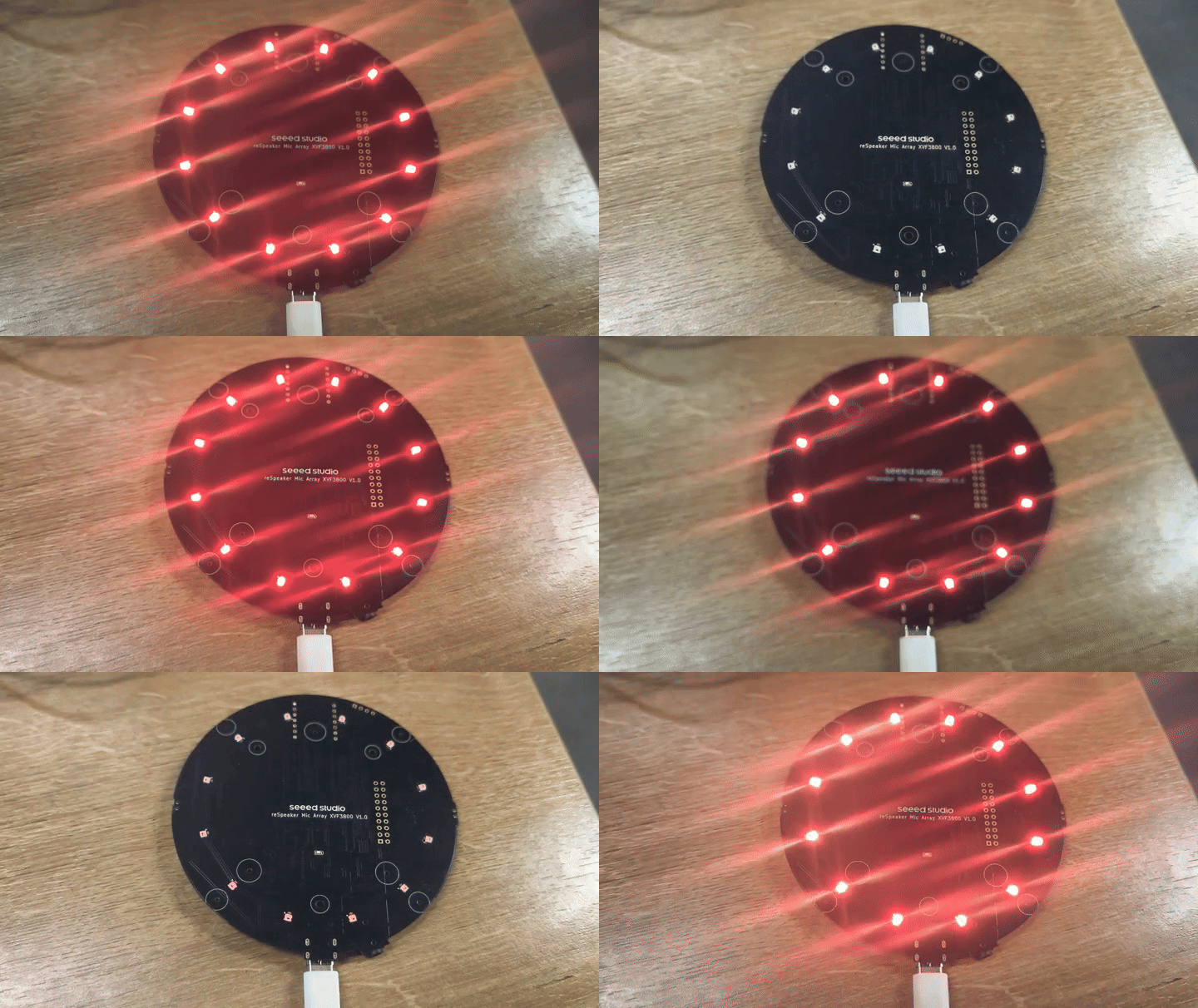
O arquivo test.py pode ser explorado da seguinte forma. Isto é para sua referência no Linux.
import subprocess
import sys
import time

# Path to your xvf_host binary
XVF_HOST_PATH = "./xvf_host"  # Change this if xvf_host is in a different location

def run_command(*args):
    """Run a command using the xvf_host tool."""
    command = ["sudo", XVF_HOST_PATH] + list(map(str, args))
    try:
        print(f"Running: {' '.join(command)}")
        result = subprocess.run(command, stdout=subprocess.PIPE, stderr=subprocess.PIPE, check=True, text=True)
        print("Output:\n", result.stdout)
    except subprocess.CalledProcessError as e:
        print("Error:\n", e.stderr)
        sys.exit(1)

if __name__ == "__main__":
    # Example: Get device version
    run_command("VERSION")
    time.sleep(0.005)

    # Example: Set LED to breath mode with orange color
    run_command("led_effect", 1)
    time.sleep(0.005)
    run_command("led_color", "0xff8800")
    time.sleep(0.005)
    run_command("led_speed", 1)
    time.sleep(0.005)
    run_command("led_brightness", 255)
    time.sleep(0.005)

    # Example: Save current configuration
    #run_command("save_configuration", 1)

    # Uncomment to clear config
    run_command("clear_configuration", 1)
    time.sleep(0.005)
Suporte Técnico & Discussão de Produto
Obrigado por escolher nossos produtos! Estamos aqui para oferecer diferentes tipos de suporte para garantir que sua experiência com nossos produtos seja a mais tranquila possível. Oferecemos vários canais de comunicação para atender a diferentes preferências e necessidades.