Rapid Prototyping on Jetson with NVIDIA Skills
Introduction
Jetson projects rarely stall because developers cannot write model code. They usually stall earlier, in the glue work around deployment: checking device state, confirming JetPack compatibility, choosing a workable install path, building the first runnable pipeline, validating outputs, and packaging the result into something demoable. On a real project, that is often where the first few days disappear.
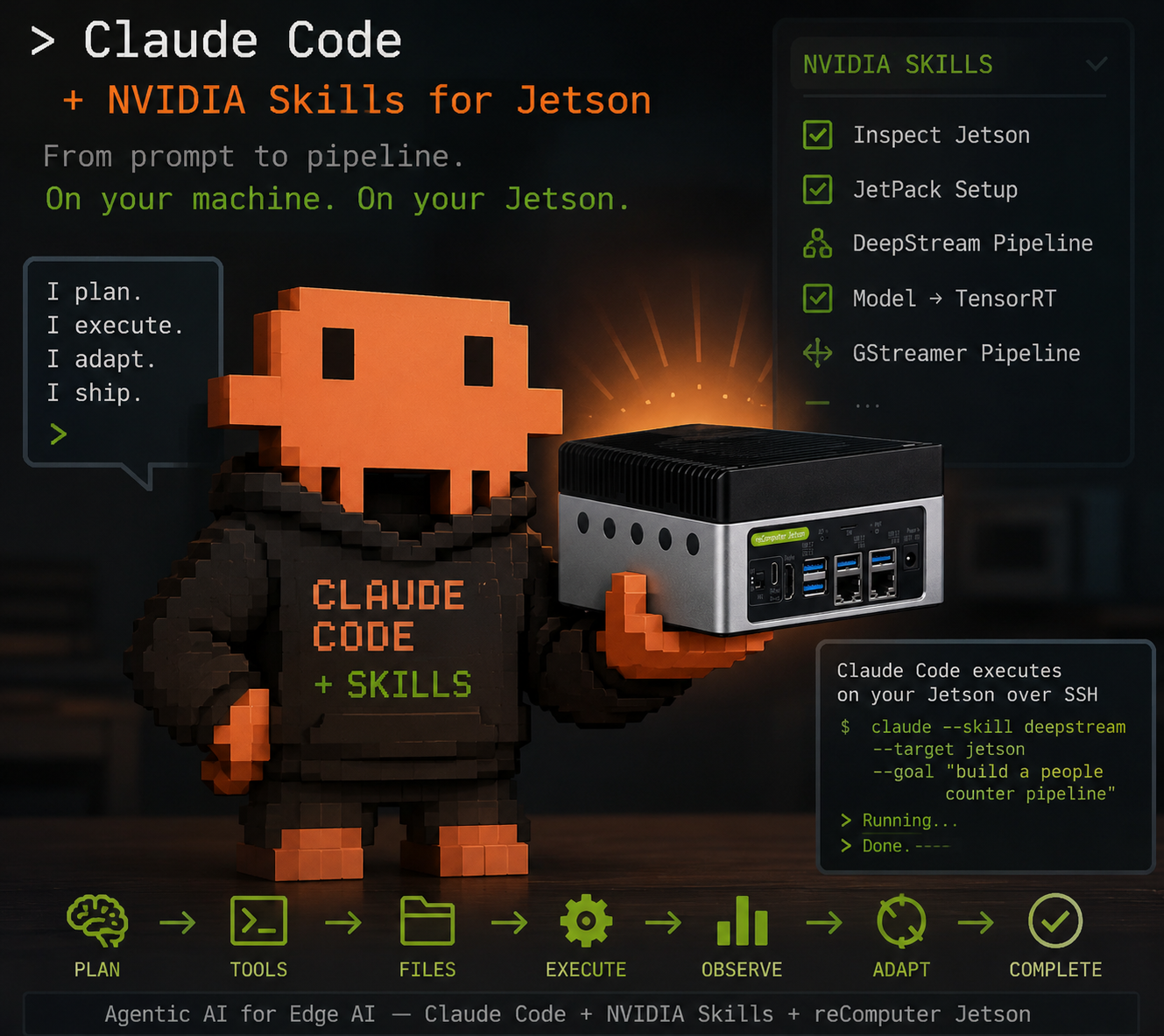
This is where agent + skill workflows help. A Jetson-focused skill gives an AI coding agent structured instructions for a narrow class of tasks, such as device diagnosis, memory inspection, environment preparation, or model import. Instead of starting from a blank shell and reconstructing the workflow from scattered docs, you start from a Jetson-aware delivery path.
This method is not tied to a single agent framework. Any agent that can load reusable skills, inspect files, run commands, and interact with remote devices can benefit from the same pattern. In this wiki, we use Claude Code for the walkthrough simply because it provides a clear way to demonstrate the workflow end to end.
This article is intentionally written as a delivery methodology, not as a one-off demo log. We will use a vehicle speed detection example, but the real goal is to show a repeatable path you can reuse across different Jetson applications and different agent setups.
"Skills" in this article refers to reusable agent skills authored by NVIDIA and loaded by the coding agent used in the workflow. This is distinct from the Seeed Jetson DevelopTool "Skills" module, which is a separate GUI automation feature. If you are looking for that GUI module, see the DevelopTool Skills module article.
What Are NVIDIA Skills?
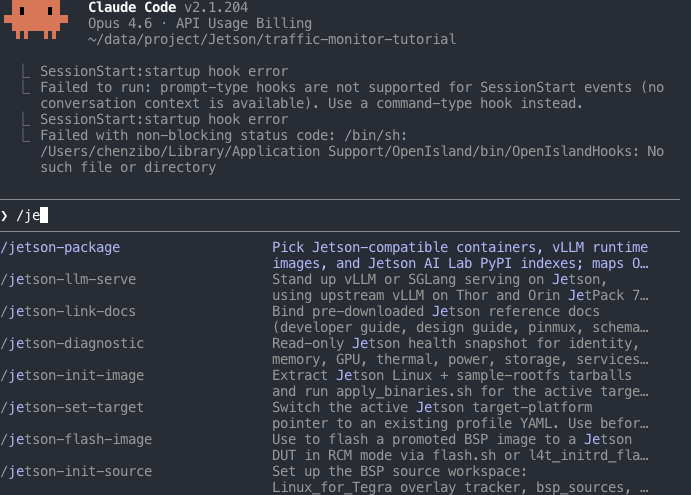
A skill is a reusable bundle of instructions and reference material that an AI coding agent loads on demand. When you invoke a skill, the agent receives task-specific guidance: what to inspect, what conventions to follow, what tools to use, and what outputs to verify. In Claude Code, naming a skill explicitly with /<skill-name> is only one way to trigger that behavior; once skills are installed in the workspace, the agent can also choose among them automatically.
Two NVIDIA skill repositories are especially relevant for Jetson developers:
- NVIDIA/skills for general-purpose workflows
In this article, we use these skills to reduce repeated bring-up work and shorten the path from "device available" to "prototype validated."
Why Jetson Delivery Slows Down
The first version of a Jetson application usually has to coordinate hardware status, JetPack and runtime compatibility, package installation choices on ARM, model placement, launch commands, output paths, and some minimum level of performance validation. The problem is not that any single step is impossible. The problem is that the steps are scattered across different tools, docs, and ad hoc shell work, so the delivery path stays fuzzy for longer than it should.
The practical value of a skill-driven workflow is that it turns this:
| Traditional path | Skill-driven path |
|---|---|
| Read multiple docs before acting | Start from a task-focused skill |
| Manually inspect device state | Ask the agent to diagnose the Jetson |
| Guess a dependency path | Ask the agent to use a Jetson-aware install path |
| Hand-build a first-pass prototype | Ask the agent to scaffold the smallest runnable version |
| Manually explain artifacts to teammates | Ask the agent to summarize files, commands, and outputs |
| Build a quick demo interface from scratch | Ask the agent to wrap the prototype for sharing |
What Skills Are Good At
For Jetson work, skills are strongest when the task is still about reducing uncertainty: inspecting the current device, choosing a more Jetson-compatible setup path, generating the first runnable prototype around a model or test asset, explaining what was created, and packaging the result into something that can be shown or rerun. They are much less useful as a substitute for production engineering. A skill can accelerate bring-up and validation, but it does not guarantee best-possible performance, production-grade reliability, calibrated accuracy for your scene, or the final architecture choices you would make for scale and maintainability. That boundary matters, because the point of the workflow is to reach a trustworthy baseline faster, then harden deliberately.
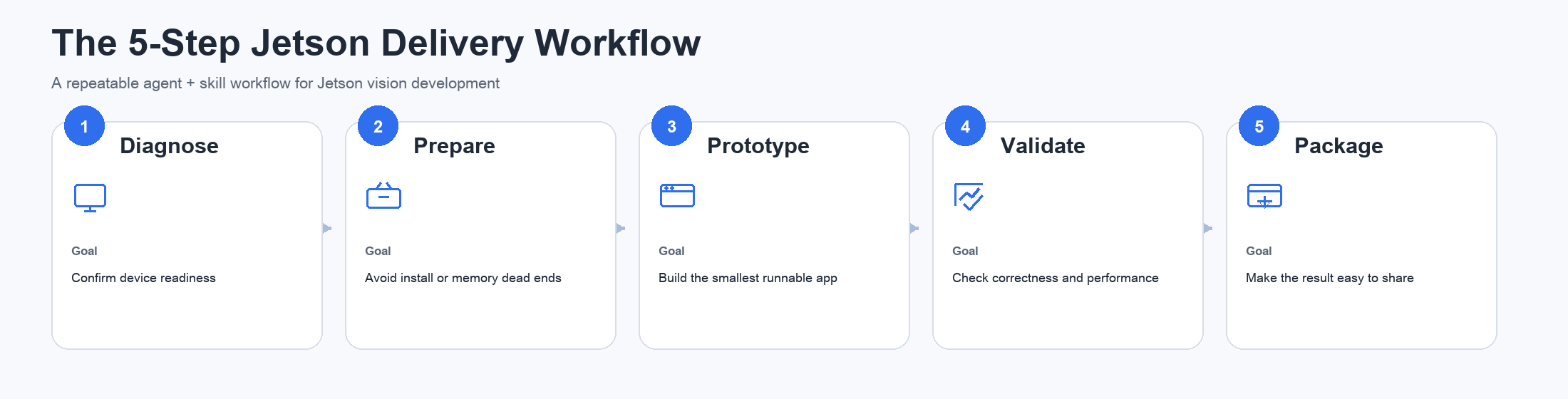
The 5-Step Jetson Delivery Workflow
Which Skill to Use at Each Step
Not every project needs every skill. A better mental model is to use the right skill when a specific blocker appears.
Start with jetson-diagnostic
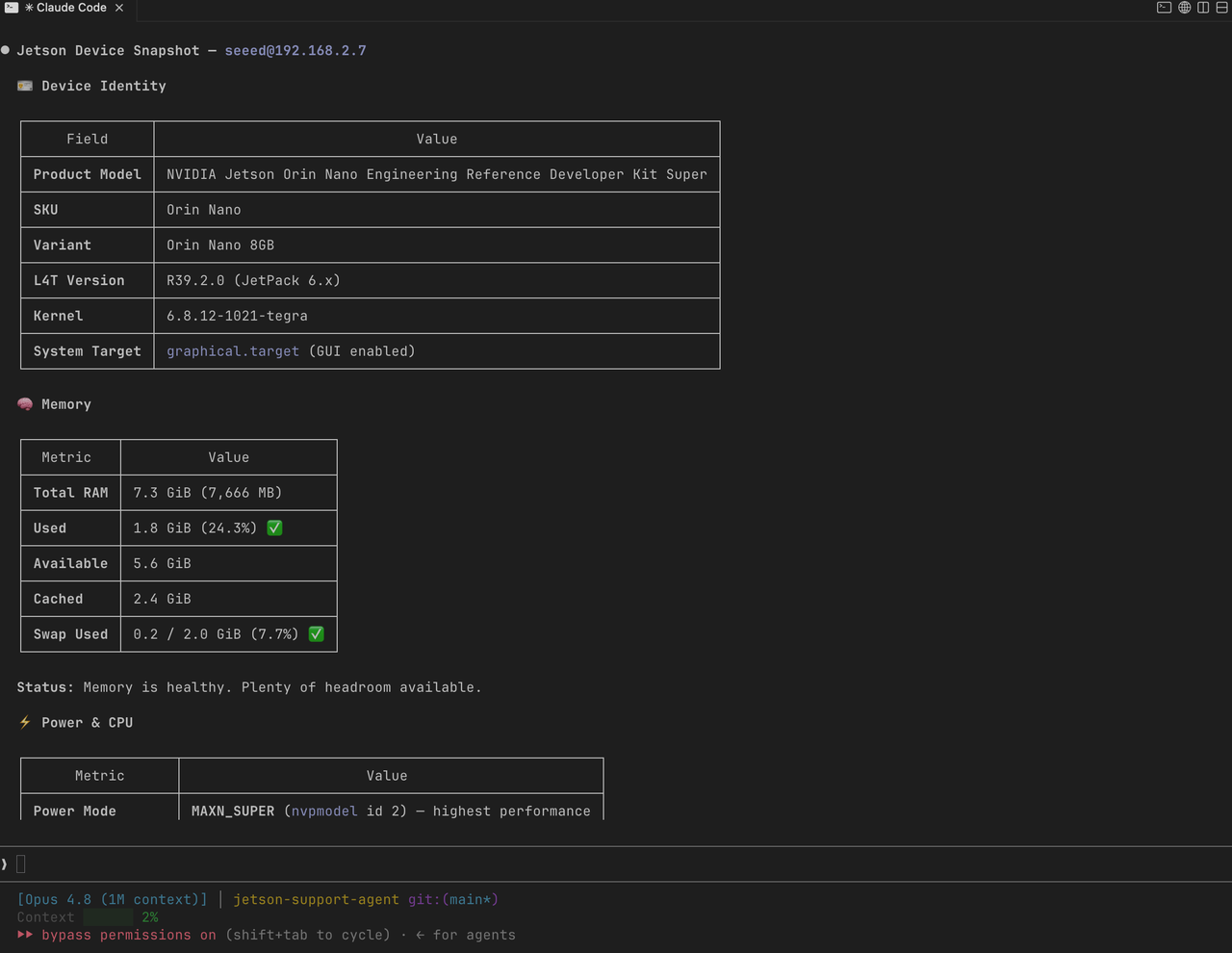
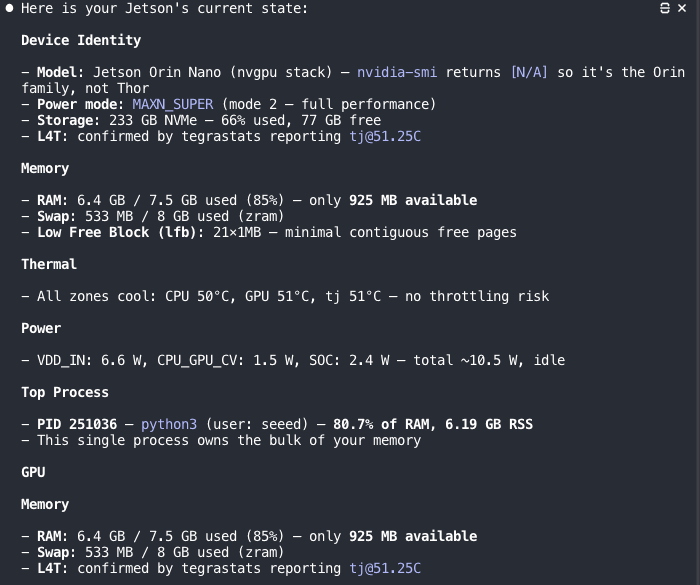
Use this first when you do not yet know whether the Jetson is ready for deployment. In practice, it gives the agent enough live device context to answer the questions that usually block the rest of the workflow: what Jetson model is running, which JetPack/L4T version is installed, how much memory is free, whether the device is thermally constrained, and whether major services or hardware endpoints are visible.
Prompt example:
/jetson-diagnostic Check whether this Jetson is ready for a real-time vision prototype and summarize any blockers.
Use jetson-package when setup guidance becomes generic or unsafe
On Jetson, package installation advice copied from x86 Linux or generic AI tutorials often fails. Use jetson-package when you want the agent to prefer Jetson-aware sources and deployment paths, especially when deciding between host packages, wheels, or containers for dependencies such as PyTorch or OpenCV.
/jetson-package Recommend the correct Jetson-compatible dependency path for this vision project.
Use jetson-memory-audit when memory is the first bottleneck
This is useful when the model loads slowly, the process is killed, or the device feels unstable under inference load. It gives the agent a data-backed view of what is currently using DRAM, whether a previous process really released memory, and whether a configuration change made a measurable difference instead of just sounding plausible.
/jetson-memory-audit Measure the current memory pressure and identify the biggest consumers before I deploy this prototype.
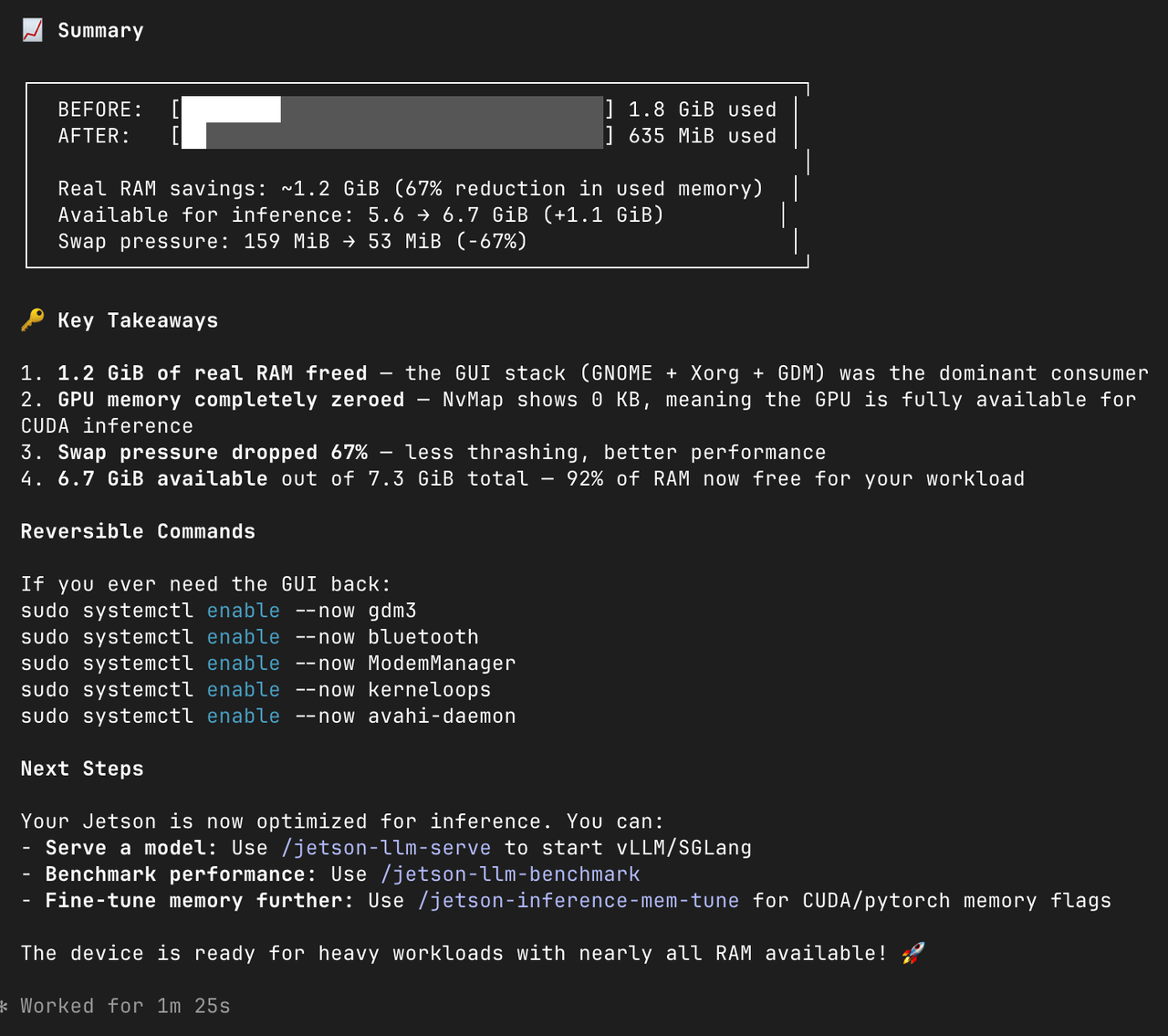
Use jetson-headless-mode when the device is acting as an appliance
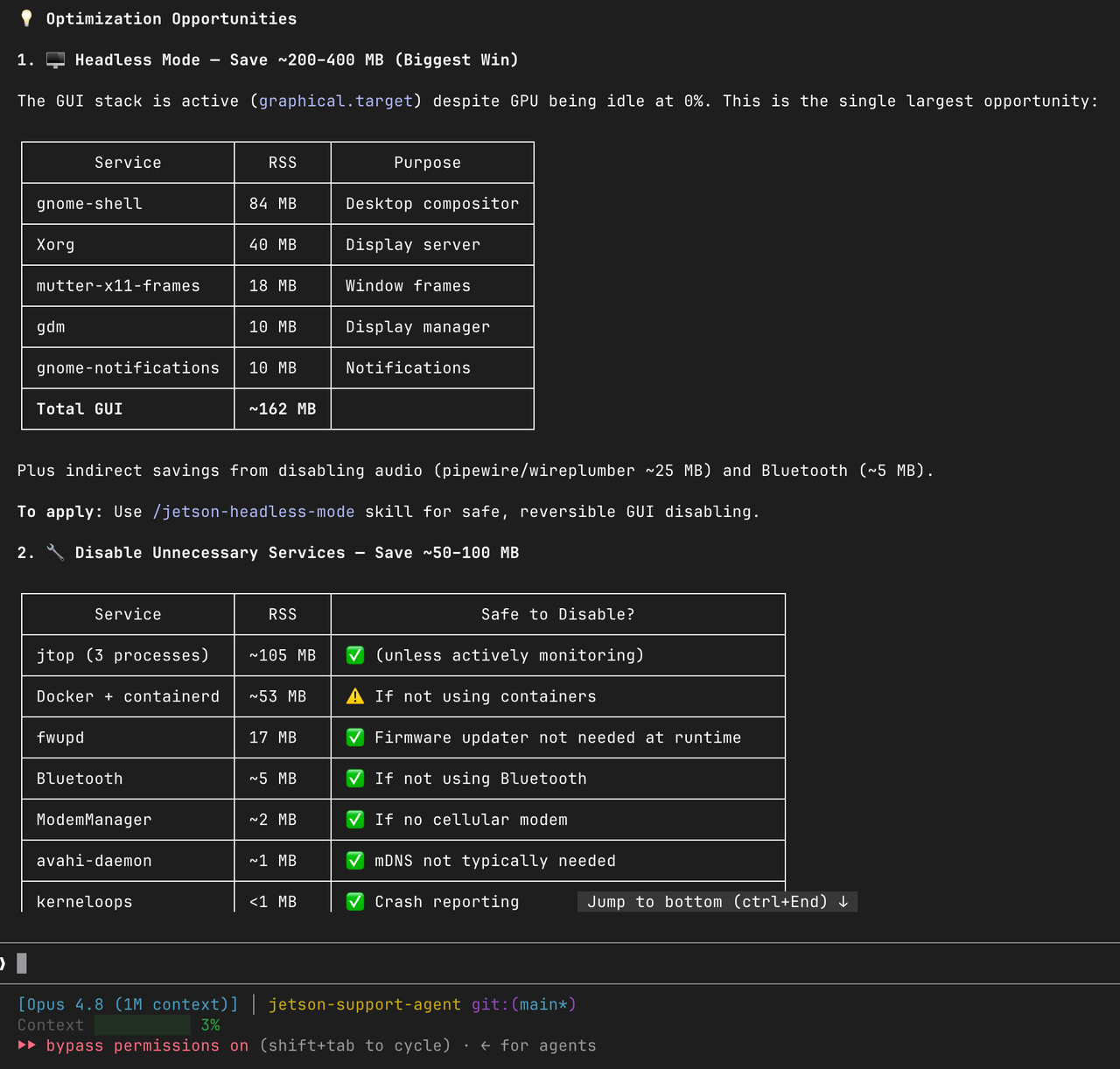
If the Jetson is used as a dedicated edge node rather than a desktop machine, switching to headless mode can reclaim resources for inference workloads.
/jetson-headless-mode Compare memory usage before and after enabling headless mode for this deployment target.
Use a task-specific build skill to generate the first runnable version
Once the device and environment are understood, the next goal is not perfection. The goal is to get to the smallest useful prototype with inspectable outputs.
In the example below, we use deepstream-import-vision-model as the build step.
Prototype Acceptance Criteria
Before moving deeper into optimization, define what counts as a successful prototype. A first Jetson prototype is usually good enough when it can be rerun with a clear command, its input and output paths are explicit, the result can be inspected immediately, and the current resource picture is no longer a mystery. If you can see the main bottleneck and the next engineering step is obvious, the prototype has already done its job. The goal of the first pass is not to finish the product. The goal is to reduce uncertainty quickly enough that the next iteration becomes deliberate instead of guesswork.
Prerequisites
Before following the example workflow, prepare the following:
- a reComputer Jetson or other Jetson device powered on and reachable over the network
- a working JetPack environment on the Jetson
- an AI coding agent installed on the host machine that will drive the workflow
- SSH access from the host machine to the Jetson
- enough storage on the Jetson for model downloads, temporary files, and outputs
- a test asset such as a video clip already placed on the Jetson
For this example, we assume the test video top_view.mp4 is placed under /home/seeed/workspace/traffic_monitor/ on the Jetson.
The host machine runs the coding agent and uses skills to drive work on the Jetson, typically over SSH. In practice, your exact setup may still require additional dependencies such as Python, DeepStream, or container support depending on the implementation path selected by the agent.
Set Up the Skills Workspace
In the Claude Code example used in this article, skills live inside a .claude/ directory at the root of your project.
mkdir -p project/.claude/
cd project/
git clone https://github.com/NVIDIA/skills.git
cp -r skills/skills .claude/
claude
Once the claude command launches, you can type /<skill-name> to explicitly force the agent to read a specific skill. That is useful when you already know which workflow you want. But once the skills are installed in the workspace, the agent already knows they exist and can choose among them automatically from your request. In practice, it may chain several skills in one pass, for example combining diagnosis, package selection, memory inspection, and prototype generation instead of treating each step as a completely separate session.
Case Study: Vehicle Speed Detection Mapped to the Workflow
The following example shows how the 5-step workflow looks in practice. The example is vehicle speed detection, but the real takeaway is the delivery pattern.
Step 1. Diagnose the device
Start by checking whether the Jetson is actually ready for a vision workload. A prompt like the following gives the agent enough context to inspect the device and report the blockers that matter for the prototype rather than just dumping raw telemetry.
/jetson-diagnostic Check the current status of my Jetson and summarize any blockers for a vision prototype.
SSH login: seeed@192.168.6.204
Password: seeed
The IP address and password above are example values. Replace them with your own Jetson credentials. seeed is the default password on some Seeed Jetson devices and should be changed on production units.
Step 2. Prepare the environment
If the diagnostic step shows that the environment is not clean enough for the prototype, this is the moment to prepare instead of pushing ahead blindly. jetson-package helps the agent choose a Jetson-compatible dependency path, while jetson-memory-audit and jetson-headless-mode are useful when memory pressure or unnecessary desktop overhead becomes the first obstacle.
/jetson-package Recommend the correct dependency path for this Jetson vision prototype.
/jetson-memory-audit Measure memory usage before I deploy the model and identify the top consumers.
/jetson-headless-mode Compare whether this device should be switched to headless mode for better inference headroom.
The practical benefit is that you only spend time on setup work when the earlier diagnosis shows it is actually necessary.
Step 3. Build the smallest runnable prototype
Now move from environment readiness to application bring-up.
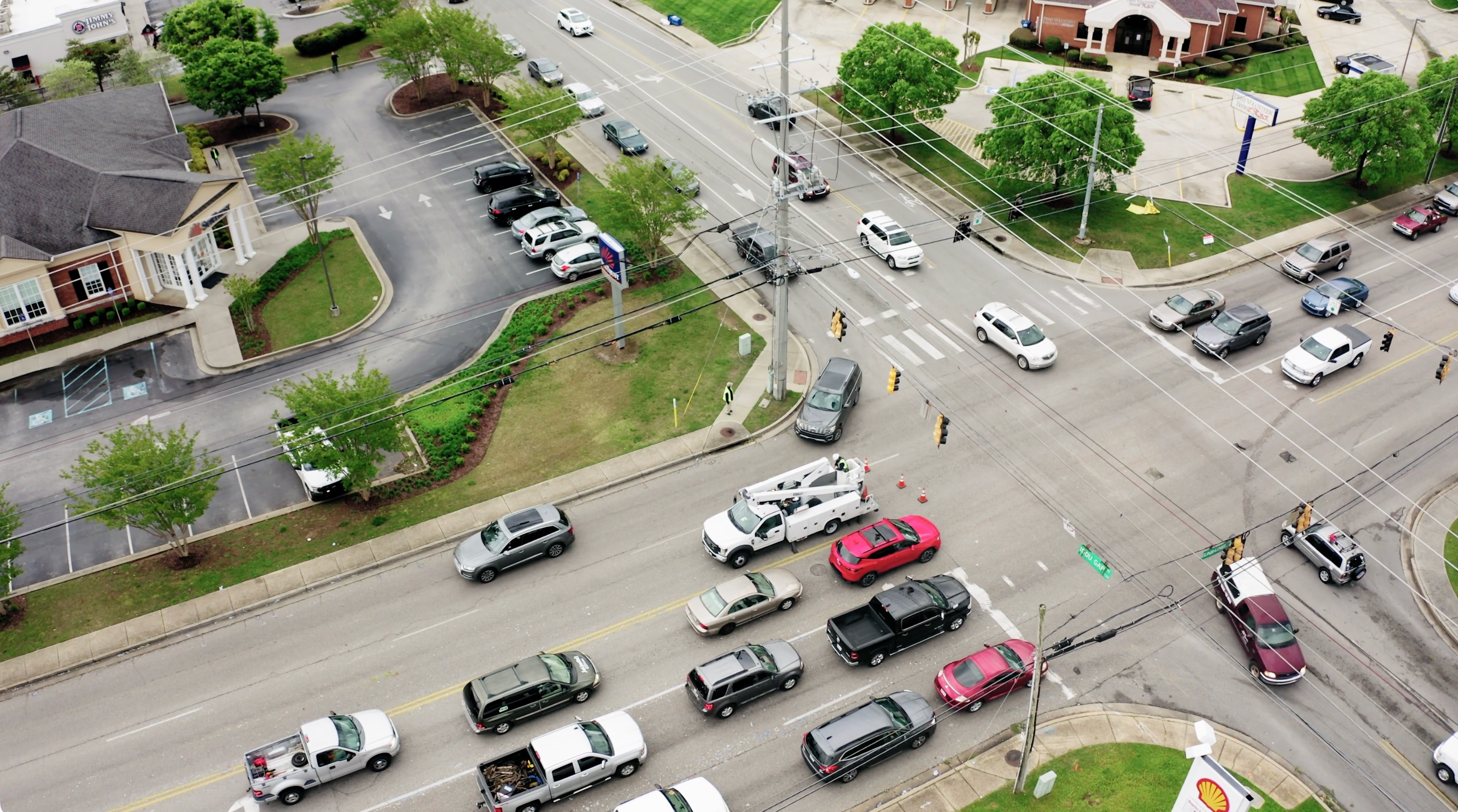
/deepstream-import-vision-model Help me access the following directory on Jetson: /home/seeed/workspace/traffic_monitor
Deploy a vehicle speed detection system under this directory. Use the top_view.mp4 file in this directory for testing.
This is the sample top-view traffic video used in the walkthrough:
The agent may choose different implementation paths depending on what exists on the device. The important thing at this stage is not whether it picked the final production stack. The important thing is that it produces a runnable first pass with inspectable results.
By the end of this step, you want a main inference script or app entrypoint, a clear rerun path, an annotated output video or similar artifact, and generated files placed in a known workspace. If those pieces exist, the baseline is already useful even if the final stack is still open to change.
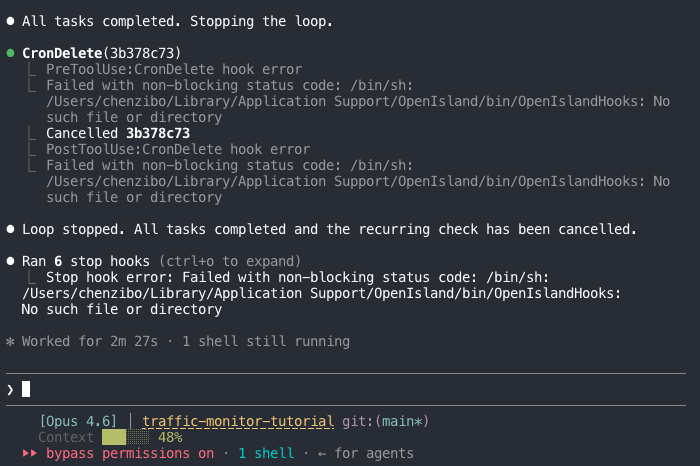

This is where the workflow starts paying off. Instead of spending the first pass wiring scripts and paths by hand, you get to evaluate a runnable baseline and decide what deserves deeper engineering effort.
Step 4. Validate outputs and inspect the architecture
Once the first pass exists, ask the agent to explain what it created and how to run it again.
Please explain the generated files, the rerun command, the output locations, the current bottlenecks, and the technical approach and architecture you are using.
At this point, the useful questions are no longer “did anything run?” but “what exactly was created, how do I run it again, where are the outputs, and what did the agent choose architecturally?” A good follow-up explanation should leave you with a clear view of the file layout, the rerun path, the output locations, the detection and speed-estimation approach, and the likely performance bottleneck.
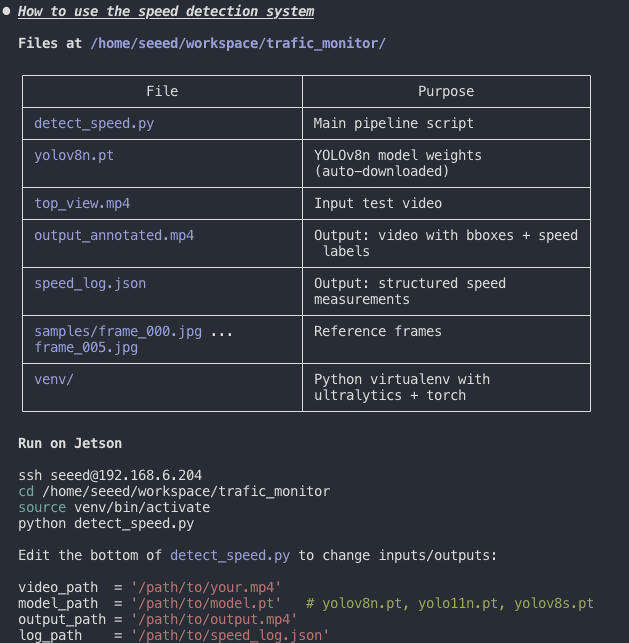
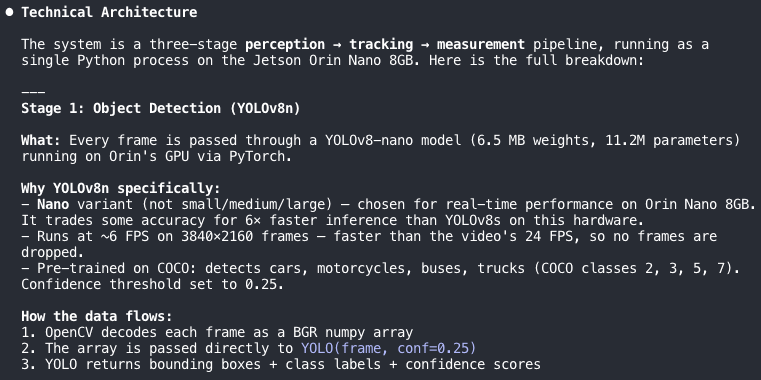
This saves time because the agent is not only generating code. It is also shortening the time needed to understand and evaluate the baseline it just produced.
Step 5. Package the prototype into something shareable
Once the algorithm works from the command line, the next gap is usually demoability.
Help me create a web UI that I can access from my local PC to upload videos for detection and continuously loop the output video.
The agent can wrap the prototype in a small web service or similar interface so teammates or customers can try it without touching the command line.
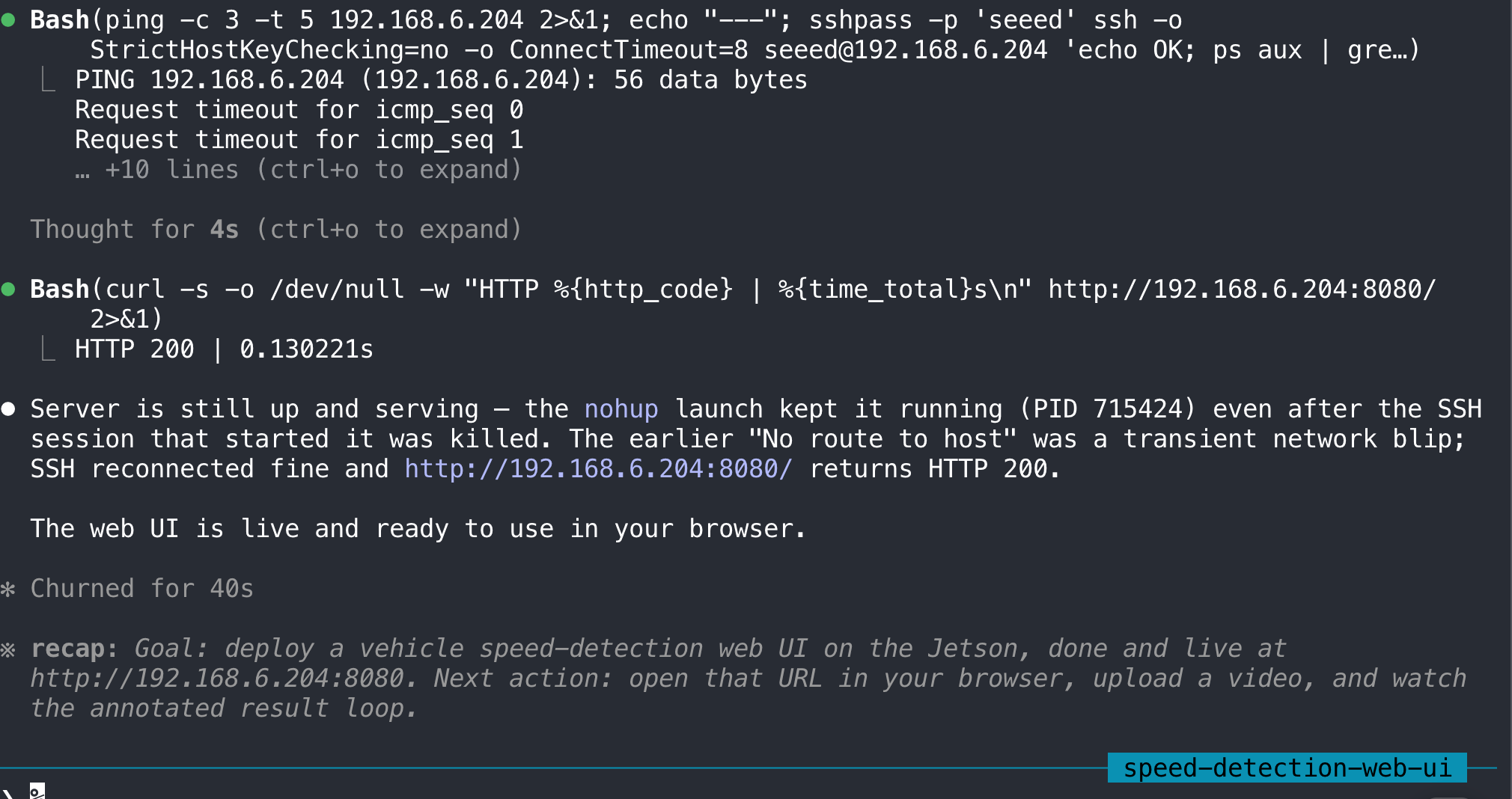
To reach the UI from your local PC, make sure the chosen port is accessible on the Jetson and that both machines are on the same network, or use SSH port forwarding. When judging inference speed, use the local Jetson-side runtime as the reference point, because a forwarded web UI may feel slower due to network latency rather than model performance alone.
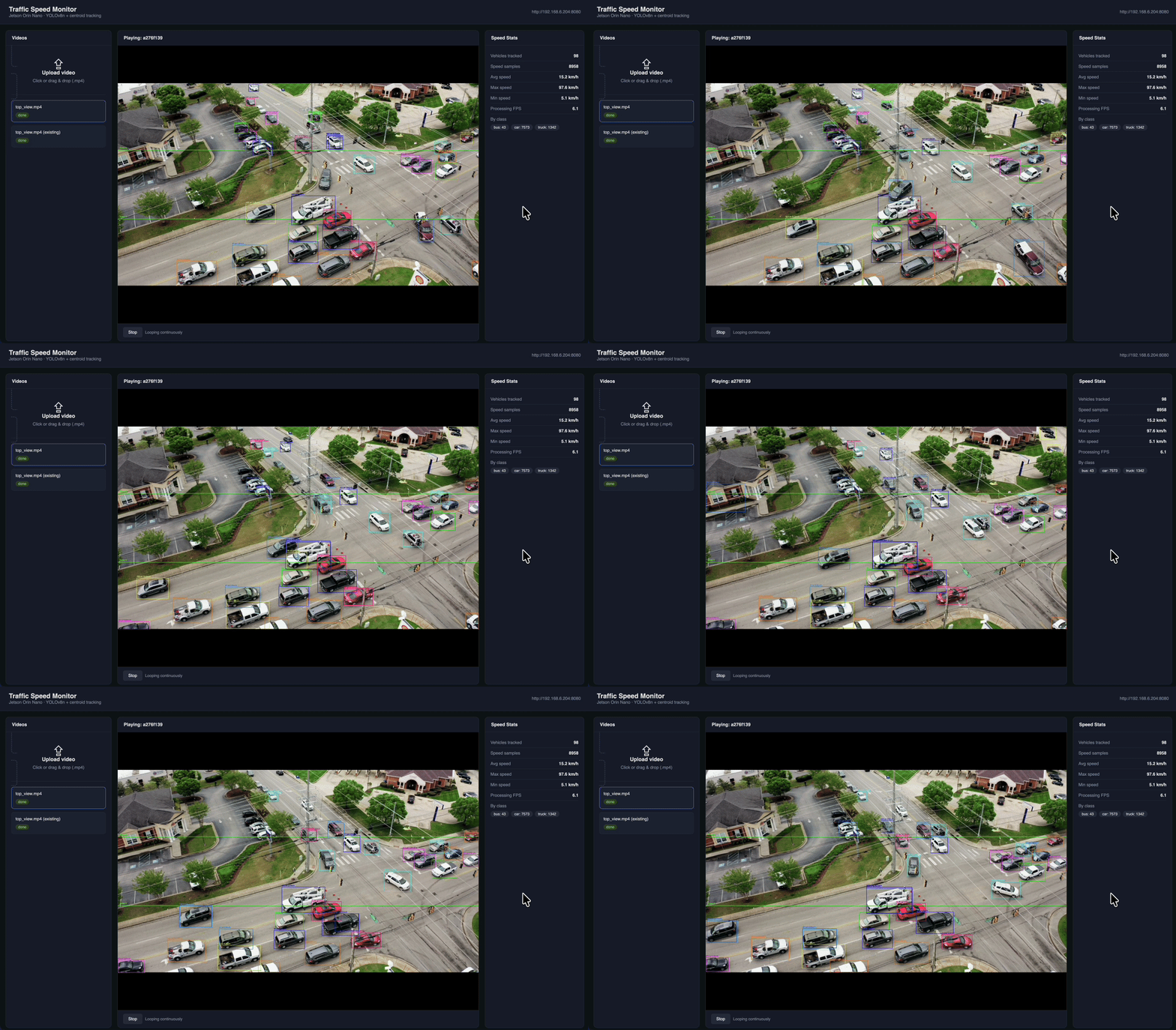
This is another reason the workflow is useful in practice: the same process that created the prototype can also bridge the gap from backend proof-of-concept to demo-ready packaging.
Common Failure Modes and What to Do Next
The workflow is most useful when you use it to reduce the right uncertainty at the right time.
| Problem | What it usually means | What to do |
|---|---|---|
| The install path looks generic or breaks on ARM | Jetson compatibility is being ignored | use jetson-package |
| The model fails to load or inference is unstable | memory pressure is the first bottleneck | use jetson-memory-audit |
| The device wastes too much memory on desktop services | the Jetson is better treated as an appliance | use jetson-headless-mode |
| The prototype runs but is too slow | the baseline is valid but not yet optimized | ask the agent to identify bottlenecks and recommend DeepStream or TensorRT |
| The demo works only in terminal form | the engineering baseline exists but is not shareable | ask the agent to package a web UI or service wrapper |
From Prototype to Production
This workflow is strongest during exploration, bring-up, and validation. Once the baseline is proven, the next step is usually manual hardening.
Typical production moves are familiar: replacing prototype logic with a more structured DeepStream pipeline, converting models to TensorRT for higher throughput, improving tracking robustness and calibration quality, turning ad hoc scripts into a maintainable service or application, and adding the monitoring and deployment discipline that a real system needs. The key point is simple: use skills to compress the path to a trustworthy baseline, then harden deliberately.
Reusable Prompt Template
The following prompt sequence is a good starting template for new Jetson projects:
1. Diagnose this Jetson and list any blockers for running a vision prototype.
2. Recommend the correct Jetson-compatible dependency path.
3. Build the smallest runnable prototype in /path/to/workspace using /path/to/test-asset.
4. Explain the generated files, rerun command, and expected outputs.
5. Measure the current bottleneck and recommend whether to stay in Python or move to DeepStream/TensorRT next.
6. Package the prototype into a simple demo interface if the baseline is validated.
You can adapt this template for object detection, video analytics, robotics perception, or other Jetson-side application bring-up work.
Summary
The main takeaway is not that one specific agent can build one vehicle speed detection demo. The more useful takeaway is that Jetson application delivery becomes much faster when you treat skills as a structured workflow: diagnose the device first, prepare only where needed, generate the smallest runnable prototype, validate the outputs and bottlenecks, and then package the result for sharing. That is the repeatable pattern. The vehicle speed example is only one instance of it.
References
- NVIDIA/skills (GitHub) — general-purpose agent skills from NVIDIA
- NVIDIA-AI-IOT/jetson-device-skills (GitHub) — Jetson-specific skills
- Claude Code documentation — installing and using Claude Code
- Traffic Management DeepStream SDK — a more manual DeepStream-oriented path
- Deploy YOLOv8 with TensorRT and DeepStream SDK — a more manual model deployment path
- DevelopTool Skills module — the Seeed DevelopTool "Skills" automation module
Tech Support & Product Discussion
Thank you for choosing our products! We are here to provide you with different support to ensure that your experience with our products is as smooth as possible. We offer several communication channels to cater to different preferences and needs.