B601-DM with Isaac Sim
Introduction
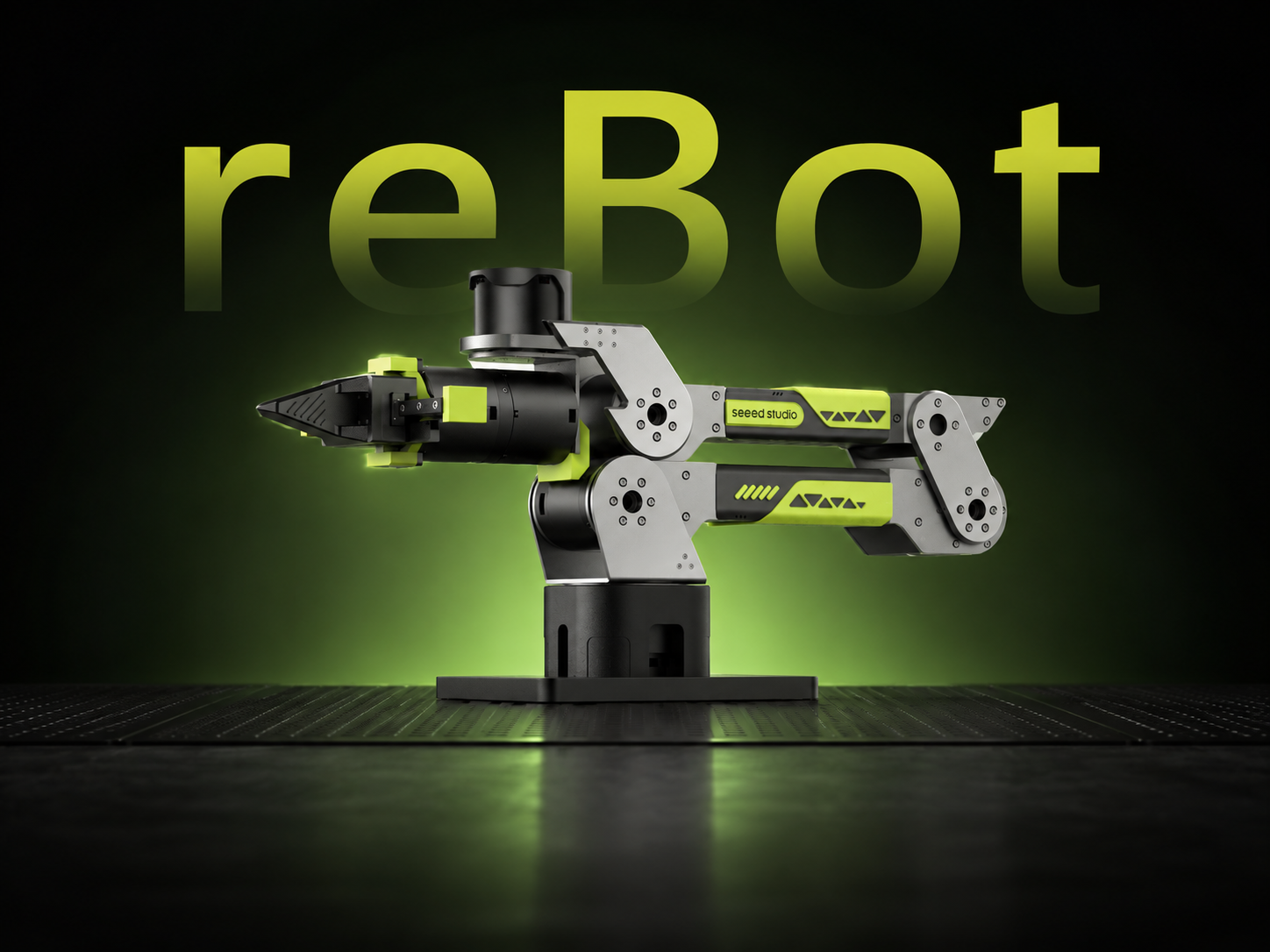
This is a simulation project for the reBot-B601-DM robot built with NVIDIA Isaac Sim. It uses Isaac Sim's high-fidelity physics engine to accurately reproduce the robot's kinematic behavior and gripper coordination in a virtual environment, providing a clean simulation-only platform for control algorithm development, trajectory planning validation, and communication protocol testing.

System Requirements
- Operating system: Ubuntu 22.04 LTS / 24.04 LTS (recommended) or Windows 11 (requires WSL2)
- GPU: NVIDIA RTX series graphics card (recommended RTX 3070 or newer), VRAM ≥ 8GB
- Driver: NVIDIA official driver ≥ 535.x, supports CUDA 12.x
- Memory: ≥ 32GB RAM (Isaac Sim scene loading and physics simulation consume significant memory)
- Storage: ≥ 100GB SSD free space (for Isaac Sim installation, cache, and USD assets)
In this wiki, the PC is connected to the robot, while the server runs the Isaac Sim simulation. The server is equipped with an NVIDIA RTX 4090 GPU and runs Ubuntu 22.04 LTS.
Installing Isaac Sim
Official links and resources:
https://docs.isaacsim.omniverse.nvidia.com/6.0.0/installation/quick-install.html
https://docs.isaacsim.omniverse.nvidia.com/6.0.0/installation/download.html#isaac-sim-latest-release
Download the Isaac Sim Standalone Package
💡 Suitable for most users; no compilation required and it works out of the box.
Download and Extract
Download isaac-sim-standalone-6.0.0-linux-x86\_64.zip from the NVIDIA official website.
mkdir -p ~/isaacsim
cd ~/Downloads
unzip isaac-sim-standalone-6.0.0-linux-x86_64.zip -d ~/isaacsim
cd ~/isaacsim
./post_install.sh
Set Environment Variables
Add the following to ~/.bashrc or ~/.zshrc:
export ISAACSIM_PATH="${HOME}/isaacsim"
export ISAACSIM_PYTHON_EXE="${ISAACSIM_PATH}/python.sh"
Then run source ~/.bashrc to apply the changes.
Startup Verification
${ISAACSIM_PATH}/isaac-sim.sh
Download the Project
git clone https://github.com/hopcan/reBot-Isaacsim.git
Set up the uv environment for reBotArm_control_py:
cd third_party/reBotArm_control_py
uv sync
Overview of Functional Components
This project provides multiple sender modules to support different usage scenarios:
| Component | Description |
|---|---|
gravity_joint_sender | Gravity compensation handle mode: for a modified robot (gripper removed, handle installed), gravity compensation allows manual joint movement and real-time synchronization of joint angles to Isaac Sim |
isaacsim_ik_sender | Inverse kinematics (IK) mode: input the end-effector pose, solve joint angles through the IK solver, and send them to Isaac Sim |
isaacsim_traj_sender | Trajectory planning (Traj) mode: extends IK with joint-space trajectory planning (MIN_JERK timing profile) to achieve smooth motion control |
isaacsim_joint_test_sender | Joint test mode: no real robot required; sends a preset joint-angle trajectory to verify the Isaac Sim receiver and communication link |
joint_reader_sender | Real-to-Sim mapping mode: reads joint angles only and maps them to Isaac Sim, suitable for use with other control projects (for example, while the real robot is running other tasks, its joint states are synchronized to Isaac Sim for visualization) |
Directory Structure
reBot-Isaacsim/
├── pyproject.toml                           # uv workspace configuration
├── README.md
├── README_EN.md
├── README_ES.md
├── reBotArm_Isaacsim/                       # main example directory
│   ├── gravity_joint_sender.py              # real robot sender (uv environment)
│   ├── isaacsim_ik_sender.py                # IK sender script (must use Isaac python.sh)
│   ├── isaacsim_traj_sender.py              # trajectory sender script (must use Isaac python.sh)
│   ├── isaacsim_joint_test_sender.py        # test sender script (use python.sh as needed)
│   ├── joint_reader_sender.py               # read-only mapping script (real robot / other projects)
│   ├── isaacsim_joint_receiver.py           # Isaac Sim receiver (must use Isaac python.sh)
│   ├── live_sync.py                         # startup instructions script
│   └── ...
├── third_party/
│   └── reBotArm_control_py/                 # robot control library (independent uv environment)
│       ├── pyproject.toml
│       └── ...
├── urdf/
│   └── ...                                  # robot URDF / configuration
├── usd/
│   └── reBot_B601_DM/
│       └── reBot_B601_DM.usda               # reBot-B601-DM asset
└── ...
Startup (Dual-Terminal Mode)
Two separate terminals are required. Terminal 1 is the Isaac Sim receiver, and Terminal 2 runs the sender based on the selected mode.
Terminal 1 — Start the Isaac Sim Receiver (used by all modes)
Run the receiver script with Isaac Sim's Python.
Modify the values of DEFAULT_SIM_HOST and DEFAULT_REBOT_ARM_HOST according to your setup.
DEFAULT_SIM_HOST is the IP address of the host running the Isaac Sim environment.
DEFAULT_REBOT_ARM_HOST is the IP address of the host connected to the robot.
If both ends are running on the same machine, set DEFAULT_SIM_HOST to "127.0.0.1".
cd reBotArm_Isaacsim
${ISAACSIM_PYTHON_EXE}  gravity_joint_sender.py
Expected output:
- Launch the Isaac Sim GUI
- Load the ground and robot USD assets
- Listen on UDP
DEFAULT_SIM_HOST:5005 - Wait for the sender to connect
Terminal 2 — Start the Appropriate Sender for the Selected Mode
Startup order: receiver first, then sender.
Some features require a connection to the real robot. The following steps are necessary when using a USB2CAN adapter.
# Check the USB2CAN serial port to confirm it is detected
ls ttyACM*

# Grant port permissions
sudo chmod 666 /dev/ttyACM*
Set DEFAULT_SIM_HOST according to your device.
DEFAULT_SIM_HOST is the IP address of the host running the Isaac Sim environment.
If both ends are running on the same machine, set DEFAULT_SIM_HOST to "127.0.0.1".
① Joint Test Mode (isaacsim_joint_test_sender)
No real hardware is needed. A preset trajectory is sent in a loop to validate communication and the Isaac Sim receiver:
cd reBotArm_Isaacsim
uv run python isaacsim_joint_test_sender.py
The sender interpolates slowly between several preset joint poses and sends them in a loop without requiring a CAN connection.
② Inverse Kinematics Mode (isaacsim_ik_sender)
Input the end-effector pose (position/orientation), solve the IK, and drive the simulated robot in Isaac Sim. Run it directly with uv run in the reBotArm_Isaacsim/ directory:
cd reBotArm_Isaacsim
uv run python isaacsim_ik_sender.py
Input format (one command per line):
x y z                       # position (meters), orientation remains unchanged
x y z r p y                 # position + orientation (meters/degrees)
q j1 j2 j3 j4 j5 j6         # send joint angles directly (degrees)
gripper <0~1>                # update the gripper independently
③ Trajectory Planning Mode (isaacsim_traj_sender)
This builds on IK and adds joint-space trajectory planning (MIN_JERK) for smooth motion. Run it directly with uv run in the reBotArm_Isaacsim/ directory:
cd reBotArm_Isaacsim
uv run python isaacsim_traj_sender.py
Input format (one command per line):
x y z                       # position (meters)
x y z r p y                 # position + orientation (meters/degrees)
q j1 j2 j3 j4 j5 j6         # direct joint-space command (degrees)
gripper <0~1>                # update the gripper independently
speed <scale>                # adjust trajectory duration ratio
resync                       # re-read the current joint angles from the simulation side
④ Gravity Compensation Handle Mode (gravity_joint_sender)
Suitable for a modified robot (gripper removed, handle attached), allowing manual motion to control the Isaac Sim robot:
cd reBotArm_Isaacsim
./run_sender.sh
Expected behavior:
- Connect to the real robot and enable MIT + gravity feedforward compensation
- The robot can be freely moved by hand
- Joint angles are continuously sent over UDP at 60 Hz
⑤ Real-to-Sim Mapping Mode (joint_reader_sender)
Read joint angles only and map them to Isaac Sim. This is suitable when the real robot is running other tasks and you want to visualize the same motion in Isaac Sim. Run it directly with uv run in the reBotArm_Isaacsim/ directory:
cd reBotArm_Isaacsim
uv run python joint_reader_sender.py
Expected behavior:
- Only reads joint angles (passive feedback mode), without sending any control commands
- Joint angles are continuously sent over UDP at 60 Hz
- When the real robot is controlled by another project, the motion can be visualized in Isaac Sim at the same time
Communication Protocol
UDP JSON over port DEFAULT_SIM_HOST:5005.
Payload sent by the sender per frame:
{
  "sequence": 123,
  "timestamp": 1718000000.123,
  "joint_positions": [0.0, 0.1, 0.2, -0.1, 0.0, -0.02],
  "gripper_position": 0.01
}
| Field | Type | Description |
|---|---|---|
sequence | int | Incrementing sequence number |
timestamp | float | Unix timestamp (seconds) |
joint_positions | float[6] | First 6 joint angles (rad) |
gripper_position | float | Gripper position (m), converted by the sender using GRIPPER_POSITION_SCALE |
Configuration Parameters
Sender (gravity_joint_sender.py)
| Parameter | Default Value | Description |
|---|---|---|
ARM_JOINT_COUNT | 6 | Number of joints |
DEFAULT_PORT | 5005 | UDP port |
DEFAULT_SEND_HZ | 60.0 | Sending frequency (Hz) |
GRIPPER_POSITION_SCALE | 0.007 | Scale factor from gripper angle to position |
Receiver (isaacsim_joint_receiver.py)
| Parameter | Default Value | Description |
|---|---|---|
ARM_JOINT_COUNT | 6 | Number of joints |
DEFAULT_PORT | 5005 | UDP port |
DEFAULT_RENDER_HZ | 120.0 | Simulation rendering frequency (Hz) |
GRIPPER_POSITION_SCALE | 0.0073 | Gripper position scaling factor |
ROBOT_PRIM_PATH | /World/reBotArm | Robot Prim path in Isaac Sim |
ASSET_RELATIVE_PATH | usd/reBot_B601_DM/reBot_B601_DM.usda | Relative path to the USD asset |
Common Issues
OSError: [Errno 98] Address already in use
Port 5005 is already in use. First confirm and terminate the process holding the port:
# Check which process is using the port
sudo lsof -i :5005

# Terminate the process (replace PID with the actual value)
kill <PID>
Joint Angles Are Out of Sync
- Confirm that the sender and receiver use the same port (both 5005)
- Check whether
[send]appears continuously in the sender logs - Check whether
[recv]appears continuously in the receiver logs - Try using
isaacsim_joint_test_sender.pyto rule out hardware issues
Components and Python Environment
| Component | Python Environment | Startup Script |
|---|---|---|
| Sender (real robot) | reBotArm_control_py uv environment | gravity_joint_sender.py |
| Sender (test mode) | reBotArm_control_py uv environment | isaacsim_joint_test_sender.py |
| Receiver | Isaac Sim official Python (python.sh) | isaacsim_joint_receiver.py |
Technical Support and Product Discussion
Thank you for choosing our products! We provide multiple support channels to help ensure a smooth experience with our products. We offer various communication methods to meet different preferences and needs.