Getting Started with Pinocchio and MeshCat for reBot Arm B601-DM
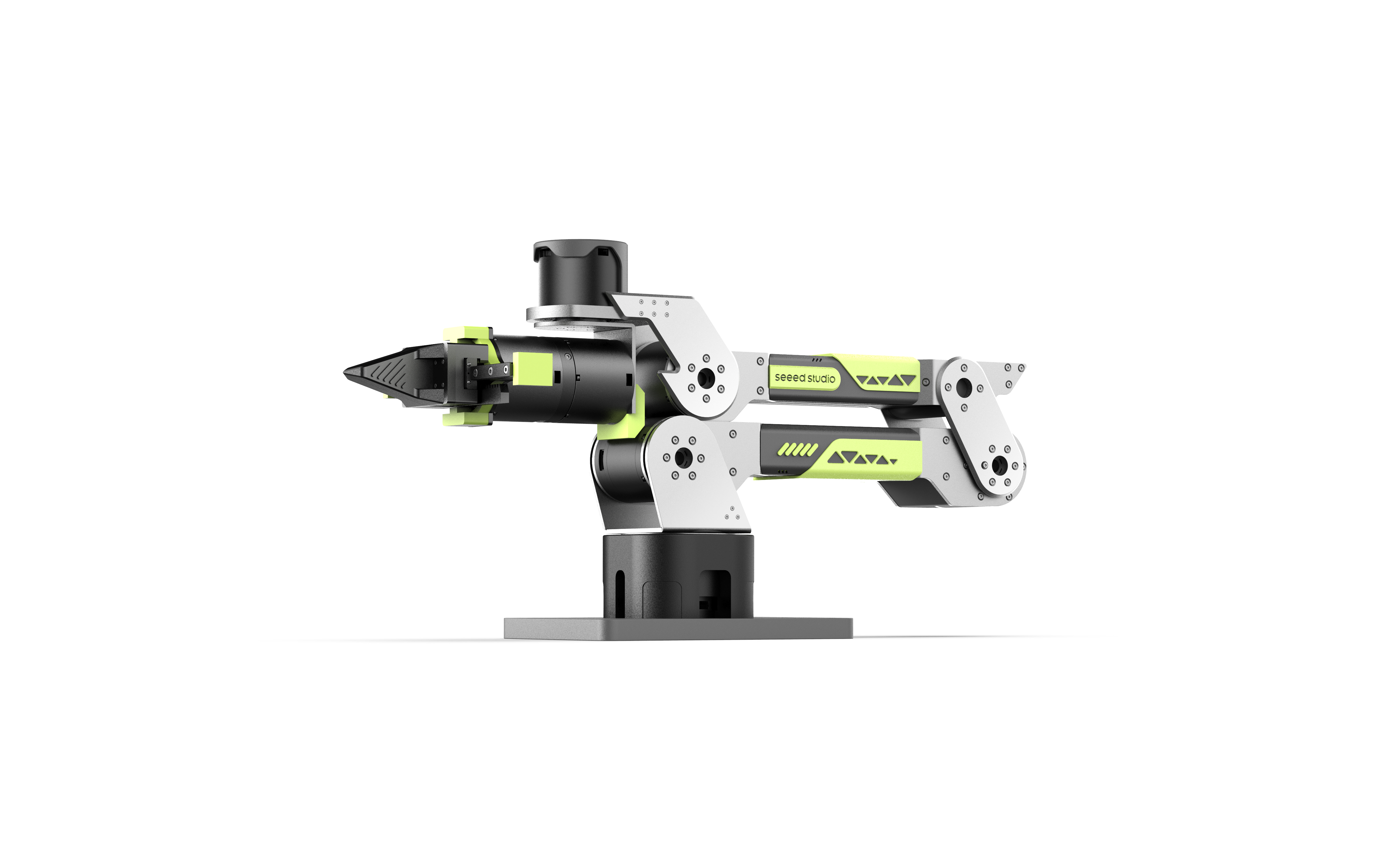




6-DOF Robotic Arm · Multi-Motor Support · Kinematics Solver · Trajectory Planning · Fully Open Source
📖 Introduction
reBotArm Control is a Python control library for the reBot Arm B601 robotic arm, providing a complete solution from low-level motor control to high-level kinematics computation.
✨ Core Features
- 🦾 Dual Model Support — B601-DM (Damiao motors) and B601-RS (RobStride motors)
- 🧮 Kinematics Solver — Forward/Inverse kinematics based on Pinocchio
- 🛤️ Trajectory Planning — SE(3) geodesic trajectory + CLIK tracking
- 🔧 Flexible Configuration — YAML configuration file for quick hardware adaptation
⚙️ Quick Start
Requirements
| Item | Requirement |
|---|---|
| Python | 3.10+ |
| Operating System | Ubuntu 22.04+ |
| Communication Interface | USB2CAN Serial Bridge or CAN Interface |
Installation Steps
Step 1. Install uv (if not installed)
curl -LsSf https://astral.sh/uv/install.sh | sh
Step 2. Sync Environment (Install All Dependencies)
git clone https://github.com/vectorBH6/reBotArm_control_py.git
cd reBotArm_control_py
uv sync
uv sync will automatically create a virtual environment (if it doesn't exist) and install all dependencies according to pyproject.toml and uv.lock.
🔌 Hardware Configuration
Default: Damiao USB2CAN Serial Bridge
reBot Arm B601-DM uses the Damiao USB2CAN serial bridge module by default.
Hardware Connection:
- Connect the USB2CAN module to your computer via USB cable
- The system will automatically recognize it as
/dev/ttyACM0device
Configuration Verification:
# Check device
ls /dev/ttyACM0

# Scan motors
motorbridge-cli scan --vendor damiao --transport dm-serial \
    --serial-port /dev/ttyACM0 --serial-baud 921600
Optional: Standard CAN Interface
Using other USB-CAN adapters (CANable, PCAN, etc.):
# Start CAN interface
sudo ip link set can0 up type can bitrate 500000

# Verify interface
ip -details link show can0
Motor Brand Configuration
| Motor Brand | Transmission | Configuration | Baud Rate |
|---|---|---|---|
| Damiao | Serial Bridge | dm-serial | 921600 |
| Damiao | CAN Interface | socketcan | 500000 |
| RobStride | CAN Interface | socketcan | 500000 |
- For Damiao motors using serial bridge, must set
--transport dm-serial - Feedback ID rule:
feedback_id = motor_id + 0x10
📁 Project Structure
reBotArm_control_py/
├── config/                     # Configuration files
│   └── robot.yaml              # Joint parameter configuration
├── example/                    # Example programs
│   ├── Debug Tools/
│   │   ├── 1_damiao_text.py        # Single motor console
│   │   └── 2_zero_and_read.py      # Zero calibration
│   ├── Kinematics Tests/
│   │   ├── 5_fk_test.py            # Forward kinematics
│   │   └── 6_ik_test.py            # Inverse kinematics
│   ├── Real Machine Control/
│   │   ├── 7_arm_ik_control.py     # IK real-time control
│   │   ├── 8_arm_traj_control.py   # Trajectory planning
│   │   └── 9_gravity_compensation.py  # Gravity compensation
│   └── sim/                    # Simulation tools
├── reBotArm_control_py/        # Core library
│   ├── actuator/               # Actuator module
│   ├── kinematics/             # Kinematics module
│   ├── controllers/            # Controller module
│   └── trajectory/             # Trajectory planning module
├── urdf/                       # URDF model
└── README.md
🎮 Example Programs
Debug Tools
1️⃣ Single Motor Console (1_damiao_text.py)
Direct motorbridge SDK single motor testing with three control modes.
Usage:
uv run python example/1_damiao_text.py
Interactive Commands:
| Command | Description |
|---|---|
mit <pos_deg> [vel kp kd tau] | MIT mode |
posvel <pos_deg> [vlim] | POS_VEL mode |
vel <vel_rad_s> | Velocity mode |
enable / disable | Enable/Disable |
set_zero | Set zero position |
state | View state |
2️⃣ Zero Calibration & Angle Monitor (2_zero_and_read.py)
Automatically set all joint zeros and display joint angles in real-time.
Usage:
uv run python example/2_zero_and_read.py
Kinematics Tests
5️⃣ Forward Kinematics Test (5_fk_test.py)
Calculate end-effector pose from joint angles.
Input: 6 joint angles (degrees)
Output:
- End-effector position (X, Y, Z) — Unit: meters
- Rotation matrix (3×3)
- Euler angles (Roll/Pitch/Yaw) — Unit: degrees
Example:
uv run python example/5_fk_test.py
> 0 0 0 0 0 0
> 45 -30 15 -60 90 180
6️⃣ Inverse Kinematics Test (6_ik_test.py)
Solve joint angles from desired end-effector pose.
Input Format:
- Position only:
<x> <y> <z>(meters) - Position + Orientation:
<x> <y> <z> <roll> <pitch> <yaw>(degrees)
Example:
uv run python example/6_ik_test.py
> 0.25 0.0 0.15              # Position only
> 0.25 0.0 0.15 0 0 0        # Position + Orientation
Real Machine Control
Before running real machine control examples, you need to set device permissions:
# Set serial device permission (Damiao USB2CAN)
sudo chmod 666 /dev/ttyACM0

# Or for CAN interface (e.g., can0)
sudo chmod 666 /dev/can0
7️⃣ IK Real-time Control (7_arm_ik_control.py)
Real-time end-effector control based on IK solver.
Interactive Commands:
| Command | Description |
|---|---|
x y z [roll pitch yaw] | Target end-effector pose |
state | View current/target state |
pos | Current end-effector position |
q/quit/exit | Quit |
Usage:
uv run python example/7_arm_ik_control.py
> 0.3 0.0 0.2
> 0.3 0.1 0.25 0 0.5 0
8️⃣ Trajectory Planning Control (8_arm_traj_control.py)
SE(3) geodesic trajectory planning + CLIK tracking.
Input Format:
x y z [roll pitch yaw] [duration]
Parameters:
x, y, z: Target position (meters)roll, pitch, yaw: Target orientation (radians)duration: Movement duration (seconds), default 2.0s
Usage:
uv run python example/8_arm_traj_control.py
> 0.3 0.0 0.3 0 0.4 0 2.0
9️⃣ Gravity Compensation Control (9_gravity_compensation.py)
Compensates for joint gravity using Pinocchio dynamics model.
Control Law:
tau = g(q)          — Gravity feedforward
pos = current motor position  — Joint position follows current position
kp = 2,  kd = 1     — Unified stiffness/damping for all motors
Expected Behavior:
- The robotic arm can "float" in any posture
- Won't fall due to its own weight when released
- Can be manually moved to any position
Usage:
uv run python example/9_gravity_compensation.py
Output:
- Real-time display of expected torque for each joint (N·m)
- Press
Ctrl+Cto stop and disconnect
📄 License
This project is open source under the MIT License.
☎ Contact Us
- Technical Support: Submit Issue
- Repository: GitHub
🌟 If this project helps you, please give us a Star!