reBot Arm B601-RS MIT Position Control
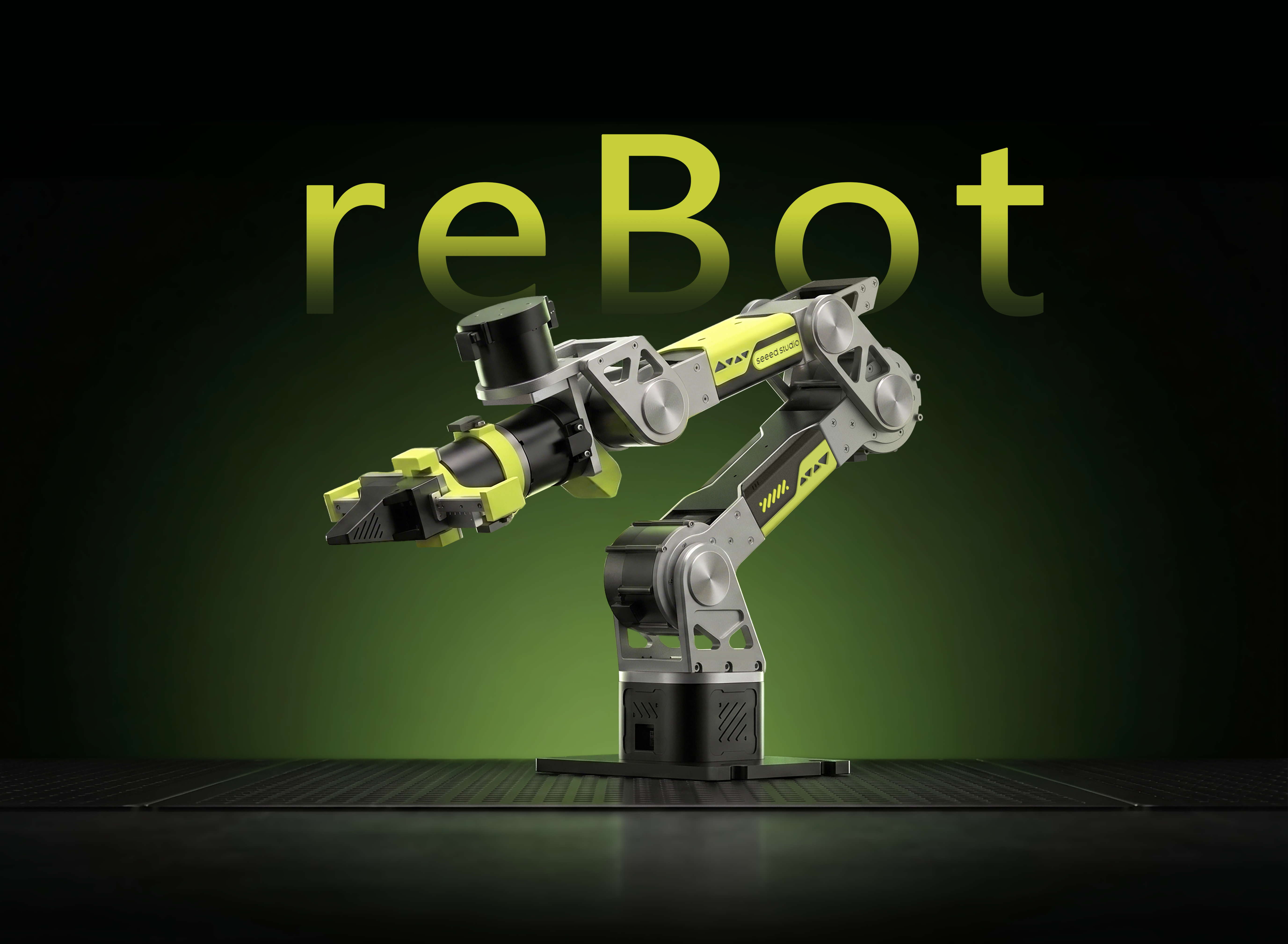




6+1 DOF · RobStride · CAN @ 1 Mbps · MIT Position Control · Temperature Protection · Safe Return-to-Zero · Open-source Python API
MotorBridge is a Python CAN SDK for RobStride / Damiao motors. rebot_control wraps it with a MIT position-control API for the reBot Arm B601-RS: YAML configuration, per-joint speed limits, three-level MOS temperature protection, and smooth return-to-zero via Esc / Ctrl+C / stop().
This tutorial walks you through: environment setup → CAN configuration → running examples → using the package as a library.
- This project provides control APIs only — no software joint limits or workspace limits. Target angles you set are sent directly to the motors.
- Keep the arm within roughly 70% of its workspace. Staying beyond the workspace for extended periods may trigger stall protection on joint 2 and the arm may drop.
- On first use, test with small angles and low speeds, and keep the workspace clear of people and obstacles.
Features
-
MIT position control
Default 200 Hz MIT position commands; per-joint speed limits with smoothing in the control loop. -
6+1 motors
J1–J6 are arm joints; J7 (CAN ID 7) is the end-effector gripper, controlled viaset_joint_angles/set_joint_angle. -
Three-level temperature protection
Real-time MOS temperature monitoring: alarm and continue → over-temperature slow return-to-zero then disable → emergency disable (no return-to-zero). -
Safe exit and return-to-zero
Esc / Ctrl+C /arm.stop()trigger smoothstep return-to-zero; a second Ctrl+C during return-to-zero aborts immediately and disables motors. -
YAML-driven configuration
CAN channel, temperature thresholds, return-to-zero parameters, and motorkp/kdlive inconfig/rebotarm_rs.yaml— tune without code changes. -
Library-ready
Clear layering (config / API / examples); import withfrom rebot import ReBotRSMITController.
Specifications
Hardware for this tutorial is provided by Seeed Studio.
| Parameter | Specification |
|---|---|
| Arm model | reBot Arm B601-RS Assembled Kit with Gripper |
| DOF | 6+1 (including gripper) |
| Working radius | 754.7 mm (with gripper) / 587.5 mm (without gripper) |
| Payload | Rated 2.5 kg / Max 5 kg |
| Joint range | J1: ±150° / J2: 220° ~ 0° / J3: 220° ~ 0° / J4: ±90° / J5: ±90° / J6: ±180° / Gripper: 345° ~ 0° |
| Repeatability | 0.1 mm |
| Weight | 6.7 kg |
| Servo motors | RobStride 06 × 3 / RobStride 00 × 4 (including gripper) |
| Communication | CAN Bus @ 1 Mbps |
| Supply voltage | DC 48V |
| Power supply | DC 48V 15A |
| Operating temperature | -20°C ~ 50°C |
| Control | PC |
Motor mapping in this project
| Joint | CAN ID | Model | Notes |
|---|---|---|---|
| J1 | 1 | RS06 | Base |
| J2 | 2 | RS06 | |
| J3 | 3 | RS06 | |
| J4 | 4 | RS00 | |
| J5 | 5 | RS00 | |
| J6 | 6 | RS00 | Wrist |
| J7 | 7 | RS00 | End-effector gripper |
Software capabilities (this repository)
| Capability | Status |
|---|---|
| MIT position control | ✅ |
| Per-joint speed limits | ✅ |
| Gripper control (CAN ID 7) | ✅ |
| MOS temperature monitoring & three-level protection | ✅ |
| Safe return-to-zero / emergency disable | ✅ |
| YAML configuration | ✅ |
| Python library API | ✅ |
| Forward / inverse kinematics (Pinocchio) | ❌ (see reBotArm_control_py) |
| MeshCat simulation | ❌ (see repo above) |
Joint motor parameters
| Parameter | RobStride 00 | RobStride 06 |
|---|---|---|
| Rated voltage | 48V | 48V |
| Rated current | 4.7 Apk ± 10% | 14.3 Apk ± 10% |
| Peak current | 15.5 Apk ± 10% | 57 Apk ± 10% |
| Rated torque | 5 N.m | 11 N.m |
| Peak torque | 14 N.m | 36 N.m |
| Rated speed | 100 rpm ± 10% | 100 rpm ± 10% |
| Max no-load speed | 315 rpm ± 10% | 480 rpm ± 10% |
| Reduction ratio | 10 : 1 | 9 : 1 |
| Control interface | CAN @ 1 Mbps | CAN @ 1 Mbps |
| Control modes | MIT / Speed / Position / Torque | MIT / Speed / Position / Torque |
Bill of Materials (BOM)
| Item | Qty | Included |
|---|---|---|
| reBot Arm B601-RS | 1 | ✅ |
| CAN adapter (CANABLE / PCAN-USB, etc.) | 1 | ✅ |
| Power supply (DC 48V 15A) | 1 | ✅ |
| USB-C cable | 1 | ✅ |
| Gripper | 1 | ✅ |
Requirements
| Item | Requirement |
|---|---|
| Python | 3.10+ |
| OS | Ubuntu 22.04+ (recommended) |
| CAN interface | Default can0 |
| Power | DC 48V 15A |
| Dependencies | motorbridge, pyyaml; optional pynput (Esc key) |
Installation
Step 1. Clone the repository
git clone https://github.com/LAN-GER/rebot_control.git
cd rebot_control
Step 2. Install dependencies
pip install motorbridge pynput pyyaml
pynput enables Esc-key listening. Without it, only Esc is disabled; Ctrl+C and arm.stop() still work.
Step 3. Configure the CAN interface
# List interfaces (PCAN-USB, etc.)
sudo modprobe peak_usb   # if using a PEAK adapter
ip -br link

# Set can0 to 1 Mbps (RobStride default)
sudo ip link set can0 down 2>/dev/null
sudo ip link set can0 up type can bitrate 1000000
After unplugging and replugging a USB CAN adapter, you usually need to run the ip link commands again.
Step 4. (Optional) Edit the configuration file
Edit config/rebotarm_rs.yaml:
| Key | Description | Default |
|---|---|---|
can.channel | CAN interface name | can0 |
can.host_id | Host ID | 0xFD |
control.control_hz | MIT command rate (not motion speed) | 200 Hz |
control.telemetry_hz | Temperature read rate | 2 Hz |
temperatures.alarm_c | Temperature alarm threshold | 80°C |
temperatures.return_zero_c | Over-temperature return-to-zero threshold | 125°C |
temperatures.disconnect_c | Emergency disable threshold | 140°C |
return_zero.max_speed_deg_s | Normal return-to-zero peak speed | 30°/s |
return_zero.thermal_max_speed_deg_s | Thermal return-to-zero peak speed | 30°/s |
return_zero.min_time_s | Minimum return-to-zero duration | 3.0 s |
return_zero.settle_time_s | Hold time at zero after return | 0.30 s |
motors | Motor ID / model / MIT kp / kd | See YAML |
Missing keys use code defaults; unknown keys raise an error to catch typos.
Code structure
rebot_control/
├── config/
│   └── rebotarm_rs.yaml            # CAN / motors / temperature / return-to-zero
├── rebot/
│   ├── __init__.py                 # Public API
│   ├── config.py                   # Config loading and validation
│   └── controller.py               # ReBotRSMITController
└── examples/
    ├── _bootstrap.py               # Path setup + wait-for-target helpers
    ├── quick_start.py              # Tutorial 1: quick start
    ├── custom_config.py            # Tutorial 2: custom config
    ├── monitor_status.py           # Tutorial 3: monitor status
    ├── single_joint_adjust.py      # Tutorial 4: single joint + gripper
    ├── read_joint_angles.py        # Tutorial 5: read actual positions
    ├── stop_options.py             # Tutorial 6: stop options
    ├── recommended_structure.py    # Tutorial 7: recommended structure
    └── mit_position_control.py     # Full editable demo
Layers:
- Config file: single source of tunable parameters.
- Config layer:
load_config()→ControllerConfig. - API layer: control logic without hard-coded demo values.
- Examples layer: target angles, speeds, and run flow.
How it works
MIT control and speed smoothing
control_hz(default 200 Hz) sets command send rate only.- Actual motion speed comes from
set_max_speeds([...])(deg/s). set_joint_angles()updates targets only; the control loop ramps command angles toward targets under the speed limit.
If you call stop() immediately after setting targets, you may see almost no motion. Examples use wait_for_command_targets() (see examples/_bootstrap.py) to wait until command angles approach targets before returning to zero.
Connect and enable sequence
Inside connect(), the order is: register motors → switch to MIT mode → enable → read current mechanical positions (to seed targets and avoid a sudden jump after enable). RobStride mechPos (0x7019) is reliably readable after enable.
For passive position reading (Tutorial 5), call disable_motors() after connect() so you can move the arm by hand and keep reading angles.
Three-level temperature protection
| Threshold (default) | Behavior |
|---|---|
| ≥ 80°C | Temperature alarm (once per motor per over-temp edge), continue running |
| ≥ 125°C | Stop motion, slow return-to-zero at thermal peak speed, then disable |
| ≥ 140°C | Immediate emergency disable, no return-to-zero |
Safe return-to-zero
Return-to-zero uses a smoothstep trajectory. Duration:
duration = max(min_time_s, per-joint time estimated from peak speed)
Peak speed is max_speed_deg_s (normal) or thermal_max_speed_deg_s (thermal). Both default to 30°/s; min_time_s defaults to 3.0 s.
| Exit method | Behavior |
|---|---|
Esc / first Ctrl+C / arm.stop() | Slow return-to-zero → disable → close CAN |
| Second Ctrl+C during return-to-zero | Abort return-to-zero and disable immediately |
| Communication error | Emergency disable, no return-to-zero |
Units
| Context | Units |
|---|---|
| External API (angles, speeds) | degrees, deg/s |
| MotorBridge MIT internals | radians, rad/s |
Tutorials
Run all examples from the project root. Each script documents Expected motion at the top and prints an [Expected / 预期] line at startup.
| Tutorial | File | Command |
|---|---|---|
| 1. Quick start | examples/quick_start.py | python3 examples/quick_start.py |
| 2. Custom config | examples/custom_config.py | python3 examples/custom_config.py |
| 3. Monitor status | examples/monitor_status.py | python3 examples/monitor_status.py |
| 4. Single joint + gripper | examples/single_joint_adjust.py | python3 examples/single_joint_adjust.py |
| 5. Read positions | examples/read_joint_angles.py | python3 examples/read_joint_angles.py |
| 6. Stop options | examples/stop_options.py | python3 examples/stop_options.py default |
| 7. Program structure | examples/recommended_structure.py | python3 examples/recommended_structure.py |
| Full demo | examples/mit_position_control.py | python3 examples/mit_position_control.py |
1. Quick start (quick_start.py)
Expected motion: J1 moves to +20° at ~15°/s; other joints and gripper stay at 0°; then slow return-to-zero and disable.
python3 examples/quick_start.py
Flow: start() → set_max_speeds() → set_joint_angles() → wait for motion → stop().
2. Custom config file (custom_config.py)
python3 examples/custom_config.py
python3 examples/custom_config.py config/rebotarm_rs.yaml
Expected motion: J1 → +15° (~15°/s), others at 0°, then return-to-zero.
3. Monitor while running (monitor_status.py)
python3 examples/monitor_status.py
Expected motion: J1 → +30°; terminal prints target / sent / MOS temperature continuously. Press Esc or Ctrl+C to exit and return to zero.
Notes:
- Target vs sent: sent angles lag behind targets (speed-limited smoothing).
- Temperature: read
arm.last_temperatures; no need to poll CAN yourself.
4. Single-joint adjust and gripper (single_joint_adjust.py)
python3 examples/single_joint_adjust.py
Default targets:
| J1 | J2 | J3 | J4 | J5 | J6 | J7 Gripper |
|---|---|---|---|---|---|---|
| +25° | +15° | +15° | -15° | 0° | 0° | 180° |
joint_id: 1–6 are arm joints; 7 is the gripper (CAN ID 7).
5. Read actual positions (read_joint_angles.py)
python3 examples/read_joint_angles.py
Expected motion:
connect(): switch to MIT mode and enable (establish communication), read current angles as target seeds.disable_motors(): disable immediately so you can move the arm by hand.- Terminal prints actual joint angles at ~30 Hz; values should change when you move the arm.
- Press Ctrl+C to exit;
stop(return_to_zero=False)closes CAN without return-to-zero.
This example does not call start(), so no MIT control thread runs and no motion targets are sent.
Code flow:
arm.connect()           # MIT → enable → read current angles
arm.disable_motors()    # disable — arm can be moved by hand

while True:
    actual = arm.read_joint_angles()  # ~30 Hz
    print(actual)

# After Ctrl+C
arm.stop(return_to_zero=False, wait=True)
read_joint_angles() accesses CAN synchronously (reads mechPos from all 7 motors in sequence), so the achievable rate depends on bus round-trip time. The example targets 30 Hz; if each read takes longer, the actual rate will be lower. While MIT control is running, use get_command_angles() to monitor commanded motion instead of calling read_joint_angles() at high frequency.
6. Safe stop options (stop_options.py)
Each mode first moves J1 to ~+20°, then stops according to the mode:
python3 examples/stop_options.py default      # slow return-to-zero (recommended)
python3 examples/stop_options.py no_return    # disable without return-to-zero
python3 examples/stop_options.py async        # stop(wait=False) + wait_until_stopped()
python3 examples/stop_options.py emergency    # emergency disable, no return-to-zero
no_return / emergency leave the arm at a non-zero pose and disable motors. Ensure the area is safe; support the arm by hand if needed.
7. Recommended program structure (recommended_structure.py)
Demonstrates try / except / finally so stop() runs even on errors.
python3 examples/recommended_structure.py
Full parameter demo (mit_position_control.py)
Edit TARGET_ANGLES (length 7) and JOINT_SPEEDS_DEG_S at the top of the file, then run:
python3 examples/mit_position_control.py
Default: J1 → +50° (20°/s), others and gripper at 0°; terminal shows target / sent / temperature; Esc / Ctrl+C exits with return-to-zero.
The arm may move quickly in MIT mode. Keep people and equipment clear, and stay within roughly 70% of the workspace.
Using as a library
Minimal example
from rebot import ReBotRSMITController

arm = ReBotRSMITController()  # loads config/rebotarm_rs.yaml

arm.start(enable_esc=True)
arm.set_max_speeds([15.0] * 7)
arm.set_joint_angles([20.0, 0, 0, 0, 0, 0, 0])  # J1–J6 + gripper J7

# Wait for motion to finish before stop; see examples/quick_start.py
arm.stop()  # slow return-to-zero → disable → close CAN
Custom config and gripper
from rebot import (
    ReBotRSMITController,
    load_config,
    GRIPPER_JOINT_ID,
)

arm = ReBotRSMITController(load_config("config/rebotarm_rs.yaml"))
arm.start()
arm.set_max_speeds([20.0] * 7)
arm.set_joint_angles([25, 15, 15, -15, 0, 0, 0])
arm.set_joint_angle(GRIPPER_JOINT_ID, 180.0)  # gripper = J7
Passive position reading
from rebot import ReBotRSMITController

arm = ReBotRSMITController()
arm.connect()           # MIT → enable → read current angles
arm.disable_motors()    # disable — move arm by hand

actual = arm.read_joint_angles()
print(actual)

arm.stop(return_to_zero=False, wait=True)  # close CAN, no return-to-zero
Controller lifecycle
MIT motion control:
create → start() → set_max_speeds() → set_joint_angles() / set_joint_angle() → … → stop()
Passive position reading (no commanded motion):
create → connect() → disable_motors() → read_joint_angles() → … → stop(return_to_zero=False)
Main API
| Method / attribute | Description |
|---|---|
connect() | Connect CAN, MIT mode, enable, read current angles; called automatically by start() |
disable_motors() | Disable all motors without closing CAN (for passive reading) |
start(enable_esc=True, install_signal_handlers=True) | Start control and temperature threads |
set_joint_angles(angles_deg) | Set 7 target angles (degrees) |
set_joint_angle(joint_id, angle_deg) | Set one joint / gripper (1–7) |
set_max_speeds(speeds_deg_s) | Set 7 max speeds (deg/s) |
get_target_angles() / get_command_angles() | Target / smoothed command angles |
read_joint_angles() | Synchronous read of actual mechanical positions (degrees); uses CAN |
last_temperatures | MOS temperature per motor |
is_stopped | Whether safe shutdown has finished |
stop(return_to_zero=True, wait=True) | Stop (return-to-zero by default) |
request_stop(..., emergency=True) | Advanced stop / emergency disable |
Exported constants: GRIPPER_MOTOR_ID = 7, GRIPPER_JOINT_ID = 7.
FAQ
-
Permission denied/ cannot open can0
Ensure the CAN interface isupand your user can access network devices. Usesudoforip linkif needed, or check udev rules. -
No motor response / enable failure
- Confirm bitrate is 1 Mbps;
- Confirm
channel,host_id, and motor IDs inconfig/rebotarm_rs.yamlmatch hardware; - Re-run
ip linkafter replugging USB CAN.
-
Set angles but arm barely moves
set_joint_angles()only updates targets. Set reasonableset_max_speeds()and wait until command angles approach targets beforestop(). Seeexamples/quick_start.py. -
Gripper does not move
Gripper is J7 / CAN ID 7. Pass 7 values toset_joint_angles(last is gripper), or useset_joint_angle(7, angle). -
Position read timeout / cannot read angles
mechPosis reliably readable in MIT mode after enable. Tutorial 5 usesconnect()thendisable_motors()so you can move the arm by hand and keep reading. Ifensure_modeor parameter reads time out, check CAN wiring, termination, and motor power. -
Temperature alarm spam
Alarms are edge-triggered with hysteresis: one alarm per motor per over-temp event; re-alarm only after temperature drops belowalarm_c - 2°C. -
Joint 2 stall protection / arm drops
Often caused by staying beyond ~70% workspace extension. Power cycle to clear protection and reduce target angles and dwell time. -
Behavior after communication errors
On control-loop communication failure, the program emergency-disables without return-to-zero to avoid motion under bad comms. -
Pinocchio / MeshCat / gravity compensation
This repo focuses on MIT position control. For kinematics, simulation, and gravity compensation, see reBotArm_control_py and the Seeed Wiki Pinocchio & MeshCat guide.
Contact
- Repository: https://github.com/LAN-GER/rebot_control
- Issues: GitHub Issues
- Forum: Seeed Studio Forum
References
- MotorBridge SDK
- reBotArm_control_py (kinematics / simulation / gravity compensation)
- RobStride motor documentation
- Chinese README in this repo:
README_zh.md - English README in this repo:
README.md