Use the Skill to Develop reCamera 2002 Applications
Introduction
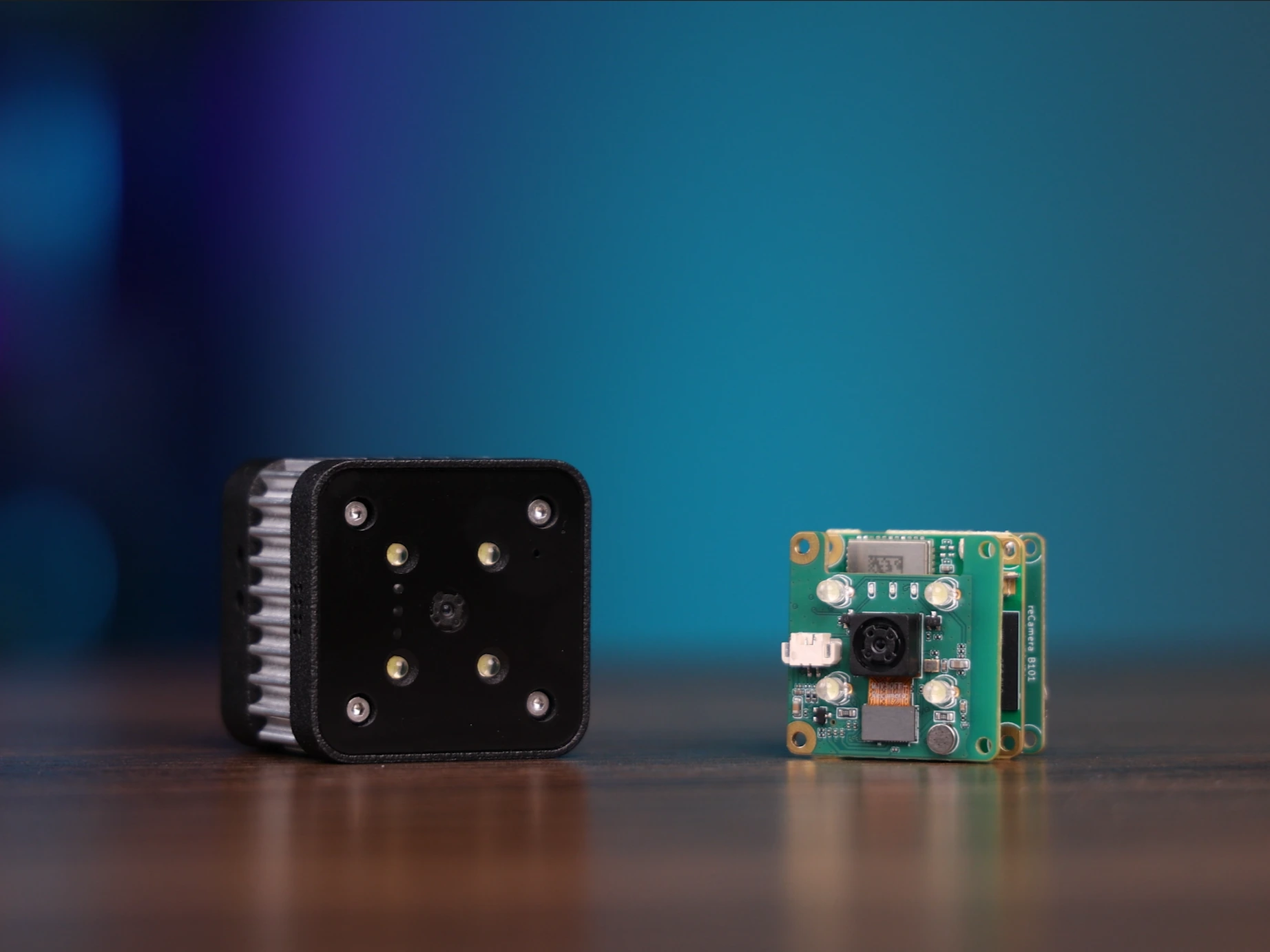
The reCamera 2002 C++ Dev Toolkit packages a reproducible C++ workflow for the reCamera 2002 (SG200X) into an Agent Skill. After installation, your coding agent can generate a demo workspace, prepare models, cross-compile RISC-V binaries, run host smoke tests, package artifacts, deploy over SSH, and collect evidence.
The skill is configuration-driven: demo.json describes what the demo should do, every stage is a command, and offline stages must pass before a device is involved.
This skill targets reCamera 2002 with the SG200X SoC (OS >= 0.2.4). It is not for reCamera Pro / RV1126B / RKNN. For reCamera Pro, use the reCamera Pro skill.
What the skill can do
- Generate a demo workspace from
demo.json: directory layout, build scripts, and starter code - Fetch or convert models: Seeed-hosted models or ONNX →
.cvimodelwith TPU-MLIR - Cross-compile RISC-V C/C++ demos with the Xuantie toolchain and SG200X SDK
- Run host smoke tests without a device, so logic errors fail before deployment
- Package deterministic artifacts with hashes for reproducible delivery
- Deploy over SSH, probe the device, and diagnose failures
- Launch a live viewer with UDP H.264 video, detection overlays, and parameter tuning
- Capture evidence and score output against a baseline
Supported environment
| Item | Supported configuration |
|---|---|
| Device | Seeed reCamera 2002 (SG200X), OS >= 0.2.4 |
| SoC | SG200X |
| Target architecture | riscv64 Linux |
| Model format | .cvimodel (TPU-MLIR / CVI) |
| Host | Linux x86_64 (macOS for host-side validation; Windows via WSL2) |
| Supported agents | Claude Code, Codex, Gemini CLI |
| Not supported | reCamera Pro / RV1126B / RKNN |
Install the Skill
Clone the toolkit repository, then copy the skill directory into your agent's skills directory:
git clone https://github.com/Seeed-Projects/recamera-2002-cpp-dev.git ~/src/recamera-2002-cpp-dev

# Claude Code
cp -r ~/src/recamera-2002-cpp-dev/skills/recamera-2002-cpp-dev ~/.claude/skills/

# OpenAI Codex
cp -r ~/src/recamera-2002-cpp-dev/skills/recamera-2002-cpp-dev ~/.codex/skills/

# Gemini CLI
cp -r ~/src/recamera-2002-cpp-dev/skills/recamera-2002-cpp-dev ~/.gemini/skills/
After installation, keep the skill directory name recamera-2002-cpp-dev. The same directory can serve multiple agents. If the skill does not appear in your current session, restart the agent.
Use the Skill: People Counting Walkthrough
After installing the skill, you do not need to run each script by hand. Describe the goal to your coding agent and it follows the skill's workflow. Below is a real people-counting secondary-development session.
1. Describe the task
Enter this in Claude Code / Codex:
Use the recamera-2002-cpp-dev skill to implement people counting in the camera view.
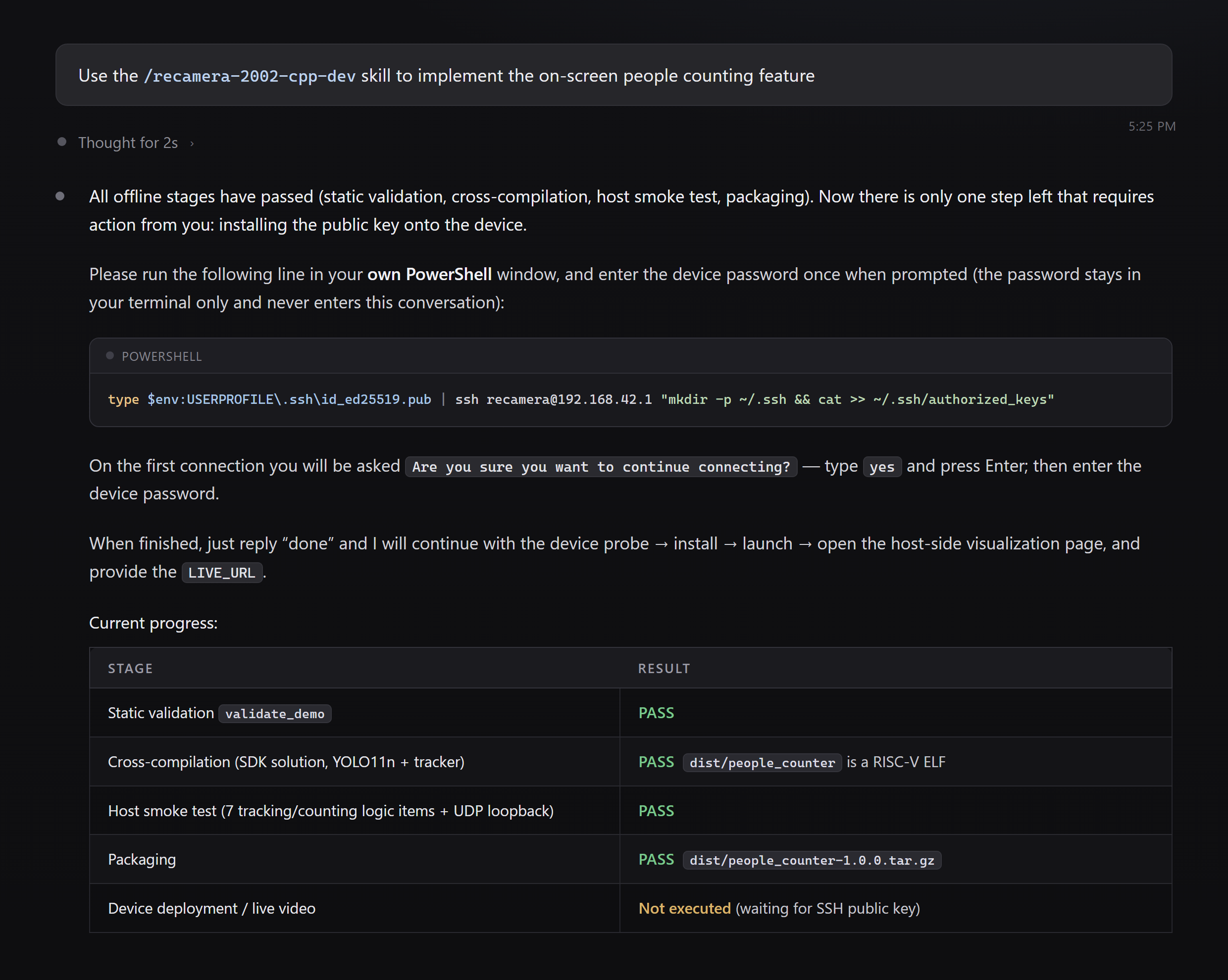
The agent handles validation, cross-compilation, packaging, deployment, and the live viewer automatically
From here you do not need to run any scripts by hand. The agent follows the skill from workspace generation all the way to the live view on the device, then prints LIVE_URL.
2. Deploy and open the live page
The agent runs probe → install → start automatically, opens the host-side viewer, and prints LIVE_URL.
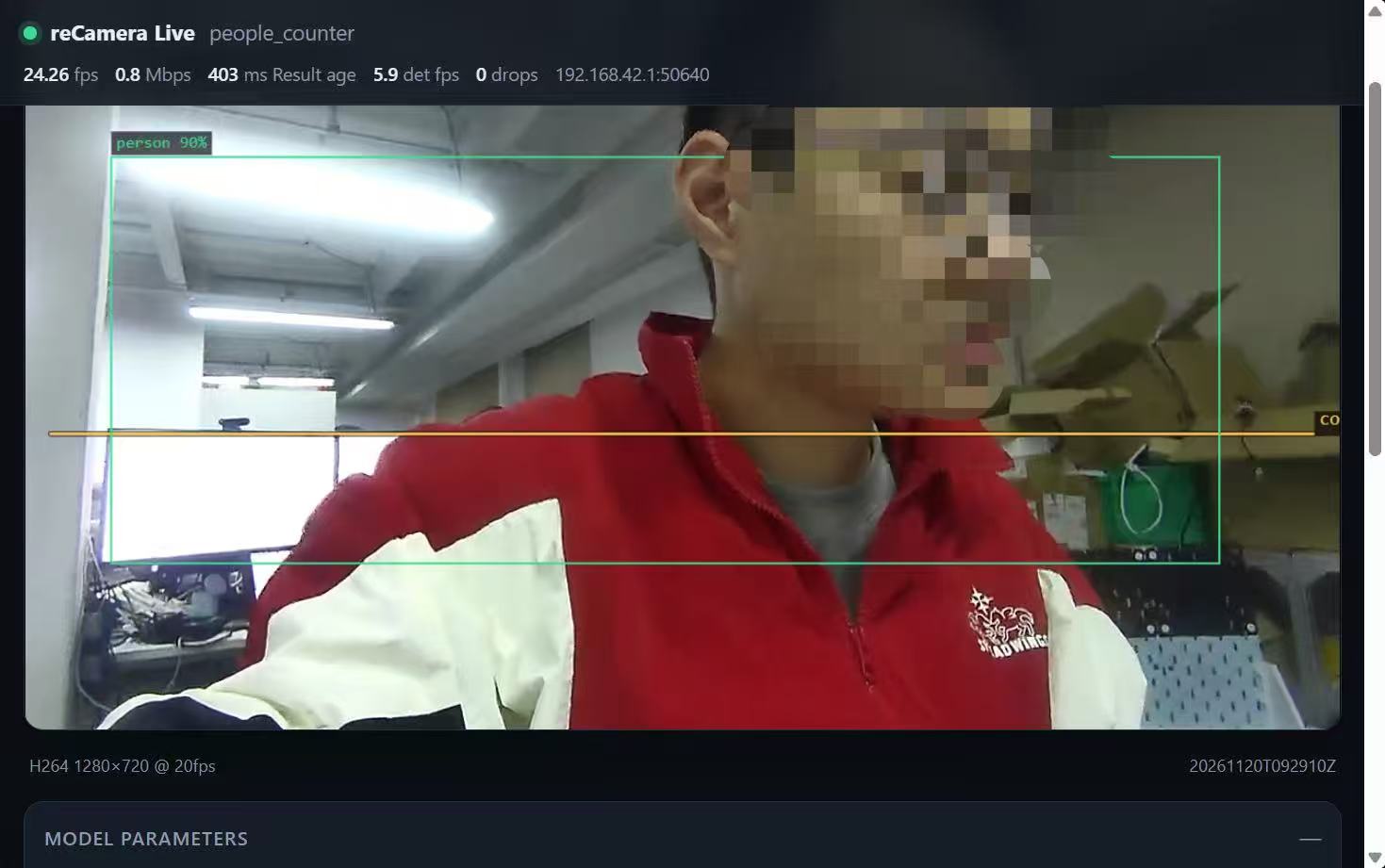
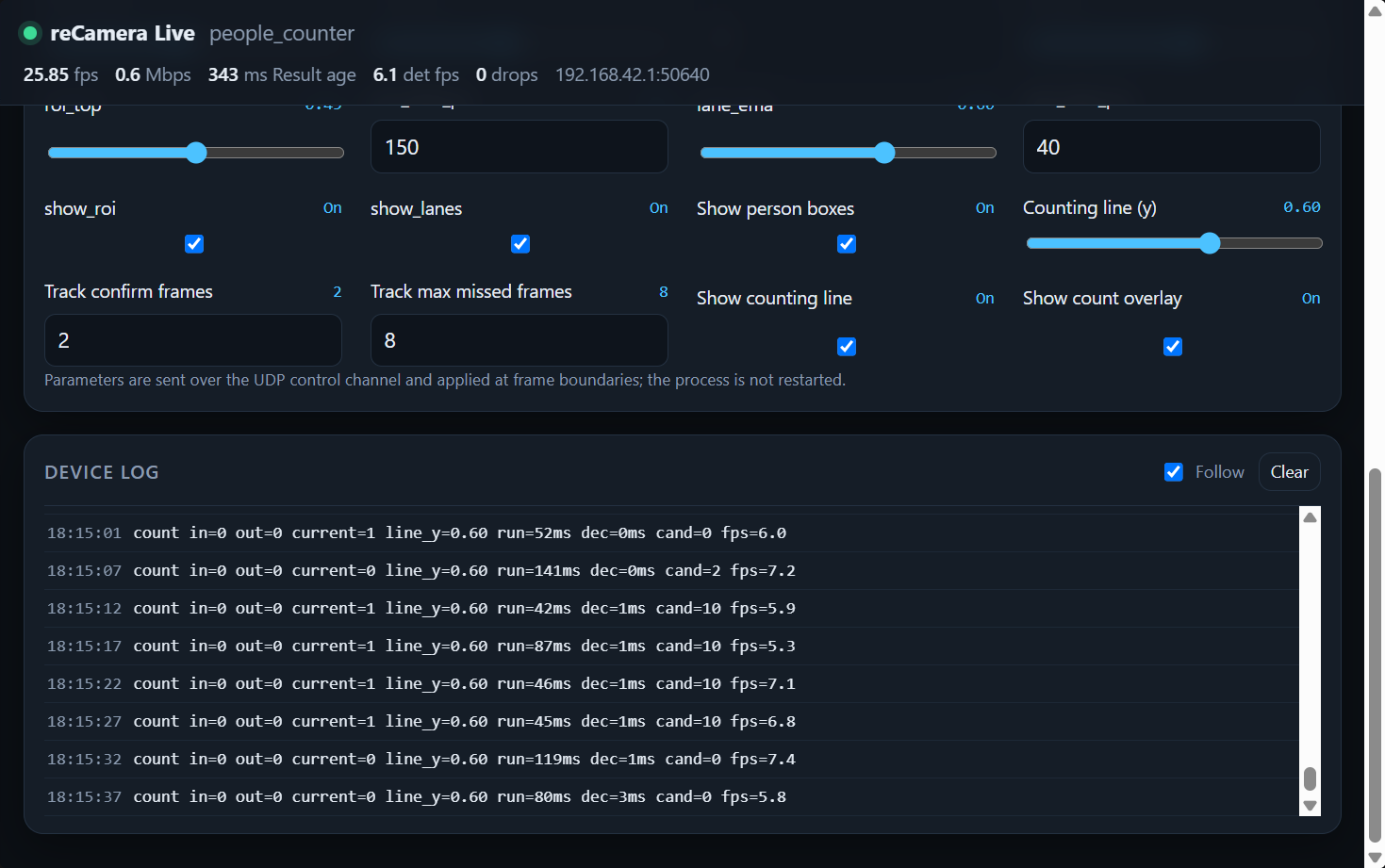
reCamera Live: live view, person boxes, counting line, parameter panel, and device log
The page shows the live view, person boxes, and in/out counts; counting line and ROI changes take effect immediately.
3. Iterate
Continue the conversation:
Move the counting line up and shrink the ROI to the lower half of the frame.
Increase the track confirmation frames from 2 to 3 to reduce false counts.
Publish the current count and in/out totals to Home Assistant over MQTT.
The agent modifies the project, rebuilds, redeploys, and reuses the same verification flow.
Command Reference
Only the two most common entry points are kept here. For the full command set, parameters, and caveats, see the official repository:
# Create a workspace with the live transport skeleton
python3 scripts/new_demo.py --name my_live --task detection --live udp --out ~/reCamera_demo

# Deploy and open the live page
python3 scripts/launch_demo.py --demo-dir ~/reCamera_demo/my_live --host <device-ip>
Development workflow
- Generate the workspace from
demo.json. - Validate the project configuration offline.
- Build the RISC-V binary and record the toolchain lock.
- Smoke test the host logic without a device.
- Package a deterministic archive with artifact hashes.
- Deploy over SSH and probe the device.
- Capture evidence and score the result against a baseline.
By default, the skill builds and inspects artifacts locally. File transfer, service changes, and execution on the device happen only when you explicitly request and authorize them.
Troubleshooting
| Problem | Possible cause | Solution |
|---|---|---|
| The skill is not listed | The agent has not reloaded its skills directory | Restart the agent and verify the install path shown above |
| Cross-compilation fails | Missing Xuantie GCC 10.2.0, SG200X SDK, or SG200X_SDK_PATH | Use a Linux/WSL2 host and re-run the environment check |
| Model conversion fails | TPU-MLIR or the onnx package is missing, or the model contract is incompatible | Install the optional dependencies and inspect the model input/output first |
| SSH deploy fails | The device is not reachable or the password is not set | Check the USB/RNDIS connection and set RECAMERA_PASSWORD |
| The binary runs on the host but not the device | Wrong architecture or incompatible C library | Verify the ELF is riscv64 and matches the SG200X sysroot |
| Live view shows no detections | The live section is incomplete or detection is not implemented | Fix the demo before claiming success; report placeholder or degraded honestly |
Resources
- reCamera 2002 C++ Dev Toolkit repository
- Develop on reCamera with C/C++
- reCamera 2002 hardware specifications
- reCamera Pro Development Skill
Q&A
Can I use this skill with reCamera Pro?
No. This skill targets reCamera 2002 (SG200X) only. For reCamera Pro (RV1126B / RKNN), use the reCamera Pro Development Skill.
How do I export logs for troubleshooting?
If deployment or the live view fails, collect the host-side demo logs and the device logs into one archive:
# On the host: pack the demo workspace logs and evidence
cd ~/reCamera_demo/my_live
tar -czf recamera-2002-host-logs.tar.gz logs/ evidence/ 2>/dev/null || true

# Collect device-side logs over SSH
ssh recamera@<device-ip> "dmesg > /tmp/dmesg.log; tar -czf /tmp/recamera-2002-device-logs.tar.gz -C /var/log . /tmp/dmesg.log 2>/dev/null" || true
scp recamera@<device-ip>:/tmp/recamera-2002-device-logs.tar.gz .
Send the archives together with a description of the problem, your hardware model, and the reCamera OS version to techsupport@seeed.io.
Tech Support & Product Discussion
Thank you for choosing our products! We are here to provide you with different levels of support to ensure that your experience with our products is as smooth as possible. We offer multiple communication channels to cater to different preferences and needs.