Porting the MediaPipe Hand Gesture Recognition Model to reCamera
Introduction
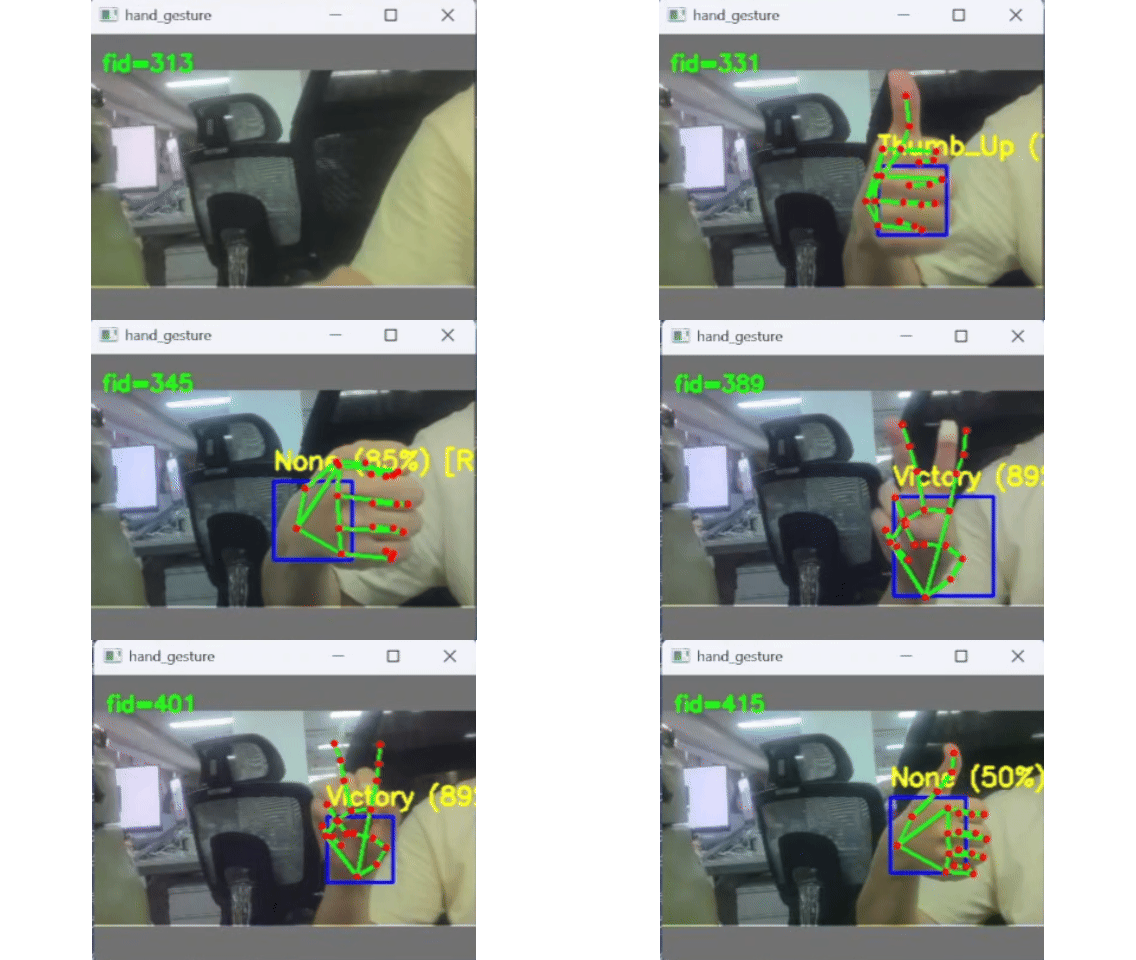
This project demonstrates how to fully port the official Google MediaPipe hand gesture recognition suite onto the reCamera to perform real-time gesture recognition, and to stream the video and recognition results to a PC for visualization via UDP.
The system can recognize 8 gesture categories (None / Closed_Fist / Open_Palm / Pointing_Up / Thumb_Down / Thumb_Up / Victory / ILoveYou), while also outputting 21 hand landmarks and handedness (left/right hand) information. It is suitable for the following application scenarios:
- Smart home gesture control: Control lights, curtains, and appliance switches through predefined gestures, without the need for voice or a phone app.
- Industrial touch-free interaction: Workers wearing gloves or with both hands occupied can send commands to equipment via simple gestures.
- Education and exhibition interaction: In science museums or exhibition halls, visitors can trigger multimedia content through gestures for an immersive experience.
- Accessibility assistance: Provides a gesture-based device control entry point for users with hearing impairments or limited mobility.
Hardware Preparation
To run this demo, the following hardware is required:
- One reCamera device (all reCamera variants are supported)
- One PC (used to run the Python receiver for visualization; it must be on the same local network as the reCamera)
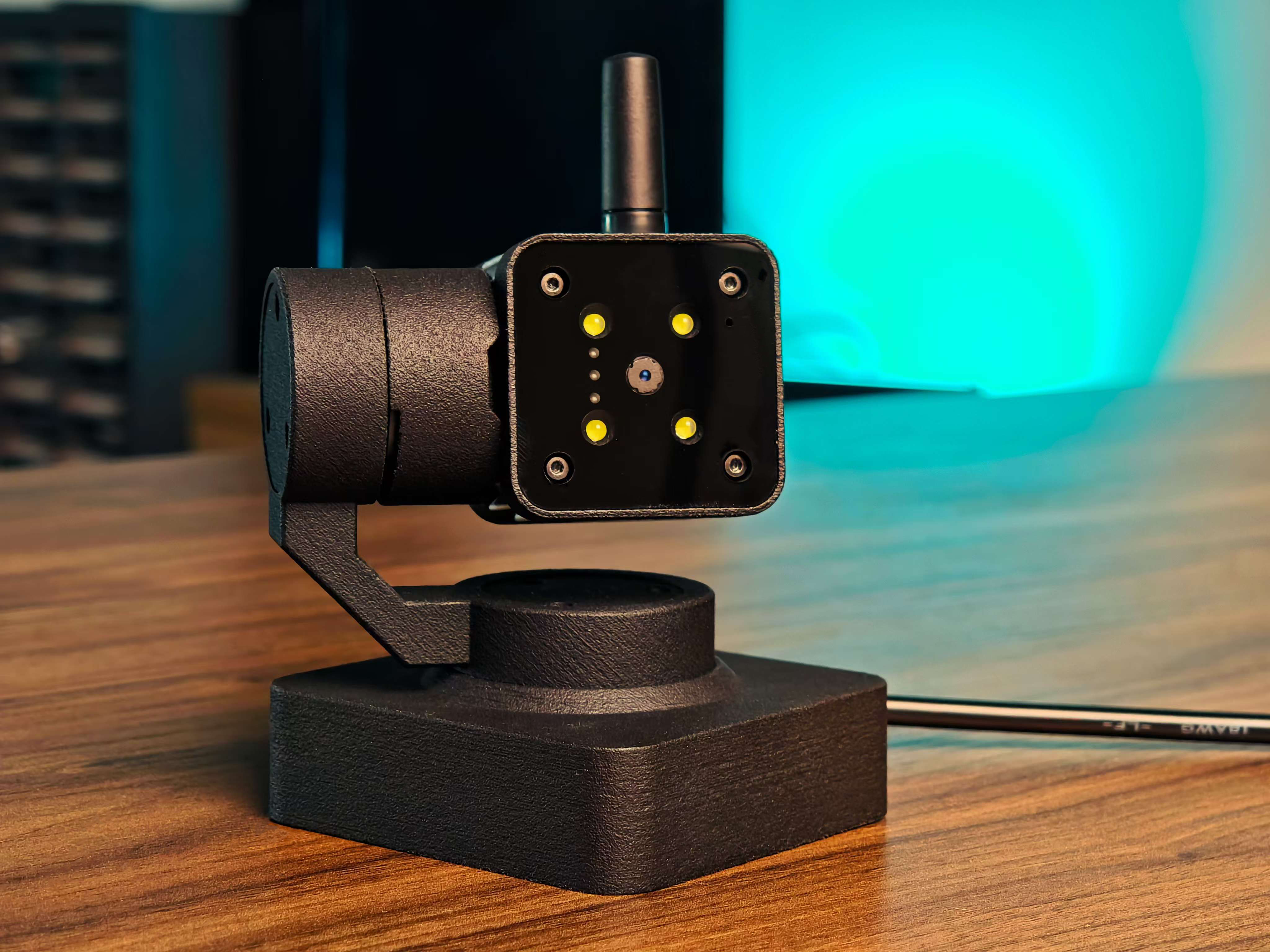
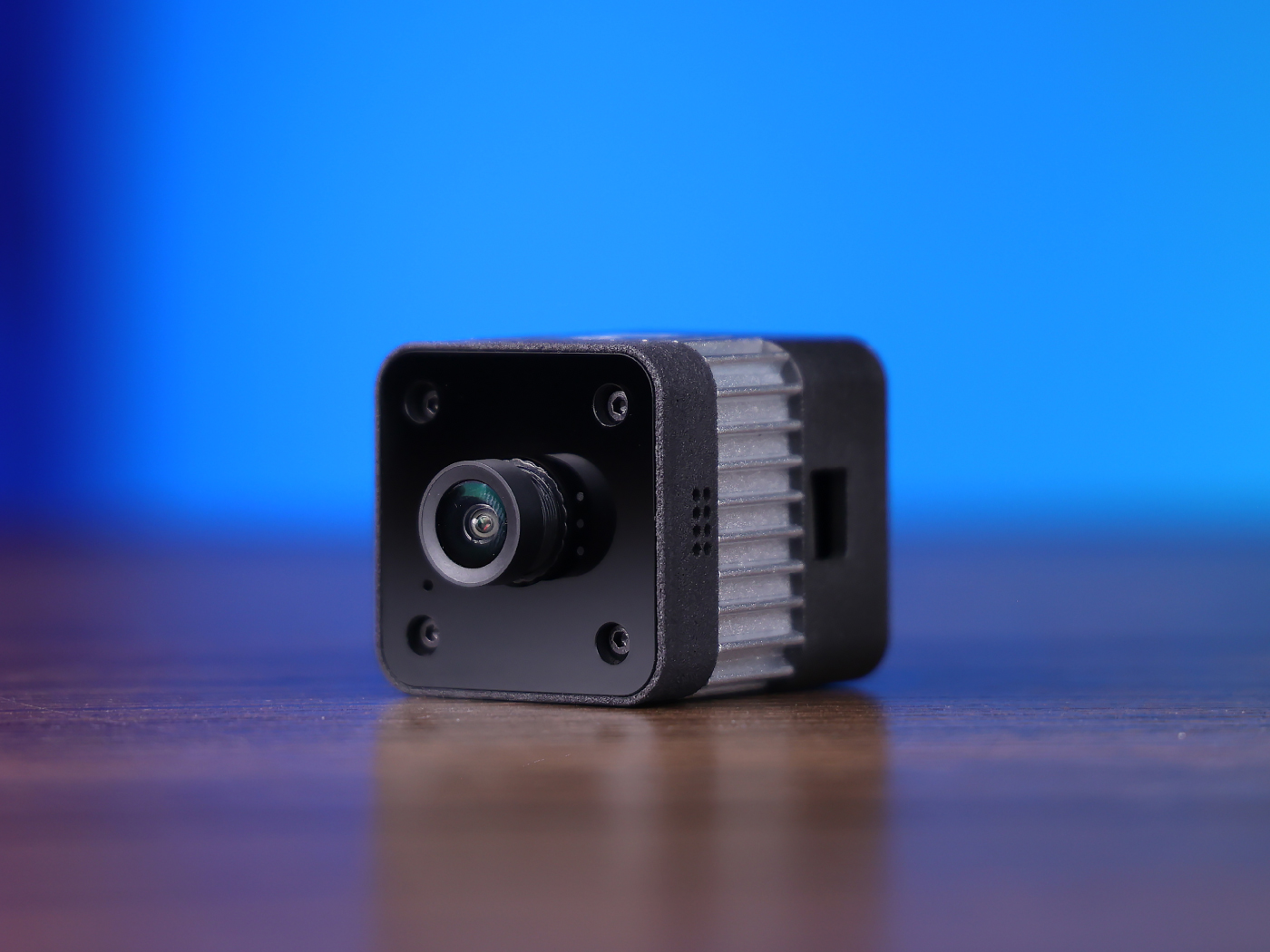
You can choose any version of reCamera according to your deployment needs:
- reCamera 2002 series (Wi-Fi)
- reCamera Gimbal
- reCamera HQ PoE (Ethernet + PoE)
Note:
The PoE version does not support Wi-Fi and must be connected to the same local network via a PoE-enabled switch.
| reCamera 2002 Series | reCamera Gimbal | reCamera HQ PoE |
|---|---|---|
 |  |  |
How It Works
Model Conversion Pipeline (TFLite → ONNX → cvimodel)
Download the TFLite format models from the official MediaPipe repository. They need to be converted into the .cvimodel format supported by the reCamera TPU:
MediaPipe TFLite (FLOAT16)
    │  tf2onnx (--channel_format none, keep NHWC)
    ▼
ONNX (FLOAT32, NHWC)  ← numerical reference (cos=1.0 vs TFLite)
    │  tpu-mlir model_transform + model_deploy
    ├─ BF16
    └─ INT8 (per-channel + real-data calibration)
        ▼
CVIMODEL (cv181x)
Accuracy Verification
After conversion, the models are verified through a three-way comparison (TFLite vs ONNX vs cvimodel):
| Model | Output | BF16 cos | INT8 cos |
|---|---|---|---|
| detector | scores | 1.0000 | 0.9896 |
| detector | boxes | 0.9999 | 0.9748 |
| landmark | lm63 | 1.0000 | 0.9999 |
| landmark | world63 | 0.9997 | 0.8098 |
| embedder | embedding | 1.0000 | 0.9992 |
| classifier | probs | 1.0000 | 0.9978 |
Note: After INT8 quantization, the accuracy of
world63(world-coordinate landmarks) has some loss (cos=0.81), but the end-to-end gesture classification result is consistent with TFLite (the category judgment is reliable). If your application strongly depends on world-coordinate accuracy, it is recommended to use the BF16 version of this model.
Building the Demo
To build this example, you need to:
- Cross-compile the C++ program on your PC
- Run the compiled executable on the reCamera
- Run the Python receiver script on your PC
Step 1: Compile the C++ Program
Before building this solution, make sure you have configured the ReCamera-OS environment (version 0.2.1 or higher) according to the main project documentation, including the SDK path and the cross-compilation toolchain.
Set the cross-compilation toolchain environment variable:
export PATH='current compile chain path'/host-tools/gcc/riscv64-linux-musl-x86_64/bin:$PATH
Clone the repository and enter the solution directory to build:
git clone https://github.com/RobotXTeam/sscma-example-sg200x.git
cd sscma-example-sg200x/solutions/sesg-project/hand_gesture
export SG200X_SDK_PATH='current clone path'/sg2002_recamera_emmc
rm -rf build && mkdir build && cd build
cmake -DCMAKE_BUILD_TYPE=Release -DCMAKE_CXX_FLAGS="-std=c++17" ..
make -j$(nproc)
The compiled executable is located at: build/hand_gesture
Step 2: Prepare the Model Files
This example requires 4 .cvimodel model files (INT8 quantized versions) already provided in the repository. If you need to convert the models yourself, please refer to the Model Conversion Guide:
| Model | Filename | Description |
|---|---|---|
| Palm Detection | hand_detector_cv181x_int8.cvimodel | Model 1: SSD palm detection |
| Landmark Detection | hand_landmarks_detector_cv181x_int8.cvimodel | Model 2: 21 landmarks |
| Gesture Embedding | gesture_embedder_cv181x_int8.cvimodel | Model 3: 128-D embedding |
| Gesture Classification | canned_gesture_classifier_cv181x_int8.cvimodel | Model 4: 8-class classification |
Upload the compiled executable and the model files to /home/recamera/ on the reCamera:
scp hand_gesture hand_detector_cv181x_int8.cvimodel hand_landmarks_detector_cv181x_int8.cvimodel \
    gesture_embedder_cv181x_int8.cvimodel canned_gesture_classifier_cv181x_int8.cvimodel \
    recamera@<reCamera_IP>:/home/recamera/ # Make sure the PC and reCamera are on the same network segment, then replace <reCamera_IP> with the corresponding IP address
Step 3: Configure the reCamera
Before running the C++ program, you must stop the default Node-RED services because they will occupy the camera resources. Run the following commands via SSH:
sudo mv /etc/init.d/S03node-red /etc/init.d/disable/
sudo mv /etc/init.d/S91sscma-node /etc/init.d/disable/
sudo mv /etc/init.d/S93sscma-supervisor /etc/init.d/disable/
Step 4: Run the Executable on the reCamera
Log in to the reCamera via SSH, grant execute permission, then run it:
cd /home/recamera/
chmod +x hand_gesture
Parameter Description
| Parameter | Description | Default |
|---|---|---|
palm_model | Palm detection model (required) | - |
landmark_model | Landmark detection model (required) | - |
embedder_model | Gesture embedding model (required) | - |
classifier_model | Gesture classification model (required) | - |
min_score | Palm detection threshold | 0.5 |
udp_ip | PC IP address (enables UDP streaming) | - |
udp_port | UDP port number | - |
jpeg_w | JPEG streaming frame width | 320 |
jpeg_h | JPEG streaming frame height | 240 |
jpeg_fps | JPEG streaming frame rate | 10 |
skip_multi | With multiple hands (≥2), run inference once every N frames | 3 |
skip_single | With a single hand, run inference every frame | 1 |
Example Commands
Basic usage (no UDP streaming, local inference only):
sudo ./hand_gesture \
    hand_detector_cv181x_int8.cvimodel \
    hand_landmarks_detector_cv181x_int8.cvimodel \
    gesture_embedder_cv181x_int8.cvimodel \
    canned_gesture_classifier_cv181x_int8.cvimodel
Full usage (UDP streaming + custom parameters):
sudo ./hand_gesture \
    hand_detector_cv181x_int8.cvimodel \
    hand_landmarks_detector_cv181x_int8.cvimodel \
    gesture_embedder_cv181x_int8.cvimodel \
    canned_gesture_classifier_cv181x_int8.cvimodel \
    0.5 \
    192.168.XX.XX 5001 \
    320 240 10 \
    3 1
- Please replace
192.168.XX.XXwith the actual IP address of the PC that is on the same network as your reCamera. UDP streaming is only enabled when bothudp_ipandudp_portare provided. - If the program displays "[Heartbeat] Before the first retrieveFrame(RGB888) call..." and then hangs, please restart the reCamera.
Step 5: Run the Python Receiver on the PC
On your PC, make sure the required Python libraries are installed:
pip install opencv-python numpy
Enter the solution directory and run the receiver script:
cd sscma-example-sg200x/solutions/sesg-project/hand_gesture
python3 tools/udp_receiver.py 5001
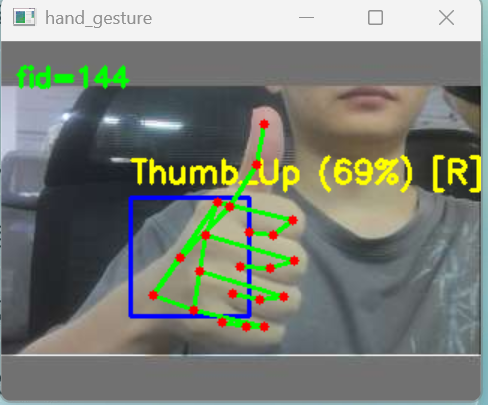
The PC will display a real-time video window, including:
- JPEG video stream
- Palm detection box (blue rectangle)
- 21 hand landmarks (red dots + connected skeleton)
- Gesture classification label (gesture name and confidence shown in the upper-left corner)
- Handedness (left/right hand) information
Real-time gesture recognition result on the PC side
Expected Output
On the reCamera Terminal
After the program runs, it will display inference performance logs:
[Perf] FPS=5.88 (inference=2.94) | palm=120.7ms | landmark=169.1ms | gesture=0.6ms | total=290.4ms | avg_hands=1.00
[Gesture] Open_Palm (70%) [R] palm=(0.43,0.34,0.69,0.69) score=0.85
[LB-DIAG] #2 warpAffine sx=0.3000 sy=0.3000 tx=0.0 ty=24.0
[LB-DIAG] #2 canvas 192x192: nonzero=82944 min=0 max=255 mean=80.7
[DET-DIAG] setInput ret=0, run ret=0
[Gesture] Open_Palm (70%) [R] palm=(0.45,0.36,0.72,0.73) score=0.85
[Gesture] Open_Palm (70%) [R] palm=(0.45,0.36,0.72,0.73) score=0.85
[LB-DIAG] #2 warpAffine sx=0.3000 sy=0.3000 tx=0.0 ty=24.0
[LB-DIAG] #2 canvas 192x192: nonzero=82944 min=0 max=255 mean=82.0
[DET-DIAG] setInput ret=0, run ret=0
[Gesture] Open_Palm (60%) [R] palm=(0.45,0.41,0.72,0.77) score=0.88
[Gesture] Open_Palm (60%) [R] palm=(0.45,0.41,0.72,0.77) score=0.88
[LB-DIAG] #2 warpAffine sx=0.3000 sy=0.3000 tx=0.0 ty=24.0
[LB-DIAG] #2 canvas 192x192: nonzero=82944 min=0 max=255 mean=81.9
[DET-DIAG] setInput ret=0, run ret=0
[Gesture] Open_Palm (60%) [R] palm=(0.47,0.42,0.73,0.76) score=0.81
[Perf] FPS=5.93 (inference=2.97) | palm=120.6ms | landmark=177.2ms | gesture=0.6ms | total=298.4ms | avg_hands=1.00
[Gesture] Open_Palm (60%) [R] palm=(0.47,0.42,0.73,0.76) score=0.81
[LB-DIAG] #2 warpAffine sx=0.3000 sy=0.3000 tx=0.0 ty=24.0
[LB-DIAG] #2 canvas 192x192: nonzero=82944 min=0 max=255 mean=81.8
Note: The palm model requires a 192×192 input, which is below the minimum scaling resolution of the VPSS. Therefore, CH0 uses 640×480 (supported by the VPSS), and the model internally scales it to 192×192 via software letterbox.
Camera Access Error
If you see a "No camera" or "Camera device not found" error:
- Make sure the Node-RED services are stopped (see Step 3)
- Check the camera connection
UDP Connection Failure
If the PC does not receive data:
- Confirm that the PC and reCamera are on the same network
- Check the firewall settings on the PC
- Make sure the UDP port is not blocked
- Use
pingto test the connectivity between the devices
Abnormal Gesture Recognition Confidence
If the recognized gesture confidence is obviously wrong:
- Confirm that the C++ softmax patch after the classifier model is correctly implemented
- Check whether the ONNX output (containing Softmax) was mistakenly used instead of the cvimodel output (logits)
C++ Code Structure
hand_gesture/
├── main/
│   ├── main.cpp                  # Entry: get frame → mmap → inference → UDP push
│   ├── hand_detector.{h,cpp}     # Model 1: palm detection (SSD post-processing + NMS)
│   ├── hand_landmarker.{h,cpp}   # Model 2: 21 landmarks (ROI warpAffine)
│   ├── gesture_recognizer.{h,cpp}# Model 3+4: embedder + classifier (with softmax patch)
│   ├── gesture_math.{h,cpp}      # letterbox / math utilities
│   ├── engine_utils.h            # tensor packing helpers
│   └── hand_types.h              # data structures + UDP POD protocol
├── tools/udp_receiver.py         # Python host receiver
└── CMakeLists.txt
Tech Support & Product Discussion
Thank you for choosing our products! We are here to provide you with different support to ensure that your experience with our products is as smooth as possible. We offer a variety of communication channels to meet different preferences and needs.