Develop reCamera Pro Applications with AI Coding Agents
Introduction
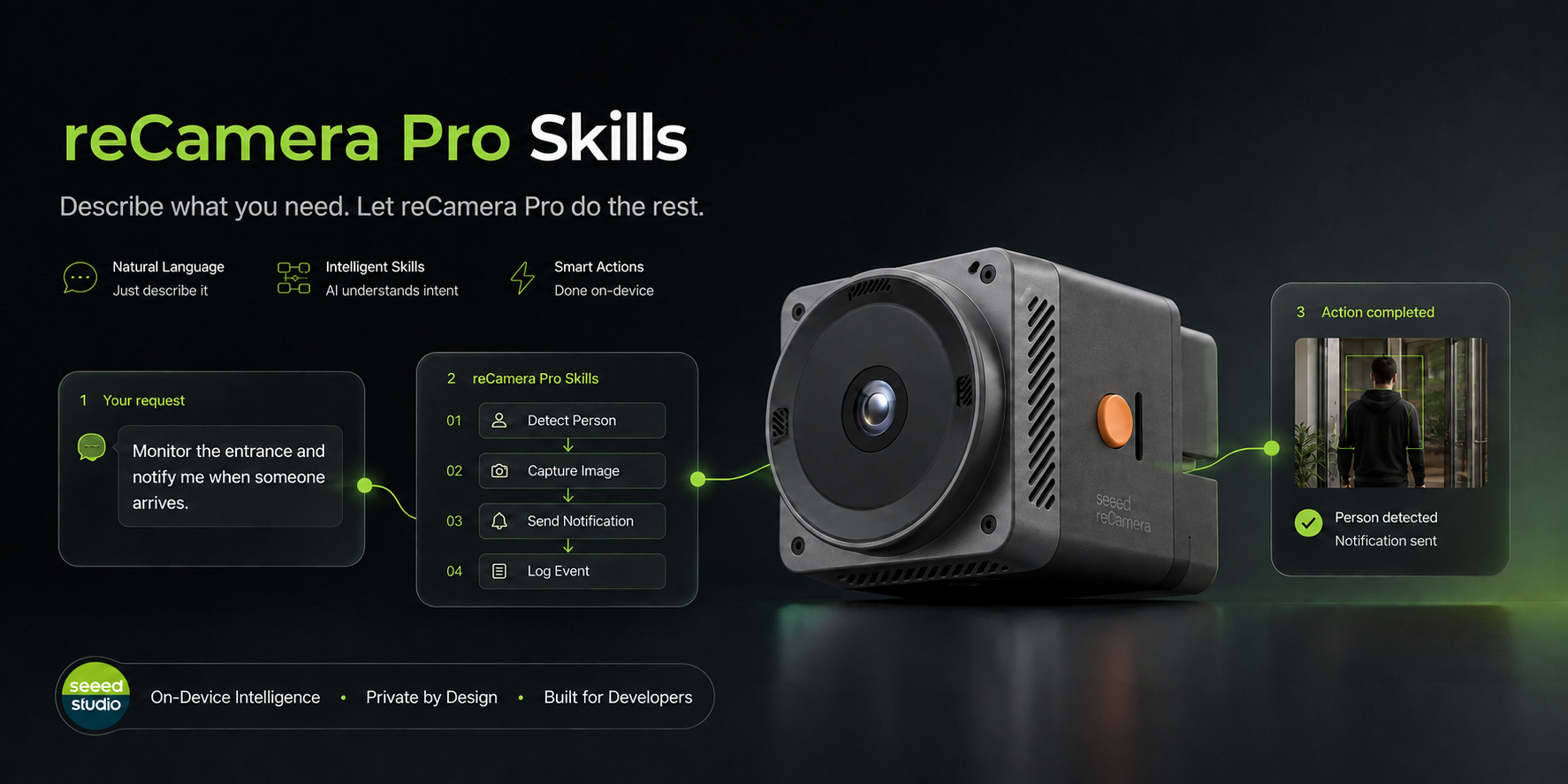
The reCamera Pro Development Skill packages reCamera Pro-specific instructions, scripts, technical references, and a native C++ application template for AI coding agents. After installing it, you can describe an application in natural language and let the agent prepare the model-conversion and native-development workflow.
For example, you can ask the agent to:
- Convert an ONNX model to RKNN for the RV1126B NPU
- Create or modify a native C/C++ RKNN Runtime application
- Capture camera frames with GStreamer
- Add microphone capture or speaker playback
- Develop an RTSP inference pipeline
- Inspect the host, cross compiler, sysroot, target libraries, and generated ELF files
The repository provides editions for OpenAI Codex, Claude Code, GitHub Copilot, Cursor, and Gemini CLI. Each edition uses the same reCamera Pro development knowledge with agent-specific installation and invocation instructions.
This skill is specifically designed for reCamera Pro with the RV1126B SoC and aarch64 Linux. It is not intended for the SG2002/riscv64 reCamera platform.
Hardware Preparation
- One reCamera Pro
- A Linux computer or Windows computer with WSL for model conversion and cross-compilation
- A network connection for downloading the repository and required development dependencies
| reCamera Pro |
|---|
 |
Supported Development Environment
The skill uses the following target contract when developing native AI applications:
| Item | Supported configuration |
|---|---|
| Device | Seeed reCamera Pro |
| SoC | Rockchip RV1126B |
| Target architecture | aarch64 Linux |
| Model format | ONNX input, RKNN output |
| RKNN Toolkit | RKNN-Toolkit2 2.3.2 |
| RKNN Runtime | 2.3.2 |
| Camera framework | GStreamer |
| Native application language | C/C++ |
Install the Skill
Select Your AI Coding Agent
Clone the branch matching the agent you use:
| AI coding agent | Branch | User-level skill directory |
|---|---|---|
| OpenAI Codex | main | ~/.agents/skills/recamera-rknn-dev |
| Claude Code | claude-code | ~/.claude/skills/recamera-rknn-dev |
| GitHub Copilot | github-copilot | ~/.copilot/skills/recamera-rknn-dev |
| Cursor | cursor | ~/.cursor/skills/recamera-rknn-dev |
| Gemini CLI | gemini-cli | ~/.gemini/skills/recamera-rknn-dev |
Method 1: Ask the Agent to Install It
If your agent supports installing skills from a Git repository, send it the following request:
Install the reCamera Pro development skill from:
https://github.com/Seeed-Projects/recamera-pro-development-skill.git
Mention the agent you use so that it selects the corresponding branch and installation directory.
Method 2: Install Manually
The following example installs the OpenAI Codex edition:
git clone --branch main --single-branch \
  https://github.com/Seeed-Projects/recamera-pro-development-skill.git
cd recamera-pro-development-skill
./scripts/install_skill.sh
To use another supported agent, replace main with its branch name from the table above. The branch-specific installation script copies the skill into that agent's user-level skill directory.
Restart the agent after installation if the skill does not appear in the current session.
Keep the cloned repository. To update the skill later, pull the latest changes from the same agent branch and follow that branch's README and installation instructions.
Use the Skill
You can explicitly name the skill in your prompt:
Use the reCamera Pro development skill to check whether my computer is ready
to cross-compile native applications for reCamera Pro.
After the skill is installed, you can also describe the task naturally. The agent will load the relevant model-conversion, cross-compilation, camera, audio, or streaming guidance.
Convert an ONNX Model
Use the reCamera Pro development skill to inspect model.onnx and convert it
to an RKNN model for RV1126B. Use representative images in calibration/images
for INT8 calibration and compare the RKNN output with the ONNX output.
The agent checks the model input and output contract, configures RKNN-Toolkit2 2.3.2 for rv1126b, and keeps the preprocessing and conversion metadata with the generated model.
Do not guess a model's preprocessing, color order, normalization, or output semantics. Provide the original model source and representative calibration images when requesting INT8 quantization.
Build a Native Camera Application
Use the reCamera Pro development skill to create a C++ application that
captures /dev/video13 with GStreamer and runs my RKNN detection model.
Cross-compile it with my reCamera Pro sysroot and inspect the resulting ELF file.
The skill includes a minimal RKNN Runtime and GStreamer application template. The agent adapts preprocessing and postprocessing to the model instead of treating the template as a complete detector.
Add Audio or RTSP
Add microphone capture and speaker playback to my reCamera Pro application.
Check the device's ALSA configuration before changing the code.
Create an RTSP inference application for reCamera Pro and identify the target
GStreamer dependencies required by the cross build.
Diagnose an Existing Project
Diagnose why this binary does not run on reCamera Pro. Check its architecture,
ELF interpreter, shared-library dependencies, runtime search path, and ABI
compatibility with the board sysroot.
Development Workflow
The agent follows this general workflow:
- Inspect the Linux or WSL host, Conda installation, cross compiler, sysroot, and local RKNN Runtime files.
- Inspect the ONNX model contract and record its source, license, input layout, normalization, color order, and output semantics.
- Convert the model with RKNN-Toolkit2 2.3.2 for
rv1126b; use representative calibration data for INT8. - Compare RKNN output with the source ONNX model before integrating it into an application.
- Create or adapt the native C/C++ application and cross-compile it against a reCamera Pro-compatible sysroot.
- Verify that the generated executable is aarch64 and that its RKNN, GStreamer, libc, C++ ABI, and runtime paths are compatible with the device.
- Prepare the executable, RKNN model, run command, and expected input/output contract for deployment.
By default, the skill builds and inspects artifacts locally. File transfer and execution on the reCamera Pro are performed only when you explicitly request and authorize them.
By default, after the Agent generates an output, you need to manually push it to the device to run it. The agent will provide the corresponding execution command, and the output is usually a binary executable file and an rknn model file.
Important Notes
- Use the RKNN Runtime C API for native C/C++ applications.
rknn-toolkit-lite2is not used for this workflow. - Do not link x86_64 libraries from the development computer into an aarch64 target application.
- Do not feed NV12 camera bytes directly to an RGB or BGR model. The pipeline or application must perform the exact preprocessing required by the model.
- A successful model conversion does not guarantee correct inference. Compare numerical outputs and preprocessing with the source framework.
- The application links against a board-compatible RKNN Runtime and uses the existing device runtime; it should not replace the RKNN Runtime installed on the reCamera Pro.
Troubleshooting
| Problem | Possible cause | Solution |
|---|---|---|
| The skill is not listed | The agent has not reloaded its user-level skill directory | Restart the agent and verify that the skill was installed in the directory shown above |
| The wrong platform is selected | Instructions for SG2002/riscv64 reCamera were mixed into the task | State that the target is reCamera Pro, RV1126B, and aarch64 |
| RKNN conversion fails | Toolkit version, ONNX operator support, or model input contract is incompatible | Ask the agent to inspect the ONNX model first and use RKNN-Toolkit2 2.3.2 |
| INT8 accuracy is poor | Calibration images are missing or not representative | Create a representative dataset and list one image path per line |
| The executable is x86-64 | The host compiler was used instead of the aarch64 cross compiler | Rebuild with a target-compatible compiler and reCamera Pro sysroot |
| The binary cannot load a library | The sysroot, ABI, or runtime search path does not match the board | Ask the agent to inspect the ELF dependencies and compare every target library with the device |
| Camera frames have incorrect colors or inference results | NV12-to-RGB/BGR conversion or normalization does not match the model | Recheck the model contract and make preprocessing explicit |
Resources
Tech Support & Product Discussion
Thank you for choosing our products! We are here to provide you with different levels of support to ensure your experience with our products is as smooth as possible. We offer multiple communication channels to cater to different preferences and needs.