Network, Time and Access Control
The Device Info area of the Web UI covers the settings that decide how a deployed reCamera Pro behaves on your network: its clock, which remote-access services are open, and who can log in. First-time Wi-Fi connection lives in Access the device over Wi-Fi; this page is about long-term configuration after the device is on your network.
Device Info also reports hardware/software versions and resource usage — see Basic information at the bottom, and Back up and restore and Firmware update and recovery for the remaining System Settings items.
Time settings
The system time drives recording schedules, file timestamps, and log entries. Set it in Device Info → Time Settings.
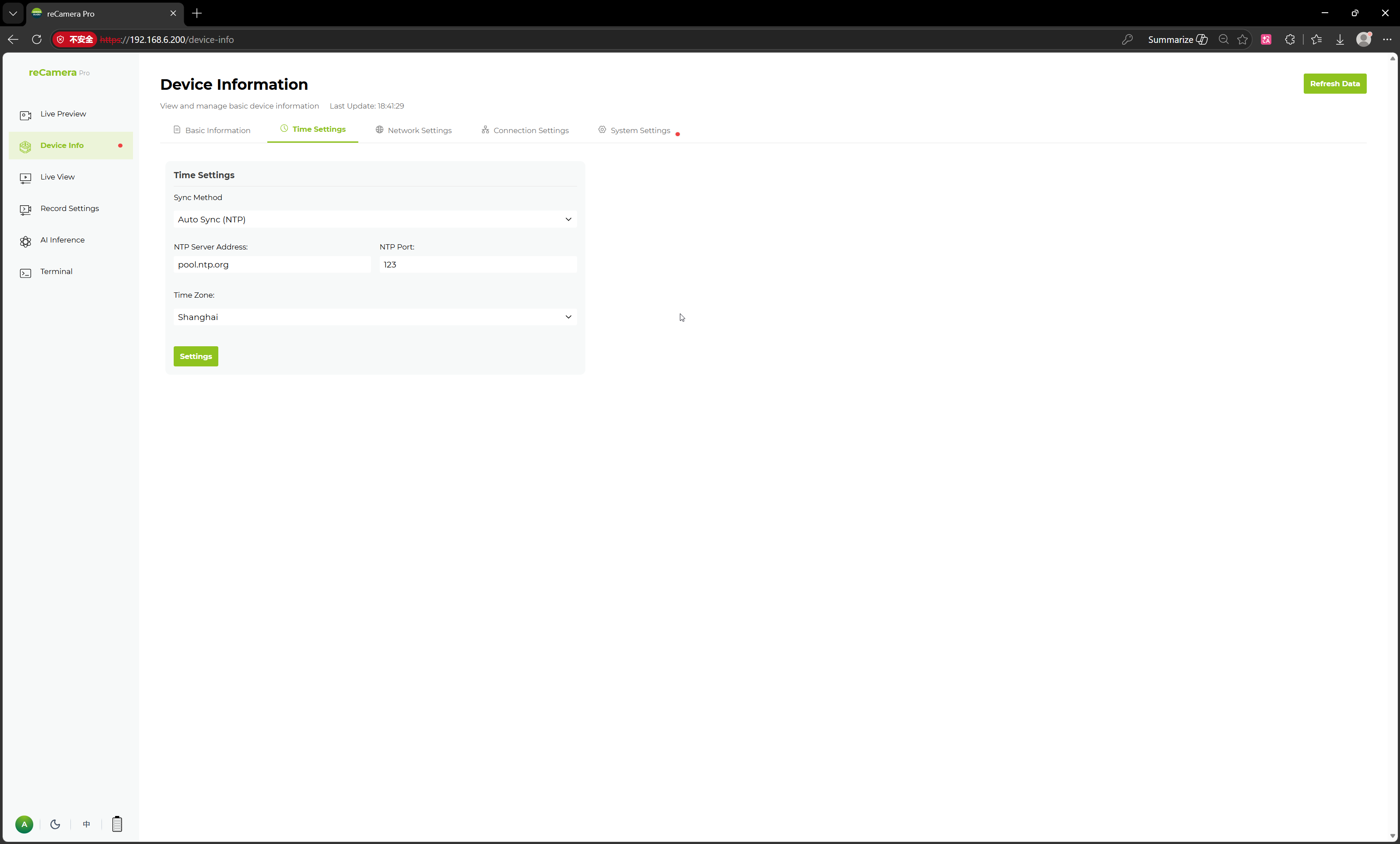
- Verify the clock after every reboot and after moving the device to a network without Internet access.
- If schedules or recording directories land at the wrong hours, check time first — a wrong clock is the most common cause.
Network settings (long-term)
Device Info → Network Settings shows the Wi-Fi module state, connected network, and detailed network information (click the exclamation mark next to the connected network for IP/MAC details).
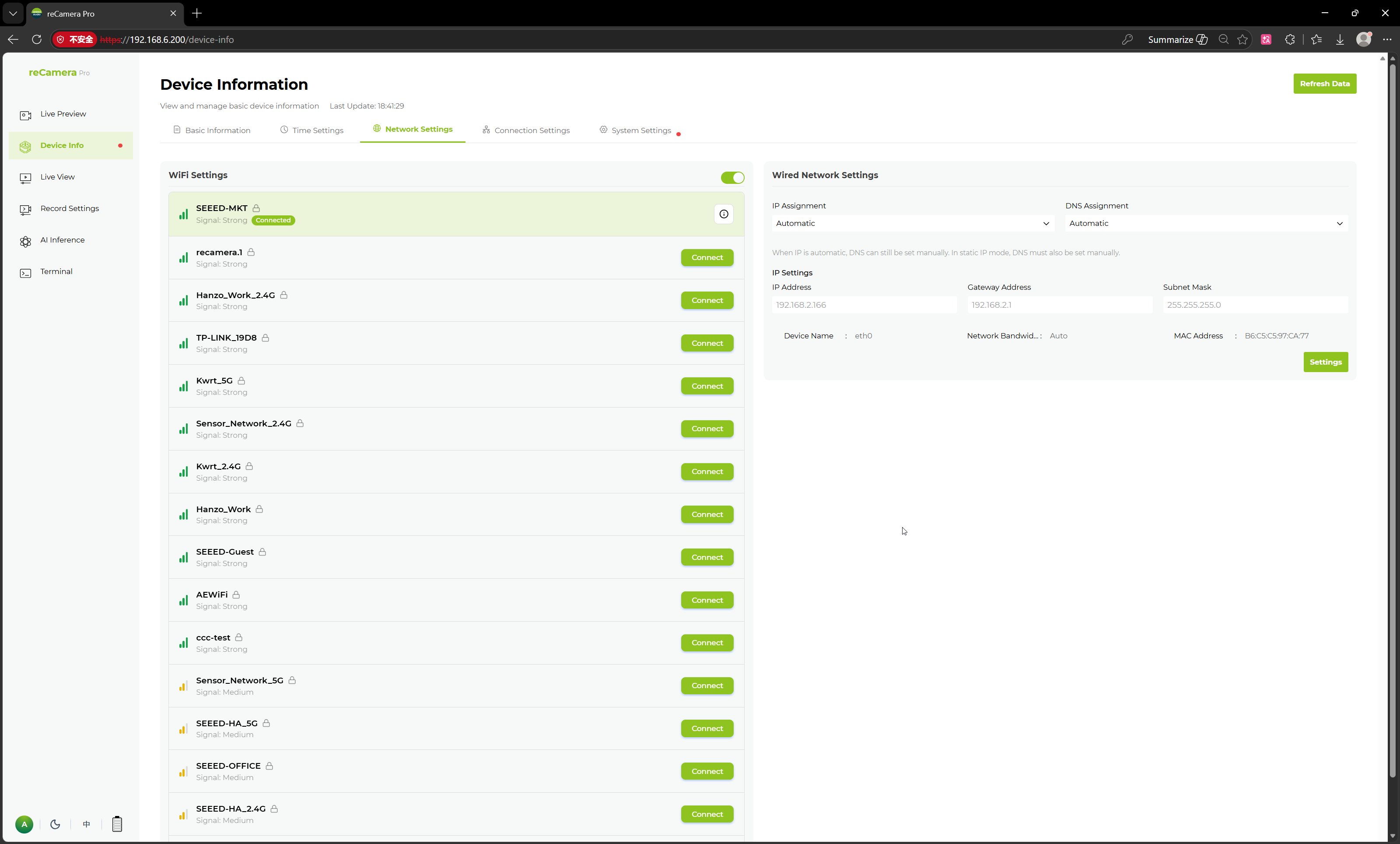
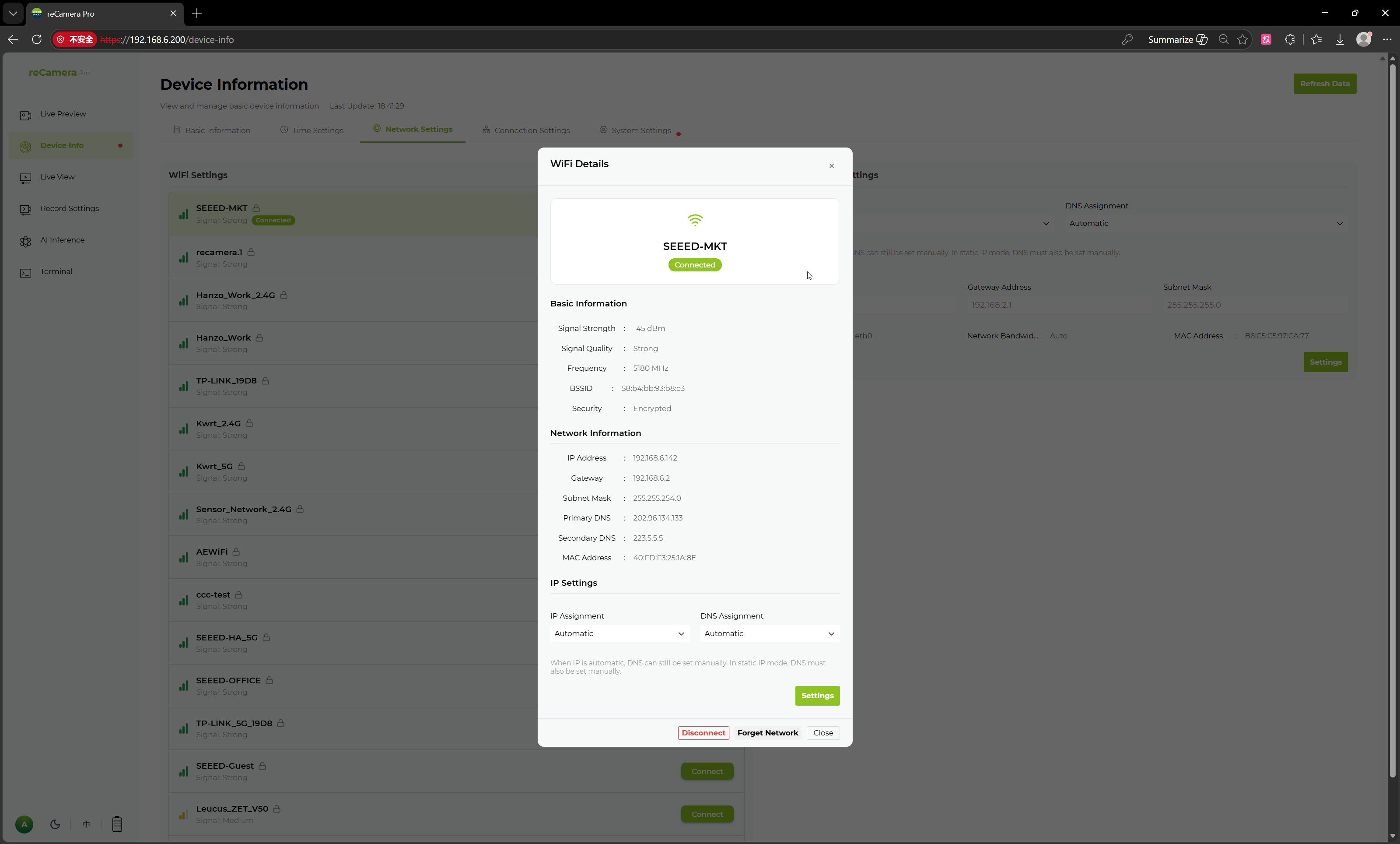
For a permanent installation:
- Reserve a fixed IP for the device's MAC address on your router (DHCP reservation), or record the assigned address in your asset list.
- Keep the device on a network segment where only intended clients can reach the Web UI and open services.
Connection settings: SSH, HTTP, serial
Device Info → Connection Settings controls how you connect to the device:
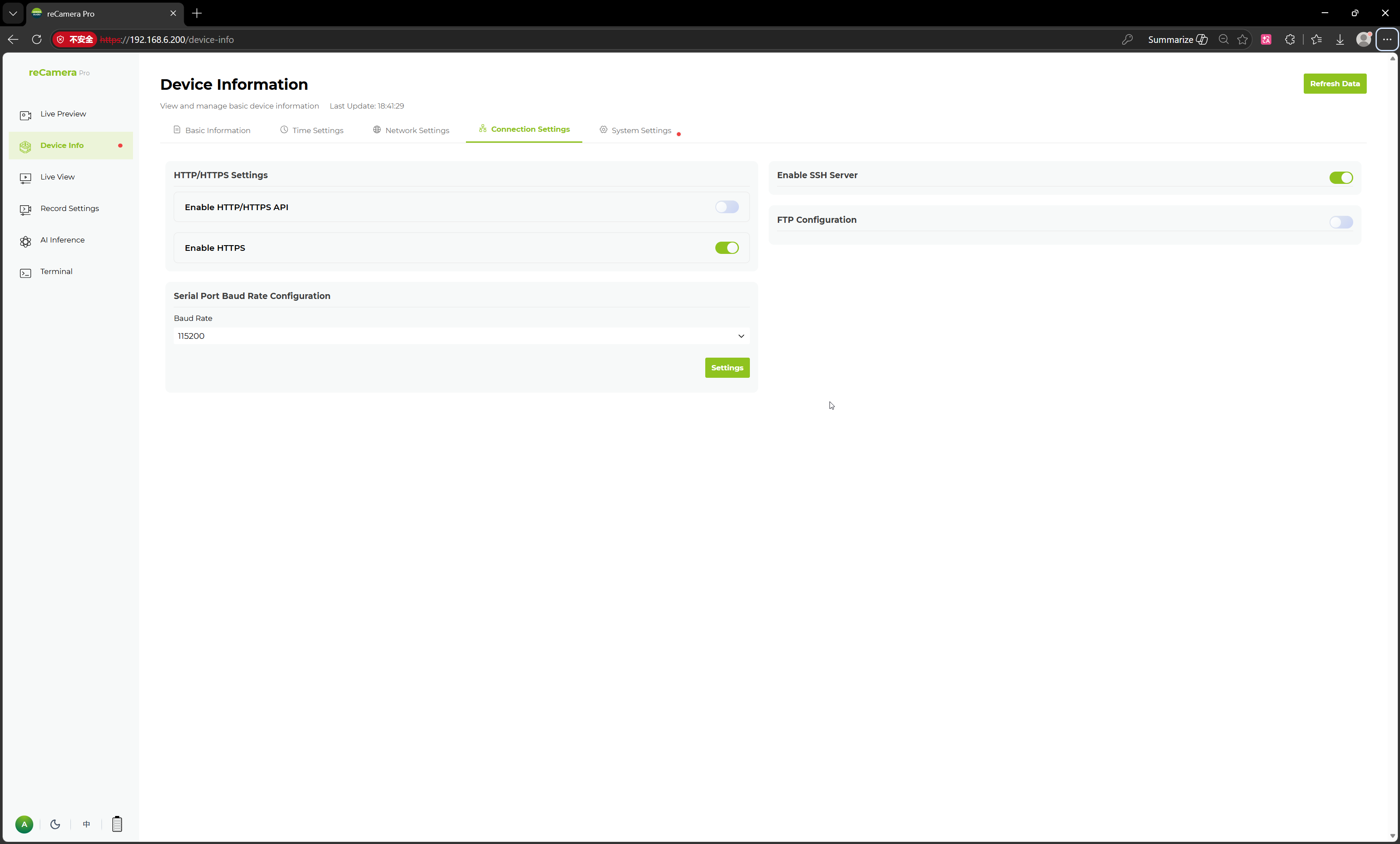
| Setting | Effect | Deployment guidance |
|---|---|---|
| SSH remote connection | Enables/disables SSH access to the system | Enable for development and maintenance; disable on production devices you do not need shell access to |
| HTTP settings | Configures the device's HTTP service | Restrict exposure to trusted networks |
| Serial port baud rate | Sets the baud rate of the serial port | Must match the external controller/MCU you integrate with |
Disabling SSH or changing HTTP settings can lock out your current remote session. Keep the Web UI (or the USB direct connection at 192.168.42.1) available as a fallback path while changing connection settings.
Password management
The admin password is changed in Device Info → System Settings. The Web UI login uses username admin; the initial password on a fresh device is recamera (you are asked to set a new one at first login).
- Change the default password before deployment — anyone knowing the default can otherwise reach the Web UI, and the web terminal / SSH root login (
root/recameraby default) share the device's credential state. - Changing the password affects Web UI login; record where the new password is stored.
Basic information
Device Info → Basic Information shows hardware and software versions and live system resource usage — the first thing support will ask for.
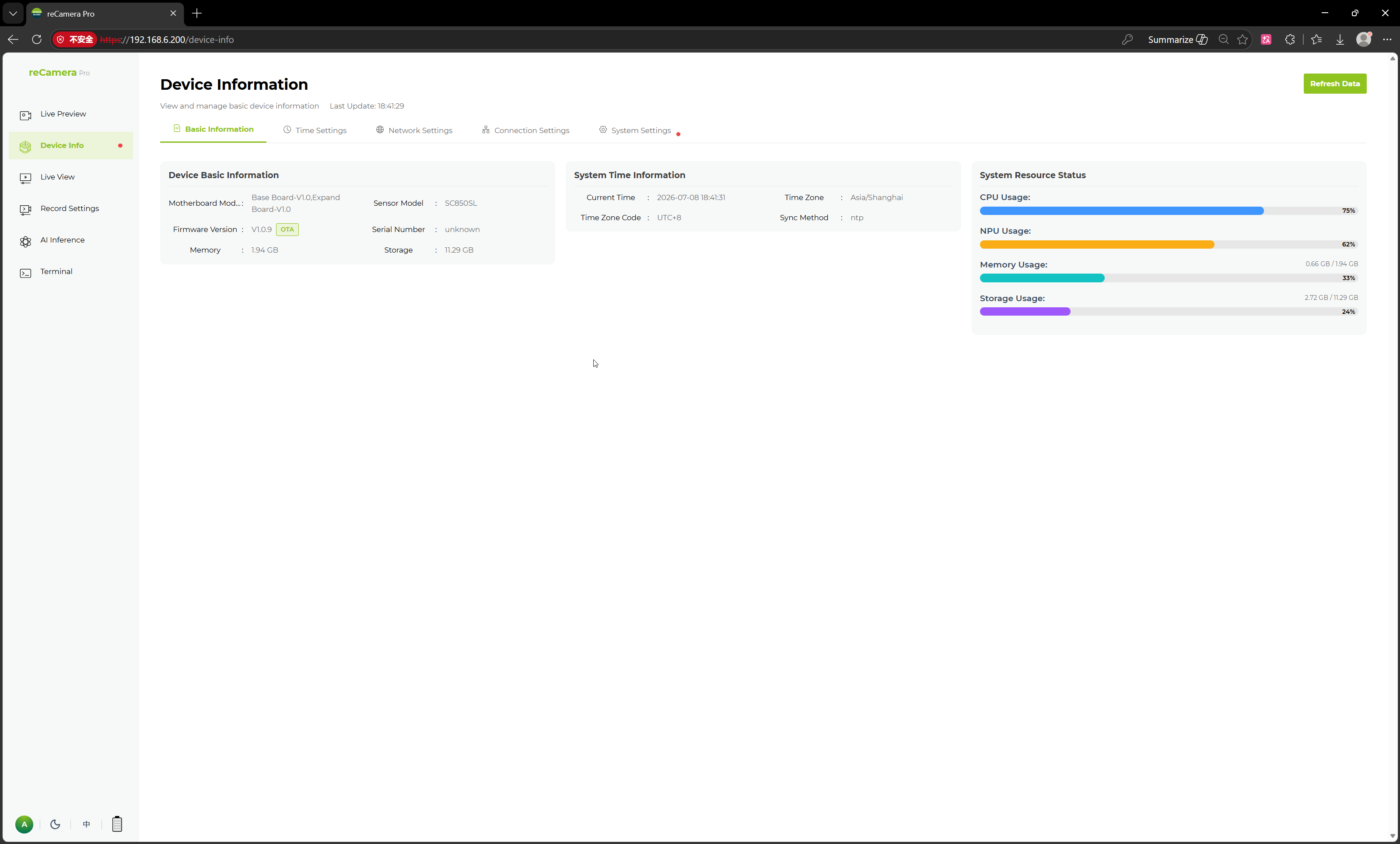
Quote the firmware version from this page when updating firmware or collecting logs for support.
Tech Support & Product Discussion
Thank you for choosing our products! We are here to provide you with different support to ensure that your experience with our products is as smooth as possible. We offer several communication channels to cater to different preferences and needs.