Send Detection Results over HTTP or UART
In addition to MQTT, reCamera Pro supports outputting AI inference results to external systems via HTTP and UART.
HTTP output
In the Web UI, go to AI Inference → Inference Output Configuration and select HTTP as the output method.
The HTTP output is suitable for integration with REST APIs, webhooks, custom backend services, or third-party platforms that accept HTTP requests.
UART output
UART output sends inference results over the expansion interface serial port. This is useful for integration with external controllers, MCUs, or industrial equipment that communicate via serial protocol.
Configure UART output
- In AI Inference → Output Method, select Serial Port.
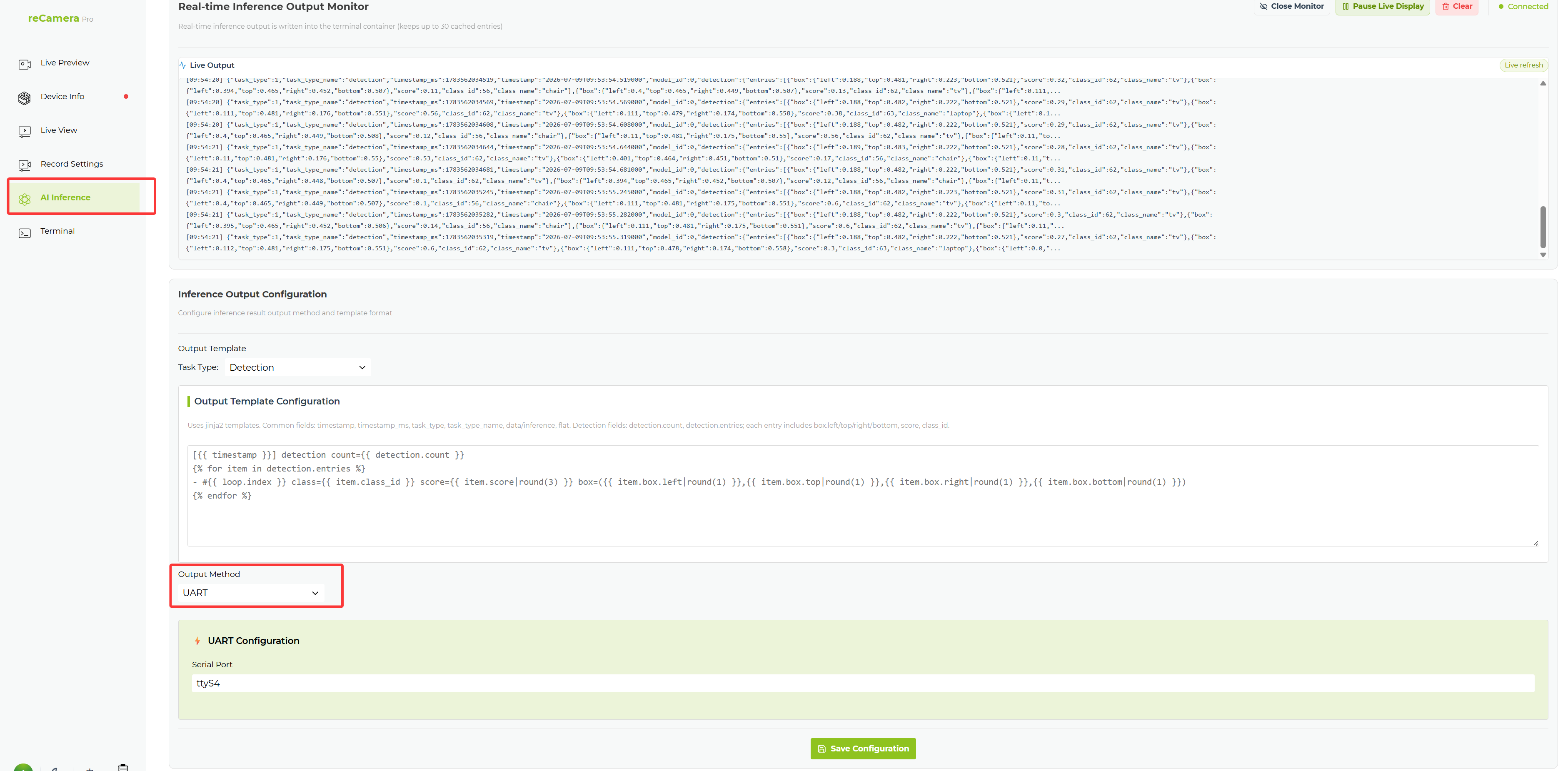
- Open your serial port tool to receive the inference results.
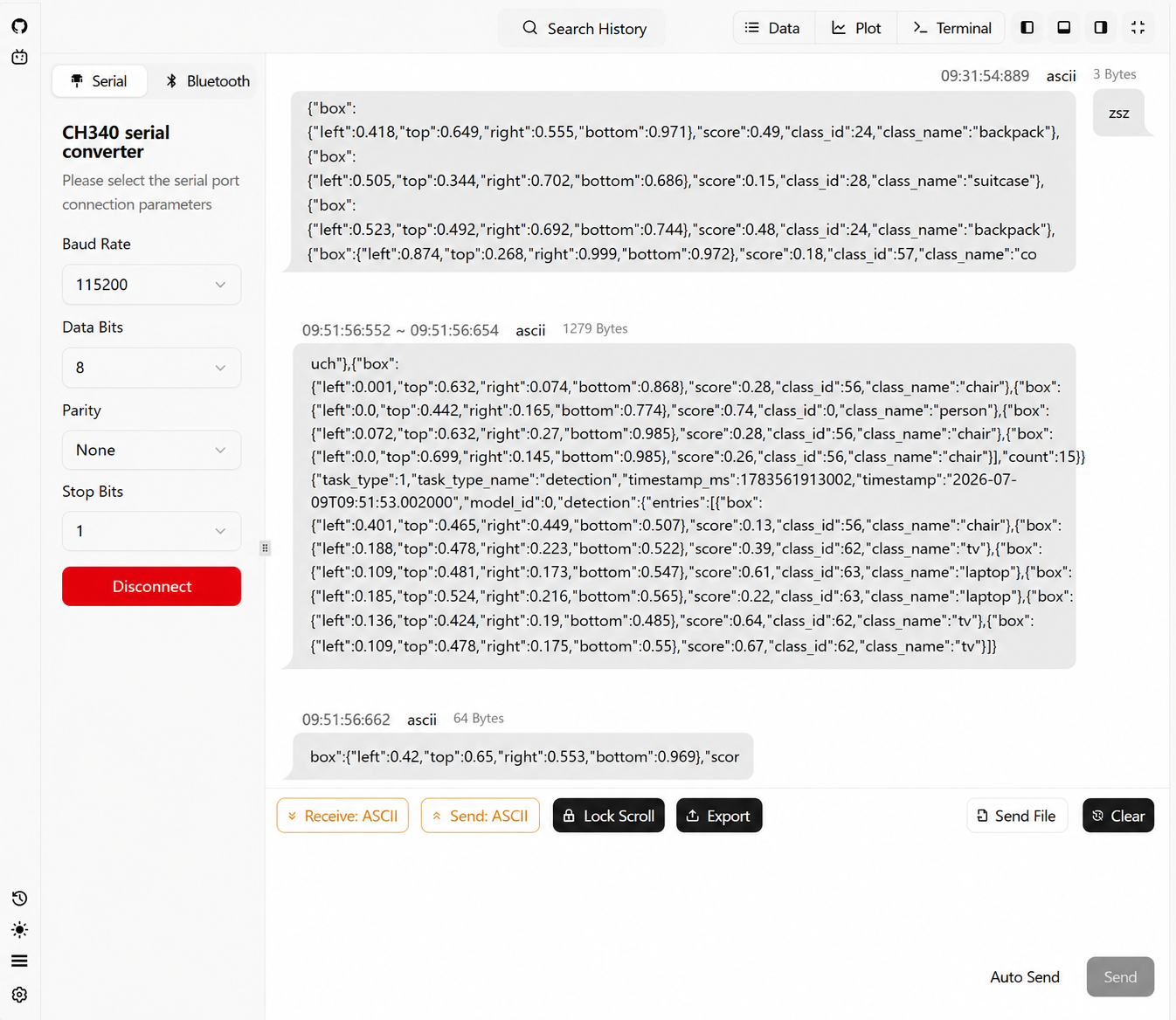
Output format
The UART output contains the same fields as the real-time inference monitoring log (timestamp, task_type, class_id, class_name, score, bbox, detection_count).
The trigger command for serial port triggering (see Trigger Capture from External Devices) can only be sent in ASCII format. HEX sending and Chinese characters are not supported.
Related pages
Tech Support & Product Discussion
Thank you for choosing our products! We are here to provide you with different support to ensure that your experience with our products is as smooth as possible. We offer several communication channels to cater to different preferences and needs.