Using reCamera Pro's Onboard IMU for Tilt and Shake Detection
Introduction
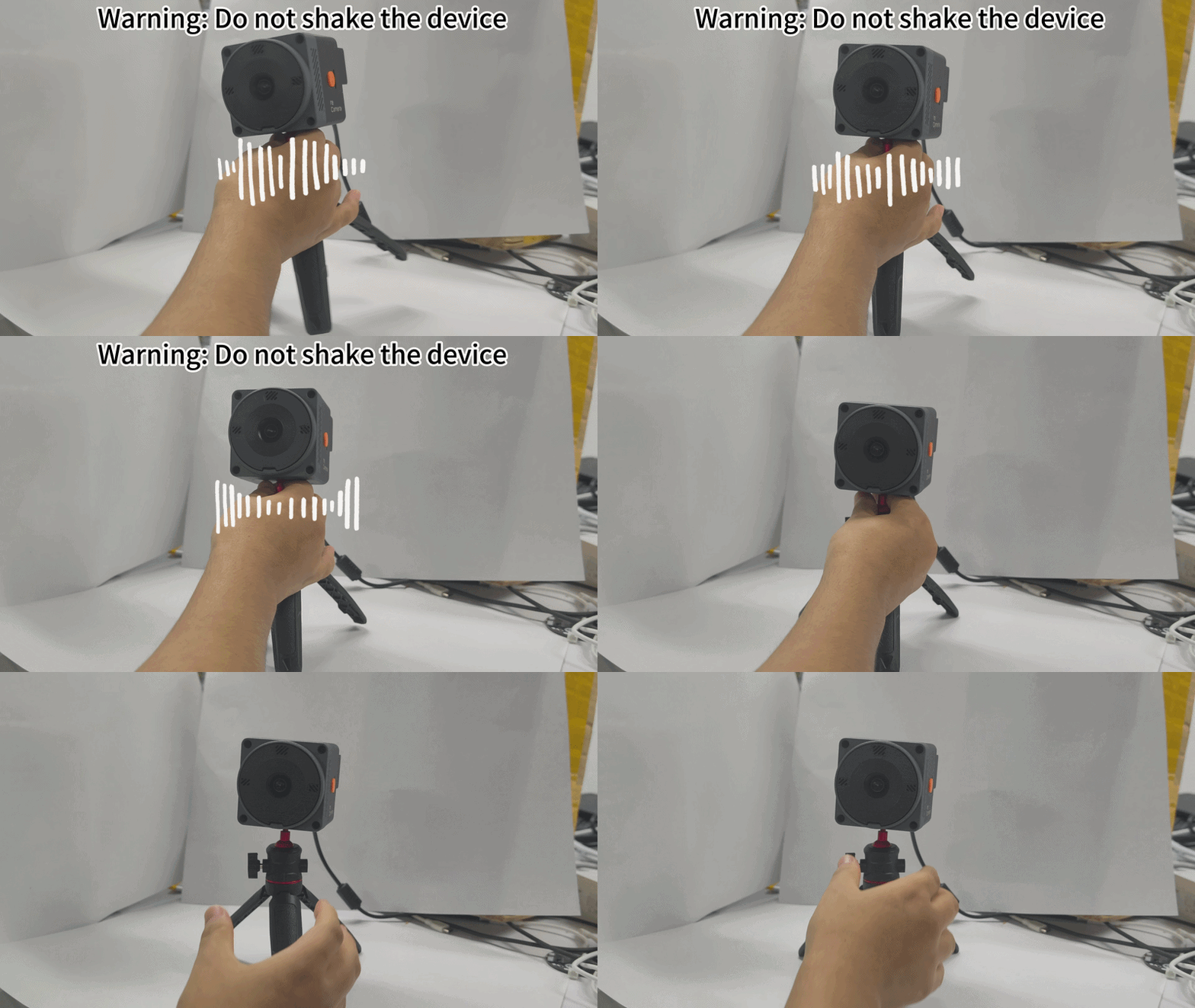
This article explains how to use the reCamera Pro's onboard six-axis inertial measurement unit (IMU) — the ICM-42670-P gyroscope — to implement device tilt and shake detection. When the device is tilted or shaken, the system will play corresponding voice warnings through the onboard speaker. Through this tutorial, you will learn how to read raw gyroscope data via the Linux IIO driver, play warning sounds using the ALSA audio driver, and ultimately integrate a complete detection and alert program.
Hardware Preparation
- one reCamera Pro
| reCamera Pro |
|---|
 |
Implementation Principle
By collecting raw angular velocity data from the onboard gyroscope (ICM-42670-P), the system determines whether the device has tilted or shaken. The current implementation uses simple threshold-based judgment, which can be optimized later based on actual requirements.
Shake Detection
When the absolute value of the angular velocity data on any axis exceeds a preset threshold, it is determined as a shake.
Tilt Detection
When the absolute value of the angular velocity data on any axis exceeds a preset threshold, it is determined as a tilt.
Onboard Gyroscope Data Acquisition
The reCamera Pro's Linux environment uses the IIO (Industrial I/O) driver, which exposes sensor data and configuration through the sysfs interface, allowing user-space applications to access it. The sensor data path is:
/sys/bus/iio/devices/iio:device1
The gyroscope's raw data files are exposed in this directory, as shown in the image below:
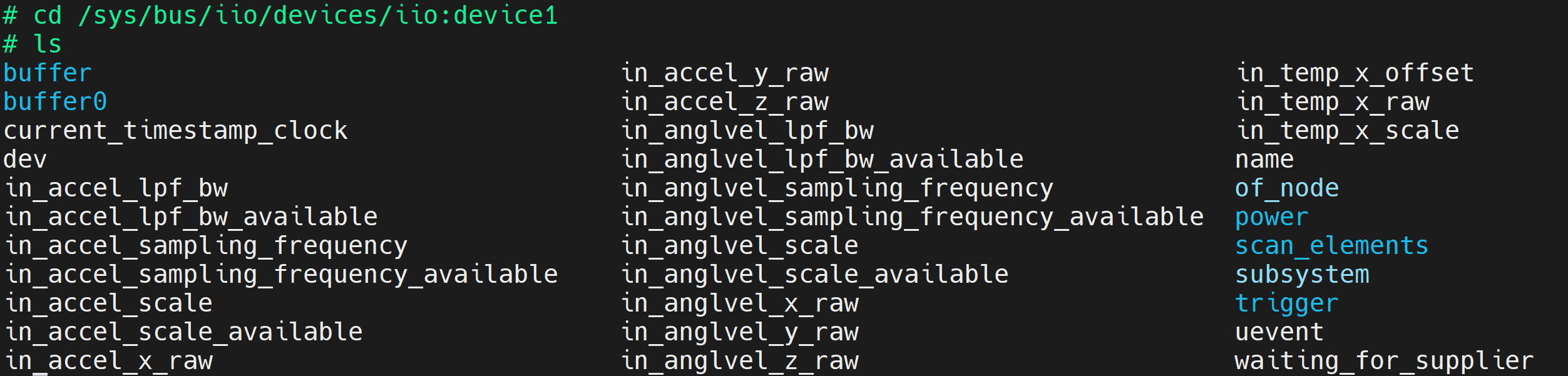
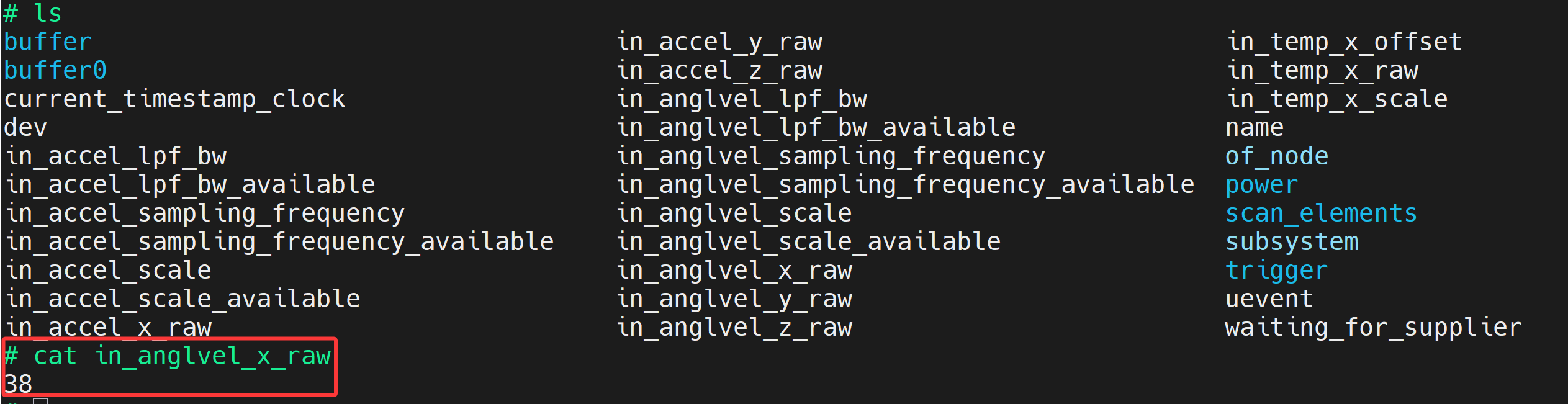
To obtain the raw gyroscope data, simply read the corresponding file. For example, to get the gyroscope's X-axis data, read the in_anglvel_x_raw file:
cat /sys/bus/iio/devices/iio:device1/in_anglvel_x_raw
The execution result is shown below:
Using the Onboard Speaker
The reCamera Pro's onboard speaker is controlled via the standard Linux ALSA driver. You can view the current sound card devices with the following command:
aplay -l

Use the following command to play an audio file:
aplay test.wav
aplay is an ALSA PCM player. It can only play PCM/WAV format data and cannot decode MP3. You can use the following command to convert MP3 to WAV format:
ffmpeg -i test.mp3 test.wav
Basic Implementation Code
Now that we understand how to read raw gyroscope data and play audio, let's write the code to implement the full functionality.
Gyroscope Data Acquisition
Below is a minimal function example demonstrating how to collect X-axis gyroscope data. You can extend this function to obtain data from other axes.
#!/usr/bin/env python3

DEVICE = "/sys/bus/iio/devices/iio:device1"

with open(f"{DEVICE}/in_anglvel_scale", "r") as f:
    scale = float(f.read().strip())

with open(f"{DEVICE}/in_anglvel_x_raw", "r") as f:
    raw = int(f.read().strip())

gyro_x = raw * scale

print(f"Gyroscope X: {gyro_x:.6f} rad/s")
Audio Playback
When the device triggers a tilt or shake, a corresponding voice warning needs to be played. The following code demonstrates how to play audio using Python:
#!/usr/bin/env python3

import subprocess

AUDIO = "test.wav"

subprocess.run([
    "aplay",
    AUDIO
])
Final Implementation Code
- When the device is shaken, it will play "Warning: Do not shake the device".
- When the device is tilted, it will play "Warning: The equipment has toppled over. Please immediately check the equipment status to prevent any accidents".
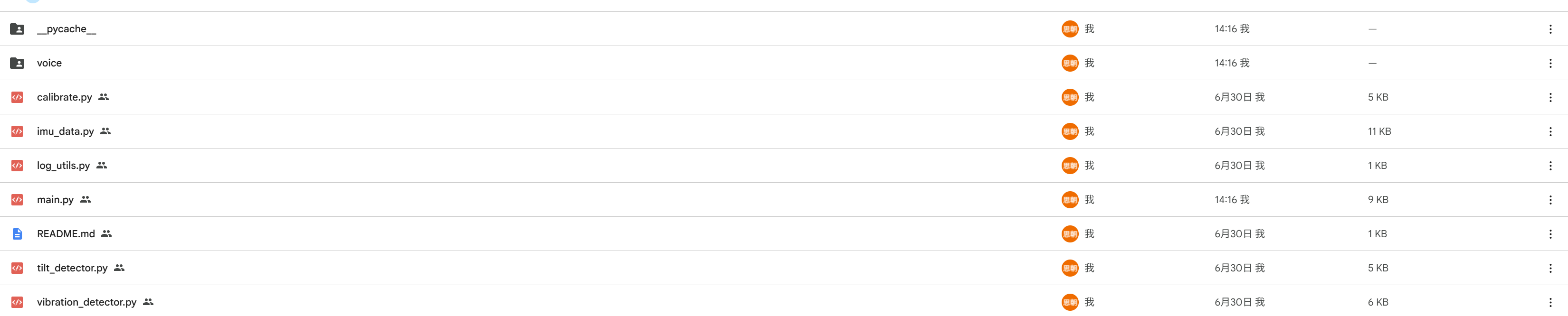
The relevant code can be downloaded from reCamera_PRO_IMU_Detect.
Code Deployment
The following steps describe how to deploy the code to the reCamera Pro and run it:
- Upload the entire folder to the reCamera Pro via SSH:
scp -r ./icm42670_project root@deviceIP:/userdata
- Run the main program:
./main.py
- The program will perform a calibration operation on the first run. Please ensure the device is placed stably before running
main.py. If recalibration is needed (default calibration duration is 3 seconds), run:
./main.py --force-calib
- View code usage help:
./main.py --help
Troubleshooting
- Unable to read gyroscope data: Verify that the path
/sys/bus/iio/devices/iio:device1exists and that thein_anglvel_x_rawfile is readable. If the path does not exist, the IIO driver may not be loaded; check the kernel modules. - Audio playback fails: Confirm that the audio file is in WAV format and that the
aplaycommand is available. If the speaker is silent, check the ALSA volume settings. - Calibration fails: Ensure the device is stationary and level during calibration. If the calibration time is insufficient, use
--force-calibto recalibrate.
Tech Support & Product Discussion
Thank you for choosing our products! We are here to provide you with different support to ensure your experience with our products is as smooth as possible. We offer multiple communication channels to cater to different preferences and needs.