Preview, Capture and Manual Recording
reCamera Pro has a built-in Web UI, so you never need to install extra client software. As long as your computer is on the same local network as the device, open a browser and go to:
http://<reCamera_IP>
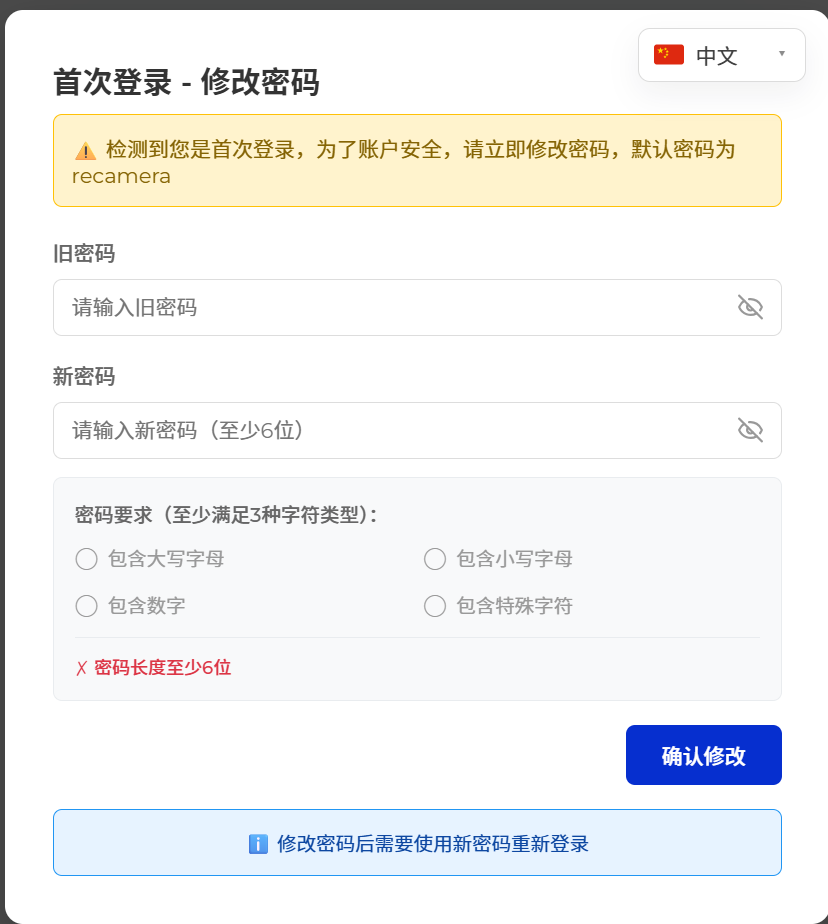
On first login the Web UI asks you to change the password. The initial password (old password) is recamera; enter a new password of your choice, then log in with the username admin.
After logging in you can preview the live feed, take photos, record videos, switch streams, and open the image, AI inference, and device settings — everything needed for quick debugging and function verification.
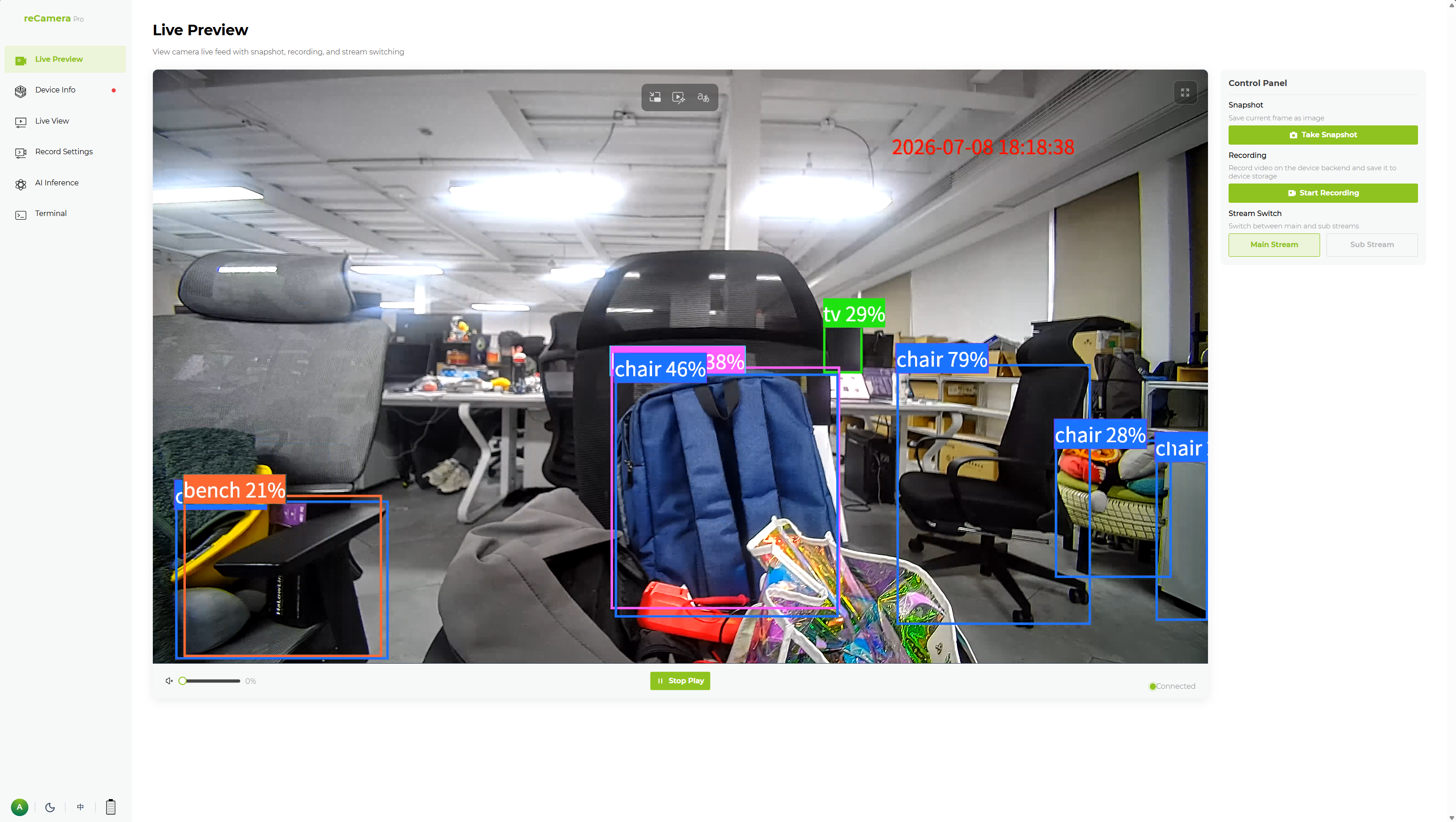
Watch the live preview
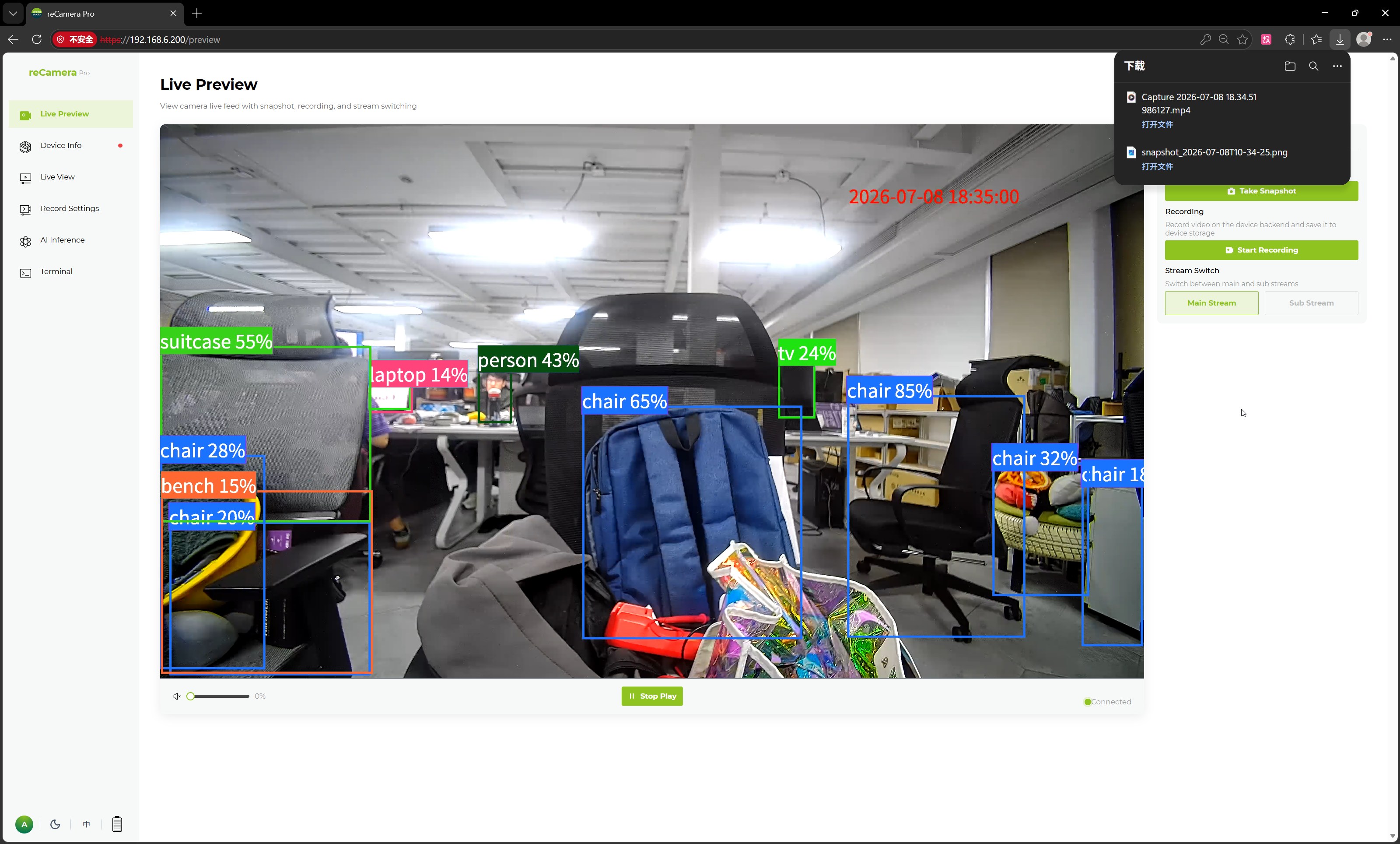
On the live view page, the left side is the video preview area and the right side is the function configuration area. Click Start Playback to watch the current camera feed in your browser.
The bottom of the preview area provides basic playback controls:
- Main Stream / Sub-Stream selection
- Start Playback / Stop Playback
- Volume adjustment
- Current connection status display
If the device is disconnected, the video stream is abnormal, or the network is unreachable, the preview window shows a connection failure prompt so you can quickly tell what is wrong with the stream.
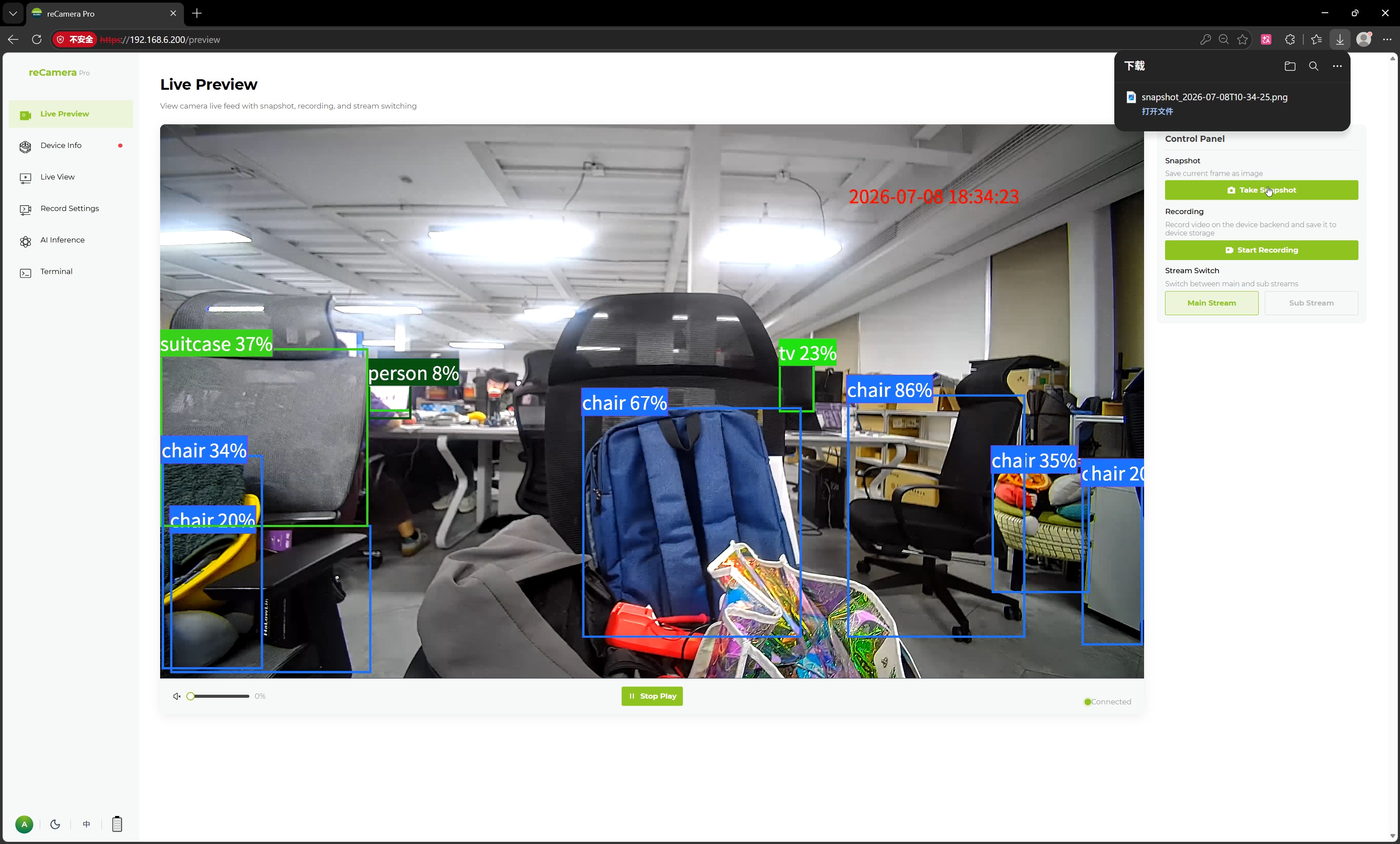
Take a photo
Take Photo saves the current frame as an image — useful for scene records, debugging archives, or data collection. The image is automatically downloaded to your browser's default download folder.
Record a video manually
You can start and stop recording directly from the Web UI.
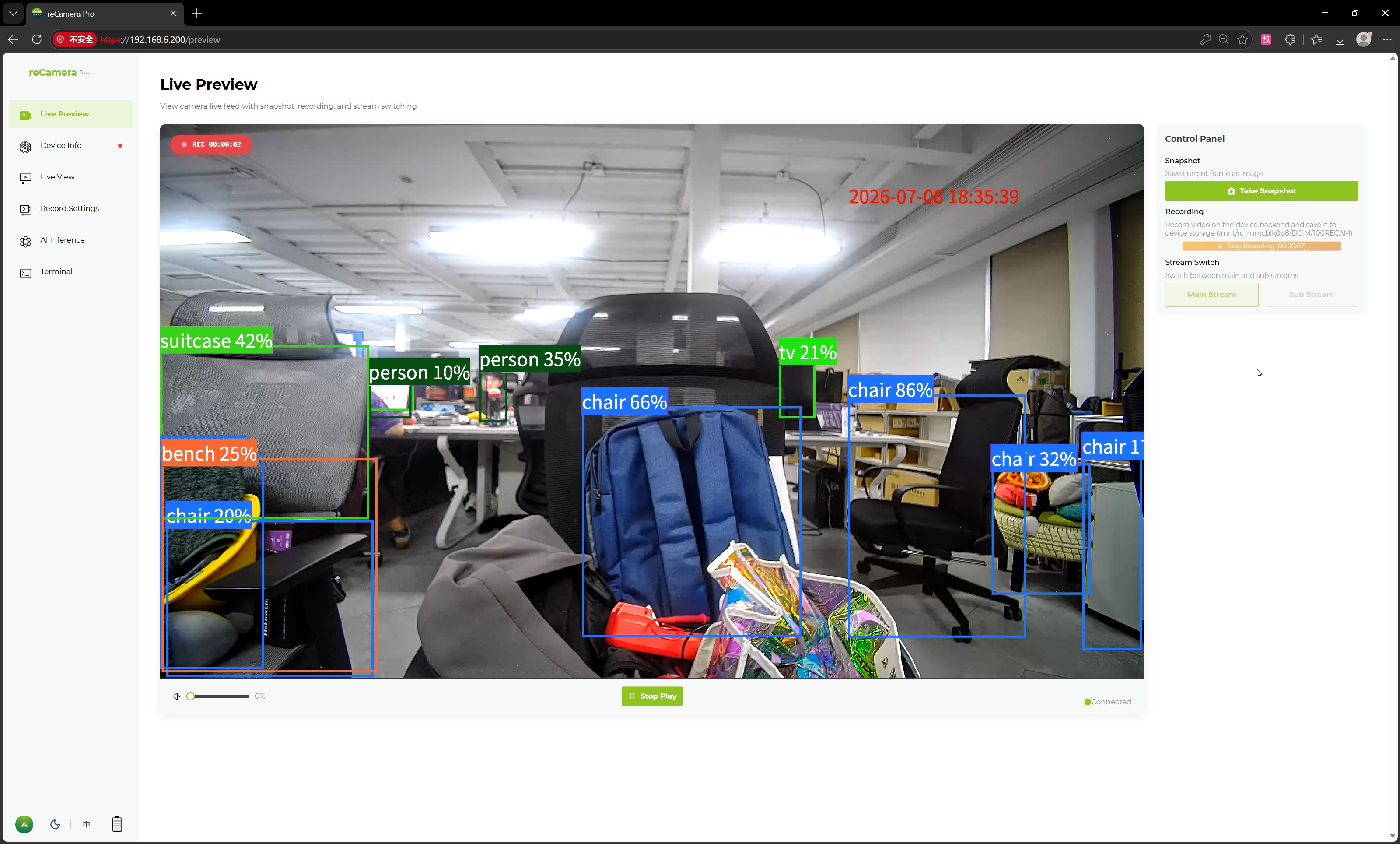
- Click Start Recording. The button changes to End Recording.
- When you are done, click End Recording and wait a moment while reCamera Pro packages the video.
- The browser automatically downloads the recording as an MP4 file to your default download folder.
Manual recording from the preview page is different from AI/event-based recording. To record automatically when detections, sounds, or external triggers occur — and to keep recordings on the device's storage — see Configure Event Recording and Find Recordings and Storage.
Switch between main stream and sub-stream
The Web UI supports switching between the main stream and the sub-stream. Choose based on your network bandwidth, image quality needs, or preview scenario:
- Main stream — high-definition preview, video storage, and AI analysis.
- Sub-stream — low-bandwidth preview, remote viewing, or multi-channel access.
Stream encoding parameters (resolution, frame rate, bitrate, etc.) are configured separately for each stream; see Image Quality and Low Light.
Next steps
- Adjust Image Quality and Low-Light Performance
- Watch the Stream in an External Player (RTSP)
- Add OSD Overlays and Privacy Masks
Tech Support & Product Discussion
Thank you for choosing our products! We are here to provide you with different support to ensure that your experience with our products is as smooth as possible. We offer several communication channels to cater to different preferences and needs.