Send Detection Results over MQTT
reCamera Pro can output AI inference results to external systems via MQTT. This is useful for integrating with dashboards (e.g. Home Assistant, Node-RED), automation platforms, or custom applications that subscribe to detection events.
Configure MQTT output
- In the Web UI, go to AI Inference → Inference Output Configuration.
- Select the output template, task type, and MQTT as the output method.
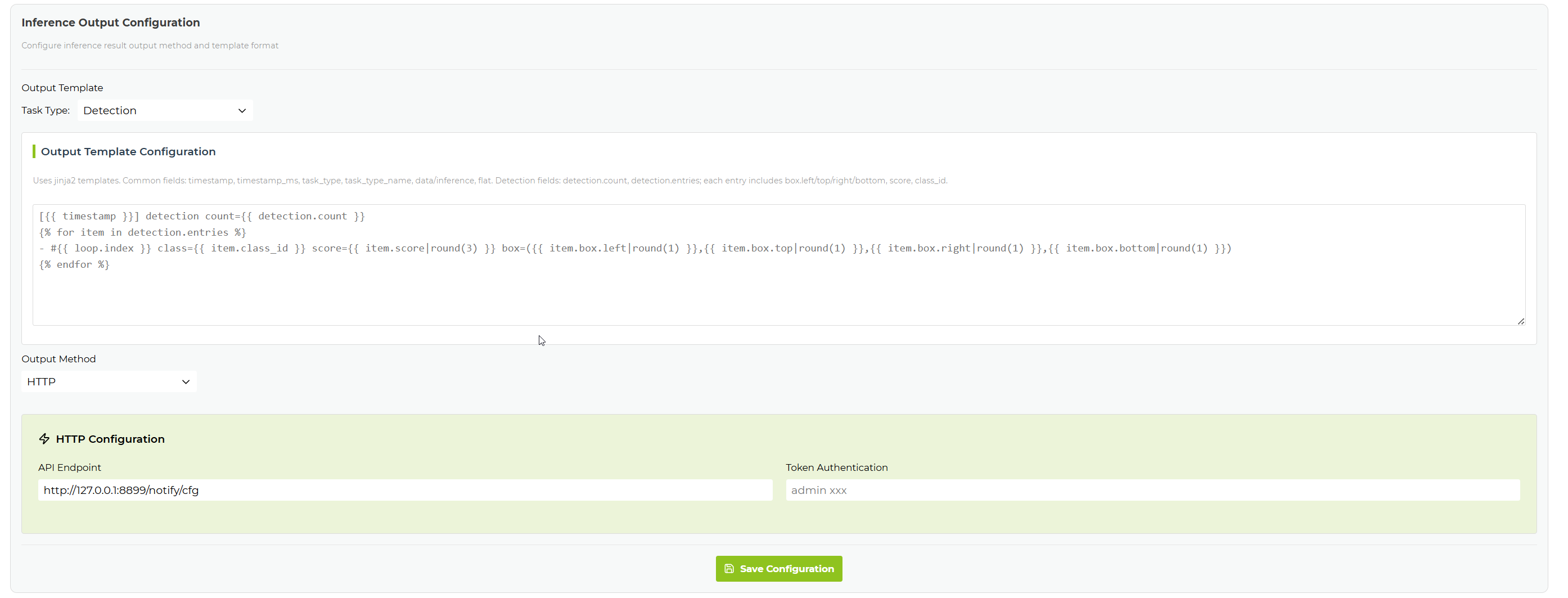
Output format
The MQTT message payload typically includes:
| Field | Description |
|---|---|
| timestamp | Inference result timestamp |
| task_type | Current task type |
| class_id | Detected class ID |
| class_name | Detected class name |
| score | Detection confidence |
| bbox | Bounding box coordinates |
| detection_count | Number of objects detected in the current frame |
Related pages
- Configure Detection
- Send Detection Results over HTTP/UART
- Home Assistant Sound-Triggered Photo Alert
Tech Support & Product Discussion
Thank you for choosing our products! We are here to provide you with different support to ensure that your experience with our products is as smooth as possible. We offer several communication channels to cater to different preferences and needs.