Upload and Configure an RKNN Model
If you already have a .rknn model file (see Choose a Model Deployment Path), upload it to reCamera Pro and configure it via the Web UI.
Upload a model
- In the Web UI, go to AI Inference → Model Management.
- Click Upload Model.
- Drag and drop or select your
.rknnfile.
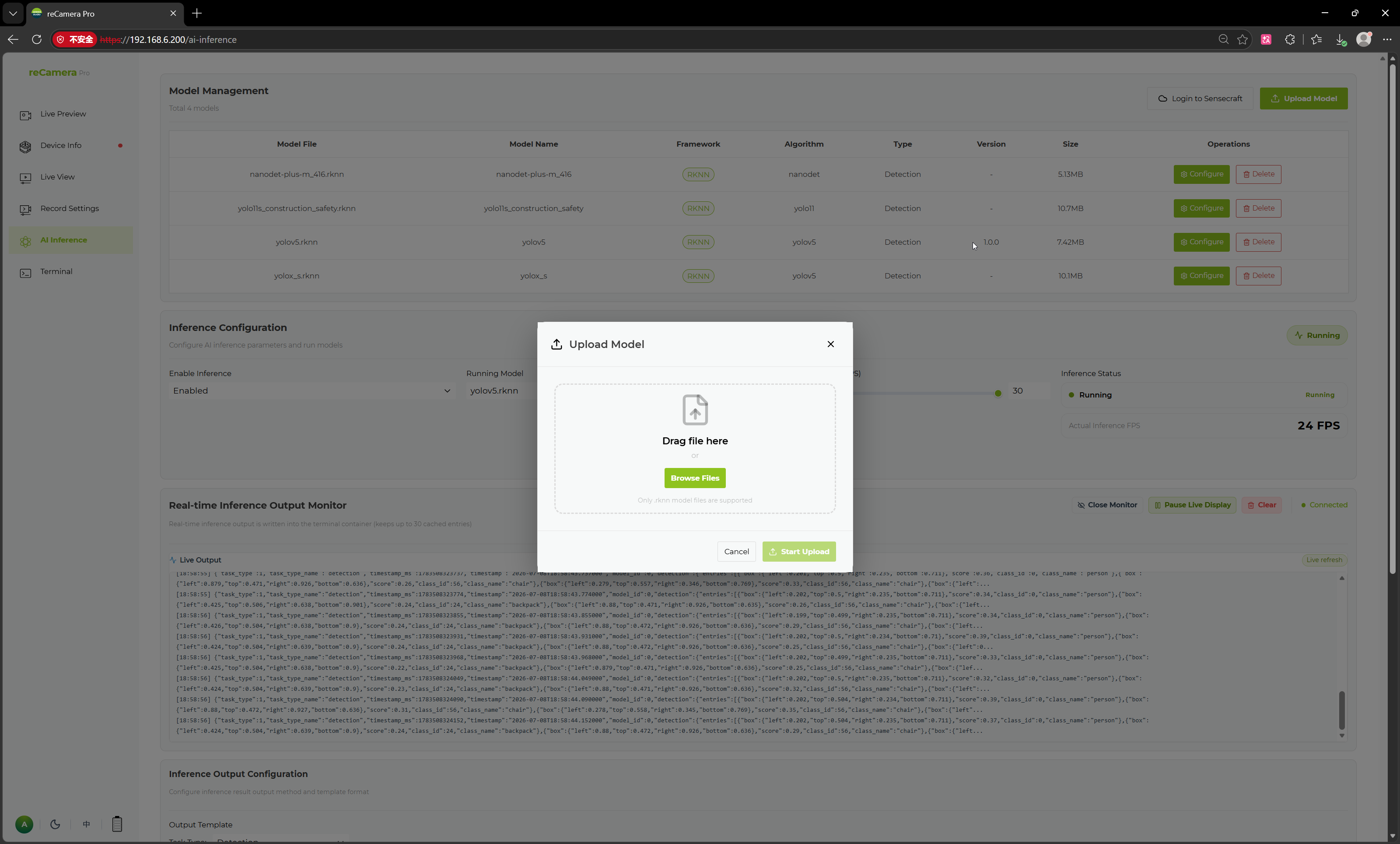
After uploading, the model appears in the Model Management list.
Model fields
| Field | Description |
|---|---|
| Model File | Filename on the device |
| Model Name | Display name |
| Framework | Runtime framework (RKNN) |
| Algorithm | Algorithm type, e.g. YOLO, nanodet |
| Type | Task type, e.g. Detection |
| Version | Model version |
| Size | File size |
| Operations | Configure or delete |
Configure the model
Each model has a Configure page for setting basic information, detection categories, and post-processing parameters.

| Configuration Item | Description |
|---|---|
| Model Name | Display name |
| Framework | Runtime framework, e.g. RKNN |
| Version | Model version |
| Type | Task type, e.g. Object Detection |
| Algorithm | Algorithm, e.g. YOLOv5 |
| Author | Author information |
| Description | Model description |
| Detection Categories | Names of the model's output categories |
| Post-processing Configuration | IOU, Confidence, max_obj |
Detection categories
Categories can be added manually or imported in bulk from a TXT file. After configuring categories, inference results are displayed and output using your category names.
Post-processing parameters
| Parameter | Description |
|---|---|
| IOU | Intersection over Union threshold for bounding box non-maximum suppression |
| Confidence | Object detection confidence threshold |
| max_obj | Maximum number of objects output per frame |
Click Save to apply.
Run the model
- Go to AI Inference → Inference Configuration.
- Enable inference, select your uploaded model as the Running Model, and set the inference frequency.
- Click Save Configuration.

Related pages
- Choose a Model Deployment Path
- SenseCraft ONNX-to-RKNN Conversion
- Configure Detection
- Validate Model Performance
Tech Support & Product Discussion
Thank you for choosing our products! We are here to provide you with different support to ensure that your experience with our products is as smooth as possible. We offer several communication channels to cater to different preferences and needs.