SenseCraft ONNX-to-RKNN Conversion
reCamera Pro includes an integrated entry point to SenseCraft, a cloud-based platform that converts ONNX models to RKNN format. This lets you deploy custom models without installing RKNN-Toolkit2 locally.
Access SenseCraft
- In the Web UI, go to AI Inference.
- Click View SenseCraft Models.
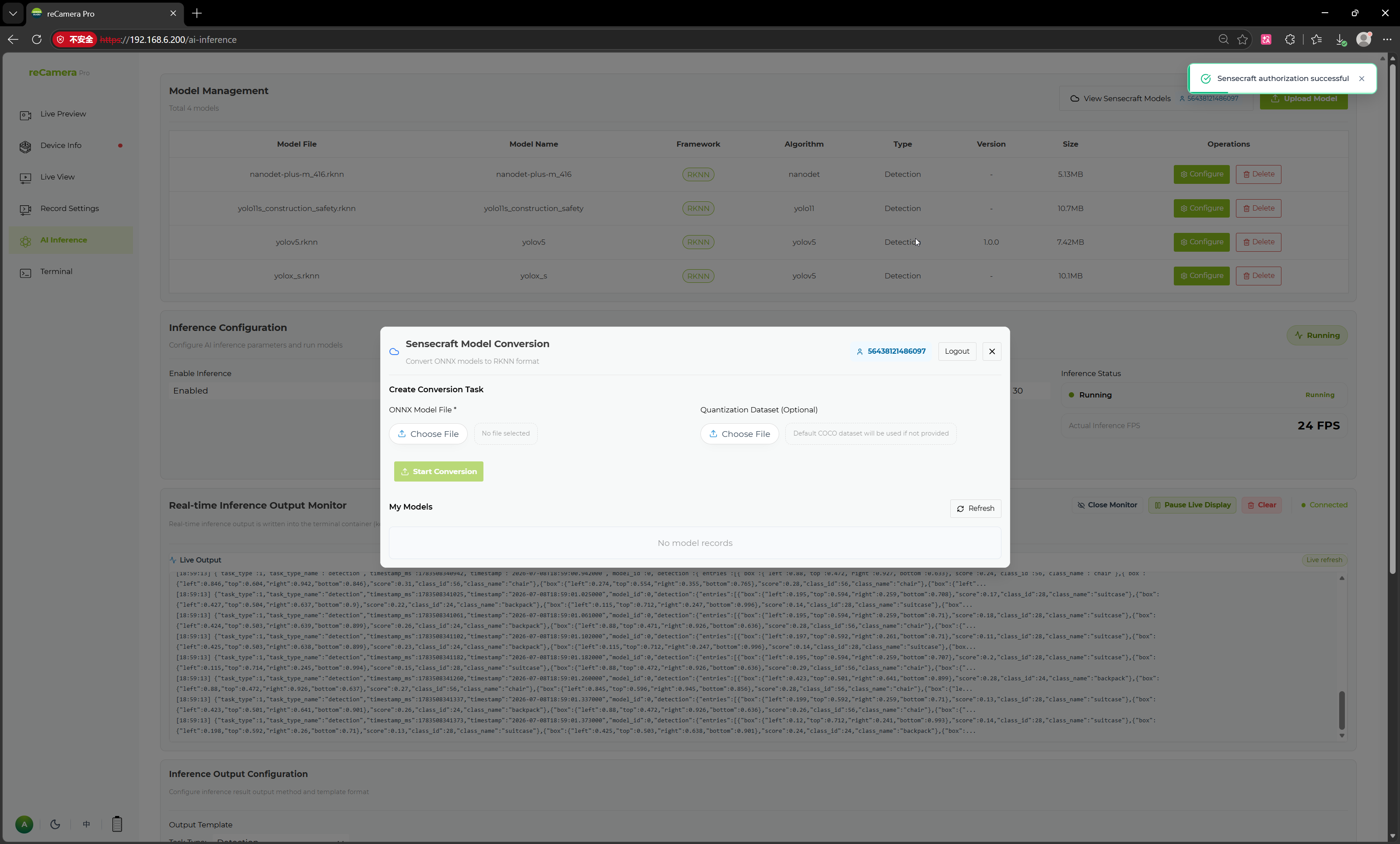
Conversion workflow
- Click View SenseCraft Models to open the conversion interface.
- Select the ONNX model file to convert.
- Optionally upload a quantization dataset. If none is provided, the system uses a default dataset.
- Click Start Conversion.
- After conversion completes, the generated RKNN model can be deployed to reCamera Pro.
When to use SenseCraft vs RKNN-Toolkit2
| Factor | SenseCraft | RKNN-Toolkit2 |
|---|---|---|
| Setup | None (cloud) | Local Python environment |
| Quantization control | Basic (default or custom dataset) | Full (INT8/FP16, custom calibration, layer-level control) |
| Speed | Upload + wait | Local conversion |
| Best for | Quick deployment | Production optimization |
For full quantization control, see RKNN-Toolkit2 Conversion.
Related pages
Tech Support & Product Discussion
Thank you for choosing our products! We are here to provide you with different support to ensure that your experience with our products is as smooth as possible. We offer several communication channels to cater to different preferences and needs.