Access the Device over Wi-Fi
Out of the box you reach reCamera Pro through the USB Type-C cable at 192.168.42.1. To let the device access the Internet, or to manage it from anywhere on your local network, connect it to Wi-Fi and switch to its LAN IP address.
1. Connect to a Wi-Fi network
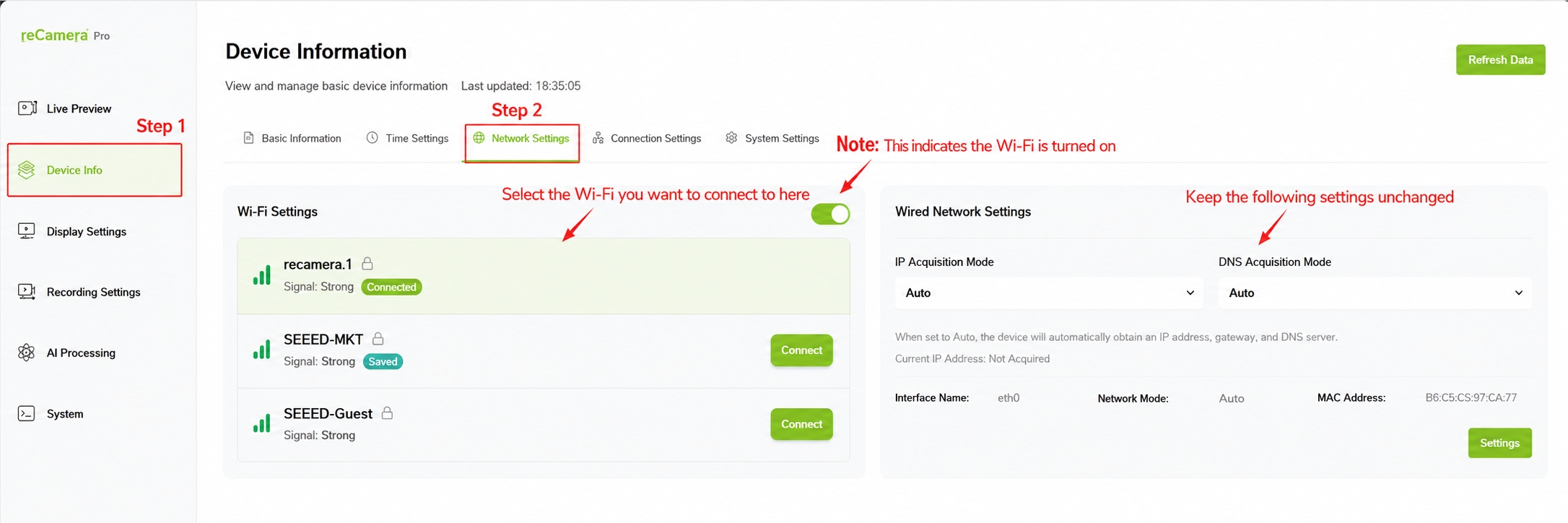
- Log in to the Web UI (see the quick start if you have not already).
- Click Device Info in the left navigation bar.
- Open Network Settings. reCamera Pro has a built-in Wi-Fi module — enable Wi-Fi if it is off, and the system scans for nearby networks.
- Select your Wi-Fi SSID, enter the password, and connect.
2. Find the device's LAN IP address
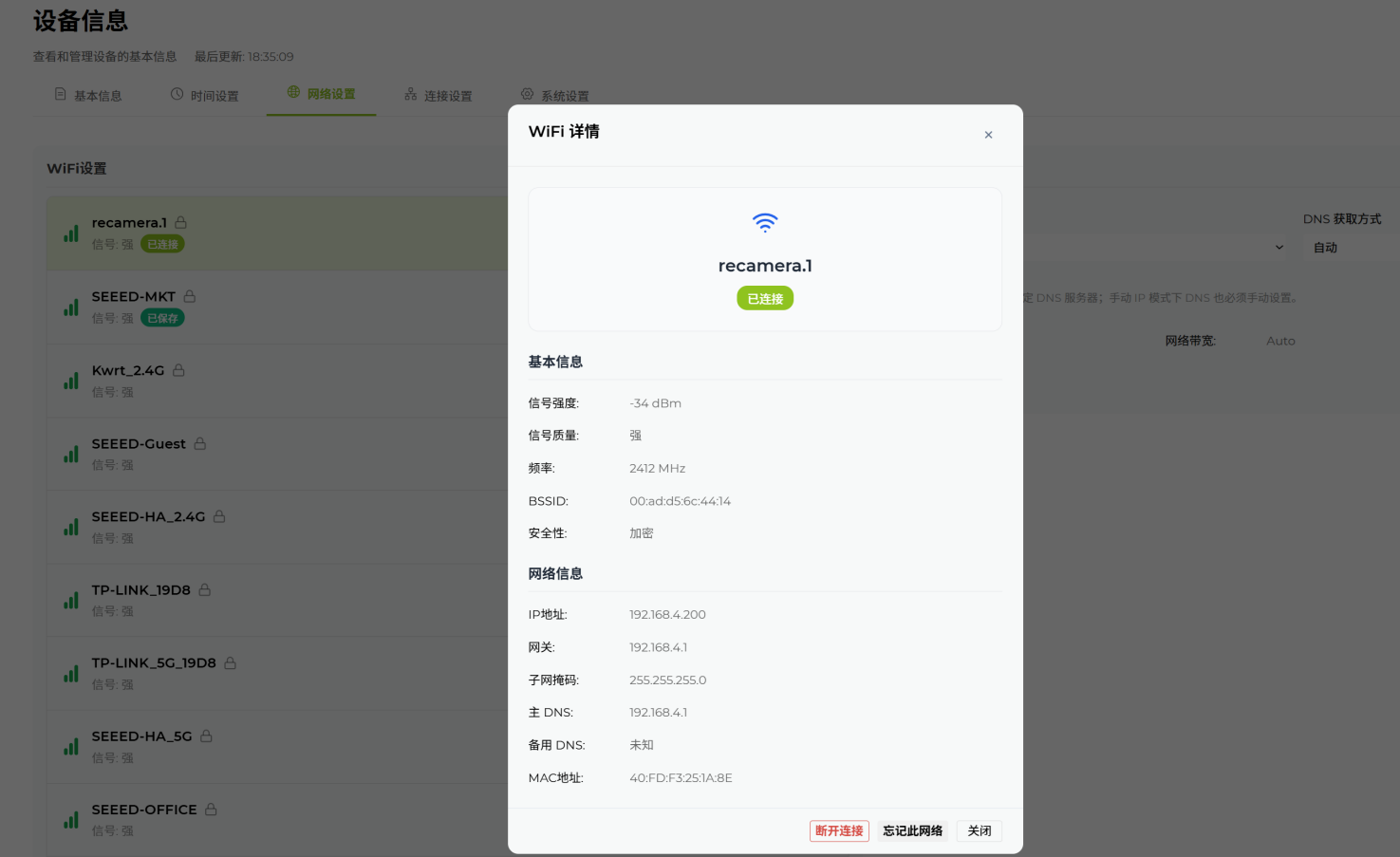
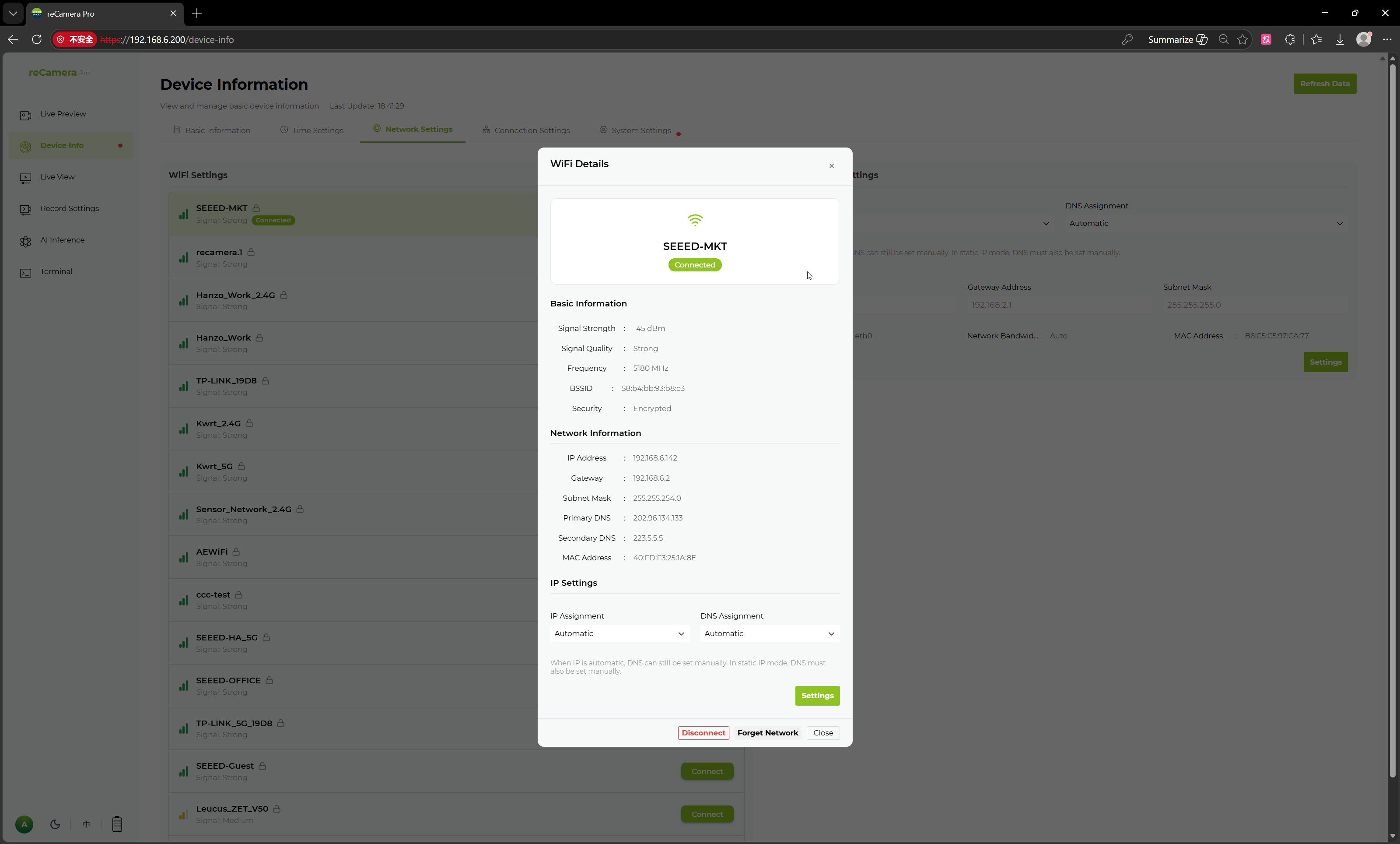
After connecting, click the connected network's info icon (the exclamation mark to its right) to view detailed network information — the assigned IP address, MAC address, and more.
3. Switch to wireless access and verify
- On a computer connected to the same local network, open a browser and go to the LAN IP you just found, e.g.
http://192.168.4.200. - Log in with your admin password — you should reach the same Web UI you used over USB.
- Open Real-time Preview and click Start to confirm video streams over Wi-Fi as well.
Once the Web UI works over the LAN IP, you can safely unplug the USB Type-C cable. The USB connection only carries data — the device keeps running from its own power supply.
Removing the USB cable does not remove power: reCamera Pro must stay connected to its 12 V DC power supply (or another adequate power source) to keep running.
Notes
- If the computer and the device are on different networks (e.g. 2.4 GHz vs 5 GHz SSIDs that isolate clients, or a guest network), the LAN IP may be unreachable — put both on the same network.
- The Wi-Fi address may change when the device reconnects. For a permanent installation, reserve a fixed address for the device's MAC on your router, and finish the rest of the network setup in Network, time and access control.
- Connection failures during this step: see Troubleshoot by symptom.
Tech Support & Product Discussion
Thank you for choosing our products! We are here to provide you with different support to ensure that your experience with our products is as smooth as possible. We offer several communication channels to cater to different preferences and needs.