UDP Face Analysis with reCamera
Introduction
This demo demonstrates how to build a real-time face analysis system using reCamera. The system performs:
- Face Detection: Using YOLO face detection model
- Attribute Analysis: Age, Gender, and Race estimation using FairFace model
- Emotion Recognition: 7-class emotion detection
- UDP Streaming: Send JPEG frames with detection metadata to PC via UDP
The C++ application runs on reCamera and pushes video frames along with detection results (bounding boxes, attributes) through UDP. A Python receiver script running on your PC displays the annotated video stream in real-time.
Key Features:
- Real-time face detection with confidence threshold control
- Multi-attribute analysis per face (gender, age, race, emotion)
- Efficient UDP streaming with JPEG compression
- Skip-frame inference to reduce CPU/TPU load
- Detailed performance statistics
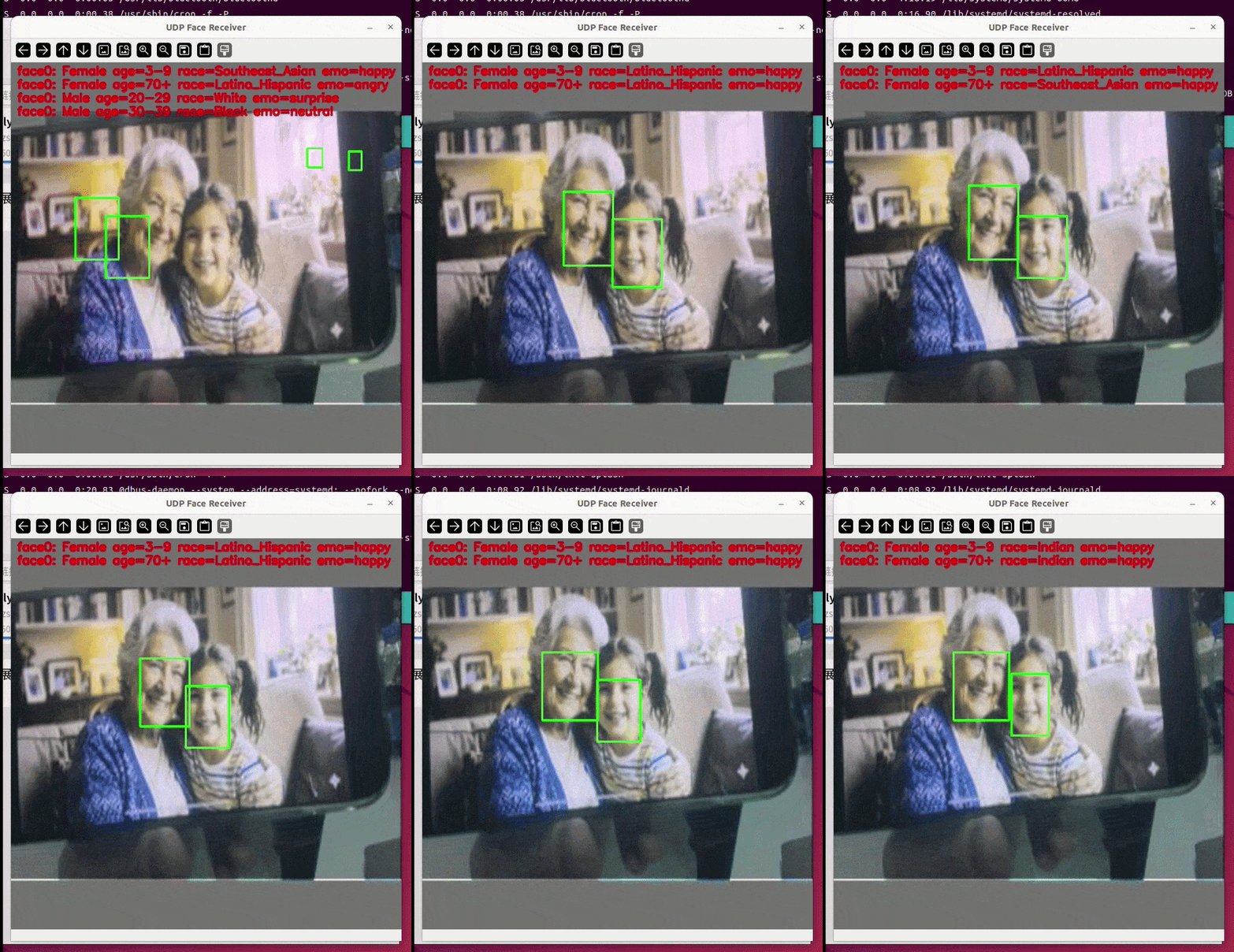
Demo Setup
To set up this demo, you need to:
- Cross-compile the C++ program on your PC
- Run the compiled executable on ReCamera
- Run the Python receiver script on your PC
1. Compile the C++ Program
Before building this solution, make sure you have set up the ReCamera-OS environment according to the main project documentation.
Set the following environment variables for the ReCamera-OS build environment before running cmake:
export PATH='current compile chain path'/host-tools/gcc/riscv64-linux-musl-x86_64/bin:$PATH
First, ensure you have the required models:
yolo_face.cvimodel- YOLO face detection modelage_gender_race.cvimodel- FairFace model for age/gender/raceemotion.cvimodel- Emotion recognition model
You can download these three model files from the sscma-example-sg200x v1.0.1 release, or train your own models and then quantize/convert them to .cvimodel format.
Navigate to the solution directory and compile:
git clone https://github.com/RobotXTeam/sscma-example-sg200x.git
cd sscma-example-sg200x/solutions/sesg-project/face_udp
export SG200X_SDK_PATH='current clone path'/sg2002_recamera_emmc
rm -rf build && mkdir build && cd build
cmake -DCMAKE_BUILD_TYPE=Release -DCMAKE_CXX_FLAGS="-std=c++17" ..
make -j$(nproc)
The compiled executable will be at: build/face_udp
The repository includes pre-compiled models in the solution folder:
yolo-face_mixfp16.cvimodelage_gender_race_bf16.cvimodelemotion_bf16.cvimodel
2. Configure ReCamera
Before running the C++ program, you must stop the default Node-RED services as they occupy the camera resources. Run the following commands via SSH:
sudo mv /etc/init.d/S03node-red /etc/init.d/disable/
sudo mv /etc/init.d/S91sscma-node /etc/init.d/disable/
sudo mv /etc/init.d/S93sscma-supervisor /etc/init.d/disable/
3. Run the Executable on ReCamera
Upload the compiled executable and models to /home/recamera/ on ReCamera, then run:
chmod +x face_udp
./face_udp <yolo_face.cvimodel> <age_gender_race.cvimodel> <emotion.cvimodel> [single|multi] [threshold] [skip] [udp_ip] [udp_port] [log_every_n_infer]
Parameters
| Parameter | Description | Default |
|---|---|---|
yolo_face.cvimodel | YOLO face detection model (required) | - |
age_gender_race.cvimodel | FairFace model (required) | - |
emotion.cvimodel | Emotion model (required) | - |
single|multi | YOLO head type | multi |
threshold | Detection threshold | 0.5 (multi) / 0.7 (single) |
skip | Inference every N frames | 3 (multi) / 1 (single) |
udp_ip | PC IP address for UDP | - |
udp_port | UDP port number | - |
log_every_n_infer | Print log every N inferences | 20 |
Example Commands
Basic usage (no UDP streaming):
./face_udp yolo-face_mixfp16.cvimodel age_gender_race_bf16.cvimodel emotion_bf16.cvimodel
With UDP streaming:
./face_udp yolo-face_mixfp16.cvimodel age_gender_race_bf16.cvimodel emotion_bfpf16.cvimodel multi 0.5 3 192.168.31.100 5001
Remember to replace 192.168.31.100 with your PC's actual IP address on the same network as ReCamera.
4. Run the Python Receiver on PC
On your PC, ensure Python with required libraries is installed:
pip install opencv-python numpy
Navigate to the solution directory and run:
cd sscma-example-sg200x/solutions/sesg-project/face_udp
python3 udp_receiver.py
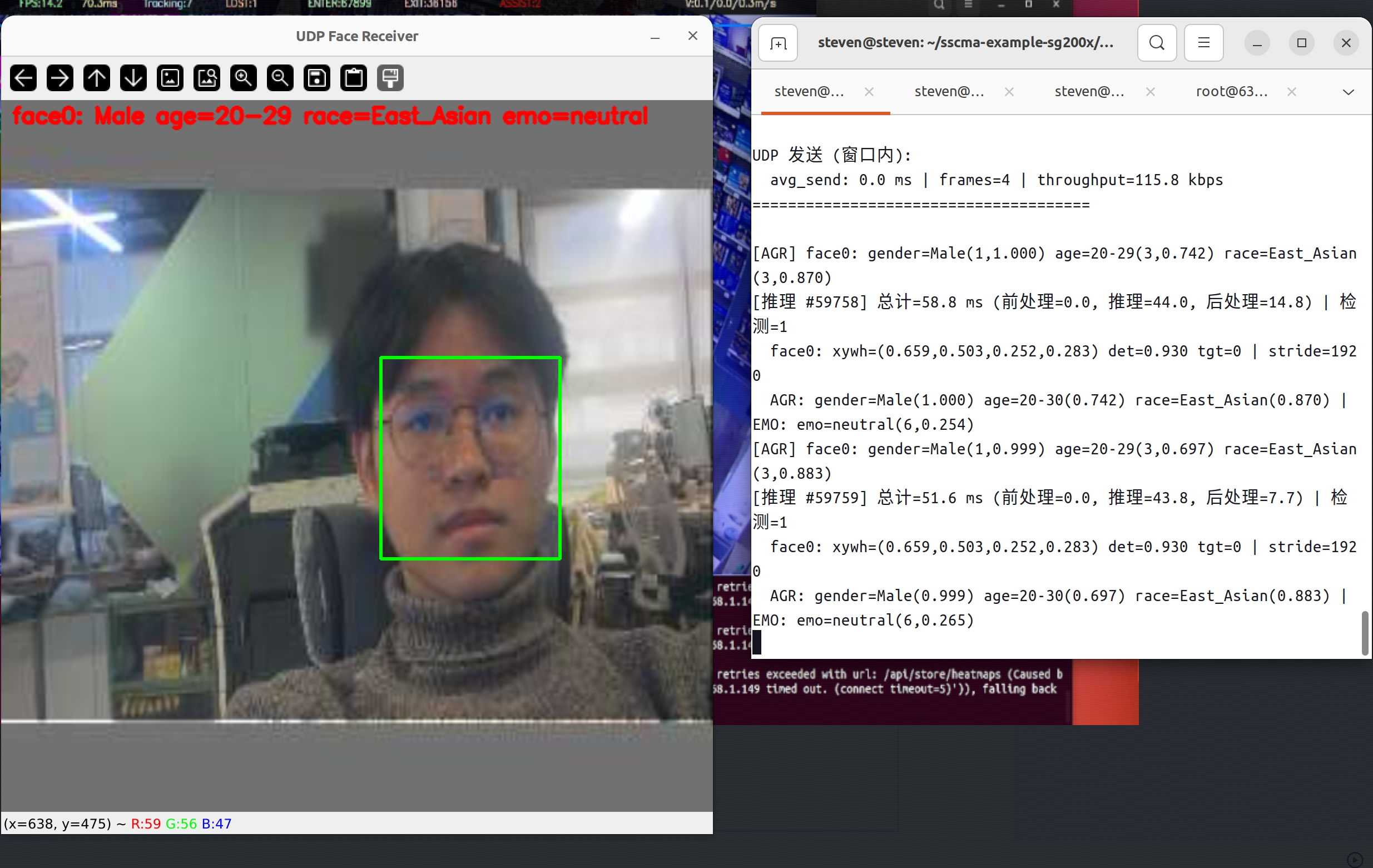
Expected Output
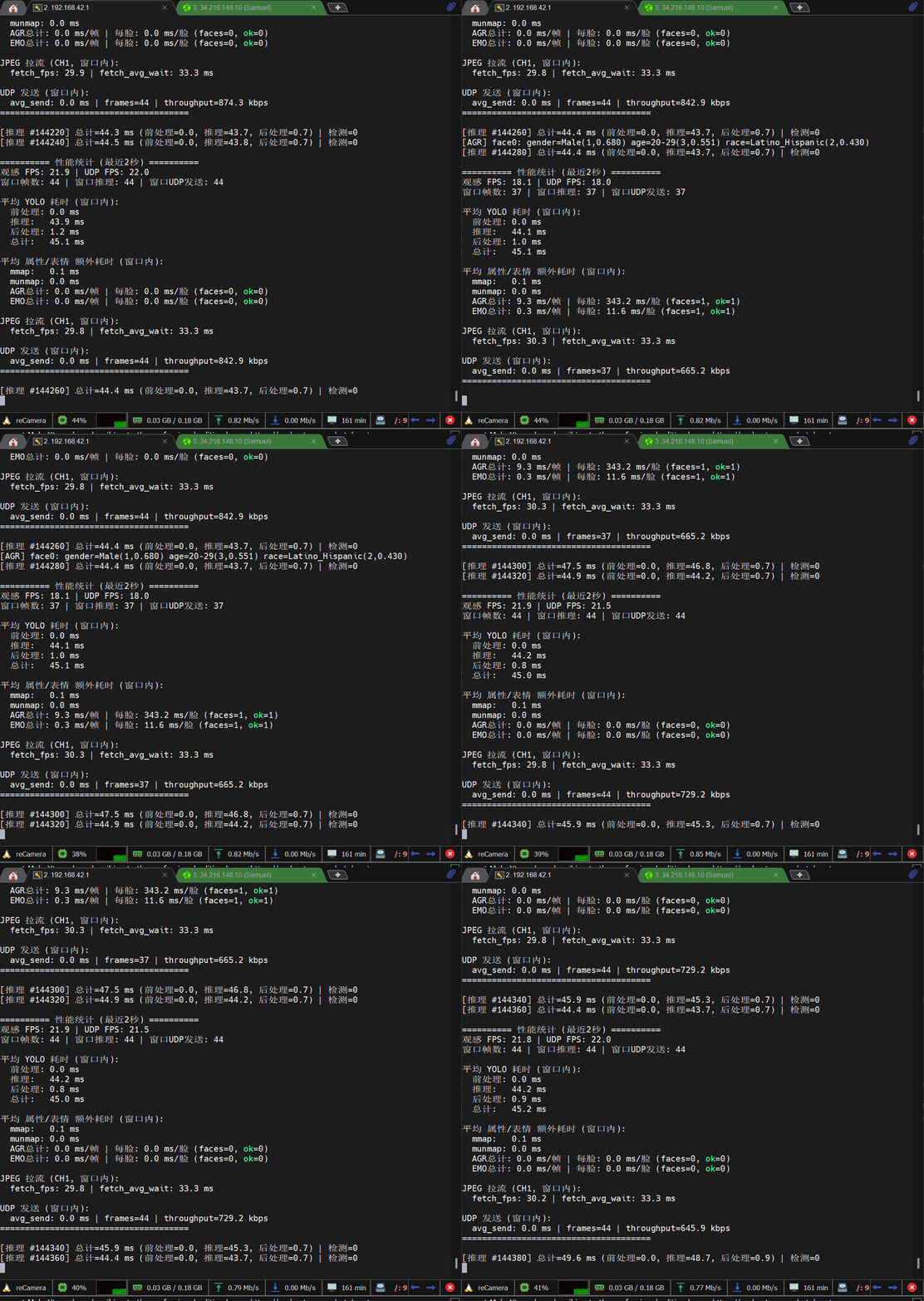
On ReCamera Terminal
The program will display real-time performance statistics every 2 seconds:
========== Performance Stats (Last 2 Seconds) ==========
Video FPS: 30.2 | UDP FPS: 9.8
Frames: 300 | Inferences: 100

Average YOLO Timing:
  Preprocess: 0.9 ms
  Inference:  35.5 ms
  Postprocess: 32.3 ms
  Total: 68.7 ms

Average Attribute/Emotion Overhead:
  mmap: 1.2 ms
  AGR: 45.3 ms/frame | 45.3 ms/face
  EMO: 12.1 ms/frame | 12.1 ms/face

UDP Send:
  avg_send: 2.1 ms | throughput: 850.5 kbps
======================================
On Python Receiver Window
The PC will display a window showing:
- Live video stream with JPEG frames
- Face bounding boxes (green rectangles)
- Attribute labels in the top-left corner:
- Gender (Male/Female)
- Age range
- Race classification
- Emotion (angry/disgust/fear/happy/sad/surprise/neutral)
Troubleshooting
Camera Access Error
If you see "No camera" error:
- Ensure Node-RED services are stopped (see Step 2 above)
- Check camera connection
UDP Connection Failed
If PC doesn't receive data:
- Verify PC and ReCamera are on the same network
- Check firewall settings on PC
- Confirm UDP port 5001 is not blocked
- Test with
pingbetween devices
Model Load Error
If model fails to load:
- Verify model files are uploaded to
/home/recamera/ - Check file permissions with
ls -la - Ensure sufficient storage space
Tech Support & Product Discussion
Thank you for choosing our products! We are here to provide you with different support to ensure that your experience with our products is as smooth as possible. We offer several communication channels to cater to different preferences and needs.