reComputer RK FAQ
This page contains verified answers for the reComputer RK. Each answer states the product variant and firmware mode it applies to, together with the date it was last verified against current official sources.
Before you begin
- Confirm the exact product variant and the SoC it is based on (RK3588 or RK3576).
- Check the current firmware version before applying version-specific steps.
- Answers on this page were last verified on 2026-11-01; re-check the linked official sources if you are reading this later.
Documentation & Usage
Where can I find the reComputer RK tutorials?
Applies to: The whole reComputer RK3576 and RK3588 series, for users who need the official tutorials, the images and the installation flow
Last verified: 2026-11-01
Wiki location: https://sensecraft.seeed.cc/ai-lab/en
Image lookup: https://armbian.com/boards
-
The wiki of the reComputer RK series has moved to the reComputer AI Lab platform, where you can find the product tutorials under Tutorials: https://sensecraft.seeed.cc/ai-lab/en;
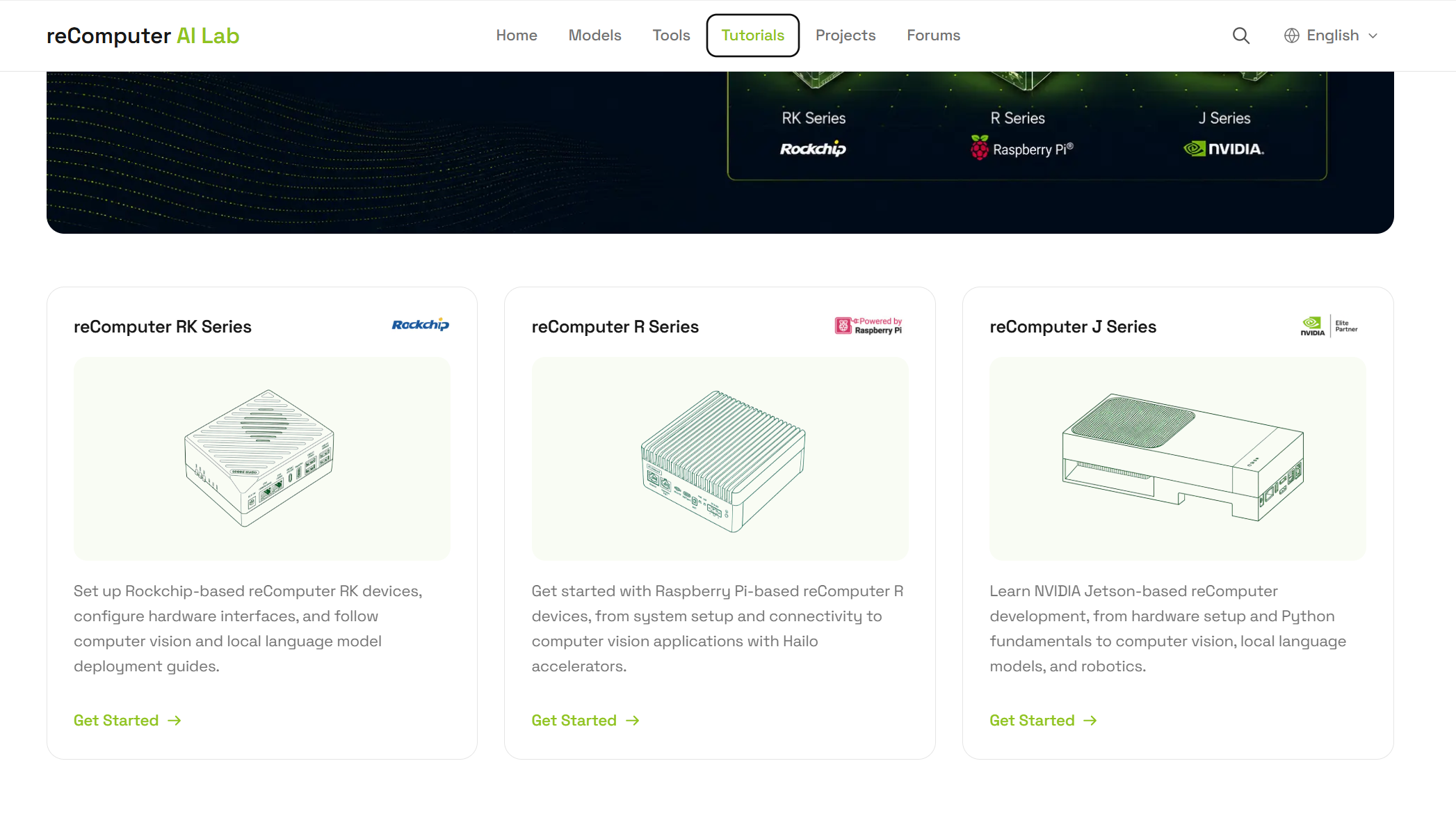
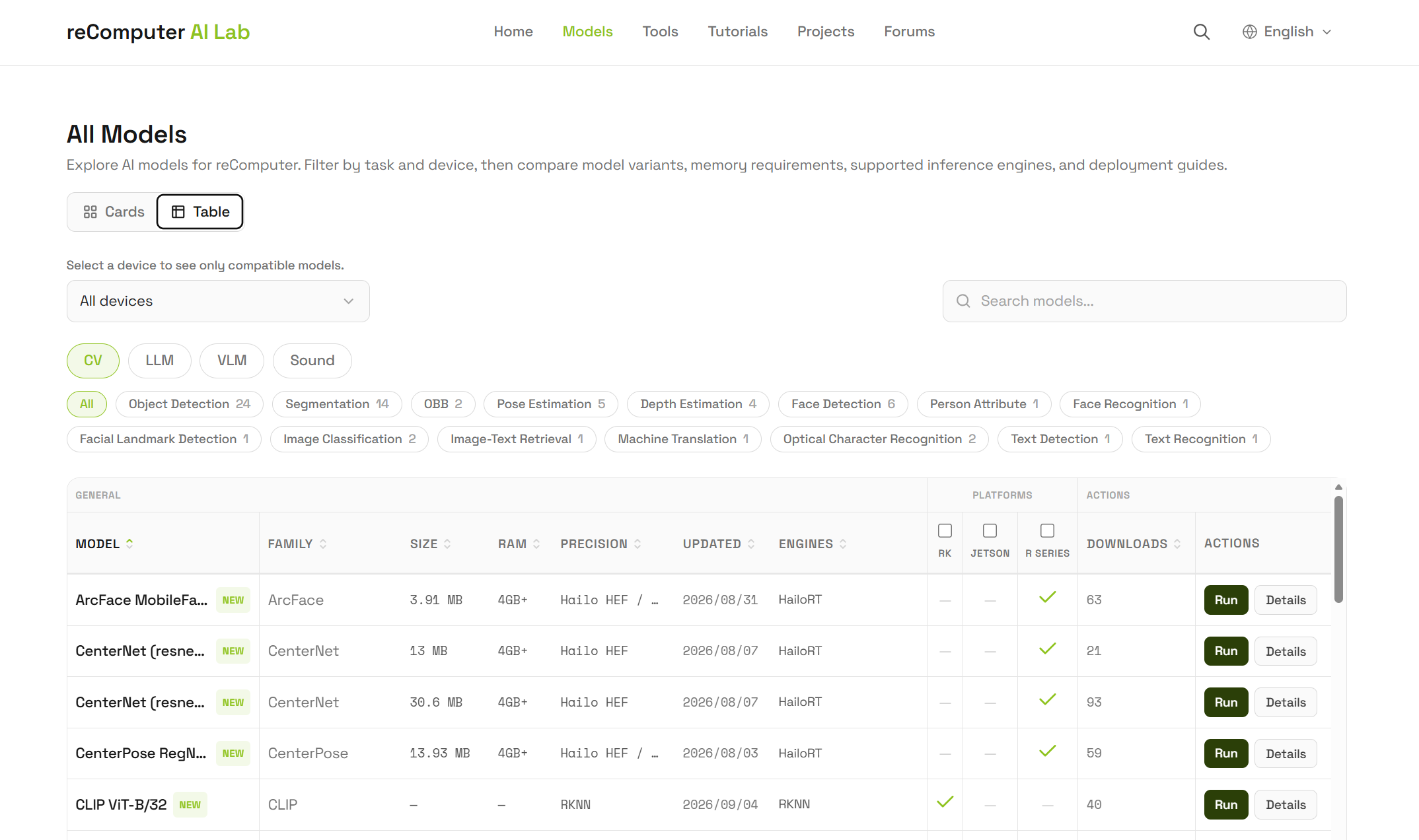
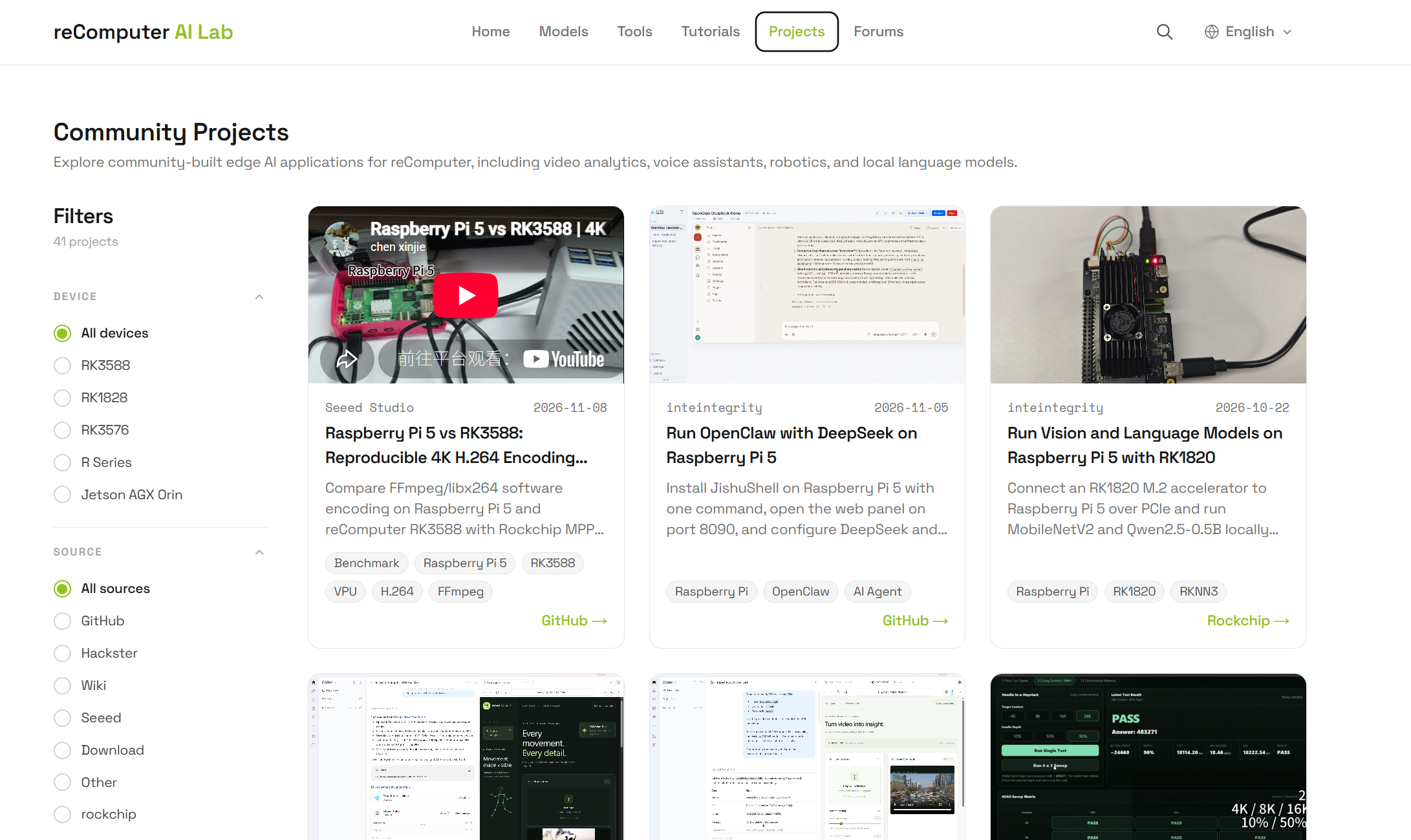
Besides that, the platform also provides pages such as Models and Projects, where you can run a model or a case with a single Docker command to get a faster idea of the device performance.
-
We have uploaded the images of the related RK products to the Armbian official repository, where you can search them yourself: https://imager.armbian.com/;
We also provide a wiki on how to flash the images: https://sensecraft.seeed.cc/ai-lab/en/tutorials/rk/edge-ai-computer/rk3576/getting-start/recomputer-rk3576-flash-os
Can the reComputer RK3576/RK3588 boot the system from an M.2 NVMe SSD?
Applies to: reComputer RK3576/RK3588 series, using an M.2 NVMe SSD as the system disk
Last verified: 2026-11-01
Yes. After the system has been flashed onto the SSD, power the device off and remove the SD card; the system then boots from the SSD automatically. You can follow the tutorial on that page for how to switch the boot drive: https://sensecraft.seeed.cc/ai-lab/zh/tutorials/rk/edge-ai-computer/rk3576/getting-start/recomputer-rk3576-flash-os#dd
Notes:
- When flashing the system, make sure to use the official image we provide.
References:
OS & Firmware
What is the initial password of a reComputer RK3588 device?
Applies to: reComputer RK3588 boards
Last verified: 2026-11-01
If you bought a standard reComputer RK3588 directly and the account was not customized, the initial username and password of the device are: root - 1234
Will the reComputer RK3588 Dev Kit come with an official Android image?
Applies to: reComputer RK3588 Dev Kit
Last verified: 2026-11-01
At the moment the reComputer RK3588 Dev Kit officially supports Armbian. No official Android image has been confirmed for release, and no release date has been confirmed either. If your project needs Android or another operating system, you can evaluate custom support through the ODM customization partnership; that route is not the same as a generally available official image.
Connectivity & Networking
How do I use GMSL cameras on the reComputer RK3576, and which deserializer works?
Applies to: reComputer RK3576 boards with an external GMSL to MIPI CSI-2 deserializer adapter
Last verified: 2026-11-01
Yes. The RK3576 can take GMSL cameras through an external GMSL deserializer adapter board. The deserializer converts the GMSL serial data into MIPI CSI-2, and the RK3576 receives it over its MIPI CSI interface; a MAX96712 is a suitable deserializer for this. H.265 hardware encoding and recording are supported as well: the RK3576 has a built-in VPU with H.264 and H.265 hardware encoding, and the chip specification reaches up to 4K at 60 fps.
References:
Does the reComputer RK3576-20 provide I2C pins?
Applies to: reComputer RK3576-20, used as a replacement for a Raspberry Pi
Last verified: 2026-11-01
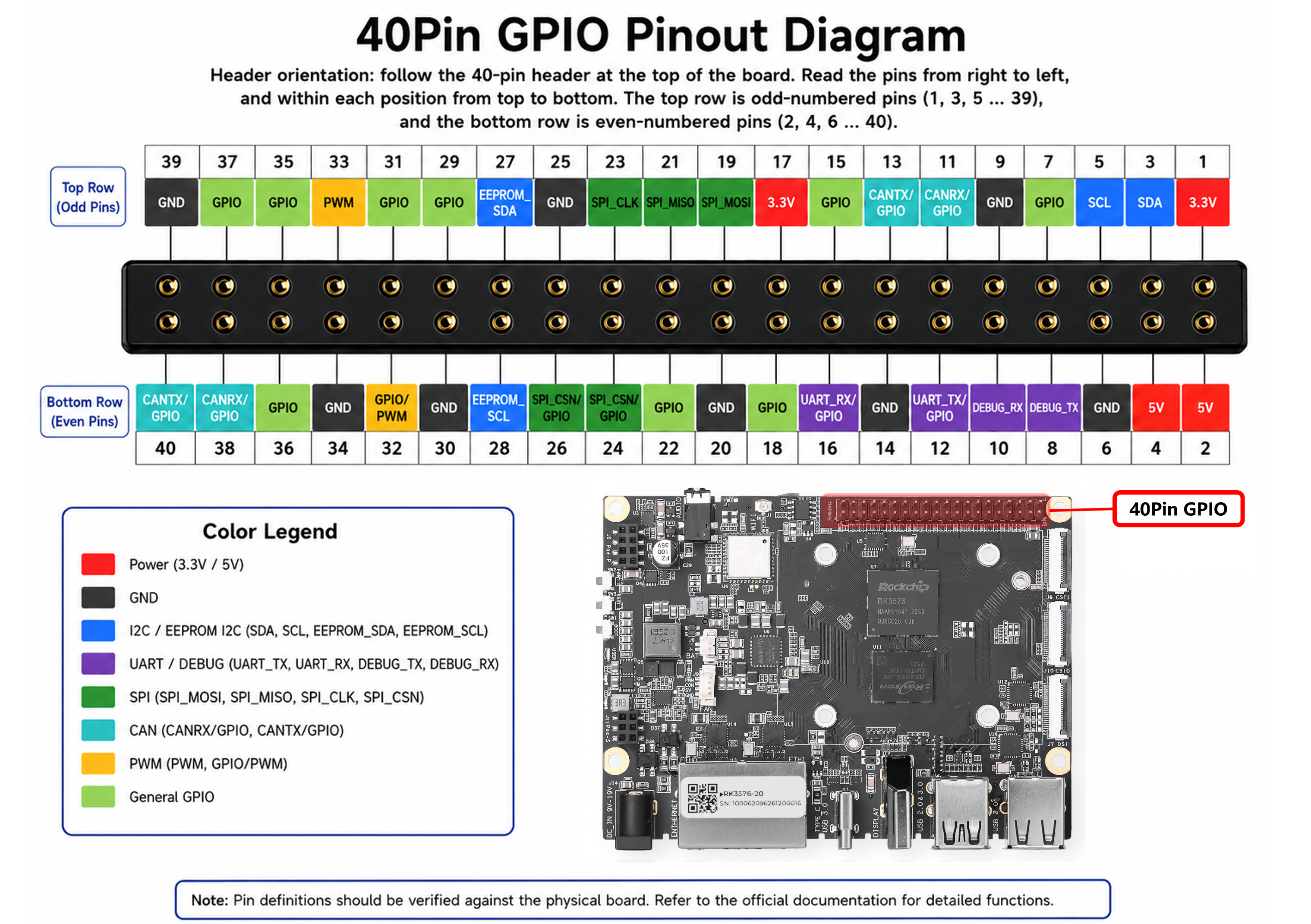
The reComputer RK3576-20 exposes a 40-pin GPIO header that includes two I2C channels, and its schematic is available here: https://files.seeedstudio.com/wiki/reComputer_RK/Documents/recomputer_rk3576/RECOMPUTER%20RK3576_V1.0_SCH_2026.pdf.
References:
How do I check the GPIO and the multiplexed pins of the reComputer RK3576 40-pin header?
Applies to: reComputer RK3576 series 40-pin GPIO header, for hardware designs that plan UART, CAN, SPI or I2C multiplexing
Last verified: 2026-11-01
The 40-pin header can multiplex out up to 6 UARTs. Four standard UARTs (RS232, RS485 or KNX) are possible but require multiplexing and occupy 8 pins in total; one UART with CTS and RTS (MG24) is also possible; one CAN is possible, and the CAN on the 40-pin header is a native chip signal, so an external CAN transceiver is required for it to work. Because the multiplexing is extensive, functions such as SPI or I2C may not be available.
-
You can check the pin test and multiplexing status of the device in that wiki: https://sensecraft.seeed.cc/ai-lab/zh/tutorials/rk/edge-ai-computer/rk3576/interface-usage-guidelines/use-recomputer-rk3576-hardware-interfaces-and-fan-control#gpio
References:
Can the reComputer RK3588-30 take an IP camera and run object detection on it?
Applies to: reComputer RK3588-30, connecting an RTSP IP camera over Ethernet for video analytics
Last verified: 2026-11-01
Yes. Judging by its capabilities, the device fully supports RTSP camera input: it has two 2.5 Gigabit Ethernet ports, one of which supports PoE, a VPU for video decoding and an NPU for compute.
References:
- Interruptible Conversational Voice AI on the Edge: Build, Deploy, and Measured Results
- Edge Security Alerting: Restricted Zones, Line Crossing and Loitering on the Edge
Hardware & Interfaces
The RK182x accelerator card interferes with the installation on the reComputer RK3576 and cannot be installed
Applies to: reComputer RK3576 boards with an RK1828 or RM182X PCIe NPU card added
Last verified: 2026-11-01
The reComputer RK3576 has already been tested for this installation. When installing the RK182x accelerator card, note that the original bottom shell of the accelerator must be removed: keep the bare board plus the cooling fan, and the card can then be installed normally.
Which MIPI-CSI cameras does the reComputer RK3588 support?
Applies to: reComputer RK3588 series, connecting a camera through the MIPI-CSI interface
Last verified: 2026-11-01
The camera confirmed as working is currently the Raspberry Pi Camera Module 3 (IMX708).
Notes:
- The CSI interface of the reComputer RK3588 differs from the Raspberry Pi design, so the Raspberry Pi camera ecosystem cannot be used as-is.
References:
- Edge Security Alerting: Restricted Zones, Line Crossing and Loitering on the Edge
- reComputer RK3588-30
Product & Service
Can the reComputer RK3588-40 run local AI such as DeepSeek or Ollama, and does it support Windows or Linux?
Applies to: reComputer RK3588-40 running local LLM or VLM models
Last verified: 2026-11-01
Yes, it can be used for local AI deployment. The reComputer RK3588-40 supports a wide range of LLM and VLM models; you can check the adapted models on the Models page of the reComputer AI Lab platform.,Regarding the operating system, the officially supported one is Debian, with Linux as the base system; Windows and the other Linux distributions besides Debian are not explicitly supported yet.
Notes:
- Whether a specific tool or model (for example DeepSeek or Ollama) works still has to be confirmed against the model version, the quantization level, the available memory and the compute resources.
References:
Which PoE-PD and Hailo-8 M.2 accessories does the reComputer RK3576/RK3588 support, and how do I confirm compatibility, the SKU and the way to buy them?
Applies to: reComputer RK3588-40 (SKU 100086238), for PoE-PD and Hailo-8 M.2 accessory selection
Last verified: 2026-11-01
The PoE-PD module for the reComputer RK3588 has not been released yet, so there is no confirmed SKU and no statement on whether it is sold separately. Second, the Hailo-8 M.2 accelerator: Seeed states that a Hailo-8 M.2 module compatible with the reComputer RK3588-40 does exist, but it is currently supplied only as a custom bundle with an RK3588-40 host and the module cannot be bought on its own;
Notes:
- Ask for a quote for the custom volume solution. If you buy a Hailo-8 module from another channel, ask the seller for the relevant specifications and for the same Hailo-8 compatibility with the RK3588-40 before you decide
References:
Tech Support & Product Discussion
Thank you for choosing our products! We are here to provide you with different support to ensure that your experience with our products is as smooth as possible. We offer several communication channels to cater to different preferences and needs.